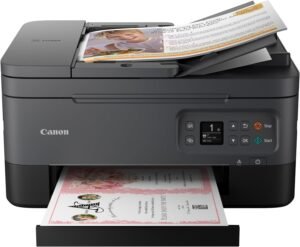
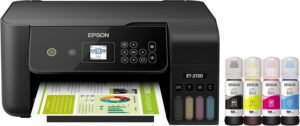
20ml Syringe Epson Inkjet Printhead Cleaning Kit Review
Solving Inkjet Printhead Clogs Before They Cost You a Printer
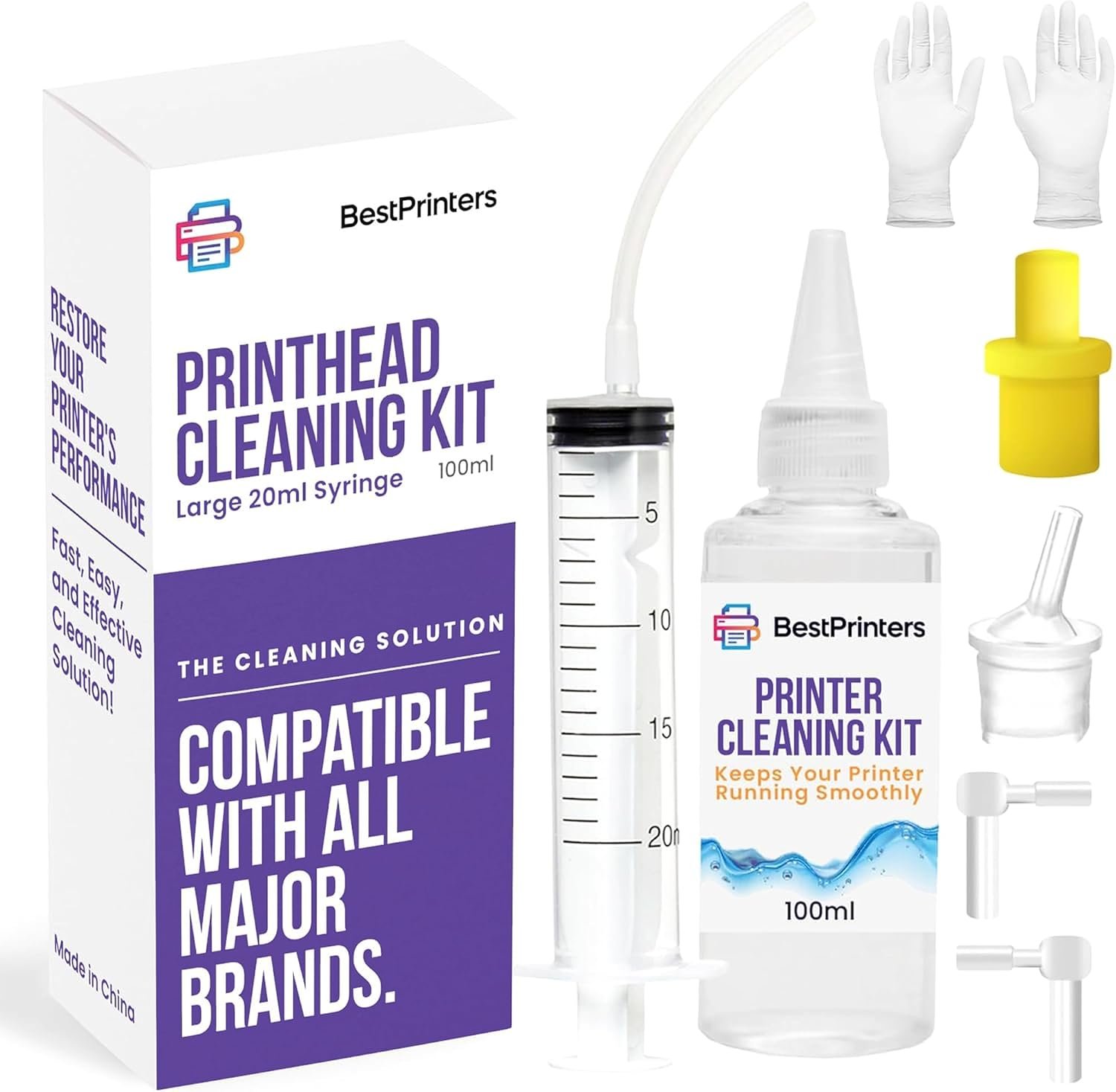
The 20ml Syringe Inkjet Printhead Cleaning Kit ships with a 100ml bottle of ionized cleaning fluid designed to dissolve dried ink deposits that cause streaking, blank pages, and missing colors on inkjet printers. Positioned in the marketplace as a best printer cleaning kit for Epson, HP, and Brother machines, this review looks at printhead maintenance kits amid rising interest in the cost of replacement print heads and the growing popularity of continuous-ink and refillable tank printers. Inkjet printers rely on a network of microscopic nozzles that can become clogged with dried pigment or dye-based ink whenever a machine sits unused for more than a few days, whenever low-quality ink is used, or whenever ambient humidity swings are significant. Home offices running Epson EcoTank or WorkForce models, small businesses operating HP OfficeJet or SmartTank units, and creative studios using Canon PIXMA or Brother MFC printers all face the same underlying maintenance challenge: printheads that clog gradually and silently until output quality drops. A dedicated cleaning kit addresses this by delivering fluid directly into the printhead assembly rather than relying solely on built-in software cleaning cycles, which consume ink with every automated pass and do not always clear stubborn deposits. Understanding how such a kit performs, what it includes, and which printers it suits is central to deciding whether it belongs in a regular maintenance routine.
Quick Overview
| Feature | Details |
|---|---|
| Product Type | DIY inkjet printhead cleaning kit |
| Printer Compatibility | Epson EcoTank and WorkForce, HP SmartTank and OfficeJet, Canon PIXMA, Brother MFC, plus DTF and sublimation printers |
| Kit Contents | 100ml ionized cleaning fluid, 20ml syringe, multiple nozzle attachments, cleaning tools |
| Cleaning Solution Type | Ionized fluid formulated to dissolve dried pigment and dye-based ink buildup |
| Application Method | Manual syringe-based flush through printhead nozzles and ink lines |
| Recommended Use Frequency | As-needed maintenance, followed by a printhead or power cleaning cycle |
| Skill Level Required | No technical expertise required; DIY-friendly instructions |
| Support Coverage | USA-based customer support team |
| Best Suited For | Home, home-office, and small business inkjet users experiencing clogs, streaking, or missing colors |
These specifications indicate a maintenance-focused accessory rather than a printer replacement part, meaning results depend heavily on how a clog originated and how long ink has been left to dry. Because the kit works across multiple printer brands and ink systems, it functions as a general-purpose troubleshooting tool for households or offices running more than one inkjet model. The large syringe volume also suggests it is intended for repeated use across several cleaning cycles rather than a single application.

Best Printer Cleaning Kit for Epson, HP, and Brother Compatibility
Broad compatibility is one of the more practical advantages of this cleaning kit, since it is formulated for use across Epson EcoTank and WorkForce lines, HP SmartTank and OfficeJet series, Canon PIXMA models, and Brother MFC machines, in addition to specialty DTF and dye-sublimation printers. Rather than being engineered for a single manufacturer’s proprietary ink chemistry, the ionized fluid is designed to break down dried pigment and dye-based deposits common across most consumer and small-business inkjet platforms. This cross-brand approach matters for households or offices that operate more than one printer model, since a single kit can address printhead maintenance across an entire fleet instead of requiring brand-specific cleaning products. Buyers evaluating this as a best printer cleaning kit for Epson-based systems should still confirm nozzle attachment sizing matches their specific printhead design before assuming universal fit.

Supported Printer Brands and Series
The kit lists compatibility with Epson EcoTank and WorkForce inkjet printers, HP SmartTank and OfficeJet series, Canon PIXMA models, and Brother MFC multifunction units. This range covers a large share of consumer and small-office inkjet printers currently in circulation, since these manufacturers account for most home and business inkjet sales. Coverage extends beyond standard document printers to DTF transfer printers and dye-sublimation systems, which use similarly structured printheads but different ink formulations. Because attachment sizing and nozzle geometry vary by printer generation, owners of older or specialty models should verify fitment details before relying on the kit as a universal solution across every printer they own.
Inkjet Printer vs Laser Printer Suitability
This cleaning kit is built specifically for inkjet printer maintenance and has no application on laser printers, since the two technologies use fundamentally different imaging processes. The inkjet printer vs laser printer distinction matters here because laser printers use toner powder fused with heat rather than liquid ink pushed through nozzles, meaning clogging is not a comparable failure mode. In an inkjet printer vs laser comparison, only inkjet systems develop the dried-ink nozzle blockages this kit is designed to clear. Offices that mix both printer types should reserve this kit exclusively for their inkjet units and use manufacturer-specific toner or drum maintenance procedures for laser devices instead.
Specialty Uses Including Vinyl and Sublimation Printing
Beyond standard document and photo printing, the kit’s compatibility list includes DTF and dye-sublimation printers, which are frequently adapted for an inkjet printer for vinyl transfer workflow in small-scale garment and signage production. These specialty setups tend to experience faster nozzle clogging than typical home printers because pigment inks and sublimation dyes have different viscosity and drying characteristics than standard document ink. Operators running an inkjet printer for vinyl cutting or heat-transfer projects may find more frequent cleaning cycles necessary to maintain consistent color saturation and line sharpness, making a larger-volume cleaning kit like this one more practical than smaller single-use alternatives.
How the Inkjet Printing Process Shapes Cleaning Needs
Understanding the inkjet printing process helps explain why printhead cleaning kits exist at all. Inkjet printers form images by forcing tiny droplets of liquid ink through a grid of microscopic nozzles onto paper, a mechanism that depends on those nozzles remaining completely unobstructed. When a printer sits idle, exposed ink at the nozzle surface evaporates and leaves behind dried pigment or dye residue that partially or fully blocks droplet flow. Because this failure mode is mechanical rather than electronic, it typically cannot be resolved through software or firmware updates alone. A cleaning kit intervenes directly at the physical source of the problem, flushing dissolved deposits out of the nozzle array so the printhead can return to normal droplet ejection during regular printing.
Inkjet Printer Working Principle and Nozzle Technology
The inkjet printer working principle relies on thermal or piezoelectric elements that eject precisely metered ink droplets through nozzle openings often smaller than a human hair. Explaining how an inkjet printer works clarifies why even microscopic dried-ink particles can disrupt output: a single blocked nozzle produces a visible white line or color gap across every printed page until cleared. This inkjet printer working principle is shared across most consumer brands, which is part of why a cross-compatible cleaning fluid can address clogs regardless of manufacturer. Because the nozzle plate is a fixed, non-replaceable component in many designs, keeping it clear through periodic cleaning is generally more practical than allowing buildup to accumulate.
Features of Inkjet Printers That Lead to Clogging
Several common features of inkjet printers make them prone to the clogging this kit addresses. Continuous-ink and refillable tank systems, such as those found in EcoTank and SmartTank printers, hold larger ink reservoirs but can sit unused for longer stretches between print jobs, increasing evaporation risk at the nozzle. Multi-color cartridge arrays also mean a clog affecting even one ink channel can produce visibly incomplete output. Environmental exposure, infrequent use, and mixing third-party ink formulations are among the most commonly cited contributors to nozzle blockages across inkjet printer brands, all of which are conditions this type of cleaning kit is intended to remedy rather than prevent.
Inkjet Printer Advantages and Disadvantages for Maintenance
Weighing inkjet printer advantages and disadvantages in maintenance terms helps set realistic expectations for this kit. On the advantage side, inkjet printing process technology generally produces better photo and color gradient quality than comparable laser output and involves lower upfront hardware cost. The disadvantage is that liquid ink is inherently more prone to drying and clogging than toner powder, making periodic maintenance a recurring requirement rather than a one-time task. A cleaning kit does not eliminate this trade-off; it simply provides a lower-cost way to manage it compared with professional servicing or premature printhead replacement. Recognizing this trade-off upfront helps set realistic maintenance expectations for ongoing ownership.
Application Process, Included Components, and Ease of Use
The kit is built around a DIY application process that does not require technical printer repair experience. Its core components include a 100ml bottle of ionized cleaning fluid, a 20ml syringe for controlled fluid delivery, and multiple attachments sized for different printhead and cartridge port designs. The larger syringe size compared with typical single-use cleaning droppers allows for more thorough flushing per session and reduces how often the fluid needs to be refilled during a multi-pass cleaning routine. Instructions generally call for injecting fluid into the ink delivery path, allowing a soak period for dried deposits to loosen, and then running the printer’s built-in power or printhead cleaning cycle to purge dissolved residue and restore normal ink flow.

Step-by-Step Cleaning Procedure
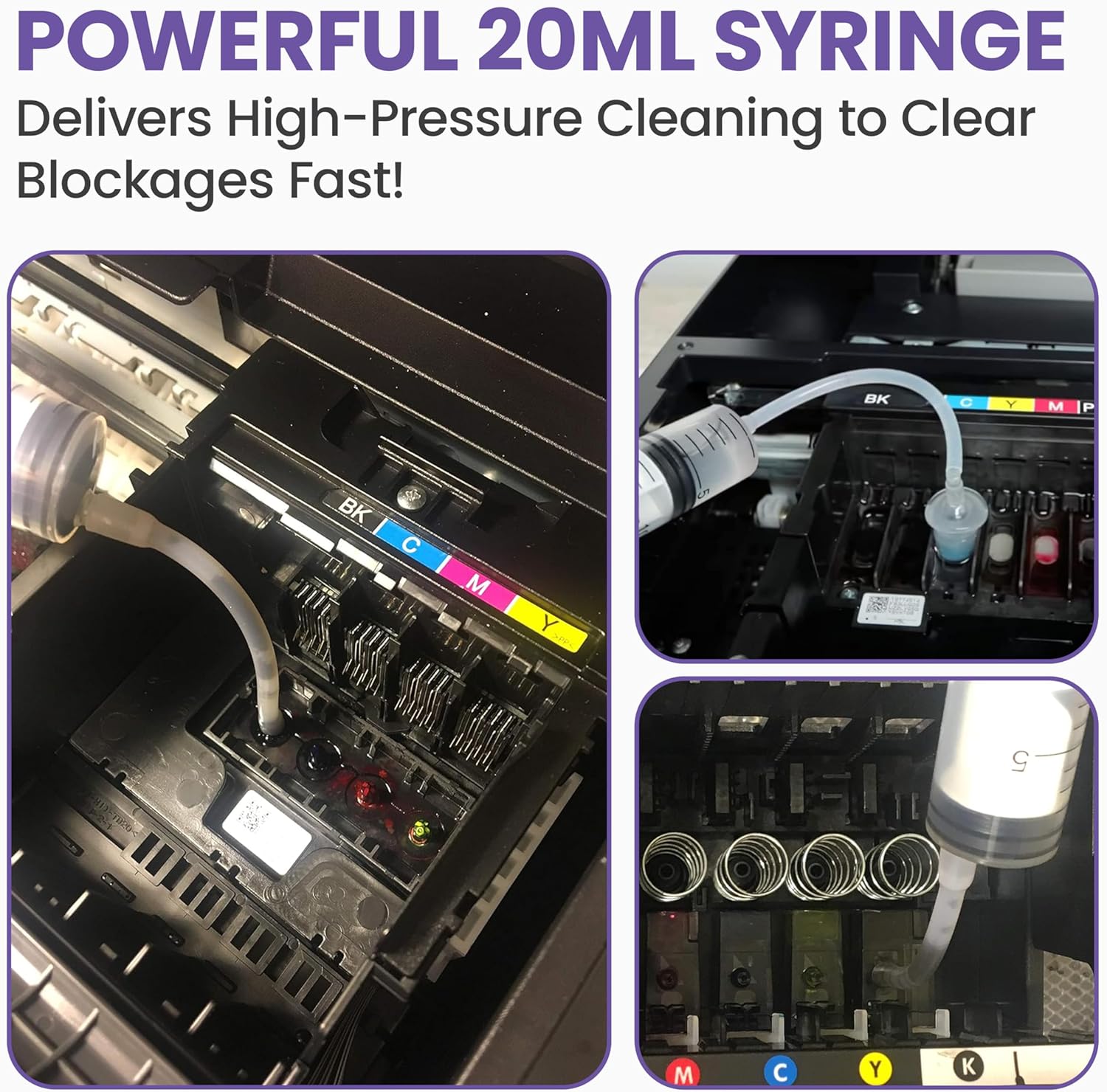
A typical cleaning procedure begins with removing the ink cartridge or accessing the printhead assembly, depending on printer design, followed by attaching the syringe to the appropriate nozzle port. Cleaning fluid is injected slowly to avoid pressure damage to internal ink channels, then left to sit so the ionized solution can dissolve dried pigment. After the soak period, running a manufacturer power-cleaning or printhead-cleaning cycle helps draw the loosened residue out of the nozzle array and back into normal ink flow. Manufacturers of this type of kit commonly recommend repeating the process if streaking or missing colors persist after the first attempt, since severe clogs may require more than one flush.
Tools and Attachments Included
The kit includes several attachments designed to fit different cartridge and printhead port shapes across Epson, HP, Canon, and Brother printer lines, reducing the need to purchase brand-specific accessories separately. This multi-attachment approach is a meaningful convenience for households or offices with more than one printer brand in use. The 20ml syringe is sized larger than many competing single-use cleaning tools, giving users more working fluid per session for stubborn or long-neglected clogs. Because attachments vary by printer generation, some users with newer or less common printer models may need to test fit before assuming full compatibility with every port on their machine.
Skill Level and Time Investment
No specialized tools or professional repair experience are required to use the kit, positioning it as an accessible option for typical home and small-office users rather than a service reserved for technicians. The process does require some manual dexterity and patience, since rushing the injection or soak steps can reduce effectiveness. Total time investment per cleaning session, including soak time and a subsequent power-cleaning cycle, is generally longer than a single automated software cleaning pass but shorter than shipping a printer out for professional servicing. Manufacturer-provided video guidance is commonly referenced as a supplementary resource for users unfamiliar with printhead access points on their specific model.
Maintenance Value, Solution Composition, and Long-Term Care
The ionized cleaning fluid included in this kit is formulated to be gentle on typical internal printer components while still being effective at breaking down dried ink deposits, an important balance for a product applied directly inside sensitive print mechanisms. Positioning the kit as preventative maintenance rather than a one-time emergency fix reflects how printhead health tends to degrade gradually through repeated small clogging events rather than a single failure. Regular use as part of a maintenance routine, particularly for printers that sit idle for extended periods, may help delay the point at which a printhead becomes clogged beyond what cleaning fluid alone can resolve. This maintenance-first framing distinguishes the kit from software-only cleaning cycles, which consume ink but do not physically dissolve accumulated residue.

Ionized Cleaning Fluid Composition and Component Safety
The included fluid is described as an ionized formula intended to be safe across printer components it contacts during application, which matters because aggressive solvents could otherwise damage rubber seals, plastic housings, or sensitive nozzle plates. Ionized cleaning solutions are generally formulated to target dried pigment and dye particles specifically rather than degrading the surrounding hardware. This composition approach is consistent with the broader category of printhead maintenance fluids, which prioritize dissolving power against ink residue while minimizing chemical interaction with non-ink surfaces. Following the recommended soak duration rather than extending it further helps reduce this risk during application.
Syringe Capacity and Precision Delivery
At 20ml, the included syringe holds noticeably more fluid than many smaller cleaning droppers bundled with competing kits, allowing for a more thorough single-session flush without needing to refill mid-procedure. Larger syringe capacity also supports more controlled, gradual injection, which reduces the risk of over-pressurizing delicate ink channels compared with squeezing fluid from a soft bottle. Precision delivery matters most on multi-color cartridge systems, where each ink channel may need to be flushed separately to fully clear a clog affecting only one color. The 100ml fluid bottle supports roughly five refills of the syringe, extending the kit’s usable life across multiple cleaning sessions or printers.
Preventive Maintenance Frequency and Printer Lifespan Impact
Because printhead clogging is a recurring risk rather than a one-time event, periodic use of a cleaning kit functions as preventive maintenance that may extend the interval before a printhead requires professional service or replacement. Printers used infrequently, or left idle for weeks between print jobs, are generally more susceptible to nozzle drying and benefit most from a scheduled cleaning routine. Over time, consistent maintenance can help preserve print quality and reduce ink waste from repeated automated cleaning cycles, which consume ink with every pass regardless of whether they successfully clear a clog. Treating printhead care as routine maintenance rather than a reactive fix is the underlying value proposition of this product category.
Pros & Cons
Pros
- Broad printer compatibility: Works across Epson, HP, Canon, and Brother inkjet printers, along with DTF and sublimation systems, reducing the need for brand-specific cleaning products.
- Large syringe volume: The 20ml syringe delivers more fluid per session than many smaller competing tools, supporting more thorough cleaning with fewer refills.
- DIY-friendly process: Requires no professional repair experience or specialized tools, making it accessible to typical home and small-office users.
- Multiple included attachments: Various nozzle and cartridge port attachments increase the likelihood of a proper fit across different printer models and generations.
- Preventive maintenance value: Regular use may help delay printhead degradation and reduce reliance on ink-consuming automated cleaning cycles.
- Specialty printing support: Compatibility with DTF and sublimation printers extends usefulness beyond standard document printing into vinyl transfer and garment production workflows.
- Reusable across multiple sessions: The 100ml fluid volume supports several cleaning cycles rather than a single application, extending overall kit lifespan.
- US-based support access: Availability of manufacturer support may help users troubleshoot fitment or application questions specific to their printer model.
Cons
- Not effective on hardware failures: The kit addresses ink-residue clogging only and cannot resolve mechanical, electrical, or firmware-related printer malfunctions.
- Manual process required: Application takes more time and hands-on effort than a single automated software cleaning cycle, which may not suit users seeking a fully hands-off fix.
- Fitment varies by model: Attachment compatibility across older or less common printer generations is not guaranteed, requiring some verification before use.
- No benefit for laser printers: The product has no application on laser or LED printers, limiting its usefulness to inkjet-only environments.
- Results depend on clog severity: Long-neglected or fully dried printheads may require multiple cleaning sessions or may not fully recover regardless of fluid application.
Final Verdict: Who This Printer Cleaning Kit Is Best For (and Who Should Skip It)
This cleaning kit is best suited for home and small-office users running Epson, HP, Canon, or Brother inkjet printers who are experiencing streaking, missing colors, or blank sections in printed output and want a DIY option before considering professional service or replacement. It is particularly relevant for owners of continuous-ink and refillable tank printers, which tend to sit idle longer between print jobs and are more prone to nozzle drying, as well as for small-scale vinyl transfer or sublimation operations that already experience faster clog cycles than standard document printing. The broad multi-brand compatibility and generous 20ml syringe volume make it a practical general-purpose maintenance tool for households or offices managing more than one inkjet printer.
Users should look elsewhere if their printer issues stem from mechanical or electronic faults rather than ink-related clogging, or if they exclusively operate laser printers, since the kit offers no relevant function there. Buyers expecting a guaranteed fix for severely neglected or long-dried printheads should also temper expectations, as outcomes depend heavily on how long a clog has been present. For routine inkjet maintenance in 2026, the kit represents a reasonable preventive and corrective option within its intended scope.
Frequently Asked Questions (FAQs)
What is the best printer cleaning kit for Epson printers?
A strong pick generally offers ionized cleaning fluid paired with a large-capacity syringe and multiple attachments sized for different Epson cartridge and printhead configurations, since compatibility varies across EcoTank, WorkForce, and standard cartridge-based models. Kits offering broad attachment sets and reusable fluid volumes tend to provide more flexibility than single-use alternatives. Confirming attachment sizing against the specific Epson model in use is the most reliable way to judge fit before purchase.
Can a printhead cleaning kit be used on HP and Brother printers as well as Epson?
Many cleaning kits, including cross-brand ionized fluid formulas, are designed to work across HP OfficeJet and SmartTank lines and Brother MFC printers in addition to Epson models, since these manufacturers use broadly similar inkjet nozzle technology. Attachment shape and port sizing can differ by brand and generation, so verifying included attachments match the target printer is recommended before applying any cleaning fluid to unfamiliar hardware.
How often should an inkjet printhead be cleaned with a maintenance kit?
Frequency depends on usage patterns rather than a fixed schedule; printers left idle for extended periods or exposed to fluctuating humidity generally need more frequent attention than machines printing daily. Many manufacturers suggest treating printhead cleaning as an as-needed maintenance step, applied when streaking, faded colors, or missing sections first appear, and again if symptoms persist after an initial cleaning and follow-up power-cleaning cycle.
Does the inkjet printer working principle affect how cleaning kits function?
Yes; because inkjet printers rely on microscopic nozzles ejecting liquid ink droplets, dried residue at those nozzles directly blocks output, which is why cleaning fluids target dissolving ink rather than addressing toner or fusing components found in laser printers. Understanding this working principle explains why cleaning kits are formulated as liquid solvents rather than mechanical or powder-based products, and why they have no equivalent function on non-inkjet print technology.
Is a printhead cleaning kit useful for an inkjet printer used for vinyl or sublimation printing?
Vinyl transfer and sublimation setups often experience faster nozzle clogging than standard document printers because of differences in ink viscosity and drying behavior, making periodic cleaning particularly relevant for these workflows. A kit with a larger fluid volume and syringe capacity can be more practical in this context, since specialty printing operations may require more frequent maintenance sessions than typical home or office document printing.
What are common signs that an inkjet printhead needs cleaning?
Typical indicators include horizontal streaking across printed pages, one or more colors missing entirely from output, faded or inconsistent color saturation, and blank sections appearing where ink should print. These symptoms usually point to partially or fully blocked nozzles rather than a paper handling or connectivity issue. Running a built-in nozzle check pattern before attempting fluid-based cleaning can help confirm whether clogging is responsible for the print quality problem.
Does using a third-party cleaning kit void a printer’s manufacturer warranty?
Warranty terms vary by printer manufacturer, and some warranties may exclude damage resulting from third-party cleaning products or improper application. Reviewing the specific printer’s warranty documentation before applying any external cleaning fluid is advisable, particularly for printers still under active coverage. Kits marketed with safety-focused, ionized formulas are generally designed to minimize component risk, but manufacturer policies on third-party maintenance products differ and should be checked individually.
What is typically included in a printhead cleaning kit?
A standard kit usually includes a bottle of specialized cleaning fluid, a syringe for controlled application, and one or more attachments designed to fit different cartridge or printhead port shapes. Larger kits may include enough fluid for multiple cleaning sessions rather than a single use. Some kits also provide access to supplementary instructional video content to guide users through brand-specific application steps.