Epson EcoTank ET-2850: A Comprehensive Review of the Cartridge-Free All-in-One Printer
The Importance of Choosing the Right Printer
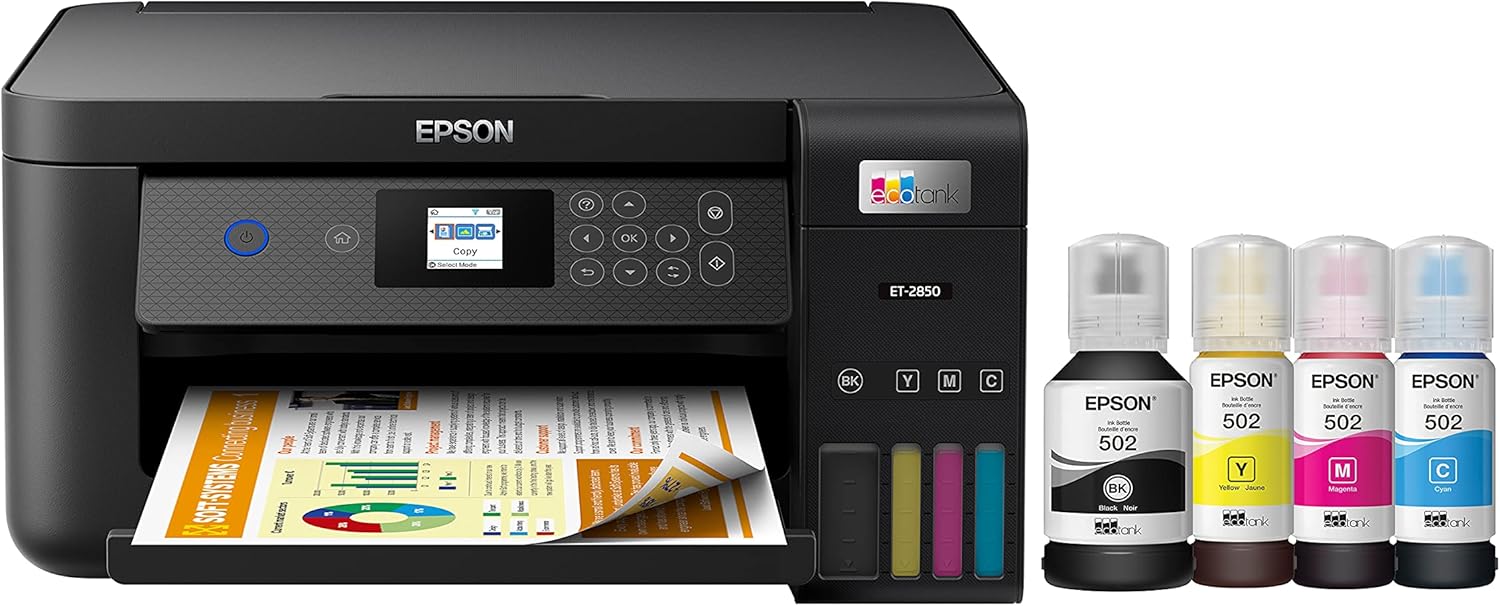
In today’s fast-paced digital environment, selecting the right printer is critical for both personal and professional workflows. Whether managing household documents, handling office tasks, or supporting creative projects, a printer’s performance directly impacts productivity and efficiency. The Epson EcoTank ET-2850 represents a modern solution designed for users who prioritize cost-effectiveness, ease of use, and multifunctionality. Its cartridge-free design, combined with high-capacity ink tanks and wireless connectivity, positions it as a viable option for home and small office environments. However, the decision to adopt this printer depends on understanding its technical capabilities, operational constraints, and suitability for specific tasks. This review evaluates the ET-2850 based on its print technology, media compatibility, connectivity options, and long-term maintenance requirements, helping users determine if it aligns with their printing needs.
Quick Overview
| Feature | Details |
|---|---|
| Printer Type | Inkjet, All-in-One (Print, Scan, Copy) |
| Print Resolution | 1200-4800 dpi (color), 1200 dpi (black-and-white) |
| Media Compatibility | Letter-sized paper, plain paper |
| Connectivity | Wi-Fi, Epson Smart Panel App |
| Duty Cycle | 50,000 plain paper sheets (12-month warranty) |
| Ink System | Cartridge-free, refillable EcoFit ink bottles |
| Warranty | 12 months or 50,000 pages (whichever occurs first) |
| Additional Functions | Auto-duplex printing, flatbed scanner |
The EcoTank ET-2850’s design caters to users requiring a balance of affordability and reliability for moderate print volumes. Its wireless capabilities and multifunctionality make it suitable for environments where mobility and efficiency are priorities. However, its reliance on refillable ink bottles and specific media types may limit its appeal for high-volume or specialized printing tasks.
Print Technology and Output Quality

Inkjet Versus Laser: A Performance Comparison
The EcoTank ET-2850 employs an inkjet printing system, which differs significantly from laser printers in terms of output quality and cost structure. Inkjet technology excels in producing vibrant color images and crisp text, making it ideal for creative projects, photo printing, and document formatting. The printer’s maximum color resolution of 4800 dpi ensures fine detail in graphics, while its 1200 dpi black-and-white output maintains readability for text-heavy documents. However, inkjet printers generally have slower print speeds compared to laser models, which may affect productivity in high-volume environments.
Color Accuracy and Text Clarity
The ET-2850’s color accuracy is supported by its high-resolution print head and Epson’s proprietary ink formulation. The printer’s ability to produce consistent color output across different media types, such as glossy and matte paper, is a key advantage for users requiring professional-grade prints. Text clarity is maintained through its high dpi settings, which prevent pixelation in both black-and-white and color documents. However, the printer’s performance may be influenced by environmental factors such as humidity and temperature, which can affect ink drying times and print stability.
Print Speed and Throughput
While the ET-2850 is not designed for high-speed printing, its performance is adequate for home and small office use. The printer’s print speed ranges from 10 to 15 pages per minute, which is typical for an inkjet model. This throughput is suitable for tasks such as printing invoices, reports, or school assignments but may fall short for environments requiring rapid output of large volumes. The auto-duplex feature helps reduce paper usage, improving efficiency for double-sided printing tasks.
Ink System and Long-Term Cost Considerations

Cartridge-Free Design and Refillability
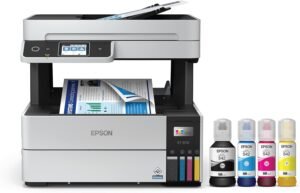
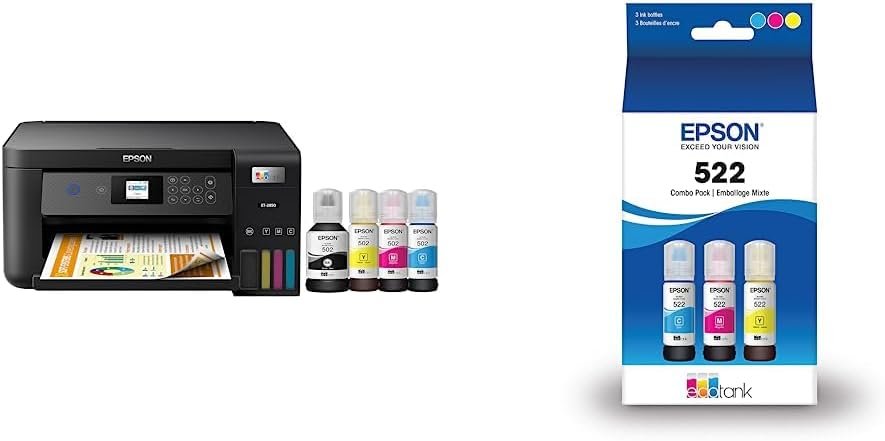
The ET-2850’s cartridge-free design is a standout feature, eliminating the need for frequent ink cartridge replacements. Instead, the printer uses refillable EcoFit ink bottles, which can be easily filled using the uniquely keyed bottle system. This design reduces long-term costs by up to 80% compared to traditional ink cartridges, as reported by Epson. The included T522 ink bottles provide up to 7,500 pages of black printing and 6,000 pages of color output, which is sufficient for most home and small office users.
Maintenance and Ink Management
Maintaining the ET-2850 requires regular refills of all ink colors to ensure optimal performance. The printer’s firmware automatically manages ink usage for maintenance tasks such as printhead cleaning, which helps prevent clogging. However, users must ensure that all ink colors are available for printing, as the printer may not function correctly if one color is depleted. The need for genuine Epson ink is also a consideration, as non-genuine inks may compromise print quality and void warranty coverage.
Environmental Impact and Sustainability
The cartridge-free design of the ET-2850 contributes to its environmental benefits, reducing the amount of plastic waste associated with traditional ink cartridges. Epson’s EcoTank series is part of the SmartWay partnership, which aims to reduce greenhouse gas emissions and improve fuel efficiency in printing processes. While the printer’s sustainability features are a plus, users should also consider the energy consumption of the device and its impact on overall environmental footprint.
Connectivity and User Experience

Wireless Integration and Mobile Compatibility
The ET-2850’s Wi-Fi connectivity allows for seamless integration with mobile devices, enabling users to print from smartphones, tablets, and computers without the need for physical cables. The Epson Smart Panel App provides a user-friendly interface for managing print settings, monitoring ink levels, and accessing advanced features such as remote printing. However, the printer’s performance may be affected by network stability, as a reliable internet connection is required for certain functions like cloud printing and mobile app synchronization.
User Interface and Accessibility
The printer’s control panel includes a color display and intuitive navigation, making it accessible for users with varying technical expertise. The auto-duplex printing feature and flatbed scanner add convenience for tasks such as document management and photo scanning. However, the lack of physical buttons for quick access to frequently used functions may be a drawback for users who prefer tactile controls. The printer’s reliance on digital interfaces also means that some advanced settings may require technical knowledge to configure properly.
Compatibility with Other Devices
The ET-2850 is compatible with a wide range of devices, including Windows and macOS computers, as well as mobile operating systems like iOS and Android. Its support for Epson Connect and voice-activated commands enhances its versatility for users who prioritize hands-free operation. However, the printer’s functionality may be limited in environments where internet access is unreliable or where users require more direct hardware control.

Pros & Cons
Pros
- Cost-Effective Ink System: The refillable EcoFit bottles reduce long-term printing expenses by up to 80% compared to standard ink cartridges.
- High-Resolution Output: The 4800 dpi color resolution ensures vibrant and detailed prints, suitable for both creative and professional use.
- Multifunctionality: The printer’s ability to print, scan, and copy in one device enhances its value for home and small office users.
- Auto-Duplex Printing: The built-in duplex feature reduces paper consumption and improves efficiency for double-sided printing tasks.
- Wireless Connectivity: Wi-Fi and mobile app integration allow for flexible and convenient printing from various devices.
- Environmental Benefits: The cartridge-free design minimizes plastic waste and aligns with sustainability initiatives.
Cons
- Limited Media Compatibility: The printer is restricted to letter-sized plain paper, which may not meet the needs of users requiring specialized media types.
- Dependence on Genuine Ink: The use of non-genuine ink can compromise print quality and void warranty coverage, increasing long-term costs.
- Print Speed Constraints: The printer’s throughput is slower compared to laser models, which may affect productivity in high-volume environments.
- Maintenance Requirements: Regular refill of all ink colors is necessary to maintain optimal performance, requiring user attention and effort.
- Network Dependency: Certain features, such as cloud printing and mobile app integration, rely on a stable internet connection, which may not always be available.
Final Verdict: Who This Printer Is Best For (and Who Should Skip It)
The Epson EcoTank ET-2850 is best suited for home users and small offices with moderate print volumes that prioritize cost savings and environmental sustainability. Its cartridge-free design, high-resolution output, and multifunctionality make it an attractive option for tasks such as printing school assignments, personal documents, and occasional photo prints. The printer’s wireless capabilities and user-friendly interface further enhance its appeal for users who value convenience and flexibility.
However, the ET-2850 may not be the ideal choice for businesses or individuals with high-volume printing needs, as its slower print speed and reliance on genuine ink could lead to increased operational costs. Users requiring specialized media types, such as photo paper or labels, may also find the printer’s limitations restrictive. For those seeking a more robust solution with faster throughput and greater media versatility, alternative printers with laser technology or expanded media compatibility may offer better long-term value.

Frequently Asked Questions (FAQs)
How much ink does the Epson EcoTank ET-2850 hold?
The printer includes T522 EcoFit ink bottles that provide up to 7,500 pages of black printing and 6,000 pages of color output. Additional bottles can be purchased for extended usage.
Can the EcoTank ET-2850 handle thick or specialty paper?
The printer is designed for standard letter-sized plain paper. It does not support thick or specialty media types such as photo paper or labels.
What is the maximum print resolution of the EcoTank ET-2850?
The printer offers a maximum color resolution of 4800 dpi and a black-and-white resolution of 1200 dpi, ensuring high-quality output for text and graphics.
How does the EcoTank ET-2850 compare to traditional inkjet printers?
The ET-2850’s cartridge-free design and refillable ink bottles reduce long-term costs by up to 80% compared to standard ink cartridges. It also includes a flatbed scanner and auto-duplex printing for added functionality.
What are the connectivity options for the EcoTank ET-2850?
The printer supports Wi-Fi connectivity and integrates with the Epson Smart Panel App for mobile printing. An internet connection is required for certain features like cloud printing and voice-activated commands.
Is the EcoTank ET-2850 suitable for high-volume printing?
The printer is designed for moderate use and has a duty cycle of 50,000 plain paper sheets. It may not be ideal for high-volume environments due to its slower print speed compared to laser printers.
Can I use non-genuine ink with the EcoTank ET-2850?
Epson recommends using genuine ink bottles to ensure optimal print quality and performance. Non-genuine inks may void warranty coverage and affect print reliability.
How long does the warranty last for the EcoTank ET-2850?
The printer comes with a 12-month limited warranty or 50,000 plain paper sheets, whichever occurs first. An extended service plan is available for an additional 12 months.