PeriPage A40 Thermal Portable Printer Review: 2026 Buyer’s Guide to Monochrome Printing
The Importance of Choosing the Right Printer for Modern Workflows
In today’s fast-paced digital environment, the right printer can significantly impact productivity and efficiency. Whether for home use, office tasks, or mobile applications, selecting a printer that meets specific needs is crucial. Factors such as print quality, speed, connectivity, and durability play a vital role in determining the suitability of a printer for different environments. For instance, a thermal printer like the PeriPage A40 offers unique advantages for users requiring portability and minimal maintenance. Understanding these factors helps users make informed decisions that align with their workload demands and output expectations. This review provides an in-depth analysis of the PeriPage A40, focusing on its capabilities and limitations to guide potential buyers in 2026.
Quick Overview
| Feature | Details |
|---|---|
| Printer Type | Thermal |
| Supported Functions | Printing |
| Print Resolution | 203dpi / 304dpi |
| Media Sizes | Up to 210mm |
| Connectivity | Bluetooth |
| Duty Cycle | 360 sheets |
| Ink Type | Thermal |
| Compatibility | iOS, Android, Windows, Mac |
| Battery Life | 2600mAh lithium batteries |
| Weight | 1.45 pounds |
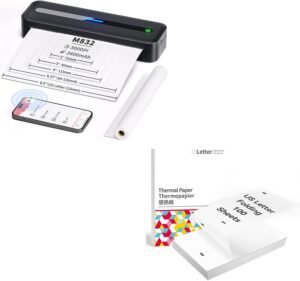
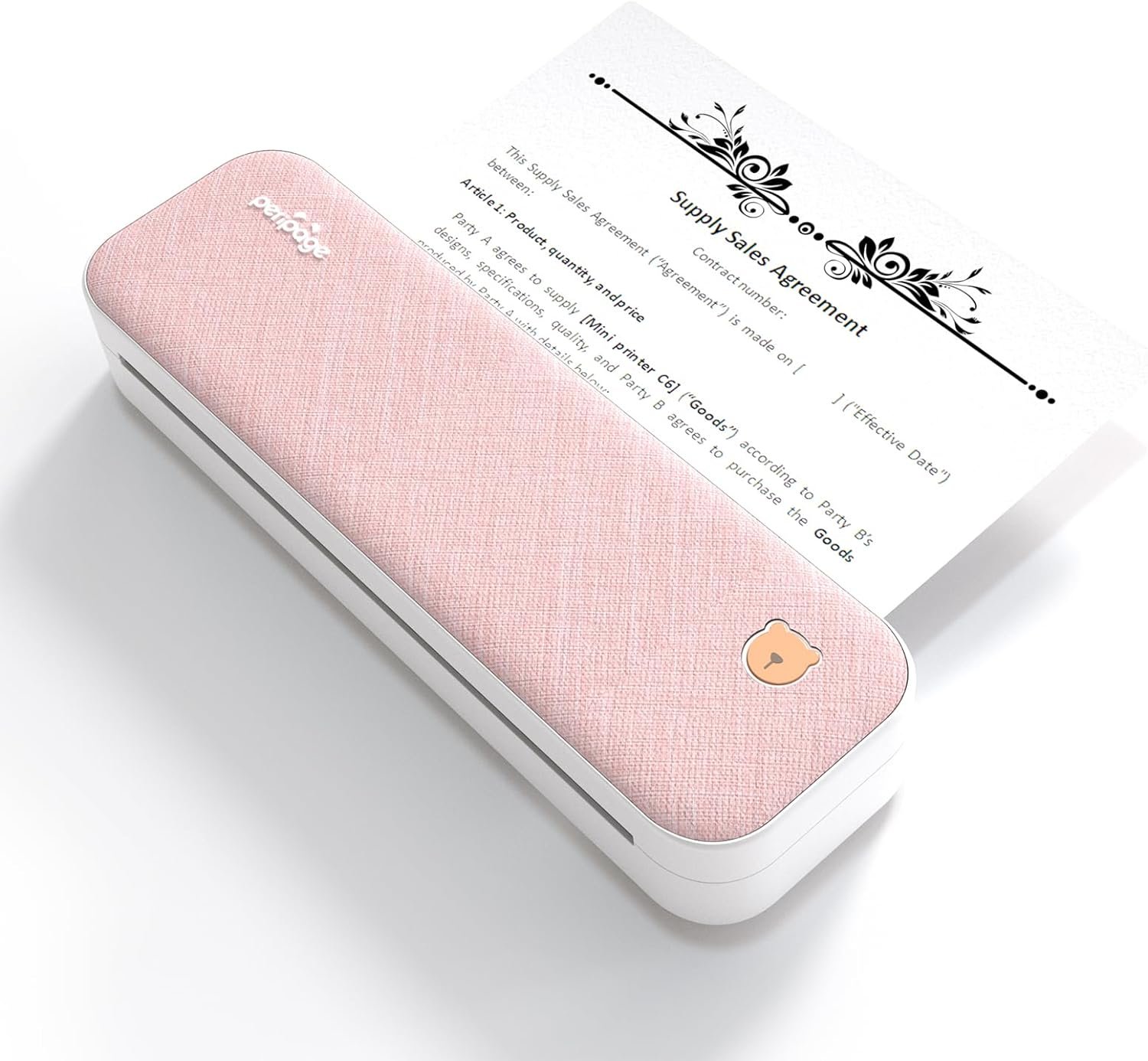
The PeriPage A40 thermal printer combines portability with essential printing capabilities, making it suitable for users who need a reliable device for on-the-go printing. Its thermal printing technology eliminates the need for ink or toner, reducing maintenance and environmental impact. The built-in battery ensures mobility, while the Bluetooth connectivity simplifies pairing with compatible devices. These features collectively enhance usability in various scenarios, from office environments to personal travel needs.

Print Quality and Resolution
The PeriPage A40 delivers monochrome prints with a resolution of 203dpi and 304dpi, ensuring clear and legible output for text and basic graphics. This resolution level is suitable for documents such as contracts, exam papers, and simple photos, though it may not meet the demands of high-resolution imaging. Thermal printing technology used in this device produces crisp text and sharp lines, making it ideal for applications where clarity is paramount. However, the lack of color printing capabilities limits its use for more complex visual content. The printer’s ability to handle different media sizes, including 8.26″x11.69″ US Letter, enhances its versatility for various printing needs.

Thermal Printing vs. Inkjet: Key Differences
Thermal printing technology, as employed by the PeriPage A40, differs significantly from traditional inkjet methods. Unlike inkjet printers that use liquid ink, thermal printers utilize heat to produce images on thermal paper. This process results in faster print speeds and lower maintenance requirements, as there are no ink cartridges to replace. The absence of ink also means the printer is more environmentally friendly and safer to use, particularly in environments where chemical exposure is a concern. However, thermal paper has a shorter shelf life and may degrade over time when exposed to light or heat, which could be a consideration for users requiring long-term storage of printed documents.
Media Compatibility and Output Quality
The PeriPage A40 supports a range of media types, including glossy photo paper and standard thermal paper, allowing users to choose the most suitable option for their printing tasks. The printer’s ability to handle different paper widths, from 56mm to 210mm, provides flexibility for various applications, from small labels to larger documents. However, the reliance on thermal paper may restrict the types of media that can be used, as it is not compatible with standard inkjet paper. This limitation could affect users who prefer to use a wider variety of paper types or require specific paper qualities for their prints.
Print Speed and Throughput
With a maximum print speed of 1 page per second, the PeriPage A40 is designed for efficient printing of documents and basic images. This speed is adequate for most office and personal use cases, particularly when dealing with text-heavy content. The printer’s built-in battery ensures continuous operation without the need for frequent recharging, making it suitable for users who require mobility. However, the print speed may not be sufficient for high-volume printing tasks, such as large reports or extensive photo collections, which could require a more powerful printer with faster processing capabilities.
Connectivity and Compatibility
The PeriPage A40 features Bluetooth connectivity, allowing users to pair the printer with their smartphones, tablets, or desktop computers seamlessly. This wireless capability enhances convenience, eliminating the need for physical cables and enabling printing from various devices. The printer’s compatibility with iOS, Android, Windows, and Mac OS ensures that it can integrate into diverse work environments, whether in a home office or a professional setting. However, the reliance on a mobile application for operation may pose challenges for users who prefer a more direct printing experience without additional software.

Cross-Platform Support and App Integration
The PeriPage A40’s cross-platform support is a significant advantage, as it allows users to print from multiple operating systems without compatibility issues. The integration with the PeriPage mobile application streamlines the printing process, enabling users to manage print jobs and adjust settings directly from their devices. This app-based control enhances user experience by providing a centralized interface for managing print tasks. However, the necessity to download and use the app may be a drawback for users who prefer a more straightforward printing process without additional software requirements.
Wireless Printing and Mobility
The wireless nature of the PeriPage A40 contributes to its portability, making it an excellent choice for users who need to print on the go. The ability to connect to Bluetooth-enabled devices allows for flexible printing arrangements, whether in a home environment or during travel. This mobility is particularly beneficial for students, remote workers, and professionals who require quick access to printed materials without the constraints of a fixed printing station. However, the reliance on Bluetooth connectivity may limit the printer’s performance in areas with poor signal strength or when multiple devices are in use.

Pros & Cons
Pros
- Thermal Printing Technology: The PeriPage A40 uses thermal printing, which eliminates the need for ink or toner, reducing maintenance and environmental impact.
- Portability and Battery Life: The built-in lithium batteries provide up to 360 sheets of A4 paper, making it ideal for users who need a mobile printing solution.
- High Print Resolution: With a resolution of 203dpi and 3,04dpi, the printer ensures clear and legible output for text and basic graphics.
- Cross-Platform Compatibility: The printer supports iOS, Android, Windows, and Mac OS, allowing seamless integration into various work environments.
- Versatile Media Support: The ability to handle different paper widths and media types enhances its adaptability for various printing needs.
Cons
- Limited Media Options: The reliance on thermal paper restricts the types of media that can be used, limiting compatibility with standard inkjet paper.
- No Color Printing: The absence of color printing capabilities makes the printer unsuitable for tasks requiring vibrant colors or complex images.
- App Dependency: The necessity to use the PeriPage mobile application for operation may be a drawback for users who prefer a more direct printing experience.
- Print Speed Limitations: The maximum print speed of 1 page per second may not be sufficient for high-volume printing tasks.
- Short Shelf Life of Thermal Paper: The thermal paper used may degrade over time when exposed to light or heat, affecting the longevity of printed documents.
Final Verdict: Who This Printer Is Best For (and Who Should Skip It)
The PeriPage A40 thermal printer is best suited for users who prioritize portability, minimal maintenance, and high print resolution for text and basic graphics. It is an excellent choice for students, remote workers, and professionals who need a reliable printing solution for on-the-go tasks. However, it may not be the ideal choice for users requiring color printing, high-volume printing, or compatibility with a wide range of paper types. The printer’s limitations in media options and print speed make it less suitable for environments with demanding printing requirements. Overall, the PeriPage A40 offers a practical solution for specific printing needs, but potential buyers should carefully consider their workload and output expectations before making a purchase decision in 2026.

Frequently Asked Questions (FAQs)
What are the key differences between thermal printing and inkjet printing?
Thermal printing uses heat to produce images on thermal paper, eliminating the need for ink or toner. This results in faster print speeds, lower maintenance, and a more environmentally friendly process. However, thermal paper has a shorter shelf life and may degrade when exposed to light or heat, unlike standard inkjet paper which offers greater longevity and versatility in media types.
How long does the battery last on the PeriPage A40?
The PeriPage A40 features built-in lithium batteries with a capacity of 2600mAh, allowing for continuous printing of up to 360 sheets of A4 paper when fully charged. This battery life is suitable for moderate to high-volume printing tasks, though frequent recharging may be necessary for extended use.
What types of media can be used with the PeriPage A40?
The PeriPage A40 supports thermal paper and glossy photo paper, providing flexibility for different printing needs. However, it is not compatible with standard inkjet paper, limiting the types of media that can be used for printing. Users should select media types that are specifically designed for thermal printing to ensure optimal results.
Is the PeriPage A40 compatible with all operating systems?
The PeriPage A40 is compatible with iOS, Android, Windows, and Mac OS, allowing seamless integration into various work environments. However, users must download the PeriPage mobile application to connect and operate the printer, which may be a consideration for those preferring direct printing without additional software.
What is the print resolution of the PeriPage A40?
The PeriPage A40 offers a print resolution of 203dpi and 304dpi, ensuring clear and legible output for text and basic graphics. This resolution level is suitable for documents such as contracts, exam papers, and simple photos, though it may not meet the demands of high-resolution imaging or complex visual content.
Can the PeriPage A40 print on different paper sizes?
Yes, the PeriPage A40 supports various paper widths, including 56mm, 77mm, 107mm, and 210mm, allowing users to adjust the paper slot for different sizes. This adaptability makes the printer suitable for a range of printing tasks, from small labels to larger documents, enhancing its versatility for different environments.
What are the limitations of using thermal paper?
Thermal paper has a shorter shelf life and may degrade when exposed to light or heat, which could affect the longevity of printed documents. Additionally, it is not compatible with standard inkjet paper, limiting the types of media that can be used. Users should be aware of these limitations when selecting media for their printing tasks.
How does the PeriPage A40 compare to other portable printers in terms of performance?
The PeriPage A40 offers a balance of portability, battery life, and print resolution, making it suitable for users who prioritize mobility and minimal maintenance. However, its limitations in color printing and media compatibility may make it less suitable for environments with demanding printing requirements compared to other portable printers that offer more versatility in media types and print capabilities.