
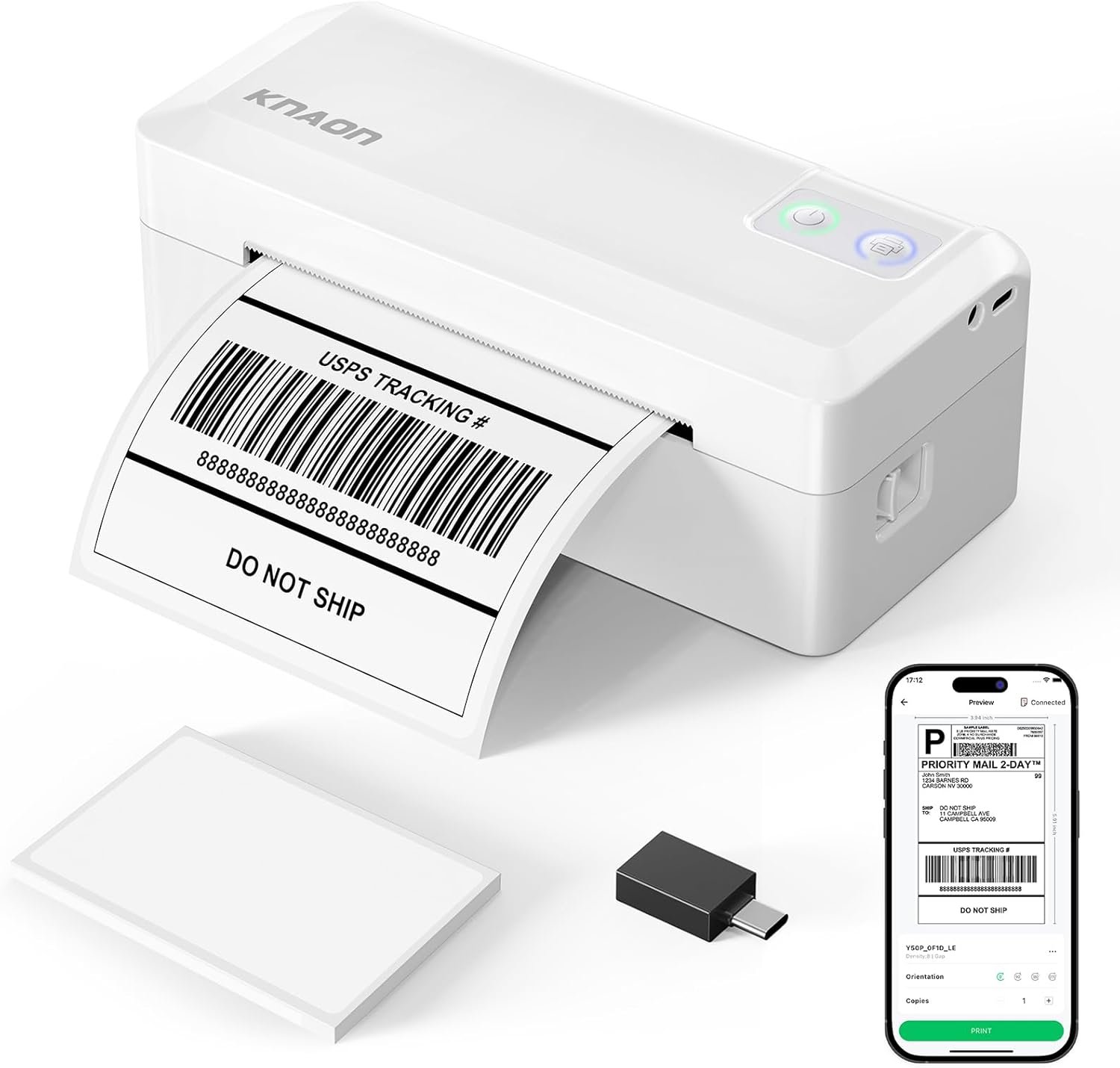
Why Choosing the Right Label Printer Matters
In 2026, small businesses and home users face increasing demands for efficient, reliable, and versatile printing solutions. Whether managing e-commerce orders, organizing inventory, or creating custom labels, the right label printer can streamline workflows and reduce manual effort. Thermal label printers, like the KNAON Y41BT, have become essential tools for their speed, durability, and compatibility with digital platforms. However, selecting the optimal printer requires careful evaluation of factors such as connectivity options, print quality, media support, and ease of integration with existing systems. This review examines the KNAON Y41BT’s specifications, technical capabilities, and real-world suitability for various use cases. By analyzing its Bluetooth and USB connectivity, thermal printing technology, and multi-platform compatibility, we’ll determine whether it meets the needs of modern users while balancing performance and practicality.
Quick Overview
| Feature | Details |
|---|---|
| Printer Type | Bluetooth Thermal Label Printer |
| Printing Technology | Thermal |
| Print Resolution | 203dpi black-and-white |
| Print Speed | Up to 180 mm/s |
| Media Sizes | 1.38–4.41 inches (35–112 mm) |
| Connectivity | Bluetooth, USB-C, USB Drive |
| Compatibility | iOS, Android, Windows 7+, macOS M1/M2/M3/M4, ChromeOS, Linux |
| Supported Platforms | Amazon, eBay, Shopify, USPS, UPS, Etsy, PayPal, DHL |
| Duty Cycle | Continuous operation with thermal paper |
| Ink Type | Thermal |
| Dimensions | 7.3″D x 2.56″W x 3.15″H |
| Weight | 2.01 pounds |
The KNAON Y41BT’s combination of Bluetooth and USB connectivity, along with its support for multiple operating systems, makes it a versatile option for businesses and individuals needing to print labels for shipping, inventory, or personal use. Its compact design and fast printing speed cater to environments requiring frequent, small-volume label creation.

Bluetooth Connectivity for Multi-Device Compatibility
The KNAON Y41BT’s Bluetooth integration simplifies label printing across a wide range of devices, making it ideal for users who manage multiple platforms. This feature eliminates the need for physical cables, allowing for wireless printing from smartphones, tablets, and computers. However, the reliance on the ‘FlashLabel Pro’ app for Bluetooth connectivity introduces an additional layer of setup that may be unfamiliar to some users. The app’s role in mediating Bluetooth connections ensures compatibility but requires users to download and configure it on each device. This approach enhances cross-platform support while maintaining a streamlined user experience.

Cross-Platform Compatibility and App Integration
The ‘FlashLabel Pro’ app acts as a central hub for managing label printing tasks, offering templates, icons, and fonts to customize labels. Its presence on iOS, Android, and macOS platforms ensures that users can create and print labels without device-specific limitations. For Windows users, the app provides an alternative to native Bluetooth drivers, which may vary in reliability across different operating systems. The app’s inclusion of tutorial videos and preloaded drivers simplifies the setup process, reducing the learning curve for new users. However, the dependency on the app for Bluetooth functionality means that users must maintain the app’s updates to ensure continued compatibility.
USB Connectivity as a Reliable Alternative
While Bluetooth offers convenience, the Y41BT’s USB-C and USB connectivity options provide a stable alternative for users who prefer wired connections. The built-in USB drive with preloaded drivers and tutorial videos enables quick setup on devices like Chromebooks, which may lack native Bluetooth support. This dual connectivity approach ensures that users can choose the most suitable method based on their environment and device capabilities. The USB connection also allows for direct printing without the need for additional software, making it ideal for users who prioritize simplicity and reliability.
Limitations of Bluetooth-Only Setup
The requirement to use the ‘FlashLabel Pro’ app for Bluetooth connections may pose challenges for users who prefer direct device pairing. This dependency could be a drawback for those who manage multiple printers or require more streamlined connectivity without intermediary software. Additionally, the app’s role in mediating Bluetooth connections may introduce minor delays or compatibility issues with certain devices, particularly older systems or those with limited Bluetooth capabilities. These limitations highlight the importance of evaluating connectivity preferences before purchasing the Y41BT.
Thermal Printing Technology and Label Quality
The KNAON Y41BT’s thermal printing technology is well-suited for producing high-quality labels with minimal maintenance. Unlike inkjet or laser printers, thermal printers use heat to create images on specialized paper, resulting in fast print speeds and reduced consumable costs. This technology is particularly effective for monochrome labels, which are common in shipping, inventory, and barcode applications. The printer’s 203dpi resolution ensures clear text and sharp graphics, making it suitable for both simple and complex label designs. However, the reliance on thermal paper may limit its use for applications requiring color printing or long-term archival storage.

Monochrome Output and Text Clarity
The Y41BT’s monochrome printing capability is optimized for readability and precision, making it ideal for shipping labels, price tags, and barcodes. The 203dpi resolution ensures that text remains crisp and legible even at small sizes, which is crucial for labels that need to be scanned or read quickly. The printer’s ability to handle various thermal paper sizes allows users to customize labels for different applications, from small business use to larger-scale operations. However, the lack of color printing options may be a limitation for users who require more visually diverse labels.
Durability and Environmental Considerations
Thermal printing technology has inherent limitations regarding label longevity, as thermal paper is susceptible to fading when exposed to light or heat. This characteristic makes the Y41BT less suitable for applications requiring long-term archival or outdoor use. Additionally, the printer’s reliance on thermal paper means that users must regularly replace the media, which could be a drawback for high-volume operations. Despite these limitations, the Y41BT’s thermal printing technology remains a practical choice for short-term, high-frequency label printing tasks.
Media Compatibility and Customization Options
The Y41BT supports a range of thermal paper sizes, from 1.38 to 4.41 inches, allowing users to adapt the printer to various labeling needs. This flexibility is particularly beneficial for small businesses that require labels of different dimensions for shipping, inventory, or promotional purposes. The printer’s compatibility with 3,000+ templates, 5,000+ icons, and 100+ fonts in the ‘FlashLabel Pro’ app further enhances its customization potential. However, the need to use thermal paper may limit the printer’s versatility for applications requiring non-thermal media types.
Multi-Platform Compatibility and Software Support
The KNAON Y41BT’s ability to work with multiple operating systems and platforms is a significant advantage for users who manage diverse digital environments. Its compatibility with iOS, Android, Windows 7+, macOS M1/M2/M3/M4, ChromeOS, and Linux ensures that it can integrate seamlessly into both personal and professional workflows. The ‘FlashLabel Pro’ app serves as a central interface for managing label printing tasks, offering templates, fonts, and icons to customize labels. However, the reliance on this app for Bluetooth connectivity introduces an additional layer of setup that may be unfamiliar to some users.

Cross-Platform Integration and App Requirements
The ‘FlashLabel Pro’ app is essential for the Y41BT’s Bluetooth functionality, acting as a bridge between the printer and various devices. Its availability on iOS, Android, and macOS platforms ensures that users can create and print labels without device-specific limitations. For Windows users, the app provides an alternative to native Bluetooth drivers, which may vary in reliability across different operating systems. The app’s inclusion of tutorial videos and preloaded drivers simplifies the setup process, reducing the learning curve for new users. However, the dependency on the app for Bluetooth connections means that users must maintain the app’s updates to ensure continued compatibility.
ChromeOS and Linux Support
The Y41BT’s compatibility with ChromeOS and Linux is facilitated by the ‘FlashLabel’ extension for Chrome and preloaded drivers, respectively. This support is particularly beneficial for users who rely on these operating systems for their workflow, as it eliminates the need for complex configuration. However, the lack of native Bluetooth support on ChromeOS means that users must depend on the ‘FlashLabel’ extension, which may introduce additional steps for setup and maintenance. Similarly, Linux users benefit from the preloaded drivers but may still need to configure the printer through the app for optimal performance.
Limitations in Platform Integration
While the Y41BT’s multi-platform compatibility is a strong selling point, some users may encounter challenges in integrating it with certain operating systems or devices. The requirement to use the ‘FlashLabel Pro’ app for Bluetooth connections could be a drawback for users who prefer direct device pairing. Additionally, the app’s role in mediating Bluetooth connections may introduce minor delays or compatibility issues with certain devices, particularly older systems or those with limited Bluetooth capabilities. These limitations highlight the importance of evaluating connectivity preferences before purchasing the Y41BT.

Pros & Cons
Pros
- Bluetooth and USB Connectivity: The Y41BT offers both Bluetooth and USB options, providing flexibility for users who prefer wireless or wired connections. This dual connectivity approach ensures compatibility with a wide range of devices, including smartphones, tablets, and computers.
- High Print Speed: With a maximum print speed of 180 mm/s, the Y41BT is well-suited for environments requiring quick label creation, such as e-commerce order fulfillment or inventory management.
- Multi-Platform Compatibility: The printer works seamlessly with iOS, Android, Windows, macOS, ChromeOS, and Linux, making it an ideal choice for users with diverse digital ecosystems.
- Customization Options: The ‘FlashLabel Pro’ app provides access to 3,000+ templates, 5,000+ icons, and 100+ fonts, allowing users to create highly customized labels tailored to their specific needs.
- Compact Design: The Y41BT’s small footprint and lightweight build make it easy to store and transport, which is beneficial for users with limited space or mobile work environments.
- Preloaded Drivers and Tutorials: The built-in USB drive with preloaded drivers and tutorial videos simplifies setup, reducing the learning curve for new users and ensuring a smooth onboarding experience.
Cons
- Dependence on ‘FlashLabel Pro’ App: The requirement to use the ‘FlashLabel Pro’ app for Bluetooth connectivity introduces an additional layer of setup that may be unfamiliar to some users, potentially complicating the printing process.
- Thermal Paper Limitations: The Y41BT’s reliance on thermal paper may limit its use for applications requiring long-term archival or color printing, as thermal labels are prone to fading under light exposure.
- Limited Color Printing: The printer’s monochrome output is well-suited for simple labels but may not meet the needs of users requiring more visually diverse or colorful label designs.
- No Native Bluetooth Support on ChromeOS: Chromebook users must rely on the ‘FlashLabel’ extension for Bluetooth connectivity, which could introduce additional steps for setup and maintenance.
- Potential Compatibility Issues: The app’s role in mediating Bluetooth connections may lead to minor delays or compatibility issues with certain devices, particularly older systems or those with limited Bluetooth capabilities.
Final Verdict: Who This Printer Is Best For (and Who Should Skip It)
The KNAON Y41BT is best suited for small businesses, e-commerce entrepreneurs, and home users who require a compact, versatile label printer for shipping, inventory, and personal use. Its fast print speed, multi-platform compatibility, and customizable templates make it an excellent choice for environments where frequent, small-volume label creation is necessary. The printer’s Bluetooth and USB connectivity options provide flexibility, while its preloaded drivers and tutorial videos ensure a smooth setup experience. However, users who require color printing, long-term archival of labels, or native Bluetooth support on ChromeOS may find the Y41BT less than ideal. Additionally, those who prefer direct device pairing without intermediary software should consider alternatives with more streamlined connectivity options. Overall, the Y41BT is a practical and efficient solution for users prioritizing speed, customization, and ease of use in a compact form factor.

Frequently Asked Questions (FAQs)
Can the KNAON Y41BT print color labels?
The KNAON Y41BT uses thermal printing technology, which produces monochrome labels. It is not capable of printing color labels. Users requiring color printing should consider alternative label printers with inkjet or laser capabilities.
How do I connect the Y41BT to my smartphone?
To connect the Y41BT to your smartphone, download the ‘FlashLabel Pro’ app from the Apple Store or Google Play. The app facilitates Bluetooth pairing and allows you to design and print labels directly from your device.
What operating systems is the Y41BT compatible with?
The Y41BT is compatible with iOS, Android, Windows 7 and later, macOS (M1/M2/M3/M4 processors), ChromeOS, and Linux. For ChromeOS, you’ll need to install the ‘FlashLabel’ extension in Google Chrome.
Does the Y41BT support thermal paper sizes beyond 4.41 inches?
The Y41BT is designed to work with thermal paper sizes ranging from 1.38 to 4.41 inches. It does not support paper widths outside this range, so users should ensure they have the correct media for their labeling needs.
Can I use the Y41BT with a Chromebook?
Yes, the Y41BT is compatible with Chromebooks, but you’ll need to install the ‘FlashLabel’ extension in Google Chrome to enable Bluetooth connectivity. This extension allows for seamless integration with the printer’s features.
What is the maximum print speed of the Y41BT?
The Y41BT can print labels at a maximum speed of 180 mm/s, making it suitable for environments requiring quick label creation, such as e-commerce order fulfillment or inventory management.
How many label templates are available for the Y41BT?
The ‘FlashLabel Pro’ app provides access to 3,000+ pre-designed label templates, along with 5,000+ icons and 100+ fonts, allowing users to customize labels to suit their specific needs.
Is the Y41BT suitable for long-term archival of labels?
The Y41BT uses thermal printing technology, which results in labels that are prone to fading when exposed to light or heat. For long-term archival or outdoor use, users should consider alternative printing methods or media types.