Bisofice PeriPage Mini Printer Review: Portable Thermal Printing for On-the-Go Use
The Importance of Choosing the Right Printer
In today’s fast-paced digital landscape, printers remain essential tools for both personal and professional tasks. Whether for generating receipts, creating labels, or capturing digital content in physical form, the right printer can significantly enhance productivity and convenience. With the rise of remote work and mobile lifestyles, users increasingly prioritize portability, speed, and versatility in their printing solutions. Printers must balance performance with practicality, offering reliable output without compromising on cost or usability. For individuals who frequently travel, manage small-scale print jobs, or need to create personalized content on the go, a compact, feature-rich printer can be a game-changer. This review examines the Bisofice PeriPage Mini Printer, a thermal printing device designed for mobile users, and evaluates its capabilities in meeting the demands of modern printing needs. By analyzing its technical specifications, connectivity options, and real-world applications, we provide a comprehensive assessment to help users determine if this printer aligns with their specific requirements.
Quick Overview
| Feature | Details |
|---|---|
| Printer Type | Thermal printer |
| Printing Technology | Thermal paper printing |
| Supported Functions | Photo printing, label printing, QR code generation, OCR text recognition |
| Print Resolution | 203 DPI |
| Media Sizes | 57mm width, 30mm roll diameter |
| Connectivity | Bluetooth 4.0, USB cable |
| Duty Cycle | Low to moderate volume |
| Consumables | Thermal paper (no ink or toner required) |
| Dimensions | 1.7″D x 3.1″W x 3.1″H |
| Weight | 188 grams (6.6 ounces) |
The Bisofice PeriPage Mini Printer is engineered for users seeking a compact, no-ink printing solution that integrates seamlessly with smartphones and computers. Its thermal printing technology eliminates the need for ink cartridges, reducing long-term operational costs. The device’s small footprint and wireless connectivity make it ideal for environments where mobility and convenience are prioritized. Its ability to handle multiple print functions, including photo and label printing, positions it as a versatile tool for both personal and professional use. However, its reliance on thermal paper and limited media compatibility may restrict its suitability for high-volume or specialized printing tasks.

Portability and Design

Compact Form Factor
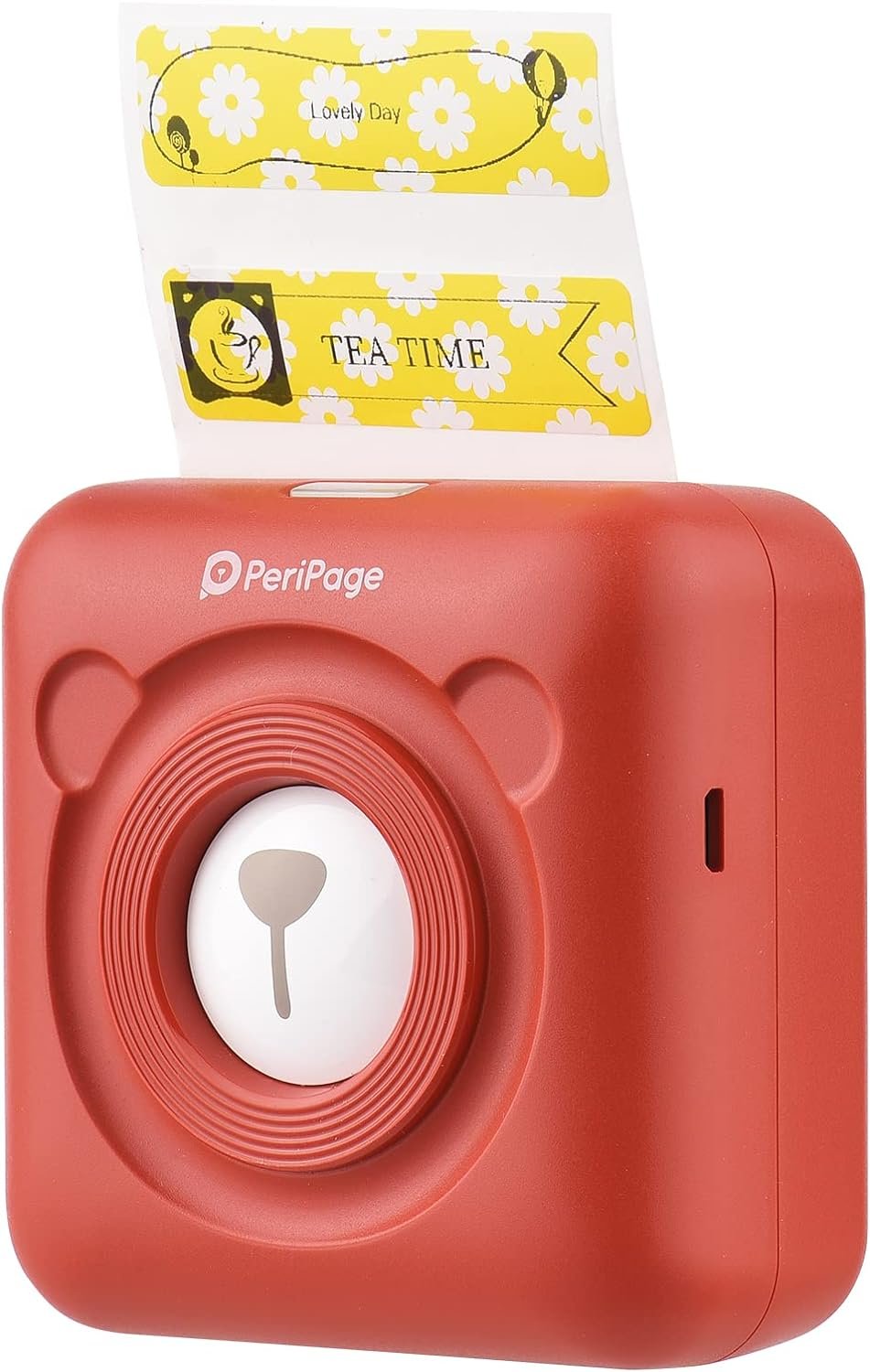
The Bisofice PeriPage Mini Printer’s compact design is its most defining characteristic. Measuring 1.7 inches in diameter and weighing just 188 grams, it is engineered to fit comfortably in a pocket or laptop bag. This lightweight construction ensures that users can carry the device effortlessly during travel, work commutes, or daily errands. The device’s rounded edges and matte finish contribute to a sleek, user-friendly aesthetic that appeals to a broad audience. Its small size also makes it suitable for placement on desks, countertops, or even in vehicle dashboards, expanding its usability across different environments.
Battery Life and Power Efficiency
The built-in 1000mAh rechargeable battery provides up to 10 hours of continuous use, depending on print frequency and media type. This battery capacity is sufficient for users who require occasional printing without access to a power source. The printer’s low-power consumption design minimizes energy usage, making it an eco-friendly option for individuals conscious about their carbon footprint. However, users who rely on the printer for frequent, extended print sessions may need to recharge the battery regularly, which could be a consideration for those with high-volume printing needs.
Design Aesthetics and Usability
The PeriPage’s minimalist design is intentionally crafted to appeal to a wide range of users, from students to office workers. Its red color variant stands out in a market dominated by neutral tones, making it a visually distinctive device. The intuitive interface, combined with the accompanying mobile app, ensures that users can navigate its functions without difficulty. The printer’s ease of setup and straightforward operation further enhance its appeal for individuals who prioritize simplicity in their technology choices. However, the lack of physical buttons for direct control may require users to rely on the app for basic functions, which could be a drawback for those who prefer tactile interactions.
Print Quality and Resolution

Thermal Printing Capabilities
The PeriPage Mini Printer utilizes thermal printing technology, which relies on heat-sensitive paper to produce images and text. This method eliminates the need for ink or toner, reducing maintenance and operational costs. The printer’s 203 DPI resolution ensures that printed content is clear and legible, making it suitable for basic text, labels, and QR codes. However, thermal printing may not be ideal for high-contrast or detailed graphics, as the output quality can degrade over time due to exposure to light or heat. Users should be aware that the longevity of printed materials may be limited, particularly in environments with fluctuating temperatures or direct sunlight.
Print Output Consistency
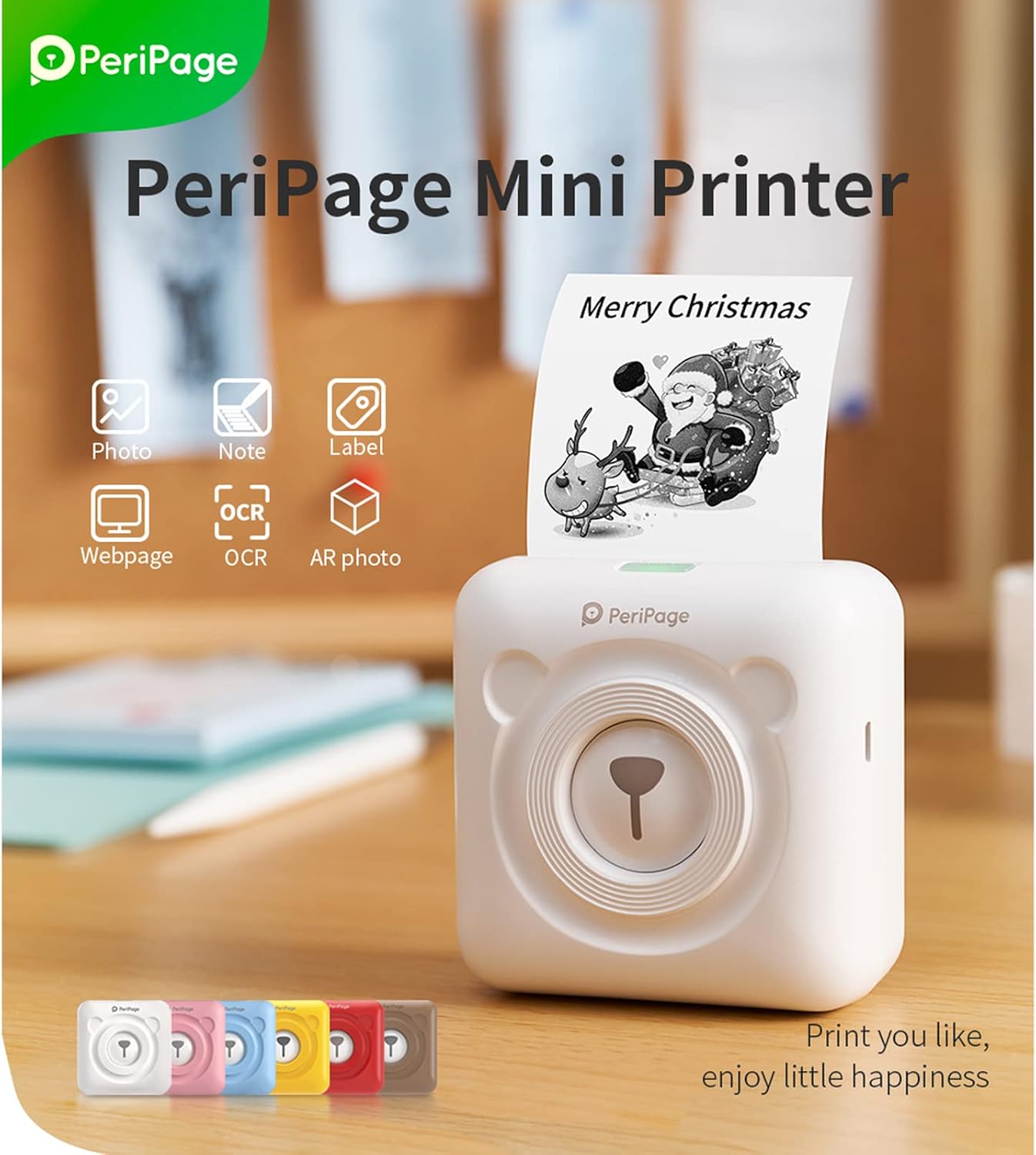
The printer’s performance in terms of print output consistency is influenced by the quality of the thermal paper used. High-quality thermal paper can produce sharp, well-defined prints, while lower-grade paper may result in faded or uneven images. The printer’s built-in print head is designed to ensure even heat distribution, minimizing the risk of uneven printing. However, users should exercise caution when selecting thermal paper, as subpar materials can compromise the final output. The printer’s ability to handle multiple print functions, such as OCR text recognition and AR photo printing, further demonstrates its versatility in producing functional and aesthetically pleasing results.
Suitability for Specific Tasks
The PeriPage’s print quality is best suited for tasks that require quick, low-cost prints rather than high-resolution graphics or color output. Its ability to generate QR codes, labels, and basic photos makes it a practical choice for users who need to create personalized content on the go. However, for applications that demand higher image clarity or color accuracy, such as professional photography or detailed document printing, the PeriPage may fall short. The printer’s thermal printing technology is inherently limited in its ability to produce vibrant colors or intricate designs, which could be a drawback for users with more demanding print requirements.
Connectivity Options and Compatibility

Bluetooth and USB Integration
The PeriPage Mini Printer offers dual connectivity options: Bluetooth 4.0 wireless pairing and a USB cable connection. Bluetooth 4.0 ensures a stable and secure connection to smartphones and tablets, allowing users to print directly from their devices without the need for additional hardware. The USB port provides a direct link to computers, enabling users to transfer files or print documents via a wired connection. Both connectivity methods are supported by the accompanying mobile app, which streamlines the printing process by offering a range of customization options, such as font selection and print layout adjustments.
Cross-Platform Compatibility
The printer’s compatibility with both iOS and Android devices, as well as Windows PCs, makes it a versatile choice for users across different operating systems. The mobile app, which is available for download on both platforms, simplifies the process of managing print jobs and accessing advanced features like OCR text recognition. However, users may encounter minor compatibility issues when connecting the printer to older devices or operating systems, which could affect the overall user experience. The lack of support for macOS or Linux systems may limit its appeal to users who rely on these platforms for their computing needs.
App Integration and User Experience
The PeriPage’s mobile app is designed to enhance the printing experience by providing a user-friendly interface for managing print tasks. The app’s features, such as the ability to print photos, labels, and QR codes, align with the printer’s core functionalities. However, the app’s interface may lack advanced customization options compared to more robust printing software, which could be a limitation for users who require greater control over print settings. The app’s performance is generally stable, but users should be prepared to troubleshoot minor connectivity issues that may arise during use.
Media Compatibility and Consumables
Thermal Paper Requirements
The PeriPage Mini Printer is designed to work exclusively with thermal paper, which is a specialized type of paper coated with a heat-sensitive layer. This paper is ideal for producing clear, legible prints without the need for ink or toner. The printer’s specifications indicate that it supports thermal paper with a width of 57mm and a roll diameter of 30mm, ensuring compatibility with a range of thermal paper rolls. However, users must be aware that thermal paper is not suitable for long-term archival storage, as exposure to light and heat can cause the printed content to fade over time.
Limited Media Options
The printer’s reliance on thermal paper restricts its media compatibility to this specific type, which may be a drawback for users who require printing on other paper types. Unlike inkjet or laser printers, which can handle a variety of media, including glossy photo paper or labels, the PeriPage is limited to thermal paper. This limitation may affect its suitability for users who need to print on different materials, such as business cards, banners, or specialty paper.
Consumable Costs and Sustainability
The use of thermal paper eliminates the need for ink cartridges or toner, reducing the ongoing cost of consumables. However, the cost of thermal paper itself can vary depending on the brand and quality, which may impact the overall cost-effectiveness of the printer. Additionally, the environmental impact of thermal paper, which is often single-use and not recyclable, may be a concern for eco-conscious users. The printer’s design does not include a built-in recycling system for thermal paper, which could be a consideration for users prioritizing sustainability.

Pros & Cons
Pros
- Portable Design: The PeriPage’s compact size and lightweight construction make it ideal for users who need a printing solution on the go. Its ability to fit in a pocket or bag enhances its convenience for travel and daily use.
- No Ink or Toner Required: The thermal printing technology eliminates the need for ink cartridges or toner, reducing long-term maintenance costs and simplifying the printing process.
- Multi-Functionality: The printer supports a range of print functions, including photo printing, label creation, QR code generation, and OCR text recognition, making it a versatile tool for various tasks.
- Wireless Connectivity: Bluetooth 4.0 ensures a stable and secure connection to smartphones and tablets, allowing users to print directly from their devices without additional hardware.
- User-Friendly App: The accompanying mobile app provides a straightforward interface for managing print jobs and accessing advanced features, enhancing the overall user experience.
Cons
- Limited Media Compatibility: The printer is restricted to thermal paper, which may not be suitable for all printing needs, particularly those requiring specialty paper or long-term archival storage.
- Thermal Paper Durability: Printed content on thermal paper can fade over time due to exposure to light and heat, limiting its suitability for high-visibility or long-term use.
- Battery Life Constraints: While the built-in battery provides up to 10 hours of use, frequent or extended printing sessions may require regular recharging, which could be inconvenient for some users.
- Connectivity Limitations: The printer’s compatibility with macOS and Linux systems is limited, which may exclude users who rely on these operating systems for their computing needs.
- Resolution Limitations: The 203 DPI resolution, while adequate for basic text and labels, may not meet the requirements for high-contrast or detailed graphics, which could be a drawback for certain applications.
Final Verdict: Who This Printer Is Best For (and Who Should Skip It)
The Bisofice PeriPage Mini Printer is best suited for users who prioritize portability, convenience, and low operational costs. Its compact design and thermal printing technology make it an ideal choice for students, travelers, and individuals who need to create quick, no-ink prints on the go. The printer’s multi-functionality, including support for QR code generation and photo printing, adds to its appeal for users who require a versatile printing solution. However, its reliance on thermal paper and limited media compatibility may restrict its suitability for high-volume or specialized printing tasks.
Users who require high-resolution color output, long-term archival storage, or the ability to print on a variety of media types should consider alternative printing solutions. The PeriPage’s thermal printing technology and limited connectivity options may also make it unsuitable for users who rely on macOS or Linux systems. For those who prioritize sustainability and environmental impact, the printer’s reliance on single-use thermal paper could be a drawback. Overall, the PeriPage is a practical choice for users with specific, low-volume printing needs, but it may not meet the demands of more complex or high-volume printing scenarios.

Frequently Asked Questions (FAQs)
Can the Bisofice PeriPage Mini Printer print photos?
Yes, the PeriPage Mini Printer supports photo printing using thermal paper. It can produce clear, legible images suitable for basic photo printing, though it may not match the quality of dedicated photo printers.
How long does the battery last on the PeriPage Mini Printer?
The built-in 1000mAh battery provides up to 10 hours of continuous use, depending on print frequency and media type. Regular recharging is recommended for frequent users.
Is the PeriPage compatible with iOS and Android devices?
Yes, the PeriPage Mini Printer supports Bluetooth 4.0 connectivity for both iOS and Android devices. A dedicated mobile app is required for seamless printing and customization.
What types of media can the PeriPage Mini Printer use?
The printer is designed to work exclusively with thermal paper, which is a heat-sensitive material. It supports thermal paper with a width of 57mm and a roll diameter of 30mm.
Can the PeriPage Mini Printer print labels?
Yes, the printer is capable of printing labels using thermal paper. It supports label creation as part of its multi-function printing capabilities.
What is the print resolution of the PeriPage Mini Printer?
The PeriPage Mini Printer offers a print resolution of 203 DPI, which is suitable for basic text, labels, and QR code generation. It may not meet the requirements for high-contrast or detailed graphics.
Does the PeriPage Mini Printer support USB connectivity?
Yes, the printer includes a USB port for direct connection to computers, allowing users to transfer files and print documents via a wired connection.
Is the PeriPage Mini Printer suitable for long-term archival use?
No, the printer uses thermal paper, which is not ideal for long-term archival storage. Exposure to light and heat can cause printed content to fade over time.