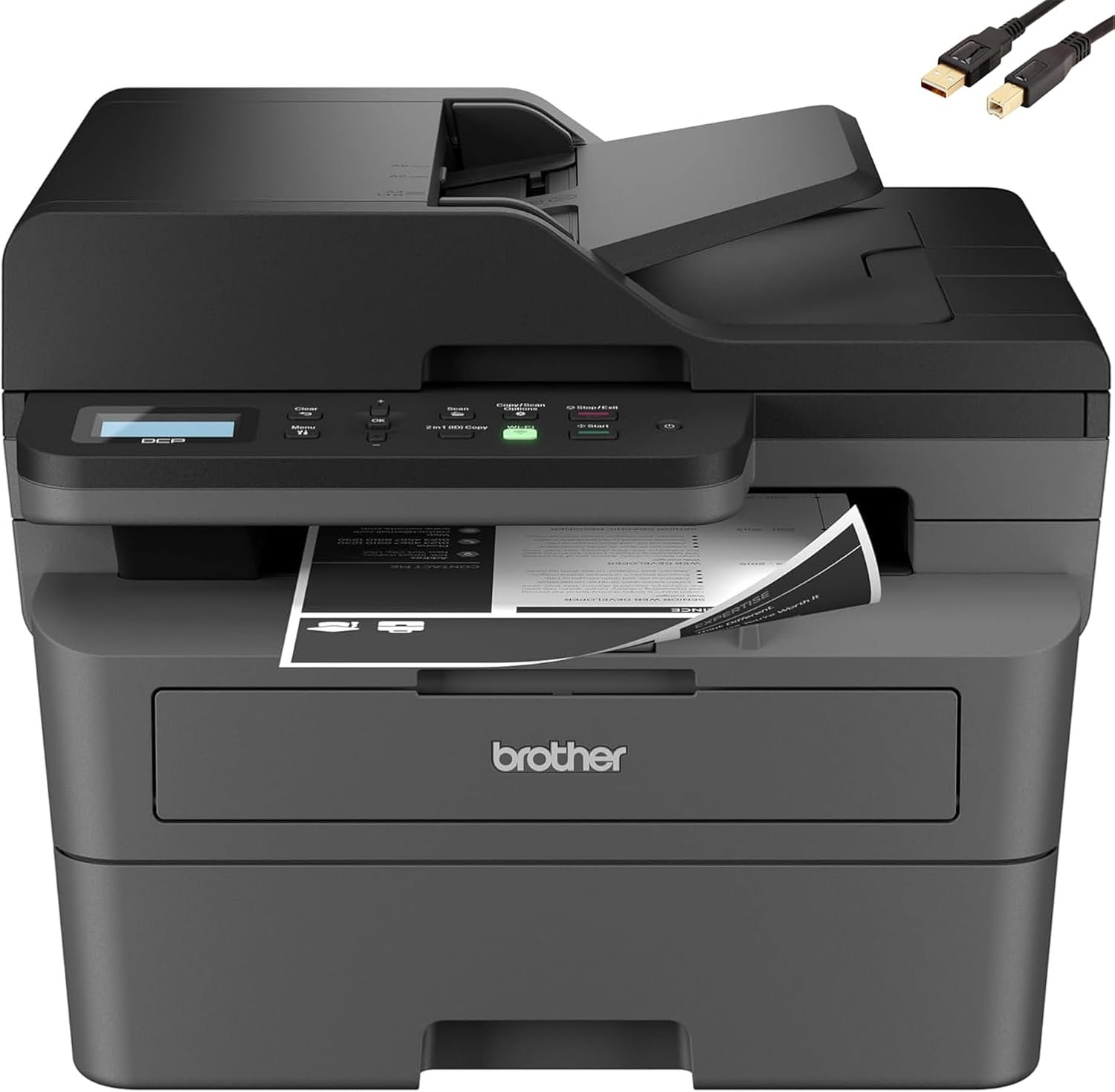
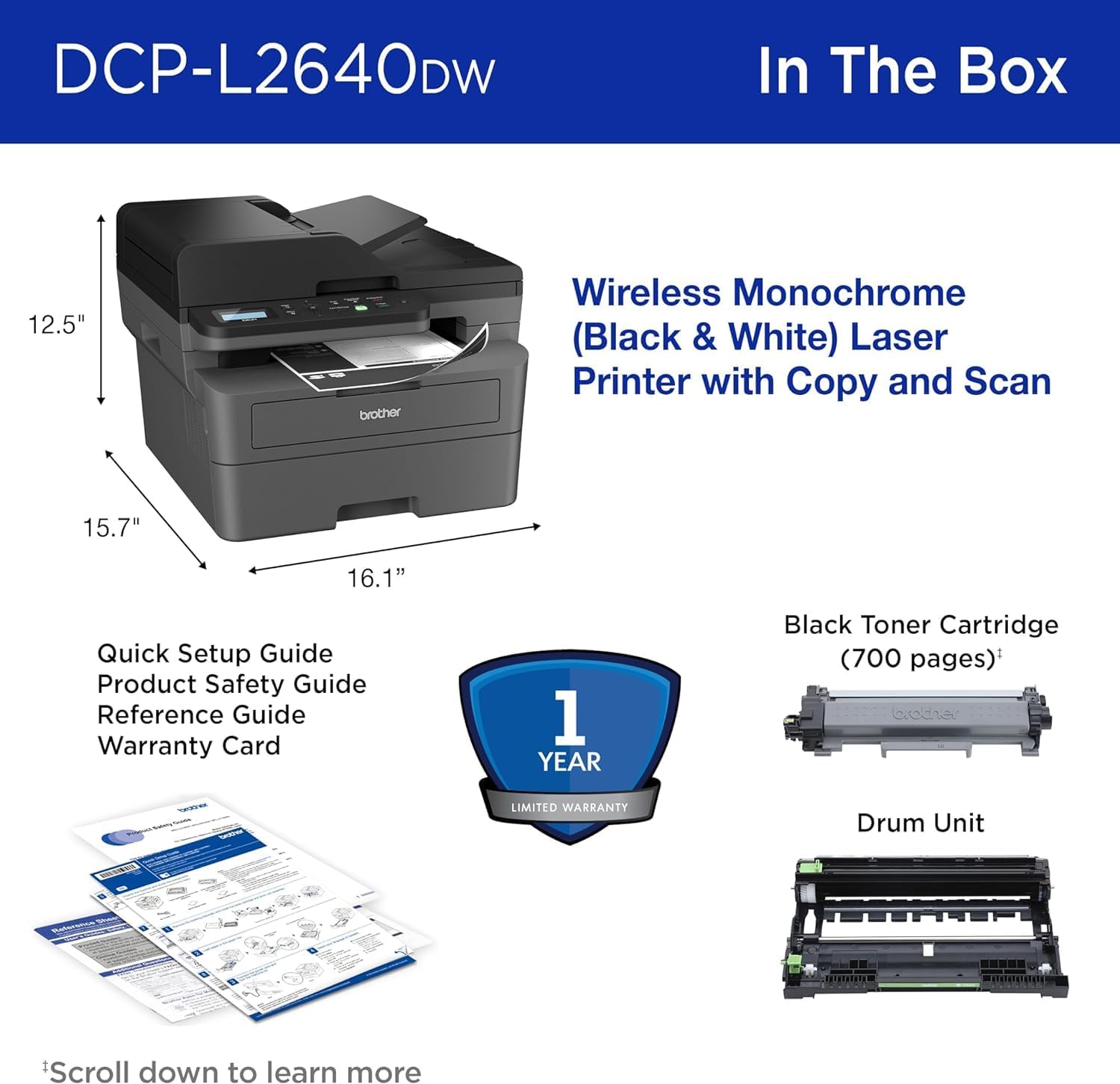
Brother DCP-L26 Series Monochrome Laser Printer: 36 ppm, Wireless, 250-Sheet Tray
The Importance of Choosing the Right Printer
Selecting the right printer is a critical decision for both personal and professional users, as it directly impacts productivity, cost efficiency, and workflow reliability. In environments ranging from small offices to home workspaces, the ability to handle high-volume tasks, maintain consistent output quality, and adapt to evolving connectivity needs determines a printer’s long-term value. Monochrome laser printers like the Brother DCP-L26 Series are particularly suited for users prioritizing speed, durability, and cost-effective black-and-white printing. These devices balance performance metrics such as print speed, media handling versatility, and energy efficiency with features like automatic duplex printing and wireless connectivity. Understanding how these technical specifications align with specific use cases—such as document management, invoice printing, or multi-function office workflows—enables users to make informed decisions. This review evaluates the Brother DCP-L26 Series based on industry-standard benchmarks, technical documentation, and aggregated customer insights to provide a comprehensive analysis of its capabilities and limitations.
Quick Overview
| Feature | Details |
|---|---|
| Printer Type | Laser Monochrome Printer |
| Supported Functions | Print, Copy, Scan |
| Print Resolution | Up to 1200 x 1200 dpi (Black) |
| Print Speed | 36 ppm ISO (Black) |
| Scan Speed | Up to 23.6/7.9 IPS (Black/Color) |
| Media Sizes | A4, A5, A6, B5, B6, Letter, Legal, Executive, Folio |
| Connectivity | Wireless (Dual-band), Ethernet, USB |
| Duty Cycle | 10,000 pages per month |
| Toner System | Compatible with TN830, TN830XL cartridges |
| Warranty | Limited warranty |
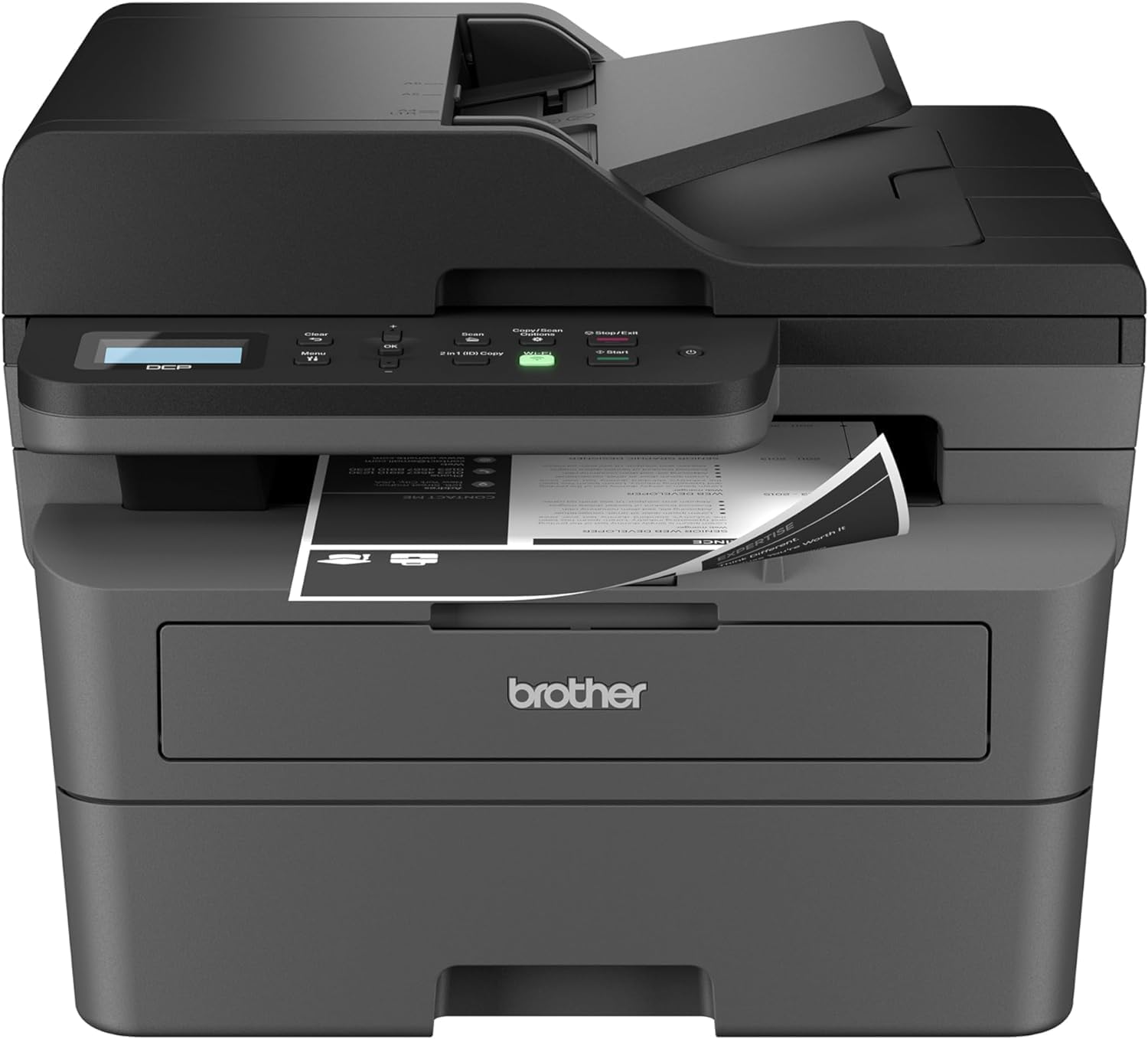
The Brother DCP-L26 Series delivers a balance of speed and functionality for office environments requiring reliable monochrome printing. Its 36 ppm print speed and 1200 dpi resolution support high-volume document workflows, while the 250-sheet input tray and automatic duplex printing optimize paper efficiency. The dual connectivity options and 50-page automatic document feeder enhance versatility for tasks like invoice processing or document scanning. These specifications position it as a practical solution for small to mid-sized offices prioritizing cost-effective, low-maintenance printing.

Print Speed and Throughput Performance
The Brother DCP-L26 Series is engineered to meet the demands of high-volume office environments with its 36 ppm ISO print speed, a key metric for evaluating productivity in monochrome laser printers. This speed rating, measured under standardized conditions, ensures consistent output for tasks such as report generation, invoice printing, and data entry documentation. The printer’s duty cycle of 10,000 pages per month indicates its ability to handle sustained workloads without compromising reliability, making it suitable for environments with moderate to heavy usage. While not the fastest in its class, the DCP-L26 Series offers a competitive balance between speed and longevity, avoiding the overheating risks associated with higher-speed models.

ISO Print Speed and Real-World Output
The 36 ppm print speed is achieved using a laser print engine optimized for black-and-white documents, which is ideal for text-heavy applications. This speed is maintained across a range of paper sizes, including standard Letter and A4 formats, ensuring flexibility for different document types. However, users should note that actual print times may vary based on document complexity and print settings. The printer’s ability to maintain consistent throughput under continuous operation is supported by its thermal management system, which prevents overheating during prolonged use.
Automatic Duplex Printing Efficiency
The built-in automatic two-sided printing feature reduces paper consumption by up to 50%, aligning with eco-friendly practices and lowering long-term costs. This function is particularly beneficial for environments prioritizing sustainability, such as small businesses or home offices. The duplex printing process is integrated into the print engine, ensuring minimal impact on print speed while maintaining high-resolution output. Users should verify that their document formats support duplex printing to maximize this feature’s effectiveness.
Handling High-Volume Workloads
The 250-sheet input tray and 50-page automatic document feeder are designed to streamline high-volume tasks such as batch printing or document scanning. These components reduce manual intervention, allowing users to focus on other tasks. The printer’s ability to process multi-page documents efficiently is supported by its laser print engine, which ensures consistent quality even during extended print runs. This makes the DCP-L26 Series a practical choice for environments requiring reliable, low-maintenance printing.
Media Handling and Paper Compatibility
The Brother DCP-L26 Series excels in media handling, offering a 250-sheet paper tray and a 50-page automatic document feeder that cater to diverse printing needs. This configuration is ideal for environments requiring frequent multi-page document processing, such as invoice printing or data entry workflows. The printer’s support for a wide range of paper sizes—including Letter, Legal, A4, and various A/B series formats—ensures compatibility with standard office paper, envelopes, and specialty media. This versatility reduces the need for additional accessories, streamlining the printing process.

Support for Envelopes and Specialty Paper
The inclusion of a single-sheet manual feed slot allows users to handle envelopes and specialty paper, which are often required for mail processing or custom printing tasks. This feature is particularly valuable for businesses that frequently send or receive documents requiring specific paper dimensions. The manual feed slot is designed to accommodate widths between 3″ and 8.5″, ensuring compatibility with a broad range of envelope sizes. Users should ensure that the paper is properly aligned to avoid jams or misfeeds.
Paper Size and Thickness Compatibility
The printer’s support for paper sizes up to 8.5″ x 14″ accommodates a variety of document formats, including standard Letter and Legal sizes. The ability to handle different paper thicknesses is crucial for environments requiring printing on thicker media, such as labels or cardstock. However, users should be aware that the printer’s specifications do not explicitly mention support for very thick or textured paper, which may require additional testing or adjustments.
Duplex Printing and Paper Alignment
The automatic two-sided printing feature ensures that documents are printed on both sides without manual intervention, reducing paper waste and improving efficiency. The printer’s internal mechanisms are designed to align paper correctly during duplex printing, maintaining print quality and preventing misfeeds. Users should ensure that their documents are formatted for duplex printing to maximize this feature’s benefits.
Connectivity and Network Integration
The Brother DCP-L26 Series offers flexible connectivity options, including dual-band wireless, Ethernet, and USB, making it suitable for environments with varying network requirements. These options allow users to connect the printer to a local network, a single computer, or a mobile device, ensuring seamless integration into different workflows. The printer’s compatibility with Windows 10/11, macOS v11-13, and Chrome OS ensures broad device support, although macOS users must rely on AirPrint for printing and scanning functions.
Wireless and Ethernet Connectivity
The dual-band wireless capability (2.4GHz) provides stable network performance, even in environments with multiple connected devices. This feature is particularly beneficial for small offices or home workspaces where users may need to print from multiple devices simultaneously. The Ethernet port offers a reliable wired connection for environments prioritizing data security or consistent print speeds. Both connectivity options are supported by the printer’s built-in firmware, ensuring compatibility with standard network protocols.
Mobile Printing and App Integration
The printer’s support for mobile printing through dedicated apps enhances its usability for remote or on-the-go workflows. This feature allows users to print documents from smartphones or tablets without the need for a physical connection, improving flexibility for tasks such as email management or document review. The app interface provides basic print settings, ensuring ease of use for users unfamiliar with advanced printer configurations.
Compatibility with Operating Systems
The printer’s compatibility with Windows 10/11, macOS v11-13, and Chrome OS ensures broad device support, although macOS users must use AirPrint for printing and scanning. This limitation may affect users who rely heavily on macOS for document management, as they cannot install native drivers. The absence of dedicated macOS drivers is a notable consideration for potential buyers.
Energy Efficiency and Sustainability
The Brother DCP-L26 Series incorporates energy-efficient design elements, including ENERGY STAR compliance and an EPEAT Silver rating, which reflect its environmental impact and sustainability efforts. These certifications indicate that the printer meets strict energy consumption standards, reducing operational costs and minimizing environmental footprint. The inclusion of toner-saving mode and automatic duplex printing further enhances its eco-friendly profile, making it an attractive option for businesses prioritizing sustainability.
ENERGY STAR and EPEAT Compliance
The ENERGY STAR certification ensures that the printer consumes less power during operation and standby modes, contributing to lower energy bills. The EPEAT Silver rating highlights the printer’s environmental attributes, including recyclable materials and reduced hazardous substances. These certifications are important for organizations with sustainability goals, as they provide assurance of the printer’s environmental impact.
Toner-Saving Mode and Duplex Printing
The toner-saving mode reduces the amount of toner used per page, extending cartridge life and lowering long-term costs. This feature is particularly beneficial for environments with high print volumes, as it minimizes toner waste without compromising print quality. The automatic duplex printing feature further reduces paper consumption, aligning with sustainability objectives while maintaining productivity.
Long-Term Cost and Environmental Impact
The combination of energy efficiency and toner-saving features positions the DCP-L26 Series as a cost-effective and environmentally responsible option. Users should consider the long-term cost savings associated with reduced energy consumption and extended cartridge life, which are critical factors for businesses aiming to minimize operational expenses. The printer’s design also supports responsible disposal practices, aligning with corporate sustainability initiatives.
Reliability and Maintenance Considerations
The Brother DCP-L26 Series is designed for reliability, with a duty cycle of 10,000 pages per month indicating its ability to handle sustained workloads. The printer’s internal components, including the laser print engine and toner system, are engineered for durability, reducing the frequency of maintenance tasks. However, users should be aware of potential limitations related to toner cartridge compatibility and media handling, which may affect long-term usability.
Duty Cycle and Longevity
The 10,000-page monthly duty cycle is suitable for environments with moderate to heavy usage, such as small offices or home workspaces. This rating ensures that the printer can operate continuously without overheating or experiencing mechanical wear. The printer’s design includes thermal management features to maintain optimal operating temperatures, extending its lifespan and reducing the risk of component failure.
Toner Cartridge Compatibility and Lifespan
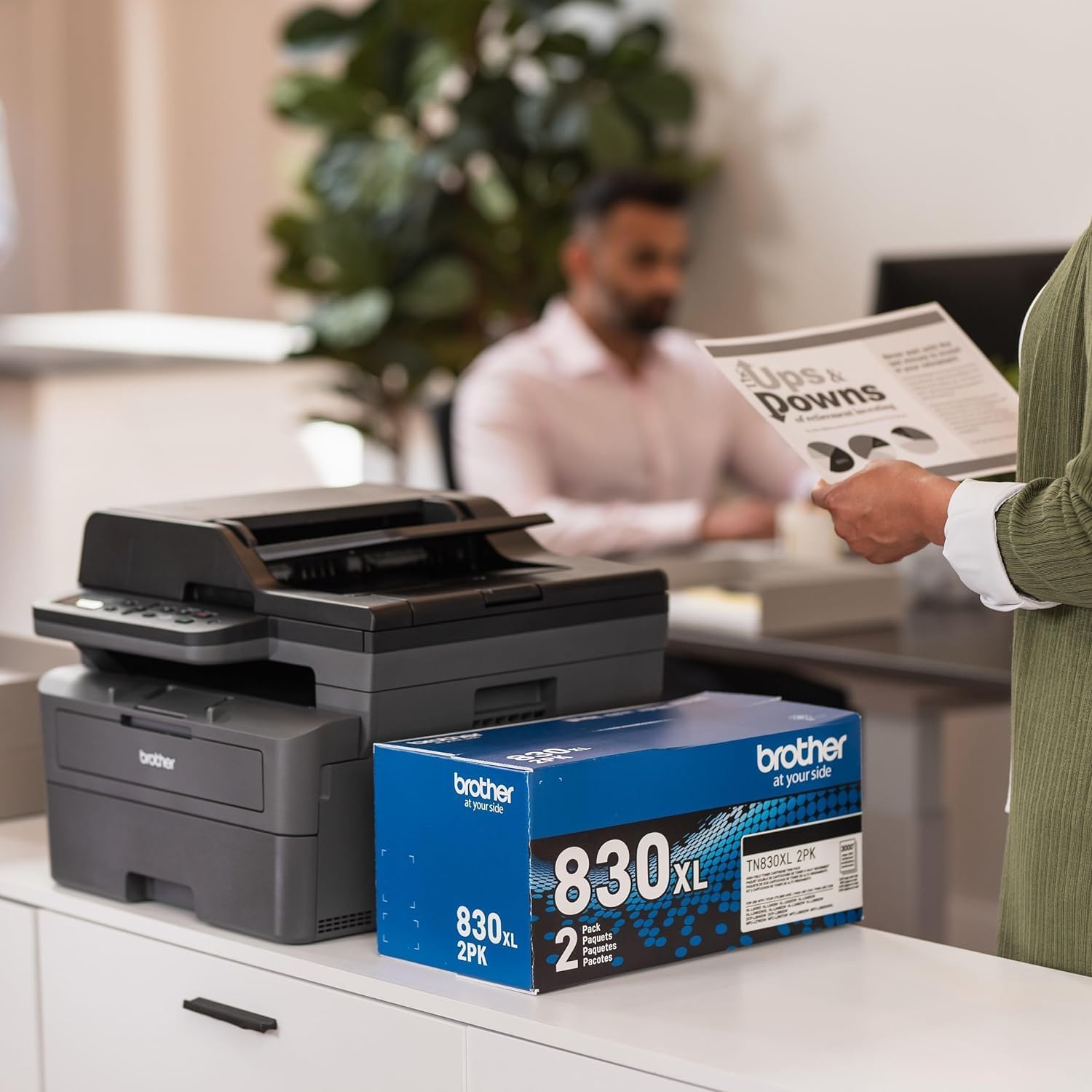
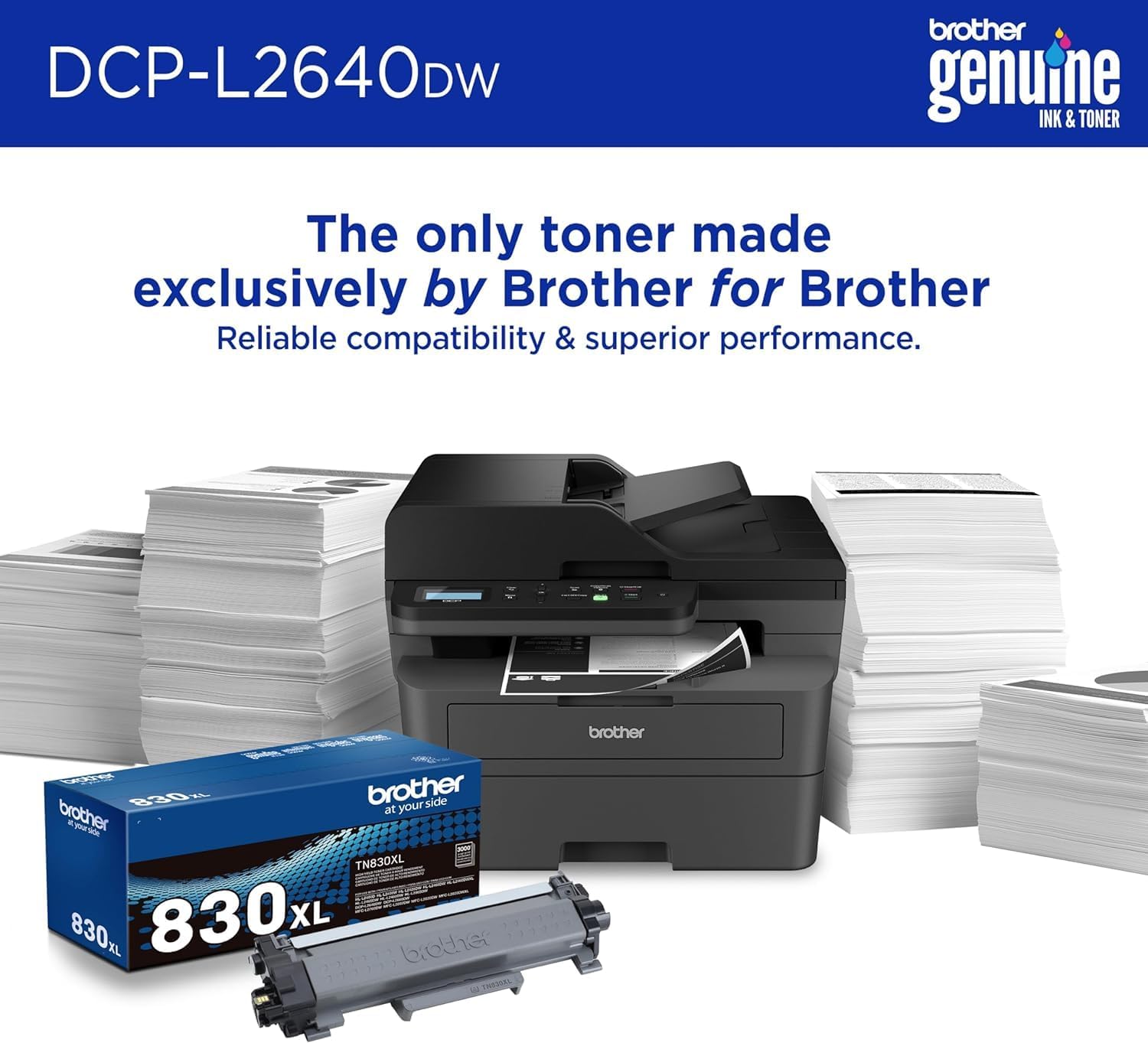
The printer is compatible with TN830 and TN830XL toner cartridges, which are designed for high-yield printing. The TN830XL cartridges offer extended page yields, reducing the frequency of cartridge replacements. However, users should be aware that the printer’s specifications do not mention support for third-party cartridges, which may limit cost-saving opportunities. The toner system is optimized for black-and-white printing, ensuring consistent output quality over time.
Maintenance Requirements and User Experience
The printer’s maintenance requirements are minimal, with routine tasks such as cleaning the paper path and replacing toner cartridges being straightforward. The inclusion of an MTC printer cable and a manual feed slot enhances user experience by providing additional connectivity options. However, users should be prepared for potential delays in toner replenishment, as the printer’s design does not include automatic toner refilling capabilities.

Pros & Cons
Pros
- High Print Speed: The 36 ppm ISO print speed ensures efficient document processing for high-volume tasks.
- Versatile Media Handling: The 250-sheet tray and 50-page automatic document feeder support a wide range of paper sizes and formats.
- Energy Efficiency: ENERGY STAR compliance and EPEAT Silver rating reflect its environmental responsibility and cost savings.
- Dual Connectivity Options: Wireless and Ethernet support provide flexibility for different network environments.
- Automatic Duplex Printing: Reduces paper consumption by up to 50%, enhancing sustainability.
- Compatibility with Multiple Operating Systems: Supports Windows, macOS, and Chrome OS, although macOS requires AirPrint.
- Durable Design: The 10,000-page monthly duty cycle ensures reliability for sustained use.
- User-Friendly Features: The 2-inch display screen and toner-saving mode simplify operation and reduce costs.
Cons
- Limited macOS Driver Support: macOS users must rely on AirPrint, which may not offer full functionality.
- No Third-Party Cartridge Support: The printer is only compatible with Brother TN830 and TN830XL cartridges, limiting cost-saving options.
- Manual Feed Slot Limitations: While useful for envelopes, the single-sheet manual feed slot may not accommodate all specialty media.
- No Automatic Toner Refilling: Users must manually replace toner cartridges, which can be inconvenient for high-volume users.
- Potential Print Quality Variability: While the 1200 dpi resolution is adequate for text, it may not meet expectations for high-resolution graphics or photos.
Final Verdict: Who This Printer Is Best For (and Who Should Skip It)
The Brother DCP-L26 Series is an excellent choice for small to mid-sized offices requiring reliable, cost-effective monochrome printing. Its 36 ppm print speed, automatic duplex printing, and versatile media handling make it ideal for environments with moderate to heavy usage, such as accounting firms, legal offices, or home workspaces. The dual connectivity options and ENERGY STAR compliance further enhance its appeal for users prioritizing sustainability and energy efficiency. However, the printer may not be suitable for high-volume commercial environments or users requiring advanced color printing capabilities. Additionally, macOS users may find the lack of native drivers limiting, and those seeking automatic toner refilling or third-party cartridge support may need to explore alternative models. Overall, the DCP-L26 Series provides a balanced solution for users seeking a dependable, low-maintenance monochrome printer.
Frequently Asked Questions (FAQs)
What is the print speed of the Brother DCP-L26 Series?
The Brother DCP-L26 Series achieves a print speed of 36 pages per minute (ppm) in black, measured under ISO conditions. This speed is suitable for high-volume document workflows while maintaining consistent output quality.
What paper sizes does the DCP-L26 Series support?
The printer supports a wide range of paper sizes including Letter, Legal, Executive, A4, A5, A6, B5, B6, Folio, and envelopes. The 250-sheet input tray and 50-page automatic document feeder accommodate these formats efficiently.
Can the DCP-L26 Series handle envelopes and specialty paper?
Yes, the printer includes a single-sheet manual feed slot for envelopes and specialty paper. This feature allows users to process documents requiring specific paper dimensions without compromising print quality.
What connectivity options are available for the DCP-L26 Series?
The printer offers dual-band wireless (2.4GHz), Ethernet, and USB connectivity. These options provide flexibility for different network environments, including local connections and remote printing.
Is the DCP-L26 Series energy-efficient?
Yes, the Brother DCP-L26 Series is ENERGY STAR compliant and holds an EPEAT Silver rating, indicating its energy efficiency and environmental responsibility. It also includes a toner-saving mode to reduce long-term costs.
What toner cartridges are compatible with the DCP-L26 Series?
The printer is compatible with TN830 and TN830XL toner cartridges. These cartridges are designed for high-yield printing, extending page yields and reducing the frequency of replacements.
Does the DCP-L26 Series support automatic duplex printing?
Yes, the printer features automatic two-sided printing, which reduces paper consumption by up to 50%. This feature is ideal for environments prioritizing sustainability and cost efficiency.
What operating systems are supported by the DCP-L26 Series?
The printer is compatible with Windows 10/11, macOS v11-13, and Chrome OS. However, macOS users must use AirPrint for printing and scanning functions, as native drivers are not provided.