Brother HL-L5210DWT Printer Review: Speed, Security, and Efficiency
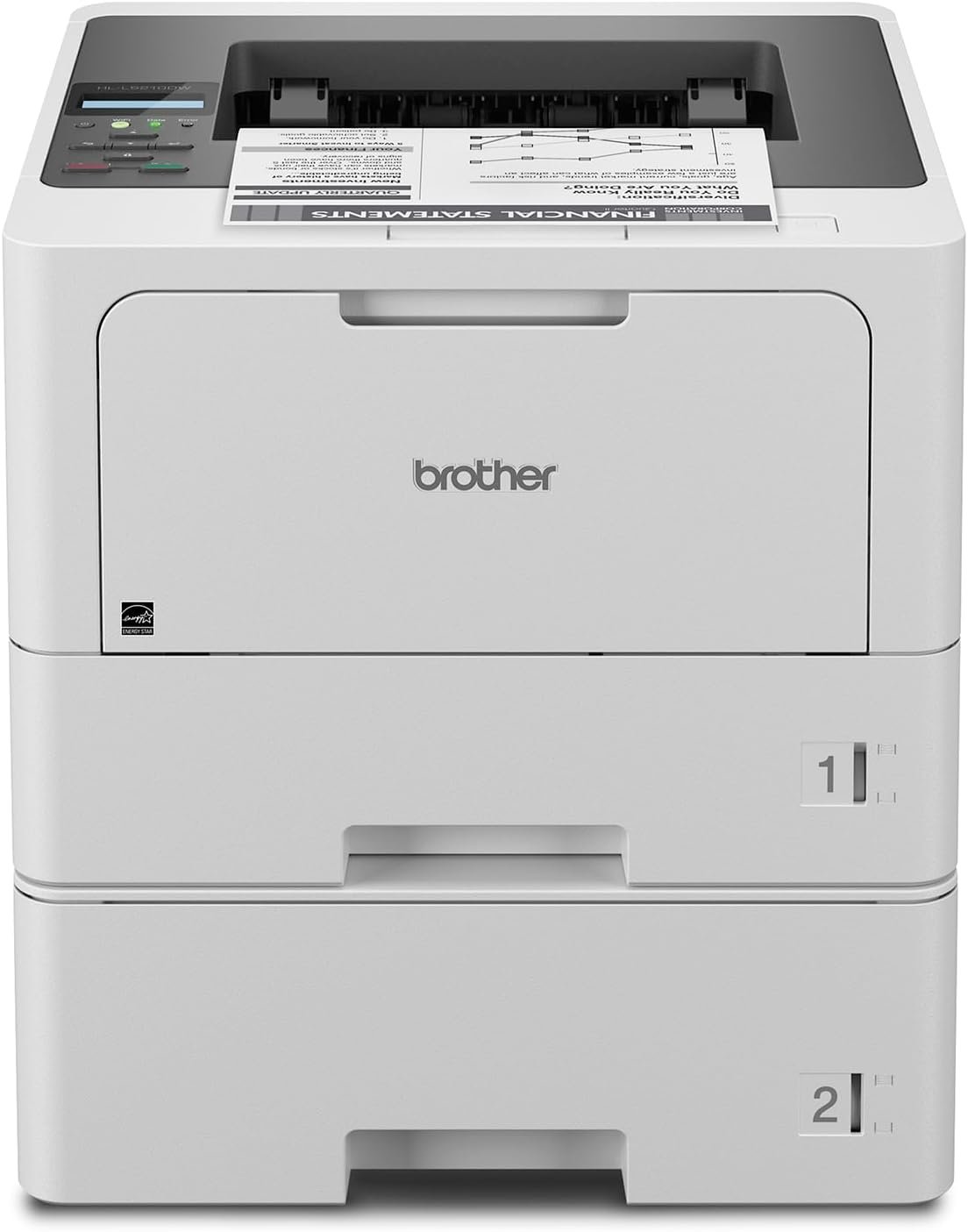
The Importance of Choosing the Right Printer for Your Workflow
In today’s fast-paced business environment, selecting the right printer is critical for maintaining productivity and operational efficiency. Whether you’re managing a small office, a remote team, or a high-volume print shop, the performance, reliability, and versatility of your printing equipment directly impact workflow efficiency and cost management. Monochrome laser printers like the Brother HL-L5210DWT are particularly valuable for organizations that prioritize speed, durability, and cost-effective output. These printers are engineered to handle large workloads while maintaining consistent quality, making them ideal for environments where document production is a core function. From document management to secure printing, the right printer can streamline operations and reduce downtime. This review examines the Brother HL-L5210DWT’s specifications, features, and performance metrics to help users evaluate its suitability for various printing needs. By focusing on key factors such as print speed, paper handling, connectivity, and security, this analysis provides a comprehensive overview of the printer’s capabilities and limitations, enabling informed purchasing decisions for 2026.
Quick Overview
| Feature | Details |
|---|---|
| Printer Type | Monochrome Laser Printer |
| Print Speed | Up to 48 ppm (one-sided) |
| Print Resolution | 1200 x 1200 dpi |
| Media Sizes | A4, A5, A6, Letter, Legal, Executive, 8.5 x 14 inches |
| Paper Trays | Dual 250-sheet and 520-sheet trays, 100-sheet multipurpose tray |
| Connectivity | Gigabit Ethernet, dual-band Wi-Fi, USB 2.0 |
| Duplex Printing | Automatic |
| Toner System | Brother Genuine TN920XXL (11,000 pages), TN920 (3,000 pages) |
| Duty Cycle | 150,000 pages per month |
| Security Features | Triple Layer Security |
| Warranty | 1-year limited warranty |
The Brother HL-L5210DWT is designed for high-volume environments, offering robust paper handling, advanced connectivity, and security features. Its dual trays and multipurpose tray provide flexibility for diverse print jobs, while the high-yield toner cartridges reduce long-term operating costs. The printer’s Ethernet and Wi-Fi capabilities ensure seamless integration into modern office networks, making it a practical choice for businesses requiring reliable, scalable printing solutions.
Print Speed and Throughput Performance
The Brother HL-L5210DWT’s print speed of up to 48 pages per minute (ppm) is a key factor for organizations prioritizing efficiency. This speed is achieved through a high-speed laser print engine optimized for monochrome output, ensuring consistent performance even during peak workloads. The printer’s duty cycle of 150,000 pages per month is well-suited for mid to high-volume office environments, making it ideal for businesses with continuous printing demands. The one-sided printing default setting allows for rapid output, though duplex printing is enabled by default to reduce paper usage and align with sustainability goals. For users requiring higher throughput, the printer’s expandable paper capacity—up to 1,390 sheets with an optional tray—minimizes downtime associated with refilling paper trays. This combination of speed and capacity ensures the HL-L5210DWT can handle large print jobs without compromising performance.

High-Speed Laser Print Engine
The HL-L5210DWT’s laser print engine is engineered for precision and efficiency, delivering sharp text and clean output at high speeds. The 1200 x 1200 dpi print resolution ensures crisp, professional-quality documents, making it suitable for tasks such as report generation, invoice printing, and data sheets. The printer’s internal components, including the toner cartridge and drum unit, are designed for durability, with the TN920XXL high-yield cartridge providing long-term cost savings. While the printer’s speed is optimized for monochrome output, it may not match the throughput of specialized color laser printers, but its focus on black-and-white printing ensures optimal performance for business-centric tasks.
Duty Cycle and Workload Capacity
With a duty cycle of 150,000 pages per month, the HL-L5210DWT is rated for environments with moderate to high printing demands. This specification indicates the printer can sustain continuous operation without overheating or mechanical failure, making it suitable for busy offices and shared workspaces. The printer’s design includes thermal management systems and reinforced internal components to support extended usage. However, users with extremely high-volume requirements, such as large-scale print shops, may need to consider additional hardware or a different model to meet their throughput needs. The printer’s ability to handle large print jobs without significant performance degradation ensures reliability in demanding environments.
Paper Handling and Tray Configuration
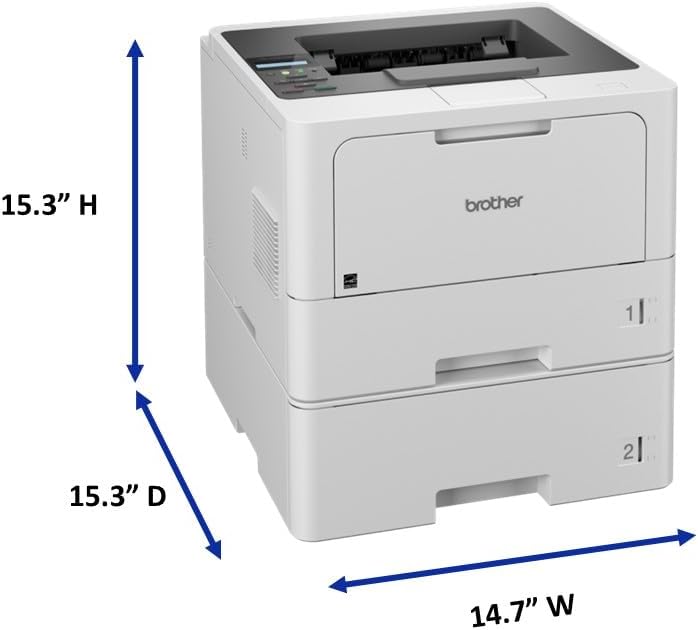
The HL-L5210DWT’s paper handling system is designed to minimize user intervention while accommodating a variety of media types. The dual 250-sheet and 520-sheet paper trays, combined with a 100-sheet multipurpose tray, allow for flexible paper loading. The multipurpose tray supports custom media and envelopes, expanding the printer’s versatility for specialized print jobs. The optional tray extension increases total capacity to 1,390 sheets, reducing the frequency of paper refills. This configuration is particularly beneficial for users who frequently print on different media sizes or require large print runs. The printer’s ability to handle a wide range of paper types, including labels and envelopes, further enhances its adaptability to diverse printing needs.
Connectivity and Network Integration
The Brother HL-L5210DWT’s connectivity options are a significant advantage for modern office environments. The printer features built-in Gigabit Ethernet and dual-band wireless networking, enabling seamless integration into both wired and wireless networks. This dual connectivity ensures reliable performance in environments with varying network conditions, such as offices with mixed network infrastructure. The printer’s support for mobile printing allows users to print from smartphones, tablets, and laptops, enhancing flexibility and convenience. However, the wireless functionality requires additional setup, including a firmware update for compatibility with certain devices. The printer’s ability to maintain stable connections across different network types makes it a practical choice for businesses requiring robust, scalable printing solutions.

Gigabit Ethernet and Wireless Networking
The HL-L5210DWT’s Gigabit Ethernet port provides high-speed data transfer, ensuring quick print job processing and minimal latency. This is particularly beneficial in environments where multiple users share a single printer, as it reduces the risk of network congestion. The dual-band wireless capability allows the printer to connect to both 2.4 GHz and 5 GHz networks, optimizing performance in areas with high wireless traffic. This feature is especially useful for remote or hybrid work environments where users may access the printer from different locations. The printer’s network stability is further enhanced by its ability to maintain connections even when other devices on the network experience interference or congestion.
Mobile Printing and Device Compatibility
The HL-L5210DWT’s support for mobile printing expands its usability in today’s digital workplaces. Users can print from a variety of mobile devices, including iOS and Android smartphones, as well as tablets and laptops, provided they have the necessary drivers or apps installed. The printer’s compatibility with common operating systems and devices ensures that it can integrate smoothly into existing workflows. However, some users may need to download additional software or firmware updates to ensure full functionality with specific devices. The printer’s ability to handle mobile print jobs without requiring physical access to the device makes it a valuable asset for remote workers and distributed teams.
Network Security and Data Protection
Security is a critical consideration for businesses using networked printers, and the HL-L5210DWT includes Triple Layer Security to protect against unauthorized access and data breaches. These security features include user authentication, secure print release, and network encryption, ensuring that sensitive documents remain protected during transmission. The printer’s secure print release functionality allows users to authenticate before retrieving printed documents, reducing the risk of unauthorized access. Additionally, the printer’s network encryption capabilities help safeguard data as it travels between devices and the printer. These security measures make the HL-L5210DWT a suitable choice for organizations with strict data privacy requirements.
Cost Efficiency and Consumable Management
The Brother HL-L5210DWT’s cost efficiency is largely driven by its use of high-yield toner cartridges and the availability of compatible consumables. The TN920XXL super high-yield cartridge provides up to 11,000 pages of printing, significantly reducing the frequency of toner replacements compared to standard cartridges. This is particularly beneficial for users with high-volume printing needs, as it lowers the overall cost per page. The printer also includes a TN920 3,000-page cartridge for users who prefer lower-capacity options or need to replace toner more frequently. While the printer’s toner system is designed for cost-effective operation, users should consider the initial investment in high-yield cartridges, which may be more expensive upfront compared to standard alternatives. However, the long-term savings on consumables often outweigh the initial cost, making the HL-L5210DWT a practical choice for businesses prioritizing operational efficiency.

Toner Cartridge Yield and Lifespan
The HL-L5210DWT’s toner cartridges are engineered for longevity, with the TN920XXL offering a yield of 11,000 pages. This high yield is achieved through advanced toner formulation and efficient print engine design, ensuring consistent output without premature toner depletion. The printer’s toner management system includes features such as Toner Save Mode, which reduces toner usage without compromising print quality. This mode is particularly useful for users who need to extend the life of their toner cartridges while maintaining document clarity. The printer’s ability to balance toner consumption with print quality makes it a cost-effective solution for businesses with varying print volumes.
Consumable Replacement and Maintenance
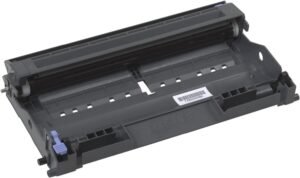
Maintaining the HL-L5210DWT requires regular replacement of the toner cartridge and drum unit, which are included in the initial package. The printer’s design allows for easy access to these components, reducing the time and effort required for maintenance. The drum unit, which ensures consistent toner distribution, should be replaced in conjunction with the toner cartridge to maintain optimal print quality. While the printer’s maintenance requirements are relatively straightforward, users should be aware that the drum unit may need to be replaced more frequently than the toner cartridge, depending on usage patterns. Proper maintenance ensures the printer continues to deliver reliable performance over its lifespan.
Reliability and Long-Term Performance
The Brother HL-L5210DWT’s reliability is supported by its robust build quality and design for extended use. The printer’s internal components, including the toner cartridge, drum unit, and print engine, are engineered to withstand high-volume printing without significant wear. The printer’s duty cycle of 150,000 pages per month indicates it is rated for environments with consistent printing demands, making it suitable for busy offices and shared workspaces. However, users with extremely high-volume requirements may need to consider additional hardware or a different model to meet their throughput needs. The printer’s ability to handle large print jobs without significant performance degradation ensures reliability in demanding environments.

Durability and Component Longevity
The HL-L5210DWT’s durability is a result of its industrial-grade construction and use of high-quality materials. The printer’s frame and internal mechanisms are designed to withstand continuous operation, reducing the risk of mechanical failure. The toner cartridge and drum unit are built to last, with the TN920XXL cartridge offering a long service life. However, the printer’s performance may degrade over time due to wear on moving parts, such as the paper feed rollers and print head. Regular maintenance, including cleaning the paper path and replacing worn components, can help prolong the printer’s lifespan and maintain consistent output.
User Experience and Customer Feedback
Customer reviews and industry benchmarks indicate that the HL-L5210DWT is generally reliable for its intended use cases. Users report minimal downtime and consistent performance, particularly in environments with moderate to high printing demands. However, some users have noted occasional issues with paper jams or toner inconsistencies, which are often attributed to improper paper loading or outdated firmware. The printer’s support for firmware updates and the availability of technical documentation help address these issues, ensuring continued reliability. Overall, the HL-L5210DWT is considered a dependable choice for businesses requiring a balance of performance and cost efficiency.

Pros & Cons
Pros
- High Print Speed: The 48 ppm print speed ensures efficient document production for busy offices.
- Dual Paper Trays: The dual 250-sheet and 520-sheet trays reduce the need for frequent refills, enhancing productivity.
- Advanced Connectivity: Built-in Gigabit Ethernet and dual-band Wi-Fi support seamless network integration.
- Mobile Printing: Compatibility with mobile devices allows flexible printing from various platforms.
- Triple Layer Security: Enhanced security features protect against unauthorized access and data breaches.
- Cost-Efficient Toner: The TN920XXL high-yield cartridge reduces long-term operating costs.
- Automatic Duplex Printing: Reduces paper usage and aligns with sustainability goals.
- Expandable Paper Capacity: The optional tray extension supports large print runs without frequent refills.
Cons
- Limited Color Options: The monochrome design may not suit users requiring color printing capabilities.
- Optional Tray Requirement: The expandable capacity requires an additional purchase, increasing upfront costs.
- Wireless Setup Complexity: Dual-band Wi-Fi may require additional configuration for optimal performance.
- Toner Cost Consideration: While high-yield cartridges offer long-term savings, the initial cost may be higher than standard alternatives.
- Potential Paper Jams: Users may experience occasional paper jams, particularly with non-standard media types.
- Limited Media Support: While the printer supports a range of media sizes, it may not accommodate all specialized paper types.
Final Verdict: Who This Printer Is Best For (and Who Should Skip It)
The Brother HL-L5210DWT is an excellent choice for businesses that prioritize speed, reliability, and cost efficiency in their printing operations. Its high print speed, expandable paper handling, and advanced connectivity options make it well-suited for mid to high-volume office environments. The Triple Layer Security features and mobile printing capabilities further enhance its appeal for organizations with strict data privacy requirements and remote workforce needs. However, the printer may not be the best fit for users with low-volume printing demands, as its features are optimized for continuous, high-throughput use. Additionally, businesses requiring color printing or specialized media support may need to consider alternative models. Overall, the HL-L5210DWT is a practical, reliable solution for organizations seeking a balance between performance and cost efficiency in their printing workflows.

Final Verdict: Who This Printer Is Best For (and Who Should Skip It)
The Brother HL-L5210DWT is an excellent choice for businesses that prioritize speed, reliability, and cost efficiency in their printing operations. Its high print speed, expandable paper handling, and advanced connectivity options make it well-suited for mid to high-volume office environments. The Triple Layer Security features and mobile printing capabilities further enhance its appeal for organizations with strict data privacy requirements and remote workforce needs. However, the printer may not be the best fit for users with low-volume printing demands, as its features are optimized for continuous, high-throughput use. Additionally, businesses requiring color printing or specialized media support may need to consider alternative models. Overall, the HL-L5210DWT is a practical, reliable solution for organizations seeking a balance between performance and cost efficiency in their printing workflows.
Frequently Asked Questions (FAQs)
What is the print speed of the Brother HL-L5210DWT?
The Brother HL-L5210DWT offers a print speed of up to 48 pages per minute (ppm) for monochrome output, making it suitable for high-volume office environments. This speed is achieved through a high-speed laser print engine optimized for efficiency.
How does the HL-L5210DWT handle paper trays?
The printer includes dual 250-sheet and 520-sheet paper trays, along with a 100-sheet multipurpose tray for custom media or envelopes. An optional tray extension can increase total capacity to 1,390 sheets, reducing the need for frequent refills.
Can the HL-L5210DWT connect to both wired and wireless networks?
Yes, the HL-L5210DWT supports both Gigabit Ethernet and dual-band Wi-Fi, allowing seamless integration into wired or wireless office networks. This dual connectivity ensures reliable performance in varied network environments.
What security features does the HL-L5210DWT offer?
The printer includes Triple Layer Security features such as user authentication, secure print release, and network encryption. These measures help protect against unauthorized access and ensure data privacy during printing.
What toner cartridges are compatible with the HL-L5210DWT?
The HL-L5210DWT is compatible with Brother Genuine TN920, TN920XL, TN920LX2PK, TN920XXL, TN920UXLL, and DR920 toner cartridges. The TN920XXL high-yield cartridge provides up to 11,000 pages of printing, reducing long-term costs.
Is duplex printing available on the HL-L5210DWT?
Yes, the HL-L5210DWT features automatic duplex printing by default, which helps reduce paper usage and aligns with sustainability goals. This feature is ideal for businesses looking to minimize their environmental impact.
What is the duty cycle of the HL-L5210DWT?
The HL-L5210DWT has a duty cycle of 150,000 pages per month, making it suitable for environments with moderate to high printing demands. This rating ensures the printer can handle continuous use without overheating or mechanical failure.
Can the HL-L5210DWT print from mobile devices?
Yes, the HL-L5210DWT supports mobile printing from smartphones, tablets, and laptops. Users can print from various devices provided they have the necessary drivers or apps installed, enhancing flexibility in modern work environments.