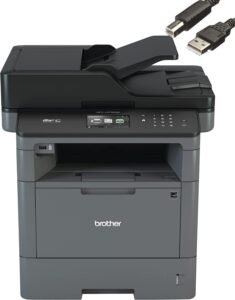
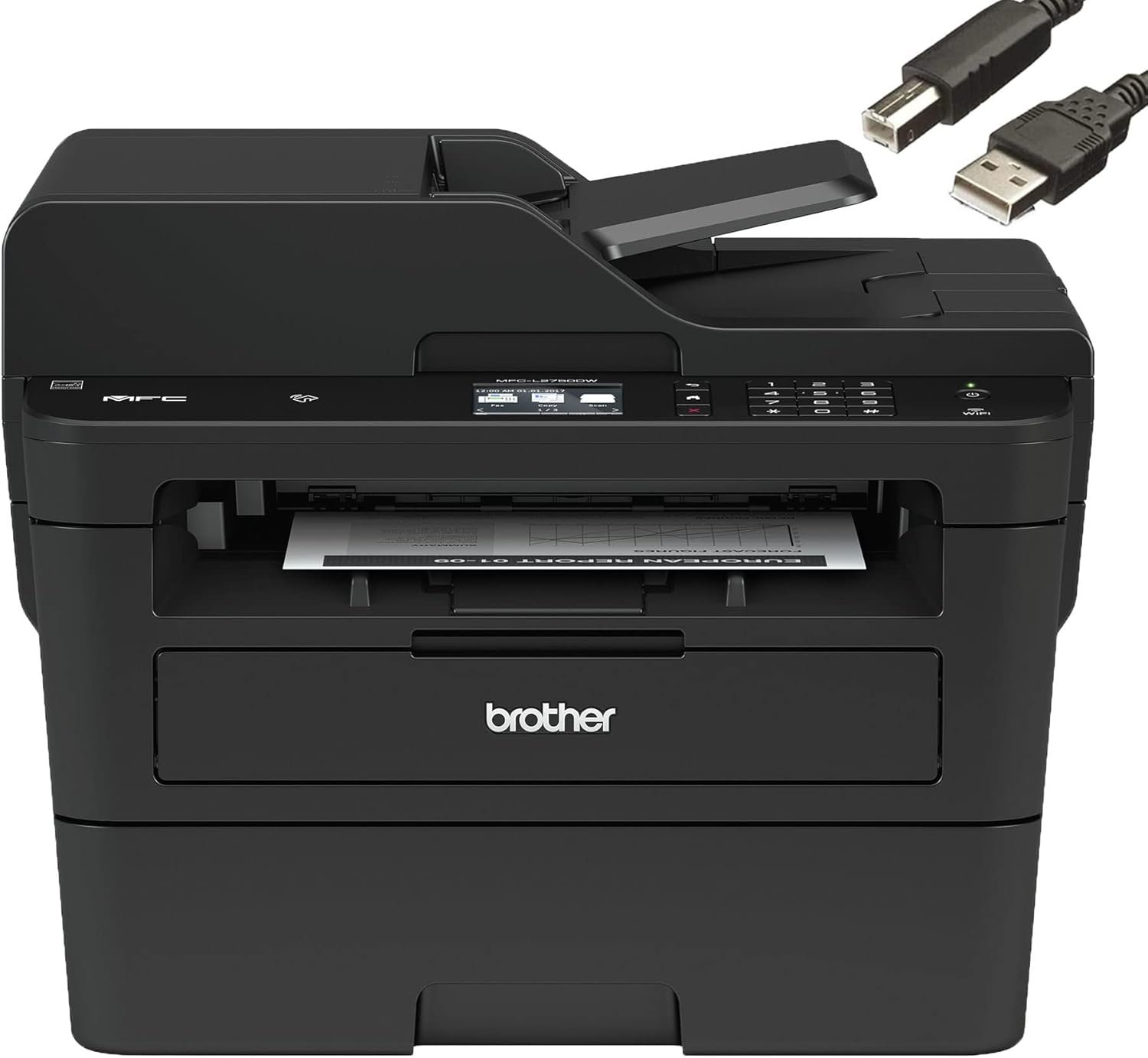
Brother MFC-L2750DW Printer Review: Print Speed, Features, and Use Cases
The Importance of Choosing the Right Printer
Selecting the optimal printer for your environment is critical for balancing productivity, cost efficiency, and output quality. Whether managing a small office workflow, handling home printing needs, or supporting mobile device integration, the right printer can significantly impact daily operations. Printers vary widely in technology, speed, and feature sets, making it essential to evaluate specifications that align with specific tasks. For instance, laser printers excel in high-volume environments due to their durability and fast print speeds, while inkjet models may offer superior photo quality. Understanding print resolution, media compatibility, and connectivity options ensures the printer meets both immediate and long-term requirements. Additionally, factors like duty cycle, toner system efficiency, and maintenance needs influence long-term reliability and cost. This review examines the Brother MFC-L2750DW monochrome laser printer, analyzing its technical specifications, feature set, and suitability for various use cases to help buyers make informed decisions in 2026.
Quick Overview
| Feature | Details |
|---|---|
| Printer Type | Monochrome Laser Printer |
| Print Technology | Laser |
| Supported Functions | Print, Scan, Copy, Fax |
| Print Resolution | 2400 x 600 dpi (max), 600 x 600 dpi (copy) |
| Print Speed | 36 ppm (double-sided) |
| Media Sizes | Letter, Legal, Executive, A4, A5, A6, B5, B6, Envelope |
| Connectivity | USB, Wireless, Network Ready, Wi-Fi Direct |
| Duty Cycle | 15,000 pages/month |
| Toner System | Black toner |
| Duplex Printing | Automatic |
| Input Capacity | 250-sheet tray |
| Scanner Resolution | 1200 x 1200 dpi |
| Compatibility | Windows, macOS, Linux |
| Warranty | Limited warranty |
The Brother MFC-L2750DW combines laser printing efficiency with multifunctionality, making it suitable for office environments requiring high-speed monochrome output. Its automatic duplex printing, supported media types, and wireless connectivity enhance productivity for users managing document workflows, while the 2.7″ touchscreen simplifies navigation and customization. These features position it as a practical choice for businesses and home offices prioritizing reliability and versatility.

Print Speed and Output Quality
The Brother MFC-L2750DW delivers a maximum print speed of 36 pages per minute (ppm) for double-sided printing, making it well-suited for high-volume office environments. This speed is achieved through its laser printing technology, which uses a toner-based imaging system to produce sharp, consistent text and graphics. The printer’s maximum resolution of 2400 x 600 dpi ensures high-quality output for documents, while the 600 x 600 dpi copy resolution maintains clarity for scanned or copied materials. The 250-sheet input tray reduces the frequency of paper refills, enhancing efficiency for users handling large print jobs.

Laser Printing Efficiency
Laser printers like the MFC-L2750DW leverage a toner-based system that minimizes smearing and ensures consistent print quality over time. The printer’s 2400 x 600 dpi resolution is ideal for producing crisp text and clear line art, making it suitable for business reports, invoices, and other professional documents. The toner system also allows for efficient use of consumables, as toner cartridges typically last longer than inkjet alternatives, reducing long-term maintenance costs.
Duplex Printing and Paper Handling
The automatic duplex printing feature of the MFC-L2750DW reduces paper consumption by printing on both sides of a sheet. This is particularly beneficial for users aiming to minimize environmental impact or reduce printing costs. The printer supports a wide range of media types, including envelopes, labels, and recycled paper, ensuring compatibility with various document formats. The 250-sheet input tray and automatic document feeder (ADF) streamline the printing process, allowing users to handle multiple pages without manual intervention.
Document Scanning and Copying
The MFC-L2750DW’s flatbed scanner offers a resolution of 1200 x 1200 dpi, enabling high-quality scans of documents, photos, and other materials. Its copy function supports enlargement and reduction up to 400% and 25%, respectively, providing flexibility for resizing documents. The 36 ppm copy speed ensures efficient handling of large volumes, while the 2.7″ touchscreen interface simplifies navigation and customization of scan and copy settings.
Connectivity and Integration Capabilities
The Brother MFC-L2750DW offers a range of connectivity options, including USB 2.0, Ethernet, Wi-Fi, and Wi-Fi Direct, ensuring compatibility with various devices and networks. These features enhance productivity by allowing users to print from computers, smartphones, and tablets without the need for physical connections. The printer’s support for mobile printing apps like Apple AirPrint, Brother iPrint&Scan, and Wi-Fi Direct provides seamless integration with modern workflows. Additionally, the built-in Alexa compatibility enables voice-activated printing, offering convenience for users with smart home setups.

Wireless and Network Printing
The MFC-L2750DW’s wireless capabilities, including Wi-Fi Direct and Ethernet connectivity, enable printing from multiple devices on the same network. This is particularly useful for office environments where users may need to print from different workstations or mobile devices. The printer’s network-ready design allows for centralized management, making it suitable for small to medium-sized businesses requiring efficient print management solutions.
Mobile Printing and Cloud Integration
The MFC-L2750DW’s support for mobile printing apps and cloud services like Dropbox, Google Drive, and Evernote enhances its versatility for users managing digital documents. The 2.7″ touchscreen interface simplifies access to these features, allowing users to print directly from cloud storage without the need for additional software. This integration reduces the time required to print documents, improving overall workflow efficiency.
Voice-Activated Printing
The printer’s compatibility with Alexa Print enables voice-activated printing, providing an additional layer of convenience for users with smart home ecosystems. This feature allows users to print documents using voice commands, reducing the need for manual interaction. While this functionality is more suited for home environments, it can also be beneficial for office users who integrate voice-activated systems into their workflows.

Pros and Cons
Pros
- High Print Speed: The 36 ppm double-sided printing capability ensures efficient handling of large document volumes, ideal for busy offices.
- Versatile Connectivity: Multiple connectivity options, including USB, Wi-Fi, and Ethernet, provide flexibility for different device and network configurations.
- Automatic Duplex Printing: Reduces paper usage and costs while maintaining print quality, appealing to eco-conscious users.
- Robust Toner System: Laser printing technology ensures consistent output and longevity, minimizing the need for frequent consumable replacements.
- User-Friendly Interface: The 2.7″ touchscreen simplifies navigation and customization of print, scan, and copy settings.
- Support for Mobile and Cloud Printing: Integration with mobile apps and cloud services enhances convenience for users managing digital documents.
- Wide Media Compatibility: The printer supports a variety of media types, including envelopes, labels, and recycled paper, expanding its usability.
- Energy Efficiency: ENERGY STAR certification ensures the printer operates within energy-saving standards, reducing long-term utility costs.
Cons
- Limited Photo Capabilities: As a monochrome printer, it lacks the ability to produce high-quality color prints or photos, making it unsuitable for graphic design or photography tasks.
- No Built-In Scanner for Photos: While the flatbed scanner offers high resolution, it is not optimized for photo scanning, which may be a drawback for users requiring archival quality.
- Moderate Output Capacity: The 15,000-page monthly duty cycle is sufficient for small to medium offices but may fall short for high-volume industrial environments.
- No Built-In Paper Trays for Large Sheets: The single 250-sheet tray may require frequent refills for users handling large print jobs, potentially disrupting workflow.
- Limited Fax Capabilities: While the printer includes fax functionality, its 500-page memory may not meet the needs of users requiring extended fax storage.
- No Built-In Cloud Storage: The printer’s reliance on external cloud services means it cannot store documents internally, which may be a limitation for users prioritizing data security.
Final Verdict: Who This Printer Is Best For (and Who Should Skip It)
The Brother MFC-L2750DW is an excellent choice for small to medium-sized offices requiring high-speed monochrome printing, scanning, and copying capabilities. Its automatic duplex printing, robust toner system, and versatile connectivity options make it well-suited for environments prioritizing efficiency and cost-effectiveness. The printer’s support for mobile and cloud printing enhances its appeal for users managing digital workflows, while the 2.7″ touchscreen interface simplifies navigation and customization. However, it may not be ideal for users requiring color printing, photo scanning, or high-volume industrial printing. The 15,000-page monthly duty cycle is sufficient for most office needs but may fall short for high-volume environments. Additionally, the lack of built-in cloud storage and limited fax capabilities could be drawbacks for users with specific storage or communication requirements. Overall, the MFC-L2750DW is a reliable, versatile printer for businesses and home offices focused on monochrome document management.

Frequently Asked Questions (FAQs)
Is the Brother MFC-L2750DW suitable for high-volume office printing?
The Brother MFC-L2750DW is well-suited for high-volume office environments, with a maximum monthly duty cycle of 15,000 pages. Its 36 ppm double-sided printing speed and automatic duplex feature ensure efficient handling of large print jobs, making it ideal for businesses requiring consistent output.
Can the MFC-L2750DW print from mobile devices?
Yes, the MFC-L2750DW supports mobile printing through apps like Apple AirPrint, Brother iPrint&Scan, and Wi-Fi Direct. It also integrates with cloud services such as Dropbox, Google Drive, and Evernote, allowing users to print directly from digital documents on smartphones and tablets.
Does the printer support color printing?
No, the Brother MFC-L2750DW is a monochrome laser printer and does not support color printing. It is designed for black-and-white documents, making it ideal for text-based tasks such as reports, invoices, and forms.
What connectivity options are available for the MFC-L2750DW?
The MFC-L2750DW offers USB 2.0, Ethernet, Wi-Fi, and Wi-Fi Direct connectivity. These options provide flexibility for users to print from various devices, including computers, smartphones, and tablets, while supporting both local and networked printing environments.
How does the printer handle duplex printing?
The MFC-L2750DW features automatic duplex printing, which prints on both sides of a sheet to reduce paper usage. This feature is particularly beneficial for users aiming to minimize costs and environmental impact while maintaining print quality.
Is the printer compatible with voice-activated printing?
Yes, the MFC-L2750DW is compatible with Alexa Print, allowing users to initiate printing tasks using voice commands. This feature enhances convenience for users with smart home setups, enabling hands-free printing operations.
What media types can the printer handle?
The MFC-L2750DW supports a variety of media types, including plain paper, envelopes, labels, recycled paper, bond paper, thin paper, and thick paper. This versatility ensures compatibility with different document formats and printing needs.
What is the maximum print resolution of the printer?
The Brother MFC-L2750DW achieves a maximum print resolution of 2400 x 600 dpi, ensuring high-quality output for text and graphics. This resolution is suitable for producing clear, professional documents for business and administrative use.