Brother MFC-L2750DW Monochrome Laser Printer Review: Performance, Features, and Use Cases
The Importance of Choosing the Right Printer
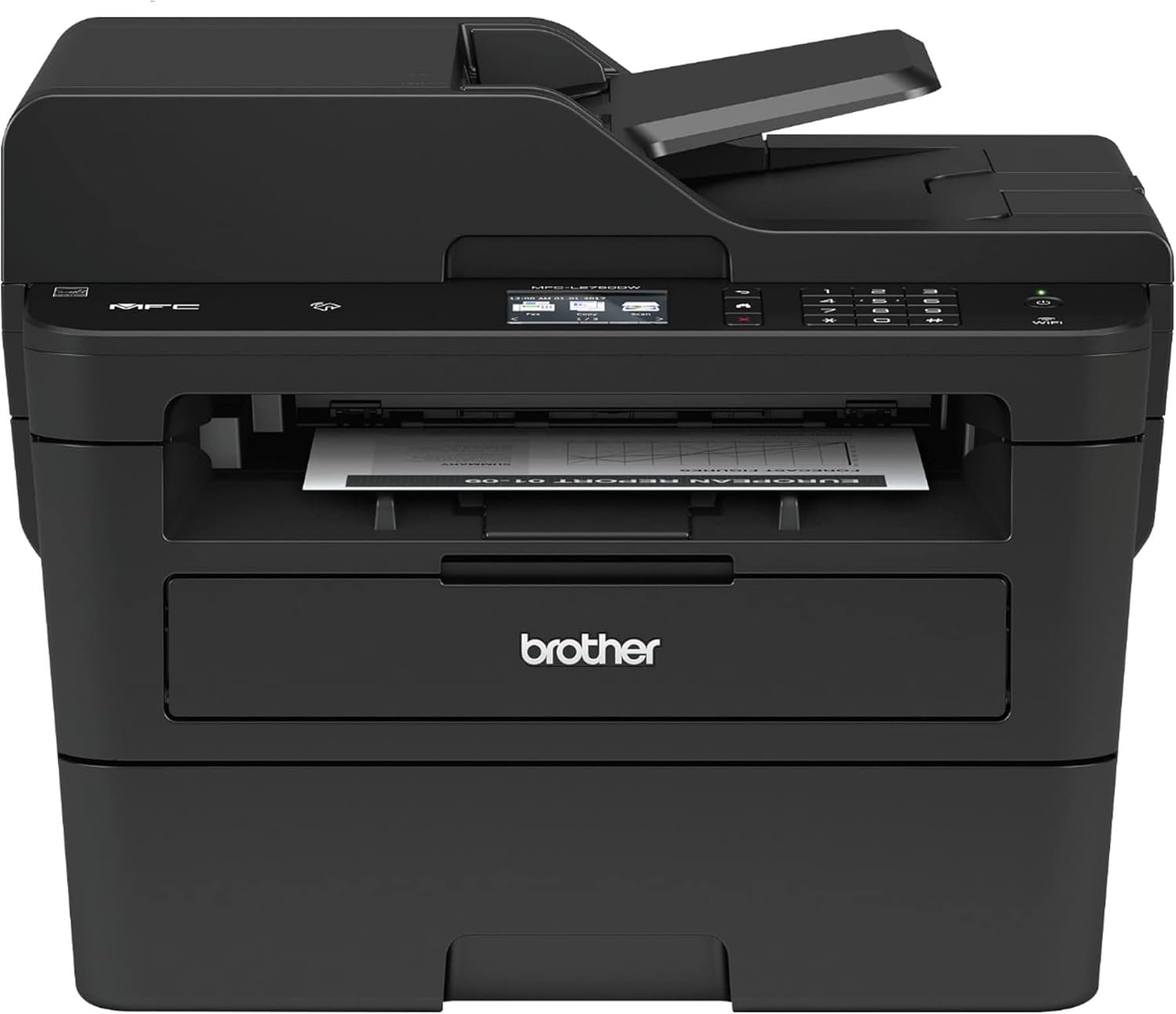
Selecting the appropriate printer is critical for ensuring productivity, cost efficiency, and long-term reliability in both home and office environments. Modern printing demands vary significantly depending on usage scenarios, from basic document duplication to complex workflow integration. A printer that meets specific needs in terms of print quality, speed, connectivity, and media versatility can drastically impact operational efficiency. For small businesses and home offices, the balance between performance and affordability often dictates the choice of printing technology. Monochrome laser printers, in particular, offer a compelling combination of speed, durability, and cost-effectiveness for high-volume black-and-white printing. However, their suitability depends on factors such as workload capacity, connectivity requirements, and media compatibility. Understanding these variables enables users to make informed decisions that align with their specific printing needs. This review evaluates the Brother MFC-L2750DW, a compact all-in-one monochrome laser printer, to determine its strengths and limitations in meeting the demands of various user profiles.
Quick Overview
| Feature | Details |
|---|---|
| Printer Type | Monochrome Laser Printer |
| Supported Functions | Print, Scan, Copy, Fax |
| Print Resolution | 2400 x 600 dpi |
| Print Speed | Up to 36 ppm (black) |
| Media Sizes | Legal (8.5 x 14″) |
| Connectivity | Wi-Fi, Ethernet, USB, NFC |
| Duty Cycle | 15,000 pages/month |
| Toner System | Laser Toner |
| Warranty | Limited Warranty |
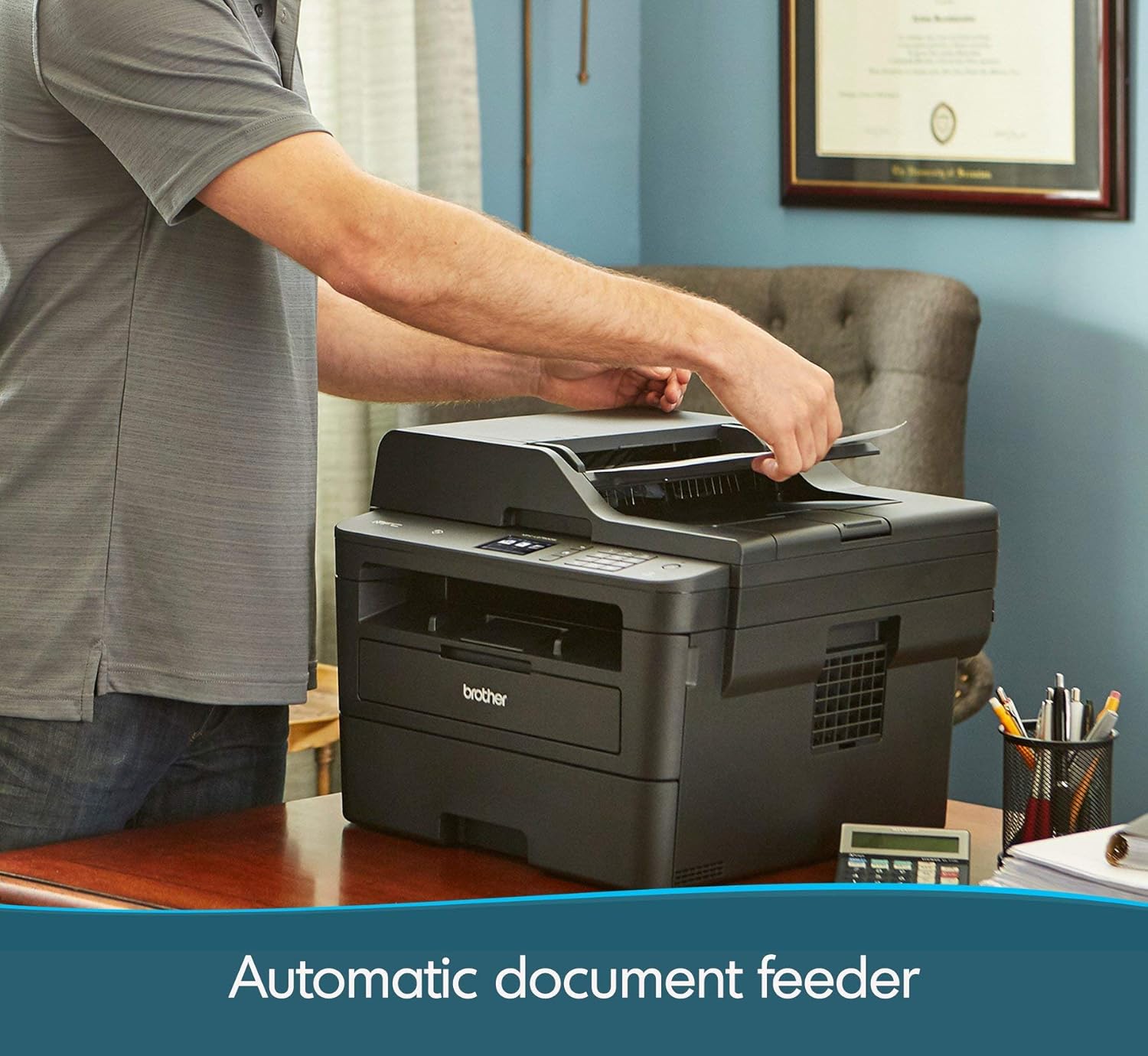
The Brother MFC-L2750DW is engineered for small office and home environments, offering a balance of performance and affordability. Its laser printing technology ensures high-quality monochrome output, while its multifunctional design streamlines document workflows. The inclusion of a 50-sheet automatic document feeder and duplex printing capabilities enhances productivity by reducing paper usage. Connectivity options such as Wi-Fi, Ethernet, and NFC support seamless integration with mobile devices and cloud services, making it suitable for users who prioritize convenience and flexibility in their printing processes.
Print Speed and Workload Capacity
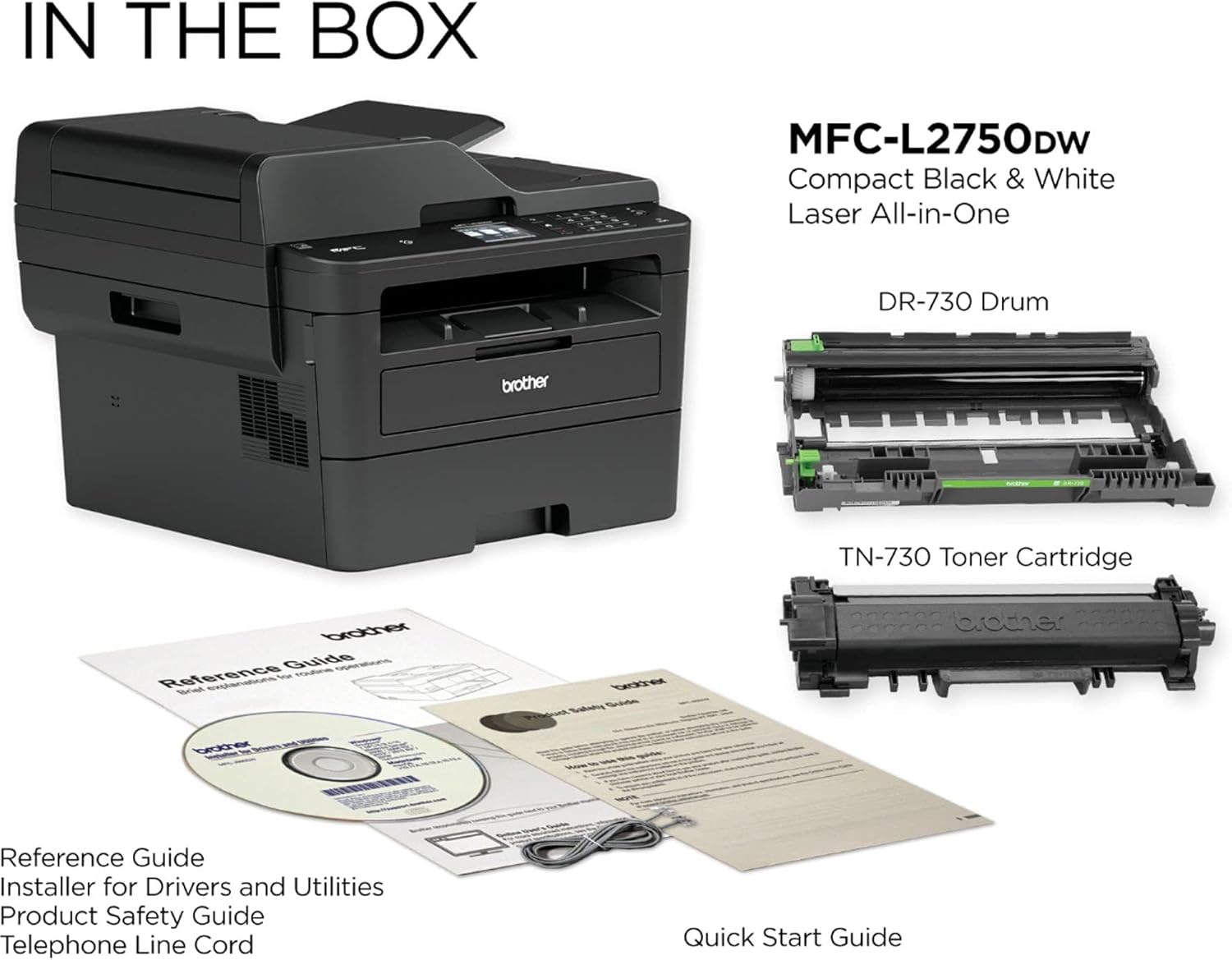
The Brother MFC-L2750DW delivers class-leading print speeds of up to 36 pages per minute (ppm) in black, making it well-suited for environments with moderate to high-volume printing needs. This performance is achieved through a laser print engine optimized for monochrome output, ensuring consistent quality and efficiency. The printer’s monthly duty cycle of 15,000 pages is designed for small-to-medium workloads, making it ideal for home offices, small businesses, or shared workspaces where printing demands are predictable. However, its performance may be less optimal for high-volume industrial printing or environments requiring continuous operation beyond the specified duty cycle.
Print Speed and Duty Cycle
The MFC-L2750DW’s 36 ppm print speed is competitive with other monochrome laser printers in its class, particularly for black-and-white document printing. This speed is achieved through a laser print engine that processes toner efficiently, reducing print time without compromising quality. The 15,000-page monthly duty cycle indicates that the printer is designed for environments where printing volume is moderate, such as a small office with 10-20 users. Users requiring higher capacity, such as those with 50,000 pages per month, may need a more robust printer with a higher duty cycle.
Media Compatibility and Input Capacity
The printer supports a variety of media types, including plain paper, envelopes, labels, and card stock, accommodating different printing needs. The 250-sheet input tray and single-sheet manual feed slot provide flexibility in handling diverse paper sizes and weights. This versatility is particularly beneficial for users who frequently print on specialty media, such as envelopes or labels. However, the absence of a larger input tray may be a limitation for users with extensive paper requirements.
Duplex Printing and Efficiency
Automatic duplex printing is a key feature that reduces paper consumption by up to 50%, aligning with sustainability goals and cost-saving initiatives. The printer’s duplex capability is integrated into its print engine, ensuring that both sides of a document are printed without manual intervention. This feature is especially valuable for users who prioritize efficiency and reduce their environmental impact. However, the effectiveness of duplex printing may vary depending on the media type and paper thickness, which could affect print quality in some cases.
Connectivity and Device Compatibility
The Brother MFC-L2750DW offers a range of connectivity options, including Wi-Fi, Ethernet, USB, and NFC, enabling seamless integration with various devices and networks. These connectivity features are designed to support both wired and wireless printing, catering to users who require flexibility in their printing workflows. The inclusion of NFC technology allows for quick, touch-based printing from mobile devices, enhancing convenience for users who frequently print from smartphones or tablets.

Wireless and Cloud Integration
The printer’s Wi-Fi and Ethernet connectivity options provide reliable access to printing services from multiple devices, including desktops, laptops, and mobile phones. Its compatibility with cloud services such as Dropbox, Google Drive, and OneNote allows users to print and scan documents directly from these platforms, streamlining document management. The ability to create custom shortcuts on the touchscreen interface further enhances user experience by reducing the time required to access frequently used features.
Mobile Printing and Voice Commands
The MFC-L2750DW supports mobile printing through protocols such as AirPrint and Brother iPrint&Scan, enabling users to print from iOS and Android devices without additional software. The integration of Amazon Alexa Print allows for voice-activated printing, offering an added layer of convenience for users who prefer hands-free operation. These features are particularly beneficial for users who manage multiple devices and require quick access to printing functions.
Network and Local Connectivity
For users who prioritize local printing, the printer’s USB and Ethernet ports provide stable, direct connections to computers and networks. The USB Hi-Speed 2.0 interface ensures fast data transfer rates, reducing the time required for print jobs to process. The Ethernet port supports network printing, making it suitable for environments where multiple users share a single printer. These connectivity options ensure that the printer remains functional in both standalone and networked environments.
Print Quality and Resolution
The Brother MFC-L2750DW delivers high-quality monochrome prints with a resolution of 2400 x 600 dpi, ensuring crisp text and clear graphics. This resolution is achieved through a laser print engine that precisely controls toner distribution, resulting in sharp and consistent output. The printer’s ability to handle various media types, including envelopes and labels, further enhances its versatility in producing professional-quality documents.

Text and Graphics Output
The 2400 x 600 dpi resolution ensures that text is rendered with high clarity and minimal smudging, making it suitable for documents that require precise formatting. Graphics and images printed on the MFC-L2750DW are also clear and well-defined, with consistent toner density across the page. This level of detail is particularly beneficial for users who frequently print reports, spreadsheets, or other documents with intricate formatting.
Media Compatibility and Print Quality
The printer’s support for a wide range of media types, including card stock and labels, allows for high-quality printing on specialty papers. However, the print quality may vary slightly depending on the paper weight and finish, which could affect the overall appearance of the output. Users who require consistent print quality across different media types may need to adjust printer settings or use high-quality paper to achieve optimal results.
Durability and Longevity
The MFC-L2750DW is built to withstand regular use in small office environments, with a design that emphasizes reliability and ease of maintenance. The printer’s internal components, including the laser print engine and toner system, are engineered for durability, ensuring consistent performance over time. However, the longevity of the printer may depend on factors such as usage patterns and maintenance practices, which can influence its overall lifespan.

Pros & Cons
Pros
- High Print Speed: The 36 ppm monochrome print speed ensures efficient document processing, suitable for small offices and home users.
- Versatile Connectivity: Wi-Fi, Ethernet, USB, and NFC options provide flexibility in printing from various devices and networks.
- Automatic Duplex Printing: Reduces paper consumption by up to 50%, supporting sustainability and cost-saving initiatives.
- Media Compatibility: Supports a wide range of media types, including envelopes, labels, and card stock, enhancing versatility.
- Cloud Integration: Direct printing and scanning from popular cloud services like Dropbox and Google Drive streamline document management.
- User-Friendly Interface: The 2.7″ touchscreen LCD allows for easy navigation and customization of printing settings.
Cons
- Limited Color Options: As a monochrome printer, it is not suitable for users requiring color printing capabilities.
- No Built-in Scanner: While it includes a flatbed scanner, the absence of a dedicated document feeder may limit scanning efficiency for multi-page documents.
- Toner Refill Requirements: Regular toner refills are necessary, which may increase long-term maintenance costs compared to printers with replaceable toner cartridges.
- Smaller Input Tray: The 250-sheet input tray may be insufficient for users with high paper requirements, necessitating frequent refills.
- No Built-in Fax Support: While faxing is a supported function, the lack of a dedicated fax module may affect performance for users relying heavily on fax capabilities.
Final Verdict: Who This Printer Is Best For (and Who Should Skip It)
The Brother MFC-L2750DW is best suited for small businesses, home offices, and shared workspaces where monochrome printing is the primary requirement. Its combination of high print speed, versatile connectivity, and automatic duplex printing makes it an efficient choice for users who prioritize productivity and cost-effectiveness. The printer’s compatibility with cloud services and mobile printing protocols also enhances its appeal for users who need seamless integration with digital workflows.
However, users requiring color printing, high-volume industrial printing, or advanced scanning capabilities should consider alternative options. The lack of a dedicated fax module and limited color support may be significant drawbacks for users who rely on these features. Additionally, the need for regular toner refills and a smaller input tray may be limiting factors for users with extensive paper requirements. Overall, the MFC-L2750DW is a reliable and efficient monochrome laser printer that meets the needs of its target audience while offering a balance of performance and affordability.

Frequently Asked Questions (FAQs)
What is the maximum print speed of the Brother MFC-L2750DW?
The Brother MFC-L2750DW can print up to 36 pages per minute (ppm) in black, making it suitable for moderate to high-volume monochrome printing in small offices and home environments.
Does the MFC-L2750DW support wireless printing?
Yes, the printer offers Wi-Fi, Ethernet, and NFC connectivity, enabling seamless wireless printing from desktops, laptops, smartphones, and tablets.
Can the MFC-L2750DW print on envelopes and labels?
The printer supports a variety of media types, including envelopes, labels, and card stock, allowing for versatile printing on specialty papers.
What connectivity options are available for the MFC-L2750DW?
The printer includes Wi-Fi, Ethernet, USB Hi-Speed 2.0, and NFC connectivity, providing flexibility for both wired and wireless printing needs.
Does the MFC-L2750DW have automatic duplex printing?
Yes, the printer features automatic duplex printing, which reduces paper usage by up to 50% and supports sustainable printing practices.
What is the maximum media size supported by the MFC-L2750DW?
The printer can handle media sizes up to legal (8.5 x 14″) and supports tabloid (11 x 17″) and ledger (17 x 11″) sizes for specialized printing needs.
Can the MFC-L2750DW be used with cloud services?
Yes, the printer integrates with popular cloud services such as Dropbox, Google Drive, and OneNote, allowing for direct printing and scanning from these platforms.
What is the duty cycle of the MFC-L2750DW?
The printer is designed for a monthly duty cycle of 15,000 pages, making it suitable for small-to-medium workloads in office and home environments.