Brother MFC-L6810DW Printer Review: Speed, Security, and Versatility
The Importance of Choosing the Right Printer
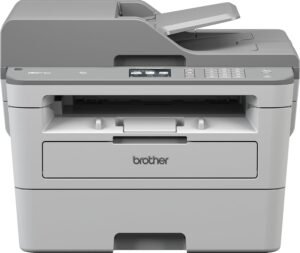
In today’s fast-paced business environments, selecting the right printer is critical for maintaining productivity and ensuring efficient document workflows. Whether managing a small office or a large enterprise, the printer’s capabilities must align with the specific demands of the workload. High-volume printing, secure data handling, and reliable performance are key considerations for organizations seeking to minimize downtime and maximize output quality. Monochrome laser printers, in particular, are favored for their speed, cost-effectiveness, and durability in high-use scenarios. However, the right choice depends on factors such as print speed, media compatibility, connectivity options, and long-term maintenance requirements. This review evaluates the Brother MFC-L6810DW, a monochrome laser all-in-one printer designed for enterprise environments, to determine its suitability for various use cases. By analyzing its technical specifications, security features, and operational capabilities, this guide helps users assess whether this printer meets the demands of modern office workflows.
Quick Overview
| Feature | Details |
|---|---|
| Printer Type | Monochrome Laser All-in-One |
| Supported Functions | Print, Scan, Copy, Network Printing |
| Print Resolution | Up to 1200 x 1200 Dots Per Inch |
| Print Speed | Up to 52 ppm (Black & White) |
| Media Sizes | A4, A5, A6, Letter, Legal, Executive |
| Connectivity | Ethernet, NFC, USB, Wi-Fi |
| Duty Cycle | Designed for high-volume environments |
| Toner System | Brother Genuine TN920UXXL Ultra High-Yield Cartridge |
| Warranty | Limited warranty coverage |
The Brother MFC-L6810DW combines high-speed printing with advanced security features, making it ideal for office environments requiring reliable, secure document handling. Its large paper capacity and duplex printing capabilities reduce operational overhead, while NFC-enabled authentication enhances network security. These specifications position it as a strong contender for businesses prioritizing efficiency and data protection.

Print Speed and Throughput Performance
The Brother MFC-L6810DW is engineered for high-volume environments, offering print speeds of up to 52 pages per minute (ppm) in monochrome mode. This performance is critical for organizations with large print workloads, such as legal firms, accounting offices, and administrative departments. The printer’s duty cycle, designed for continuous use, ensures it can handle peak demand without compromising reliability. Its ability to process high-volume tasks quickly reduces wait times and supports efficient workflow management. The initial page print time of less than 6.7 seconds further enhances its suitability for environments requiring rapid output.

High-Speed Monochrome Printing
The printer’s 52 ppm print speed is optimized for black-and-white document production, making it well-suited for tasks such as report generation, invoice printing, and form processing. This speed is particularly beneficial in environments where large quantities of text-based documents are frequently printed. The high-resolution output of up to 1200 x 1200 dots per inch ensures sharp, professional-quality text, which is essential for maintaining document clarity in both physical and digital formats.
Duty Cycle and Operational Reliability
Designed for enterprise-level use, the MFC-L6810DW’s duty cycle is tailored to handle continuous, high-volume printing without overheating or mechanical failure. This makes it a reliable choice for offices with 24/7 printing needs, such as call centers or customer service departments. Its ability to sustain peak performance over extended periods reduces the risk of downtime, which is critical for maintaining operational efficiency.
Duplex Printing and Paper Capacity
The printer’s automatic duplex printing feature reduces paper consumption by printing on both sides of a sheet, lowering long-term costs and environmental impact. Its large paper capacity, including a 520-sheet main tray, a 100-sheet multipurpose tray, and a 250-sheet output tray, minimizes the frequency of paper refills, which is advantageous in high-volume settings. Optional trays can expand the total capacity to 1,660 sheets, further enhancing its suitability for large workgroups.
Security and Network Integration
Enterprise-grade security is a critical consideration for modern office environments, and the Brother MFC-L6810DW incorporates multiple layers of protection to safeguard data and network integrity. Its Triple Layer Security features include encryption, authentication, and access control, ensuring that sensitive documents remain protected during transmission and storage. The integrated NFC card reader allows for secure, badge-based authentication, which is particularly useful in environments where access to printers must be restricted to authorized personnel. These security measures make the printer a strong choice for organizations with strict data protection requirements.

Triple Layer Security Features
The printer’s security architecture includes encryption protocols to protect data transmitted over networks, preventing unauthorized interception. Authentication mechanisms ensure that only authorized users can access the printer’s functions, reducing the risk of data breaches. Access control settings allow administrators to configure permissions, ensuring that sensitive documents are only printed by designated users. These features are essential for compliance with data protection regulations in industries such as finance and healthcare.
NFC Card Reader and Authentication
The integrated NFC card reader enables secure, contactless authentication, streamlining access control without the need for passwords or physical keys. This feature is particularly beneficial in environments where users frequently need to access the printer, such as in shared office spaces or multi-user departments. The ability to authenticate users quickly and securely enhances both convenience and security.
Network Compatibility and Connectivity
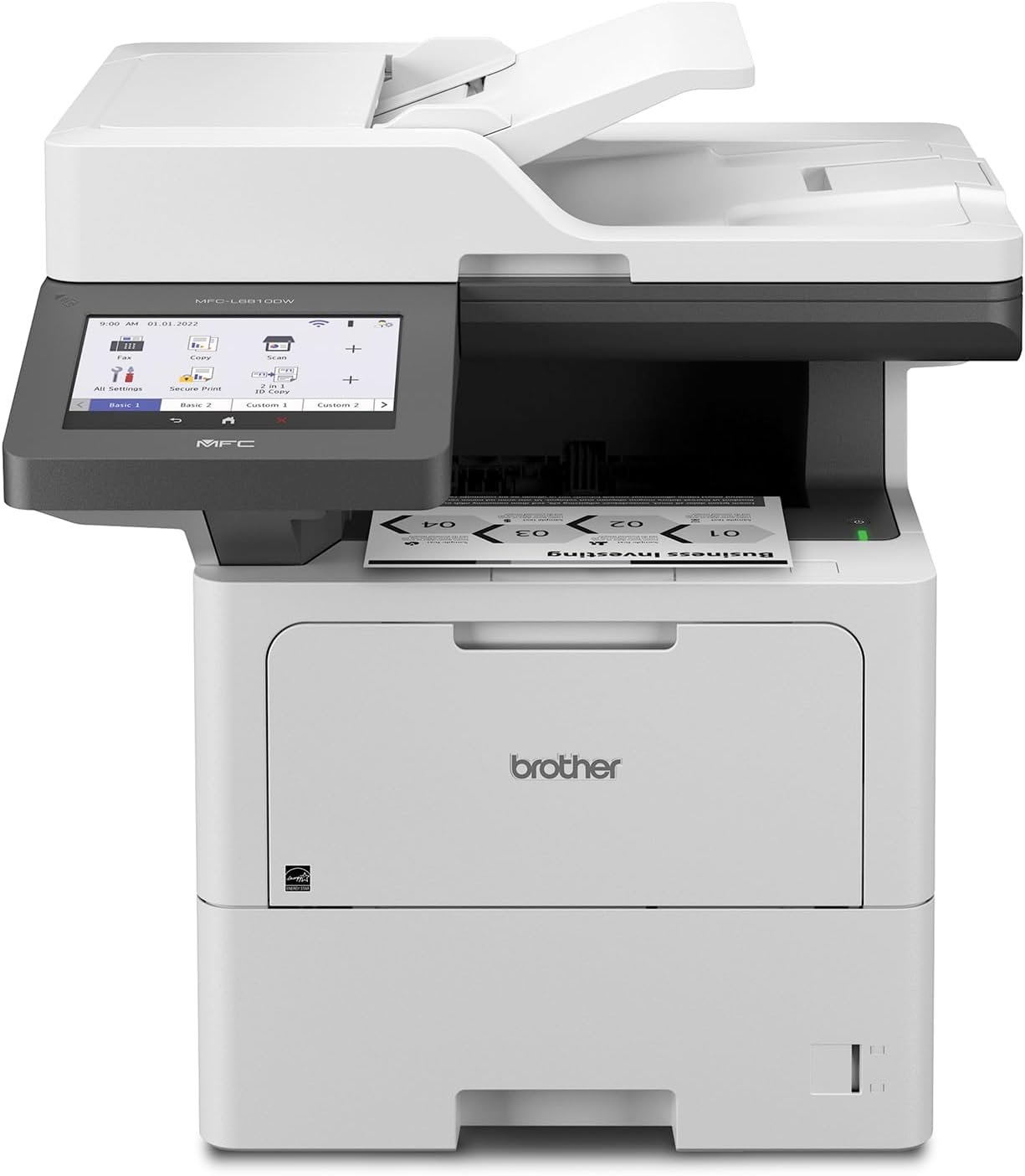
The MFC-L6810DW supports Ethernet, Wi-Fi, and USB connectivity, ensuring seamless integration with existing network infrastructures. Its compatibility with cloud services and direct printing from mobile devices makes it adaptable to modern office environments. The 7-inch touchscreen display provides an intuitive interface for managing print jobs, scanning documents, and configuring settings, enhancing user experience without requiring additional hardware.
Media Handling and Versatility
The Brother MFC-L6810DW is designed to handle a wide range of media types, making it suitable for diverse printing needs. Its supported media sizes include standard letter, legal, and A4 paper, as well as envelopes, labels, and custom-sized documents. The auto document feeder (ADF) with an 80-page capacity allows for efficient scanning of multi-page documents, while the large document glass accommodates legal-sized sheets. This versatility ensures the printer can meet the demands of various departments, from administrative tasks to specialized printing requirements.

Support for Envelopes and Labels
The printer’s ability to print on envelopes and labels expands its utility beyond standard document printing. This is particularly beneficial for departments that frequently need to generate mailings, shipping labels, or promotional materials. The multipurpose tray, which can accommodate 100 sheets of custom media, provides flexibility for handling specialized printing tasks without the need for additional equipment.
Auto Document Feeder and Scanning Capabilities
The ADF with an 80-page capacity enables efficient, high-speed scanning of multi-page documents, reducing manual input and improving workflow efficiency. The single-pass, two-sided scanning capability up to 200 images per minute (ipm) ensures quick turnaround times for document digitization. The large document glass allows for scanning of oversized or irregularly shaped documents, enhancing the printer’s adaptability to different use cases.
Media Compatibility and Output Quality
The printer’s media compatibility extends to a variety of paper types, including plain paper, glossy paper, and specialty media. The high-resolution output ensures that printed materials maintain clarity and precision, which is essential for professional documents. The ability to handle different media types without compromising print quality makes the MFC-L6810DW a versatile choice for organizations with varied printing needs.

Pros & Cons
Pros
- High-Speed Monochrome Printing: The 52 ppm print speed is ideal for high-volume environments, ensuring quick document output.
- Triple Layer Security Features: Enhanced data protection with encryption, authentication, and access control meets enterprise security standards.
- Large Paper Capacity: The 520-sheet main tray and expandable capacity reduce refilling frequency, improving operational efficiency.
- NFC Card Reader: Secure, contactless authentication simplifies access control without compromising security.
- Versatile Media Handling: Support for envelopes, labels, and custom media sizes increases the printer’s adaptability to different tasks.
- Network Integration: Ethernet, Wi-Fi, and USB connectivity ensure seamless integration with existing IT infrastructures.
- Duplex Printing: Automatic two-sided printing reduces paper consumption and long-term costs.
- User-Friendly Interface: The 7-inch touchscreen provides intuitive control over print settings and job management.
Cons
- Limited Color Printing: The monochrome design restricts its use to black-and-white documents, which may not suit all departments.
- No Built-In Fax Functionality: The absence of a fax feature may be a drawback for organizations requiring this capability.
- Toner Replacement Frequency: While the TN920UXXL cartridge offers high yield, frequent toner replacements are still necessary for high-volume use.
- No Built-In Scanner for Large Documents: The ADF can handle up to 80 pages, but the large document glass is limited to legal-sized sheets.
- Complex Setup for Advanced Security: Configuring Triple Layer Security features may require technical expertise, potentially complicating initial setup.
Final Verdict: Who This Printer Is Best For (and Who Should Skip It)
The Brother MFC-L6810DW is an excellent choice for mid to large-sized workgroups requiring high-speed, secure monochrome printing. Its large paper capacity, advanced security features, and network compatibility make it well-suited for office environments with high-volume printing needs. The printer’s ability to handle a variety of media types and its user-friendly interface further enhance its appeal for businesses prioritizing efficiency and reliability. However, it is not ideal for home users or small businesses with low print volumes, as its cost and complexity may not justify its capabilities. Additionally, organizations requiring color printing or built-in fax functionality should consider alternative models. Overall, the MFC-L6810DW is a strong contender for enterprises seeking a reliable, secure, and high-performance monochrome printer.
Frequently Asked Questions (FAQs)
What is the maximum print speed of the Brother MFC-L6810DW?
The Brother MFC-L6810DW offers a maximum monochrome print speed of 52 pages per minute (ppm), making it suitable for high-volume office environments.
Does the printer support secure network printing?
Yes, the printer includes Triple Layer Security features such as encryption, authentication, and access control to protect data during transmission and storage.
What media types can the Brother MFC-L6810DW handle?
The printer supports a variety of media types, including standard paper sizes, envelopes, labels, and custom-sized documents up to legal size.
How does the printer’s paper capacity compare to other enterprise printers?
The MFC-L6810DW features a 520-sheet main tray, a 100-sheet multipurpose tray, and a 250-sheet output tray, with optional trays expanding the total capacity to 1,660 sheets.
Is the printer compatible with cloud services?
Yes, the printer supports scanning to popular cloud services directly from its 7-inch touchscreen display, enhancing its versatility for modern office workflows.
What security features are included in the printer?
The printer includes an integrated NFC card reader for secure authentication, encryption for data protection, and access control settings to restrict unauthorized usage.
Can the printer handle large documents?
The printer’s large document glass accommodates legal-sized documents, while the auto document feeder supports scanning up to 80 pages at a time.
What is the recommended use case for this printer?
The Brother MFC-L6810DW is best suited for mid to large-sized workgroups requiring high-speed, secure monochrome printing and versatile media handling.