Canon imageCLASS MF462dw II Printer Review: 37 PPM Monochrome Laser Printer

The Importance of Choosing the Right Printer for Modern Work Environments
In today’s fast-paced business landscape, selecting the right printer can significantly impact productivity and operational efficiency. Whether managing a small office, a home workspace, or a hybrid work environment, the right printer balances speed, reliability, and versatility to meet diverse printing needs. The Canon imageCLASS MF462dw II is designed to address these demands with a focus on monochrome laser printing, offering a combination of performance, connectivity, and expandable capacity. For users who require consistent output, minimal maintenance, and seamless integration with modern workflows, this printer provides a compelling solution. Its ability to handle high-volume printing while maintaining affordability and durability makes it a strong contender for organizations prioritizing efficiency. This review evaluates the MF462dw II based on its technical specifications, user experience, and performance benchmarks to help buyers make informed decisions about its suitability for their specific environments.
Quick Overview
| Feature | Details |
|---|---|
| Printer Type | Monochrome Laser Printer |
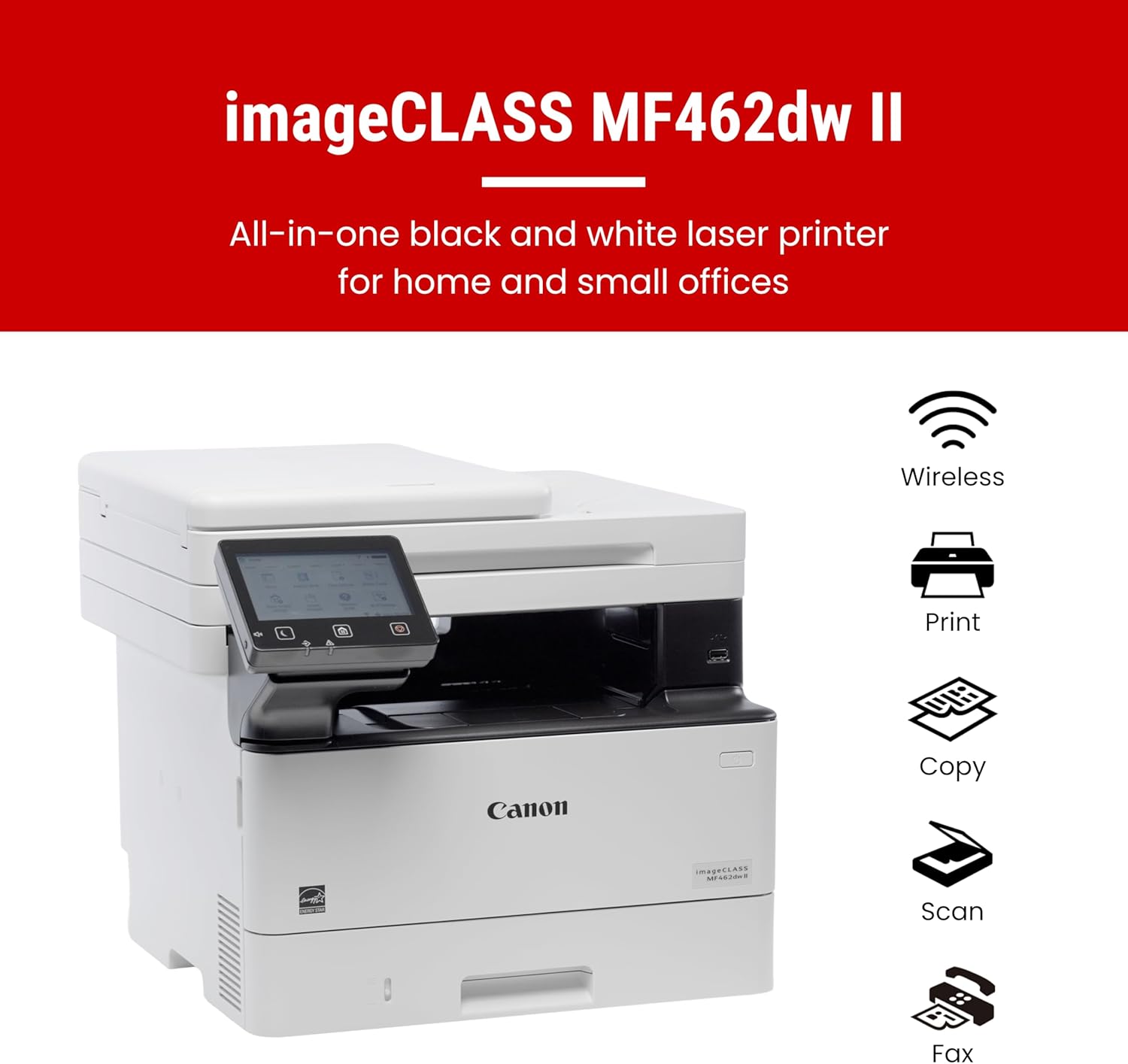
| Supported Functions | Print, Scan, Copy, Fax |
| Print Speed | 37 pages per minute (black and white) |
| Print Resolution | 600 x 600 dpi (black and white) |
| Media Sizes | Legal (8.5 x 14 inches), 10 x 15 cm, 13 x 19 inches |
| Connectivity | Ethernet, USB, Wi-Fi |
| Duty Cycle | 15,000 pages per month |
| Toner System | Canon Genuine Toner 070 / 070 High-Capacity |
| Warranty | 3-year limited warranty |
| Paper Capacity | 250-sheet standard cassette, 100-sheet multipurpose tray, expandable to 900 sheets |
The Canon imageCLASS MF462dw II combines speed and versatility for small offices and hybrid work environments. Its 37 pages per minute print speed, expandable paper capacity, and wireless connectivity make it suitable for handling routine printing tasks while minimizing downtime. The printer’s ability to integrate with mobile devices and cloud services enhances its appeal for modern workflows, making it a practical choice for users prioritizing efficiency and reliability.
Print Speed and Efficiency: Balancing Performance and Workload Capacity
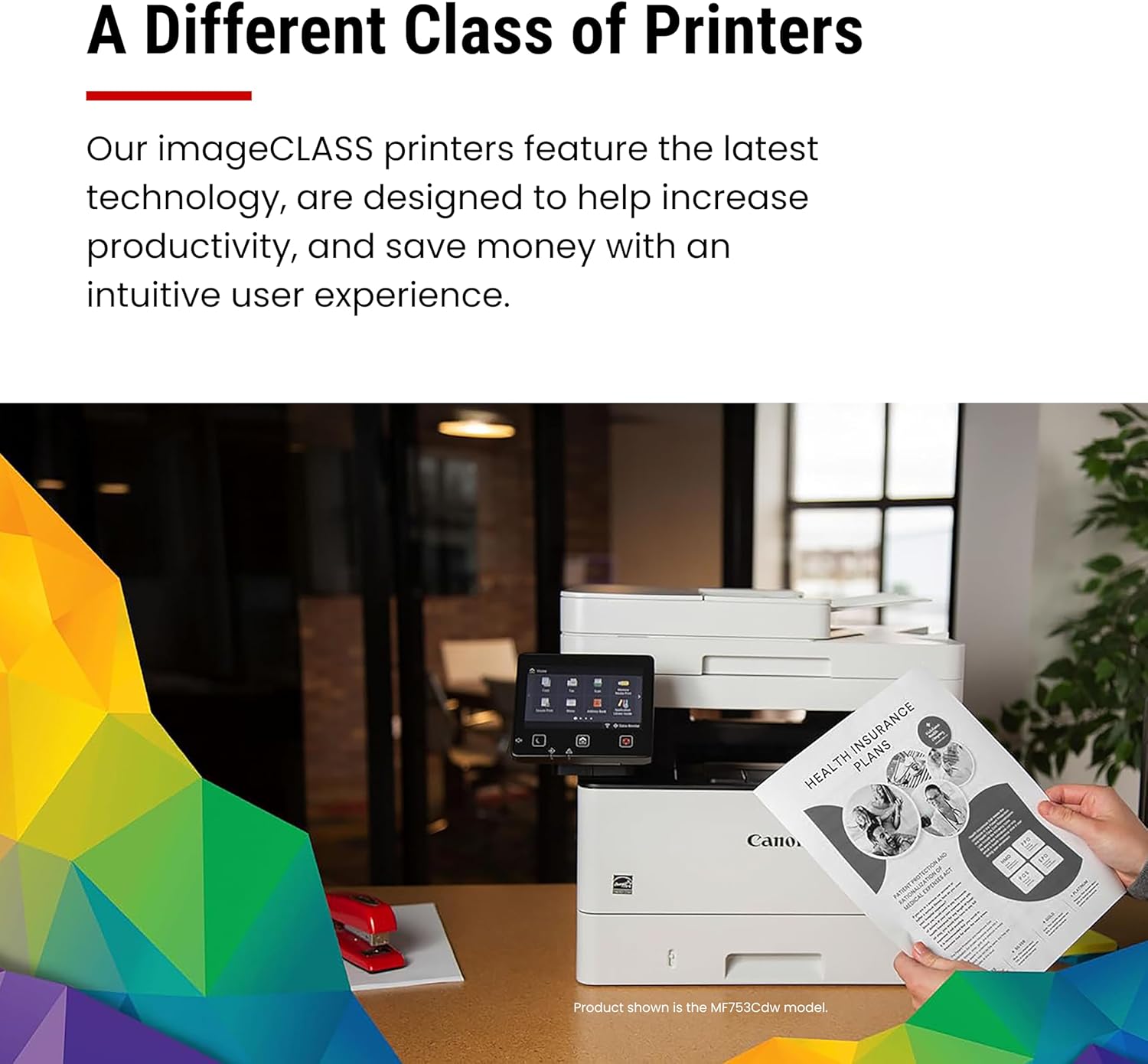
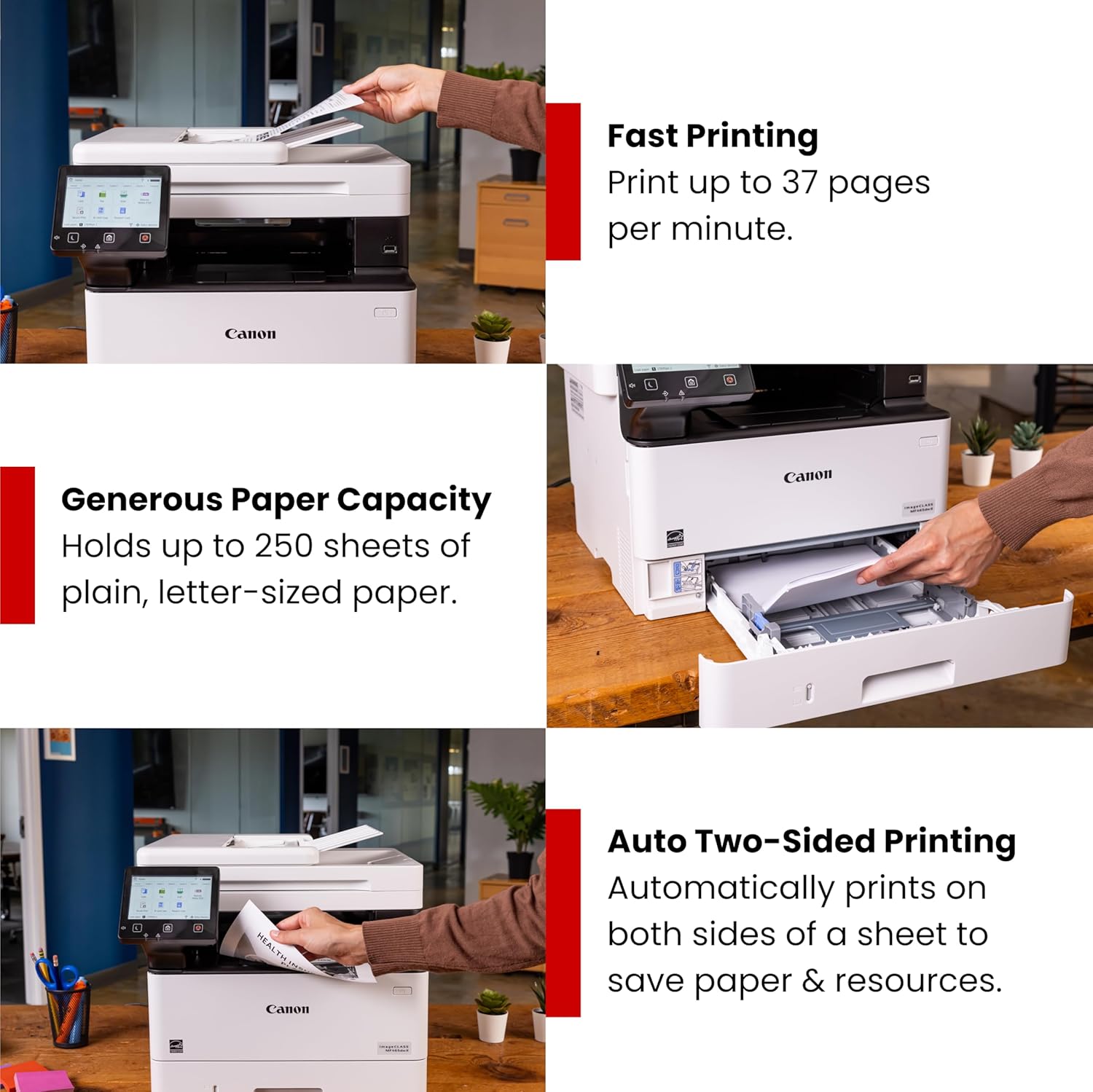
The Canon imageCLASS MF462dw II is engineered to deliver consistent performance in high-volume environments, with a maximum print speed of 37 pages per minute (ppm) for black and white documents. This speed ensures that routine printing tasks, such as generating reports, invoices, or correspondence, are completed quickly without significant delays. The printer’s duty cycle of 15,000 pages per month indicates its capability to handle moderate to high workloads, making it suitable for small offices or departments with frequent printing needs. However, it is important to note that the printer’s performance is optimized for monochrome printing, which means it may not be the best choice for users requiring color output.

Print Speed and Workload Management
The MF462dw II’s 37 ppm print speed is particularly beneficial for users who prioritize rapid output, such as those in administrative or customer service roles. The printer’s ability to maintain consistent speeds even with extended use is supported by its laser printing technology, which ensures reliable performance over time. The quick first print time of approximately 5 seconds further enhances its efficiency, allowing users to start printing almost immediately after initiating a job. For environments where time is a critical factor, this speed is a significant advantage.
Duty Cycle and Longevity
The printer’s duty cycle of 15,000 pages per month is a key indicator of its suitability for environments with regular printing demands. This specification suggests that the MF462dw II is designed for continuous use without overheating or mechanical wear, making it ideal for small offices or hybrid workspaces. However, users with significantly higher printing volumes, such as those in large-scale operations, may need to consider a printer with a higher duty cycle. The printer’s reliability is further reinforced by its 3-year limited warranty, which provides peace of mind for long-term use.
Connectivity and Mobility: Seamless Integration with Modern Workflows
The Canon imageCLASS MF462dw II is equipped with a range of connectivity options that enhance its usability in today’s digital work environments. The printer supports Ethernet, USB, and Wi-Fi connections, allowing users to integrate it seamlessly into both wired and wireless networks. This flexibility is particularly valuable for small offices and hybrid workspaces, where devices may be spread across multiple locations. Additionally, the printer’s compatibility with mobile printing solutions, such as the Canon PRINT app, Apple AirPrint, and Mopria Print Service, ensures that users can print from their smartphones or tablets without the need for additional hardware.
Wireless Printing and Mobile Integration
The MF462dw II’s wireless capabilities simplify the printing process for users who frequently work on mobile devices. The printer’s support for Wi-Fi connectivity enables remote printing from anywhere within the network, which is especially useful for hybrid work environments where employees may be working from home or office locations. The inclusion of the Canon PRINT app further enhances mobility by allowing users to manage print jobs, scan documents, and monitor toner levels directly from their smartphones. This level of integration reduces the need for physical access to the printer, improving overall convenience.
Network Compatibility and Setup
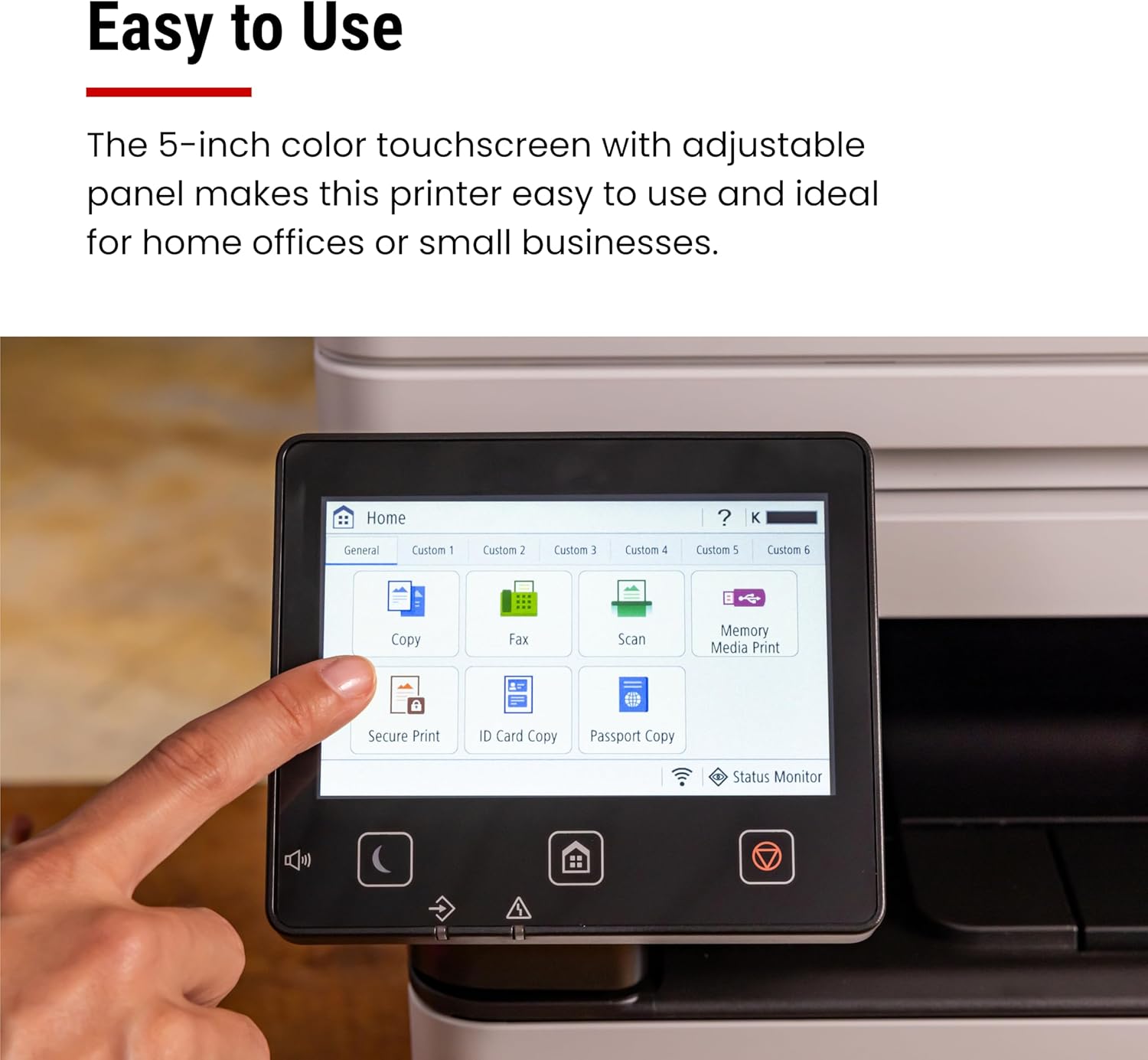
The printer’s Ethernet and USB connectivity options provide reliable performance in environments where wired connections are preferred. The setup process is designed to be user-friendly, with a customizable 5-inch color touchscreen that guides users through configuration steps. This intuitive interface ensures that even less tech-savvy users can set up the printer without difficulty. The printer’s compatibility with standard network protocols also makes it a versatile choice for organizations with existing IT infrastructure.
Print Quality and Output: Ensuring Reliable and Professional Results
The Canon imageCLASS MF462dw II delivers high-quality monochrome output that meets the standards expected in professional and office environments. Its laser printing technology ensures sharp text and consistent toner distribution, making it suitable for documents such as reports, invoices, and correspondence. The printer’s resolution of 600 x 600 dpi provides clear and precise output, which is particularly beneficial for users who require legible text and professional-grade printing.
Text and Document Clarity
The MF462dw II’s ability to produce sharp, readable text is a key advantage for users who prioritize document clarity. The printer’s laser technology ensures that toner is evenly distributed across the page, reducing the likelihood of smudges or uneven printing. This is particularly important for documents that require high readability, such as financial statements or legal forms. The printer’s consistent output also helps maintain brand professionalism, as it ensures that printed materials meet quality standards.
Media Compatibility and Output Consistency
The printer’s support for a variety of media types, including standard paper and legal-sized sheets, makes it adaptable to different printing needs. The ability to handle legal-sized documents is particularly useful for users who frequently print forms or contracts. The printer’s media compatibility also extends to different paper weights, ensuring that output remains consistent across various media types. This adaptability enhances the printer’s versatility in environments where diverse printing requirements are common.
Expandable Paper Capacity: Reducing Downtime and Reordering Efforts
The Canon imageCLASS MF462dw II features an expandable paper capacity that minimizes the need for frequent paper refills, reducing downtime and administrative overhead. The standard cassette can hold up to 250 sheets, while the multipurpose tray accommodates 100 sheets. However, the printer’s most significant advantage lies in its optional paper cassette AH-1, which can be installed to increase the total paper capacity to 900 sheets. This expandable capacity is particularly beneficial for small offices or hybrid workspaces where continuous printing is required without the interruption of restocking paper.

Reducing Paper Management Efforts
The MF462dw II’s expandable paper capacity helps streamline paper management, allowing users to handle larger print jobs without frequent interruptions. The ability to install the optional AH-1 cassette means that users can prepare for high-volume printing sessions without the need for constant monitoring. This feature is especially valuable in environments where printing is a regular part of daily operations, as it reduces the time spent on administrative tasks.
Paper Handling and Compatibility
The printer’s paper handling capabilities are designed to accommodate a range of media types, including standard paper and legal-sized sheets. The ability to handle different paper sizes ensures that the printer can be used for various document types, from standard letters to larger forms. The paper tray’s compatibility with different paper weights also ensures that output remains consistent, even when using heavier or lighter paper stocks. This adaptability enhances the printer’s usability in environments with diverse printing needs.
Maintenance and Consumables: Managing Toner and Paper Replacements
The Canon imageCLASS MF462dw II is designed with maintenance and consumable management in mind, ensuring that users can operate the printer with minimal effort. The printer uses Canon Genuine Toner 070 and 070 High-Capacity cartridges, which provide high page yields of approximately 3,000 and 10,200 pages, respectively. This extended toner life reduces the frequency of replacements, making the printer suitable for environments where toner management is a concern. The printer’s expandable paper capacity further minimizes the need for frequent paper restocking, contributing to overall operational efficiency.

Toner Yield and Cost-Effectiveness
The MF462dw II’s use of high-capacity toner cartridges is a significant advantage for users who require long-lasting consumables. The 070 High-Capacity cartridge’s 10,200-page yield means that users can print extensively without frequent replacements, which is particularly beneficial for small offices or departments with consistent printing needs. However, users who print infrequently may find that the standard 070 cartridge is sufficient, as its 3,000-page yield is adequate for lower-volume environments. This flexibility allows users to choose the toner type that best fits their printing frequency.
Simplified Maintenance and Reliability
The printer’s design emphasizes ease of maintenance, with straightforward toner replacement and paper loading processes. The 5-inch color touchscreen provides clear instructions for managing consumables, ensuring that users can perform routine tasks without difficulty. The printer’s reliability is further supported by its 3-year limited warranty, which provides coverage for potential mechanical or electronic failures. This warranty, combined with the printer’s durable construction, ensures that users can rely on consistent performance over time.
Pros & Cons
Pros
- Fast Print Speed: The MF462dw II’s 37 ppm print speed ensures efficient document production, ideal for environments with high printing demands.
- Expandable Paper Capacity: The optional AH-1 cassette allows for up to 900 sheets of paper, reducing downtime and administrative tasks.
- Wireless Connectivity: Support for Wi-Fi, Ethernet, and USB ensures seamless integration with both wired and wireless networks.
- High-Quality Output: The printer’s 600 x 600 dpi resolution produces sharp, legible text suitable for professional documents.
- Mobile Printing Compatibility: Integration with the Canon PRINT app, Apple AirPrint, and Mopria Print Service enhances mobility and convenience.
- Durable Design: The 3-year limited warranty and reliable laser technology ensure long-term performance in moderate-use environments.
- User-Friendly Interface: The customizable 5-inch touchscreen simplifies navigation and configuration for all users.
- Versatile Media Support: The printer handles a range of paper sizes and weights, making it adaptable to various printing needs.
Cons
- Limited Media Size Options: While the printer supports legal-sized paper, it does not accommodate larger formats like A3, which may limit its use in certain environments.
- No Color Printing Capability: The MF462dw II is designed exclusively for monochrome output, making it unsuitable for users requiring color printing.
- Toner Replacement Frequency: Although high-capacity toner cartridges extend usage, frequent replacements may still be necessary for high-volume users.
- No Built-In Duplex Printing: While the printer supports automatic duplex printing, the feature is not included in the standard configuration, requiring additional setup.
- Dependence on Network Connectivity: The printer’s wireless capabilities may be less reliable in environments with unstable or weak Wi-Fi signals.
Final Verdict: Who This Printer Is Best For (and Who Should Skip It)
The Canon imageCLASS MF462dw II is an excellent choice for small offices, home offices, and hybrid work environments that require efficient, reliable monochrome printing. Its fast print speed, expandable paper capacity, and wireless connectivity make it well-suited for users who prioritize productivity and minimal maintenance. The printer’s high-quality output and user-friendly interface further enhance its appeal for environments where consistent, professional results are essential. However, users who require color printing, larger media sizes, or higher-volume printing capabilities may find the MF462dw II less suitable. Additionally, those who prefer built-in duplex printing or operate in environments with unstable network connectivity may need to consider alternative options. Overall, the MF462dw II is a strong contender for users seeking a balance between performance, reliability, and ease of use in modern workspaces.
Frequently Asked Questions (FAQs)
What is the maximum print speed of the Canon imageCLASS MF462dw II?
The Canon imageCLASS MF462dw II can print up to 37 pages per minute (ppm) for black and white documents. This speed ensures efficient handling of routine printing tasks, making it suitable for small offices and hybrid work environments.
Can the Canon imageCLASS MF462dw II handle legal-sized paper?
Yes, the printer supports legal-sized paper (8.5 x 14 inches) as well as other media sizes like 10 x 15 cm and 13 x 19 inches. This versatility makes it suitable for a range of document types, including forms and contracts.
How does the Canon imageCLASS MF462dw II support wireless printing?
The printer offers Wi-Fi connectivity, allowing users to print from computers, smartphones, and tablets. It is compatible with the Canon PRINT app, Apple AirPrint, and Mopria Print Service, ensuring seamless integration with mobile and networked devices.
What is the paper capacity of the Canon imageCLASS MF462dw II?
The printer has a standard paper capacity of 250 sheets in the cassette and 100 sheets in the multipurpose tray. With the optional AH-1 cassette, the total paper capacity can be expanded to up to 900 sheets, reducing the need for frequent refills.
What types of toner does the Canon imageCLASS MF462dw II use?
The printer uses Canon Genuine Toner 070 and 070 High-Capacity cartridges. The standard 070 cartridge yields approximately 3,000 pages, while the high-capacity version provides around 10,200 pages, offering flexibility for different printing volumes.
Is the Canon imageCLASS MF462dw II suitable for color printing?
No, the Canon imageCLASS MF462dw II is designed exclusively for monochrome printing. It does not support color output, making it ideal for users who require high-quality black and white documents.
What is the warranty coverage for the Canon imageCLASS MF462dw II?
The printer comes with a 3-year limited warranty, which covers potential mechanical or electronic failures. This warranty, combined with Canon’s Service and Support network, ensures long-term reliability and customer support.
Can the Canon imageCLASS MF462dw II scan documents?
Yes, the printer includes an automatic document feeder (ADF) that allows for one-pass scanning of both sides of a document. This feature enhances efficiency for users who need to digitize paper records or create digital copies.