Canon MG6821 Wireless Printer: Print Quality, Connectivity, and Use Cases
The Importance of Choosing the Right Printer
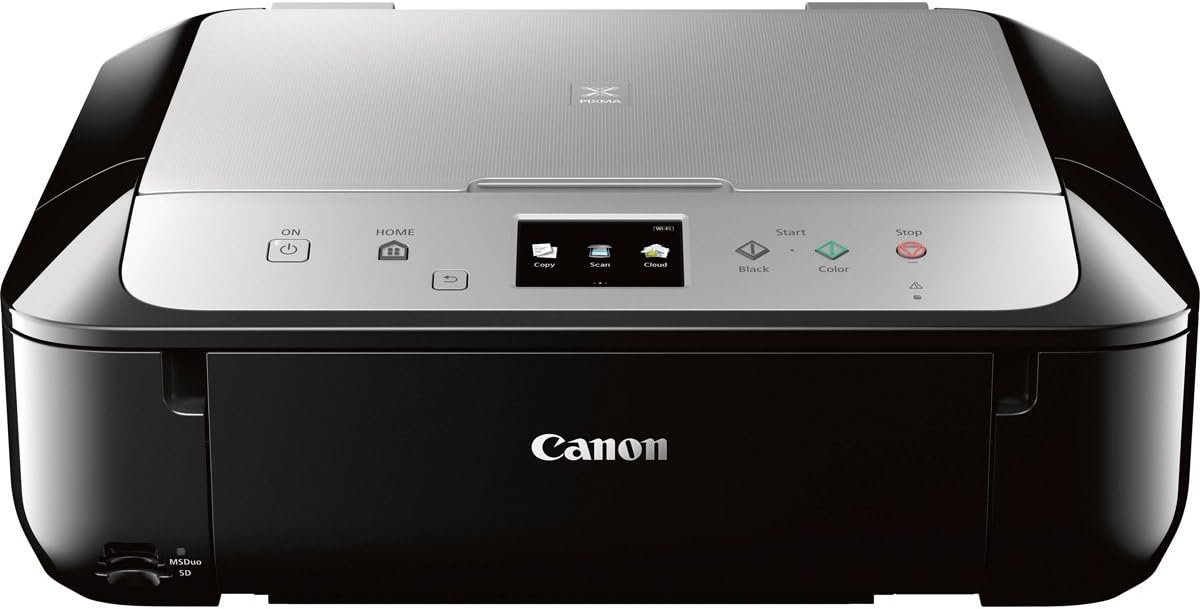
In today’s fast-paced digital environment, selecting the right printer is essential for both personal and professional productivity. Whether you’re managing household tasks, handling office workflows, or supporting creative projects, a printer’s performance can significantly impact efficiency. Modern printing demands vary widely—from high-volume office use to casual home printing and mobile device compatibility. A printer that meets these needs must balance speed, reliability, and quality while adapting to evolving technology. For instance, wireless connectivity has become a standard feature, allowing users to print from smartphones and tablets without physical cables. Similarly, print resolution and media compatibility play critical roles in determining output quality for text, graphics, and photos. Understanding these factors helps users make informed decisions that align with their specific requirements. This guide explores the Canon MG6821 wireless all-in-one printer, focusing on its technical specifications, performance characteristics, and suitability for various use cases. By analyzing its features, connectivity options, and operational capabilities, we provide a data-driven evaluation to help users determine if this printer fits their needs in 2026.
Quick Overview
| Feature | Details |
|---|---|
| Printer Type | Inkjet All-in-One |
| Connectivity | Wi-Fi, USB 2.0 |
| Print Technology | Inkjet |
| Supported Functions | Print, Scan, Copy |
| Print Resolution | 4800 x 1200 dpi (color), 600 dpi (black-white) |
| Media Sizes | Legal (8.5 x 14 inches), Glossy photo paper |
| Duty Cycle | 150 sheets per month |
| Ink System | Inkjet Cartridges |
| Warranty | Limited warranty |
| Dimensions | 14.6 x 18 x 5.9 inches |
| Weight | 14 pounds |
The Canon MG6821 is designed for users seeking a versatile, wireless printer that supports mobile printing and photo-quality output. Its combination of Wi-Fi connectivity and USB 2.0 ensures compatibility with a wide range of devices, while the high-resolution print capabilities cater to both everyday tasks and creative projects. The printer’s ability to handle legal-sized media and its dual-sided printing feature make it suitable for home and small office environments. However, its limited duty cycle suggests it may not be ideal for high-volume commercial use.

Wireless Connectivity and Mobile Printing Capabilities
The Canon MG6821’s wireless connectivity and mobile printing features are central to its appeal for modern users. Built-in Wi-Fi enables seamless integration with smartphones, tablets, and laptops, allowing users to print from anywhere within the network range. This functionality is particularly beneficial for individuals who frequently work on mobile devices or require on-the-go printing solutions. The printer’s compatibility with AirPrint™, Google Cloud Print, Mopria, and the Canon PRINT app ensures broad device support, making it accessible to a wide range of users. Additionally, the inclusion of USB 2.0 provides a reliable wired connection for devices that lack wireless capabilities. These connectivity options enhance flexibility, enabling users to adapt the printer to their specific workflows. However, the reliance on a stable Wi-Fi network may pose challenges in environments with limited or inconsistent connectivity. The printer’s setup process is designed to be user-friendly, with intuitive guidance for connecting devices, which reduces the learning curve for new users.

Mobile Device Integration
The MG6821’s support for mobile printing is a key advantage for users who prioritize convenience. By leveraging AirPrint™ and the Canon PRINT app, users can print directly from their iOS or Android devices without the need for additional software installation. This integration is particularly useful for tasks such as printing social media photos or documents from mobile apps. The printer’s ability to handle Instagram and Facebook photos directly from smartphones aligns with the growing trend of digital content sharing. However, the effectiveness of mobile printing depends on the stability of the wireless network and the device’s compatibility with the supported protocols. While the printer’s setup is straightforward, users may encounter delays if their network experiences interference or congestion.
Cross-Platform Compatibility
The MG6821’s cross-platform compatibility ensures it can be used with a variety of operating systems, including Windows, macOS, and mobile devices. This versatility is crucial for users who manage multiple devices or work in mixed-platform environments. The printer’s support for Google Cloud Print further enhances its accessibility, allowing users to print from web-based applications without direct device connection. However, the reliance on cloud services may introduce latency or dependency on internet connectivity, which could affect printing speed in certain scenarios. The printer’s USB 2.0 port provides a fallback option for users who prefer a direct connection, ensuring reliability even in environments with limited wireless infrastructure.
Print Quality and Media Compatibility
The Canon MG6821’s print quality and media compatibility are critical factors for users who require high-resolution output for text, graphics, and photos. The printer’s maximum color print resolution of 4800 x 1200 dpi and black-and-white resolution of 600 dpi ensure sharp, detailed prints that meet professional standards. These specifications are particularly beneficial for users who need to produce high-quality photographs or documents with fine text. The printer’s support for glossy photo paper and legal-sized media expands its versatility, making it suitable for both casual and creative printing tasks. However, the printer’s reliance on inkjet technology may result in slower drying times for certain media types compared to laser printers, which could be a consideration for users prioritizing speed over resolution.

Photo and Graphic Output
The MG6821’s ability to produce vivid colors and deep blacks is ideal for users who frequently print photographs or graphic designs. The printer’s inkjet technology allows for precise ink placement, resulting in rich, detailed images that retain clarity even when printed on glossy paper. This capability is particularly advantageous for photographers or artists who need to maintain the integrity of their work. The printer’s support for Instagram and Facebook photos directly from mobile devices further enhances its appeal for users who share visual content online. However, the quality of photo prints may vary depending on the type of paper used and the printer’s calibration settings, which could affect consistency in output.
Text and Document Printing
For users who prioritize text and document printing, the MG6821 offers reliable performance with its high-resolution print capabilities. The printer’s 600 dpi black-and-white resolution ensures clear, legible text that is suitable for everyday tasks such as printing reports, forms, and letters. The dual-sided printing feature reduces paper consumption, making it an eco-friendly option for office environments. However, the printer’s inkjet system may require more frequent maintenance compared to laser printers, which could be a drawback for users who prefer minimal upkeep. The printer’s ability to handle legal-sized media also makes it suitable for printing multi-page documents without the need for manual paper feeding, enhancing efficiency for users who work with larger formats.
Print Speed and Workload Capacity
The Canon MG6821’s print speed and workload capacity are important considerations for users who require efficient printing in various environments. The printer’s maximum monochrome print speed of 15.00 pages per minute is suitable for everyday tasks such as printing documents or forms. This speed is adequate for home and small office use but may fall short for high-volume commercial environments that require faster output. The printer’s duty cycle of 150 sheets per month indicates it is designed for moderate usage rather than heavy workloads, making it less ideal for users who frequently print large volumes. However, the printer’s ability to handle legal-sized media and its dual-sided printing feature can help optimize paper usage, reducing the need for frequent refills and minimizing waste.

Handling High-Volume Printing
While the MG6821 is not designed for high-volume printing, its single tray and 150-sheet input capacity make it suitable for users who require occasional large prints. The printer’s ability to handle legal-sized media is particularly useful for tasks such as printing multi-page documents or posters. However, the single tray may limit the printer’s efficiency for users who need to print multiple batches of different media types without manual intervention. The printer’s reliance on inkjet technology also means that it may require more frequent maintenance compared to laser printers, which could affect its reliability in high-volume settings. Users who prioritize speed and durability for heavy printing tasks may find the MG6821 less suitable compared to dedicated laser printers.
Efficiency for Home and Office Use
The MG6821’s print speed and workload capacity make it well-suited for home and small office environments where printing demands are moderate. The printer’s ability to handle legal-sized media and its dual-sided printing feature enhance its efficiency for tasks such as printing reports, invoices, and letters. The printer’s wireless connectivity and mobile printing capabilities further improve its usability for users who work remotely or manage multiple devices. However, the printer’s limited duty cycle suggests it may not be the best choice for users who require continuous printing for extended periods. For users who prioritize speed and reliability for high-volume tasks, alternative printers with higher duty cycles and faster print speeds may be more appropriate.
Pros & Cons
Pros
- Wireless Connectivity: The MG6821’s built-in Wi-Fi and USB 2.0 ports provide flexible connectivity options, enabling seamless integration with smartphones, tablets, and laptops. This is particularly beneficial for users who rely on mobile devices for printing tasks.
- High Print Quality: With a maximum color print resolution of 4800 x 1200 dpi and 600 dpi black-and-white resolution, the printer delivers sharp, detailed prints suitable for photographs, graphics, and documents.
- Media Compatibility: The printer supports legal-sized media and glossy photo paper, expanding its versatility for both casual and creative printing needs.
- Dual-Sided Printing: The automatic duplex feature reduces paper consumption, making it an eco-friendly option for office environments.
- Mobile Printing Integration: The printer’s compatibility with AirPrint™, Google Cloud Print, and the Canon PRINT app allows users to print directly from mobile devices without additional software.
- User-Friendly Setup: The printer’s intuitive setup process minimizes the learning curve for new users, ensuring a smooth out-of-the-box experience.
Cons
- Limited Duty Cycle: The printer’s duty cycle of 150 sheets per month is designed for moderate use, making it less suitable for high-volume commercial environments.
- Inkjet Technology Limitations: The reliance on inkjet technology may result in slower drying times for certain media types compared to laser printers, which could be a drawback for users prioritizing speed.
- Single Tray Capacity: The printer’s single tray and 150-sheet input capacity may limit efficiency for users who need to print multiple batches of different media types without manual intervention.
- Maintenance Requirements: The inkjet system may require more frequent maintenance compared to laser printers, which could affect reliability in high-volume settings.
- Dependence on Wireless Connectivity: The printer’s performance is contingent on a stable Wi-Fi network, which may pose challenges in environments with limited or inconsistent connectivity.
Final Verdict: Who This Printer Is Best For (and Who Should Skip It)
The Canon MG6821 wireless all-in-one printer is best suited for home users and small office environments where moderate printing needs are met. Its high print quality, wireless connectivity, and mobile printing capabilities make it an ideal choice for individuals who frequently print photographs, graphics, and documents from mobile devices. The printer’s support for legal-sized media and dual-sided printing further enhances its versatility for tasks such as printing reports and invoices. However, users who require high-volume printing or faster output may find the MG6821 less suitable compared to dedicated laser printers. Additionally, the printer’s reliance on inkjet technology and limited duty cycle suggest it may not be the best option for commercial environments with continuous printing demands. For users prioritizing speed, durability, and high-volume capacity, alternative printers with higher duty cycles and faster print speeds may be more appropriate. Overall, the MG6821 offers a balanced combination of features that cater to everyday printing needs while maintaining a user-friendly design.
Frequently Asked Questions (FAQs)
What media types does the Canon MG6821 support?
The Canon MG6821 supports glossy photo paper and legal-sized media (8.5 x 14 inches). These media types are ideal for producing high-quality photographs and documents with precise detail and color accuracy.
Can the Canon MG6821 print from mobile devices?
Yes, the MG6821 is compatible with AirPrint™, Google Cloud Print, Mopria, and the Canon PRINT app, allowing users to print directly from smartphones, tablets, and laptops without additional software.
What is the maximum print resolution of the Canon MG6821?
The printer offers a maximum color print resolution of 4800 x 1200 dpi and a black-and-white resolution of 600 dpi, ensuring sharp, detailed output for photographs and documents.
How does the Canon MG6821 handle dual-sided printing?
The MG6821 features automatic duplex printing, which reduces paper consumption by printing on both sides of the media. This functionality is ideal for office environments seeking to minimize waste.
What is the printer’s duty cycle capacity?
The MG6821 is designed for a duty cycle of 150 sheets per month, making it suitable for moderate home and small office use but less ideal for high-volume commercial environments.
Is the Canon MG6821 compatible with cloud printing services?
Yes, the MG6821 supports Google Cloud Print, enabling users to print from web-based applications without direct device connection. This feature enhances accessibility for users with limited physical access to the printer.
What connectivity options are available for the Canon MG6821?
The printer offers both Wi-Fi and USB 2.0 connectivity, ensuring compatibility with a wide range of devices. Wi-Fi provides wireless flexibility, while USB 2.0 serves as a reliable wired alternative for devices without wireless capabilities.
How does the Canon MG6821 perform with mobile printing?
The MG6821’s mobile printing capabilities are optimized for AirPrint™ and the Canon PRINT app, allowing seamless printing from iOS and Android devices. However, performance depends on the stability of the wireless network and device compatibility.