Canon MG2525 Inkjet Photo Printer Review: All-in-One Performance for Home and Office Use

The Importance of Choosing the Right Printer for Your Needs
Selecting the appropriate printer can significantly impact productivity and workflow efficiency, especially in environments ranging from home offices to small businesses. The demands of modern printing—whether it’s producing high-quality photographs, creating professional documents, or managing everyday tasks—require a device that balances performance, reliability, and versatility. Printers like the Canon MG2525 are designed to meet these varied needs by offering a combination of essential functions, including printing, scanning, and copying. Understanding the technical specifications and usage scenarios of a printer is crucial for users who want to ensure it aligns with their specific requirements. Factors such as print resolution, media compatibility, connectivity options, and duty cycle capabilities all play a role in determining the suitability of a printer for a given workload. For users who prioritize photo printing or need a compact, all-in-one solution, the Canon MG2525 presents a viable option. However, its performance must be evaluated against the expectations of different user profiles, from casual home users to professionals requiring consistent output quality. By analyzing the technical capabilities and real-world applications of this printer, potential buyers can make informed decisions that match their specific needs and usage patterns.
Quick Overview
| Feature | Details |
|---|---|
| Printer Type | All-in-One Inkjet Printer |
| Printing Technology | Hybrid Inkjet System with 4-Color Cartridge |
| Print Functions | Print, Scan, Copy |
| Print Resolution | Up to 4800 x 600 dpi (Color), 600 x 600 dpi (Black) |
| Print Speed | Up to 8.0 ipm (Black), 4.0 ipm (Color) |
| Media Compatibility | Glossy photo paper, plain paper, 4×6/5×7 inch photos, US #10 envelopes |
| Connectivity | USB 2.0 Interface |
| Duty Cycle | 60 sheets (plain) or 20 sheets (glossy) in rear tray |
| Ink System | Pigment Black and Dye-Based Color Inks |
| Additional Features | Auto Power On, Quiet Mode, Red-Eye Correction |
The Canon MG2525 is designed for users who require a compact, multifunctional printer that can handle basic printing, scanning, and copying tasks. Its hybrid ink system and support for photo printing make it particularly suitable for home users and small offices. The USB 2.0 connectivity ensures compatibility with a wide range of devices, while the media compatibility options allow for flexibility in printing different types of documents and images. These features collectively position the MG2525 as a practical choice for users who prioritize simplicity and cost-effective operation.

Print Quality and Resolution: Meeting Basic and Photo Printing Needs
The Canon MG2525 employs a hybrid ink system that combines pigment black ink with dye-based color inks, offering a balance between durability and vibrant color output. This dual-ink approach is particularly beneficial for users who need to print both text documents and photographs. The printer’s maximum color print resolution of 4800 x 600 dpi ensures that images can be printed with fine detail and sharpness, making it suitable for basic photo printing tasks. However, the black print resolution of 600 x 600 dpi may not meet the demands of users requiring extremely high-quality monochrome output, such as professional photographers or graphic designers. The inclusion of red-eye correction and special filters in the photo printing features further enhances its appeal for casual users who want to produce high-quality prints with minimal effort.

Photo Printing Capabilities
The MG2525’s support for 4×6 and 5×7 inch photo paper, along with its dedicated photo printing mode, makes it a practical choice for users who occasionally need to produce high-quality images. The printer’s ability to handle glossy photo paper ensures that printed photos retain their vibrancy and detail, which is essential for maintaining the integrity of digital images. However, the limited number of photo paper sheets that can be loaded at once—20 sheets in the rear tray—may be a constraint for users who frequently print large batches of photographs. This limitation is a trade-off for the printer’s compact design and ease of use, which are more suited to occasional rather than frequent photo printing needs.
Text and Document Printing
For everyday printing tasks such as documents, letters, and spreadsheets, the MG2525’s black print resolution of 600 x 600 dpi provides acceptable clarity for most text-based content. The printer’s quiet mode and low noise levels make it suitable for environments where noise is a concern, such as home offices or shared workspaces. While the printer’s performance for text printing is adequate for casual use, users requiring high-volume or professional-grade text output may find it lacking in terms of speed and resolution compared to more advanced models.
Ink System and Output Durability
The hybrid ink system of the MG2525 contributes to the printer’s versatility by allowing users to print both text and images with different ink types. The pigment black ink is particularly useful for documents that require long-term durability, as it is less prone to fading compared to dye-based inks. However, the use of dye-based color inks may result in slightly reduced longevity for color prints, which could be a consideration for users who prioritize archival quality. The ink cartridges are available in standard and XL sizes, providing some flexibility in managing print costs over time.
Print Speed and Duty Cycle: Balancing Performance and Workload
The Canon MG2525 is designed for users who require a printer that can handle a moderate workload without compromising on performance. Its maximum black print speed of 8.0 ipm and color print speed of 4.0 ipm are sufficient for most home and small office environments, where the volume of print jobs is relatively low. These speeds are adequate for producing documents, invoices, and basic images, but they may not meet the demands of users who require faster output for high-volume printing tasks. The printer’s duty cycle, which allows for up to 60 sheets of plain paper or 20 sheets of 4×6 glossy photo paper in the rear tray, is a key factor in determining its suitability for different usage scenarios. This capacity is appropriate for casual printing needs but may fall short for users who frequently print large batches of documents or photographs.

Handling High-Volume Printing
For users who need to print large volumes of documents or photographs, the MG2525 may not be the most efficient option. The printer’s print speeds and tray capacity are optimized for occasional use rather than continuous, high-volume operations. While the printer’s USB 2.0 connectivity ensures reliable data transfer, the lack of advanced features such as automatic duplex printing or a larger paper tray may limit its effectiveness in environments where frequent printing is required. These limitations suggest that the MG2525 is best suited for users who prioritize simplicity and cost-effectiveness over speed and capacity.
Energy Efficiency and Operational Costs
The MG2525’s power consumption of 9 watts during operation is relatively efficient for an inkjet printer, contributing to lower energy costs over time. The printer’s quiet mode further enhances its appeal for users who need to minimize noise in their workspace. However, the ongoing cost of ink cartridges, particularly the dye-based color inks, may be a consideration for users who frequently print color documents or photographs. The availability of XL ink cartridges provides some flexibility in managing print costs, but the need for regular refills may impact the long-term affordability of the printer for heavy users.
Connectivity and Compatibility: Ensuring Seamless Integration
The Canon MG2525’s USB 2.0 interface ensures compatibility with a wide range of devices, including laptops, PCs, and other peripherals. This connectivity option is particularly beneficial for users who prefer a direct, wired connection for printing tasks, as it eliminates the need for additional networking infrastructure. The printer’s support for both Windows and macOS operating systems makes it a versatile choice for users with different computing preferences. However, the lack of wireless connectivity or mobile app integration may be a drawback for users who require remote printing capabilities or the ability to print from mobile devices. The printer’s reliance on USB 2.0 also means that it may not support the faster data transfer speeds of newer USB standards, which could be a consideration for users who frequently print large files.

Device Compatibility and Software Support
The MG2525’s compatibility with a variety of operating systems ensures that users can seamlessly integrate the printer into their existing workflows. The printer’s built-in software features, such as the My Image Garden application for photo printing and red-eye correction, enhance its usability for casual users. However, the absence of advanced software features such as cloud printing or mobile app support may limit its appeal for users who require more sophisticated printing options. The printer’s reliance on USB connectivity also means that users must physically connect the device to their computer to initiate print jobs, which may be inconvenient for those who prefer wireless printing solutions.
Future-Proofing and Upgradability
While the MG2525’s USB 2.0 interface is sufficient for basic printing needs, it may not support the latest connectivity standards that are becoming more prevalent in modern printing devices. The printer’s design and specifications suggest that it is intended for use in environments where wired connections are preferred, rather than for users who require wireless or mobile printing capabilities. This limitation may impact the printer’s long-term relevance, particularly as newer models with advanced connectivity options become more widely available. However, for users who prioritize simplicity and ease of use, the MG2525 remains a practical choice despite its lack of modern connectivity features.
Pros & Cons
Pros
- Hybrid Ink System: The combination of pigment black and dye-based color inks provides versatility for both text and image printing, with the pigment black ink offering better longevity for documents.
- Photo Printing Capabilities: The printer’s support for 4×6 and 5×7 inch photo paper, along with red-eye correction and special filters, makes it suitable for casual photo printing needs.
- Quiet Operation: The quiet mode reduces noise levels, making it ideal for home offices or shared workspaces where minimal disturbance is preferred.
- USB 2.0 Connectivity: The wired interface ensures reliable data transfer and compatibility with a wide range of devices, including laptops and PCs.
- Affordable Operating Costs: The availability of standard and XL ink cartridges allows users to manage print costs effectively, especially for occasional use.
- Compact Design: The printer’s small footprint and straightforward interface make it suitable for users who prioritize space efficiency and ease of use.
Cons
- Limited Media Compatibility: The printer’s support for glossy photo paper and plain paper may not meet the needs of users who require printing on specialty media such as cardstock or transparencies.
- Moderate Print Speeds: The black print speed of 8.0 ipm and color print speed of 4.0 ipm may not be sufficient for users requiring faster output for high-volume printing tasks.
- No Wireless Connectivity: The reliance on USB 2.0 interface means the printer lacks modern wireless capabilities, which could be a drawback for users who prefer remote or mobile printing options.
- Limited Duty Cycle: The printer’s tray capacity of 60 sheets (plain) or 20 sheets (glossy) is appropriate for casual use but may fall short for users requiring frequent, large-volume printing.
- Ink Cost Considerations: The use of dye-based color inks may result in higher long-term costs for users who frequently print color documents or photographs.
Final Verdict: Who This Printer Is Best For (and Who Should Skip It)
The Canon MG2525 is best suited for users who require a compact, multifunctional printer for basic printing, scanning, and copying tasks. Its hybrid ink system, photo printing capabilities, and quiet operation make it an ideal choice for home users, small offices, and individuals who occasionally need to produce high-quality images. The printer’s USB 2.0 connectivity and affordability also contribute to its appeal for users who prioritize simplicity and cost-effectiveness over advanced features. However, the MG2525 may not be the best fit for users who require high-volume printing, faster print speeds, or wireless connectivity options. Additionally, those who frequently print on specialty media or need advanced software features such as cloud printing may find the printer’s limitations restrictive. Overall, the MG2525 is a practical solution for users with moderate printing needs, but it may not meet the demands of more intensive or specialized printing environments.
Frequently Asked Questions (FAQs)
What types of media can the Canon MG2525 print?
The Canon MG2525 supports plain paper, glossy photo paper, and US #10 envelopes. It is compatible with 4×6 and 5×7 inch photo paper, making it suitable for basic photo printing tasks. However, it does not support specialty media such as cardstock or transparencies.
How does the hybrid ink system affect print quality?
The hybrid ink system combines pigment black ink for long-lasting text documents and dye-based color inks for vibrant photo prints. This combination allows for versatility in printing, though the dye-based color inks may fade more quickly than pigment-based inks over time.
What is the maximum print speed of the Canon MG2525?
The Canon MG2525 has a maximum black print speed of 8.0 ipm and a color print speed of 4.0 ipm. These speeds are adequate for casual printing needs but may not meet the demands of high-volume or professional printing environments.
Does the Canon MG2525 support wireless printing?
No, the Canon MG2525 relies on a USB 2.0 interface for connectivity. It does not support wireless printing or mobile app integration, which may be a limitation for users who require remote or mobile printing capabilities.
What are the ink cartridge options for the Canon MG2525?
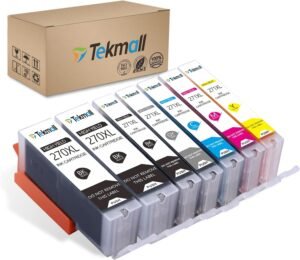
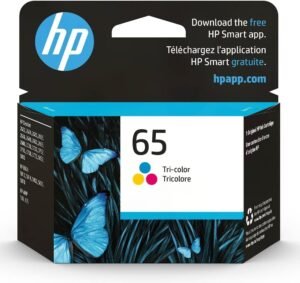
The Canon MG2525 uses PG-243 and CL-244 standard ink cartridges, as well as PG-245 and CL-246 XL cartridges. The XL options provide a higher ink capacity, which can help reduce the frequency of refills for users who print frequently.
Is the Canon MG2525 suitable for photo printing?
Yes, the Canon MG2525 is designed for basic photo printing with support for 4×6 and 5×7 inch glossy photo paper. It includes features such as red-eye correction and special filters to enhance the quality of printed photos, making it a practical choice for casual users.
What is the duty cycle of the Canon MG2525?
The Canon MG2525 has a duty cycle that allows for up to 60 sheets of plain paper or 20 sheets of 4×6 glossy photo paper in the rear tray. This capacity is appropriate for moderate printing needs but may not be sufficient for high-volume or frequent printing tasks.
Can the Canon MG2525 handle duplex printing?
Yes, the Canon MG2525 supports duplex printing, allowing users to print on both sides of the paper. This feature helps reduce paper usage and is beneficial for users who need to print documents efficiently.