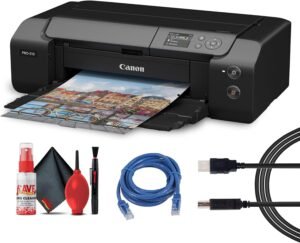
Canon PIXMA TS7720 – Wireless Home All-in-One Printer Review
The Importance of Choosing the Right Printer
In today’s digital-first world, the role of a printer extends far beyond basic document duplication. From creating professional-grade photo prints to managing household correspondence, the right printer can significantly impact productivity and satisfaction. Home users often require devices that balance versatility with ease of use, while also meeting specific output quality and reliability standards. Whether you’re printing school projects, managing family budgets, or capturing memories in vivid detail, the printer you choose must align with your workflow and expectations. Modern printers like the Canon PIXMA TS7720 are designed to address these needs by integrating advanced technology with user-friendly features. However, the decision-making process involves evaluating factors such as print quality, speed, connectivity, media compatibility, and long-term maintenance. Understanding these elements helps users select a printer that not only meets current demands but also adapts to evolving needs. This review provides an in-depth analysis of the Canon PIXMA TS7720, focusing on its technical capabilities, performance benchmarks, and suitability for various use cases in 2026.
Quick Overview
| Feature | Details |
|---|---|
| Printer Type | Inkjet All-in-One |
| Supported Functions | Print, Copy, Scan |
| Print Resolution | Up to 1200 x 1200 dpi (black/white), 1200 x 1200 dpi (color) |
| Print Speed | 15 ppm (black), 10 ppm (color) |
| Media Sizes | 8.5 x 11 inch, 4” x 6”, 5” x 7”, 7” x 10”, 8” x 10”, custom sizes (2.2”–14” length) |
| Connectivity | USB, Wi-Fi |
| Duty Cycle | 1,500 pages/month |
| Ink System | Hybrid pigment black and dye-based color cartridges |
| Warranty | 1-year limited |
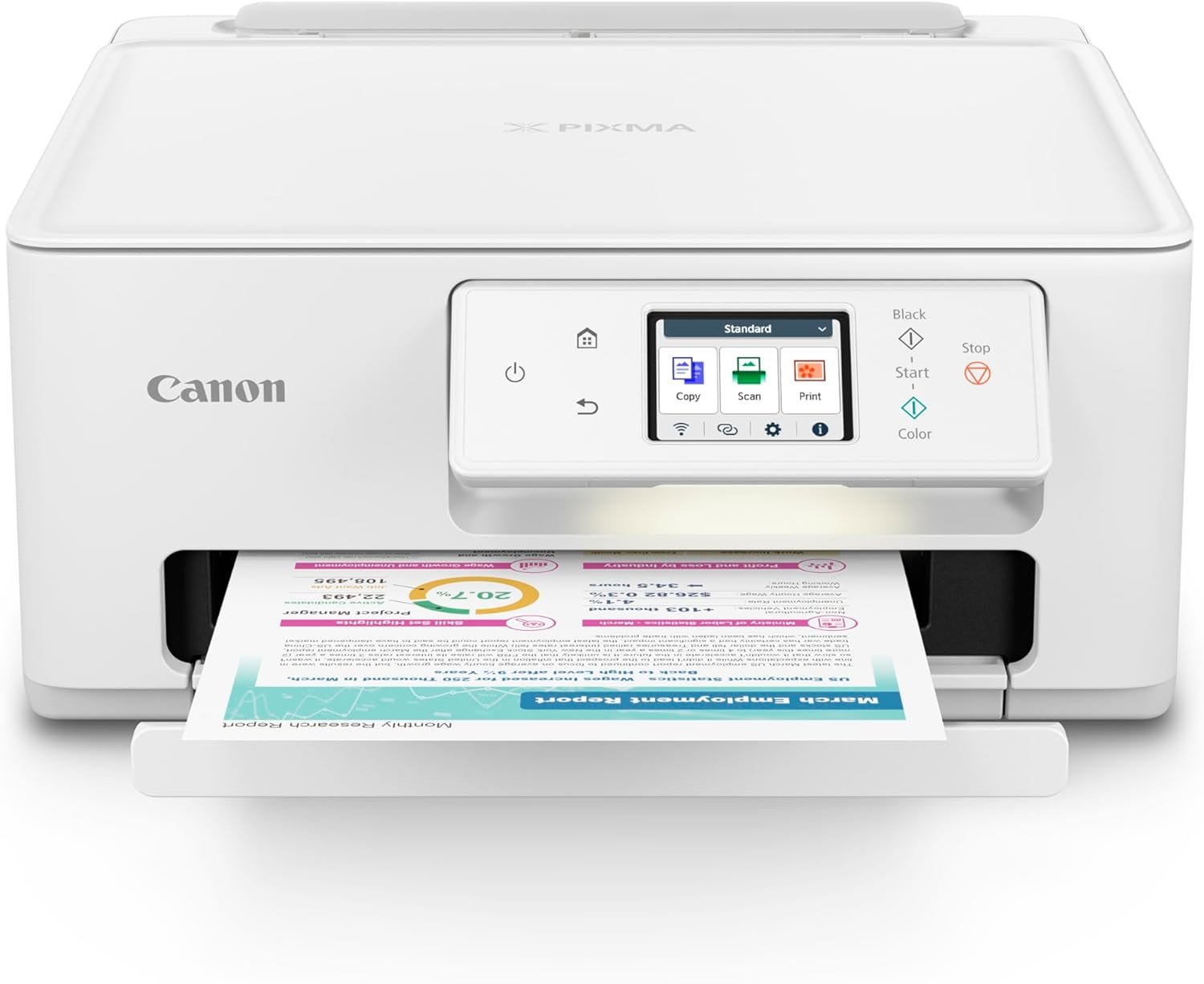
The Canon PIXMA TS7720 combines compact design with robust functionality, making it ideal for home environments. Its hybrid ink system and versatile media compatibility support both everyday printing and creative projects. The dual-tray configuration and intuitive touchscreen enhance usability, while wireless connectivity simplifies device integration. These features collectively position the printer as a practical solution for users prioritizing convenience and adaptability.

Print Quality and Resolution Performance
The Canon PIXMA TS7720 delivers consistent print quality through its hybrid ink system and high-resolution output capabilities. The printer’s ability to produce sharp text and vivid color images is critical for both professional and personal use. Its maximum print resolution of 1200 x 1200 dpi ensures detailed output, particularly beneficial for photo printing and document reproduction. The pigment black ink contributes to crisp, long-lasting text, while the dye-based color ink provides rich, saturated hues for photographs. This combination addresses the need for both precision and vibrancy in different printing scenarios. However, the printer’s performance may vary depending on the type of media used, as certain papers can enhance or diminish color accuracy and detail retention. The inclusion of a 2.7” touchscreen allows users to preview and adjust print settings, which is particularly useful for achieving optimal results with complex documents or creative projects.

Color Accuracy and Media Compatibility
The printer’s color accuracy is influenced by the type of media used, as supported by its ability to handle glossy photo paper, envelopes, and high-resolution paper. The dye-based color ink system ensures vibrant, eye-catching results for photographs, while the pigment black ink maintains clarity and durability in text-heavy documents. However, the printer’s performance on non-standard media may require calibration adjustments, which could impact the final output. Users printing on specialty papers such as banners or matte finishes may notice variations in color saturation and sharpness. The printer’s support for borderless printing further enhances its versatility, allowing for creative photo layouts without visible white borders. This feature is particularly advantageous for users who frequently produce artistic or professional-grade prints.
Text Sharpness and Black Ink Performance
The pigment black ink system is designed to produce sharp, clear text for documents and labels. The printer’s black ink output is optimized for high-contrast, legible text, which is essential for business correspondence and school projects. The 1200 x 1200 dpi resolution ensures that even small fonts remain readable, reducing the likelihood of smudging or blurring. However, users printing on thick or textured paper may experience minor variations in ink adhesion, which could affect text clarity. The printer’s ability to maintain consistent black ink output across different paper types is a key factor in its suitability for office and home environments. The inclusion of an automatic duplex printing feature further enhances document quality by reducing the need for manual flipping, ensuring both sides of a document are printed with equal precision.
Resolution Consistency Across Media Types
The Canon PIXMA TS7720 maintains consistent resolution output across a variety of media types, which is crucial for users who print on multiple paper formats. The printer’s ability to adjust print settings based on the selected media ensures that both glossy and matte finishes receive appropriate ink distribution. This adaptability is particularly beneficial for users who frequently switch between different printing tasks, such as producing high-quality photos and printing standard documents. The printer’s support for custom media sizes further expands its versatility, allowing for creative projects that require non-standard dimensions. However, the resolution may not be as optimized for very thick or specialty media, which could result in slight variations in print quality. Overall, the printer’s resolution consistency is a strong asset for users prioritizing reliability and adaptability in their printing workflows.
Connectivity and Setup Ease
The Canon PIXMA TS7720’s connectivity options and ease of setup are key factors in its appeal for home users. The printer supports both USB and Wi-Fi connectivity, providing flexibility in how users integrate it into their digital workflows. The Wi-Fi capability allows for seamless printing from smartphones, tablets, and computers, reducing the need for physical connections. This is particularly advantageous for users who frequently print on-the-go or manage multiple devices. The printer’s streamlined setup process, as noted in manufacturer documentation, ensures that users can begin printing within minutes without complex configuration steps. The inclusion of a 2.7” touchscreen simplifies navigation and setting adjustments, making it accessible for users of varying technical proficiency. However, the reliance on wireless connectivity may introduce potential latency or connectivity issues, which could affect the printing experience in environments with unstable Wi-Fi networks. The printer’s compatibility with iOS and Android devices further enhances its usability for modern households.

Wireless Printing and Device Compatibility
The printer’s Wi-Fi connectivity enables users to print directly from mobile devices, which is a significant convenience for home environments. This feature is particularly useful for users who need to print documents or photos without accessing a computer. The printer’s compatibility with both iOS and Android devices ensures broad accessibility, making it suitable for households with diverse digital ecosystems. However, the effectiveness of wireless printing depends on the stability of the local network, which may vary depending on the user’s environment. The printer’s ability to maintain a consistent connection to Wi-Fi networks is a critical consideration for users who rely on wireless printing for daily tasks. Additionally, the printer’s support for cloud-based printing services, such as Canon’s own Print Service, further enhances its integration with digital workflows.
USB Connectivity and Offline Printing
The USB connectivity option provides a reliable alternative for users who prefer direct printing without relying on wireless networks. This is particularly beneficial for users who may experience connectivity issues with Wi-Fi or prefer a more secure printing method. The printer’s USB port allows for straightforward, offline printing, which is ideal for environments where internet access is limited or restricted. The inclusion of a single USB port means that users may need to manage multiple devices or print tasks simultaneously, which could be a limitation for high-volume printing needs. However, the simplicity of USB printing ensures that users can quickly initiate print jobs without the need for additional configuration. This feature is particularly advantageous for users who prioritize speed and reliability in their printing processes.
Setup Process and User Experience
The Canon PIXMA TS7720 is designed with an easy setup process that minimizes the learning curve for new users. The printer’s intuitive touchscreen interface guides users through the initial configuration, ensuring that they can begin printing without extensive technical knowledge. The included documentation and on-screen prompts provide clear instructions for connecting to Wi-Fi networks, installing ink cartridges, and adjusting print settings. This streamlined approach is particularly beneficial for households with multiple users or those who may not be familiar with printer setup procedures. However, the setup process may take additional time if users encounter connectivity issues or need to troubleshoot specific configurations. The printer’s ability to maintain a stable connection once set up ensures that users can focus on their printing tasks without frequent interruptions.

Pros and Cons
Pros
- Hybrid Ink System: The combination of pigment black and dye-based color inks ensures sharp text and vibrant colors, making it suitable for both documents and photos.
- Wireless Connectivity: Wi-Fi support allows for seamless printing from mobile devices and computers, enhancing convenience for home users.
- Versatile Media Compatibility: The printer supports a wide range of media types, including glossy photo paper, envelopes, and custom sizes, expanding its utility for creative projects.
- Dual-Tray Configuration: The 100-sheet capacity in both the standard cassette and rear tray accommodates large print jobs without frequent refills.
- Intuitive Touchscreen: The 2.7” LCD screen simplifies navigation and setting adjustments, improving user experience for all skill levels.
- Automatic Duplex Printing: The built-in auto-duplex feature reduces paper usage and enhances document organization for everyday printing.
- Energy Efficiency: The printer’s 22-watt power consumption aligns with Energy Star standards, making it an eco-friendly option for home environments.
- Robust Warranty: The 1-year limited warranty provides basic support for users who may need assistance with maintenance or repairs.
Cons
- Limited Media Size Options: While the printer supports a variety of media types, its maximum media size of 8.5 x 11 inches may not suit users requiring larger print formats.
- Color Print Speed: The color print speed of 10 images per minute may be slower compared to dedicated photo printers, affecting efficiency for high-volume photo printing.
- Ink Cost Considerations: The hybrid ink system, while offering quality benefits, may result in higher long-term costs due to the need for both pigment and dye-based ink cartridges.
- Connectivity Reliability: Wireless printing depends on stable Wi-Fi networks, which could introduce potential latency or connectivity issues in environments with unstable internet.
- Single USB Port: The limited USB port may restrict simultaneous printing tasks, which could be a drawback for users requiring frequent offline printing.
- Setup Complexity: While the setup process is streamlined, users may encounter challenges during initial configuration, particularly if they are unfamiliar with printer setup procedures.
Final Verdict: Who This Printer Is Best For (and Who Should Skip It)
The Canon PIXMA TS7720 is best suited for home users who prioritize versatility, ease of use, and reliable performance for both everyday printing and occasional creative projects. Its hybrid ink system, wireless connectivity, and support for a wide range of media types make it an ideal choice for families, students, and hobbyists who need a printer that adapts to different printing needs. The dual-tray configuration and automatic duplex printing further enhance its utility for managing large print jobs without frequent refills. However, users with high-volume printing requirements or those needing larger media sizes may find the printer’s limitations restrictive. The printer’s slower color print speed compared to dedicated photo printers also makes it less suitable for users who frequently produce high-quality photographs. Additionally, the reliance on wireless connectivity may pose challenges in environments with unstable Wi-Fi networks. Overall, the Canon PIXMA TS7720 is a practical solution for home environments seeking a balance between functionality and simplicity, but it may not meet the demands of commercial or heavy-duty printing applications.

Frequently Asked Questions (FAQs)
What types of media can the Canon PIXMA TS7720 print on?
The Canon PIXMA TS7720 supports a wide range of media types, including glossy photo paper, matte paper, envelopes, and custom-sized paper. It is compatible with borderless printing and can handle media sizes up to 8.5 x 11 inches. However, the printer’s maximum media size may not suit users requiring larger print formats.
How does the hybrid ink system affect print quality?
The hybrid ink system combines pigment black ink for sharp, long-lasting text with dye-based color ink for vibrant, saturated colors. This combination ensures high-quality output for both documents and photos, though the printer’s performance on specialty media may require calibration adjustments.
Is the Canon PIXMA TS7720 suitable for wireless printing?
Yes, the printer supports Wi-Fi connectivity for seamless printing from mobile devices and computers. However, its wireless performance depends on a stable internet connection, which may affect reliability in environments with unstable Wi-Fi networks.
What is the print speed of the Canon PIXMA TS7720?
The Canon PIXMA TS7720 prints at approximately 15 pages per minute in black and 10 pages per minute in color. While these speeds are adequate for home use, they may be slower compared to dedicated photo printers for high-volume photo printing.
Does the Canon PIXMA TS7720 support automatic duplex printing?
Yes, the printer includes an automatic duplex printing feature that allows for double-sided printing without manual intervention. This reduces paper usage and enhances document organization for everyday printing tasks.
What is the warranty coverage for the Canon PIXMA TS7720?
The Canon PIXMA TS7720 comes with a 1-year limited warranty, which provides basic support for maintenance and repairs. Users should contact Canon’s Service and Support network for assistance within this period.
Can the Canon PIXMA TS7720 print on envelopes?
Yes, the printer is compatible with envelopes and other specialty media. Its support for various paper types and sizes makes it suitable for printing on envelopes, as well as other non-standard media formats.
How easy is it to set up the Canon PIXMA TS7720?
The Canon PIXMA TS7720 is designed for a streamlined setup process, with clear on-screen instructions and included documentation. While the setup is user-friendly, users may encounter challenges if they are unfamiliar with printer configuration procedures.