CLABEL 521B Label Maker Review: Portable Thermal Printer for Home and Office Use
The Importance of Choosing the Right Label Maker
In today’s fast-paced environments, the ability to quickly and accurately label items can significantly impact productivity and organization. Whether managing household supplies, organizing office documents, or labeling products for retail, a reliable label maker can streamline workflows and reduce manual effort. The right printer must balance print quality, speed, and usability to meet diverse needs. For home users, compact design and ease of use are critical, while office environments may prioritize connectivity and customization options. Industrial applications often require robust durability and high-volume printing capabilities. When selecting a label maker, factors such as print resolution, media compatibility, and connectivity options play a pivotal role in determining long-term satisfaction. This review evaluates the CLABEL 521B label maker through the lens of these criteria, focusing on its technical specifications, user experience, and suitability for various applications.
Quick Overview
| Feature | Details |
|---|---|
| Printer Type | Thermal label printer |
| Print Technology | Thermal printing |
| Print Resolution | 203 dpi black-and-white |
| Media Compatibility | Labels (12-15 mm width) |
| Connectivity | Bluetooth (iOS/Android) |
| Power Source | Rechargeable battery |
| Duty Cycle | Continuous use with proper maintenance |
| Ink System | Thermal transfer |
| Warranty | Limited warranty |
The CLABEL 521B is designed for users seeking a portable, wireless label solution that integrates seamlessly with smartphones. Its thermal printing technology ensures high-quality monochrome output, while the 203 dpi resolution delivers crisp text and clear images. The compact design and Bluetooth connectivity make it ideal for home and small office environments, where mobility and ease of use are prioritized. However, its limited media size and reliance on app-based customization may restrict its appeal to users with more specialized labeling needs.

Design and Portability: A Mobile Labeling Solution
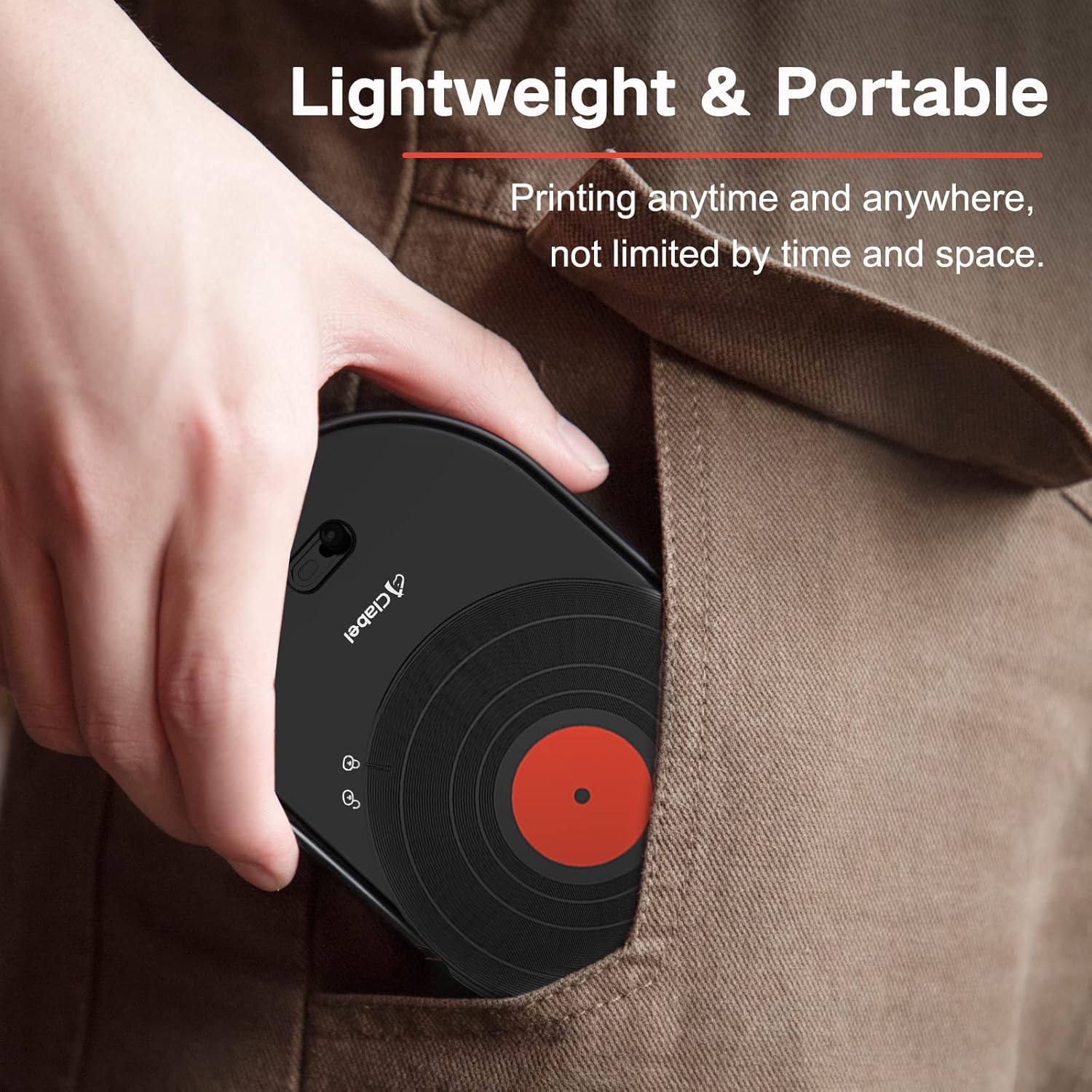
The CLABEL 521B’s compact form factor and lightweight construction make it an attractive option for users who require a portable labeling solution. Measuring 7.28 x 4.41 x 1.38 inches, the device is designed to fit comfortably in a pocket or desk drawer, enabling users to label items on the go. The inclusion of a built-in rechargeable battery eliminates the need for frequent battery replacements, enhancing convenience for frequent users. However, the reliance on wireless connectivity means the device must remain within range of a compatible smartphone to function, which could be a limitation in environments with limited Bluetooth coverage.
Bluetooth Connectivity and App Integration
The CLABEL 521B’s Bluetooth connectivity simplifies pairing with smartphones, allowing users to leverage the “Clabel mini” app for label creation and customization. This app provides a range of fonts, symbols, and templates, enabling users to design labels tailored to specific applications such as date stickers, price tags, or organizational labels. The app’s compatibility with Android 7.0 and above ensures broad accessibility, but users with older devices may encounter limitations. The integration of app-based design tools enhances flexibility, though it requires a stable internet connection for template downloads and updates.
Rechargeable Battery and Power Efficiency
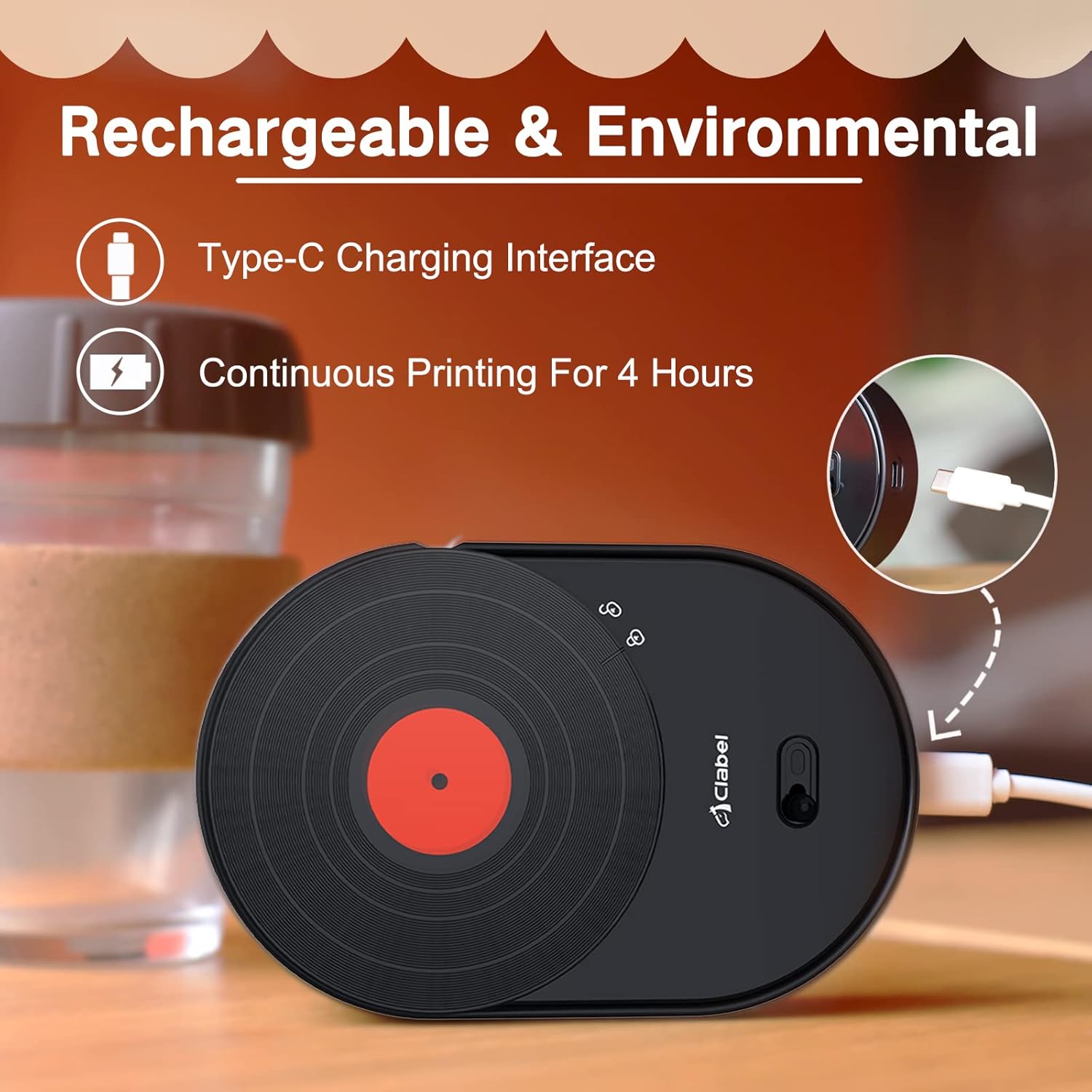
The built-in rechargeable battery offers extended operation without the need for constant charging, making the CLABEL 521B suitable for users who prioritize mobility. The device’s power efficiency is optimized for thermal printing, which consumes less energy compared to inkjet or laser technologies. However, the battery life may vary depending on usage patterns, with continuous printing potentially reducing operational time. Users should consider the device’s power requirements when planning for extended use in environments without immediate access to a charging source.
Physical Design and Ergonomics
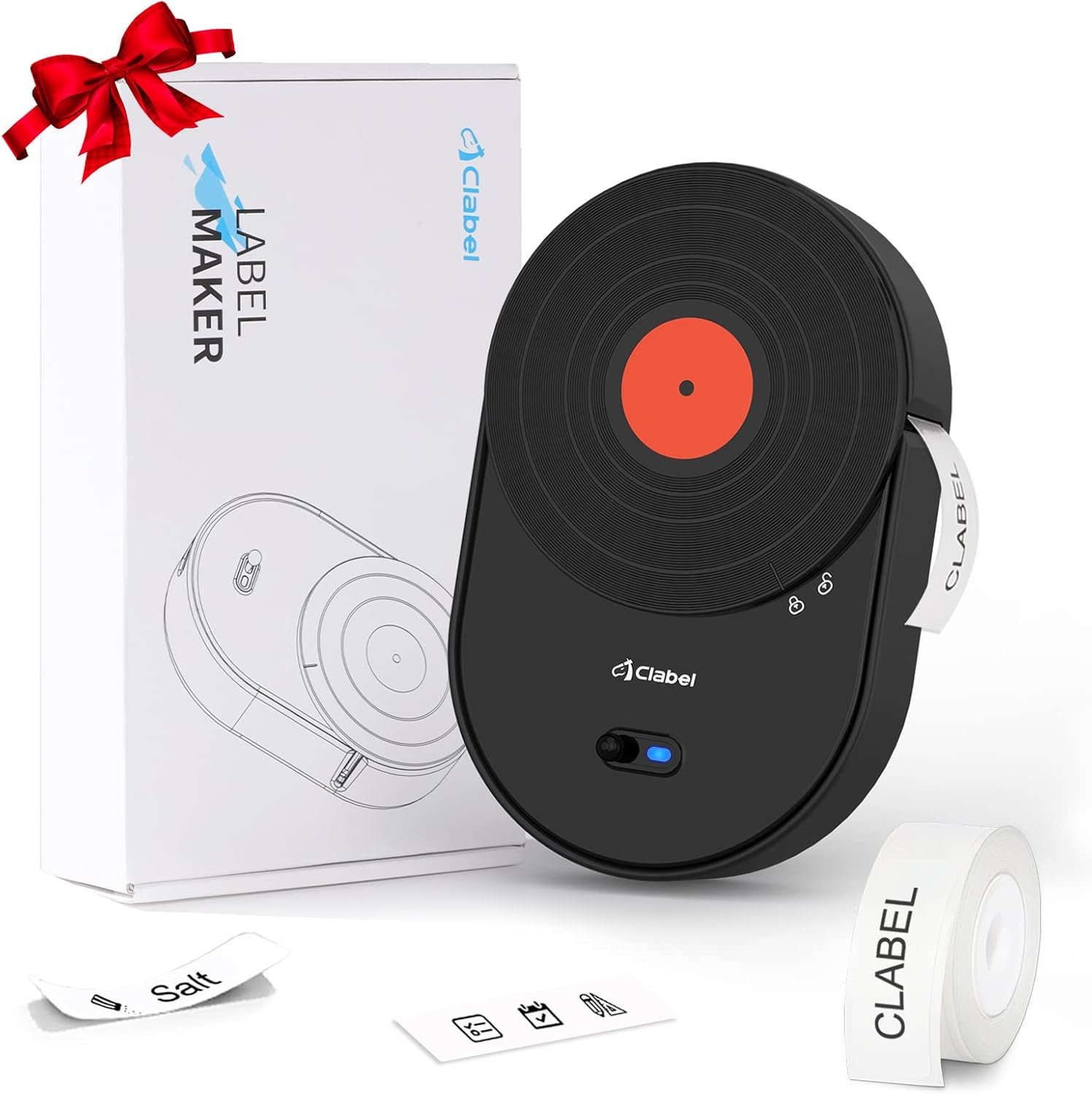
The CLABEL 521B’s design incorporates a retro-inspired aesthetic, combining functionality with a nostalgic appeal. The black finish and streamlined silhouette make it a visually appealing addition to any workspace, while the compact size ensures it occupies minimal desk space. The device’s ergonomic layout facilitates one-handed operation, though the absence of physical buttons may require users to rely on the app for advanced settings. This design choice enhances portability but could pose challenges for users accustomed to traditional label makers with tactile controls.
Print Quality and Resolution: Clear Text and Sharp Imaging
The CLABEL 521B’s thermal printing technology ensures high-quality monochrome output, with a resolution of 203 dpi that produces crisp text and clear images. This level of detail is particularly beneficial for applications requiring precise labeling, such as date stickers or price tags. The thermal printing process eliminates the need for ink cartridges, reducing maintenance requirements and ensuring consistent print quality over time. However, the absence of color printing capabilities may limit its use for creative or branding applications that require vibrant visuals.

Thermal Printing Technology and Image Clarity
Thermal printing technology operates by heating specific areas of the label material to create images and text. This method produces sharp, high-contrast results without the need for ink or toner, making it ideal for environments where maintenance is a priority. The CLABEL 521B’s 203 dpi resolution ensures that even small text and intricate symbols are rendered with clarity, enhancing readability for users. The absence of color options, however, may restrict its utility for applications requiring multicolored labels or branding elements.
Media Compatibility and Print Output
The CLABEL 521B is designed to work with labels ranging from 12 to 15 mm in width, making it suitable for a variety of labeling tasks. This media size is appropriate for small containers, jars, and documents, but it may not accommodate larger labels required for industrial or commercial applications. The device’s thermal printing process ensures consistent output quality, though users should verify that their label stock is compatible with thermal printing to avoid issues such as smudging or fading.
Durability and Longevity
While the CLABEL 521B is built for portability, its durability is influenced by the thermal printing technology and the quality of the label stock used. Thermal labels are generally more resistant to fading and smudging compared to inkjet-printed labels, but they may degrade over time when exposed to extreme temperatures or UV light. Users should store the device in a cool, dry environment to maximize its lifespan and maintain print quality. The limited warranty provides some assurance of product reliability, though the absence of a detailed duty cycle specification may leave users uncertain about long-term performance.
App Integration and Customization: Tailoring Labels to User Needs
The “Clabel mini” app plays a central role in the CLABEL 521B’s functionality, offering users the ability to customize labels with a wide range of fonts, symbols, and templates. This app-based approach enhances flexibility, allowing users to create labels that align with their specific organizational or branding needs. However, the reliance on app-based customization may introduce limitations for users who prefer direct control over printing settings without the need for additional software.
Customization Options and Template Variety
The “Clabel mini” app provides access to multiple label templates, enabling users to quickly generate labels for common applications such as seasoning jars, date stickers, or holiday greetings. The app’s library of fonts, symbols, and icons offers a degree of customization, though the range of options may be limited compared to more advanced label design software. Users with specific design requirements may find the app’s capabilities insufficient, necessitating the use of external design tools for more complex labeling tasks.
User Experience and App Reliability
The app’s user interface is designed for simplicity, with intuitive navigation that allows users to create and print labels efficiently. However, the app’s performance may be affected by factors such as internet connectivity and device compatibility, particularly for users with older Android versions. The absence of a dedicated control panel on the printer itself means that advanced settings must be managed through the app, which could be a barrier for users who prefer physical controls for printing adjustments.
Label Design and Printing Workflow
The integration of the “Clabel mini” app streamlines the label creation process, allowing users to preview designs before printing. This feature reduces the risk of errors and ensures that labels meet the desired specifications. However, the app’s reliance on a stable internet connection may pose challenges for users in areas with limited connectivity. The workflow is generally efficient for basic labeling tasks, though more complex designs may require additional time for customization and previewing.
Media Compatibility and Versatility: Adapting to Diverse Labeling Needs
The CLABEL 521B’s ability to work with a range of label sizes and materials makes it versatile for various applications. Its support for 12-15 mm wide labels accommodates small containers, documents, and items requiring discreet labeling. However, the limited media size may restrict its use for larger labels needed in industrial or commercial settings. The device’s thermal printing technology ensures compatibility with standard thermal labels, though users should verify that their label stock is suitable for thermal printing to avoid print quality issues.

Label Size and Application Flexibility
The 12-15 mm width of the CLABEL 521B is well-suited for applications such as date stickers, name labels, and price tags, which require compact labeling solutions. This size is also appropriate for labeling small containers, jars, and documents, making it a practical choice for home and office use. However, users requiring larger labels for industrial applications may find the device’s media size limitations restrictive, necessitating the use of alternative labeling solutions.
Material Compatibility and Print Quality
The CLABEL 521B is designed to work with standard thermal labels, which are known for their durability and resistance to fading. However, the device’s performance may vary depending on the quality of the label stock used. Users should select high-quality thermal labels to ensure optimal print results and longevity. The absence of support for inkjet or laser media further limits the device’s versatility, as it is specifically tailored for thermal printing applications.
Environmental Considerations and Label Longevity
The CLABEL 521B’s thermal printing technology produces labels that are generally more resistant to smudging and fading compared to inkjet-printed labels. However, the longevity of the printed material may be affected by exposure to extreme temperatures or UV light. Users should store the device and labels in a cool, dry environment to maximize their lifespan and maintain print quality. The limited warranty provides some assurance of product reliability, though the absence of a detailed duty cycle specification may leave users uncertain about long-term performance.

Pros & Cons
Pros
- Portable Design: The CLABEL 521B’s compact size and lightweight construction make it ideal for users who require a mobile labeling solution. Its ability to fit in a pocket or desk drawer enhances convenience for frequent use.
- Bluetooth Connectivity: The built-in Bluetooth functionality simplifies pairing with smartphones, allowing users to leverage the “Clabel mini” app for label creation and customization. This integration enhances flexibility and ease of use.
- High Print Resolution: The 203 dpi resolution ensures crisp text and clear images, making the device suitable for applications requiring precise labeling, such as date stickers or price tags.
- Rechargeable Battery: The built-in rechargeable battery eliminates the need for frequent battery replacements, reducing long-term maintenance costs and enhancing portability.
- App Integration: The “Clabel mini” app provides a range of fonts, symbols, and templates, enabling users to create customized labels tailored to specific applications. This feature enhances creativity and adaptability.
- Compatibility with Smartphones: The device’s compatibility with iOS and Android systems ensures broad accessibility, making it a versatile option for users with modern mobile devices.
- Durable Construction: The CLABEL 521B is built to withstand regular use, with a design that prioritizes reliability and longevity in home and office environments.
- Limited Warranty: The included limited warranty provides some assurance of product reliability, though it may not cover all potential issues.
Cons
- Limited Media Size: The device’s support for labels up to 15 mm in width may restrict its use for larger labels required in industrial or commercial applications.
- No Duplex Printing: The CLABEL 521B is designed for simplex printing, which means it cannot produce double-sided labels. This limitation may affect users requiring more complex labeling solutions.
- App Dependency: The reliance on the “Clabel mini” app for customization and settings management may pose challenges for users who prefer direct control over printing parameters without additional software.
- Connectivity Limitations: The device’s Bluetooth connectivity requires proximity to a compatible smartphone, which may be a drawback in environments with limited wireless coverage.
- No Color Printing: The thermal printing technology used by the CLABEL 521B is limited to monochrome output, restricting its use for applications requiring vibrant or multicolored labels.
- Battery Life Constraints: While the rechargeable battery offers extended operation, its performance may vary depending on usage patterns, with continuous printing potentially reducing operational time.
- Limited Template Options: The “Clabel mini” app provides a range of templates, but the variety may be insufficient for users with more specialized labeling needs, requiring external design tools for complex projects.
- Environmental Sensitivity: The thermal labels produced by the CLABEL 521B may degrade over time when exposed to extreme temperatures or UV light, affecting their longevity and print quality.
Final Verdict: Who This Printer Is Best For (and Who Should Skip It)
The CLABEL 521B is an excellent choice for users who prioritize portability, ease of use, and app-driven customization. Its compact design and Bluetooth connectivity make it ideal for home and small office environments where mobility is a key consideration. The high print resolution ensures clear text and images, making it suitable for tasks such as labeling containers, documents, and seasonal items. The rechargeable battery further enhances its appeal for users who need a reliable, low-maintenance labeling solution.
However, the CLABEL 521B may not be the best fit for users requiring larger label sizes, color printing, or advanced printing features such as duplex printing. Its reliance on the “Clabel mini” app for customization and settings management could be a drawback for users who prefer direct control over printing parameters. Additionally, the device’s thermal printing technology limits its use for applications requiring vibrant or multicolored labels. Users with heavy-duty labeling needs or those operating in environments with limited Bluetooth connectivity should consider alternative solutions that better match their specific requirements.

Frequently Asked Questions (FAQs)
What is the print resolution of the CLABEL 521B label maker?
The CLABEL 521B label maker features a 203 dpi black-and-white print resolution, ensuring crisp text and clear images for precise labeling tasks.
Can the CLABEL 521B print on different label sizes?
The CLABEL 521B is compatible with labels ranging from 12 to 15 mm in width, making it suitable for small containers, documents, and discreet labeling applications.
How does the CLABEL 521B connect to a smartphone?
The CLABEL 521B uses Bluetooth connectivity to pair with iOS and Android smartphones, enabling seamless integration with the “Clabel mini” app for label creation and customization.
Is the CLABEL 521B suitable for home use?
Yes, the CLABEL 521B is ideal for home use due to its compact design, portability, and app-driven customization, making it convenient for organizing household items and documents.
What type of labels can the CLABEL 521B use?
The CLABEL 521B is designed for thermal labels, which are known for their durability and resistance to fading, making them suitable for a variety of labeling applications.
Does the CLABEL 521B support color printing?
No, the CLABEL 521B uses thermal printing technology, which is limited to monochrome output, making it unsuitable for applications requiring vibrant or multicolored labels.
How long does the rechargeable battery last?
The built-in rechargeable battery provides extended operation, though battery life may vary depending on usage patterns and continuous printing demands.
Can the CLABEL 521B print on both sides of the label?
The CLABEL 521B is designed for simplex printing and does not support duplex printing, which means it can only print on one side of the label.