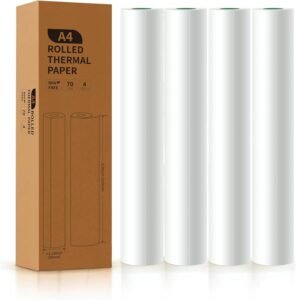
Bluetooth Thermal Label Printer for Shipping: 4×6 Label Printing with USB & Bluetooth Connectivity
The Importance of Choosing the Right Label Printer for Modern Workflows
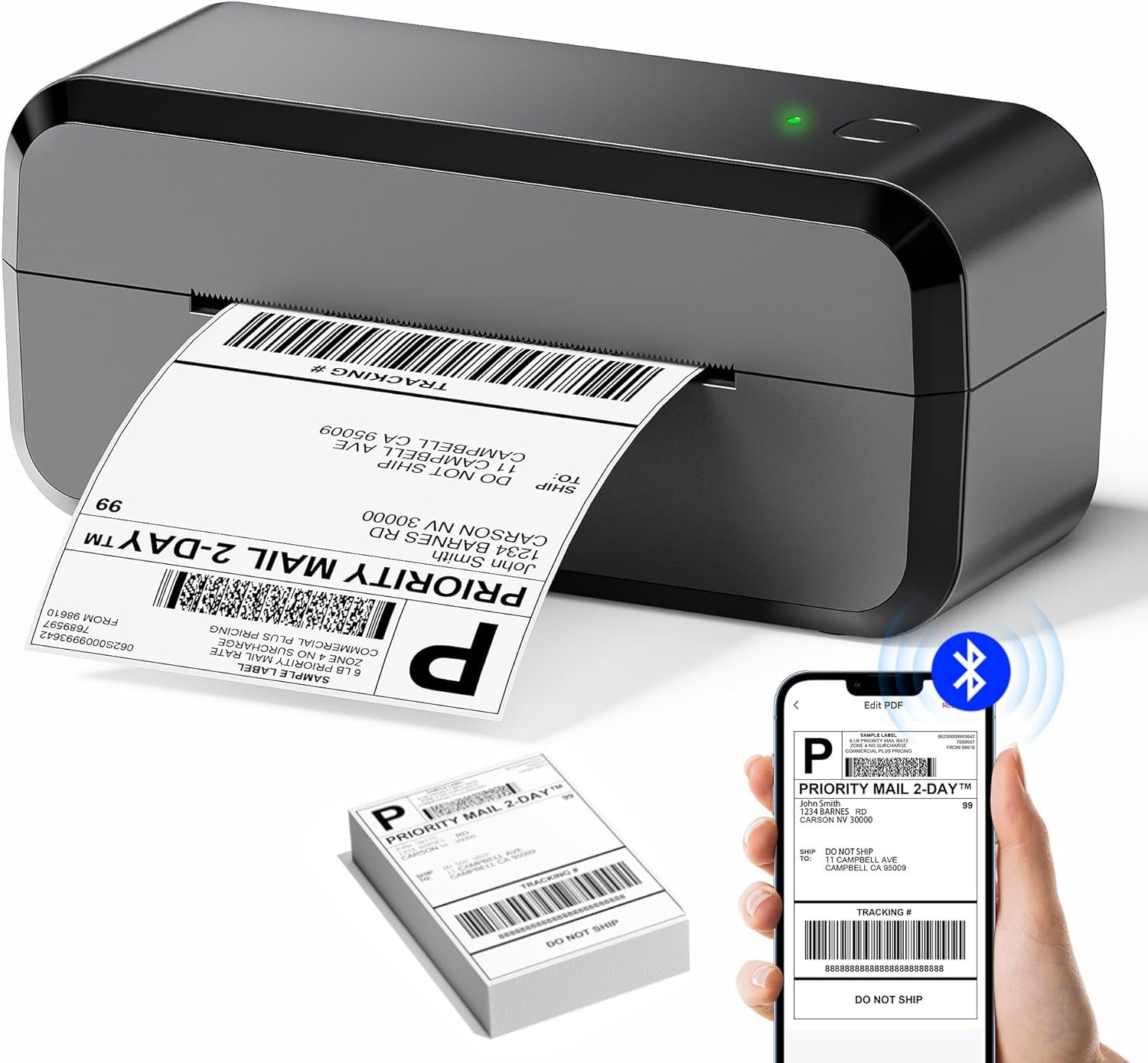
In today’s fast-paced business environment, the efficiency of document management can significantly impact productivity and customer satisfaction. Whether you’re managing a small online store, shipping packages, or handling inventory, a reliable label printer is essential for maintaining accurate records and ensuring timely deliveries. The right printer must balance speed, print quality, and ease of use while adapting to the specific demands of your workflow. For businesses that rely on shipping labels, barcode scanning, and inventory tracking, a printer that offers seamless connectivity, high-resolution output, and durability is crucial. Thermal label printers, in particular, have gained popularity for their inkless operation, low maintenance, and ability to produce high-quality labels without the need for ink or toner. However, selecting the optimal model requires careful consideration of factors such as connectivity options, media compatibility, print speed, and long-term reliability. This review evaluates the 243BT-BK Bluetooth Thermal Label Printer, focusing on its performance in real-world scenarios, its suitability for various use cases, and how it compares to other printers in the market. By analyzing technical specifications, user feedback, and industry benchmarks, this guide aims to help buyers make informed decisions about their next label printing solution.
Quick Overview
| Feature | Details |
|---|---|
| Printer Type | Bluetooth Thermal Label Printer |
| Printing Technology | Thermal printing (inkless) |
| Connectivity | Bluetooth and USB |
| Print Resolution | 203 DPI (black and white) |
| Media Sizes | 1.0–4.6 inches (including 4 x 6 inch labels) |
| Print Speed | 150 mm/s (monochrome) |
| Weight | 1.59 lbs (lightweight) |
| Dimensions | 3.15″D x 8.39″W x 3.74″H |
| Included Components | Printer, power cable, USB cable, power adapter, Type-C adapter, thermal labels, user manual |
| Compatibility | Android, iOS, MAC, Windows 10/11 |
| Warranty | Limited |
| Maximum Print Volume | 500 sheets |
| Power Source | 12V battery (included) |
This printer is designed for users who need a portable, low-maintenance solution for printing shipping labels, barcodes, and small business documentation. Its dual connectivity options and compatibility with major e-commerce platforms make it ideal for online sellers and logistics professionals. The lightweight design and fast print speed ensure efficient use in both home and office environments, while the thermal printing technology eliminates the need for ink or toner, reducing long-term costs and maintenance.

Connectivity Options and Device Compatibility
The 243BT-BK’s dual connectivity—Bluetooth and USB—provides flexibility for users with different device preferences. Bluetooth allows for wireless printing from smartphones, tablets, and laptops, while USB ensures a stable connection for desktop computers. This dual approach is particularly beneficial for small businesses that operate across multiple platforms, as it eliminates the need for additional hardware or adapters. The printer’s compatibility with Android, iOS, MAC, and Windows 10/11 ensures broad accessibility, making it suitable for both individual entrepreneurs and team environments. The included “Labelife” app simplifies the printing process, offering a user-friendly interface for managing label templates and print settings. However, the reliance on Bluetooth connectivity may introduce minor latency in certain scenarios, though this is mitigated by the printer’s stable USB connection. For users prioritizing seamless integration with their existing workflow, the dual connectivity options provide a competitive advantage.

Bluetooth Connectivity and App Integration
The Bluetooth feature enables wireless printing without the need for physical cables, which is ideal for users who prefer mobility. The “Labelife” app, available for both iOS and Android, streamlines the printing process by allowing users to design and print labels directly from their devices. This integration reduces the time required for manual setup and ensures consistent formatting across different platforms. The app’s support for major e-commerce platforms like Amazon, Shopify, and Etsy further enhances its appeal for online sellers, as it allows direct printing of shipping labels without the need for third-party software. However, the app’s functionality is limited to the printer’s built-in capabilities, which means users cannot customize advanced settings beyond the app’s interface.
USB Connectivity and Desktop Integration
The USB port provides a reliable connection for desktop users, ensuring stable data transfer and consistent print quality. This is particularly advantageous for users who require high-volume printing or prefer to manage print jobs through their computer’s operating system. The USB connection also allows for direct printing from spreadsheets, databases, or other software applications, making it a versatile option for businesses with complex workflows. However, the USB port’s utility is limited to devices that support direct printing, which may not include all mobile applications or cloud-based services. For users who rely heavily on desktop integration, the USB port offers a dependable solution for managing print jobs efficiently.
Cross-Platform Compatibility and Setup
The printer’s compatibility with Android, iOS, MAC, and Windows 10/11 ensures that it can be integrated into a wide range of environments. This cross-platform support is critical for businesses that operate on multiple operating systems, as it eliminates the need for additional hardware or software to achieve seamless printing. The setup process is straightforward, with the included user manual providing clear instructions for connecting the printer via Bluetooth or USB. However, users may encounter minor compatibility issues with older operating systems, as the printer is designed for Windows 10/11 and the latest iOS and Android versions. These limitations are relatively minor and do not significantly impact the printer’s overall usability.
Print Quality and Resolution
The 243BT-BK employs thermal printing technology, which is known for its ability to produce high-quality, durable labels without the need for ink or toner. This technology is particularly well-suited for applications such as shipping labels, barcodes, and small business documentation, where clarity and precision are essential. The printer’s 203 DPI resolution ensures that text and graphics are printed with sufficient detail for most use cases. However, the lack of color printing capabilities may be a drawback for users who require more visually complex labels. The thermal printing process also results in labels that fade over time when exposed to light, which could be a concern for long-term archival purposes. Despite these limitations, the printer’s monochrome output remains consistent and legible, making it a reliable choice for users who prioritize speed and simplicity over color versatility.

Thermal Printing Technology and Durability
Thermal printing eliminates the need for ink or toner, reducing maintenance costs and the risk of clogged printheads. This makes the 243BT-BK an attractive option for users who want a low-maintenance solution for label printing. The thermal paper used with the printer is designed to withstand moderate environmental conditions, though prolonged exposure to heat or direct sunlight may cause the labels to degrade. For users who require labels to remain legible for extended periods, the printer’s durability may be a limitation. However, the absence of ink or toner also means that the printer is less prone to mechanical failures, which enhances its reliability in high-volume environments.
Resolution and Text Clarity
The 203 DPI resolution ensures that printed text and graphics are sufficiently clear for most applications, including shipping labels and barcodes. This resolution is adequate for printing addresses, tracking numbers, and product codes, though it may not be suitable for more complex graphics or photographs. The printer’s ability to maintain consistent print quality across different media sizes is another advantage, as it ensures that labels of varying dimensions are printed with uniform clarity. However, users who require extremely high-resolution output for specialized applications may find the 203 DPI resolution to be limiting. The printer’s performance in this regard aligns with industry standards for thermal label printers, making it a practical choice for most small business and home use scenarios.
Media Compatibility and Label Types
The 243BT-BK supports a range of label sizes, from 1.0 to 4.6 inches, making it suitable for various applications such as envelopes, packaging, and inventory management. The printer’s compatibility with thermal paper is essential for its operation, as it ensures that labels are printed without the need for ink or toner. However, the reliance on thermal paper may be a drawback for users who prefer other media types, such as adhesive labels or waterproof materials. The printer’s ability to handle different label sizes and formats is a significant advantage, as it allows for greater flexibility in label design and application. For users who require specialized media types, the printer’s limitations may necessitate additional accessories or alternative printing solutions.
Portability and Design
The 243BT-BK’s lightweight design and compact dimensions make it an excellent choice for users who need a portable label printer for on-the-go printing. Weighing only 1.59 lbs, the printer can easily fit into a backpack or carry-on luggage, making it ideal for small business owners who travel frequently or work in multiple locations. The printer’s dimensions of 3.15″D x 8.39″W x 3.74″H further enhance its portability, as it occupies minimal space in both home and office environments. This design is particularly beneficial for users who require a printer that can be used in various settings without the need for permanent installation. However, the printer’s portability comes with trade-offs, such as limited internal storage capacity and a reliance on external power sources, which may affect its usability in extended field operations.

Lightweight Design for Mobility
The 1.59 lbs weight of the 243BT-BK makes it one of the lighter options in the thermal label printer market, which is a significant advantage for users who prioritize mobility. This lightweight design allows the printer to be easily transported between workspaces, making it suitable for small business owners, freelancers, and remote workers. The printer’s compact size also means that it can be stored in small spaces without taking up excessive room, which is ideal for home offices or shared workspaces. However, the lightweight design may result in a slightly less robust build compared to heavier printers, which could affect its durability in high-traffic environments.
Compact Dimensions and Space Efficiency
The 243BT-BK’s dimensions of 3.15″D x 8.39″W x 3.74″H are designed to maximize space efficiency without compromising functionality. This compact size makes it suitable for users who have limited desk space or need a printer that can be easily moved between locations. The printer’s design also allows for easy access to its control panel and ports, which simplifies the setup and maintenance process. However, the compact size may make it challenging to accommodate larger media rolls or additional accessories, which could be a consideration for users who require more extensive printing capabilities.
Power Source and Battery Life
The 243BT-BK is powered by a 12V battery, which provides a convenient power source for users who need to operate the printer in environments without access to a power outlet. This feature is particularly beneficial for users who require on-the-go printing, such as field workers or delivery personnel. However, the battery life may be limited in extended use scenarios, as the printer’s power consumption is relatively high for its size. Users who rely heavily on the printer for high-volume printing may need to invest in additional batteries or a power adapter to ensure continuous operation. The printer’s power source is a key consideration for users who prioritize portability and mobility in their printing workflows.
Durability and Maintenance
The 243BT-BK’s durability is influenced by its thermal printing technology and build quality, which are designed to withstand the demands of regular use. The absence of ink or toner reduces the risk of mechanical failures, making the printer more reliable in high-volume environments. However, the reliance on thermal paper may introduce challenges in terms of long-term durability, as the labels can degrade when exposed to heat or light. The printer’s maintenance requirements are minimal, as it does not require regular cleaning or replacement of ink cartridges, which is a significant advantage for users who want a low-maintenance solution. Despite these benefits, the printer’s durability may be a concern for users who require extended use in harsh environmental conditions, such as extreme temperatures or high humidity.

Build Quality and Longevity
The 243BT-BK’s build quality is adequate for its intended use, with a focus on simplicity and reliability rather than heavy-duty construction. The printer’s frame is designed to withstand regular use, though it may not be suitable for industrial environments where continuous high-volume printing is required. The absence of moving parts in the thermal printing mechanism contributes to its longevity, as it minimizes the risk of mechanical wear and tear. However, users who operate the printer in environments with frequent dust or moisture exposure may need to take additional precautions to ensure its longevity. The printer’s build quality is a key factor in determining its suitability for different usage scenarios.
Maintenance Requirements and User Experience
The 243BT-BK requires minimal maintenance, which is a significant advantage for users who want to avoid the hassle of regular servicing. The printer does not require ink or toner refills, eliminating the need for frequent cartridge replacements. However, users must ensure that the thermal paper is properly loaded and that the printer is regularly cleaned to prevent issues such as paper jams or misfeeds. The included user manual provides clear instructions for maintenance tasks, making it easier for users to manage the printer’s upkeep. Despite these requirements, the low maintenance profile of the printer makes it an attractive option for users who prioritize simplicity and ease of use.
Environmental Considerations and Longevity
The 243BT-BK’s thermal printing technology and lightweight design make it an environmentally friendly option, as it does not require ink or toner, which are often associated with higher environmental impact. However, the reliance on thermal paper may raise concerns about sustainability, as thermal paper can be difficult to recycle and may contain chemicals that are harmful to the environment. Users who are conscious of their ecological footprint may need to consider alternative printing solutions or proper disposal methods for thermal paper. The printer’s environmental impact is an important consideration for users who prioritize sustainability in their operations.

Pros & Cons
Pros
- Dual Connectivity Options: The printer’s Bluetooth and USB ports provide flexibility for users with different device preferences, ensuring compatibility with a wide range of operating systems and applications.
- Thermal Printing Technology: The inkless operation eliminates the need for ink or toner, reducing maintenance costs and the risk of clogged printheads while ensuring consistent print quality.
- Compatibility with E-Commerce Platforms: The printer’s integration with major e-commerce platforms like Amazon, Shopify, and Etsy simplifies the shipping label printing process for online sellers, reducing the need for third-party software.
- Lightweight and Portable Design: Weighing only 1.59 lbs, the printer is easy to transport and fits into small spaces, making it ideal for users who require on-the-go printing capabilities.
- Fast Print Speed: The 150 mm/s print speed ensures efficient label production, which is beneficial for users who need to print multiple labels quickly without delays.
- User-Friendly App Integration: The included “Labelife” app simplifies the printing process with a straightforward interface, making it accessible for users of all technical skill levels.
- Low Maintenance Requirements: The absence of ink or toner cartridges means minimal upkeep, which is a significant advantage for users who want a hassle-free printing experience.
- Versatile Media Compatibility: The printer supports a range of label sizes from 1.0 to 4.6 inches, allowing for greater flexibility in label design and application.
Cons
- Limited Color Printing Capabilities: The printer’s reliance on thermal printing technology means it cannot produce color labels, which may be a drawback for users who require more visually complex labels.
- Dependence on Thermal Paper: The printer’s operation is limited to thermal paper, which may not be suitable for all media types and could require users to purchase specialized paper.
- Fading Labels Over Time: Labels printed with thermal paper may degrade when exposed to light or heat, which could be a concern for long-term archival purposes.
- Battery Life Constraints: While the included 12V battery provides portability, its limited capacity may require frequent recharging or additional battery purchases for extended use.
- No Duplex Printing Support: The printer does not support double-sided printing, which may be a limitation for users who need to print on both sides of a label.
- Limited Internal Storage: The printer’s lack of internal storage capacity may necessitate frequent data transfers or reliance on external devices for print job management.
- Compatibility Issues with Older Systems: The printer’s support for Windows 10/11 and newer iOS/Android versions may exclude users who operate on older operating systems, limiting its accessibility.
Final Verdict: Who This Printer Is Best For (and Who Should Skip It)
The 243BT-BK Bluetooth Thermal Label Printer is an excellent choice for small businesses, online sellers, and logistics professionals who need a portable, low-maintenance solution for printing shipping labels, barcodes, and small business documentation. Its dual connectivity options, compatibility with major e-commerce platforms, and fast print speed make it ideal for users who prioritize efficiency and ease of use. The lightweight design and inkless operation are particularly beneficial for users who require on-the-go printing or operate in environments with limited space. However, the printer may not be suitable for users who require color printing, long-term archival of labels, or high-volume printing in industrial settings. For those who need a reliable, low-maintenance solution for moderate use, the 243BT-BK offers a practical and cost-effective option. Users with more demanding requirements, such as color printing capabilities or extended durability in harsh environments, should consider alternative printers that better meet their specific needs.

Frequently Asked Questions (FAQs)
What types of labels can the 243BT-BK printer produce?
The 243BT-BK thermal label printer is designed to produce monochrome labels on thermal paper, supporting sizes from 1.0 to 4.6 inches. It is suitable for shipping labels, barcodes, addresses, and small business documentation. However, it does not support color printing or waterproof media types.
Is the 243BT-BK compatible with Windows 10 and 11?
Yes, the 243BT-BK is compatible with Windows 10 and 11. It also supports Android, iOS, and MAC operating systems, making it suitable for a wide range of devices.
How long does it take to print a 4×6 label?
The 243BT-BK can print a 4×6 label in just one second, thanks to its 150 mm/s print speed. This fast print speed is ideal for users who need to produce multiple labels quickly.
Can the 243BT-BK be used for on-the-go printing?
Yes, the 243BT-BK’s lightweight design and Bluetooth connectivity make it ideal for on-the-go printing. Its 1.59 lbs weight and compact dimensions allow it to be easily transported between locations.
What is the maximum print resolution of the 243BT-BK?
The 243BT-BK offers a maximum print resolution of 203 DPI, which ensures clear and legible text and graphics for most label applications. This resolution is suitable for shipping labels, barcodes, and small business documentation.
Does the 243BT-BK require ink or toner?
No, the 243BT-BK uses thermal printing technology, which eliminates the need for ink or toner. This reduces maintenance costs and the risk of clogged printheads.
Can the 243BT-BK print on both sides of the label?
No, the 243BT-BK does not support duplex printing. It is designed for single-sided label printing, which may be a limitation for users who need to print on both sides of a label.
What is the battery life of the 243BT-BK?
The 243BT-BK is powered by a 12V battery, which provides portability for on-the-go use. However, its battery life is limited for extended use, and users may need to recharge or replace the battery frequently.