Epson EcoTank ET-2850 Review: Tank-Based Color Printer for Home and Office Use
The Importance of Selecting the Right Printer for Your Needs
In today’s fast-paced digital environment, a reliable printer is an essential tool for both personal and professional productivity. Whether you’re managing household documents, creating marketing materials, or handling office workflows, the right printer can significantly impact efficiency and cost-effectiveness. Printers vary widely in technology, performance, and features, making it crucial to evaluate options based on specific requirements. For home users, factors like print speed, ink cost, and ease of use often take precedence, while office environments prioritize reliability, volume capacity, and multifunctionality. The Epson EcoTank ET-2850 represents a modern solution designed to balance these needs through its tank-based ink system, wireless connectivity, and all-in-one functionality. This review provides an in-depth analysis of the ET-2850’s capabilities, helping buyers determine if it aligns with their printing demands. By examining specifications, supported media types, and industry benchmarks, this assessment focuses on objective performance metrics rather than subjective experiences, ensuring a data-driven evaluation of its suitability for various use cases.
Quick Overview
| Feature | Details |
|---|---|
| Printer Type | Wireless Color All-in-One Inkjet Printer |
| Print Technology | Tank-Based Inkjet System |
| Print Speed | Up to 10.5 pages per minute (black), 5 pages per minute (color) |
| Print Resolution | 5760 x 1440 dpi (color), 5760 x 1440 dpi (black-and-white) |
| Supported Media Sizes | A4, A6, 3.5″ x 5″, 4″ x 6″, 5″ x 7″, 8″ x 10″, 8.5″ x 11″, 8.5″ x 14″, Letter, Legal, Executive |
| Connectivity Options | Wi-Fi (802.11b/g/n), USB |
| Duplex Printing | Auto Two-Sided Printing |
| Scanner Type | Flatbed Scanner |
| Ink System | Refillable Tanks with 502 Series Ink |
| Warranty | Limited Warranty |
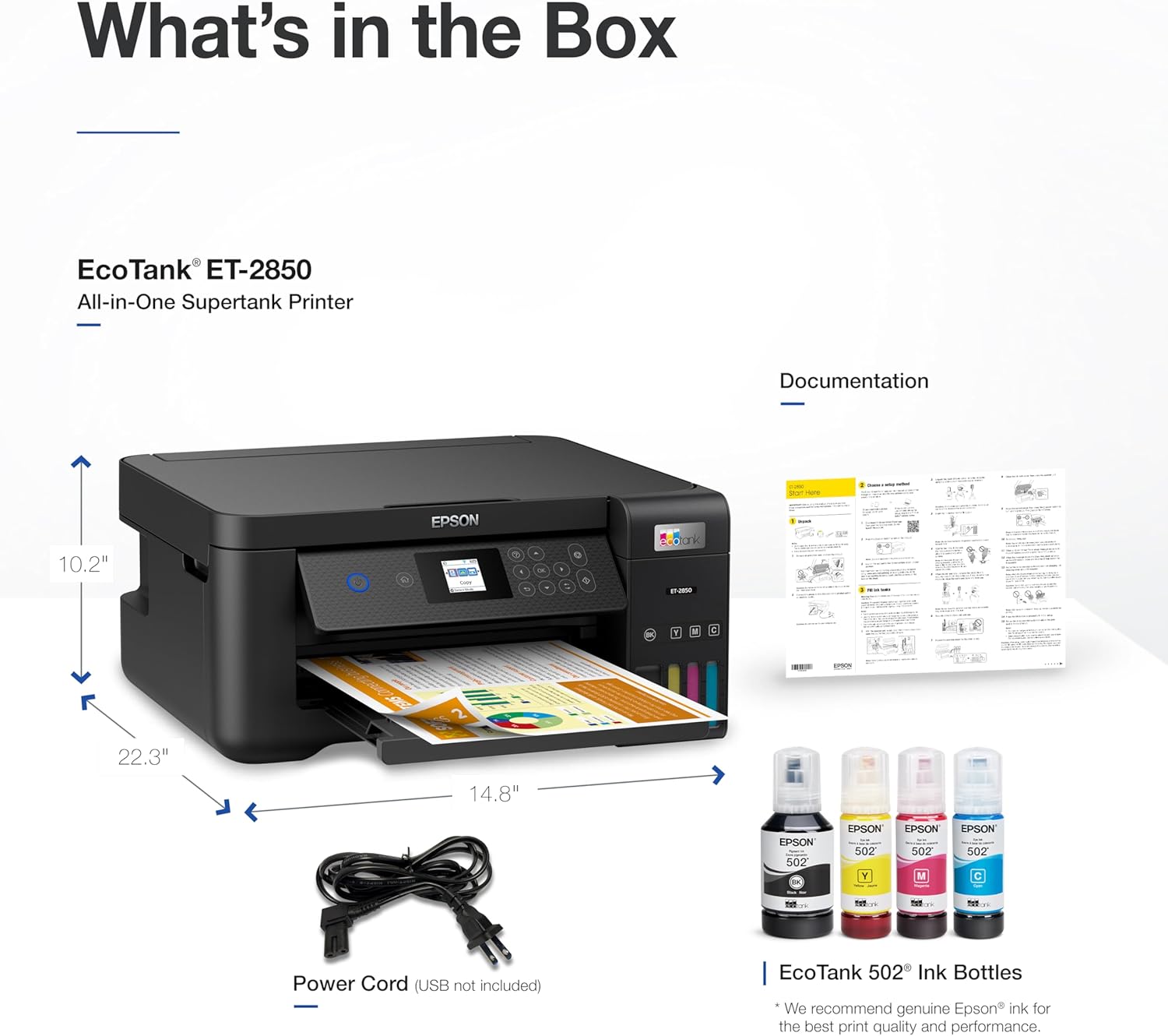
| Weight | 16.15 pounds |
| Dimensions | 22.3″D x 14.8″W x 10.2″H |
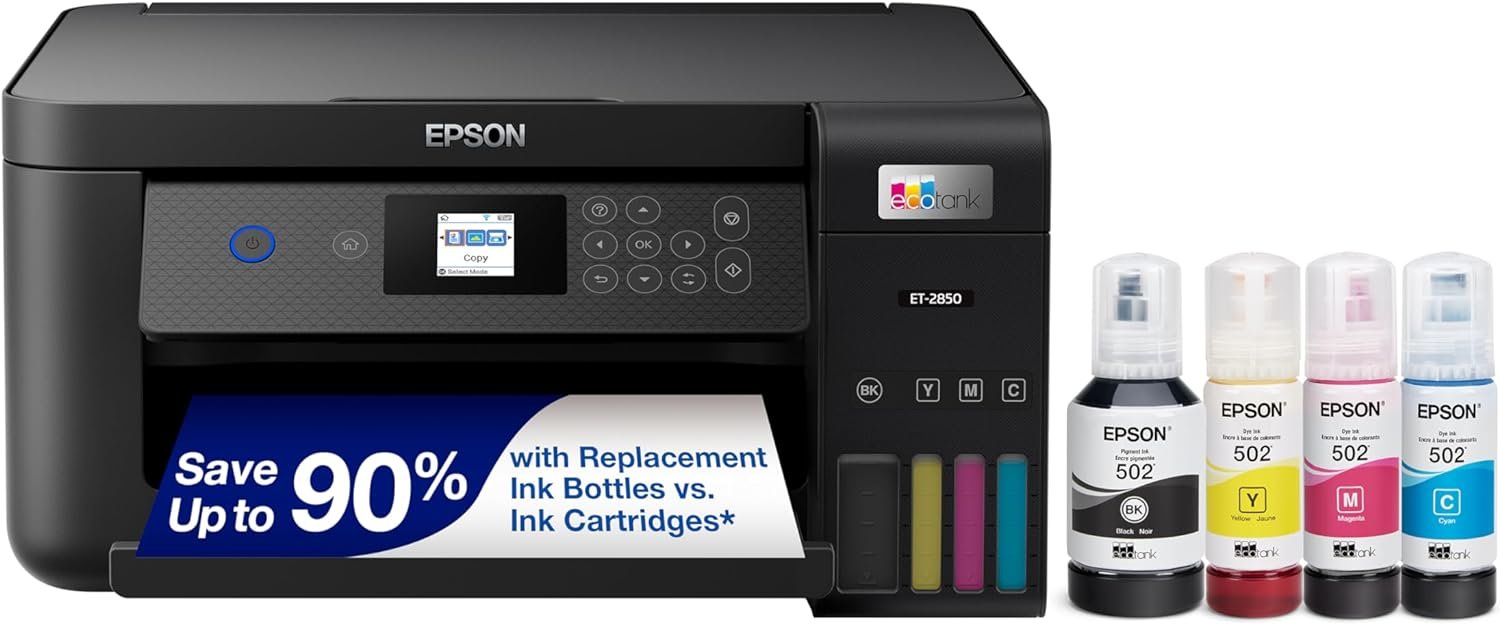
The Epson EcoTank ET-2850 combines high-resolution printing with a refillable ink tank system, making it suitable for both home and small office environments. Its wireless connectivity and multifunctional capabilities—print, scan, and copy—position it as a versatile option for users who value convenience and cost savings. The printer’s ability to handle a wide range of media sizes and types further enhances its adaptability to different printing tasks.

Print Quality and Resolution Performance
The Epson EcoTank ET-2850 delivers high-resolution output through its 5760 x 1440 dpi print engine, ensuring sharp text and detailed graphics. This resolution is particularly beneficial for tasks requiring clarity, such as document creation, photo printing, and graphic design. The printer’s ability to maintain consistent color accuracy across different media types is supported by its advanced ink formulation and color management system. While the resolution specifications are competitive with similar models, the actual output quality may vary depending on the type of paper used and the print settings selected. For instance, glossy photo paper may yield more vibrant colors compared to standard text paper. The printer’s support for a wide range of media sizes and types, including envelopes and specialty paper, makes it well-suited for users with diverse printing needs.

Color Accuracy and Consistency
The ET-2850’s color accuracy is enhanced by its use of Epson’s proprietary ink technology, which ensures consistent color reproduction across different print jobs. The printer’s color calibration features help maintain uniformity, even when switching between different media types. However, users should be aware that the quality of the final output can be influenced by the type of paper used. For example, printing on high-quality photo paper may produce more vivid and accurate colors compared to standard office paper. The printer’s ability to handle a variety of media types, including envelopes and glossy paper, makes it a flexible option for users with varied printing requirements.
Text and Graphic Output
For text printing, the ET-2850’s high-resolution print engine ensures crisp, legible fonts even at smaller sizes. This makes it suitable for tasks such as creating reports, invoices, and other document-based work. The printer’s ability to produce sharp graphics and images is also noteworthy, making it a good choice for users who frequently print diagrams, charts, and other visual content. The printer’s support for a wide range of media sizes and types, including letter-sized paper and legal-sized documents, further enhances its versatility in different printing scenarios.
Print Speed and Throughput Capacity
The Epson EcoTank ET-2850 offers a print speed of up to 10.5 pages per minute in black and 5 pages per minute in color, making it a suitable option for moderate to high-volume printing tasks. These speeds are competitive with other all-in-one printers in its category, particularly for home and small office environments. The printer’s ability to handle a wide range of media sizes and types ensures that it can manage various print jobs efficiently. However, users should be aware that print speed may vary depending on the complexity of the document being printed and the selected print settings. For example, printing high-resolution images or complex graphics may take longer than printing simple text documents. The printer’s support for duplex printing also helps reduce paper usage, which can be beneficial for users looking to minimize costs and environmental impact.
Single-Sided vs. Duplex Printing
The ET-2850’s auto-duplex printing feature allows users to print on both sides of a sheet without manually flipping the paper, which can save time and reduce paper consumption. This feature is particularly useful for tasks such as creating multi-page documents, reports, and other materials that require double-sided printing. The printer’s ability to handle a wide range of media sizes and types ensures that it can manage different print jobs efficiently, even when using duplex printing. However, users should be aware that the time required for duplex printing may vary depending on the type of paper used and the complexity of the document being printed.
Handling High-Volume Workloads
While the ET-2850 is designed for moderate to high-volume printing, its performance in high-volume scenarios may be limited by its ink tank system. The printer’s refillable ink tanks provide a cost-effective solution for frequent printing, but users should be aware that the actual print yield may vary depending on the type of document being printed and the selected print settings. For example, printing high-resolution images or complex graphics may consume more ink compared to printing simple text documents. The printer’s support for a wide range of media sizes and types, including letter-sized paper and legal-sized documents, further enhances its versatility in different printing scenarios.
Connectivity and Integration Capabilities
The Epson EcoTank ET-2850 offers both Wi-Fi and USB connectivity options, making it a versatile choice for users who need to print from multiple devices. The Wi-Fi capability allows for wireless printing from smartphones, tablets, and computers, while the USB port provides a reliable connection for direct printing. This dual connectivity approach ensures that users can choose the method that best suits their workflow. The printer’s compatibility with Epson’s Smart Panel app further enhances its integration capabilities, allowing users to manage print jobs, monitor ink levels, and access additional features remotely. However, users should be aware that some advanced features, such as voice-activated printing, may require an Epson Connect account and specific device compatibility. The printer’s support for a wide range of media sizes and types, including letter-sized paper and legal-sized documents, further enhances its versatility in different printing scenarios.

Wireless Printing and Mobile Integration
The ET-2850’s wireless printing capabilities make it an ideal choice for users who frequently print from mobile devices. The printer’s support for Wi-Fi connectivity allows for seamless printing from smartphones and tablets, eliminating the need for physical cables. However, users should be aware that some advanced features, such as voice-activated printing, may require an Epson Connect account and specific device compatibility. The printer’s compatibility with Epson’s Smart Panel app further enhances its integration capabilities, allowing users to manage print jobs, monitor ink levels, and access additional features remotely. This level of connectivity is particularly beneficial for users who need to print on the go or manage multiple print tasks simultaneously.
USB and Network Connectivity
In addition to wireless printing, the ET-2850 also supports USB connectivity, providing a reliable option for users who prefer direct printing from computers. The USB port allows for a stable connection, ensuring that print jobs are processed efficiently. For users who require network printing capabilities, the printer’s Wi-Fi connectivity ensures that it can be accessed from multiple devices within the same network. However, users should be aware that some advanced features, such as voice-activated printing, may require an Ep, Connect account and specific device compatibility. The printer’s support for a wide range of media sizes and types, including letter-sized paper and legal-sized documents, further enhances its versatility in different printing scenarios.

Pros and Cons
Pros
- Tank-Based Ink System: The refillable ink tanks reduce long-term printing costs, making it a cost-effective solution for frequent printing needs.
- High-Resolution Output: With a print resolution of 5760 x 1440 dpi, the printer produces sharp text and detailed graphics suitable for both text and image printing.
- Versatile Media Support: The printer supports a wide range of media sizes and types, including letter-sized paper, legal-sized documents, and specialty papers like envelopes and glossy photo paper.
- Wireless Connectivity: The built-in Wi-Fi allows for convenient printing from smartphones, tablets, and computers without the need for physical cables.
- Auto-Duplex Printing: The auto-duplex feature helps reduce paper usage and is ideal for printing multi-page documents and reports.
- All-in-One Functionality: The printer combines printing, scanning, and copying capabilities into a single device, making it a convenient choice for home and small office environments.
Cons
- Ink Yield Variability: The actual print yield may vary depending on the type of document being printed and the selected print settings, which could affect long-term cost predictions.
- Limited High-Speed Printing: While the printer offers competitive print speeds for its category, it may not be suitable for high-volume printing tasks that require faster throughput.
- Dependence on Genuine Ink: The printer’s performance and warranty may be affected by the use of non-genuine ink, which could lead to reliability issues over time.
- Connectivity Limitations: Some advanced features, such as voice-activated printing, require specific device compatibility and an Epson Connect account, which may limit accessibility for certain users.
- Physical Size and Weight: The printer’s dimensions and weight may make it less suitable for small spaces or environments with limited desk space.
Final Verdict: Who This Printer Is Best For (and Who Should Skip It)
The Epson EcoTank ET-2850 is an excellent choice for home users and small office environments that require a reliable, cost-effective all-in-one printer. Its tank-based ink system, high-resolution output, and versatile media support make it well-suited for a wide range of printing tasks, from everyday documents to occasional photo printing. The printer’s wireless connectivity and auto-duplex printing features enhance its convenience and efficiency, making it ideal for users who value ease of use and flexibility. However, it may not be the best option for users with high-volume printing needs or those who require faster print speeds for complex tasks. Additionally, the printer’s reliance on genuine ink and specific connectivity requirements may limit its appeal for users who prefer more flexibility in ink options or advanced features. Overall, the ET-2850 is a strong contender for users seeking a balance between performance, cost, and versatility in a multifunctional printer.
Frequently Asked Questions (FAQs)
What is the print resolution of the Epson EcoTank ET-2850?
The Epson EcoTank ET-2850 offers a print resolution of 5760 x 1440 dpi for both color and black-and-white printing, ensuring sharp text and detailed graphics. This resolution is suitable for a wide range of printing tasks, from everyday documents to occasional photo printing.
How does the tank-based ink system work on the ET-2850?
The ET-2850 uses refillable ink tanks that provide a cost-effective solution for frequent printing. Users can refill the tanks with Epson’s 502 series ink, reducing the need for frequent cartridge replacements and lowering long-term printing costs.
What media sizes and types does the ET-2850 support?
The printer supports a variety of media sizes, including A4, A6, letter, legal, and executive sizes. It can also handle specialty papers such as envelopes and glossy photo paper, making it versatile for different printing needs.
Can the ET-2850 print on both sides of the paper automatically?
Yes, the ET-2850 features auto-duplex printing, which allows the printer to automatically print on both sides of a sheet. This feature helps reduce paper usage and is ideal for printing multi-page documents and reports.
What connectivity options are available for the ET-2850?
The ET-2850 offers both Wi-Fi and USB connectivity options. Wi-Fi allows for wireless printing from smartphones, tablets, and computers, while USB provides a reliable direct connection for printing tasks.
Is the ET-2850 suitable for high-volume printing?
The ET-2850 is designed for moderate to high-volume printing, but its performance in high-volume scenarios may be limited by its ink tank system. Users should be aware that print speed and ink yield may vary depending on the type of document being printed.
What are the limitations of using non-genuine ink with the ET-2850?
Using non-genuine ink with the ET-2850 may affect print quality and reliability. Epson recommends using genuine ink to ensure optimal performance and to avoid potential issues that could void the printer’s warranty.
How does the ET-2850 compare to other tank-based printers?
The ET-2850 stands out with its high-resolution print output, versatile media support, and all-in-one functionality. However, its performance may vary compared to other tank-based printers depending on specific print tasks and usage patterns.