Epson Workforce WF-2960 Printer Review: 2026 Buyer’s Guide
The Importance of Choosing the Right Printer for Home and Office Use
Selecting an appropriate printer is a critical decision for both home and office environments, where efficiency, reliability, and output quality directly impact productivity. Whether managing household tasks, handling business correspondence, or supporting remote work, the right printer can streamline workflows and reduce operational friction. Modern printers must balance speed, durability, and cost-effectiveness while meeting specific printing needs such as high-resolution graphics, duplex printing, or multifunctional capabilities. For home users, the ability to print, scan, and copy from mobile devices is increasingly essential, while office environments often prioritize high-volume printing and seamless network integration. The Epson Workforce WF-2960 represents a versatile solution for these diverse scenarios, offering a combination of advanced inkjet technology, multifunctionality, and user-friendly design. Its capabilities reflect the growing demand for printers that adapt to evolving work habits, from hybrid work models to digital-first workflows. Understanding the specifications and features of such devices enables informed purchasing decisions that align with specific usage patterns and expectations.
Quick Overview
| Feature | Details |
|---|---|
| Printer Type | Inkjet All-in-One |
| Printing Technology | PrecisionCore Print Head |
| Supported Functions | Print, Scan, Copy, Fax |
| Print Resolution | 4800 x 1200 DPI (Color/Black) |
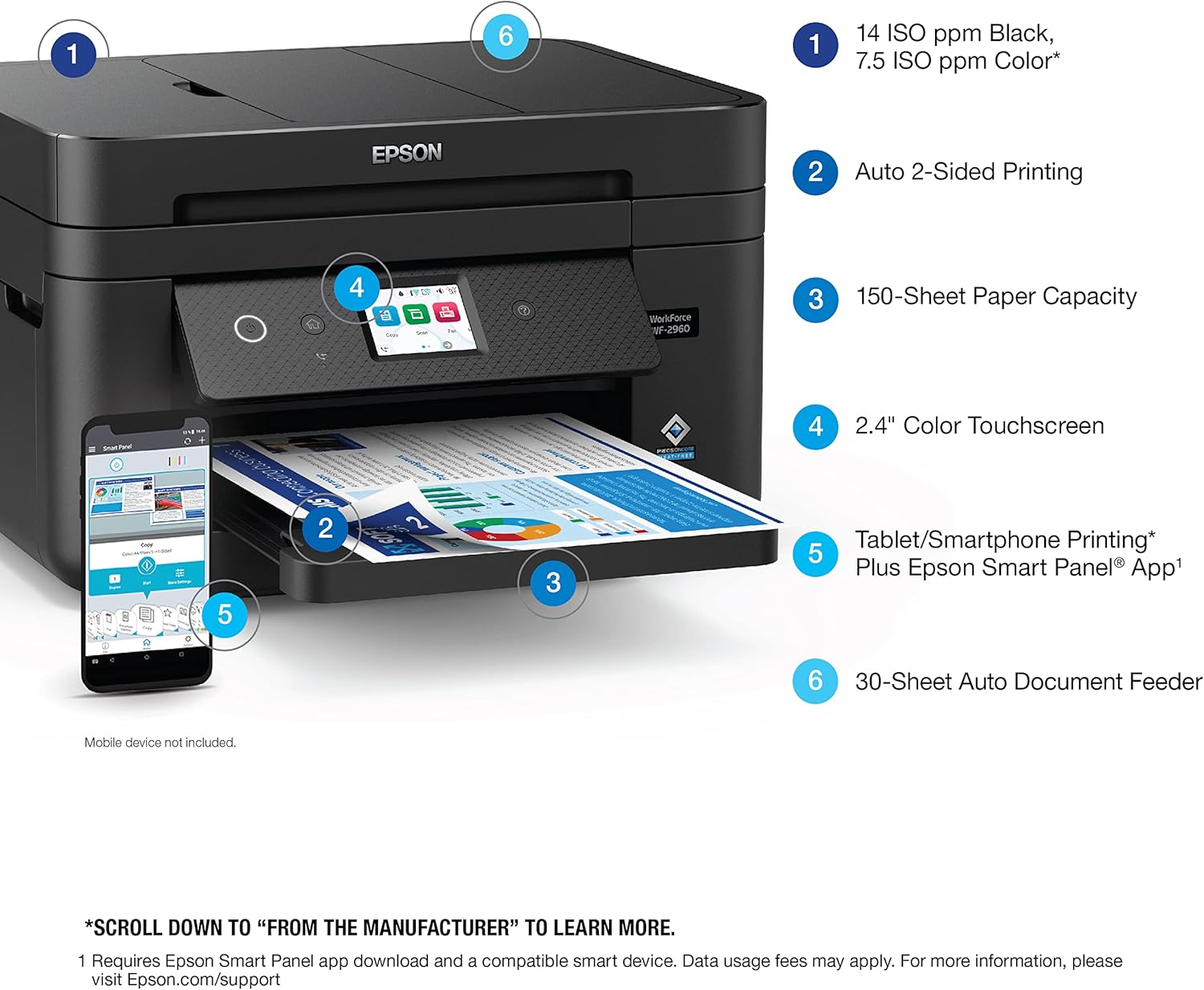
| Print Speed | 7.5 ppm Color, 14 ppm Monochrome |
| Media Sizes | Letter, A4, Legal, 8″ x 10″, 5″ x 7″, 4″ x 6″, 3.5″ x 5″, Executive, Half Letter, A6 |
| Connectivity | Ethernet, USB, Wi-Fi |
| Paper Capacity | 150-Sheet Tray |
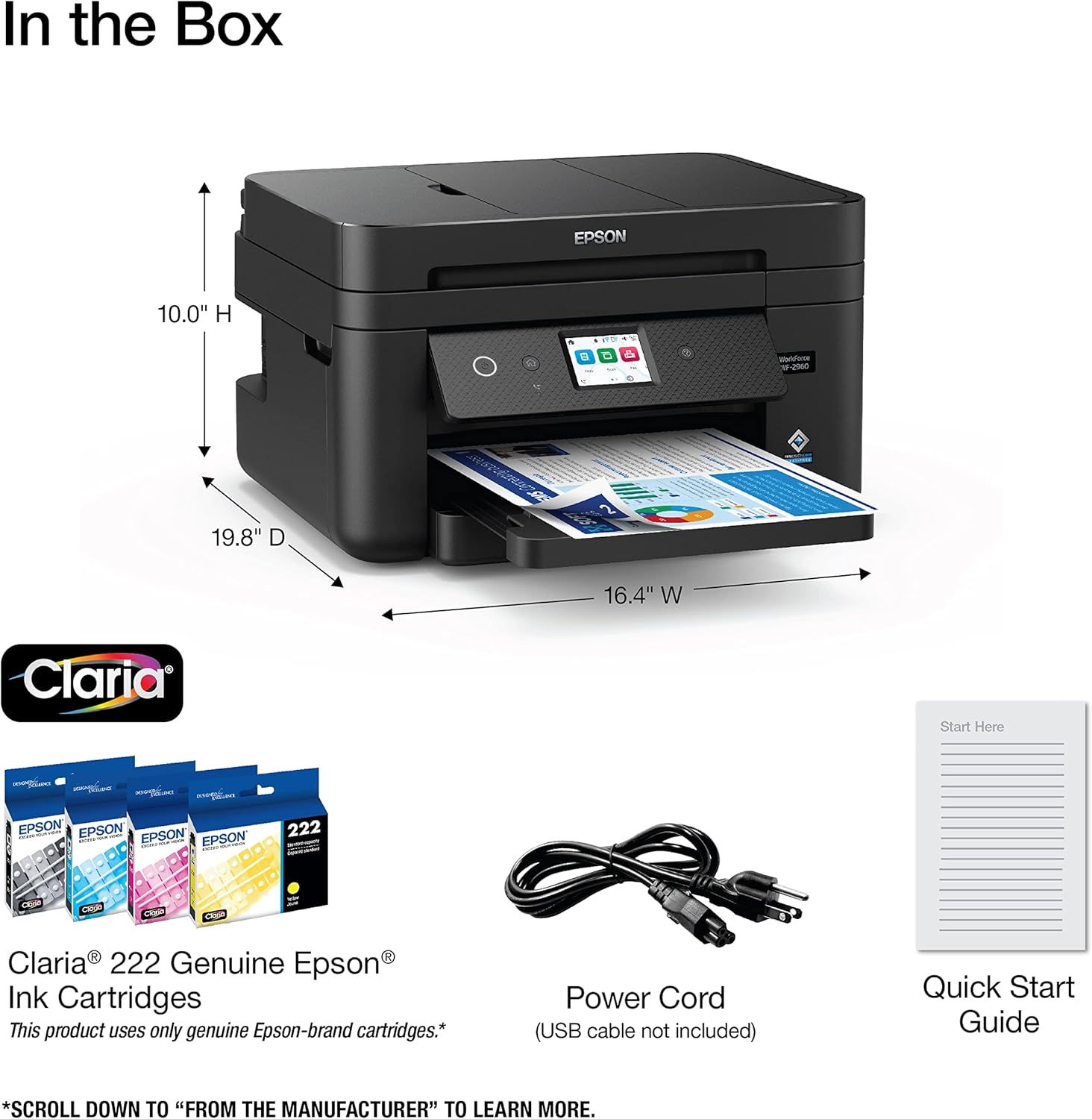
| Ink System | Claria® 222 Individual Cartridges |
| Warranty | Limited Warranty |
| Dimensions | 19.8″D x 16.4″W x 10″H |
| Weight | 14.1 Pounds |
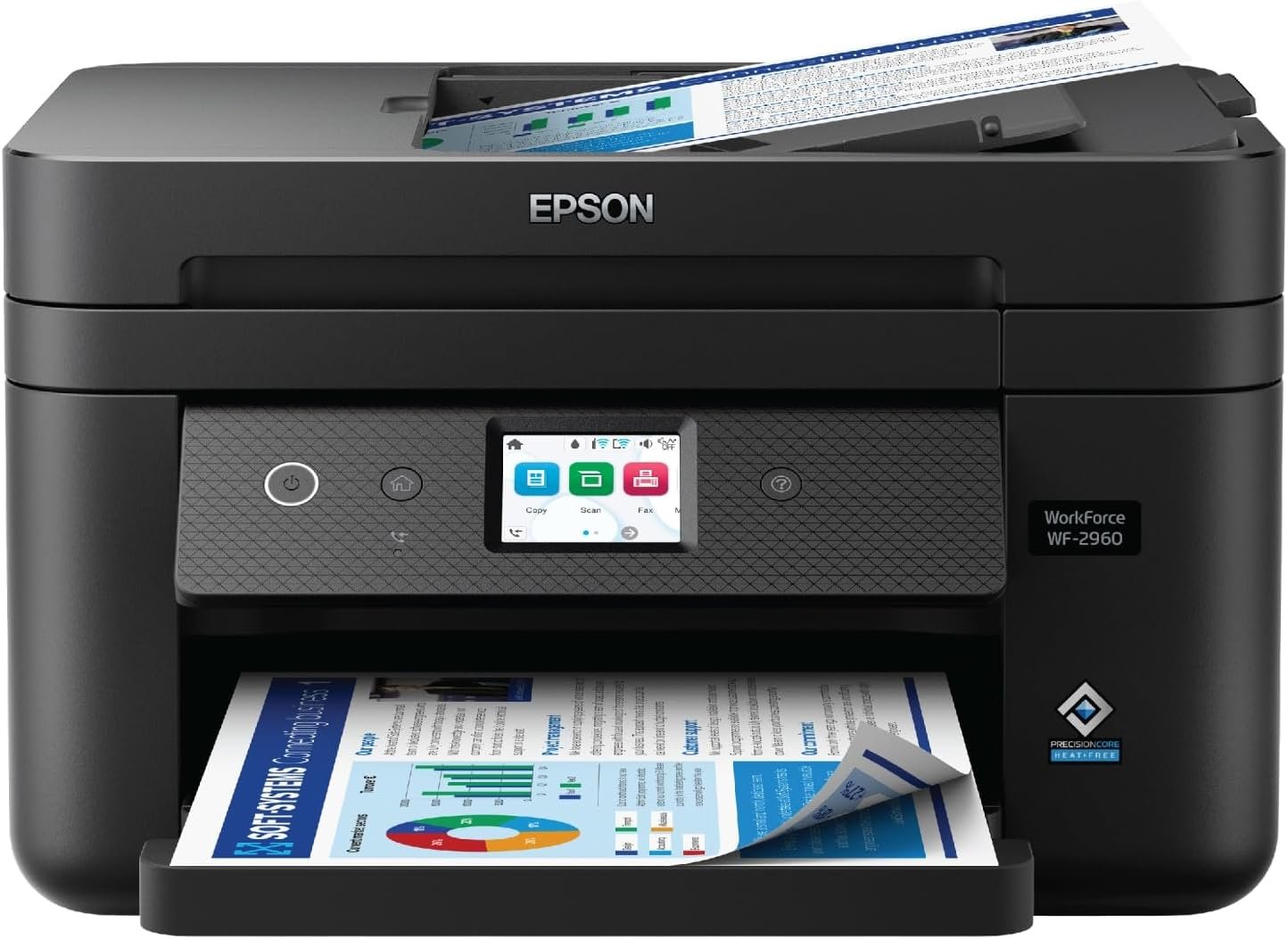
The Epson Workforce WF-2960 combines multifunctionality with advanced inkjet technology, making it suitable for home offices and small businesses. Its high-resolution printing, automatic duplexing, and wireless connectivity support a range of tasks from document management to basic photo printing. The 150-sheet paper tray and touchscreen interface enhance usability, while the PrecisionCore print head ensures consistent output quality. These features collectively address common printing needs in both personal and professional settings.

Print Quality and Resolution Performance
The Epson Workforce WF-2960 delivers professional-grade print output through its PrecisionCore print head technology, which utilizes microelectromechanical systems (MEMS) to achieve high-resolution printing. This technology enables the printer to produce sharp text and vibrant color graphics, making it suitable for both document printing and basic photo reproduction. The maximum print resolution of 4800 x 1200 dots per inch (dpi) ensures detailed output, particularly beneficial for users requiring high-quality graphics or color accuracy. The printer’s ability to maintain consistent resolution across different media types, including plain paper and standard photo paper, further enhances its versatility. However, the resolution specifications are optimized for standard office paper, which may not fully support advanced photo printing requirements. For users prioritizing photographic output, additional considerations such as media compatibility and print settings may be necessary.

Color Accuracy and Ink System
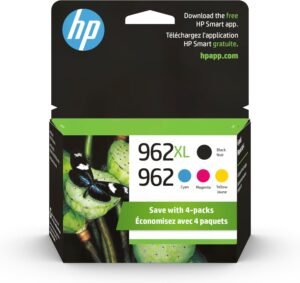
The printer’s color printing capabilities are supported by Epson’s Claria® 222 ink system, which uses individually replaceable ink cartridges for cyan, magenta, yellow, and black. This design allows users to replace only the ink they need, reducing long-term costs compared to all-in-one ink tanks. The 48-bit color depth input and 24-bit output ensure a wide color gamut, supporting accurate color reproduction for documents and basic images. However, the individual ink cartridges may result in slightly higher initial costs compared to bulk ink systems, and color calibration may require user adjustment for optimal results. The printer’s ability to maintain consistent color output over time is influenced by the quality of the paper used and the environmental conditions, such as humidity and temperature.
Text and Graphics Output
The WF-2960’s print head technology is particularly effective for text printing, with crisp, legible fonts that are well-suited for business documents and correspondence. The 4800 x 1200 dpi resolution ensures that even small text elements remain clear, which is essential for professional-looking output. For graphics, the printer’s ability to produce smooth gradients and detailed line work makes it suitable for basic design tasks and data visualization. However, the printer’s performance with complex graphics or high-resolution images may be limited by its reliance on standard inkjet technology, which can struggle with extreme detail in certain scenarios. Users requiring high-end graphic output may need to consider alternative printing solutions or post-processing techniques.
Connectivity and Network Integration
The Epson Workforce WF-2960 offers multiple connectivity options, including Ethernet, USB, and Wi-Fi, ensuring compatibility with a range of devices and network environments. The inclusion of both wired and wireless connectivity provides flexibility for users with varying setup requirements. The printer’s support for Android and iOS devices through the Epson Smart Panel app enhances its usability for mobile users, allowing remote printing and management of print jobs. However, the reliance on wireless connectivity may introduce potential latency or connectivity issues, particularly in environments with limited Wi-Fi coverage. The Ethernet port ensures a stable connection for users requiring consistent, high-speed printing without the risks associated with wireless networks. The printer’s ability to integrate with existing network infrastructures makes it a practical choice for small offices or home networks that require reliable printing capabilities.
Wireless and Mobile Compatibility
The WF-2960’s wireless connectivity simplifies printing from smartphones and tablets, aligning with the increasing trend of mobile-first workflows. The Epson Smart Panel app enables users to manage print settings, monitor ink levels, and initiate print jobs from their mobile devices, reducing the need for physical interaction with the printer. However, the app’s functionality is limited to basic print management, and advanced customization options may require direct access to the printer’s touchscreen interface. The printer’s compatibility with both Android and iOS devices ensures broad accessibility, but users may encounter minor interface differences between operating systems. The absence of cloud printing capabilities, such as Google Cloud Print or Apple AirPrint, could be a limitation for users seeking seamless integration with cloud-based workflows.
Network Stability and Performance
The printer’s Ethernet port provides a reliable connection for users requiring consistent printing performance, particularly in environments where wireless connectivity is unstable. The wired connection ensures minimal latency and a stable data transfer rate, which is critical for high-volume printing tasks. However, the printer’s network performance is constrained by its reliance on standard Ethernet protocols, which may not support advanced networking features such as Quality of Service (QoS) or VLAN segmentation. Users in larger office environments may need additional networking equipment to optimize the printer’s performance within an existing infrastructure. The printer’s ability to maintain network stability is further influenced by its power consumption and thermal management, which are designed to minimize disruptions during prolonged use.
Durability, Maintenance, and Consumables
The Epson Workforce WF-2960 is engineered for reliability, with a PrecisionCore printhead designed to last the lifespan of the printer. This technology reduces the risk of printhead clogging and extends the printer’s operational longevity, making it suitable for environments with frequent use. The printer’s automatic duplex printing feature helps reduce paper consumption, contributing to both cost savings and environmental sustainability. However, the reliance on individual ink cartridges may lead to higher maintenance costs over time, as users may need to replace cartridges more frequently than with bulk ink systems. The printer’s duty cycle specifications indicate it is optimized for moderate to high-volume printing, making it a practical choice for small businesses or home offices with regular printing needs. Regular maintenance, such as cleaning the printhead and ensuring proper paper handling, is essential to maintain optimal performance and prevent mechanical issues.
Ink Cartridge Lifespan and Replacement
The Claria® 222 ink cartridges are designed for longevity, with a focus on reducing the frequency of replacements. The individual ink system allows for selective cartridge replacement, which can lower long-term costs compared to all-in-one ink tanks. However, the printer’s ink consumption rate may vary depending on print settings and media types, with higher resolution or color-intensive prints requiring more frequent cartridge replacements. The printer’s built-in ink level monitoring system provides users with clear indications of when cartridges need replenishment, minimizing the risk of unexpected print failures. For users prioritizing cost efficiency, the ability to refill or use third-party ink cartridges may be a consideration, though this could affect print quality and warranty validity.
Paper Handling and Tray Capacity
The 150-sheet paper tray offers sufficient capacity for most home and small office environments, reducing the need for frequent paper reloading. The automatic duplex printing feature further enhances efficiency by minimizing paper waste, which is particularly beneficial for users with high-volume printing requirements. The printer’s ability to handle various paper sizes, including letter, A4, and legal, ensures compatibility with standard office paper formats. However, the paper tray’s capacity may be a limitation for users requiring larger volumes of printing, as the 150-sheet limit could necessitate frequent refills. The printer’s paper handling system is designed for standard paper types, and users may need to adjust settings for specialty media such as glossy photo paper or thick cardstock to ensure optimal feeding and print quality.

Pros and Cons
Pros
- High-Resolution Printing: The 4800 x 1200 dpi resolution ensures sharp text and vibrant color output, suitable for business documents and basic graphics.
- Multifunctionality: The printer’s ability to print, scan, copy, and fax makes it a versatile solution for home offices and small businesses.
- User-Friendly Interface: The 2.4″ touchscreen display and Epson Smart Panel app simplify navigation and remote management of print jobs.
- Automatic Duplex Printing: Reduces paper waste and enhances efficiency for users requiring double-sided printing.
- Reliable Connectivity: Ethernet and Wi-Fi options provide flexibility for different network environments.
- Durable Design: The PrecisionCore printhead is engineered for long-term use, minimizing maintenance requirements.
- Cost-Effective Ink System: Individual ink cartridges allow for selective replacement, reducing long-term costs compared to bulk ink tanks.
- Scalable for Moderate Workloads: The 150-sheet paper tray and high-speed printing capabilities suit small to medium-volume printing needs.
Cons
- Limited Photo Printing Capabilities: The printer’s focus on standard office printing may not fully support advanced photo reproduction requirements.
- Higher Ink Costs: Individual ink cartridges may result in higher long-term costs compared to bulk ink systems.
- Connectivity Limitations: The absence of cloud printing features like Google Cloud Print or Apple AirPrint could be a drawback for users seeking seamless integration.
- Paper Tray Capacity Constraints: The 150-sheet tray may require frequent refills for high-volume printing environments.
- Dependence on Network Stability: Wireless connectivity may introduce latency or reliability issues in environments with unstable Wi-Fi.
- Limited Advanced Customization: The Epson Smart Panel app offers basic print management, with more advanced settings requiring direct access to the touchscreen interface.
Final Verdict: Who This Printer Is Best For (and Who Should Skip It)
The Epson Workforce WF-2960 is best suited for home users and small businesses requiring a multifunctional printer with reliable performance and user-friendly features. Its high-resolution printing, automatic duplexing, and wireless connectivity make it an ideal choice for environments where document management and basic graphic output are prioritized. The printer’s durability and efficient ink system also appeal to users seeking cost-effective, long-term solutions. However, users with high-volume printing needs or those requiring advanced photo printing capabilities may find the WF-2960 less suitable. The printer’s reliance on individual ink cartridges and limited cloud printing features could also be drawbacks for users seeking more integrated or cost-efficient solutions. For those prioritizing simplicity, reliability, and multifunctionality in a home or small office setting, the WF-2960 represents a well-rounded choice.
Frequently Asked Questions (FAQs)
What print resolution does the Epson Workforce WF-2960 offer?
The Epson Workforce WF-2960 delivers a maximum print resolution of 4800 x 1200 dots per inch (dpi) for both color and black-and-white printing. This resolution ensures sharp text and vibrant color output, making it suitable for business documents and basic graphics.
Does the WF-2960 support automatic duplex printing?
Yes, the Epson Workforce WF-2960 includes an automatic duplex printing feature that enables double-sided printing. This reduces paper waste and enhances efficiency for users requiring double-sided output.
What connectivity options are available for the WF-2960?
The printer offers Ethernet, USB, and Wi-Fi connectivity options, providing flexibility for different network environments. It is compatible with both Android and iOS devices through the Epson Smart Panel app.
How many ink cartridges does the WF-2960 use?
The Epson Workforce WF-2960 uses individual ink cartridges for black, cyan, magenta, and yellow. This design allows for selective replacement, reducing long-term costs compared to bulk ink systems.
What is the maximum paper tray capacity of the WF-2960?
The printer features a 150-sheet paper tray, which is suitable for most home and small office environments. However, users with high-volume printing needs may require frequent refills.
Can the WF-2960 be used for photo printing?
The WF-2960 is designed for standard office printing and basic graphics. While it can produce decent photo output, its focus on standard paper and resolution may not fully support advanced photo printing requirements.
What is the printer’s power consumption?
The Epson Workforce WF-2960 has a power consumption of 12 watts, ensuring energy efficiency while maintaining performance for regular use.
Does the WF-2960 support cloud printing?
The printer does not support cloud printing features such as Google Cloud Print or Apple AirPrint. Users seeking seamless integration with cloud-based workflows may need alternative solutions.