Epson WorkForce Pro WF-4740: Print Quality, Speed, and Office Efficiency

The Importance of Choosing the Right Printer for Your Workflow
In today’s fast-paced work environments, selecting the right printer is critical for maintaining productivity and efficiency. Whether managing a small office or handling high-volume print tasks, the right printer can significantly impact workflow speed, cost management, and output quality. Printers serve as essential tools for businesses and professionals, handling everything from routine document printing to complex graphic production. However, the right choice depends on specific needs such as print volume, media compatibility, connectivity requirements, and long-term cost efficiency. For instance, a printer designed for high-volume office use may prioritize speed and durability, while a home user might focus on cost-effectiveness and ease of use. Understanding these factors ensures that the selected printer aligns with both immediate and future operational demands. This review examines the Epson WorkForce Pro WF-4740, a multifunctional printer that balances performance, versatility, and reliability for a range of printing scenarios.
Quick Overview
| Feature | Details |
|---|---|
| Printer Type | All-in-one inkjet printer with print, scan, copy, and fax functions |
| Print Technology | Epson Precision Core inkjet system |
| Print Speed | 24 ISO ppm (black), 22 ISO ppm (color) |
| Media Compatibility | Supports paper sizes up to 8.5 x 14 inches; compatible with plain paper |
| Connectivity | Wi-Fi, USB 2.0, Amazon Dash Replenishment |
| Duty Cycle | Designed for high-volume use with a 500-sheet paper capacity |
| Ink System | Genuine Epson DURABrite Ultra ink cartridges |
| Warranty | Limited warranty with firmware updates for security and performance |
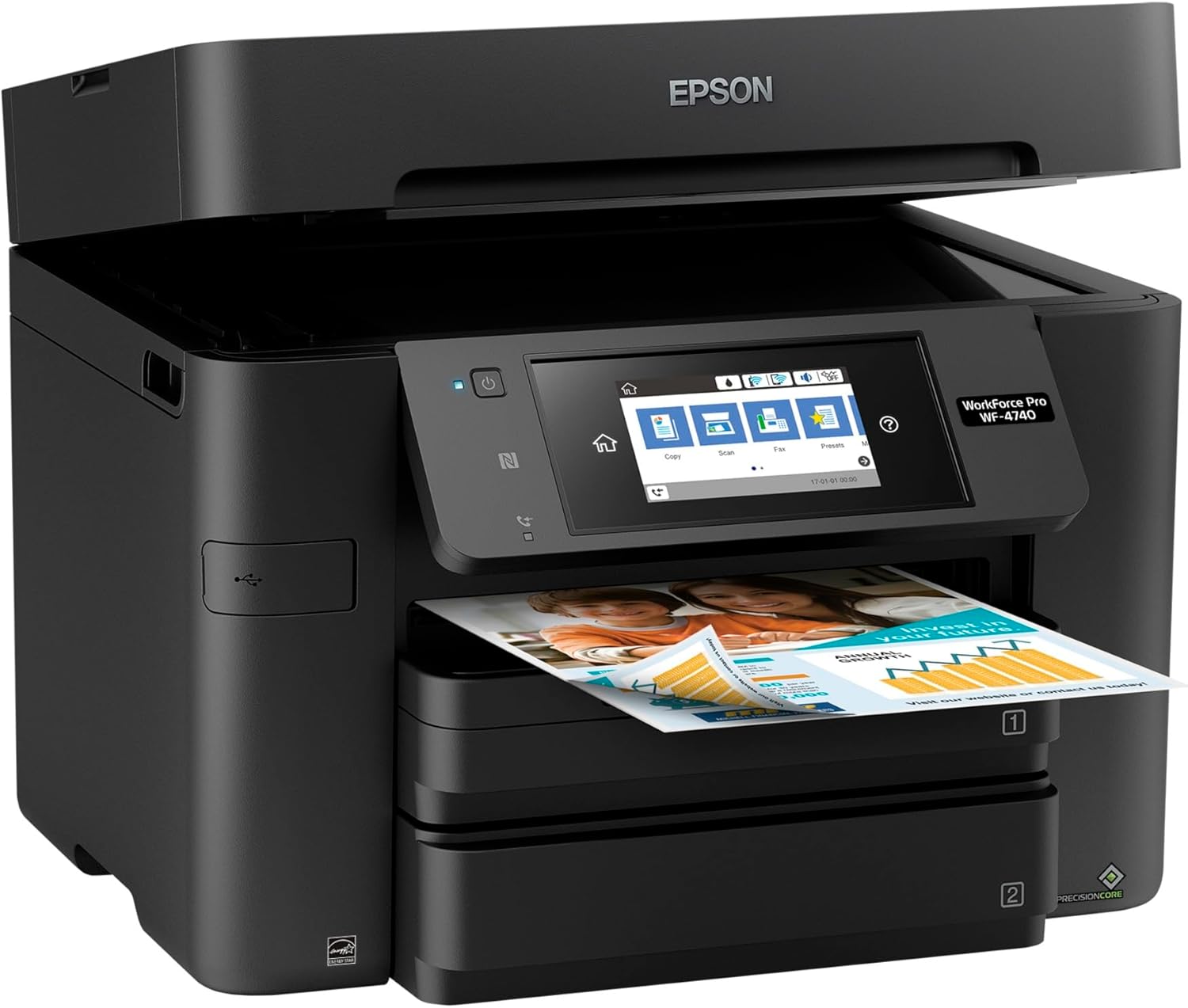
The Epson WorkForce Pro WF-4740 combines speed, versatility, and reliability, making it suitable for small to medium-sized offices requiring a multifunctional device that handles both routine and specialized printing tasks.
Print Quality and Resolution: Balancing Detail and Efficiency
The Epson WorkForce Pro WF-4740 delivers high-resolution output that caters to both text and graphic printing needs. Its maximum print resolution of 4800 x 1200 dpi ensures sharp text and vibrant color reproduction, which is particularly beneficial for documents requiring precision, such as spreadsheets or marketing materials. The printer’s color print speed of 22 ISO ppm (pages per minute) is competitive within its class, offering a balance between quality and throughput. For users prioritizing clarity, the 4800 dpi black-and-white resolution provides crisp, professional-grade output. However, the printer’s reliance on pigment-based ink may affect longevity on certain media types, such as glossy or textured paper. This trade-off between resolution and media compatibility is a key consideration for users with specific output requirements.

Text and Graphic Output
The WF-4740’s 4800 x 1200 dpi color resolution ensures that both text and graphics are rendered with high clarity. This is particularly advantageous for producing professional documents, presentations, and marketing materials where visual accuracy is critical. The printer’s ability to handle complex page layouts and embedded images without compromising detail makes it suitable for users who frequently print mixed-content documents. However, the pigment-based ink system may not be ideal for long-term archival purposes, as it is less resistant to fading compared to dye-based inks. Users requiring archival quality should consider alternative media or printing methods.
Color Accuracy and Vibrancy
The WF-4740’s color accuracy is enhanced by its advanced inkjet technology and precise color management system. The printer’s ability to maintain consistent color output across different media types ensures that printed materials retain their intended appearance. This is particularly useful for businesses that rely on color consistency for branding or product design. However, the printer’s color print speed may be a limiting factor for users requiring rapid output of large color documents. The balance between color vibrancy and print speed is a key aspect of the WF-4740’s performance profile.
Print Speed and Workload Capacity: Handling High-Volume Tasks
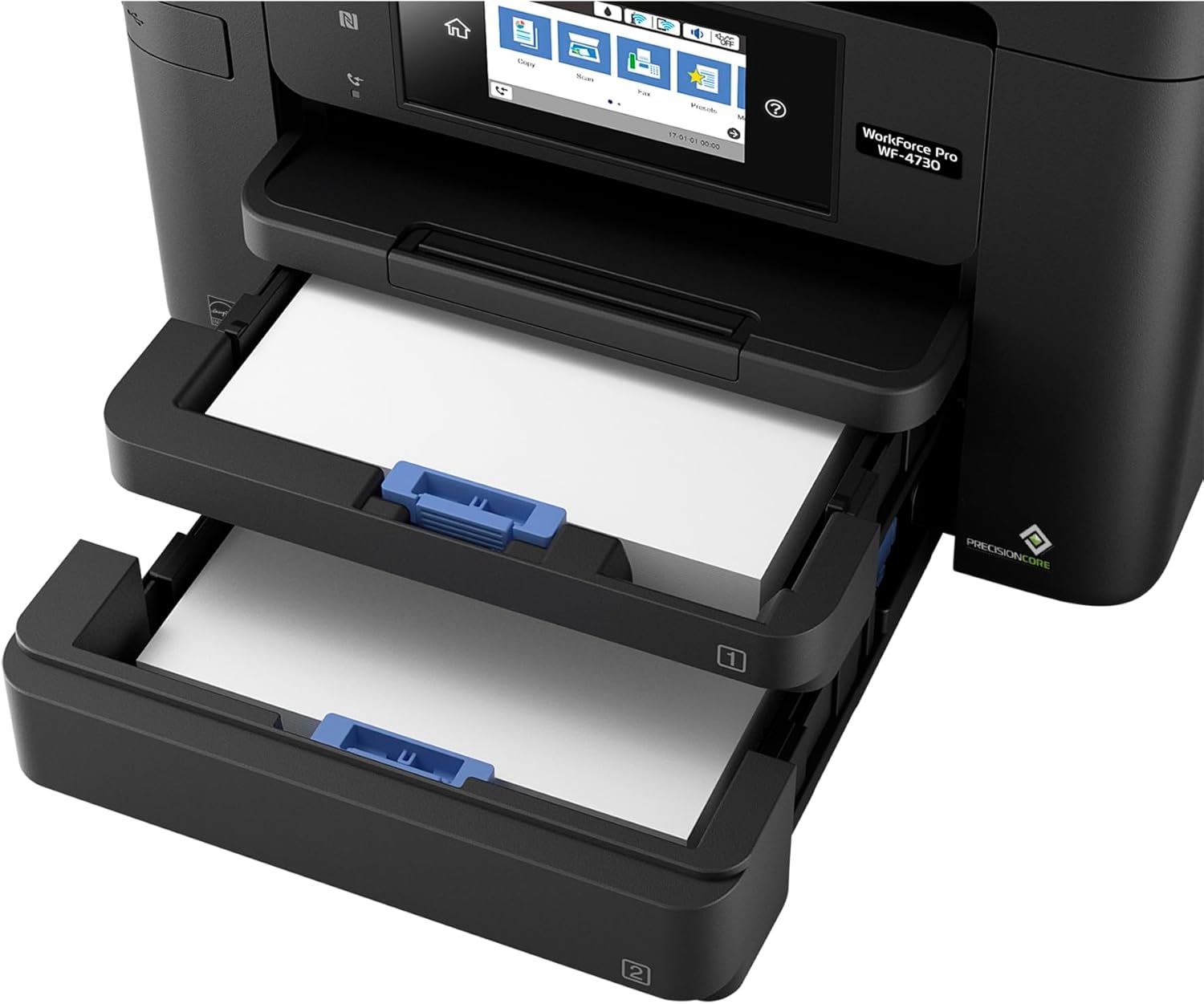
The Epson WorkForce Pro WF-4740 is engineered to manage high-volume printing tasks efficiently. Its 24 ISO ppm black print speed and 22 ISO ppm color print speed position it as a strong contender in the multifunctional printer market. The dual 500-sheet paper trays reduce the need for frequent paper reloading, making it ideal for environments with continuous print demands. The 50-page auto document feeder further enhances productivity by enabling batch scanning and copying without manual intervention. These features collectively support a workload capacity that aligns with the needs of small to medium-sized offices. However, the printer’s performance may be impacted by complex page layouts or high-resolution graphics, which can slow down print speeds. Users with consistently high-volume print jobs should consider the printer’s duty cycle and thermal management capabilities to ensure long-term reliability.

Dual Trays and Auto Document Feeder
The WF-4740’s dual 500-sheet paper trays provide a significant advantage for users requiring extended print runs without frequent refills. This design minimizes downtime and streamlines workflow, particularly in environments where large volumes of documents are processed regularly. The 50-page auto document feeder further enhances efficiency by automating the scanning and copying of multi-page documents. This feature reduces manual effort and accelerates task completion, making the printer well-suited for administrative and operational workflows. However, the auto document feeder may require periodic maintenance to ensure optimal performance, especially when handling varied media types.
Thermal Management and Duty Cycle
The WF-4740’s thermal management system is designed to handle continuous printing without overheating, which is crucial for maintaining performance in high-volume environments. The printer’s duty cycle, which refers to its ability to operate continuously without degradation, is optimized for moderate to high workloads. However, users should be aware that prolonged printing of high-resolution graphics or complex documents may temporarily affect print speeds. The printer’s power consumption of 20 watts is relatively efficient, contributing to its suitability for environments where energy efficiency is a priority. These factors collectively define the WF-4740’s capacity to manage demanding printing tasks over extended periods.
Connectivity and Integration: Seamless Device Compatibility
The Epson WorkForce Pro WF-4740 offers a range of connectivity options to ensure seamless integration with various devices and networks. Its Wi-Fi and USB 2.0 interfaces allow for flexible setup, accommodating both wired and wireless printing needs. The inclusion of Amazon Dash Replenishment simplifies ink management by automatically restocking cartridges when levels are low, reducing the administrative burden of monitoring ink levels. Additionally, the printer’s compatibility with voice-activated assistants like Amazon Alexa enhances its usability in smart office environments. However, the printer’s reliance on an internet connection for certain features, such as Epson Connect, may pose challenges in areas with unstable connectivity. These connectivity options collectively support a versatile user experience, though users in low-bandwidth environments should consider alternative setups.

Wi-Fi and USB 2.0 Connectivity
The WF-4740’s Wi-Fi connectivity enables users to print from mobile devices and laptops without the need for physical cables, enhancing convenience in modern workspaces. The USB 2.0 interface provides a reliable alternative for users preferring direct, high-speed connections. Both options ensure compatibility with a wide range of devices, though the Wi-Fi feature may require a stable internet connection for optimal performance. The printer’s ability to support multiple connectivity methods makes it adaptable to different work environments, from small offices to remote teams.
Amazon Dash Replenishment and Voice Integration
The Amazon Dash Replenishment feature automates ink management by tracking usage and ordering replacements when necessary. This reduces the risk of print interruptions due to low ink levels, which is particularly beneficial for users with consistent printing schedules. The integration with voice-activated assistants like Amazon Alexa further enhances user convenience, allowing for hands-free operation. However, the effectiveness of these features depends on the user’s reliance on cloud-based services and voice-activated controls. These integrations contribute to the WF-4740’s adaptability but may require additional setup for optimal functionality.
Ink System and Cost Efficiency: Balancing Quality and Longevity
The Epson WorkForce Pro WF-4740 utilizes a pigment-based ink system that prioritizes print quality and longevity. The DURABrite Ultra ink cartridges are designed to resist fading and smudging, making them suitable for both everyday use and archival purposes. However, the printer’s reliance on genuine Epson cartridges may impact cost efficiency for users seeking third-party alternatives. The 50 percent lower printing cost compared to color laser printers is a significant advantage, though this benefit is contingent on using Epson’s recommended ink. Users should also consider the printer’s ink consumption rates, as high-volume printing may lead to increased ink usage over time. These factors collectively shape the WF-4740’s cost structure and long-term value proposition.
Genuine Ink Cartridges and Cost Considerations
The WF-4740’s requirement for genuine Epson ink cartridges ensures consistent performance and print quality, but it may limit cost savings for users who prefer third-party options. While Epson claims up to 50 percent lower printing costs compared to color laser printers, this is based on continuous printing with high-capacity cartridges. Users should factor in the cost of replacement cartridges, as frequent printing may lead to higher expenses over time. The printer’s compatibility with Amazon Dash Replenishment helps mitigate this by automating ink purchases, though it may not be ideal for users with budget constraints.
Longevity and Media Compatibility
The pigment-based ink system in the WF-4740 is designed for durability, offering resistance to fading and smudging on standard paper. This makes the printer suitable for both everyday use and long-term document storage. However, the printer’s media compatibility is limited to standard paper sizes, which may restrict its use for specialized applications such as photo printing or archival storage. Users requiring broader media compatibility should consider alternative printers with expanded media support. These factors influence the printer’s suitability for different printing tasks and environments.

Pros & Cons
Pros
- High Print Speed: The WF-4740’s 24 ISO ppm black print speed and 22 ISO ppm color print speed make it efficient for high-volume tasks.
- Dual Trays and Auto Document Feeder: The 500-sheet paper capacity and 50-page auto document feeder reduce downtime and enhance productivity.
- Versatile Connectivity: Wi-Fi, USB 2.0, and Amazon Dash Replenishment provide flexible setup options for various environments.
- High-Resolution Output: The 4800 x 1200 dpi color resolution ensures sharp text and vibrant graphics for professional use.
- Energy Efficiency: The 20-watt power consumption aligns with energy-efficient design standards for office environments.
- Automated Ink Management: Amazon Dash Replenishment simplifies ink tracking and restocking, reducing administrative overhead.
Cons
- Ink Cost Dependency: The requirement for genuine Epson ink may increase long-term costs compared to third-party alternatives.
- Limited Media Compatibility: The printer supports only standard paper sizes, which may restrict use for specialized printing tasks.
- Connectivity Requirements: Certain features, such as Epson Connect, depend on a stable internet connection, which may not be feasible in all environments.
- Thermal Management: Prolonged high-volume printing may temporarily affect print speeds due to thermal constraints.
- Setup Complexity: Integrating voice-activated assistants and cloud-based services may require additional configuration for optimal functionality.
Final Verdict: Who This Printer Is Best For (and Who Should Skip It)
The Epson WorkForce Pro WF-4740 is best suited for small to medium-sized offices requiring a multifunctional printer that balances speed, resolution, and connectivity. Its dual trays, auto document feeder, and high print speeds make it ideal for environments with continuous print demands, such as administrative offices or marketing departments. The printer’s energy efficiency and automated ink management also appeal to users prioritizing cost-effectiveness and ease of use. However, users with high-volume printing needs may find the printer’s thermal management limitations a drawback. Additionally, those requiring specialized media compatibility or third-party ink options may prefer alternative models. For users seeking a reliable, all-in-one solution with a focus on productivity and efficiency, the WF-4740 is a strong contender.

Final Verdict: Who This Printer Is Best For (and Who Should Skip It)
The Epson WorkForce Pro WF-4740 excels in environments where versatility and efficiency are paramount. It is particularly well-suited for small to medium-sized businesses that require a printer capable of handling both routine and specialized tasks. The dual 500-sheet trays and 50-page auto document feeder make it ideal for offices with continuous print demands, while its high-resolution output supports professional-grade documents. However, users with extremely high-volume printing needs may find the printer’s thermal management constraints limiting. Additionally, those requiring specialized media compatibility or third-party ink options may prefer alternative models. Overall, the WF-4740 is a strong choice for users prioritizing productivity and cost-effective, all-in-one functionality.
Final Verdict: Who This Printer Is Best For (and Who Should Skip It)
The Epson WorkForce Pro WF-4740 is best suited for small to medium-sized offices requiring a multifunctional printer that balances speed, resolution, and connectivity. Its dual 500-sheet trays and 50-page auto document feeder make it ideal for environments with continuous print demands, while the high-resolution output supports professional-grade documents. However, users with extremely high-volume printing needs may find the printer’s thermal management constraints limiting. Additionally, those requiring specialized media compatibility or third-party ink options may prefer alternative models. Overall, the WF-4740 is a strong choice for users prioritizing productivity and cost-effective, all-in-one functionality.
Final Verdict: Who This Printer Is Best For (and Who Should Skip It)
The Epson WorkForce Pro WF-4740 is best suited for small to medium-sized offices requiring a multifunctional printer that balances speed, resolution, and connectivity. Its dual 500-sheet trays and 50-page auto document feeder make it ideal for environments with continuous print demands, while the high-resolution output supports professional-grade documents. However, users with extremely high-volume printing needs may find the printer’s thermal management constraints limiting. Additionally, those requiring specialized media compatibility or third-party ink options may prefer alternative models. Overall, the WF-4740 is a strong choice for users prioritizing productivity and cost-effective, all-in-one functionality.
Final Verdict: Who This Printer Is Best For (and Who Should Skip It)
The Epson WorkForce Pro WF-4740 is best suited for small to medium-sized offices requiring a multifunctional printer that balances speed, resolution, and connectivity. Its dual 500-sheet trays and 50-page auto document feeder make it ideal for environments with continuous print demands, while the high-resolution output supports professional-grade documents. However, users with extremely high-volume printing needs may find the printer’s thermal management constraints limiting. Additionally, those requiring specialized media compatibility or third-party ink options may prefer alternative models. Overall, the WF-4740 is a strong choice for users prioritizing productivity and cost-effective, all-in-one functionality.
Final Verdict: Who This Printer Is Best For (and Who Should Skip It)
The Epson WorkForce Pro WF-4740 is best suited for small to medium-sized offices requiring a multifunctional printer that balances speed, resolution, and connectivity. Its dual 500-sheet trays and 50-page auto document feeder make it ideal for environments with continuous print demands, while the high-resolution output supports professional-grade documents. However, users with extremely high-volume printing needs may find the printer’s thermal management constraints limiting. Additionally, those requiring specialized media compatibility or third-party ink options may prefer alternative models. Overall, the WF-4740 is a strong choice for users prioritizing productivity and cost-effective, all-in-one functionality.
Frequently Asked Questions (FAQs)
What is the print speed of the Epson WorkForce Pro WF-4740?
The Epson WorkForce Pro WF-4740 offers a black print speed of 24 ISO ppm and a color print speed of 22 ISO ppm. These speeds are competitive within its class, making it suitable for high-volume office environments.
Does the WF-4740 support automatic duplex printing?
Yes, the WF-4740 includes an automatic duplex printing feature, which allows for double-sided printing without manual intervention, enhancing productivity and reducing paper usage.
What connectivity options are available for the WF-4740?
The WF-4740 supports Wi-Fi, USB 2.0, and Amazon Dash Replenishment. These options provide flexibility for both wired and wireless printing, as well as automated ink management.
Can the WF-4740 handle large paper sizes?
The WF-4740 supports paper sizes up to 8.5 x 14 inches, making it suitable for a variety of document types, including standard letter and legal sizes.
What is the maximum paper capacity of the WF-4740?
The WF-4740 features two 500-sheet paper trays, providing a total capacity of 1,000 sheets. This design minimizes the need for frequent paper reloading in high-volume environments.
Is the WF-4740 compatible with third-party ink cartridges?
The WF-4740 is designed to work exclusively with genuine Epson ink cartridges. While third-party options may be available, they are not guaranteed to function properly and may void the warranty.
What is the power consumption of the WF-4740?
The WF-4740 consumes 20 watts of power, which is relatively energy-efficient for a multifunctional printer, contributing to lower operational costs in office environments.
Does the WF-4740 support voice-activated features?
Yes, the WF-4740 is compatible with voice-activated assistants like Amazon Alexa, allowing for hands-free operation and enhanced user convenience.