Epson Workforce WF-2930 Printer Review: Features, Performance, and Use Cases
The Importance of Choosing the Right Printer for Your Workflow
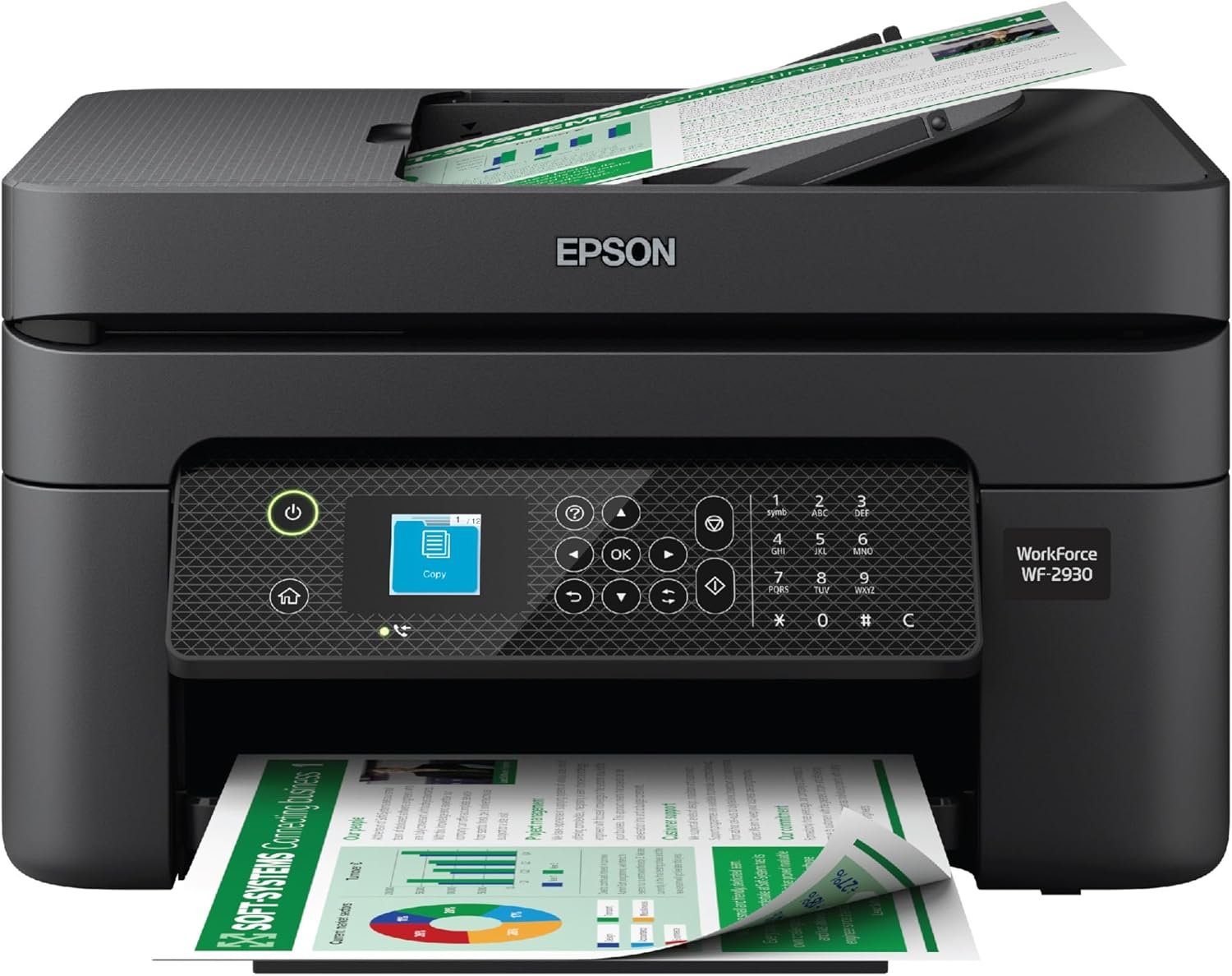
Selecting the appropriate printer is a critical decision that directly impacts productivity, cost efficiency, and output quality. Whether managing a small business, handling home office tasks, or requiring specialized printing capabilities, the right printer can streamline operations and reduce downtime. Modern printers like the Epson Workforce WF-2930 are engineered to meet diverse needs, from high-volume office printing to occasional personal use. However, the complexity of printer technology means buyers must evaluate factors such as print speed, resolution, connectivity options, and maintenance requirements. For instance, a printer designed for professional-grade color output may not be suitable for low-volume, black-and-white printing, while a compact model may lack the durability needed for high-duty cycles. Understanding these trade-offs ensures users select a device that aligns with their specific workflow demands. This review examines the Epson Workforce WF-2930, focusing on its technical specifications, functional capabilities, and suitability for various environments. By analyzing its performance metrics, connectivity features, and maintenance considerations, this evaluation provides a comprehensive guide for buyers seeking a reliable, all-in-one printing solution.
Quick Overview
| Feature | Details |
|---|---|
| Printer Type | All-in-One Inkjet Printer |
| Printing Technology | Epson Claria® 232 Inkjet |
| Supported Functions | Print, Scan, Copy, Fax, Auto Document Feeder |
| Print Resolution | 5760 x 1440 DPI (Color/Black-and-White) |
| Print Speed | 5 ppm Color, 10 ppm Monochrome |
| Media Sizes | Letter, A4, Legal, 8″ x 10″, 5″ x 7″, 4″ x 6″, 3.5″ x 5″, Executive, Half Letter, A6, User-Defined |
| Connectivity | USB, Wi-Fi |
| Duty Cycle | Designed for moderate-volume use |
| Ink System | Individual Claria® 232 Cartridges |
| Warranty | Limited warranty |
The Epson Workforce WF-2930 is tailored for users requiring a versatile, all-in-one printing solution. Its combination of high-resolution printing, automatic duplexing, and wireless connectivity makes it suitable for both home and small business environments. The printer’s ability to handle color graphics and text documents efficiently, along with its compatibility with mobile devices, positions it as a practical choice for those seeking a balance between performance and cost-effectiveness.
Print Quality and Resolution: Delivering Sharp Text and Vibrant Graphics
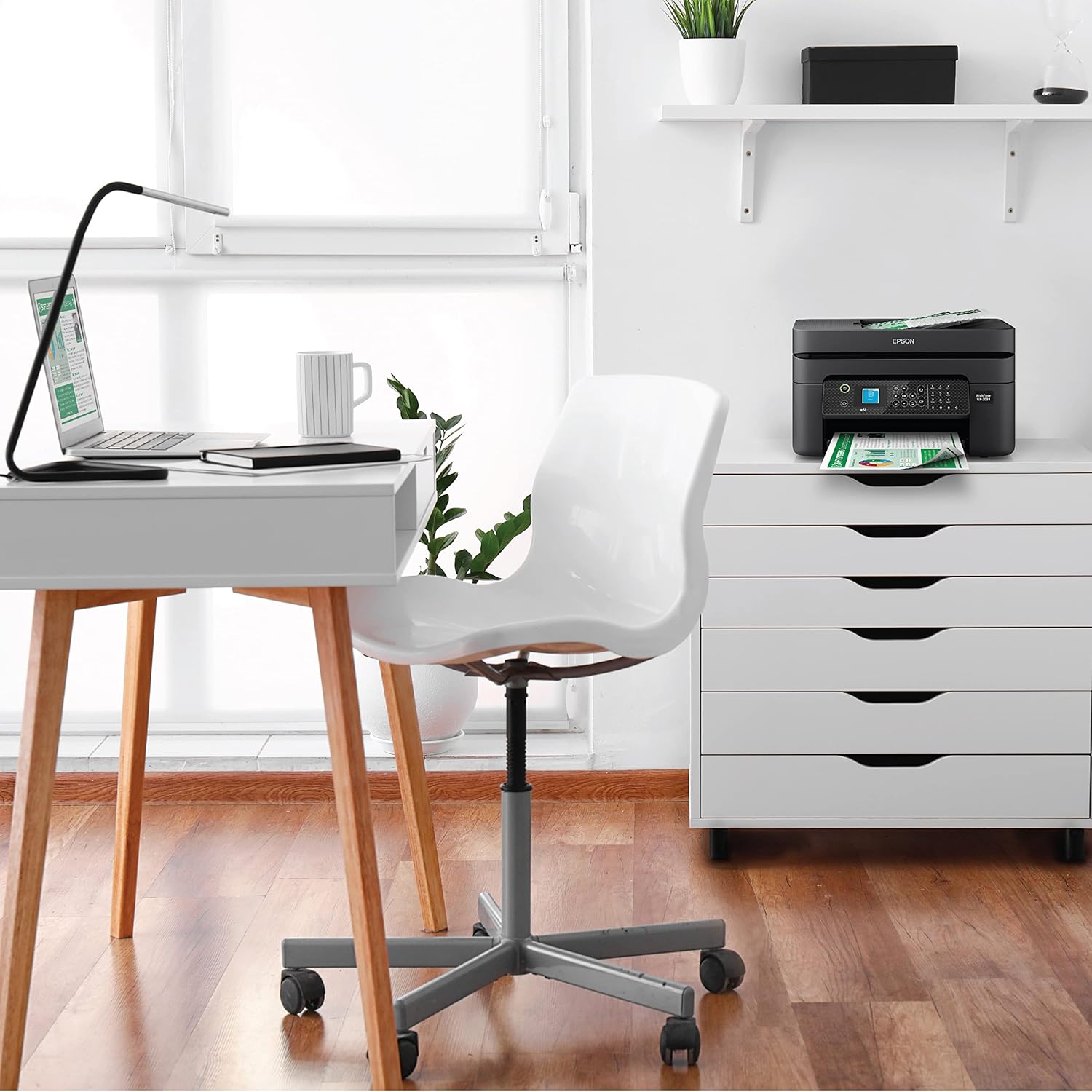
The Epson Workforce WF-2930 employs Epson’s Claria® 232 inkjet technology to produce high-quality prints with exceptional detail. This printing system utilizes advanced pigment-based inks that offer improved color accuracy and resistance to fading, making it ideal for both text documents and graphic prints. The printer’s maximum print resolution of 5760 x 1440 DPI ensures that text remains crisp and graphics maintain their vibrancy, even at larger print sizes. For users requiring professional-grade color output, such as those printing marketing materials or presentations, this resolution level provides a competitive edge over standard inkjet printers.

Color Accuracy and Gamut
The WF-2930’s color reproduction is enhanced by its 48-bit input and 24-bit output color depth, which allows for a wider range of color combinations. This capability is particularly beneficial for users who frequently print photographs or graphics, as it minimizes color banding and ensures smooth gradients. However, the printer’s color gamut may not extend as far as some high-end professional printers, which could be a consideration for users with specific color-critical requirements.
Text Clarity and Font Rendering
For text-heavy documents, the WF-2930’s high-resolution printing ensures that even small fonts remain legible. The printer’s ability to maintain consistent ink laydown across the page reduces the risk of smudging or uneven text, which is crucial for professional documents. While the printer does not support advanced font rendering features like variable-width fonts or anti-aliasing, its standard output is sufficient for most office and home printing needs.
Connectivity and Compatibility: Seamless Integration with Modern Workflows
The WF-2930’s connectivity options are designed to accommodate a range of user environments, from home offices to small businesses. The printer supports both USB and Wi-Fi connectivity, allowing users to print from a variety of devices without the need for physical cables. Its compatibility with Android and iOS devices via the Epson Smart Panel app enables remote printing, which is particularly useful for users who manage multiple devices or require on-the-go printing capabilities.

Wireless Printing and Mobile Integration
The inclusion of Wi-Fi connectivity simplifies the setup process for users who prefer wireless printing. The Epson Smart Panel app provides a user-friendly interface for managing print jobs, monitoring ink levels, and accessing additional features like voice-activated printing. However, the reliance on an internet connection for certain functions may pose challenges for users in areas with limited or unstable connectivity.
Voice-Activated Printing and Smart Home Integration
The WF-2930’s compatibility with voice assistants like Amazon Alexa and Apple Siri adds a layer of convenience for users who integrate smart home devices into their workflow. This feature allows for hands-free printing, which can be particularly beneficial for users with mobility constraints or those who need to print frequently during busy periods. The integration with voice assistants, however, requires an active Epson Connect account, which may be a barrier for some users.
Maintenance and Consumables: Cost-Effective Ink Management
The WF-2930’s use of individual Claria® 232 ink cartridges provides users with the flexibility to replace only the colors they need, reducing unnecessary expenses. This system is particularly advantageous for users who primarily print in black and white or use a limited color palette. The printer’s automatic duplex printing feature further contributes to cost savings by minimizing paper usage, which is a significant consideration for users with high-volume printing needs.

Ink Efficiency and Longevity
Epson’s Claria® ink technology is designed to minimize clogging and ensure consistent ink flow, which helps extend the lifespan of the printhead. The printer’s heat-free printing technology also reduces the risk of printhead damage, contributing to long-term reliability. However, users who frequently print in high-volume scenarios may need to monitor ink levels more closely, as the printer’s ink efficiency may not match that of dedicated high-duty cycle models.
Consumable Costs and Environmental Impact
While the WF-2930’s individual ink cartridges offer cost savings compared to all-in-one ink systems, the overall cost of ownership may still be higher than laser printers for users with heavy printing needs. Epson’s commitment to environmental sustainability is reflected in the printer’s energy-efficient design and recycling programs, which align with the growing demand for eco-friendly printing solutions. However, the printer’s reliance on ink rather than toner may be a drawback for users seeking lower long-term operating costs.
Pros and Cons
Pros
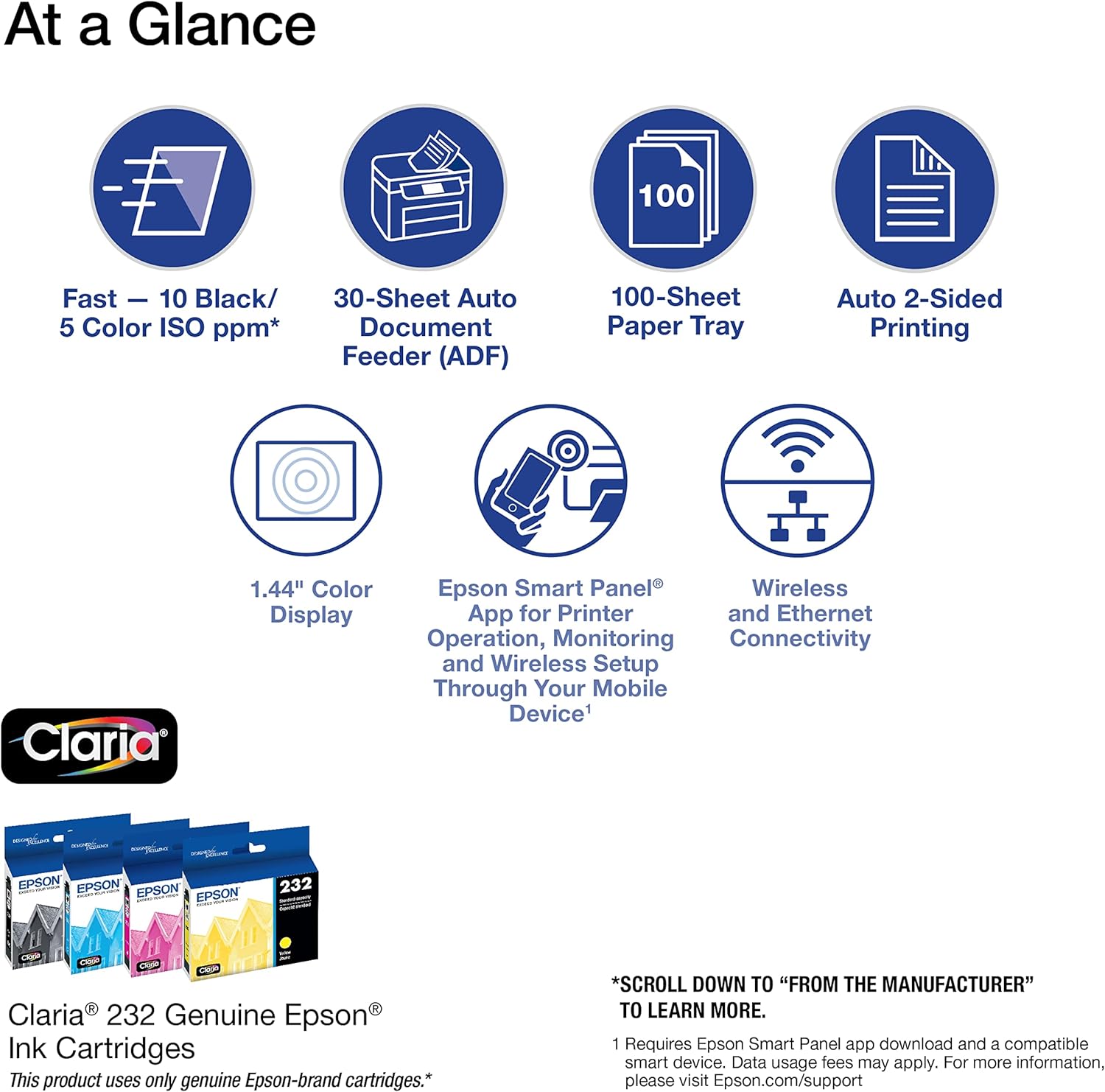
- High-Resolution Printing: The WF-2930’s 5760 x 1440 DPI resolution ensures sharp text and vibrant color graphics, making it suitable for both professional and personal use.
- Automatic Duplex Printing: The built-in automatic two-sided printing feature helps reduce paper consumption and lower printing costs.
- Wireless Connectivity: Support for Wi-Fi and mobile app integration allows for seamless printing from smartphones and tablets, enhancing convenience.
- Voice-Activated Printing: Compatibility with Alexa and Siri enables hands-free printing, which is beneficial for users with mobility needs.
- Energy Efficiency: The printer’s low power consumption (12 watts) aligns with energy-saving standards, contributing to lower operational costs.
- User-Friendly Interface: The color display and Epson Smart Panel app provide an intuitive way to navigate settings and manage print jobs.
Cons
- Limited High-Speed Printing: While the printer’s resolution is excellent, its maximum print speed of 5 ppm for color and 10 ppm for monochrome may not meet the demands of high-volume environments.
- Dependence on Internet Connectivity: Certain advanced features, such as voice-activated printing and cloud-based printing, require a stable internet connection, which may not be available in all settings.
- Ink Costs for High-Volume Use: Although individual ink cartridges offer flexibility, the cost per page may be higher compared to laser printers for users with frequent printing needs.
- Smaller Media Capacity: The printer’s maximum media size of 8.5 x 14 inches may limit its suitability for users requiring larger print formats.
- Limited Warranty Coverage: The limited warranty may not provide the same level of support as extended coverage options available for other printers.
Final Verdict: Who This Printer Is Best For (and Who Should Skip It)
The Epson Workforce WF-2930 is best suited for users who require a versatile, all-in-one printing solution for home or small business environments. Its high-resolution printing capabilities, automatic duplexing, and wireless connectivity make it an excellent choice for those who need to print documents, graphics, and photos with minimal effort. The printer’s compatibility with voice assistants and mobile devices further enhances its appeal for users seeking convenience and integration with smart home ecosystems.
However, the WF-2930 may not be the ideal choice for users with high-volume printing needs or those requiring faster print speeds. Its reliance on internet connectivity for certain features could also be a drawback in areas with limited or unstable broadband access. Additionally, the printer’s ink-based system may result in higher long-term operating costs compared to laser printers for frequent users. Overall, the WF-2930 is a reliable and feature-rich option for moderate-use environments, but users with specific requirements should consider alternative models that better align with their workflow demands.
Frequently Asked Questions (FAQs)
What print resolution does the Epson Workforce WF-2930 offer?
The WF-2930 provides a maximum print resolution of 5760 x 1440 DPI for both color and black-and-white prints. This high resolution ensures sharp text and vibrant color graphics, making it suitable for professional and personal use.
Can the WF-2930 print on both sides of the paper automatically?
Yes, the WF-2930 includes an automatic duplex printing feature that allows for two-sided printing. This helps reduce paper consumption and lower printing costs for users who frequently print documents.
How does the WF-2930 connect to mobile devices?
The WF-2930 supports wireless connectivity via Wi-Fi and can be managed through the Epson Smart Panel app. This app allows users to print from smartphones and tablets, providing a convenient way to manage print jobs remotely.
Is the WF-2930 compatible with voice assistants like Alexa and Siri?
Yes, the WF-2930 is compatible with Amazon Alexa and Apple Siri. This integration allows users to perform hands-free printing, which is beneficial for those with mobility needs or who require frequent printing.
What is the maximum media size supported by the WF-2930?
The WF-2930 supports media sizes up to 8.5 x 14 inches. This includes standard letter, legal, and various user-defined sizes, making it suitable for a range of printing tasks.
How energy-efficient is the WF-2930?
The WF-2930 has a power consumption of 12 watts, which aligns with energy-saving standards. This contributes to lower operational costs and aligns with environmental sustainability goals.
What types of ink does the WF-2930 use?
The WF-2930 uses Epson’s Claria® 232 inkjet technology with individual ink cartridges. This system allows for flexible ink replacement, enabling users to replace only the colors they need.
What is the warranty coverage for the WF-2930?
The WF-2930 comes with a limited warranty. While this may not provide the same level of support as extended coverage options, it reflects the manufacturer’s commitment to product reliability.