Epson Expression Photo XP-8700 Printer Review: Print Quality, Speed, and Connectivity
The Importance of Choosing the Right Printer
In today’s digital age, the printer remains an essential tool for both personal and professional use. Whether you’re a home user needing to print photos, a small business owner managing documents, or a creative professional requiring high-quality output, selecting the right printer can significantly impact productivity and satisfaction. Printers vary widely in their capabilities, from basic text printing to advanced photo and graphic production. Understanding key factors such as print quality, speed, connectivity, and media compatibility is crucial for making an informed decision. For home users, the focus often lies on ease of use, cost-effectiveness, and the ability to produce high-quality photos. In contrast, office environments prioritize reliability, speed, and the capacity to handle high-volume printing tasks. As technology advances, printers are becoming more versatile, integrating features like wireless connectivity, multifunctionality, and advanced media handling. This review examines the Epson Expression Photo XP-8700, a wireless all-in-one printer designed for users who value photo-quality output, intuitive operation, and versatile media handling. By analyzing its specifications, technical capabilities, and real-world usage scenarios, we aim to provide a balanced perspective on its strengths and limitations for various user profiles.
Quick Overview
| Feature | Details |
|---|---|
| Printer Type | Inkjet All-in-One Printer |
| Supported Functions | Print, Scan, Copy |
| Print Resolution | 5760 x 1440 dpi (color), 5760 x 1440 dpi (black and white) |
| Print Speed | 9 ppm (color), 9.5 ppm (monochrome) |
| Media Sizes | 4 x 6 inches, 5 x 7 inches, A4, A5, A6, B5, B6, Legal (8.5 x 14 inches), Letter (8.5 x 11 inches) |
| Connectivity Options | Wi-Fi, USB |
| Duty Cycle | Recommended for moderate to high-volume use |
| Ink System | Dye-based, 6-color Claria Photo HD inks |
| Warranty | Limited warranty |
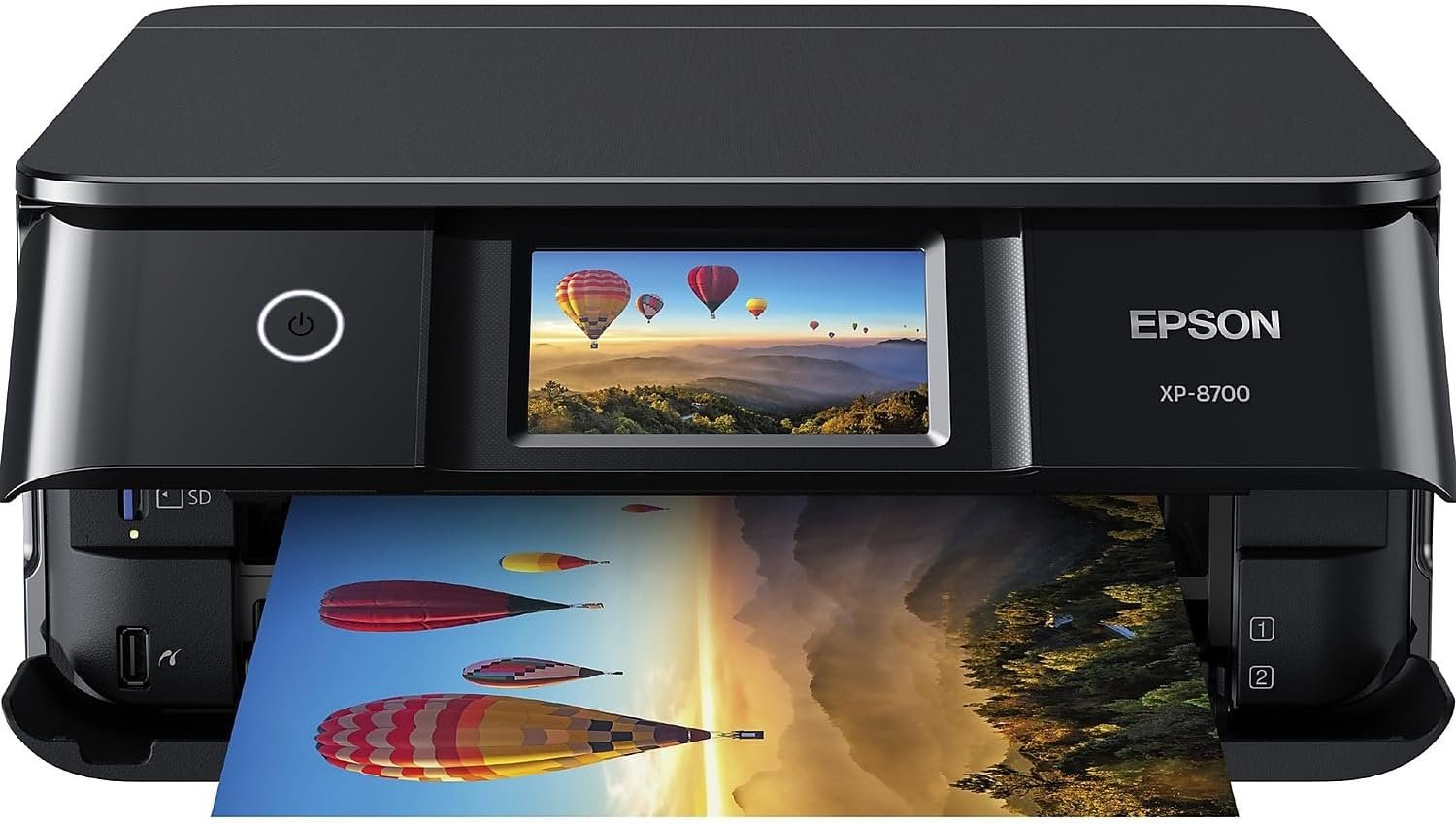
The Epson Expression Photo XP-8700 is designed for users who require high-quality photo printing, scanning, and copying capabilities. Its combination of advanced print resolution, versatile media handling, and wireless connectivity makes it suitable for both home and small office environments. The printer’s ability to produce borderless prints up to 8.5 x 11 inches, along with its support for a wide range of paper types, caters to creative and professional users. The inclusion of a 4.3-inch touchscreen and intuitive controls enhances user experience, while the built-in scanner and copier functions provide additional value for multifunctional printing needs.

Print Quality and Resolution: Delivering Professional-Grade Output
The Epson Expression Photo XP-8700 is engineered to deliver exceptional print quality, making it a strong contender for users who prioritize photo and graphic output. At the heart of its performance is the 6-color Claria Photo HD ink system, which utilizes advanced dye-based inks to produce vibrant colors and smooth gradients. This ink formulation is specifically designed for photo printing, ensuring that prints maintain their color accuracy and detail even when viewed up close. The printer’s maximum print resolution of 5760 x 1440 dpi (color) and 5760 x 1440 dpi (black and white) contributes to its ability to produce high-resolution images with sharp detail and minimal banding. These specifications are particularly beneficial for users who require professional-grade prints, such as photographers, artists, or small businesses that frequently produce marketing materials.

Borderless Printing and Media Compatibility
One of the standout features of the Epson Expression Photo XP-8700 is its capability to produce borderless prints up to 8.5 x 11 inches. This feature is ideal for users who want to create high-quality, frame-ready prints without the need for additional trimming. The printer’s support for a wide range of media types, including select Epson fine art papers, further enhances its versatility. The inclusion of separate trays for plain paper and photo paper, along with a rear feed for specialty paper, allows users to handle different media types efficiently. This design ensures that users can easily switch between standard and premium paper without compromising print quality or workflow efficiency.
Color Accuracy and Grayscale Performance
The Epson Expression Photo XP-8700’s 6-color ink system is optimized for color accuracy, making it suitable for both professional and personal use. The inclusion of Light Cyan and Light Magenta inks helps to produce more nuanced color transitions, particularly in areas where subtle shading is required. This is particularly beneficial for photographers and graphic designers who need to maintain color fidelity across different print mediums. In grayscale printing, the printer’s 5760 x 1440 dpi resolution ensures that text and images retain their clarity and detail. The consistent ink delivery and precise print head alignment contribute to the printer’s ability to produce sharp, high-contrast black-and-white prints, which is essential for users who require high-quality document output.
Connectivity and Usability: Seamless Integration with Modern Devices
The Epson Expression Photo XP-8700 is designed with modern connectivity in mind, offering users a range of options to integrate the printer into their digital workflow. The printer supports both Wi-Fi and USB connectivity, allowing for flexibility in how users access and manage their printing tasks. The Wi-Fi capability enables wireless printing from laptops, desktops, smartphones, and tablets, which is particularly convenient for users who prefer to print from mobile devices. The inclusion of Wi-Fi Direct further enhances this flexibility by allowing direct printing without the need for a router, which is beneficial for users in environments where network access is limited or unreliable.

Mobile App Integration and Smart Features
The Epson Smart Panel App transforms a user’s mobile device into a high-performance command center for managing the printer. This app provides time-saving features such as Smart Setup, which simplifies the initial configuration process by guiding users through the setup steps automatically. Additionally, the app allows users to monitor ink levels, manage print jobs, and receive notifications about maintenance tasks, such as when to replace ink cartridges or clean the print head. These features contribute to a more streamlined user experience, reducing the need for manual intervention and minimizing potential downtime.
User Interface and Touchscreen Navigation
The printer’s 4.3-inch color touchscreen is designed to enhance usability by providing an intuitive interface for navigation and printer management. The touchscreen allows users to access settings, adjust print quality options, and view print job status without the need for physical buttons. This design is particularly advantageous for users who are less familiar with traditional printer controls or prefer a more modern, touch-based interface. The touchscreen also supports multi-touch gestures, which can improve the overall user experience by making navigation more responsive and efficient.
Versatile Paper Handling and Media Compatibility
The Epson Expression Photo XP-8700 is equipped with a range of paper handling features that cater to diverse printing needs. The printer includes separate trays for plain paper and photo paper, allowing users to easily switch between different media types without the risk of paper jams or misfeeds. The rear feed slot is designed to accommodate specialty paper, such as photo paper, glossy paper, or even canvas, providing users with the flexibility to experiment with different materials. This design is particularly beneficial for creative professionals who require the ability to print on various surfaces to achieve specific visual effects.

Media Compatibility and Print Quality Consistency
The printer’s compatibility with a wide range of media types, including select Epson fine art papers, ensures that users can achieve consistent print quality across different materials. The inclusion of a dedicated tray for photo paper helps to prevent issues such as paper curling or wrinkling, which can occur when using non-optimized media. Additionally, the printer’s ability to handle larger media sizes, such as 8.5 x 14 inches, makes it suitable for users who need to print on larger formats, such as posters or banners. The printer’s design also allows for the use of user-defined media sizes, which provides further customization options for users who have specific printing requirements.
Duplex Printing and Paper Handling Efficiency
The Epson Expression Photo XP-8700 includes an automatic duplex printing feature, which allows users to print on both sides of the paper without manual intervention. This feature is particularly useful for users who need to print documents or reports that require double-sided output, such as business proposals or brochures. The printer’s ability to handle large volumes of paper efficiently, combined with its robust paper handling system, ensures that users can manage their printing tasks without frequent interruptions or maintenance.

Pros and Cons
Pros
- High Print Resolution: The 5760 x 1440 dpi resolution ensures sharp, detailed prints suitable for professional and personal use.
- Versatile Media Handling: Support for a wide range of paper types and sizes, including specialty media, enhances its adaptability.
- Wireless Connectivity: Wi-Fi and Wi-Fi Direct options provide flexible printing solutions for various devices.
- User-Friendly Interface: The 4.3-inch touchscreen simplifies navigation and printer management for users.
- Built-In Scanner and Copier: The high-resolution flatbed scanner and copier functions add value for multifunctional printing needs.
- Dye-Based Ink System: The 6-color Claria Photo HD inks produce vibrant colors and smooth gradients for photo prints.
- Automatic Duplex Printing: Reduces paper usage and ensures consistent double-sided output for documents.
- Smart App Integration: The Epson Smart Panel App enhances usability with features like Smart Setup and remote monitoring.
Cons
- Genuine Ink Requirement: The printer is designed to use Epson Genuine Cartridges, which may limit cost-effectiveness for budget-conscious users.
- Limited Mobile App Features: While the Epson Smart Panel App is functional, it lacks some advanced features found in competing models.
- Printer Weight and Size: The 15-pound weight and compact design may be less ideal for users with limited space or mobility needs.
- Print Speed Limitations: The 9 ppm color print speed may be slower compared to high-speed laser printers for large-volume text printing.
- Compatibility Constraints: The printer’s support for specific media types may require users to purchase compatible paper, which can add to overall costs.
- Maintenance Requirements: Regular cleaning and maintenance of the print head may be necessary to ensure consistent print quality over time.
Final Verdict: Who This Printer Is Best For (and Who Should Skip It)
The Epson Expression Photo XP-8700 is best suited for users who prioritize high-quality photo printing, scanning, and copying capabilities. Its advanced print resolution, versatile media handling, and wireless connectivity make it an excellent choice for home users, creative professionals, and small businesses that require professional-grade output. The built-in scanner and copier functions add significant value for users who need multifunctional printing solutions. However, the printer may not be the best fit for users who require high-speed text printing, as its 9 ppm color print speed is slower compared to high-speed laser printers. Additionally, the requirement to use Epson Genuine Cartridges may be a drawback for users looking to minimize ongoing costs. Those who prefer a more compact design or have limited space may also find the 15-pound weight and size to be a limitation. Overall, the Epson Expression Photo XP-8700 is a strong option for users who value photo-quality output and versatile printing capabilities, but it may not be ideal for those with high-volume text printing needs or budget constraints.
Frequently Asked Questions (FAQs)
What is the maximum print resolution of the Epson Expression Photo XP-8700?
The Epson Expression Photo XP-8700 offers a maximum print resolution of 5760 x 1440 dpi for both color and black-and-white prints. This high resolution ensures sharp, detailed output suitable for professional and personal use.
Can the Epson Expression Photo XP-8700 handle specialty paper types?
Yes, the printer supports a wide range of media types, including select Epson fine art papers. The rear feed slot allows for the use of specialty paper, such as glossy or canvas, enhancing its versatility for creative projects.
What connectivity options are available for the Epson Expression Photo XP-8700?
The printer offers both Wi-Fi and USB connectivity. Wi-Fi Direct enables wireless printing without a router, while USB provides a direct connection for faster data transfer and printing tasks.
Is the Epson Expression Photo XP-8700 suitable for high-volume printing?
The Epson Expression Photo XP-8700 is recommended for moderate to high-volume use. Its design and specifications make it ideal for users who require consistent output quality, but it may not be the best choice for extremely high-volume text printing compared to laser printers.
What media sizes does the Epson Expression Photo XP-8700 support?
The printer supports media sizes ranging from 4 x 6 inches to 8.5 x 14 inches. It also includes user-defined media size options, allowing for greater flexibility in printing different formats.
Can the Epson Expression Photo XP-8700 produce borderless prints?
Yes, the printer is capable of producing borderless prints up to 8.5 x 11 inches. This feature is ideal for creating frame-ready photos and other creative projects without the need for additional trimming.
What are the ink requirements for the Epson Expression Photo XP-8700?
The printer is designed to be used exclusively with Epson Genuine Cartridges. Using non-genuine ink may affect print quality and could void the printer’s warranty, so it’s recommended to use genuine Epson inks for optimal performance.
Does the Epson Expression Photo XP-8700 have a built-in scanner and copier?
Yes, the printer includes a high-resolution flatbed scanner and copier functions. These features provide additional value for users who need to scan documents or make copies alongside printing tasks.