HP DeskJet 2755e Inkjet Printer Review: Home Printing Performance
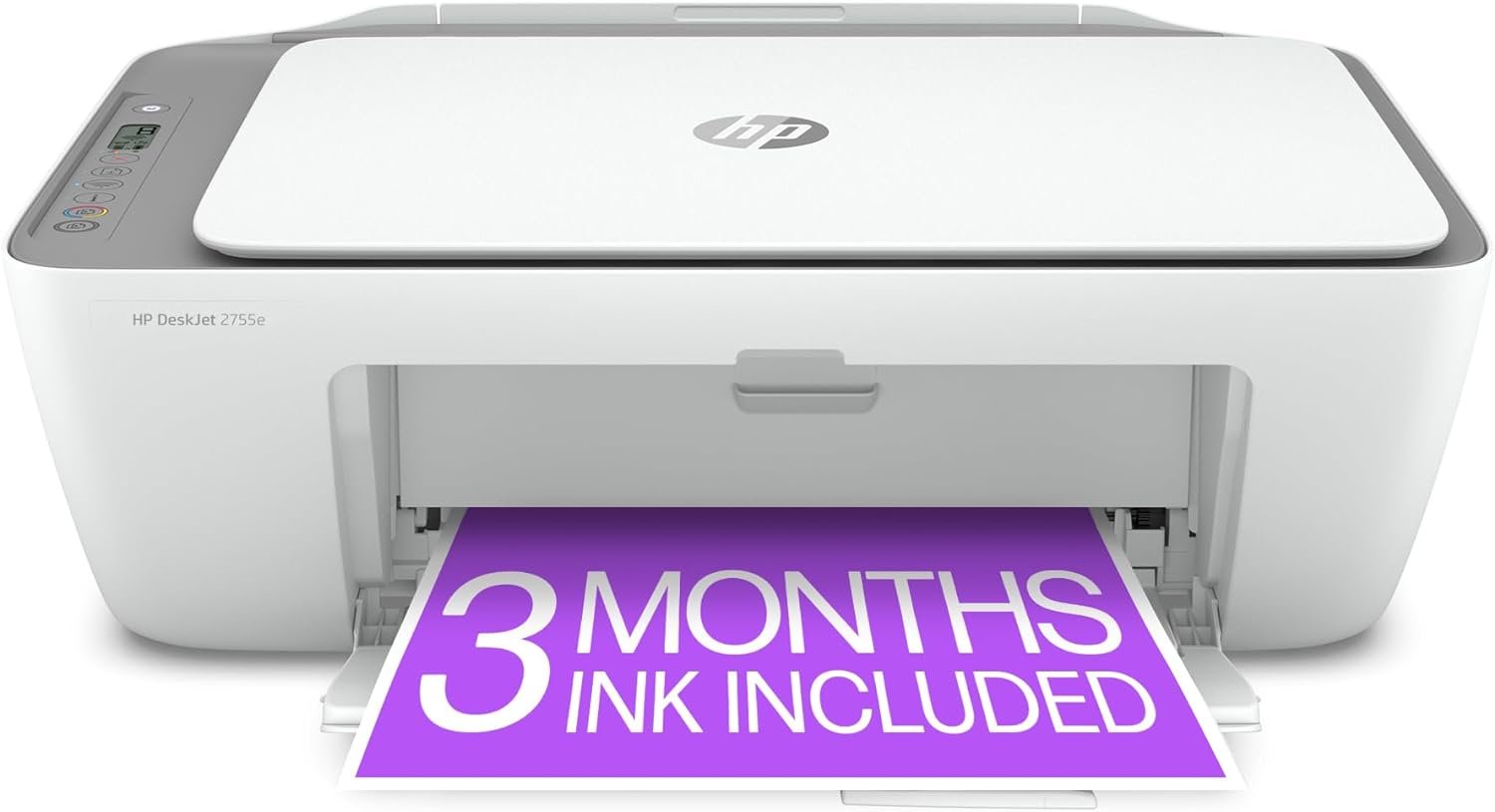
The Importance of Choosing the Right Printer for Your Needs
In today’s digital age, printers remain essential for both personal and professional tasks, from creating documents and photographs to managing workflow in small businesses. The right printer can significantly impact productivity, especially when balancing print quality, speed, and cost-effectiveness. For home users, a printer must handle everyday tasks like printing recipes, forms, and basic color documents while offering reliable connectivity and minimal maintenance. For office environments, the focus shifts to handling higher workloads, supporting multiple devices, and ensuring consistent output quality. Whether you’re a student, a small business owner, or a remote worker, understanding the technical specifications and functional capabilities of a printer is crucial. This review evaluates the HP DeskJet 2755e, a wireless color inkjet printer designed for home use, to determine its suitability for various printing scenarios. By analyzing factors such as print resolution, connectivity options, media compatibility, and maintenance requirements, this analysis provides a data-driven perspective to help users make informed decisions.
Quick Overview
| Feature | Details |
|---|---|
| Printer Type | Inkjet |
| Supported Functions | Print, Scan, Copy |
| Print Resolution | 4800 x 1200 dpi (color), 600 dpi (black and white) |
| Print Speed | 5.5 ppm (color), 7.5 ppm (monochrome) |
| Media Sizes | 3 x 5 inches to 8.5 x 14 inches |
| Supported Media | Envelopes, Glossy photo paper, Labels, Paper (plain) |
| Connectivity | Dual-band Wi-Fi, USB 2.0 |
| Duty Cycle | 1,000 pages per month (recommended) |
| Ink System | HP inkjet cartridges |
| Warranty | Extended warranty |
The HP DeskJet 2755e is designed for users who require basic color printing capabilities, with features that support wireless connectivity and mobile printing. Its dual-band Wi-Fi and USB 2.0 port ensure compatibility with a range of devices, while the high-resolution print output meets standard home printing needs. The printer’s ability to handle various media types, including glossy photo paper and labels, makes it versatile for different tasks. However, its performance in high-volume environments may be limited, as indicated by its recommended monthly duty cycle. This combination of features positions the printer as a suitable option for home users but may fall short for more demanding office applications.

Print Quality and Resolution Performance
The HP DeskJet 2755e utilizes an inkjet printing technology that delivers a maximum color print resolution of 4800 x 1200 dpi, which is suitable for producing clear and detailed color documents. This resolution is adequate for standard home printing tasks such as printing recipes, forms, and basic color images. The black and white print resolution of 600 dpi ensures legible text and basic graphics, though it may not meet the requirements of professional printing or high-resolution photo output. The printer’s ability to handle glossy photo paper and labels indicates that it can produce satisfactory results for casual photography and labeling needs. However, the resolution specifications suggest that the printer is not optimized for high-quality photo printing or detailed graphics, which are better suited for higher-end inkjet models. The print quality is further influenced by the use of HP inkjet cartridges, which are designed to work with the printer’s print engine to maintain consistent output. Users should expect standard print quality for everyday tasks but may need to consider additional printing requirements if higher resolution is necessary.

Color Accuracy and Detail Retention
The HP DeskJet 2755e’s color print resolution of 4800 x 1200 dpi allows for a reasonable level of color accuracy and detail retention, making it suitable for basic color documents. While the printer is not designed for professional-grade photo printing, it can produce acceptable results for home users who require color output for tasks such as printing travel documents, recipes, and simple graphics. The printer’s ability to handle glossy photo paper and labels suggests that it can produce satisfactory results for casual photography and labeling needs. However, the resolution specifications indicate that the printer is not optimized for high-quality photo printing or detailed graphics, which are better suited for higher-end inkjet models. The print quality is further influenced by the use of HP inkjet cartridges, which are designed to work with the printer’s print engine to maintain consistent output. Users should expect standard print quality for everyday tasks but may need to consider additional printing requirements if higher resolution is necessary.
Text Clarity and Monochrome Output
The HP DeskJet 2755e’s monochrome print resolution of 600 dpi ensures legible text and basic graphics, making it suitable for standard home printing tasks such as printing documents, forms, and simple text-based content. The printer’s ability to handle plain paper and labels indicates that it can produce satisfactory results for everyday use. However, the monochrome resolution may not meet the requirements of professional printing or high-resolution text output, which are better suited for higher-end inkjet models. The print quality is further influenced by the use of HP inkjet cartridges, which are designed to work with the printer’s print engine to maintain consistent output. Users should expect standard text clarity for everyday tasks but may need to consider additional printing requirements if higher resolution is necessary.
Connectivity and Device Compatibility
The HP DeskJet 2755e offers dual-band Wi-Fi connectivity and a USB 2.0 port, providing users with multiple options for connecting to their devices. Dual-band Wi-Fi ensures a stable connection, which is important for wireless printing tasks, especially in environments with multiple devices. The USB 2.0 port allows for direct printing from computers, which can be useful for users who prefer a wired connection for faster data transfer. The printer’s compatibility with a range of devices, including laptops, PCs, and smartphones, makes it a versatile option for home users who need to print from different devices. The inclusion of the HP+ Smart Printing System further enhances connectivity by allowing users to print from their mobile devices, provided they have an HP account and internet access. However, the printer’s reliance on wireless connectivity may introduce potential issues with network stability, particularly in environments with limited Wi-Fi coverage. Users should consider their connectivity needs and ensure that their network environment supports the printer’s wireless requirements to achieve optimal performance.

Wireless Printing and Mobile Integration
The HP DeskJet 2755e’s dual-band Wi-Fi connectivity and HP+ Smart Printing System enable seamless wireless printing and mobile integration, making it convenient for users who need to print from their smartphones or tablets. The HP+ Smart Printing System automatically updates the printer’s firmware, ensuring that users have access to the latest features and security updates. This system also allows for remote printing, which is particularly useful for users who need to print documents from anywhere with an internet connection. The printer’s ability to connect to mobile devices through the HP Smart app provides an additional layer of convenience, though users must have an HP account and internet access to utilize these features. The reliance on wireless connectivity may introduce potential issues with network stability, particularly in environments with limited Wi-Fi coverage. Users should consider their connectivity needs and ensure that their network environment supports the printer’s wireless requirements to achieve optimal performance.
USB Port and Direct Printing
The HP DeskJet 2755e’s USB 2.0 port provides a direct connection to computers, which can be useful for users who prefer a wired connection for faster data transfer. This port allows for direct printing from computers, which can be beneficial for users who need to print large volumes of documents or have limited wireless connectivity. The USB port also ensures compatibility with a range of operating systems, making it a versatile option for users who need to print from different devices. However, the reliance on a USB connection may limit the printer’s flexibility compared to wireless printing options, particularly for users who require remote printing capabilities. Users should consider their connectivity preferences and ensure that their setup supports the printer’s USB requirements to achieve optimal performance.
Media Compatibility and Output Versatility
The HP DeskJet 2755e is designed to handle a variety of media types, including envelopes, glossy photo paper, labels, and plain paper. This versatility makes the printer suitable for different printing tasks, such as printing travel documents, recipes, and simple graphics. The printer’s ability to handle glossy photo paper and labels indicates that it can produce satisfactory results for casual photography and labeling needs. However, the media compatibility specifications suggest that the printer is not optimized for high-quality photo printing or detailed graphics, which are better suited for higher-end inkjet models. The print quality is further influenced by the use of HP inkjet cartridges, which are designed to work with the printer’s print engine to maintain consistent output. Users should expect standard print quality for everyday tasks but may need to consider additional printing requirements if higher resolution is necessary.

Supported Media Sizes and Paper Types
The HP DeskJet 2755e supports media sizes ranging from 3 x 5 inches to 8.5 x 14 inches, which covers a wide range of paper types and sizes. This compatibility ensures that the printer can handle various printing tasks, from small labels to larger documents. The printer’s ability to handle envelopes and labels indicates that it can produce satisfactory results for different printing needs. However, the media size specifications suggest that the printer is not optimized for high-quality photo printing or detailed graphics, which are better suited for higher-end inkjet models. The print quality is further influenced by the use of HP inkjet cartridges, which are designed to work with the printer’s print engine to maintain consistent output. Users should expect standard print quality for everyday tasks but may need to consider additional printing requirements if higher resolution is necessary.
Handling of Specialized Media
The HP DeskJet 2755e’s ability to handle specialized media such as glossy photo paper and labels indicates that it can produce satisfactory results for casual photography and labeling needs. However, the media compatibility specifications suggest that the printer is not optimized for high-quality photo printing or detailed graphics, which are better suited for higher-end inkjet models. The print quality is further influenced by the use of HP inkjet cartridges, which are designed to work with the printer’s print engine to maintain consistent output. Users should expect standard print quality for everyday tasks but may need to consider additional printing requirements if higher resolution is necessary.
Maintenance and Consumable Considerations
The HP DeskJet 2755e requires regular maintenance to ensure optimal performance, particularly in terms of ink consumption and cartridge management. The printer is designed to work only with HP inkjet cartridges, which are compatible with the printer’s print engine and ensure consistent output quality. The use of non-HP cartridges is blocked by the printer’s firmware, which is updated periodically to maintain security and functionality. The printer’s ink system is designed to be efficient, with a 3-month ink trial included when activating the HP+ Smart Printing System. However, the ongoing cost of ink cartridges may be a consideration for users who print frequently. The printer’s ability to handle a variety of media types, including envelopes and labels, reduces the need for frequent cartridge replacements, but users should still monitor ink levels to avoid unexpected print interruptions. The printer’s maintenance requirements are relatively straightforward, with periodic firmware updates ensuring that the printer remains functional and secure over time.

Ink Cartridge Management and Cost
The HP DeskJet 2755e is designed to work exclusively with HP inkjet cartridges, which are compatible with the printer’s print engine and ensure consistent output quality. The use of non-HP cartridges is blocked by the printer’s firmware, which is updated periodically to maintain security and functionality. The printer’s ink system is designed to be efficient, with a 3-month ink trial included when activating the HP+ Smart Printing System. However, the ongoing cost of ink cartridges may be a consideration for users who print frequently. The printer’s ability to handle a variety of media types, including envelopes and labels, reduces the need for frequent cartridge replacements, but users should still monitor ink levels to avoid unexpected print interruptions. The printer’s maintenance requirements are relatively straightforward, with periodic firmware updates ensuring that the printer remains functional and secure over time.
Firmware Updates and Security Measures
The HP DeskJet 2755e includes periodic firmware updates to maintain the effectiveness of its security measures and ensure optimal performance. These updates are part of the HP+ Smart Printing System, which automatically keeps the printer up to date with the latest features and security patches. The printer’s firmware is designed to block non-HP cartridges, ensuring that only compatible ink cartridges are used. This security measure helps prevent the use of low-quality or counterfeit ink, which can affect print quality and damage the printer. The firmware updates also ensure that the printer remains functional and secure over time, reducing the risk of vulnerabilities that could compromise its performance. Users should ensure that their printer is connected to the internet to receive these updates, as they are essential for maintaining the printer’s functionality and security.

Pros & Cons
Pros
- The HP DeskJet 2755e offers dual-band Wi-Fi connectivity, ensuring stable wireless printing in environments with multiple devices.
- The printer’s dual-band Wi-Fi and USB 2.0 port provide flexibility in connectivity options, making it suitable for a range of devices.
- The printer’s ability to handle various media types, including glossy photo paper and labels, makes it versatile for different printing tasks.
- The HP+ Smart Printing System automatically updates the printer’s firmware, ensuring access to the latest features and security updates.
- The printer’s 3-month ink trial included with HP+ Smart Printing System provides a cost-effective option for users who need ink.
- The printer’s design is compact and suitable for home environments, with a weight of 7.55 pounds.
- The printer’s high-resolution print output is adequate for standard home printing tasks, such as printing recipes and forms.
- The printer’s extended warranty provides additional support for users who need long-term reliability.
Cons
- The printer’s recommended monthly duty cycle of 1,000 pages may not be sufficient for users with high-volume printing needs.
- The reliance on wireless connectivity may introduce potential issues with network stability, particularly in environments with limited Wi-Fi coverage.
- The printer’s monochrome print resolution of 600 dpi may not meet the requirements of professional printing or high-resolution text output.
- The printer’s ink system requires ongoing costs for HP inkjet cartridges, which may be a consideration for frequent users.
- The printer’s inability to handle high-quality photo printing or detailed graphics may limit its suitability for more demanding tasks.
- The printer’s reliance on an HP account and internet connection for certain features may be a drawback for users without consistent internet access.
- The printer’s manual duplex printing may be less convenient compared to automatic duplex printing options available in higher-end models.
- The printer’s firmware updates require a stable internet connection to ensure optimal performance and security.
Final Verdict: Who This Printer Is Best For (and Who Should Skip It)
The HP DeskJet 2755e is best suited for home users who require basic color printing capabilities, such as printing recipes, forms, and travel documents. Its dual-band Wi-Fi connectivity and HP+ Smart Printing System make it convenient for users who need to print from their mobile devices, provided they have an HP account and internet access. The printer’s ability to handle various media types, including glossy photo paper and labels, adds to its versatility for casual photography and labeling needs. However, the printer’s recommended monthly duty cycle of 1,000 pages may not be sufficient for users with high-volume printing needs, making it less suitable for small business environments or office settings. The reliance on wireless connectivity and the need for an HP account may be drawbacks for users without consistent internet access. Additionally, the printer’s monochrome print resolution and limited ink system may not meet the requirements of professional printing or high-resolution text output. Users who prioritize high-quality photo printing, detailed graphics, or automatic duplex printing should consider higher-end inkjet models that offer more advanced features and better performance for demanding tasks.
The HP DeskJet 2755e is an appropriate choice for individuals and families who need a reliable, compact printer for everyday home use. Its combination of wireless connectivity, mobile printing capabilities, and support for various media types makes it a practical option for printing basic documents and casual photos. However, users with more demanding printing needs, such as high-volume printing, professional-grade photo output, or advanced connectivity requirements, may find the printer’s limitations restrictive. The printer’s design and features are well-suited for its intended purpose, but it is important to consider the specific requirements of your printing environment before making a purchase decision.

Frequently Asked Questions (FAQs)
What is the maximum print resolution of the HP DeskJet 2755e?
The HP DeskJet 2755e offers a maximum color print resolution of 4800 x 1200 dpi and a black and white print resolution of 600 dpi, suitable for standard home printing tasks.
Does the HP DeskJet 2755e support wireless printing?
Yes, the HP DeskJet 2755e includes dual-band Wi-Fi connectivity, allowing for stable wireless printing in environments with multiple devices.
What media types can the HP DeskJet 2755e handle?
The printer supports a variety of media types, including envelopes, glossy photo paper, labels, and plain paper, making it versatile for different printing needs.
Is the HP DeskJet 2755e compatible with mobile printing?
Yes, the HP DeskJet 2755e supports mobile printing through the HP+ Smart Printing System, which allows users to print from their smartphones or tablets with an HP account.
What is the recommended monthly duty cycle for the HP DeskJet 2755e?
The HP DeskJet 2755e is recommended for a monthly duty cycle of 1,000 pages, making it suitable for home use but less ideal for high-volume office environments.
Does the HP DeskJet 2755e include a 3-month ink trial?
Yes, the HP DeskJet 2755e includes a 3-month ink trial when activated with the HP+ Smart Printing System, providing a cost-effective option for users who need ink.
Can the HP DeskJet 2755e handle high-quality photo printing?
The HP DeskJet 2755e is not optimized for high-quality photo printing due to its resolution limitations, making it more suitable for casual photography and basic color documents.
What connectivity options are available for the HP DeskJet 2755e?
The HP DeskJet 2755e offers dual-band Wi-Fi and a USB 2.0 port, providing flexibility in connectivity options for a range of devices.