HP DeskJet 2855e Printer Review: Home Office Performance & Features
The Importance of Choosing the Right Printer
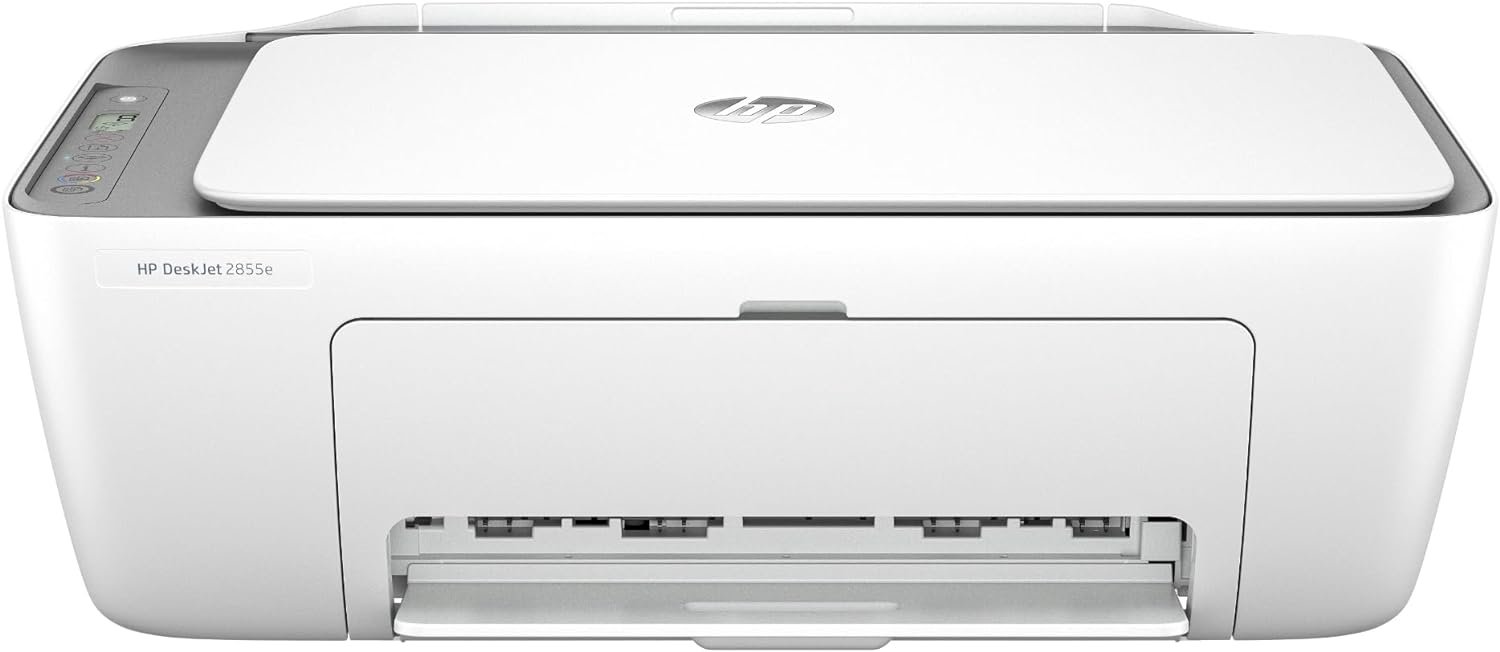
Selecting an appropriate printer is critical for meeting diverse printing needs, whether for home use, small office tasks, or personal projects. The right printer can significantly impact productivity by delivering reliable output, supporting multiple functions, and adapting to varying workloads. Modern users often require devices that balance speed, quality, and ease of use while accommodating different media types and connectivity options. For households or small businesses, a multifunctional printer like the HP DeskJet 2855e offers a cost-effective solution by integrating printing, scanning, and copying capabilities into a single unit. This device is particularly suited for environments with moderate printing demands, such as creating documents, managing correspondence, and handling occasional photo prints. However, understanding the technical specifications, performance benchmarks, and user expectations is essential to determine whether this printer aligns with specific needs. Factors like print resolution, connectivity reliability, and maintenance requirements play a crucial role in long-term satisfaction. By analyzing these elements, users can make informed decisions about whether the HP DeskJet 2855e is the optimal choice for their printing environment.
Quick Overview
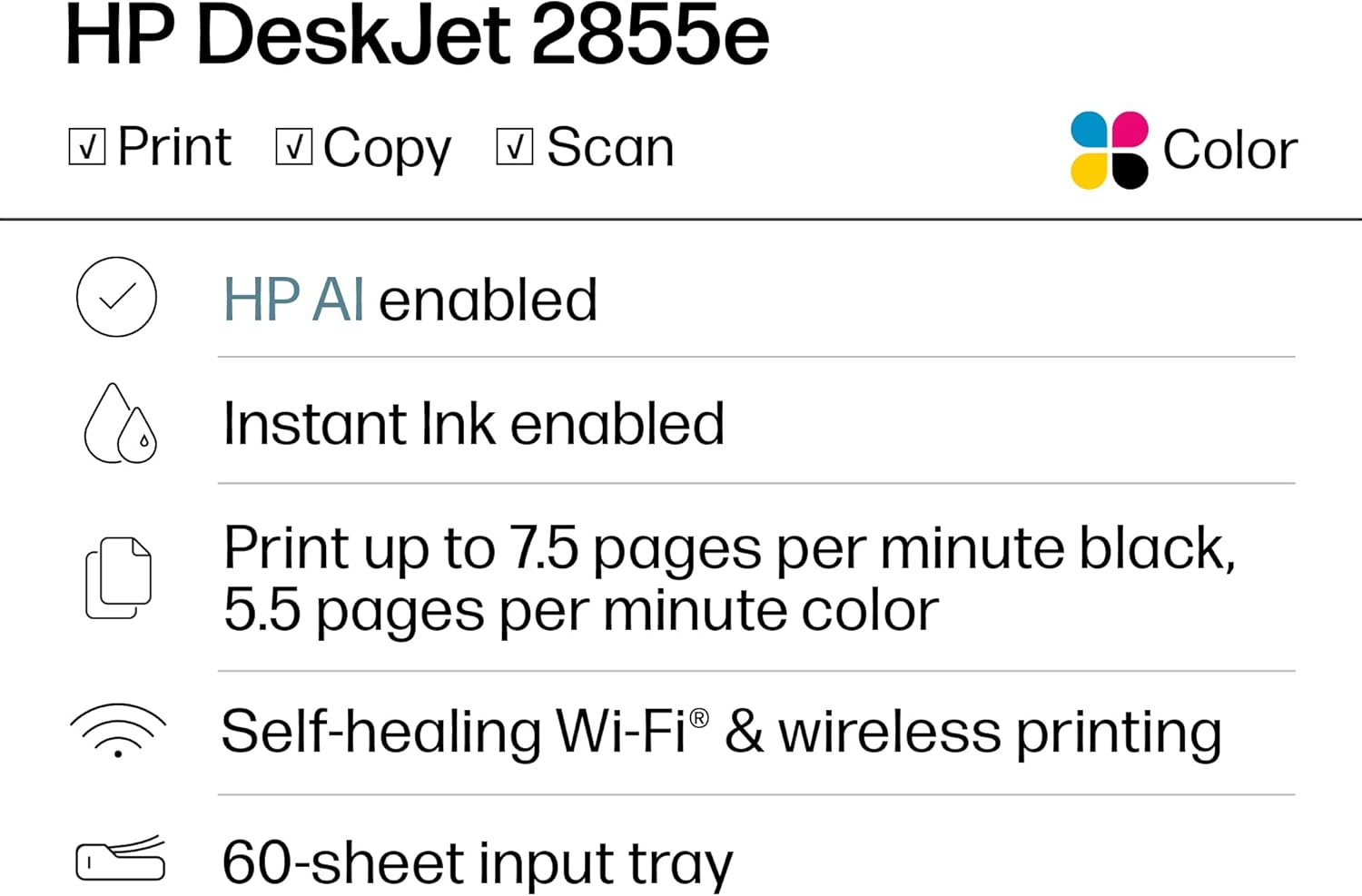
| Feature | Details |
|---|---|
| Printer Type | Inkjet All-in-One |
| Functions | Print, Scan, Copy |
| Print Resolution | 4800 x 1200 dpi (color), 600 dpi (black and white) |
| Print Speed | Up to 5.5 ppm color, 7.5 ppm black |
| Media Sizes | 3 x 5 to 8.5 x 14 inches |
| Connectivity | Single-band Wi-Fi, USB 2.0 |
| Duty Cycle | 1,500 pages per month |
| Ink Type | Dye-based and pigment-based |
| Warranty | Extended warranty |
| Design | Compact, 60-sheet input tray |
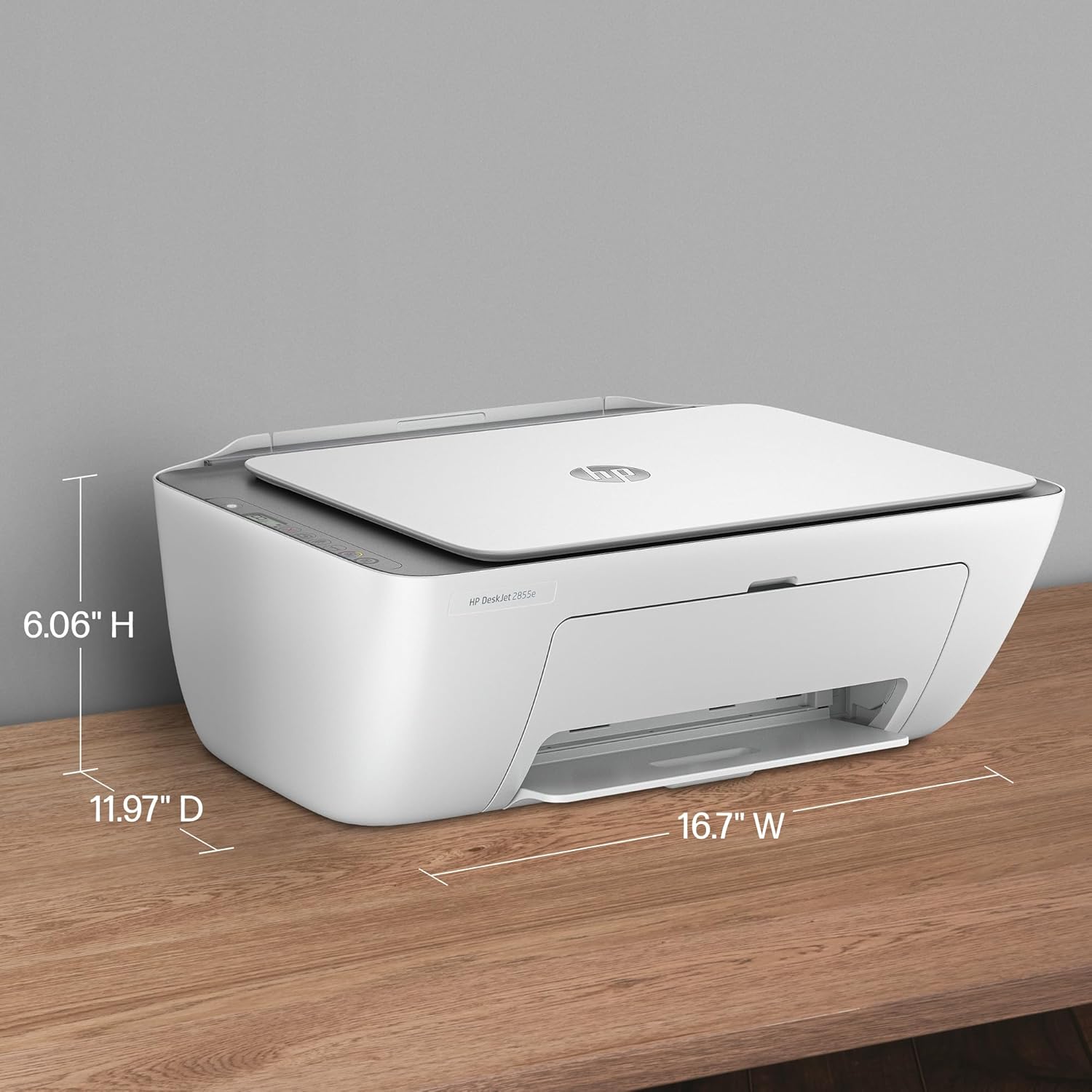
The HP DeskJet 2855e is designed for home and small office environments, offering a balance between functionality and space efficiency. Its integrated features and connectivity options make it suitable for users who require a reliable device for routine printing tasks. The printer’s resolution and speed specifications cater to basic document and photo printing needs, while its media compatibility ensures versatility in handling various paper types. The wireless connectivity and USB port provide flexibility in setup, making it accessible for users with different device preferences. Overall, the printer’s specifications align with its intended use case, providing a practical solution for moderate printing demands.

Print Quality and Resolution Performance
The HP DeskJet 2855e delivers consistent print quality through its high-resolution print engine, which supports up to 4800 x 1200 dpi for color prints and 600 dpi for black-and-white output. These specifications are particularly beneficial for users who require clear text and sharp graphics, such as for financial documents, letters, or basic photo prints. The printer’s ability to produce high-quality output is enhanced by its use of both dye-based and pigment-based inks, which contribute to vibrant colors and improved longevity for certain media types. However, the resolution capabilities may not meet the demands of professional photographers or users requiring ultra-high-definition prints. The printer’s performance in handling complex graphics and fine details is adequate for everyday use but may fall short for more demanding applications. The inclusion of HP AI technology further refines print outcomes by optimizing layout and removing unwanted content, ensuring that printed documents are formatted precisely as intended. This feature is particularly useful for users who frequently print web pages or emails, as it minimizes wasted pages and ensures clean, professional results.

Color Accuracy and Media Compatibility
The HP DeskJet 2855e supports a range of media types, including plain paper, envelopes, and glossy photo paper, which allows users to adapt the printer to different printing needs. The printer’s color accuracy is influenced by its use of both dye-based and pigment-based inks, which provide a balance between vibrancy and fade resistance. Dye-based inks offer rich, saturated colors ideal for photos and graphics, while pigment-based inks are more durable and resistant to fading, making them suitable for long-term document storage. However, the printer’s media compatibility is limited to standard sizes, with a maximum media size of 8.5 x 14 inches, which may not accommodate larger formats required for certain professional or personal projects. Users who frequently print on specialty media or require larger paper sizes may find this limitation restrictive. The printer’s ability to handle different paper weights and textures is also constrained by its design, which is optimized for standard office use rather than heavy-duty printing tasks. Despite these limitations, the printer’s media compatibility ensures that it can meet the needs of most home and small office users.
Text Clarity and Black-and-White Output
For users prioritizing text clarity and black-and-white printing, the HP DeskJet 2855e provides reliable performance with its 600 dpi resolution for monochrome prints. This resolution is sufficient for producing sharp, legible text on standard paper, making it suitable for documents such as letters, reports, and forms. The printer’s ability to maintain consistent text quality across different paper types ensures that printed materials remain readable and professional. However, the black-and-white output may not match the precision of laser printers, which are typically preferred for high-volume text printing. The HP DeskJet 2855e’s resolution is adequate for most home and office tasks but may not meet the demands of users requiring extremely high-quality monochrome prints. The printer’s design also includes a manual duplex printing feature, which allows users to print on both sides of the paper, reducing paper consumption and aligning with sustainability goals. While this feature is beneficial for users looking to minimize costs, it may not be as convenient as automatic duplex printing found in some higher-end models.
Connectivity and Network Integration
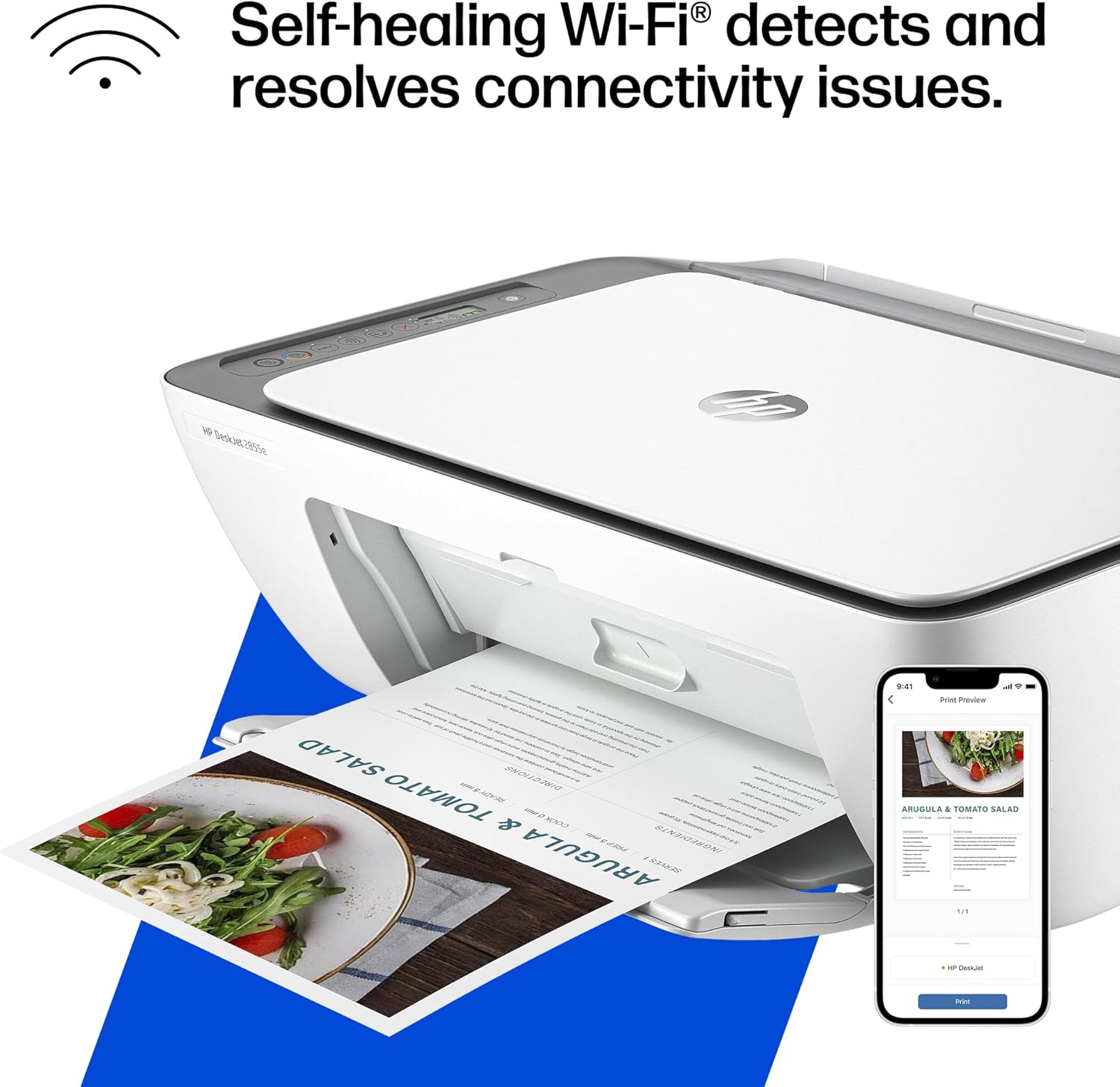
The HP DeskJet 2855e offers wireless connectivity through single-band Wi-Fi, which enables users to print from smartphones, tablets, and computers without the need for physical cables. This feature is particularly advantageous for users who prioritize convenience and mobility, as it allows for seamless printing from multiple devices. The printer’s Wi-Fi connectivity is designed to automatically detect and resolve connection issues, ensuring a stable and reliable network experience. However, the use of single-band Wi-Fi may result in slower data transfer speeds compared to dual-band networks, which could impact the printer’s performance in environments with high network traffic. The printer also includes a USB 2.0 port for direct connectivity, providing an alternative for users who prefer a wired connection or need to print from older devices. While the USB port offers a reliable connection, it may not be as versatile as wireless printing for users who frequently print from different locations. The combination of wireless and wired connectivity options makes the HP DeskJet 2855e suitable for a variety of user preferences, but the limitations of single-band Wi-Fi should be considered for environments with demanding network requirements.
Mobile Printing and App Integration
The HP DeskJet 2855e’s integration with the HP Print app enhances its usability for mobile users, allowing them to print, scan, and copy documents directly from their smartphones or tablets. The app provides a user-friendly interface that simplifies the printing process, making it accessible for users of all technical skill levels. The app’s ability to automatically detect and resolve connection issues ensures a smooth experience for mobile printing, reducing the likelihood of technical disruptions. However, the app’s functionality is limited to basic printing tasks, and users who require advanced features such as cloud printing or remote management may find it insufficient. The printer’s compatibility with a wide range of devices, including iOS and Android platforms, ensures that users can access its features from multiple devices. While the app integration is a significant advantage for mobile users, it may not offer the same level of customization or advanced settings as some other printers in the market. Overall, the HP DeskJet 2855e’s app integration provides a convenient solution for users who prioritize ease of use and mobility.
Maintenance and Consumable Considerations
The HP DeskJet 2855e’s maintenance requirements are relatively straightforward, with a focus on ink management and regular cleaning to ensure optimal performance. The printer includes a 60-sheet input tray, which is sufficient for most home and small office use cases, but users with high-volume printing needs may require additional trays or a larger-capacity model. The printer’s design includes a manual duplex printing feature, which helps reduce paper consumption and aligns with sustainability goals. However, the need for frequent ink refills is a notable consideration, as the printer uses dye-based and pigment-based inks that may require more frequent replacements compared to toner-based systems. The inclusion of 3 months of Instant Ink with HP+ activation provides a convenient solution for users who want to avoid running out of ink, but the ongoing monthly fee for continued service may be a drawback for some. The printer’s energy efficiency, with a wattage of 2.8 watts, is another positive aspect, as it contributes to lower electricity costs over time. While the printer’s maintenance requirements are manageable, users should be aware of the potential need for regular ink replacements and the associated costs.

Pros & Cons
Pros
- Wireless Connectivity: The HP DeskJet 2855e’s single-band Wi-Fi enables seamless printing from multiple devices without the need for physical cables, enhancing convenience and mobility.
- Integrated All-in-One Functionality: The printer combines printing, scanning, and copying into a single unit, making it a cost-effective solution for home and small office environments.
- High-Resolution Output: With print resolutions up to 4800 x 1200 dpi for color and 600 dpi for black-and-white, the printer delivers clear and detailed prints suitable for most everyday tasks.
- 3 Months of Free Ink: The inclusion of 3 months of Instant Ink with HP+ activation helps prevent unexpected ink shortages, providing a convenient solution for users.
- Compact Design: The printer’s compact size and 60-sheet input tray make it suitable for spaces with limited room, while still offering adequate capacity for routine printing needs.
- User-Friendly App Integration: The HP Print app simplifies the printing process, allowing users to manage tasks from their smartphones or tablets with ease.
- Energy Efficiency: The printer’s low wattage of 2.8 watts contributes to reduced electricity costs, making it an environmentally friendly option.
- Versatile Media Compatibility: The printer supports a range of media types, including plain paper, envelopes, and glossy photo paper, ensuring flexibility in printing needs.
Cons
- Limited Media Size Support: The maximum media size of 8.5 x 14 inches may not accommodate larger formats required for certain professional or personal projects.
- Single-Band Wi-Fi Limitations: The use of single-band Wi-Fi may result in slower data transfer speeds compared to dual-band networks, potentially affecting performance in high-traffic environments.
- Frequent Ink Refills: The printer’s reliance on dye-based and pigment-based inks may require more frequent replacements compared to toner-based systems, increasing long-term costs.
- Manual Duplex Printing: The lack of automatic duplex printing may inconvenience users who prefer to print on both sides of the paper without manual intervention.
- Limited Advanced Features: The printer’s app integration and connectivity options are suitable for basic tasks but may lack the advanced customization and features found in higher-end models.
- Moderate Print Speed: While the printer’s speed is adequate for most home and small office tasks, it may not meet the demands of users requiring faster output for high-volume printing.
Final Verdict: Who This Printer Is Best For (and Who Should Skip It)
The HP DeskJet 2855e is best suited for home users and small office environments with moderate printing needs. Its integrated all-in-one functionality, wireless connectivity, and high-resolution output make it an ideal choice for tasks such as printing documents, managing correspondence, and handling occasional photo prints. The printer’s compact design and 60-sheet input tray provide a practical solution for spaces with limited room, while the 3 months of free ink with HP+ activation helps prevent unexpected shortages. However, users with high-volume printing demands or those requiring advanced features such as automatic duplex printing, dual-band Wi-Fi, or toner-based systems may find this printer insufficient. The printer’s limitations in media size support and frequent ink refills make it less suitable for professional photographers, graphic designers, or businesses with heavy printing workloads. Overall, the HP DeskJet 2855e is a reliable and user-friendly option for users who prioritize convenience and basic functionality over advanced performance capabilities.
Frequently Asked Questions (FAQs)
What are the key features of the HP DeskJet 2855e All-in-One Printer?
The HP DeskJet 2855e offers a range of features including wireless printing, an integrated scanner and copier, and support for color and black-and-white printing. It includes a 60-sheet input tray, a compact design, and HP AI technology for optimized print formatting. The printer also provides 3 months of free ink with HP+ activation and compatibility with both Wi-Fi and USB 2.0 connections.
How does the HP DeskJet 2855e perform in terms of print quality?
The HP DeskJet 2855e delivers high-quality prints with a color resolution of up to 4800 x 1200 dpi and a black-and-white resolution of 600 dpi. It uses a combination of dye-based and pigment-based inks to produce vibrant colors and improved longevity for certain media types. However, its resolution may not meet the demands of professional photographers or users requiring ultra-high-definition prints.
Is the HP DeskJet 2855e suitable for home and small office use?
Yes, the HP DeskJet 2855e is well-suited for home and small office environments due to its compact design, integrated functions, and ease of use. It can handle routine printing tasks such as documents, letters, and occasional photo prints. The printer’s wireless connectivity and USB port provide flexibility for different user preferences.
What connectivity options does the HP DeskJet 2855e offer?
The HP DeskJet 2855e supports single-band Wi-Fi for wireless printing and includes a USB 2.0 port for direct connectivity. The wireless feature allows users to print from smartphones, tablets, and computers without physical cables, while the USB port provides a reliable alternative for users who prefer wired connections.
What media types can the HP DeskJet 2855e handle?
The HP DeskJet 2855e is compatible with a variety of media types, including plain paper, envelopes, and glossy photo paper. It supports media sizes ranging from 3 x 5 inches to 8.5 x 14 inches, making it versatile for different printing needs. However, it may not accommodate larger formats required for certain professional or personal projects.
How does the HP DeskJet 2855e manage ink consumption?
The HP DeskJet 2855e uses a combination of dye-based and pigment-based inks, which may require more frequent refills compared to toner-based systems. The printer includes 3 months of free ink with HP+ activation to prevent unexpected shortages, but ongoing ink costs should be considered for long-term use.
What is the print speed of the HP DeskJet 2855e?
The HP DeskJet 2855e can print up to 5.5 pages per minute in color and 7.5 pages per minute in black-and-white. These speeds are suitable for most home and small office tasks but may not meet the demands of users requiring faster output for high-volume printing.
What maintenance is required for the HP DeskJet 2855e?
The HP DeskJet 2855e requires regular cleaning and ink management to maintain optimal performance. Users should ensure proper ink refills and clean the printer’s components to prevent clogs. The printer’s energy efficiency and manual duplex printing feature help reduce long-term costs and paper usage.