HP ENVY 6055e Printer Review: Home Printing Performance 2026

The Importance of Choosing the Right Printer for Home and Small Office Use
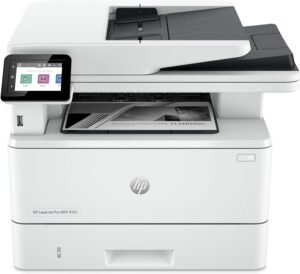
Selecting an appropriate printer is a critical decision that directly impacts productivity, document quality, and long-term cost efficiency. Modern households and small offices often require multifunctional devices capable of handling diverse tasks—from printing school projects and financial statements to scanning documents and copying photos. The HP ENVY 6055e represents a mid-tier solution designed for users who value versatility, ease of use, and reliability in a home or small office environment. Its inkjet technology, wireless connectivity, and integrated scanning capabilities make it a compelling option for those who need to balance print quality with operational efficiency. However, understanding the technical specifications, performance benchmarks, and user expectations is essential to determine whether this printer aligns with specific printing needs. Whether you’re a student managing academic workloads, a remote worker requiring document management, or a family looking for a reliable all-in-one device, evaluating the HP ENVY 6055e’s capabilities against these criteria will help ensure it meets your functional and aesthetic requirements.
Quick Overview
| Feature | Details |
|---|---|
| Printer Type | Wireless Color Inkjet Printer |
| Supported Functions | Print, Scan, Copy |
| Print Resolution | 4800 x 1200 dpi (color), 600 dpi (black and white) |
| Print Speed | Up to 7 pages per minute (color), 10 pages per minute (black) |
| Media Sizes | 3 x 5 inches to 8.5 x 11 inches |
| Connectivity | Wireless (Wi-Fi), USB 2.0 |
| Duty Cycle | Designed for home use with moderate volume |
| Ink System | HP Ink with automatic refilling via HP+ |
| Warranty | Limited warranty with support for HP+ service |
The HP ENVY 6055e’s combination of wireless connectivity and multifunctional capabilities makes it well-suited for users who prioritize convenience and ease of integration with digital workflows. Its ability to handle both text documents and photo prints ensures versatility for a wide range of home and small office tasks.

Print Quality and Resolution Performance
The HP ENVY 6055e delivers color print quality that aligns with its resolution specifications, producing sharp text and reasonably vibrant graphics. Its 4800 x 1200 dpi color resolution is adequate for most home printing needs, including school projects, photo prints, and basic graphic design tasks. However, users requiring professional-grade color accuracy for photography or commercial printing may find the output less precise compared to higher-end models. The printer’s black-and-white resolution of 600 dpi ensures clear text output, making it suitable for documents, letters, and forms. While the color output is consistent with its technical specifications, the lack of advanced color management features means it may not meet the expectations of users who require precise color reproduction for creative work. The printer’s ability to handle borderless printing and auto-duplexing further enhances its usability for home environments, though the quality of these features depends on the media type and settings selected.

Color Output and Media Compatibility
The HP ENVY 6055e’s color output is optimized for standard photo paper and glossy media, producing vibrant results for casual prints. However, its performance on specialized media such as fine art paper or high-gloss photo paper may vary, as the printer lacks advanced media calibration options. Users who frequently print on diverse media types may need to experiment with settings to achieve optimal results. The printer’s support for envelopes, labels, and transparencies adds to its versatility, though the quality of these prints may not match the precision of dedicated specialty printers.
Text and Graphic Clarity
For text documents and basic graphics, the HP ENVY 6055e delivers clear, legible output that meets standard home printing requirements. The 600 dpi black-and-white resolution ensures sharp text, which is particularly beneficial for forms, invoices, and reports. However, the printer’s lack of advanced text rendering features means it may not produce the same level of detail as higher-end models. Users who require high-precision text output for professional documents may need to consider additional post-processing or alternative printing solutions.
Photo Printing Capabilities
The HP ENVY 6055e is capable of producing satisfactory photo prints for personal use, though its performance may fall short of professional-grade standards. The printer’s color resolution and media compatibility support make it suitable for printing casual photos, school projects, and small-scale creative work. However, users who require precise color calibration and high dynamic range for professional photography may find the printer’s capabilities limited. The inclusion of borderless printing and auto-duplexing features enhances its appeal for home users, though the quality of these features depends on the media type and print settings selected.
Connectivity and Device Compatibility
The HP ENVY 6055e offers both wireless and wired connectivity options, making it accessible for users with varying digital workflows. Its Wi-Fi capabilities allow for seamless integration with smartphones, tablets, and computers, enabling mobile printing and remote access to print queues. The inclusion of an HP+ subscription service further enhances connectivity by enabling automatic ink delivery and firmware updates. However, the printer’s reliance on HP-specific ink and firmware updates may limit compatibility with third-party supplies and alternative software solutions. The USB 2.0 interface provides a reliable wired connection for users who prefer direct printing or need to troubleshoot connectivity issues. While the printer’s connectivity options are sufficient for home use, users who require advanced network features or cross-platform compatibility may need to explore additional configuration options or alternative devices.
Wireless Setup and Network Integration
The HP ENVY 6055e’s wireless setup is designed to be user-friendly, with self-healing Wi-Fi technology that helps maintain a stable connection. This feature is particularly beneficial for users who may experience intermittent connectivity issues in home networks. The printer’s ability to integrate with the HP Smart app ensures that users can manage print jobs, monitor ink levels, and receive firmware updates remotely. However, the reliance on an HP account and internet connection means that users without consistent access to these resources may face limitations in accessing advanced features. The printer’s wireless capabilities are well-suited for home environments but may not meet the demands of more complex network setups.
Cross-Platform Compatibility
The HP ENVY 6055e supports a range of operating systems and devices, including Windows, macOS, and mobile platforms, ensuring broad compatibility for home users. The HP Smart app provides a centralized interface for managing print jobs, scanning documents, and accessing printer settings across devices. However, the printer’s reliance on HP-specific software and firmware updates may limit its functionality for users who prefer open-source or alternative printing solutions. The printer’s compatibility with cloud-based printing services further enhances its appeal for users who need to print from remote locations. While the printer’s cross-platform capabilities are adequate for most home use cases, users with specialized software requirements may need to verify compatibility before purchase.
Ongoing Maintenance and Consumable Considerations
The HP ENVY 6055e’s maintenance requirements are aligned with its intended use as a home printer, though users should be aware of the ongoing costs associated with ink consumption and firmware updates. The printer’s HP+ service subscription provides automatic ink delivery and firmware updates, ensuring consistent performance and reducing the need for manual intervention. However, the subscription model may be a drawback for users who prefer to manage ink supplies independently or avoid recurring fees. The printer’s design includes a 256 MB memory storage capacity, which is sufficient for basic printing tasks but may not support advanced features such as large document caching or complex print job management. Users who prioritize cost-effective printing and long-term maintenance should consider the trade-offs between the convenience of HP+ and the potential expenses of subscription-based services.

Ink Management and Subscription Model
The HP ENVY 6055e’s ink system is designed to work seamlessly with the HP+ subscription service, which provides automatic ink delivery and refilling. This model ensures that users have a consistent supply of ink without the need for manual monitoring or purchasing replacement cartridges. However, the subscription model may not be suitable for users who prefer to manage ink supplies independently or avoid recurring fees. The printer’s ability to block non-HP cartridges ensures compatibility with the HP ink system, though this may limit flexibility for users who prefer alternative ink options. The inclusion of a 3-month free ink trial with purchase is a significant advantage for new users, though long-term costs should be considered when evaluating the printer’s overall value.
Firmware Updates and System Stability
The HP ENVY 6055e’s firmware updates are designed to maintain system stability and enhance performance over time. These updates are delivered through the HP+ service, ensuring that the printer remains compatible with evolving software and security protocols. However, the reliance on internet connectivity for firmware updates may pose challenges for users with limited or unstable internet access. The printer’s self-healing Wi-Fi technology helps mitigate connectivity issues, but users who require frequent firmware updates may need to ensure consistent internet access. The printer’s design includes periodic firmware updates to maintain security and functionality, though users should be aware of the potential impact on system performance during update processes.

Pros & Cons
Pros
- Versatile Multifunctionality: The HP ENVY 6055e offers print, scan, and copy capabilities, making it a convenient all-in-one solution for home users.
- Wireless Connectivity: The printer’s Wi-Fi and USB 2.0 interfaces provide flexible options for integrating with various devices and networks.
- Borderless Printing: The ability to print borderless photos enhances its appeal for casual users and creative projects.
- Auto-Duplex Printing: The built-in automatic duplex printing feature reduces paper usage and enhances efficiency for document printing.
- HP+ Subscription Benefits: The 3-month free ink trial and automatic refilling service provide convenience for users who prefer managed ink supply.
- User-Friendly Interface: The HP Smart app simplifies print management, scanning, and firmware updates across multiple devices.
- Reliable Performance: The printer’s design and specifications indicate stability for moderate home use, with minimal maintenance requirements.
- Support for Diverse Media Types: The printer’s compatibility with envelopes, labels, and specialty papers adds to its versatility.
Cons
- Limited Color Accuracy: The printer’s color output may not meet the expectations of users requiring professional-grade color reproduction.
- Subscription Dependency: The HP+ service model may be a drawback for users who prefer to avoid recurring fees or manage ink supplies independently.
- Ink System Restrictions: The printer’s reliance on HP-specific ink and firmware updates may limit compatibility with third-party supplies.
- Moderate Print Speed: While sufficient for home use, the printer’s print speeds may not meet the demands of high-volume environments.
- Firmware Update Requirements: The need for periodic firmware updates may pose challenges for users with limited internet access or technical expertise.
- Design Limitations: The printer’s physical design and component configuration may not support advanced features or customization options.
- Lack of Advanced Settings: The absence of advanced color management and print quality calibration options may limit customization for specialized printing tasks.
Final Verdict: Who This Printer Is Best For (and Who Should Skip It)
The HP ENVY 6055e is best suited for home users and small office environments where versatility, ease of use, and moderate print volume are priorities. Its combination of wireless connectivity, multifunctionality, and borderless printing capabilities makes it an ideal choice for families, students, and remote workers who require a reliable and user-friendly printer. The inclusion of HP+ subscription benefits and automatic ink delivery further enhances its appeal for users who prefer managed printing solutions. However, this printer may not be the best fit for users who require professional-grade color accuracy, high-speed printing, or advanced customization options. The reliance on HP-specific ink and firmware updates, along with the subscription model, may deter users who prefer more flexibility or cost-effective alternatives. Overall, the HP ENVY 6055e provides a balanced solution for home printing needs, though its limitations in advanced features and color precision should be considered when evaluating its suitability for specific tasks.

Frequently Asked Questions (FAQs)
What print resolution does the HP ENVY 6055e offer?
The HP ENVY 6055e provides a color print resolution of 4800 x 1200 dpi and a black-and-white resolution of 600 dpi. These specifications ensure clear text output and reasonably vibrant color prints, suitable for most home and small office printing tasks.
How does the HP ENVY 6055e handle borderless printing?
The HP ENVY 6055e supports borderless printing on standard photo paper, allowing users to print images without visible borders. This feature enhances the visual appeal of casual prints and creative projects, though the quality may vary depending on the media type used.
What connectivity options are available for the HP ENVY 6055e?
The HP ENVY 6055e offers wireless connectivity via Wi-Fi and a USB 2.0 interface for wired connections. These options provide flexibility for integrating the printer with various devices, though the printer requires an HP account and internet access for advanced features like HP+.
Can the HP ENVY 6055e print on specialty media like envelopes and labels?
Yes, the HP ENVY 6055e is compatible with a range of media types, including envelopes, labels, and glossy photo paper. This versatility allows users to handle diverse printing tasks, though the quality of prints on specialized media may vary depending on the settings and media type.
What is the HP+ service and how does it work?
HP+ is a subscription service that provides automatic ink delivery, firmware updates, and remote print management for the HP ENVY 6055e. The service includes a 3-month free ink trial, but ongoing costs apply after the initial period unless canceled. This model ensures consistent ink supply and system updates but requires an HP account and internet connection.
How does the HP ENVY 6055e handle color accuracy for photos?
The HP ENVY 6055e produces satisfactory color output for casual photo prints, though it may not meet the standards of professional-grade printers. The printer’s color resolution and media compatibility support are sufficient for home use, but users requiring precise color calibration should consider alternative options.
Is the HP ENVY 6055e suitable for high-volume printing?
The HP ENVY 6055e is designed for moderate home use and may not be suitable for high-volume environments. Its print speeds and duty cycle are optimized for personal and small office tasks, making it less ideal for commercial or heavy-duty printing needs.
What are the maintenance requirements for the HP ENVY 6055e?
The HP ENVY 6055e requires minimal maintenance for typical home use, with firmware updates and ink management handled through the HP+ service. Users should be aware of the subscription model’s ongoing costs and the printer’s reliance on HP-specific ink for optimal performance.