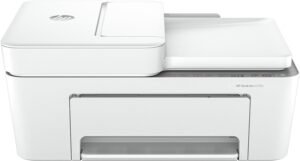
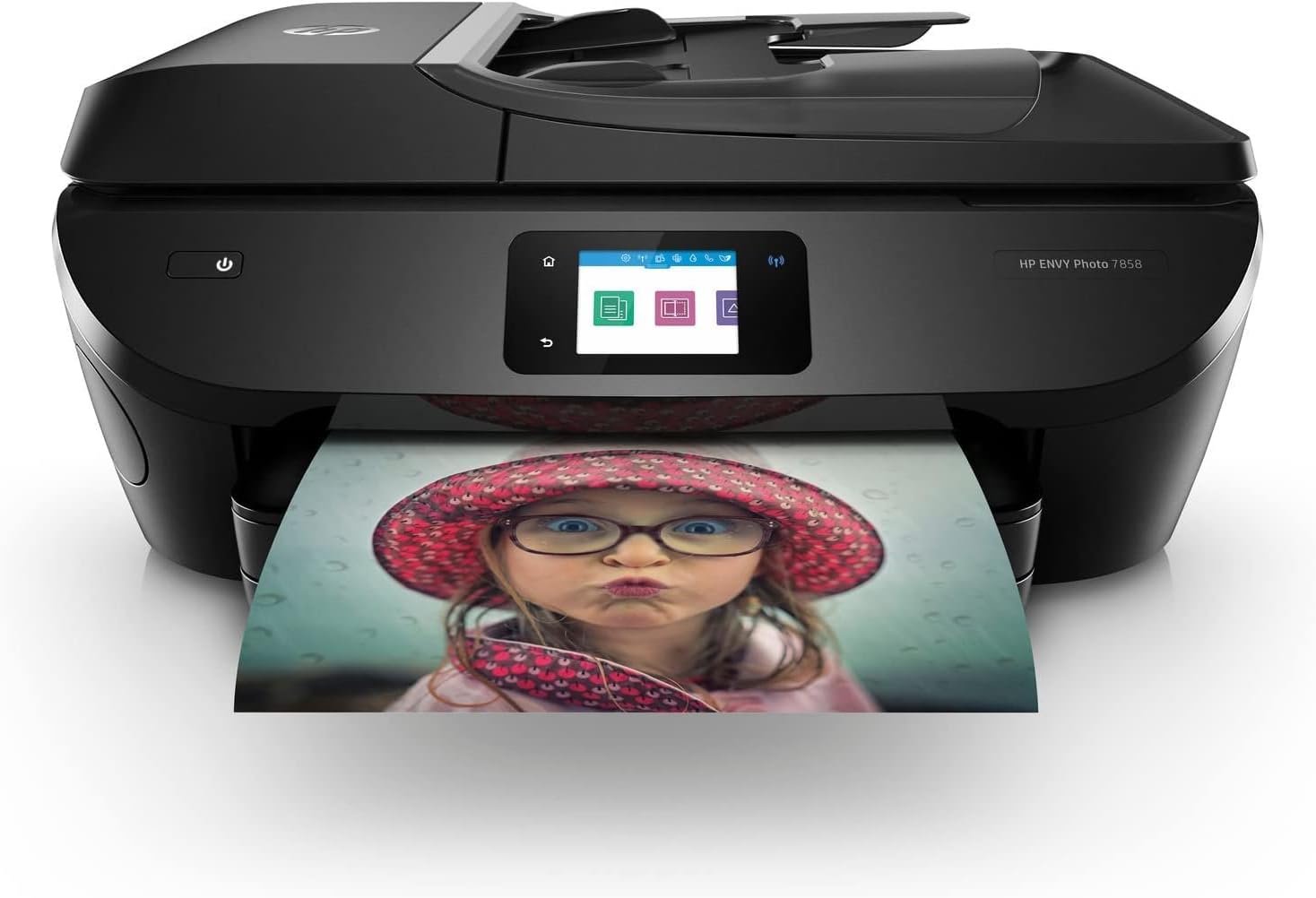
HP ENVY Photo 7858 All-in-One Printer Review: Inkjet Performance, Connectivity, and Usability for Home and Office
The Importance of Choosing the Right Printer
In today’s digital landscape, the role of a printer extends beyond simple document duplication. Whether for home use, small business operations, or creative projects, selecting the right printer involves evaluating factors such as print quality, speed, connectivity, and long-term reliability. For users who require high-resolution color output, seamless integration with mobile devices, and efficient workflow automation, the choice of printer can significantly impact productivity. The HP ENVY Photo 7858 All-in-One Inkjet Printer is positioned as a versatile solution for both personal and professional environments, offering a balance of feature-rich functionality and user-friendly design. This review examines its specifications, performance benchmarks, and real-world suitability to help buyers make informed decisions. By analyzing technical capabilities, media compatibility, and connectivity options, this assessment provides a comprehensive overview of the printer’s strengths and limitations, ensuring it aligns with specific printing needs.
Quick Overview
| Feature | Details |
|---|---|
| Printer Type | All-in-One Inkjet Printer |
| Printing Technology | Inkjet (Color) |
| Supported Functions | Print, Scan, Copy, Fax |
| Print Resolution | Up to 4800 x 1200 dpi |
| Print Speed | 10 ppm (Color), 15 ppm (Monochrome) |
| Media Sizes | 3 x 5 inch, 4 x 6 inch, Envelopes, Glossy Photo Paper |
| Connectivity Options | Wi-Fi, Bluetooth, USB, Ethernet |
| Duty Cycle | Recommended for light to moderate use |
| Ink System | Color inkjet with refillable cartridges |
| Warranty | 90-day limited warranty |
The HP ENVY Photo 7858 combines wireless connectivity, a touchscreen interface, and automatic duplex printing to streamline workflows. Its inkjet technology and media compatibility make it well-suited for photo printing and document duplication, while the Ethernet and USB ports ensure reliable network integration. These features collectively position the printer as a practical option for users seeking a balance between performance and ease of use.

Print Quality and Resolution Performance
The HP ENVY Photo 7858 leverages inkjet technology to deliver high-resolution output, making it ideal for photo printing and detailed graphics. Its maximum print resolution of 4800 x 1200 dpi ensures sharp text and vibrant color reproduction, which is particularly beneficial for creative professionals and home users. The printer’s ability to handle glossy photo paper and envelopes expands its versatility for both personal and business applications. However, the resolution specifications are based on standard test conditions, and actual output may vary depending on media type and environmental factors. The inclusion of borderless printing further enhances its appeal for users requiring full-page photos or custom layouts. For those prioritizing print quality, the 7858’s resolution capabilities align with expectations for an all-in-one printer in its price range.

Inkjet Technology and Media Compatibility
As an inkjet printer, the HP ENVY Photo 7858 relies on liquid ink for color reproduction, which allows for fine detail and smooth gradients. This technology is well-suited for photographs, marketing materials, and high-quality documents. The printer supports a range of media types, including standard paper, envelopes, and glossy photo paper, catering to diverse printing needs. However, the use of inkjet technology may result in slower drying times compared to laser printers, particularly for large print jobs. The supported media sizes, including 3 x 5 inch and 4 x 6 inch options, are appropriate for personal use but may limit suitability for large-format printing. Users requiring specialized media, such as thermal paper or label sheets, may find the 7858’s compatibility list restrictive.
Resolution and Print Output Consistency
The printer’s resolution specifications are based on industry-standard benchmarks, ensuring consistent output across different media types. However, the actual print quality can be influenced by factors such as paper quality, humidity, and environmental conditions. The HP Smart App and touchscreen interface provide tools for adjusting print settings, which can help optimize results for specific tasks. For users prioritizing color accuracy, the 7858’s inkjet system offers a reliable balance between quality and cost, though it may not match the precision of professional-grade printers. Overall, the printer’s resolution capabilities are adequate for most home and small office use cases, with limitations primarily tied to media constraints and environmental variables.
Connectivity and Device Integration
The HP ENVY Photo 7858 offers a robust connectivity suite, including Wi-Fi, Bluetooth, USB, and Ethernet, ensuring compatibility with a wide range of devices. This multi-protocol approach allows users to print from smartphones, tablets, and computers without physical connections, enhancing convenience for mobile workflows. The inclusion of the HP Smart App further simplifies device integration, enabling remote printing and real-time monitoring of ink levels. However, the reliance on wireless connectivity may introduce latency or reliability issues in environments with poor network coverage. The Ethernet port provides a stable alternative for users requiring consistent print performance, particularly in office settings. The printer’s support for Bluetooth and USB ensures compatibility with older devices that may not have Wi-Fi capabilities, broadening its appeal to a diverse user base.

Wireless Printing and Mobile Compatibility
The 7858’s wireless capabilities, including Wi-Fi and Bluetooth, enable seamless printing from mobile devices, making it well-suited for users who frequently work on the go. The HP Smart App facilitates direct printing from smartphones and tablets, reducing the need for physical connections. However, the app’s effectiveness depends on the stability of the wireless network, and users may encounter connectivity issues in environments with high interference. The printer’s support for mobile printing aligns with modern workflow trends, though it may not match the speed of direct USB printing for certain tasks. For users prioritizing mobile integration, the 7858’s wireless features provide a convenient solution, though they may require additional setup for optimal performance.
Ethernet and USB Connectivity
The inclusion of an Ethernet port and USB interface ensures the HP ENVY Photo 7858 remains compatible with traditional and networked printing environments. Ethernet connectivity is particularly beneficial for office users who require reliable, high-speed printing without the limitations of wireless networks. USB printing offers a direct and stable connection for devices that lack wireless capabilities, ensuring consistent performance for critical tasks. While these wired options may lack the convenience of wireless printing, they provide a dependable alternative for users who prioritize reliability over mobility. The printer’s dual connectivity options cater to a broad range of use cases, making it adaptable to both home and professional settings.

Pros & Cons
Pros
- High-Resolution Print Output: The 4800 x 1200 dpi resolution ensures sharp text and vibrant color reproduction, ideal for photos and detailed graphics.
- Wireless and Wired Connectivity: Wi-Fi, Bluetooth, USB, and Ethernet options provide flexibility for home and office environments.
- Touchscreen Interface: The 2.65” touchscreen simplifies navigation and access to advanced settings, enhancing user experience.
- Automatic Duplex Printing: Reduces paper usage and streamlines document management for both home and business users.
- Borderless Printing: Supports full-page photos and custom layouts, appealing to creative professionals and home users.
- Compatibility with Multiple Media Types: Envelopes, glossy paper, and standard paper options cater to diverse printing needs.
- HP Smart App Integration: Enables remote printing and real-time ink level monitoring, improving convenience for mobile users.
Cons
- Limited Media Compatibility: The supported media sizes and types may not meet the needs of users requiring specialized materials.
- 90-Day Limited Warranty: The warranty period is shorter than industry standards for similar printers, potentially affecting long-term confidence.
- Inkjet Technology Limitations: Slower drying times and potential for smudging may impact performance for large print jobs.
- Dependence on Wireless Connectivity: Potential for latency or reliability issues in environments with unstable networks.
- Moderate Duty Cycle: Recommended for light to moderate use, which may limit suitability for high-volume commercial applications.
- Refillable Ink Cartridges: While cost-effective, the need for regular refills may require additional maintenance compared to pre-filled systems.
Final Verdict: Who This Printer Is Best For (and Who Should Skip It)
The HP ENVY Photo 7858 All-in-One Printer is best suited for home users and small businesses requiring high-quality color output, wireless connectivity, and a touchscreen interface. Its combination of resolution capabilities, media versatility, and multi-protocol connectivity makes it an excellent choice for creative projects, photo printing, and document duplication. The automatic duplex feature and borderless printing further enhance its appeal for users prioritizing efficiency and customization. However, the printer’s 90-day warranty and moderate duty cycle may deter users seeking long-term reliability or high-volume printing. Additionally, the reliance on inkjet technology and limited media compatibility may not meet the needs of users requiring specialized printing solutions or faster drying times. For those prioritizing cost-effective, low-maintenance printing with a focus on home and office use, the 7858 offers a balanced and practical solution. Conversely, users with high-volume printing demands or specialized media requirements may find the 7858 less suitable compared to dedicated laser or large-format printers.

Frequently Asked Questions (FAQs)
What is the maximum print speed of the HP ENVY Photo 7858?
The HP ENVY Photo 7858 achieves a maximum print speed of 10 pages per minute (ppm) for color prints and 15 ppm for monochrome prints. These speeds are based on standard test conditions and may vary depending on media type and print settings.
Does the HP ENVY Photo 7858 support borderless printing?
Yes, the HP ENVY Photo 7858 includes borderless printing capabilities, allowing users to print photos and documents without visible borders. This feature is ideal for creating full-page images and custom layouts.
What connectivity options are available on the HP ENVY Photo 7858?
The HP ENVY Photo 7858 offers Wi-Fi, Bluetooth, USB, and Ethernet connectivity. These options ensure compatibility with a wide range of devices, including smartphones, tablets, and computers, for seamless printing from both wired and wireless environments.
How does the HP Smart App enhance the user experience?
The HP Smart App provides remote printing capabilities, real-time ink level monitoring, and access to advanced printer settings. It simplifies the printing process for mobile users and allows for efficient management of print tasks from anywhere.
What media types are supported by the HP ENVY Photo 7858?
The HP ENVY Photo 7858 supports standard paper, envelopes, and glossy photo paper. These media types cater to a variety of printing needs, including personal photos, documents, and creative projects.
What is the warranty coverage for the HP ENVY Photo 7858?
The HP ENVY Photo 7858 comes with a 90-day limited warranty. This coverage provides basic protection against manufacturing defects but may not include extended support or replacement parts beyond the initial period.
Can the HP ENVY Photo 7858 handle large print jobs efficiently?
The HP ENVY Photo 7858 is designed for light to moderate use and may not be suitable for high-volume printing. Its inkjet technology and duty cycle specifications suggest it is best suited for personal and small business applications rather than large-scale commercial use.
Is the HP ENVY Photo 7858 suitable for commercial use?
The HP ENVY Photo 7858 is primarily designed for home and small office environments. Its recommended duty cycle and inkjet technology make it less suitable for high-volume commercial printing, which may require more durable and efficient printing solutions.