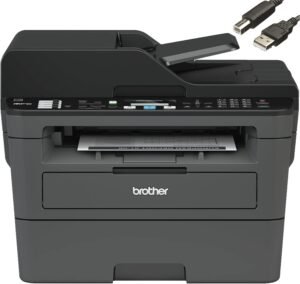
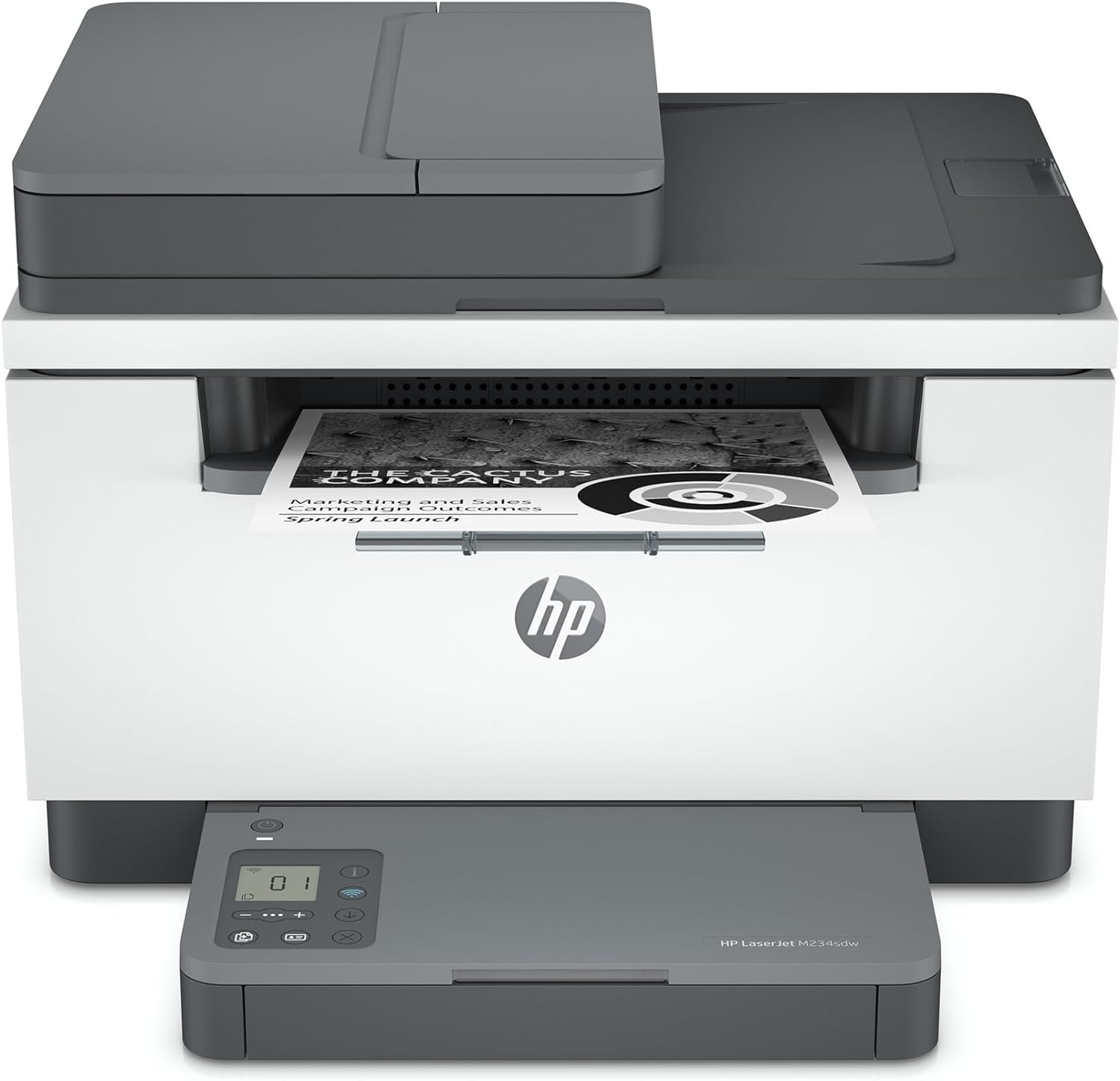
HP LaserJet MFP M234sdw: Monochrome Laser Printer with Auto Duplex, Fast Printing, and Secure Connectivity
The Importance of Choosing the Right Printer for Modern Workflows
In today’s fast-paced work environments, selecting the right printer can significantly impact productivity and operational efficiency. Whether managing a small office or handling remote team collaboration, the performance of a printer directly affects document output quality, workflow speed, and overall user satisfaction. A printer must balance speed, reliability, and feature set to meet the demands of diverse tasks, from high-volume document printing to secure file sharing. For small teams, the need for fast, reliable, and secure printing is paramount, especially when dealing with sensitive information or tight deadlines. The HP LaserJet MFP M234sdw addresses these challenges by combining high-speed monochrome printing, intelligent connectivity options, and robust security features. Its design caters to environments where efficiency and precision are critical, making it a strong contender for businesses and individuals seeking a dependable, all-in-one solution. Understanding the specific needs of a workspace—such as print volume, media compatibility, and network integration—helps users determine whether this printer aligns with their operational requirements.
Quick Overview
| Feature | Details |
|---|---|
| Printer Type | Monochrome Laser Printer |
| Supported Functions | Print, Scan, Copy |
| Print Resolution | 600 x 600 dpi (Black & White) |
| Print Speed | Up to 30 pages per minute (single-sided), 19 pages per minute (two-sided) |
| Media Sizes | 4 x 6 inches to 8.5 x 14 inches |
| Connectivity | Wi-Fi (dual-band), Ethernet, USB 2.0 |
| Duty Cycle | Up to 20,000 pages per month |
| Toner System | HP LaserJet Toner Cartridge |
| Warranty | Limited Warranty |
The HP LaserJet M234sdw is designed for small offices and home environments, offering a balance of speed, security, and multifunctionality. Its dual-band Wi-Fi and Ethernet connectivity ensure reliable network access, while the auto document feeder streamlines scanning and copying tasks. The printer’s performance metrics align with the needs of users requiring efficient, high-quality monochrome output without the complexity of color printing.

Print Speed and Throughput for Small Teams
The HP LaserJet MFP M234sdw delivers exceptional print speeds tailored for small teams and offices with moderate to high-volume printing needs. With a maximum single-sided print speed of 30 pages per minute (ppm) and a two-sided print speed of 19 ppm, the printer efficiently handles tasks such as report generation, invoice processing, and document sharing. These speeds are particularly advantageous for environments where time-sensitive outputs are common, ensuring that users can meet deadlines without compromising on quality. The printer’s duty cycle of up to 20,000 pages per month further supports sustained use, making it suitable for environments with consistent printing demands. However, it is important to note that the printer’s performance is optimized for monochrome printing, which may not meet the needs of users requiring color output. The combination of speed and reliability makes the M234sdw an ideal choice for small teams prioritizing efficiency and consistency in their workflow.

High-Speed Monochrome Printing for Time-Sensitive Tasks
The M234sdw’s single-sided print speed of 30 ppm ensures that users can quickly produce large volumes of black-and-white documents without significant delays. This is particularly beneficial for tasks such as generating reports, creating presentations, or processing invoices, where rapid output is critical. The printer’s two-sided printing capability at 19 ppm adds versatility, allowing users to reduce paper usage while maintaining productivity. These speeds are supported by the printer’s laser technology, which ensures consistent print quality even at high throughput. For small teams handling multiple print jobs simultaneously, the M234sdw’s performance aligns with the demands of a busy office environment, minimizing wait times and maximizing output efficiency.
Duty Cycle and Long-Term Reliability
With a duty cycle of up to 20,000 pages per month, the M234sdw is designed for environments where continuous printing is required. This specification indicates that the printer can sustain high-volume operations without overheating or experiencing mechanical wear, making it suitable for small businesses or home offices with regular printing needs. The printer’s internal components, including the laser print engine and toner system, are engineered to handle prolonged use, ensuring reliable performance over time. While the duty cycle is adequate for moderate to high-volume use, it may not meet the demands of large-scale commercial printing operations. For users seeking a printer that can handle extremely high print volumes, additional consideration should be given to models with higher duty cycle ratings.
Secure Connectivity and Network Integration
The HP LaserJet MFP M234sdw incorporates advanced connectivity options to ensure seamless integration into modern work environments while maintaining robust security. The printer supports dual-band Wi-Fi, which automatically detects and resolves connectivity issues, reducing downtime and improving user experience. This feature is particularly beneficial for small teams relying on wireless printing from multiple devices, including laptops, tablets, and smartphones. The inclusion of an Ethernet port provides a stable wired connection, which is ideal for environments requiring high-speed, low-latency printing. Additionally, the printer’s compatibility with cloud printing services and major operating systems such as Microsoft, Mac, and Android ensures broad device support, making it a versatile choice for users with diverse computing needs.

Dual-Band Wi-Fi and Self-Reset Connectivity
The dual-band Wi-Fi capability of the M234sdw enhances network stability by allowing the printer to automatically detect and resolve connectivity issues without user intervention. This feature is especially valuable in environments where multiple devices share the same network, as it minimizes the risk of print job interruptions. The self-reset function ensures that the printer can quickly recover from connectivity errors, maintaining productivity without requiring manual troubleshooting. For users concerned about network reliability, the M234sdw’s intelligent connectivity options provide a reliable foundation for wireless printing, reducing the likelihood of downtime during critical tasks.
Ethernet Port and Cloud Printing Support
The inclusion of an Ethernet port offers a stable, wired connection that is ideal for environments where wireless connectivity may be unreliable. This feature is particularly beneficial for users who prioritize consistent printing performance, such as those in remote or mobile work settings. The printer’s support for cloud printing services allows users to print from anywhere, provided they have an internet connection. This functionality is well-suited for small teams that need to access and print documents from multiple locations, enhancing flexibility and convenience. The combination of wired and wireless connectivity options ensures that the M234sdw can adapt to various network environments, making it a versatile choice for modern workspaces.
Auto Duplex and Paper Handling for Efficiency
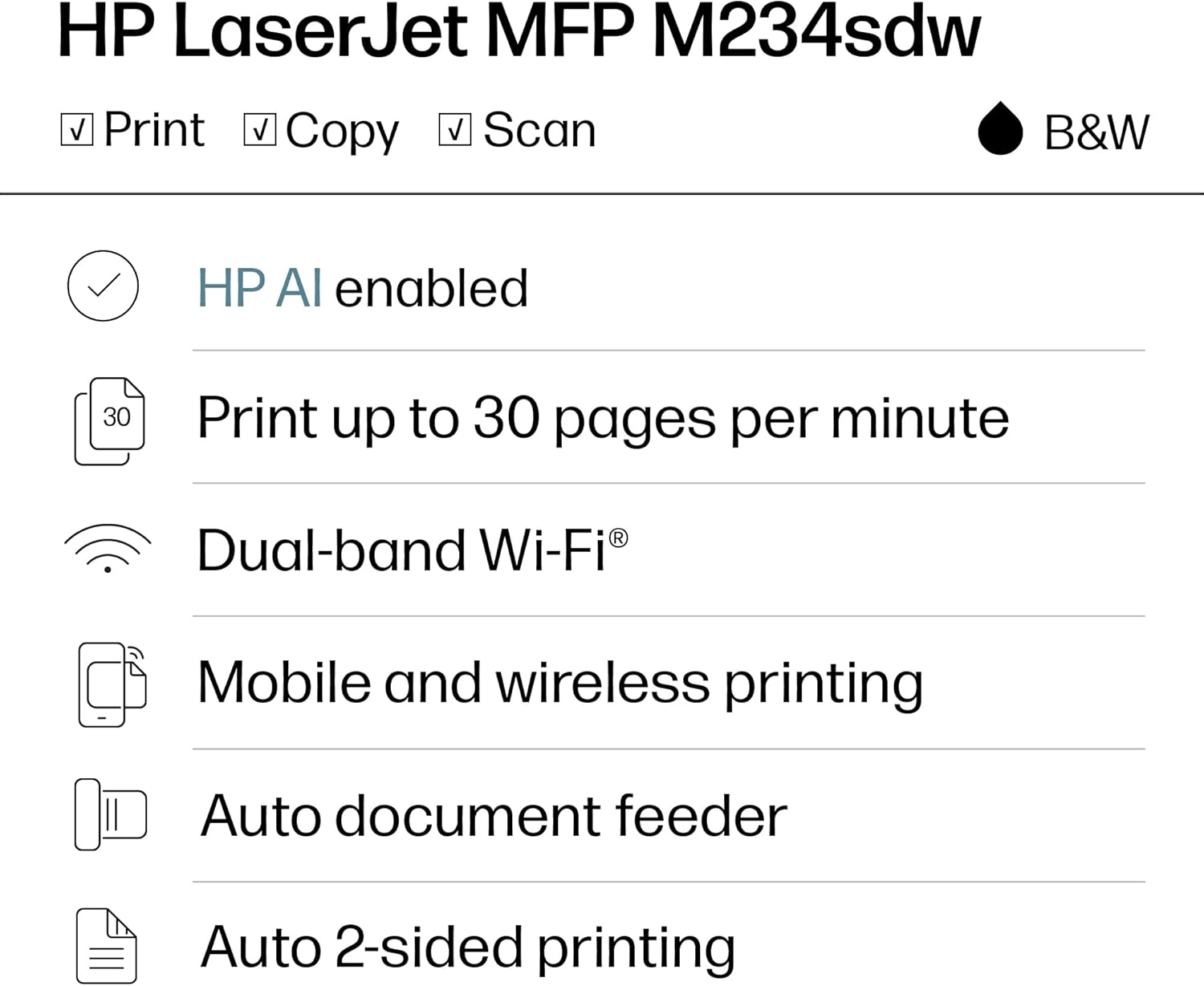
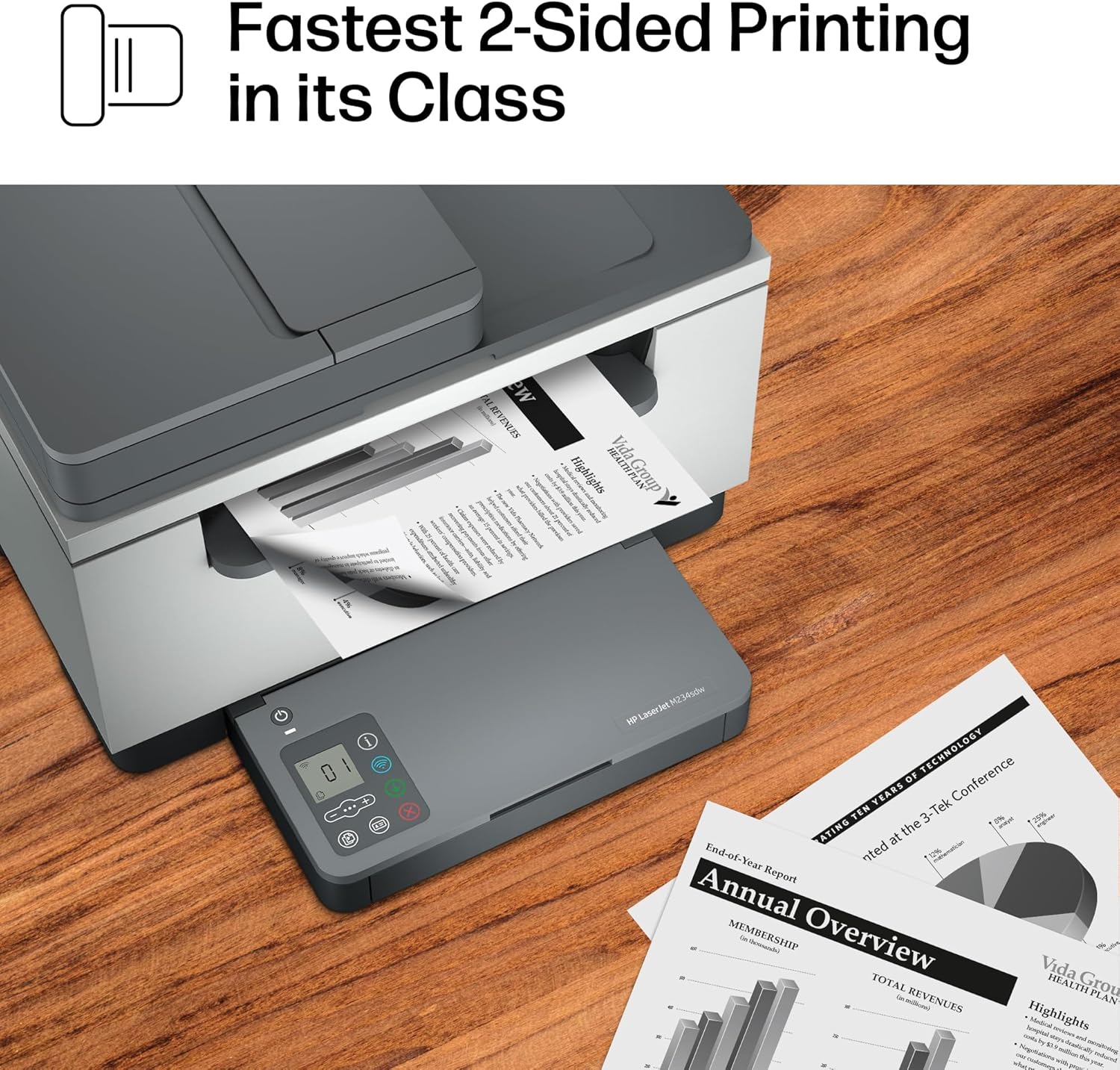
The M234sdw’s auto duplex feature significantly enhances paper efficiency by automatically printing on both sides of a sheet, reducing paper consumption without compromising print quality. This function is particularly advantageous for small teams aiming to minimize costs and environmental impact. The printer’s auto document feeder (ADF) further streamlines scanning and copying tasks by allowing users to process multiple pages without manual intervention, improving workflow efficiency. The ADF’s capacity of 150 sheets ensures that users can handle larger document sets without frequent refills, making it ideal for environments with frequent scanning or copying requirements.
Reducing Paper Waste with Auto Duplex
The auto duplex feature of the M234sdw is a key advantage for users looking to reduce paper waste while maintaining high-quality output. By printing on both sides of a sheet, the printer minimizes the need for additional paper, which is beneficial for both cost management and sustainability efforts. This feature is particularly well-suited for environments where large volumes of documents are printed regularly, such, as in small offices or home businesses. The printer’s ability to handle both single-sided and two-sided printing ensures flexibility, allowing users to choose the most appropriate option based on their specific needs.
Auto Document Feeder for Hands-Free Scanning and Copying
The M234sdw’s auto document feeder (ADF) simplifies the scanning and copying process by automatically feeding pages into the printer, eliminating the need for manual input. This feature is especially useful for users who frequently need to process multiple documents, such as in administrative or customer service roles. The ADF’s capacity of 150 sheets ensures that users can handle larger document sets without frequent refills, making it ideal for environments with high scanning or copying demands. The combination of auto duplex and ADF functionality enhances the printer’s efficiency, making it a valuable tool for small teams seeking to streamline their workflow.
Compatibility with Modern Workflows and Mobile Devices
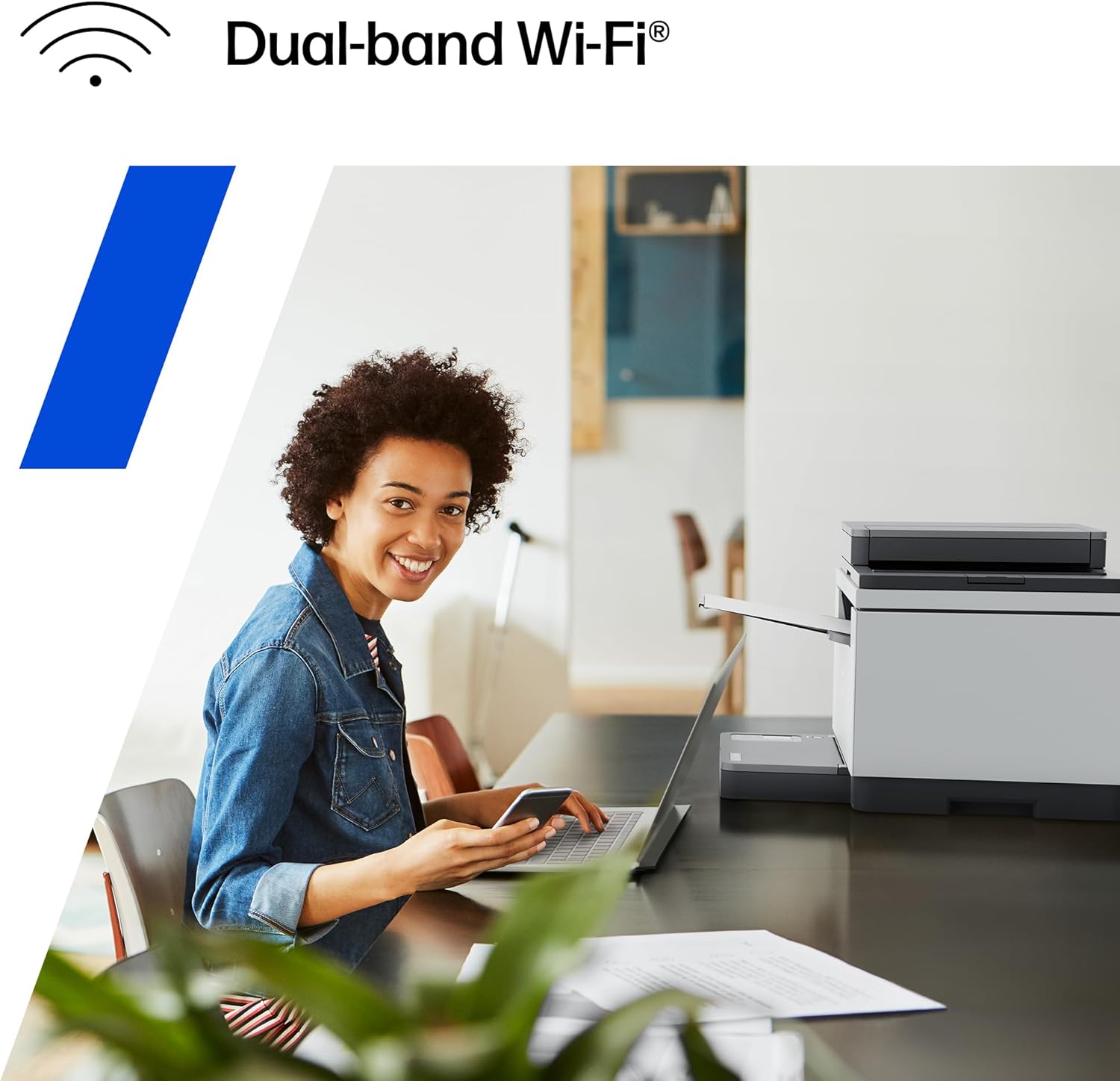
The M234sdw’s compatibility with a wide range of devices and operating systems ensures that it can seamlessly integrate into modern work environments. The printer supports wireless printing from mobile devices, including smartphones, tablets, and laptops, making it ideal for users who require flexibility in their printing workflow. Its compatibility with cloud printing services and major operating systems such as Microsoft, Mac, and Android further enhances its versatility, allowing users to print from anywhere without the need for physical proximity to the printer. Additionally, the printer’s support for voice assistants like Alexa adds an extra layer of convenience, enabling users to manage print tasks through voice commands.
Wireless Printing from Mobile Devices
The M234sdw’s wireless printing capabilities allow users to print from mobile devices without the need for a physical connection, enhancing convenience and flexibility. This feature is particularly beneficial for users who frequently work remotely or need to print documents on the go. The printer’s compatibility with a variety of operating systems ensures that users can access its features regardless of their device type, making it a versatile choice for modern work environments. The ability to print from smartphones and tablets without additional software or hardware requirements simplifies the printing process, reducing the time and effort required to produce documents.
Cloud Printing and Voice Assistant Integration
The M234sdw’s support for cloud printing services enables users to print documents from anywhere, provided they have an internet connection. This functionality is particularly useful for small teams that need to access and print documents from multiple locations, enhancing flexibility and convenience. The printer’s integration with voice assistants like Alexa further streamlines the printing process, allowing users to manage print tasks through voice commands. This feature is especially beneficial for users who prefer hands-free operation or need to perform quick print tasks without interrupting their workflow.
Pros & Cons
Pros
- High-Speed Monochrome Printing: The M234sdw’s 30 ppm single-sided print speed and 19 ppm two-sided printing make it ideal for environments requiring rapid output.
- Dual-Band Wi-Fi and Self-Reset Connectivity: The printer’s intelligent connectivity options minimize downtime and ensure stable network performance.
- Auto Duplex and Auto Document Feeder: These features enhance paper efficiency and streamline scanning/copying tasks, reducing manual effort.
- Robust Security Features: Built-in security measures protect against potential network vulnerabilities, ensuring data integrity.
- Cloud Printing and Voice Assistant Compatibility: The printer’s support for cloud services and voice commands adds convenience and flexibility.
- Energy Star Certification: The printer’s energy-efficient design reduces long-term operational costs.
- Durable Construction and Longevity: The printer’s components are engineered for sustained use, supporting up to 20,000 pages per month.
Cons
- Limited Media Size Support: The printer supports media sizes up to 8.5 x 14 inches, which may not meet the needs of users requiring larger formats.
- No Color Printing Capability: As a monochrome printer, it is unsuitable for tasks requiring color output.
- No Fax Functionality: The lack of a fax feature may limit its use in environments where faxing is still required.
- Moderate Duty Cycle: While suitable for small teams, the printer’s duty cycle may not meet the demands of high-volume commercial printing.
- No Built-In Scan-to-Email or Scan-to-Cloud: Although the ADF supports scanning, the lack of direct email or cloud integration may require additional steps for users.
Final Verdict: Who This Printer Is Best For (and Who Should Skip It)
The HP LaserJet MFP M234sdw is best suited for small teams and home offices that prioritize high-speed monochrome printing, secure connectivity, and efficient paper handling. Its dual-band Wi-Fi, auto duplex, and auto document feeder make it an excellent choice for environments requiring reliable, hands-free printing and scanning. The printer’s compatibility with cloud services and voice assistants further enhances its appeal for users seeking flexibility and convenience. However, it is not ideal for users requiring color printing, large-format media support, or fax functionality. Additionally, while the printer’s duty cycle is sufficient for moderate to high-volume use, it may fall short for large-scale commercial operations. For users seeking a printer that balances speed, security, and efficiency without the complexity of color printing, the M234sdw is a strong contender.

Frequently Asked Questions (FAQs)
What are the print speeds of the HP LaserJet MFP M234sdw?
The HP LaserJet MFP M234sdw offers a single-sided print speed of up to 30 pages per minute (ppm) and a two-sided print speed of 19 ppm. These speeds are well-suited for small teams and offices requiring efficient monochrome output without compromising quality.
Does the printer support secure connectivity options?
Yes, the M234sdw includes dual-band Wi-Fi with self-reset capabilities and built-in security features to protect against network vulnerabilities. It also supports Ethernet and cloud printing, ensuring reliable and secure data transmission.
Can the printer handle large documents or multiple pages at once?
The printer’s auto document feeder (ADF) can process up to 150 sheets at once, making it ideal for scanning and copying large volumes of documents. The auto duplex feature also reduces paper usage by printing on both sides of a sheet.
Is the HP LaserJet M234sdw compatible with mobile devices?
Yes, the M234sdw supports wireless printing from smartphones, tablets, and laptops. It is compatible with major operating systems including Microsoft, Mac, Android, and Chromebook, as well as cloud printing services.
What media sizes does the printer support?
The M234sdw can handle media sizes ranging from 4 x 6 inches to 8.5 x 14 inches. It supports a variety of paper types, including card stock, envelopes, labels, and standard paper.
How does the printer manage connectivity issues?
The printer’s dual-band Wi-Fi automatically detects and resolves connectivity issues, reducing downtime. The self-reset feature ensures the printer can quickly recover from network errors without manual intervention.
Is the printer suitable for remote or mobile printing?
Yes, the M234sdw’s support for cloud printing and wireless connectivity allows users to print from anywhere with an internet connection. This makes it ideal for remote work environments and mobile users.
What is the printer’s duty cycle and how long can it operate continuously?
The M234sdw has a duty cycle of up to 20,000 pages per month, making it suitable for environments with consistent printing needs. Its components are engineered for sustained use, ensuring reliable performance over time.