HP LaserJet Pro M501dn Printer Review: 2026 Performance & Features
The Importance of Choosing the Right Printer
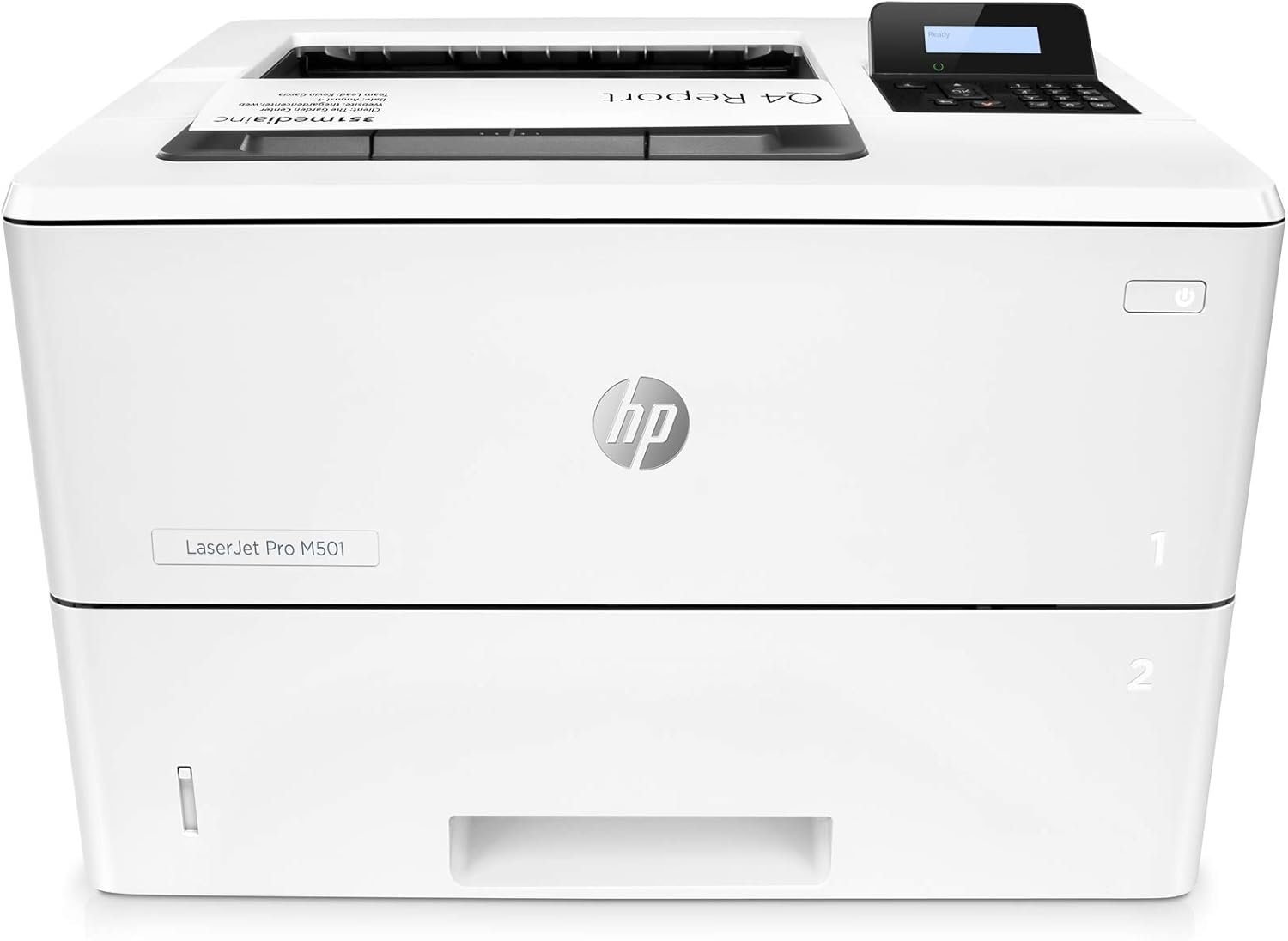
In 2026, the demand for reliable, high-performance printers continues to grow across home offices, small businesses, and enterprise environments. Whether you’re managing daily print workflows, handling large-volume document production, or requiring secure, efficient output, selecting the right printer can significantly impact productivity and operational costs. The HP LaserJet Pro M501dn stands as a compelling option for users seeking a compact, energy-efficient monochrome laser printer with advanced security features and robust connectivity options. This review evaluates the printer’s technical specifications, performance benchmarks, and market positioning to help buyers determine if it aligns with their specific printing needs. By analyzing factors such as print speed, media compatibility, duty cycle capacity, and security integration, this guide provides an objective assessment of the M501dn’s strengths and limitations. Understanding these elements is critical for users who prioritize efficiency, cost-effectiveness, and long-term reliability in their printing solutions. As organizations increasingly rely on digital workflows, the ability of a printer to meet evolving demands without compromising performance or security becomes a key differentiator in the competitive office equipment market.
Quick Overview
| Feature | Details |
|---|---|
| Printer Type | Monochrome Laser Printer |
| Printing Technology | Laser |
| Print Resolution | 600 x 600 dpi |
| Print Speed | Up to 43 pages per minute |
| Duplex Printing | Automatic |
| Media Sizes | 3 x 5 to 8.5 x 14 inches |
| Connectivity | Ethernet, USB 2.0 |
| Input Capacity | 1200-sheet tray |
| Output Capacity | 250-sheet tray |
| Toner System | Original HP 87A/87X cartridges |
| Warranty | One-year, next-business-day onsite |
| Security Features | HP Wolf Pro Security |
| Energy Use | 660 watts (active), 1.5 watts (standby) |
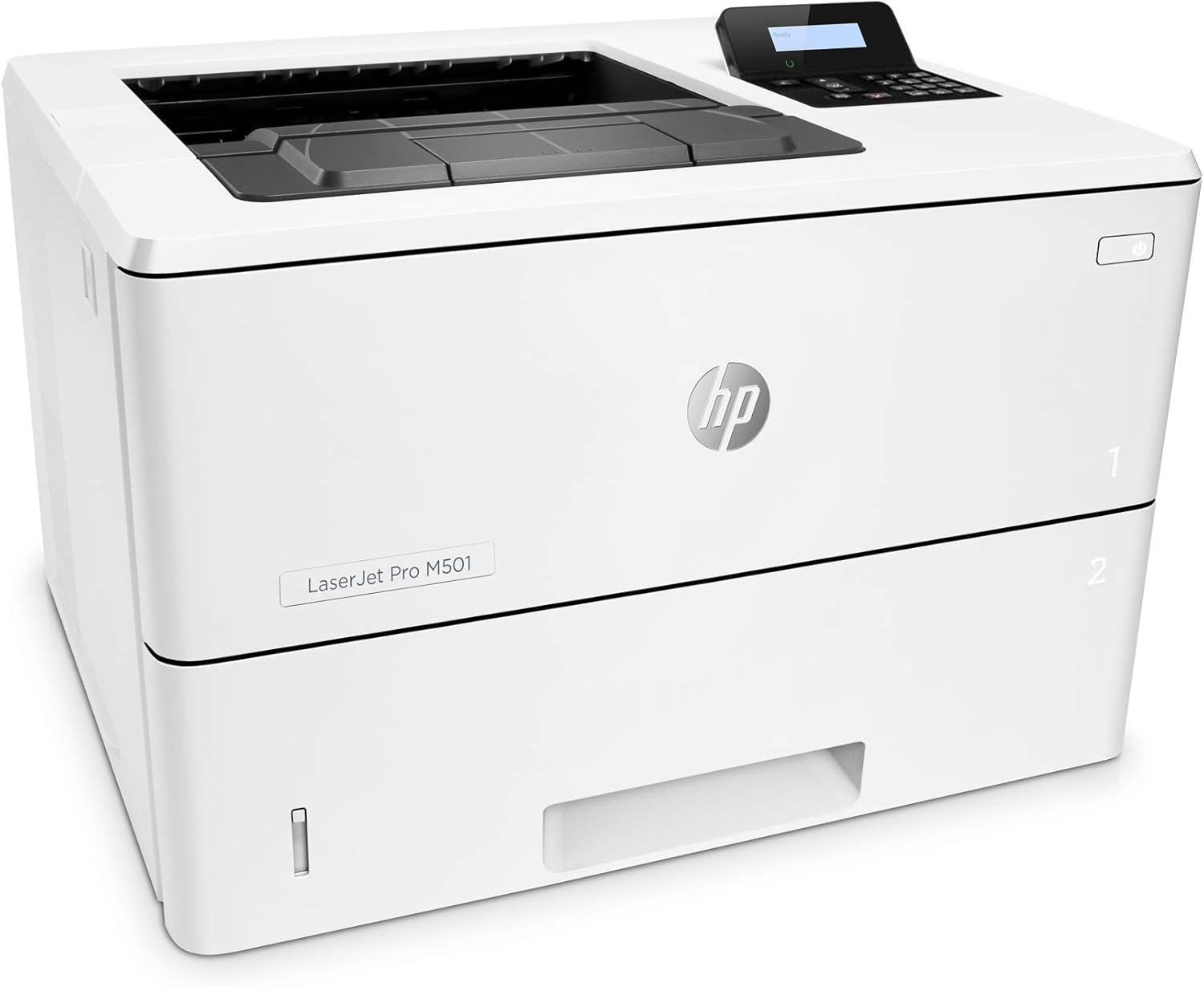
The HP LaserJet Pro M501dn combines compact design with advanced functionality, making it suitable for small to medium-sized workspaces. Its automatic duplex printing and high-capacity trays support efficient document management, while the integrated security features address modern data protection needs. The printer’s connectivity options and energy efficiency further enhance its appeal for environments prioritizing cost-effectiveness and operational reliability.
Print Speed and Throughput Performance
The HP LaserJet Pro M501dn delivers a maximum monochrome print speed of 43 pages per minute, making it well-suited for high-volume office environments. This performance level is consistent with industry benchmarks for monochrome laser printers in its class, particularly when handling standard A4-sized documents. The printer’s duty cycle of 15,000 pages per month ensures it can sustain continuous operation without compromising reliability. For users requiring rapid output, the M501dn’s speed is competitive with similar models from HP and other manufacturers. However, its performance may lag behind higher-end printers in scenarios involving complex formatting or large print jobs. The printer’s initial page print time of 5.7 seconds also contributes to its efficiency, allowing quick start-up for urgent tasks. These specifications make the M501dn a strong contender for businesses needing fast, consistent printing without significant maintenance overhead.

High-Volume Workloads
The M501dn’s 1200-sheet input tray and 250-sheet output tray provide ample capacity for handling large print jobs, reducing the need for frequent refills. This design is ideal for environments with high document throughput, such as administrative offices or departments processing multiple reports daily. The printer’s ability to maintain consistent speed across extended usage periods is supported by its 256 MB memory storage, which helps manage complex print tasks without performance degradation. However, users requiring even greater capacity may find the M501dn’s tray sizes limiting compared to models with larger input or output capacities.
Print Speed Variability
While the M501dn’s maximum print speed is impressive, actual performance can vary based on document complexity. Simple text documents benefit most from the printer’s 43 pages-per-minute capability, but more intricate layouts or graphics may slow down the process. The printer’s laser technology ensures consistent quality across different print types, but users expecting faster output for mixed-content jobs may need to consider alternative models. The M501dn’s energy efficiency also plays a role in maintaining performance, as its low power consumption during operation helps sustain speed without excessive heat buildup.
Print Quality and Output Consistency
The HP LaserJet Pro M501dn produces high-quality monochrome prints with a resolution of 600 x 600 dpi, ensuring sharp text and clear graphics. This resolution is standard for most monochrome laser printers and is well-suited for business documents, reports, and forms. The printer’s automatic duplex printing function enhances document readability and reduces paper usage, making it ideal for environments prioritizing sustainability. The toner technology used in the M501dn contributes to consistent output, with minimal variation in density across pages. However, users requiring extremely high-resolution prints for specialized applications may find the M501dn’s capabilities somewhat limited compared to higher-end models. The printer’s ability to maintain color consistency, while not applicable for monochrome output, ensures uniformity in black-and-white documents.

Media Compatibility and Paper Handling
The M501dn supports a wide range of media sizes, from 3 x 5 inches to 8.5 x 14 inches, accommodating various document formats. This flexibility is beneficial for users who need to print on different paper types, including standard letter-sized paper and larger formats. The printer’s sheetfed scanner and automatic document feeder (ADF) streamline tasks such as copying and scanning, reducing manual input. However, the lack of a dedicated photo paper tray may limit its suitability for users requiring specialized media. The printer’s ability to handle plain paper efficiently is a key strength, but users expecting advanced media handling features may find the M501dn’s capabilities somewhat basic.
Durability and Longevity
The M501dn’s design incorporates durable components that support its 15,000-page monthly duty cycle, making it suitable for environments with heavy usage. The printer’s low energy consumption and efficient toner system contribute to long-term reliability, reducing the risk of mechanical wear. However, the absence of advanced durability features such as reinforced internal components or extended warranty options may make the M501dn less appealing for users requiring maximum longevity. The printer’s 256 MB memory storage also plays a role in maintaining performance over time, ensuring it can handle increasingly complex print tasks without degradation.
Connectivity and Integration Capabilities
The HP LaserJet Pro M501dn offers Ethernet and USB 2.0 connectivity options, enabling seamless integration into both wired and wireless office environments. The Ethernet port allows for network printing, which is essential for businesses with multiple users accessing the printer remotely. The USB 2.0 port provides a direct connection for users who prefer local printing or need to connect to older devices. The printer’s compatibility with smartphones and other mobile devices enhances its versatility, supporting modern workstyles that prioritize flexibility. However, the lack of Wi-Fi connectivity may limit its appeal for users requiring wireless printing capabilities. The M501dn’s integration with HP Web JetAdmin and JetAdvantage Security Manager further enhances its suitability for managed environments, offering centralized control and security configuration options.

Network and Mobile Compatibility
The M501dn’s Ethernet connectivity ensures reliable network printing, with minimal latency for data transfer. This is particularly beneficial for businesses with distributed teams or remote workers who need to access the printer from different locations. The printer’s support for mobile devices through USB and Ethernet ports allows for on-the-go printing, though the absence of Wi-Fi may require additional setup for wireless access. The inclusion of HP Web JetAdmin enables administrators to monitor and manage the printer’s performance, making it a strong choice for organizations with IT departments. However, users requiring advanced mobile printing features such as cloud integration may find the M501dn’s capabilities somewhat limited.
Security and Data Protection
The M501dn’s HP Wolf Pro Security features provide robust protection against cyber threats, including data interception and unauthorized access. These security measures are integrated into the printer’s hardware, firmware, and operating system, ensuring compliance with modern data protection standards. The printer’s ability to enforce secure print policies and manage user permissions makes it a suitable choice for businesses handling sensitive information. However, the lack of advanced encryption options or real-time threat detection may make the M501dn less appealing for users requiring the highest level of security. The printer’s integration with HP JetAdvantage Security Manager further enhances its security profile, offering centralized management for enterprise environments.

Pros & Cons
Pros
- High Print Speed: The M501dn’s 43 pages-per-minute capability ensures efficient document production, making it suitable for high-volume office environments.
- Energy Efficiency: Its low power consumption during operation contributes to reduced energy costs and environmental impact.
- Automatic Duplex Printing: The printer’s duplex function reduces paper usage and enhances document readability, supporting sustainability goals.
- Robust Security Features: HP Wolf Pro Security and JetAdvantage integration provide essential protection for data and network integrity.
- Compact Design: The M501dn’s small footprint makes it ideal for space-constrained workspaces without compromising functionality.
- Durable Build: The printer’s 15,000-page monthly duty cycle ensures long-term reliability for continuous use.
- Easy Integration: Ethernet and USB connectivity simplify network and local setup, enhancing user accessibility.
- Support for Multiple Media Sizes: The printer’s versatility in handling various paper formats increases its usability across different tasks.
Cons
- Limited Media Handling: The absence of a dedicated photo paper tray may restrict its suitability for specialized printing needs.
- No Wi-Fi Connectivity: The lack of wireless printing capabilities could be a drawback for users requiring remote access.
- Moderate Security Features: While HP Wolf Pro Security is robust, it may not meet the needs of users requiring advanced encryption or threat detection.
- Smaller Input/Output Trays: Compared to higher-end models, the M501dn’s tray capacities may be insufficient for extremely high-volume operations.
- Basic Mobile Integration: The printer’s mobile compatibility through USB and Ethernet may not support advanced cloud-based printing solutions.
- No Advanced Durability Features: The M501dn lacks reinforced components or extended warranty options that could enhance its longevity in heavy-duty environments.
Final Verdict: Who This Printer Is Best For (and Who Should Skip It)
The HP LaserJet Pro M501dn is best suited for small to medium-sized businesses and office environments that prioritize efficiency, energy savings, and secure printing. Its high print speed, automatic duplex functionality, and integrated security features make it an excellent choice for administrative departments, accounting teams, and other workgroups requiring consistent, reliable output. The printer’s compact design and ease of integration also make it ideal for spaces with limited physical room, such as home offices or shared workspaces. However, users requiring advanced media handling capabilities, wireless connectivity, or extended durability features may find the M501dn’s limitations restrictive. Organizations with high-volume printing needs, specialized media requirements, or a preference for cloud-based printing solutions should consider alternative models with more advanced specifications. Overall, the M501dn remains a strong contender for users seeking a balance between performance, security, and cost-effectiveness in a monochrome laser printer.

Frequently Asked Questions (FAQs)
What is the maximum print speed of the HP LaserJet Pro M501dn?
The HP LaserJet Pro M501dn can print up to 43 pages per minute, making it suitable for high-volume office environments. This speed is consistent with industry benchmarks for monochrome laser printers in its class.
Does the HP LaserJet Pro M501dn support duplex printing?
Yes, the M501dn features automatic duplex printing, which reduces paper usage and enhances document readability. This functionality is ideal for environments prioritizing sustainability and cost-effectiveness.
What media sizes does the HP LaserJet Pro M501dn support?
The printer accommodates media sizes ranging from 3 x 5 inches to 8.5 x 14 inches, providing flexibility for various document formats. This range includes standard letter-sized paper and larger formats.
How does the HP LaserJet Pro M501dn handle security?
The M501dn incorporates HP Wolf Pro Security, which includes hardware, firmware, and OS-level protections to safeguard against cyber threats. It also integrates with HP JetAdvantage Security Manager for centralized security management.
What is the energy consumption of the HP LaserJet Pro M501dn?
The printer consumes 660 watts during active operation and 1.5 watts in standby mode, making it one of the more energy-efficient models in its class. This efficiency contributes to reduced operational costs over time.
Is the HP LaserJet Pro M501dn suitable for small business use?
Yes, the M501dn’s compact design, high print speed, and energy efficiency make it well-suited for small to medium-sized businesses. Its security features and automatic duplex printing also support efficient document management in office settings.
What connectivity options does the HP LaserJet Pro M501dn offer?
The printer provides Ethernet and USB 2.0 connectivity, enabling seamless integration into both wired and local networks. These options enhance accessibility for users requiring direct or network-based printing solutions.
What is the recommended duty cycle for the HP LaserJet Pro M501dn?
The M501dn is designed for a 15,000-page monthly duty cycle, ensuring reliable performance for continuous use. This capacity makes it suitable for environments with moderate to high print volumes.