HP LaserJet Pro MFP 4101fdn: Monochrome Laser Printing Performance 2026
The Importance of Selecting the Right Printer for Modern Workflows
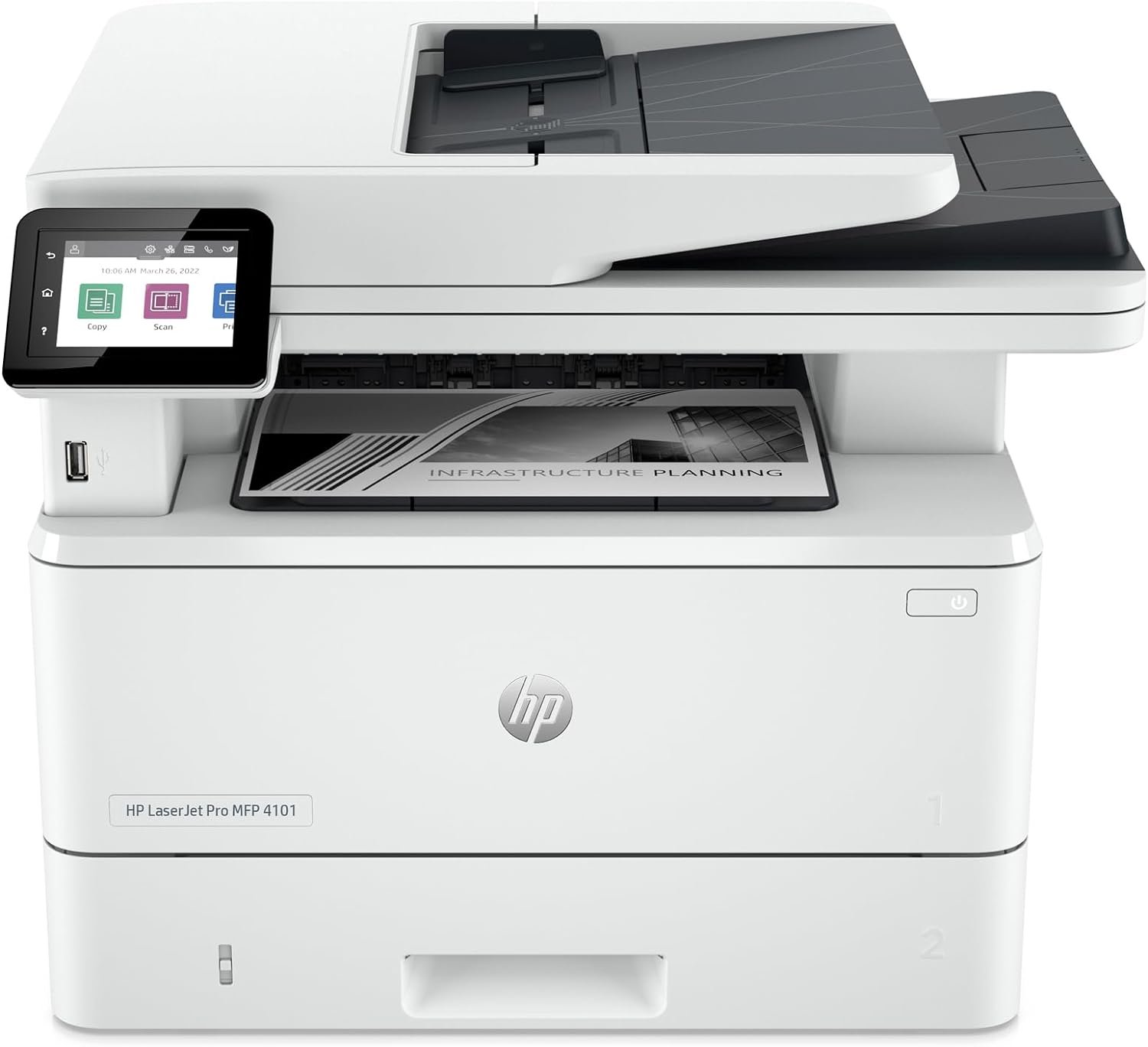
In 2026, the demand for efficient, reliable, and versatile printing solutions continues to grow across small businesses, remote teams, and office environments. Whether it’s generating professional documents, managing high-volume workflows, or integrating with digital ecosystems, the right printer can significantly impact productivity and operational efficiency. Printers like the HP LaserJet Pro MFP 4101fdn are engineered to address these needs by combining speed, multifunctionality, and security features tailored for small to mid-sized teams. However, with a wide range of options available, buyers must carefully evaluate factors such as print quality, connectivity options, duty cycle capacity, and long-term maintenance requirements. This review provides an in-depth analysis of the HP LaserJet Pro MFP 4101fdn, focusing on its technical specifications, performance benchmarks, and suitability for various usage scenarios. By examining its capabilities in terms of print speed, resolution, media compatibility, and security features, this assessment helps users determine whether this printer aligns with their specific requirements.
Quick Overview
| Feature | Details |
|---|---|
| Printer Type | Monochrome Laser Multifunction Printer |
| Supported Functions | Print, Scan, Copy, Fax |
| Print Resolution | 1200 x 1200 dpi (black and white) |
| Print Speed | Up to 42 pages per minute (single-sided) |
| Media Sizes | 3 x 5 to 8.5 x 17 inches, A4 |
| Connectivity | Ethernet, USB |
| Duty Cycle | Designed for high-volume environments |
| Toner System | HP LaserJet toner cartridges |
| Warranty | Limited warranty |
| Memory | 512 MB |
| Duplex Printing | Automatic |
| Additional Features | HP Wolf Pro Security, 350-sheet input tray |
The HP LaserJet Pro MFP 4101fdn is engineered for small to mid-sized teams requiring high-speed, multifunctional printing capabilities. Its combination of robust print performance, security features, and compatibility with standard office workflows makes it a strong contender for environments prioritizing efficiency and reliability. However, its lack of wireless connectivity and color printing options may limit its appeal for users with different requirements.

Print Speed and Throughput Performance
High-Speed Output for Productivity-Driven Environments
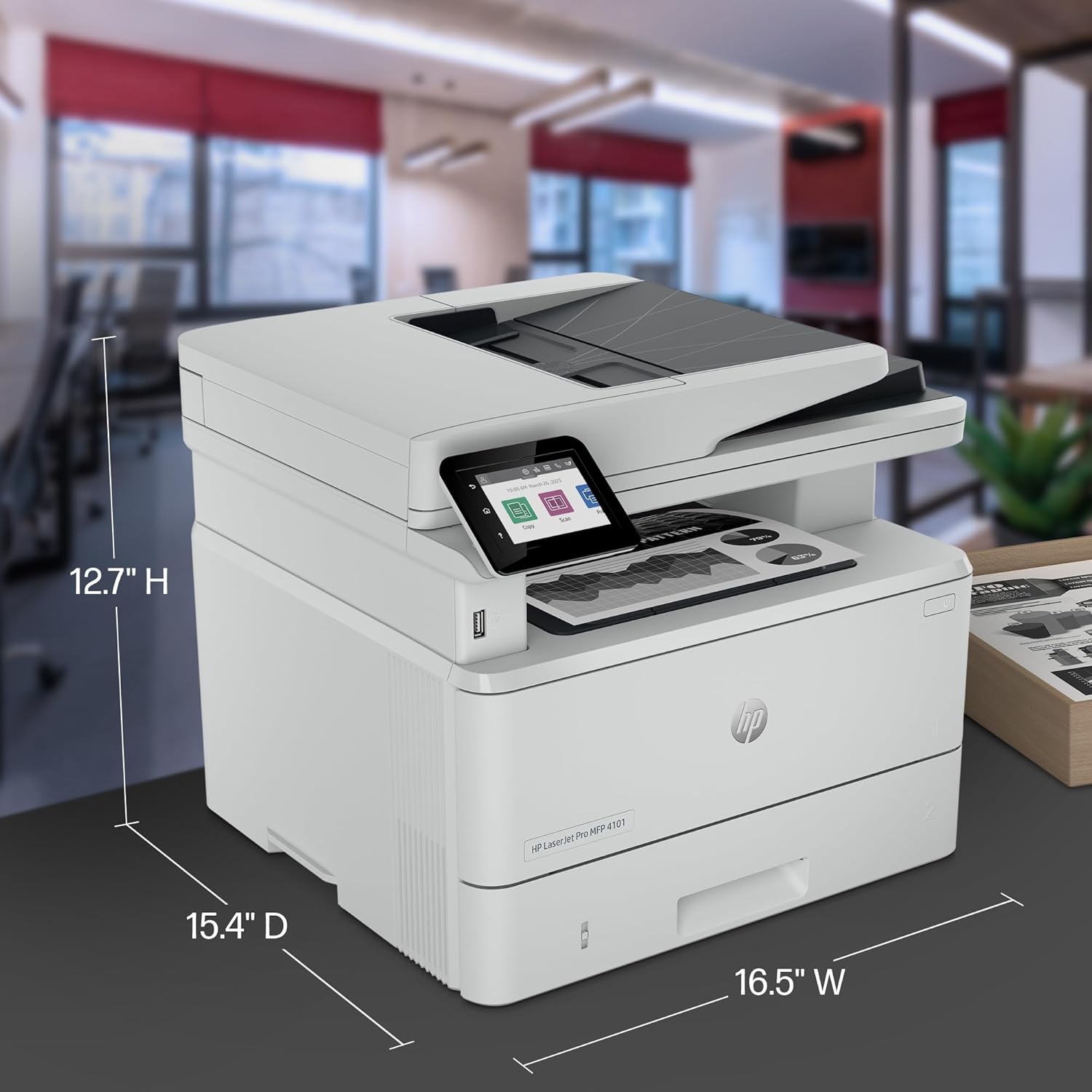
The HP LaserJet Pro MFP 4101fdn is designed to handle high-volume printing tasks with its maximum print speed of 42 pages per minute (ppm) for single-sided black-and-white documents. This speed is particularly beneficial for small business teams that require rapid document production for reports, invoices, or internal communications. The printer’s ability to maintain consistent output rates even during extended use is supported by its duty cycle specifications, which are optimized for environments with continuous printing demands. However, users should note that actual print speeds may vary based on factors such as document complexity and network conditions, as the printer relies on Ethernet connectivity for data transfer.
Duplex Printing and Paper Handling Efficiency
The printer’s automatic duplex printing feature reduces paper consumption by printing on both sides of the sheet, which is ideal for environments focused on sustainability and cost reduction. The 350-sheet input tray ensures sufficient paper capacity for high-volume workflows without frequent refills. Additionally, the printer supports a variety of media types, including envelopes, labels, and standard paper sizes, making it suitable for diverse office tasks. However, users should be aware that the printer’s media handling capabilities are limited to single-sided printing, which may not meet the needs of users requiring double-sided output for certain applications.
Print Quality and Resolution Specifications

Monochrome Output for Professional Documents
The HP LaserJet Pro MFP 4101fdn delivers high-quality black-and-white prints with a resolution of 1200 x 1200 dpi, ensuring sharp text and clear graphics for professional documents. This resolution is particularly advantageous for users who require precise formatting and legibility in reports, spreadsheets, and forms. The printer’s laser technology ensures consistent toner distribution, minimizing issues such as smudging or banding that can occur with lower-resolution printers. However, users should note that the printer’s output is optimized for monochrome printing, and its capabilities for producing detailed grayscale or color images are limited, as it does not support color printing.
Text Clarity and Graphic Precision
The printer’s ability to produce high-quality text is a key strength, making it well-suited for environments that prioritize readability and professionalism. The 1200 x 1200 dpi resolution ensures that even complex layouts, such as tables and charts, are rendered with clarity. For users who frequently print documents with intricate graphics or detailed data visualizations, the printer’s resolution may be sufficient for most office needs. However, users requiring extremely high-resolution output for specialized applications may find the printer’s capabilities to be a limitation.
Connectivity and Compatibility Considerations

Ethernet and USB Connectivity for Stable Workflows
The HP LaserJet Pro MFP 4101fdn relies on Ethernet and USB connectivity for data transfer, which are reliable options for small to mid-sized teams. Ethernet connectivity allows for seamless integration into existing office networks, ensuring stable data transmission for large print jobs. USB connectivity provides a direct connection to computers, which is useful for users who prefer a wired setup or have limited network resources. However, the lack of wireless connectivity may be a drawback for users who require remote access or mobile printing capabilities, as the printer does not support Wi-Fi or Bluetooth.
Cross-Platform Compatibility and Device Integration
The printer is compatible with a wide range of devices, including Windows, macOS, Android, and Chromebook systems, as well as supporting AirPrint and Microsoft printing protocols. This cross-platform compatibility ensures that users can integrate the printer into their existing workflows without significant configuration challenges. However, users should note that the printer’s reliance on Ethernet connectivity may require additional setup for environments where wireless printing is preferred. Additionally, the absence of color printing options may limit its appeal for users who require full-color output for marketing materials or presentations.
Security and Data Protection Features

HP Wolf Pro Security for Business Environments
The HP LaserJet Pro MFP 4101fdn includes HP Wolf Pro Security, a set of customizable security features designed to protect sensitive data in business environments. These features include secure print release, user authentication, and data encryption, which help prevent unauthorized access to printed documents. The printer’s security measures are particularly beneficial for small teams that handle confidential information, as they provide an additional layer of protection against data breaches. However, users should be aware that the printer’s security features are primarily focused on protecting data during transmission and storage, and they do not address physical security concerns such as securing the printer itself.
Firmware Updates and Chip-Based Security
The printer’s security measures are further enhanced by its use of dynamic security protocols that block cartridges with non-HP chips. Periodic firmware updates ensure that these security measures remain effective against evolving threats. While this approach helps prevent unauthorized cartridge usage, it may also limit the flexibility of using third-party or remanufactured cartridges, which could be a consideration for users looking to reduce printing costs. The printer’s reliance on firmware updates for security also means that users must ensure their devices are regularly updated to maintain optimal protection.

Pros & Cons
Pros
- High-Speed Printing: The printer’s 42 pages per minute speed is ideal for high-volume environments, ensuring quick document production.
- Multifunctionality: With print, scan, copy, and fax capabilities, it reduces the need for multiple devices in small office settings.
- HP Wolf Pro Security: Customizable security features protect sensitive data, making it suitable for business environments.
- Reliable Performance: The printer’s laser technology and robust design ensure consistent output quality and durability.
- Automatic Duplex Printing: Reduces paper usage and supports sustainability goals for cost-conscious users.
- Cross-Platform Compatibility: Works with Windows, macOS, Android, and Chromebook systems, ensuring seamless integration.
Cons
- Lack of Wireless Connectivity: The absence of Wi-Fi or Bluetooth may limit remote access and mobile printing capabilities.
- No Color Printing Options: The printer is designed for monochrome output, which may not meet the needs of users requiring color printing.
- Limited Media Support: While it supports a variety of media types, its capabilities are restricted to single-sided printing.
- Higher Power Consumption: The printer’s 18.7 watt power consumption is relatively high compared to some energy-efficient models.
- Dependence on Ethernet: Users must ensure a stable network connection for optimal performance, which may be a limitation in environments with limited IT resources.
Final Verdict: Who This Printer Is Best For (and Who Should Skip It)
The HP LaserJet Pro MFP 4101fdn is best suited for small to mid-sized teams in office environments that require high-speed, monochrome printing capabilities. Its combination of fast print speeds, multifunctionality, and security features makes it an ideal choice for businesses that prioritize productivity and data protection. The printer’s automatic duplex printing and cross-platform compatibility further enhance its appeal for users looking to reduce costs and streamline workflows. However, users who require wireless connectivity, color printing, or advanced media handling capabilities may find this printer to be a less suitable option. Additionally, organizations with limited IT resources or those seeking lower power consumption may need to consider alternative models that better align with their specific needs.

Frequently Asked Questions (FAQs)
What is the maximum print speed of the HP LaserJet Pro MFP 4101fdn?
The HP LaserJet Pro MFP 4101fdn can print up to 42 pages per minute for single-sided black-and-white documents, making it suitable for high-volume office environments. However, actual speeds may vary based on document complexity and network conditions.
Does the HP LaserJet Pro MFP 4101fdn support color printing?
No, the HP LaserJet Pro MFP 4101fdn is a monochrome laser printer and does not support color printing. It is designed for high-quality black-and-white output, making it ideal for professional documents and reports.
What connectivity options are available for the HP LaserJet Pro MFP 4101fdn?
The printer offers Ethernet and USB connectivity for stable data transfer. Ethernet is recommended for networked environments, while USB provides a direct connection to computers. Wireless capabilities such as Wi-Fi or Bluetooth are not supported.
Can the HP LaserJet Pro MFP 4101fdn handle different media types?
Yes, the printer supports various media types including standard paper, envelopes, and labels. It is compatible with paper sizes ranging from 3 x 5 to 8.5 x 17 inches, making it versatile for different office tasks.
What security features does the HP LaserJet Pro MFP 4101fdn offer?
The printer includes HP Wolf Pro Security, which provides customizable security settings such as secure print release and user authentication. These features help protect sensitive data in business environments.
Is the HP LaserJet Pro MFP 4101fdn suitable for remote printing?
The printer does not support wireless connectivity, so remote printing requires a stable Ethernet connection. Users must ensure their network infrastructure supports reliable data transfer for optimal performance.
What is the power consumption of the HP LaserJet Pro MFP 4101fdn?
The printer consumes 18.7 watts during operation, which is relatively high compared to some energy-efficient models. Users should consider this when evaluating long-term energy costs for their environment.
Can the HP LaserJet Pro MFP 4101fdn print on both sides of the paper?
Yes, the printer includes an automatic duplex printing feature that prints on both sides of the sheet, reducing paper usage and supporting sustainability efforts in cost-conscious environments.