HP OfficeJet 8015e Printer Review: Print Quality, Speed, and Connectivity
The Importance of Choosing the Right Printer for Your Needs
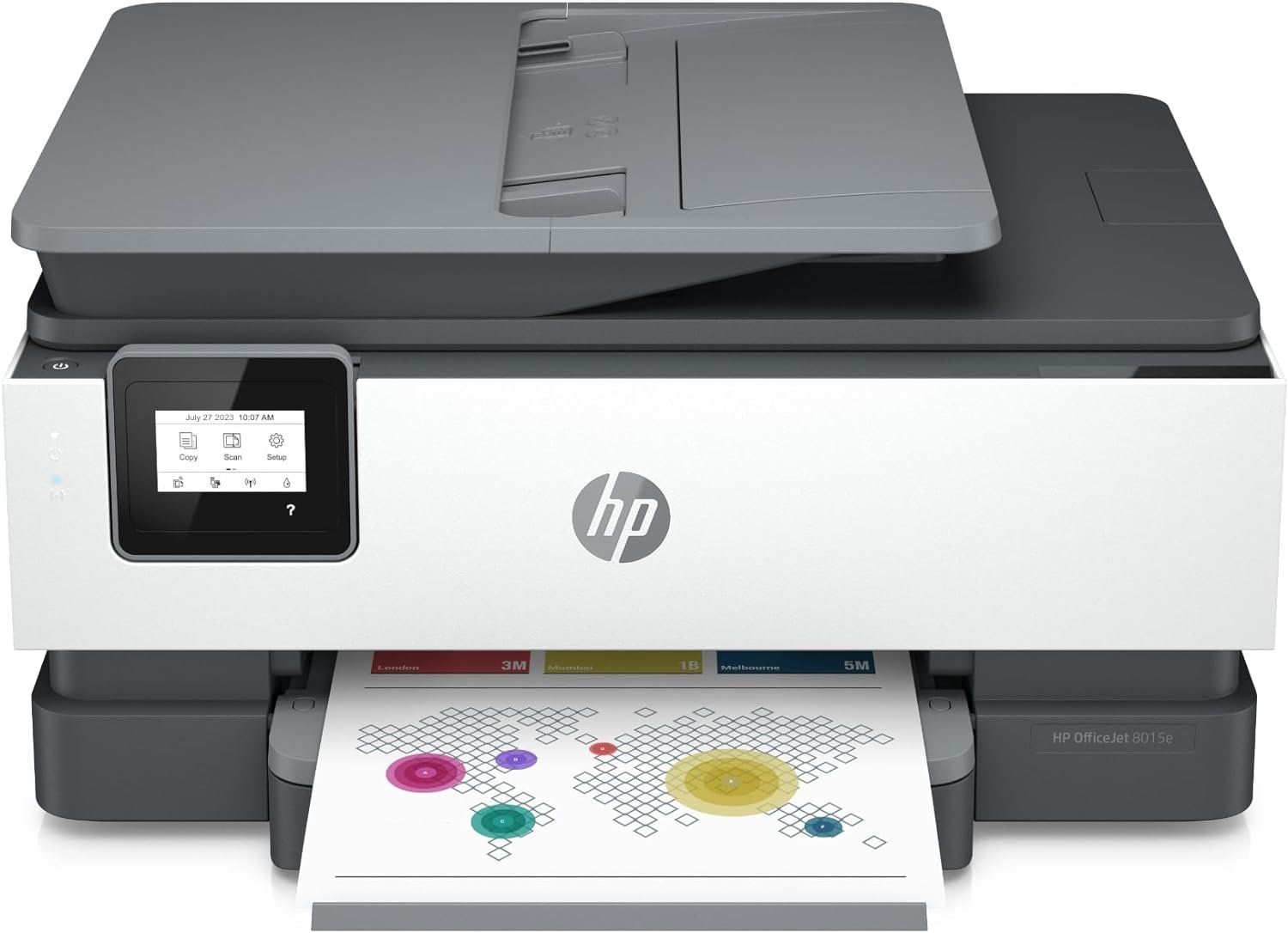
In today’s fast-paced business and home environments, a reliable printer is more than a peripheral—it’s a critical tool for productivity. Whether you’re managing daily office tasks, creating professional documents, or handling personal printing needs, the right printer can significantly impact efficiency and output quality. For small businesses and home offices, the choice of printer often hinges on factors like print speed, color accuracy, connectivity options, and long-term cost-effectiveness. The HP OfficeJet 8015e Wireless Color All-in-One Printer is designed to meet these demands with its combination of inkjet technology, wireless connectivity, and multifunctional capabilities. This review evaluates its performance across key buyer decision factors, including print quality, speed, media compatibility, and connectivity, to determine its suitability for various usage scenarios. By analyzing technical specifications, supported media types, and industry benchmarks, this guide helps users understand how the HP OfficeJet 8015e aligns with their specific printing requirements, ensuring they make an informed purchase decision.
Quick Overview
| Feature | Details |
|---|---|
| Printer Type | Wireless Color All-in-One Inkjet |
| Supported Functions | Print, Scan, Copy, Fax |
| Print Resolution | 1200 x 1200 dpi (black), 4800 x 1200 dpi (color) |
| Print Speed | 18 ppm (black), 10 ppm (color) |
| Media Sizes | 3 x 5, 8.5 x 14 inches, A4 |
| Connectivity | Dual-band Wi-Fi, USB |
| Duty Cycle | Recommended for up to 500 pages per day |
| Ink System | Pigment-based ink with HP 910 series cartridges |
| Warranty | Limited warranty with HP support |
The HP OfficeJet 8015e combines versatility and performance, making it suitable for small offices and home users. Its dual-band Wi-Fi and USB connectivity ensure reliable access across multiple devices, while pigment-based ink supports a range of media types. The printer’s print resolution and speed balance quality with efficiency, catering to users who require both clarity and productivity in their printing tasks.

Print Quality and Color Accuracy
The HP OfficeJet 8015e delivers consistent color output suitable for both professional and personal use, leveraging its pigment-based ink system and high-resolution print capabilities. Its color print resolution of 4800 x 1200 dpi ensures sharp, detailed images and vibrant graphics, making it ideal for tasks like creating brochures, marketing materials, and photo prints. The black-and-white print resolution of 1200 x 1200 dpi also supports crisp text and clear documents, which is essential for reports, forms, and presentations. The printer’s ability to handle glossy photo paper and card stock further enhances its versatility, catering to users who require high-quality output on various media types. However, the use of pigment-based ink may limit its effectiveness on certain surfaces, such as matte paper, where toner-based systems might offer more consistent results.
Media Compatibility and Output Versatility
The HP OfficeJet 8015e supports a wide range of media types, including standard paper, card stock, envelopes, and glossy photo paper, allowing users to adapt the printer to different printing needs. Its maximum media size of 8.5 x 14 inches accommodates letter-sized documents, while the A4 support ensures compatibility with international paper standards. The printer’s dual-sided printing feature reduces paper usage, making it an eco-friendly option for users prioritizing sustainability. Additionally, the inclusion of an auto document feeder (ADF) streamlines batch processing tasks, such as scanning multiple pages or copying documents efficiently. These capabilities make the HP OfficeJet 8015e well-suited for environments where diverse printing requirements are common, from small businesses to home offices.
Ink System and Longevity
The HP OfficeJet 8015e utilizes a pigment-based ink system, which is known for its durability and resistance to fading, making it suitable for archival and long-term document storage. The printer comes with standard HP 910 series cartridges, which provide a balance between cost and performance for typical home and office use. While the pigment-based ink may not be ideal for high-volume printing, it ensures reliable output for most standard tasks. The printer’s ink system also includes the option to use HP 910XL high-yield cartridges, which can extend the time between refills, reducing the frequency of cartridge replacements. However, users should be aware that the printer’s performance may degrade over time as ink levels decrease, particularly for color-intensive tasks that require frequent refills.
Print Speed and Duty Cycle
The HP OfficeJet 8015e is designed to handle a variety of printing tasks efficiently, with a maximum print speed of 18 pages per minute in black and 10 pages per minute in color. These speeds are competitive with other mid-range inkjet printers, making the HP OfficeJet 8015e suitable for environments with moderate to high print volumes. The printer’s dual-band Wi-Fi technology and USB connectivity ensure that print jobs are processed quickly, even when multiple devices are connected. However, users should be aware that color printing may take longer than black-and-white printing, which is a common trade-off in inkjet systems. The printer’s recommended duty cycle of up to 500 pages per day indicates that it is best suited for small to medium-sized offices rather than high-volume commercial environments. This makes the HP OfficeJet 8015e an excellent choice for users who require a reliable printer for daily tasks without the need for industrial-grade performance.

Handling High-Volume Printing
While the HP OfficeJet 8015e is capable of handling up to 500 pages per day, its performance in high-volume scenarios may be limited by the ink system and media compatibility. The printer’s ability to manage large print jobs is influenced by the type of media used, with thicker paper and card stock requiring more time to process. Additionally, the use of pigment-based ink may result in slower drying times for certain media types, which could affect productivity in environments where quick turnaround is essential. For users who require consistent performance under heavy use, the HP OfficeJet 8015e may not be the best option, as it is designed more for moderate usage rather than continuous, high-volume printing. This makes it an ideal choice for small businesses and home offices but less suitable for large-scale operations.
Connectivity and Device Compatibility
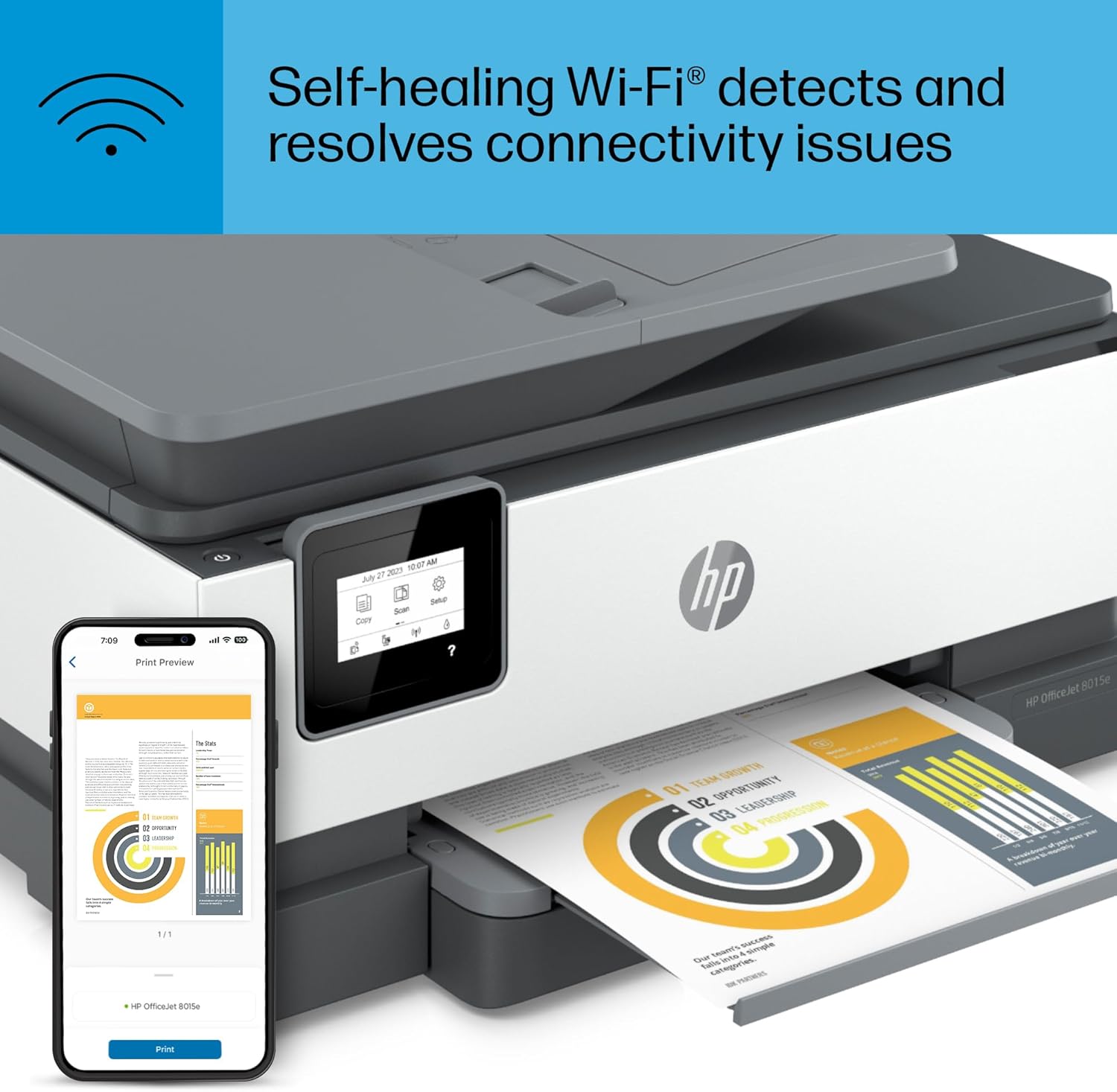
The HP OfficeJet 8015e offers a range of connectivity options, including dual-band Wi-Fi and USB, ensuring compatibility with a variety of devices. The dual-band Wi-Fi technology enhances network stability by automatically detecting and resolving connection issues, which is particularly beneficial for users with multiple devices connected to the same network. The printer’s ability to support both wireless and wired connections provides flexibility, allowing users to choose the most convenient method for their workflow. Additionally, the HP+ Smart Features, which require an HP account, enable advanced functionalities such as mobile printing, automatic updates, and security features, further enhancing the printer’s usability. However, the reliance on an HP account and internet connection may pose a challenge for users who prefer offline printing or have limited network access. Overall, the printer’s connectivity options make it a versatile choice for environments where seamless integration with existing devices is a priority.

Mobile and Wireless Printing
The HP OfficeJet 8015e’s support for mobile and wireless printing is a significant advantage for users who need to print from smartphones, tablets, or computers. The HP Print app allows users to print, scan, copy, or fax directly from their mobile devices, streamlining the printing process and reducing the need for physical access to the printer. The printer’s dual-band Wi-Fi ensures reliable connectivity, even in environments with multiple devices or network interference. However, the effectiveness of mobile printing may depend on the stability of the internet connection and the availability of an HP account, which are prerequisites for accessing the full range of HP+ features. These capabilities make the HP OfficeJet 8015e an attractive option for users who prioritize convenience and flexibility in their printing workflows.

Pros & Cons
Pros
- High Print Resolution: The HP OfficeJet 8015e offers 4800 x 1200 dpi color resolution and 1200 x 1200 dpi black-and-white resolution, ensuring sharp and detailed output for both text and graphics.
- Versatile Media Compatibility: The printer supports a wide range of media types, including standard paper, card stock, envelopes, and glossy photo paper, making it suitable for various printing needs.
- Dual-band Wi-Fi Connectivity: The dual-band Wi-Fi technology enhances network stability, automatically resolving connection issues and improving the reliability of wireless printing.
- Auto Document Feeder (ADF): The ADF simplifies batch processing tasks, such as scanning multiple pages or copying documents, increasing efficiency for users who handle large volumes of paper.
- Mobile Printing Support: The HP Print app allows users to print, scan, copy, or fax directly from their smartphones or tablets, enhancing convenience and accessibility.
- Eco-Friendly Duplex Printing: The automatic duplex printing feature reduces paper usage, contributing to cost savings and environmental sustainability.
Cons
- Limited High-Volume Performance: The printer is recommended for up to 500 pages per day, making it less suitable for high-volume commercial environments that require continuous, heavy printing.
- Pigment-Based Ink Limitations: While pigment-based ink offers durability, it may not perform as well on certain media types, such as matte paper, compared to toner-based systems.
- Dependence on HP Account: The HP+ Smart Features require an HP account, which may be a barrier for users who prefer offline printing or have limited internet access.
- Slower Color Printing: Color printing speeds are slower than black-and-white printing, which could affect productivity in environments where color output is frequent.
- Ink Refill Frequency: The standard HP 910 cartridges require more frequent refills compared to high-yield alternatives, which may increase maintenance efforts for some users.
Final Verdict: Who This Printer Is Best For (and Who Should Skip It)
The HP OfficeJet 8015e Wireless Color All-in-One Printer is best suited for small businesses and home offices that require a reliable, versatile printer for moderate to high-volume use. Its combination of high print resolution, media compatibility, and wireless connectivity makes it an excellent choice for users who need to handle a variety of printing tasks, from professional documents to personal photos. The printer’s support for mobile printing and automatic duplex printing further enhances its appeal for users who prioritize convenience and sustainability. However, the HP OfficeJet 8015e may not be the best option for high-volume commercial environments or users who require consistent performance under heavy use. Its pigment-based ink system and slower color printing speeds may also be limiting factors for users who frequently print color-intensive materials. Overall, the HP OfficeJet 8015e is a well-rounded printer that balances quality, speed, and connectivity, making it a strong contender for its target audience.

Frequently Asked Questions (FAQs)
What is the maximum print speed of the HP OfficeJet 8015e?
The HP OfficeJet 8015e can print up to 18 pages per minute in black and 10 pages per minute in color, making it suitable for moderate to high-volume use in small offices and home environments.
What media types does the HP OfficeJet 8015e support?
The printer supports standard paper, card stock, envelopes, and glossy photo paper, with a maximum media size of 8.5 x 14 inches and A4 compatibility.
How does the HP OfficeJet 8015e handle wireless connectivity?
The printer uses dual-band Wi-Fi technology to ensure stable, high-speed wireless printing. It automatically detects and resolves connection issues for reliable performance across multiple devices.
Can the HP OfficeJet 8015e print on both sides of the paper?
Yes, the printer includes an automatic duplex printing feature that reduces paper usage and helps lower printing costs for users who print frequently on both sides.
What ink system does the HP OfficeJet 8015e use?
The HP OfficeJet 8015e uses a pigment-based ink system, which is known for its durability and resistance to fading, making it suitable for long-term document storage and archival purposes.
Is the HP OfficeJet 8015e suitable for mobile printing?
Yes, the printer supports mobile printing through the HP Print app, allowing users to print, scan, copy, or fax directly from smartphones and tablets.
What is the recommended duty cycle for the HP OfficeJet 8015e?
The printer is designed for up to 500 pages per day, making it ideal for small businesses and home offices but less suitable for high-volume commercial environments.
Can the HP OfficeJet 8015e handle large print jobs?
While the printer can manage large print jobs, its performance may be affected by the type of media used and the print speed, which is slower for color printing compared to black-and-white tasks.