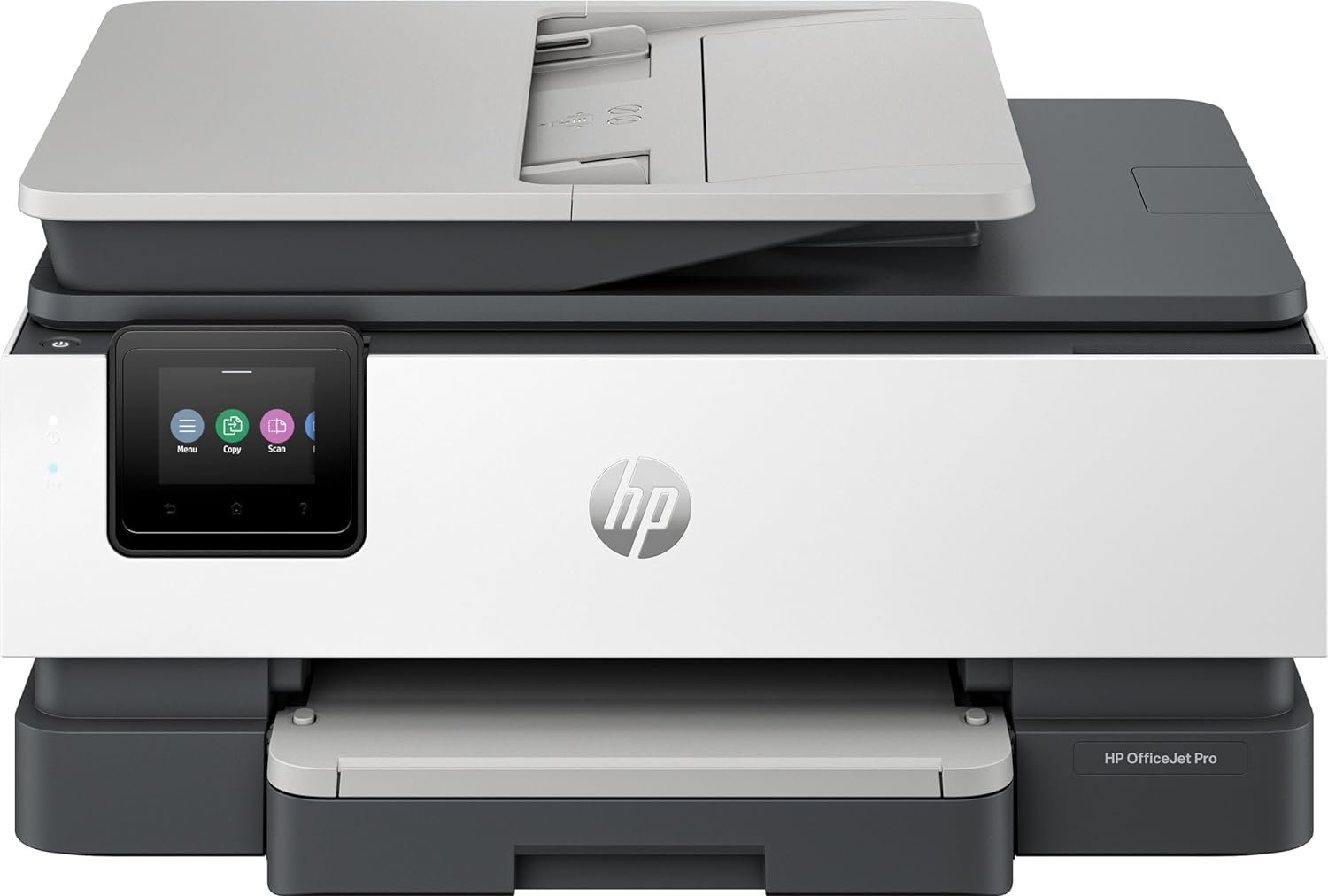
HP OfficeJet Pro 8135e Review: All-in-One Printer for Home Offices
The Importance of Choosing the Right Printer for Your Workspace
Selecting an appropriate printer can significantly impact productivity and efficiency in both home and office environments. Whether you’re managing a small business, running a home office, or handling personal documents, the right printer must balance speed, quality, and reliability. Modern printing needs often require multifunctional devices capable of handling print, scan, copy, and fax tasks. For users who prioritize color output and document management, an all-in-one printer with advanced features becomes essential. However, the decision-making process involves evaluating factors such as print resolution, connectivity options, media compatibility, and long-term maintenance costs. A printer that meets these criteria can streamline workflows, reduce manual effort, and ensure consistent output quality. This review examines the HP OfficeJet Pro 8135e, a wireless all-in-one color inkjet printer designed for home offices and small businesses. By analyzing its specifications, technical capabilities, and real-world performance indicators, we provide a comprehensive assessment to help users determine if this device aligns with their printing requirements.
Quick Overview
| Feature | Details |
|---|---|
| Printer Type | Wireless All-in-One Color Inkjet Printer |
| Supported Functions | Print, Scan, Copy, Fax, Duplex Printing |
| Print Resolution | Up to 4800 x 1200 dpi (color), 1200 x 1200 dpi (black and white) |
| Print Speed | 10 ppm color, 20 ppm black and white |
| Media Sizes | 8.5 x 11, 8.27 x 11.7, 8.5 x 14, 7.16 x 10.12 inches |
| Connectivity | Ethernet, USB, Dual-band Wi-Fi |
| Duty Cycle | 1,500 pages per month (recommended) |
| Ink System | Pigment-based ink with HP Instant Ink subscription |
| Warranty | One-year limited hardware warranty |
The HP OfficeJet Pro 8135e combines multifunctionality with advanced connectivity options, making it suitable for environments requiring frequent color printing and document management. Its dual-band Wi-Fi and Ethernet support ensure reliable network access, while the automatic document feeder and duplex printing capabilities enhance productivity. The printer’s design and feature set cater to users who need a balance between performance and ease of use.

Print Quality and Resolution Capabilities
The HP OfficeJet Pro 8135e delivers high-quality color prints with a maximum resolution of 4800 x 1200 dpi on specialized media, making it suitable for professional documents and presentations. For black-and-white output, the printer achieves 1200 x 1200 dpi, ensuring sharp text and clear graphics. These resolution specifications are critical for users who require precise color accuracy and fine detail in their printed materials. The printer’s ability to produce high-resolution prints is supported by its pigment-based ink system, which offers vibrant color saturation and improved fade resistance compared to dye-based inks. However, the print quality may vary depending on the type of paper used, as the printer is optimized for standard 8.5 x 11-inch paper and HP Advance Photo Paper. For users who frequently print on non-standard media, the printer’s compatibility with various paper sizes and types remains a key advantage.

Color Accuracy and Media Compatibility
The printer’s color output is enhanced by its advanced inkjet technology, which allows for precise color placement and consistent tonal reproduction. The pigment-based ink system ensures that colors remain vivid over time, making it ideal for documents that require long-term archival quality. However, users should note that the printer’s color accuracy is best achieved when using HP-recommended media, as non-compatible papers may affect the final print result. The supported media sizes, including legal and letter formats, provide flexibility for different document types, but the absence of a dedicated photo paper tray may limit its suitability for high-volume photo printing. For users who prioritize color consistency and media versatility, the printer’s specifications offer a solid foundation for professional-grade output.
Text and Graphic Output Performance
The HP OfficeJet Pro 8135e excels in producing crisp, legible text with its 1200 x 1200 dpi black-and-white resolution. This makes it well-suited for business documents, reports, and forms that require clear, readable text. The printer’s ability to handle both text and graphics simultaneously ensures that mixed-content documents, such as brochures or flyers, are printed without distortion or misalignment. The inclusion of HP AI technology further enhances the printing experience by optimizing layouts and removing unnecessary content, reducing wasted pages and improving overall efficiency. For users who frequently print complex layouts or need to maintain document integrity, the printer’s performance in handling mixed media and formatting challenges is a notable strength.
Connectivity and Network Integration
The HP OfficeJet Pro 8135e offers robust connectivity options, including dual-band Wi-Fi, Ethernet, and USB, ensuring compatibility with a wide range of devices and network environments. Dual-band Wi-Fi support allows the printer to connect to both 2.4 GHz and 5 GHz networks, reducing interference and improving data transfer speeds. This is particularly beneficial for users with large home networks or those who require stable connectivity for remote printing. The Ethernet port provides a wired connection option for users who prioritize reliability over wireless convenience, while the USB port enables direct printing from laptops and other devices without requiring a network connection. These connectivity features make the printer suitable for both home and small office environments, where reliable access to printing services is essential.
Wireless Printing and Network Stability
The printer’s dual-band Wi-Fi technology enhances network stability by automatically detecting and resolving connection issues. This feature is especially useful in environments with multiple devices or competing wireless signals, as it minimizes the risk of print job interruptions. The built-in HP app further simplifies wireless printing by allowing users to manage print jobs, scan documents, and monitor ink levels directly from their smartphones or tablets. However, users should be aware that the printer’s wireless performance may be affected by physical obstructions or network congestion, which are common challenges in home and small office settings. The printer’s ability to maintain a stable connection is a key factor in its suitability for environments where uninterrupted printing is critical.
Compatibility with Smart Devices and Cloud Services
The HP OfficeJet Pro 8135e supports seamless integration with smart devices and cloud-based printing services, expanding its utility for users who rely on mobile and remote work. The HP app provides a user-friendly interface for managing print jobs, accessing cloud storage, and sharing documents across devices. Additionally, the printer’s support for print over VPN with HP+ ensures that users can access printing services securely, even when working remotely. These features make the printer an attractive option for users who need to maintain productivity across multiple devices and locations. However, the printer’s reliance on network connectivity means that its performance may be limited in environments with unstable or limited internet access.
Maintenance and Consumable Considerations
The HP OfficeJet Pro 8135e includes a set of HP 923 Setup cartridges, providing initial ink for color printing. The printer’s pigment-based ink system is designed for durability, offering long-lasting color retention and reduced fading compared to dye-based inks. However, users should be aware that ink costs can add up over time, especially for high-volume printing. The HP Instant Ink subscription service helps mitigate this by ensuring timely ink delivery before shortages occur, but the monthly fee may be a consideration for budget-conscious users. The printer’s ability to handle a 225-sheet input tray and automatic duplex printing also contributes to its efficiency, reducing paper waste and improving overall productivity. For users who prioritize cost-effective printing and long-term reliability, the printer’s consumable management features are a significant advantage.

Ink Management and Longevity
The printer’s ink management system is optimized for consistent performance, with the pigment-based ink offering superior fade resistance and color stability. However, the printer’s ink usage efficiency may vary depending on the type of document printed, with color-intensive tasks consuming more ink than black-and-white printing. The inclusion of HP Instant Ink ensures that users can maintain a steady supply of ink without the need for manual monitoring, but the subscription model may not be ideal for users who prefer to manage their own ink purchases. The printer’s ability to handle a variety of paper types and sizes also contributes to its versatility, making it suitable for both everyday printing and specialized tasks.
Maintenance and Durability
The HP OfficeJet Pro 8135e is designed for reliable operation in home and small office environments, with a one-year limited hardware warranty that can be extended through the HP+ program. The printer’s build quality and component design are suited for moderate usage, with the 17.6-pound weight indicating a sturdy, well-constructed unit. However, users should be aware that the printer’s duty cycle of 1,500 pages per month is recommended for optimal performance, and exceeding this limit may affect long-term reliability. The automatic document feeder and touchscreen interface enhance user experience, but the absence of a dedicated maintenance mode may make certain tasks more challenging for advanced users. Overall, the printer’s maintenance requirements are manageable for most users, with the exception of those who need extensive customization or troubleshooting capabilities.

Pros & Cons
Pros
- High print resolution: The printer delivers up to 4800 x 1200 dpi color output and 1200 x 1200 dpi black-and-white resolution, suitable for professional documents and presentations.
- Robust connectivity options: Dual-band Wi-Fi, Ethernet, and USB support ensure reliable access to printing services across different network environments.
- Multifunctionality: The printer handles print, scan, copy, and fax tasks efficiently, making it a versatile solution for home and small office use.
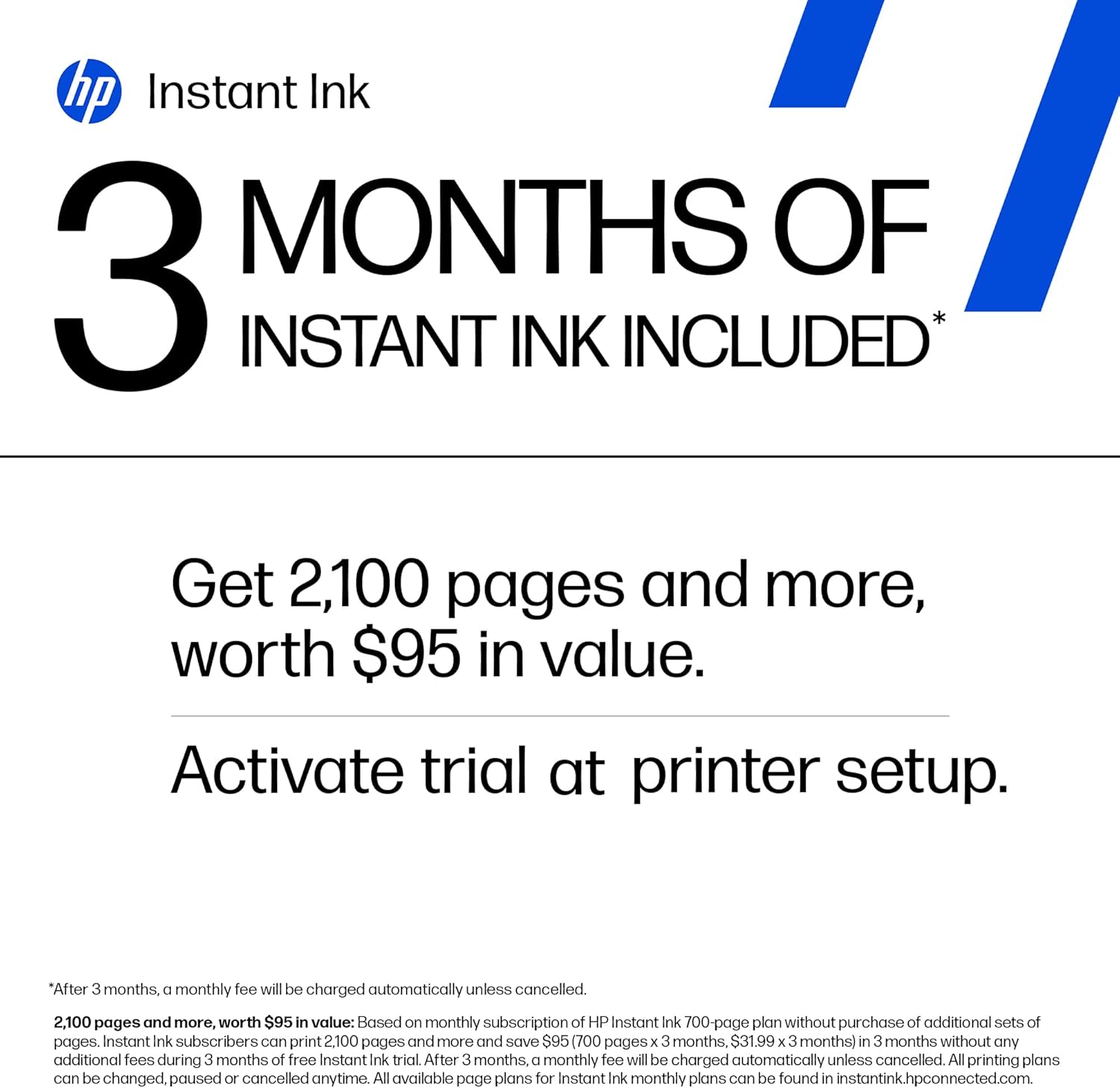
- HP Instant Ink subscription: The 3-month free ink trial and automated delivery system help prevent print job interruptions due to ink shortages.
- Automatic duplex printing: The built-in duplex feature reduces paper waste and improves document organization for everyday printing tasks.
- HP AI technology: The printer optimizes layouts and removes unwanted content, ensuring precise and professional-looking prints.
Cons
- Ink costs: The pigment-based ink system may result in higher long-term costs, especially for users with high-volume printing needs.
- Limited photo printing capabilities: The printer is optimized for standard paper and business documents, which may limit its effectiveness for high-quality photo printing.
- Network dependency: The printer’s performance is heavily reliant on stable wireless or wired network connections, which may be a challenge in less-than-ideal environments.
- No dedicated maintenance mode: Advanced users may find certain troubleshooting or customization tasks more difficult without a dedicated maintenance interface.
- Recommended usage limit: The printer is designed for 1,500 pages per month, and exceeding this limit may affect its long-term reliability and performance.
Final Verdict: Who This Printer Is Best For (and Who Should Skip It)
The HP OfficeJet Pro 8135e is an excellent choice for home offices and small businesses that require a multifunctional printer with reliable color output and network connectivity. Its high print resolution, automatic duplex printing, and HP Instant Ink subscription make it ideal for users who need to produce professional-looking documents, manage print jobs remotely, and maintain consistent ink availability. The printer’s dual-band Wi-Fi and Ethernet support ensure stable connectivity, while the automatic document feeder and touchscreen interface enhance usability for everyday tasks. However, users with high-volume printing needs or those who prioritize photo printing capabilities may find the printer less suitable due to its limited media compatibility and higher ink costs. Additionally, the printer’s reliance on network connectivity means it may not be the best option for environments with unstable or limited internet access. Overall, the HP OfficeJet Pro 8135e is a well-rounded solution for users who value versatility, ease of use, and reliable performance in a home or small office setting.

##

Frequently Asked Questions (FAQs)
Does the HP OfficeJet Pro 8135e support wireless printing?
Yes, the HP OfficeJet Pro 8135e includes dual-band Wi-Fi for reliable wireless printing. It also supports Ethernet and USB connectivity for wired and direct printing options, ensuring compatibility with various network environments.
What is the maximum print resolution of the HP OfficeJet Pro 8135e?
The printer offers up to 4800 x 1200 dpi color resolution on HP Advance Photo Paper and 1200 x 1200 dpi black-and-white resolution, making it suitable for professional documents and presentations.
Can the HP OfficeJet Pro 8135e handle photo printing?
The printer is optimized for standard paper and business documents. While it can produce high-quality color prints, its photo printing capabilities are limited due to the lack of a dedicated photo paper tray and specialized media support.
What are the connectivity options for the HP OfficeJet Pro 8135e?
The printer supports dual-band Wi-Fi, Ethernet, and USB connectivity. These options provide flexibility for users who require stable wireless or wired access to printing services.
How does the HP Instant Ink subscription work with the HP OfficeJet Pro 8135e?
The HP Instant Ink subscription service provides a 3-month free ink trial and automated ink delivery to prevent print job interruptions. After the initial period, a monthly fee applies unless the service is canceled.
What is the recommended monthly print volume for the HP OfficeJet Pro 8135e?
The printer is designed for up to 1,500 pages per month. Exceeding this limit may affect its long-term reliability and performance, so it is best suited for moderate usage environments.
Does the HP OfficeJet Pro 8135e support duplex printing?
Yes, the printer includes automatic duplex printing, which reduces paper waste and improves document organization for everyday printing tasks.
Can the HP OfficeJet Pro 8135e be used with mobile devices?
Yes, the printer is compatible with smartphones, tablets, and PCs through the HP app, allowing users to print, scan, copy, and fax directly from their mobile devices.