Thermal Label Printer Review: D1 Bluetooth Label Maker for Home, Office, and School Use
The Importance of Choosing the Right Label Printer
In today’s fast-paced environments, the ability to label items efficiently can significantly impact productivity and organization. Whether managing household supplies, labeling office equipment, or tracking inventory in a school setting, a reliable label printer is essential. The demand for compact, versatile, and high-quality printing solutions has never been higher, especially as users seek devices that balance performance with portability. From small businesses to individual consumers, the right label printer can streamline tasks, reduce errors, and improve workflow. However, selecting the appropriate model requires careful consideration of factors such as print quality, speed, connectivity options, and media compatibility. This review examines the INVISEN D1 Bluetooth label printer, a device designed to meet the needs of users who require flexibility, durability, and ease of use. By analyzing its technical specifications, supported functions, and real-world applications, this guide aims to help potential buyers make informed decisions based on their specific requirements and usage scenarios.
Quick Overview
| Feature | Details |
|---|---|
| Printer Type | Thermal label printer |
| Print Technology | Thermal printing |
| Print Resolution | 203 DPI (black and white/color) |
| Supported Media Sizes | 12-50mm width labels (max 50x30mm) |
| Connectivity | Bluetooth 4.0+ (iOS/Android) |
| Power Source | Lithium-ion battery (included) |
| Print Speed | Variable based on design complexity |
| Duty Cycle | Continuous operation with thermal paper |
| Media Compatibility | Colored, white, and transparent thermal labels |
| App Integration | Zero-cost app with 100+ templates |
| Warranty | Limited warranty |
| Dimensions | 1.77 x 5.51 x 5.51 inches |
| Weight | 10.8 ounces |
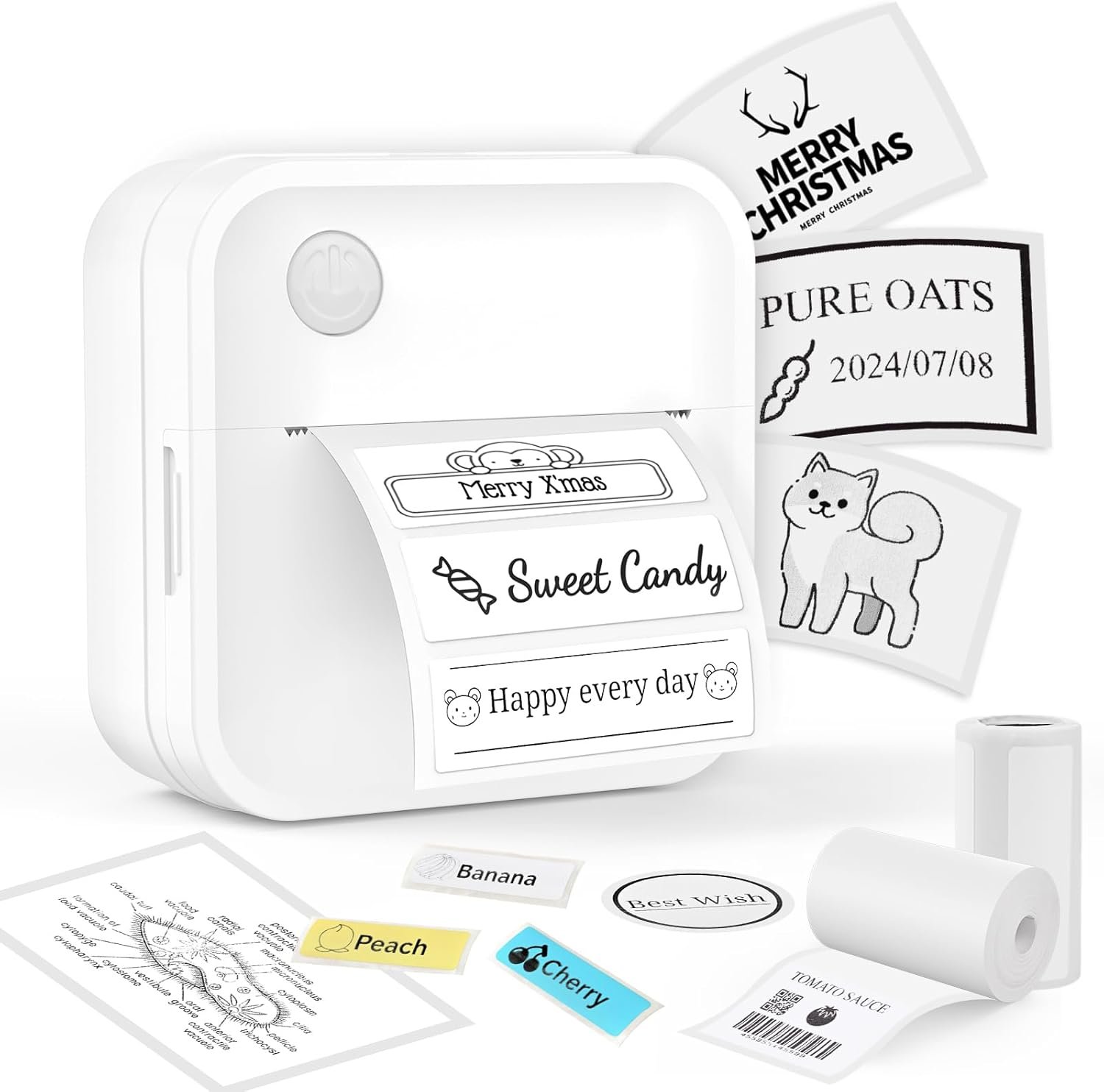
The INVISEN D1 label printer combines portability with advanced thermal printing capabilities, making it suitable for users who need to label items on the go. Its Bluetooth connectivity and app integration allow for seamless design creation, while the adjustable media size accommodates a range of labeling needs. The device’s compact design and battery-powered operation make it ideal for environments where access to power sources is limited, such as home offices or school settings. However, its thermal printing technology and media requirements may limit its effectiveness for high-volume or specialized labeling tasks.

Print Quality and Resolution: A Focus on Thermal Output
The INVISEN D1 label printer utilizes thermal printing technology to deliver sharp, high-contrast output with a resolution of 203 DPI. This resolution is sufficient for most standard labeling applications, including text, barcodes, and basic graphics. Thermal printing works by heating specific areas of thermal paper to create images, resulting in crisp, durable prints that resist fading under normal conditions. The printer’s ability to produce clear text and graphics makes it well-suited for tasks such as labeling containers, organizing files, and creating inventory tags. However, the reliance on thermal paper means users must ensure they have an adequate supply of compatible media, as the printer cannot use traditional inkjet or laser paper.
Thermal Paper Compatibility and Media Requirements
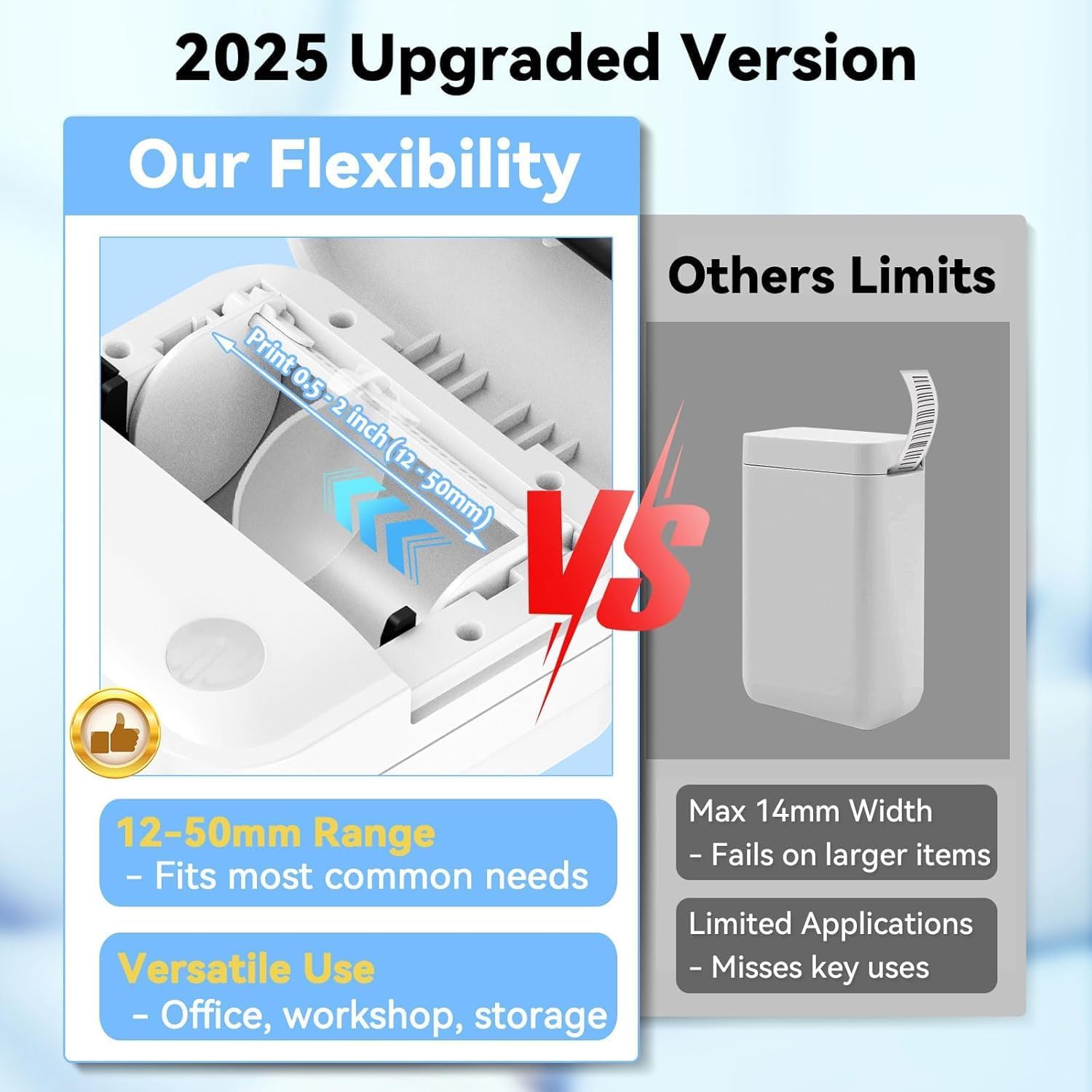
The D1 label printer is designed to work exclusively with thermal paper, which is available in various colors, including white, transparent, and colored options. This versatility allows users to select the most appropriate media for their specific labeling needs, such as using transparent labels for marking glass containers or colored labels for different categories of items. The printer’s adjustable media size range (12-50mm) provides flexibility for labeling items of varying dimensions, from small jars to larger storage bins. However, the requirement for thermal paper may be a limitation for users who prefer or require alternative printing methods, such as inkjet or laser.
Print Speed and Complexity Considerations
While the D1 label printer does not have a fixed print speed, its performance is influenced by the complexity of the design being printed. Simple text and barcode labels can be produced relatively quickly, while more intricate graphics or photos may take additional time to render. The printer’s thermal engine is optimized for efficiency, ensuring that users can complete labeling tasks without unnecessary delays. For users who frequently create custom designs, the included app’s intuitive interface and 100+ templates can streamline the process, reducing the time spent on design creation. However, the lack of a dedicated print speed specification means users may need to test the device’s performance based on their specific use cases.
Durability and Environmental Factors
The D1 label printer’s thermal printing technology is well-suited for environments where durability is a concern. Thermal prints are resistant to fading, smudging, and water damage, making them ideal for labeling items that may be exposed to varying conditions. However, the printer’s performance may be affected by extreme temperatures, as thermal paper can degrade in high heat or humidity. Users in industrial or outdoor settings should consider the environmental conditions in which the printer will be used, as the device is primarily designed for indoor applications. The printer’s compact size and lightweight design also contribute to its portability, making it a practical choice for users who need to label items in multiple locations.
Connectivity and App Integration: A Seamless Printing Experience
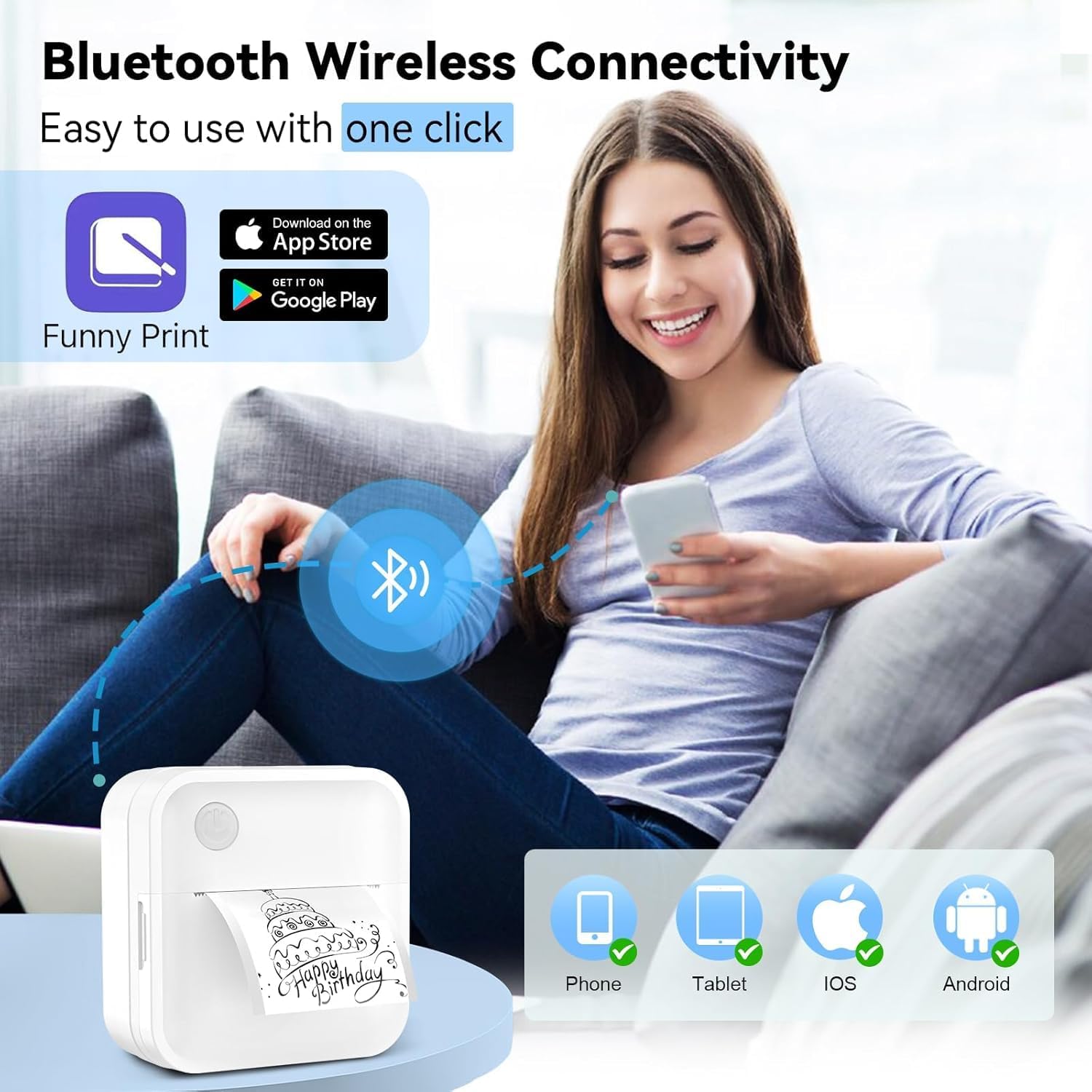
The INVISEN D1 label printer offers Bluetooth 4.0+ connectivity, enabling users to pair the device with smartphones or tablets for wireless printing. This feature eliminates the need for physical cables, providing a convenient and flexible printing solution. The Bluetooth connection range of up to 10 meters allows for printing from a distance, making it ideal for users who need to label items while working at a distance. The printer’s compatibility with both iOS and Android devices ensures broad accessibility, as most users are likely to own at least one of these platforms. However, the reliance on Bluetooth may introduce minor latency issues, particularly in environments with multiple wireless devices competing for bandwidth.

App Features and User Experience
The D1 label printer’s accompanying app is a key component of its user experience, offering a zero-cost interface with 100+ templates and 300+ images. The app’s intuitive design allows users to create and print labels with minimal effort, requiring only three steps: connect the device, select a design, and print. This simplicity makes the printer accessible to users of all technical skill levels, from students to professionals. The app’s support for multiple languages enhances its usability for international users, while the guest mode access ensures that users can print without the need for account creation. However, the lack of advanced design tools may limit the printer’s appeal to users who require highly customized labels.
Wireless Connectivity Limitations
While Bluetooth connectivity provides convenience, it also introduces certain limitations. The D1 label printer does not support direct USB or Wi-Fi printing, which may be a drawback for users who prefer wired connections or need to print from computers. Additionally, the printer’s reliance on Bluetooth means that users must maintain a stable connection during the printing process, as interruptions could result in incomplete or corrupted prints. For users who require more robust connectivity options, such as Ethernet or cloud-based printing, the D1 may not be the most suitable choice. However, its wireless capabilities make it an excellent option for users who prioritize portability and ease of use.
Print Volume and Duty Cycle: Assessing Long-Term Performance
The D1 label printer is designed for continuous operation, with a duty cycle that supports regular use in home, office, and school environments. Its thermal printing technology is optimized for efficiency, allowing users to label multiple items without significant wear on the print engine. However, the printer’s performance may degrade over time if used continuously for extended periods without maintenance. Users should ensure that the thermal paper is properly aligned and that the printer is allowed to cool down between extended printing sessions to prevent overheating. The device’s lightweight design and battery-powered operation also contribute to its longevity, as it is less prone to mechanical stress compared to heavier, more complex printers.

Media Consumption and Supply Management
The D1 label printer’s media consumption rate is influenced by the size and complexity of the labels being printed. Users should factor in the volume of labels required for their specific tasks when selecting the appropriate media supply. The printer’s maximum input sheet capacity of 50 sheets ensures that users can label multiple items without frequent refills. However, the need for thermal paper may result in higher long-term costs compared to inkjet or laser printers, as thermal paper is typically more expensive and less widely available. Users who require frequent labeling should consider the cost of media supplies when evaluating the printer’s overall value.
Environmental Impact and Sustainability
The D1 label printer’s reliance on thermal paper raises questions about its environmental impact. Thermal paper contains chemicals that can be harmful if not disposed of properly, and its production process may have a higher carbon footprint compared to traditional paper. Users concerned about sustainability should consider the environmental implications of using thermal paper and explore alternatives if possible. While the printer’s portability and efficiency make it a convenient choice for many users, its environmental impact is an important consideration for those prioritizing eco-friendly practices.

Pros & Cons
Pros
- Adjustable Media Size: The D1’s 12-50mm width range accommodates a wide variety of labeling needs, from small jars to large storage bins.
- Bluetooth Connectivity: Seamless pairing with iOS and Android devices allows for wireless printing without the need for physical cables.
- High-Resolution Thermal Printing: 203 DPI output ensures sharp, clear text and graphics for most standard labeling tasks.
- App Integration: The zero-cost app offers 100+ templates and 300+ images, simplifying the design process for users.
- Portable Design: The compact, lightweight form factor makes it ideal for users who need to label items on the go.
- Battery-Powered Operation: Eliminates the need for a power outlet, making it suitable for environments with limited access to electricity.
- Durable Thermal Output: Prints are resistant to fading and smudging, ensuring long-term readability.
Cons
- Thermal Paper Dependency: The printer requires thermal paper, which may be more expensive and less widely available than traditional printing media.
- Limited Media Compatibility: Only compatible with thermal labels, restricting use for users who need alternative printing methods.
- No Direct USB/Wi-Fi Printing: Reliance on Bluetooth may limit connectivity options for users who prefer wired or networked printing.
- Print Speed Variability: Complex designs or photos may take longer to print compared to simple text labels.
- Environmental Impact: Thermal paper production and disposal may have a higher environmental footprint compared to traditional paper.
- No Advanced Design Tools: The app lacks advanced customization features, limiting the ability to create highly intricate labels.
Final Verdict: Who This Printer Is Best For (and Who Should Skip It)
The INVISEN D1 label printer is best suited for users who require a portable, versatile solution for labeling items in home, office, or school environments. Its adjustable media size, Bluetooth connectivity, and high-resolution thermal printing make it an excellent choice for tasks such as labeling containers, organizing files, and creating inventory tags. The printer’s lightweight design and battery-powered operation also make it ideal for users who need to label items on the go, such as students or professionals with mobile workspaces. However, the printer may not be the best choice for users who require high-volume printing, specialized media types, or advanced design capabilities. Those who prioritize eco-friendly practices may also find the thermal paper dependency and environmental impact to be significant drawbacks. Overall, the D1 is a practical and user-friendly option for individuals and small businesses with moderate labeling needs, but it may fall short for more demanding or specialized applications.
Frequently Asked Questions (FAQs)
What is the maximum label size supported by the INVISEN D1 label printer?
The INVISEN D1 label printer supports labels ranging from 12mm to 50mm in width, with a maximum media size of 50x30mm. This range accommodates a variety of labeling needs, from small jars to larger storage bins.
Can the D1 label printer be used with regular paper?
No, the D1 label printer is designed for thermal paper only. It cannot use traditional inkjet or laser paper, as its thermal printing technology requires specialized media to produce clear, durable prints.
How does the Bluetooth connectivity work with the D1 label printer?
The D1 label printer uses Bluetooth 4.0+ to connect with iOS and Android devices within a 10-meter range. This wireless connection allows users to print labels directly from their smartphones or tablets without the need for physical cables.
What are the limitations of using thermal paper with the D1 printer?
Thermal paper is more expensive and less widely available than traditional paper, and its production involves chemicals that may have environmental implications. Additionally, thermal prints can degrade in high heat or humidity, affecting long-term readability.
Is the D1 label printer suitable for high-volume printing?
The D1 label printer is designed for moderate use and is well-suited for home, office, and school environments. However, its thermal printing technology and media requirements may limit its effectiveness for high-volume or specialized labeling tasks.
What are the key features of the D1 label printer’s accompanying app?
The D1 label printer’s app offers 100+ templates and 300+ images, allowing users to create and print labels with minimal effort. It supports multiple languages and includes guest mode access, eliminating the need for account creation.
How long does the battery last on the D1 label printer?
The D1 label printer uses a built-in lithium-ion battery, which provides power for continuous operation. Battery life may vary depending on usage patterns and media consumption, but the device is designed for portability in environments with limited access to electricity.
Can the D1 label printer be used for printing photos or graphics?
The D1 label printer can print basic graphics and photos using its 203 DPI thermal printing technology. However, complex or high-resolution images may require additional time to render and may not produce the same quality as dedicated photo printers.