IOOIOO A80 Portable Thermal Printer Review: Monochrome Printing for Mobile Users
The Importance of Choosing the Right Printer for Modern Workflows
In today’s fast-paced work environments, the ability to produce high-quality prints quickly and reliably has become a critical factor in productivity. Whether you’re a small business owner managing daily operations, a creative professional requiring precise output, or a student balancing academic and personal tasks, the right printer can significantly impact efficiency. The IOOIOO A80 Portable Thermal Printer represents a compelling option for users prioritizing portability, inkless operation, and monochrome printing. Its design caters to scenarios where traditional printers are impractical, such as fieldwork, remote locations, or on-the-go tasks. However, the decision to adopt this technology requires careful evaluation of its capabilities against specific use cases. This review provides an in-depth analysis of the A80’s specifications, performance benchmarks, and suitability for various printing environments, helping users determine if it aligns with their operational demands.
Quick Overview
| Feature | Details |
|---|---|
| Printer Type | Portable thermal printer |
| Printing Technology | Thermal printing (inkless) |
| Print Resolution | 200 x 200 DPI (monochrome) |
| Print Speed | 4 pages per minute (monochrome) |
| Media Sizes | A4, Letter (8.5 x 11 inches) |
| Connectivity | Bluetooth (phone), USB (PC) |
| Duty Cycle | Continuous folded thermal paper |
| Ink System | No ink required |
| Warranty | Limited warranty |
| Weight | 1.8 pounds |
| Dimensions | 3.6″D x 11.4″W x 2.4″H |
The IOOIOO A80’s thermal printing technology eliminates the need for ink or toner, reducing maintenance and consumable costs. Its compact design and dual connectivity options make it suitable for both mobile and desktop use. The printer’s monochrome output and limited resolution may be adequate for basic text printing but may fall short for complex graphics or high-precision tasks. This combination of features positions it as a practical solution for users with specific, straightforward printing needs.

Portability and Mobility for On-the-Go Printing
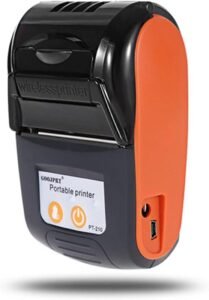
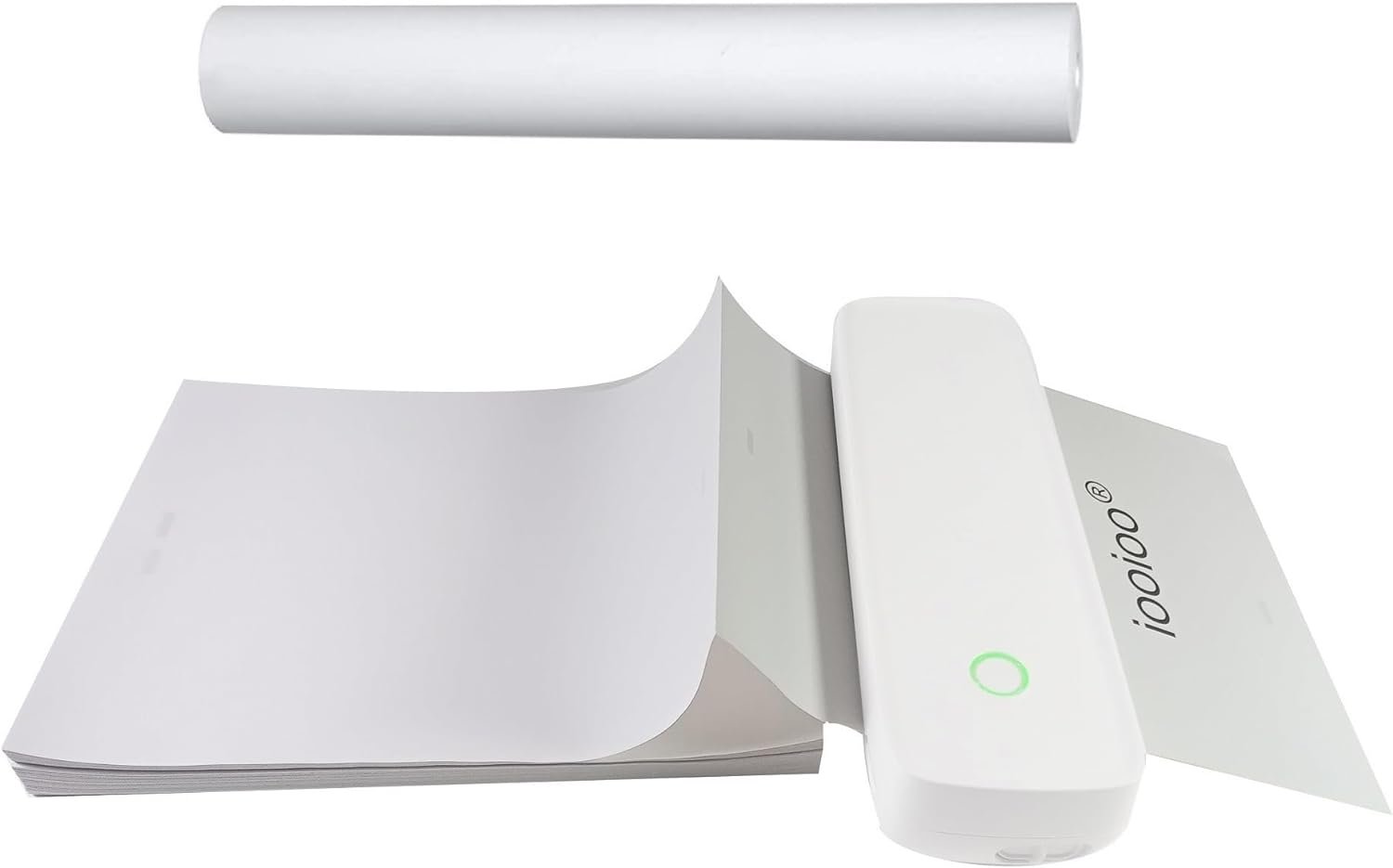
The IOOIOO A80’s portability is a defining feature, making it ideal for users who require printing capabilities outside traditional office settings. Its lightweight design (1.8 pounds) and compact dimensions (11.4″ x 3.6″ x 2.4″) allow for easy transport between locations, whether for fieldwork, travel, or home use. The printer’s ability to operate on thermal paper, which is widely available at retail stores and online, further enhances its accessibility without the need for specialized consumables. This design is particularly beneficial for individuals who need to produce labels, receipts, or simple documents in environments where a full-sized printer is impractical.
Design and Ergonomics for User Convenience
The A80’s streamlined form factor and intuitive controls prioritize user convenience. Its single USB port and Bluetooth connectivity options cater to a range of devices, including smartphones and desktop computers, without requiring additional accessories. The inclusion of a dedicated app for mobile devices, such as the SharpFox application, simplifies the printing process for users who prefer wireless connectivity. However, the lack of a built-in power supply means users must rely on included lithium-ion batteries, which may limit extended use in remote locations.
Connectivity Options for Versatile Device Compatibility
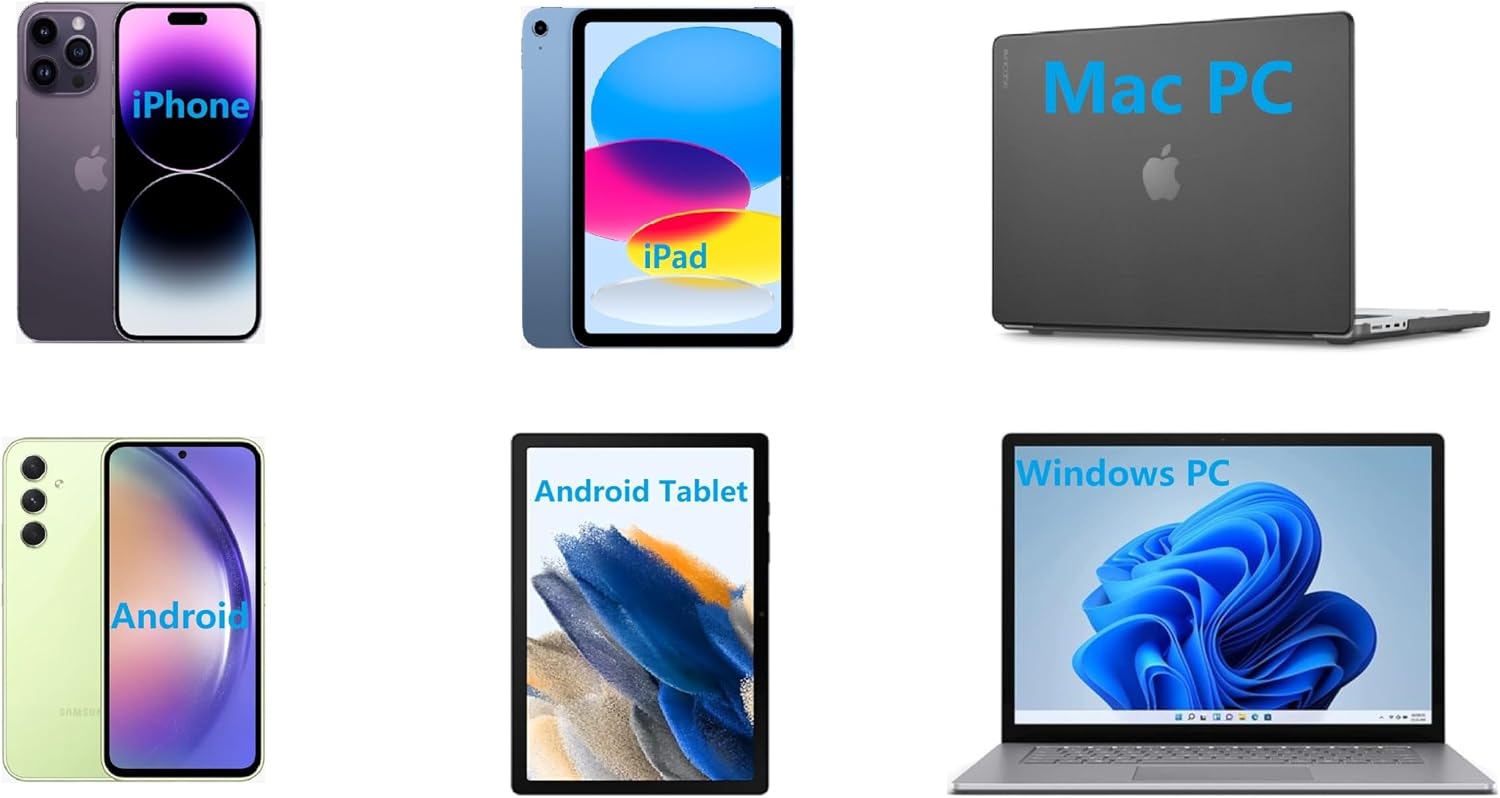
The A80’s dual connectivity—Bluetooth for mobile devices and USB for desktop systems—ensures compatibility with a broad range of platforms. Bluetooth support allows users to print from iOS and Android devices without the need for physical cables, while USB connectivity provides a direct link to Windows, Mac, Linux, and Raspberry Pi systems. This flexibility is particularly advantageous for users who operate multiple devices or require seamless integration with existing workflows. However, the reliance on Bluetooth may introduce minor latency issues in high-volume printing scenarios.
Battery Life and Power Management
The A80’s built-in lithium-ion battery provides a convenient power solution for mobile use. While the exact battery life is not specified, the printer’s low power consumption aligns with its thermal printing technology, which requires less energy than inkjet or laser systems. This feature is well-suited for users who need to print intermittently or in environments where access to power outlets is limited. However, the absence of a charging port or battery replacement options may be a drawback for long-term, continuous use.
Print Quality and Output Specifications for Monochrome Tasks
The IOOIOO A80’s monochrome printing capabilities are tailored for basic text and line-based outputs, making it suitable for applications such as receipts, labels, and tattoo stencils. Its maximum resolution of 200 x 200 DPI ensures clarity for standard documents, though it may not meet the demands of high-precision or detailed graphics. The printer’s thermal printing technology produces consistent black-and-white output without the need for ink or toner, which reduces maintenance and consumable costs. However, users should be aware that the absence of color printing limits its versatility for creative or professional tasks requiring color accuracy.

Resolution and Clarity for Text and Simple Graphics
The A80’s 200 x 200 DPI resolution is adequate for most monochrome printing tasks, particularly when printing text or line art. This level of detail ensures that printed content remains legible and crisp, even when printed on standard thermal paper. The printer’s ability to produce consistent output without the need for ink or toner makes it a cost-effective solution for users who prioritize simplicity and reliability. However, the resolution may fall short for more complex graphics or images, which require higher DPI levels to maintain clarity.
Media Compatibility and Thermal Paper Requirements
The A80’s thermal printing technology requires specific media types, namely thermal paper, which is designed to react to heat for image formation. This eliminates the need for ink or toner, reducing maintenance and consumable costs. However, users must ensure they have access to thermal paper, which may not always be readily available in all environments. The printer’s support for A4 and Letter sizes provides flexibility for various document formats, though the reliance on thermal paper may limit its use in settings where alternative media types are preferred.
Print Speed and Throughput for Low-Volume Workloads
The A80’s print speed of 4 pages per minute (monochrome) is suitable for low-volume printing tasks, such as generating receipts or labels. This speed is consistent with thermal printing technology, which prioritizes reliability over high-speed output. While the printer may not be ideal for large-scale printing operations, its performance is adequate for users with intermittent or minimal printing needs. The printer’s duty cycle, which allows for continuous use on folded thermal paper, ensures that it can handle extended printing sessions without overheating or requiring frequent maintenance.
Connectivity and Device Compatibility for Seamless Integration
The IOOIOO A80’s connectivity options are designed to simplify integration with a variety of devices, making it a versatile choice for users with multiple platforms. Its Bluetooth compatibility with smartphones enables wireless printing without the need for physical cables, while USB connectivity ensures direct integration with desktop systems. This dual approach caters to users who require flexibility in their printing workflows, whether they prefer mobile convenience or desktop reliability. However, the printer’s reliance on Bluetooth may introduce minor latency in high-volume printing scenarios, which could be a consideration for users with demanding requirements.

Bluetooth and USB Connectivity for Device Flexibility
The A80’s Bluetooth connectivity allows for seamless printing from iOS and Android devices, eliminating the need for additional hardware or cables. This feature is particularly beneficial for users who need to print on-the-go or manage multiple mobile devices. The inclusion of a USB port ensures compatibility with desktop systems, including Windows, Mac, Linux, and Raspberry Pi, providing a robust solution for users with diverse computing needs. However, the absence of Wi-Fi connectivity may limit its use in environments where network-based printing is preferred.
App Integration for Mobile Printing Convenience
The SharpFox app enhances the A80’s usability by providing a user-friendly interface for mobile printing. This application streamlines the process of sending print jobs from smartphones, ensuring that users can access printing capabilities without the need for physical connections. The app’s integration with the printer’s Bluetooth functionality simplifies the setup process, making it accessible for users with varying levels of technical expertise. However, the app’s availability and compatibility with different operating systems may influence its appeal to certain user groups.
Cross-Platform Compatibility for Workforce Integration
The A80’s support for both Bluetooth and USB connectivity ensures compatibility with a wide range of devices, making it an attractive option for users with mixed computing environments. This cross-platform capability is particularly valuable for small businesses or remote teams that rely on multiple devices for daily operations. The printer’s ability to integrate with both mobile and desktop systems without requiring additional peripherals enhances its practicality for users who prioritize simplicity and efficiency in their workflows.

Pros and Cons of the IOOIOO A80 Portable Thermal Printer
Pros
- Portability and Mobility: The A80’s compact design and lightweight build make it ideal for users who need printing capabilities on the go, such as field workers, travelers, or remote teams. Its ability to operate on thermal paper reduces the need for specialized consumables, enhancing convenience.
- Inkless Operation: The thermal printing technology eliminates the need for ink or toner, significantly lowering maintenance costs and reducing the frequency of consumable replacements. This is particularly beneficial for users seeking a low-maintenance printing solution.
- Dual Connectivity Options: The A80’s support for both Bluetooth and USB connectivity ensures compatibility with a wide range of devices, including smartphones and desktop computers. This flexibility is advantageous for users with diverse computing needs.
- Monochrome Print Quality: The printer delivers consistent black-and-white output with a resolution of 200 x 200 DPI, which is suitable for text documents, labels, and simple graphics. This level of detail ensures legibility and clarity for most basic printing tasks.
- Compatibility with Thermal Paper: The A80’s reliance on thermal paper, which is widely available at retail stores and online, ensures that users can easily access the necessary media for printing without additional costs.
Cons
- Limited Color Printing: The A80’s monochrome printing capabilities restrict its use to black-and-white outputs, making it unsuitable for tasks requiring color accuracy or detailed graphics. This limitation may be a drawback for users with more complex printing needs.
- Lower Print Resolution: While the 200 x 200 DPI resolution is adequate for basic text and line art, it may fall short for more intricate graphics or images that require higher resolution for clarity.
- Dependence on Thermal Paper: The printer’s reliance on thermal paper, which is not always readily available, could be a disadvantage in environments where alternative media types are preferred or required.
- Print Speed Constraints: The A80’s print speed of 4 pages per minute is suitable for low-volume tasks but may not meet the demands of high-speed printing operations. This could be a limitation for users requiring faster output.
- Battery Life Limitations: The built-in lithium-ion battery provides convenience for mobile use, but the absence of a charging port or battery replacement options may limit its suitability for long-term, continuous use.
Final Verdict: Who This Printer Is Best For (and Who Should Skip It)
The IOOIOO A80 Portable Thermal Printer is best suited for users who prioritize portability, low maintenance, and monochrome printing for basic tasks. Its compact design, inkless operation, and dual connectivity options make it an ideal choice for individuals who need to print receipts, labels, or tattoo stencils in environments where traditional printers are impractical. The printer’s reliability and ease of use are particularly beneficial for small businesses, remote workers, or travelers who require a simple, cost-effective printing solution.
However, the A80 is not the best choice for users with more complex printing needs, such as color output, high-resolution graphics, or high-speed printing. Its reliance on thermal paper and limited resolution may also be a drawback for those who require alternative media types or higher print quality. Additionally, users who need extended, continuous printing without battery limitations should consider other options that offer more robust power solutions. Overall, the A80 is a practical choice for specific, straightforward printing tasks but may not meet the demands of more demanding workflows.

Frequently Asked Questions (FAQs)
Can the IOOIOO A80 print color images?
The IOOIOO A80 is a monochrome thermal printer, which means it only produces black-and-white output. It is not capable of printing color images or graphics, making it suitable for text documents, labels, and line-based applications such as tattoo stencils.
How long does the A80’s battery last?
The A80’s built-in lithium-ion battery provides power for mobile use, though the exact battery life is not specified. Its low power consumption aligns with thermal printing technology, but the absence of a charging port or battery replacement options may limit extended use in remote locations.
Is thermal paper required for the A80 to function?
Yes, the A80 uses thermal paper as its primary media type. This paper reacts to heat to form images, eliminating the need for ink or toner. Users must ensure they have access to thermal paper, which is available at retail stores and online.
Can the A80 print on standard paper?
The A80 is designed for use with thermal paper and cannot print on standard paper. Its thermal printing technology requires specific media types to produce images, making it unsuitable for environments where alternative paper types are preferred.
What are the connectivity options for the A80?
The A80 offers both Bluetooth and USB connectivity. Bluetooth allows wireless printing from smartphones, while USB provides a direct connection to desktop systems. This dual approach ensures compatibility with a wide range of devices, including iOS, Android, Windows, Mac, Linux, and Raspberry Pi.
Is the A80 suitable for high-volume printing?
The A80 is designed for low-volume printing tasks, such as generating receipts or labels. Its print speed of 4 pages per minute is adequate for intermittent use but may not meet the demands of high-speed or large-scale printing operations.
Can the A80 be used for tattoo stencil printing?
The A80 can be used for tattoo stencil printing, but it is limited to normal lines and may not produce small lines or large blocks effectively. It is best suited for applications requiring basic line-based output rather than intricate designs.
What is the resolution of the A80’s prints?
The A80 produces prints at a resolution of 200 x 200 DPI, which is suitable for text documents and simple graphics. However, this resolution may not meet the requirements for more detailed or complex graphics that demand higher DPI levels.