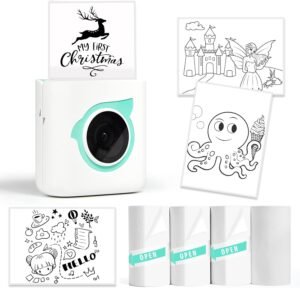
Bluetooth Thermal Label Printer for Packages – 4×6 Wireless Label Maker

The Importance of Choosing the Right Label Printer
In the fast-paced environment of modern business operations, the efficiency of label printing can significantly impact productivity and customer satisfaction. Whether managing a small online store, handling warehouse logistics, or coordinating shipping for multiple platforms, the right label printer can streamline workflows and reduce errors. Thermal label printers, in particular, offer a reliable solution for businesses requiring high-volume, consistent output without the need for ink or toner. This makes them ideal for environments where durability, speed, and cost-effectiveness are paramount. However, selecting the appropriate printer involves evaluating several key factors, including connectivity options, print quality, media compatibility, and long-term reliability. A printer that supports multiple devices and integrates seamlessly with shipping platforms can save time and minimize manual input. Additionally, understanding the printer’s duty cycle and maintenance requirements ensures it can handle the workload without frequent downtime. By analyzing these aspects, businesses can make informed decisions that align with their operational needs and resource constraints.
Quick Overview
| Feature | Details |
|---|---|
| Printer Type | Thermal label printer |
| Connectivity | Bluetooth, USB |
| Print Technology | Direct thermal |
| Print Resolution | 203 DPI (black and white) |
| Media Sizes | 1.57″ to 4.1″ width, 4×6, 2×2, 3×2, 3×3, 4×4 |
| Maximum Print Speed | 150 ppm |
| Supported Platforms | iPhone, iPad, Android, PC, Mac (via USB) |
| Compatibility | eBay, Amazon, Shopify, Etsy, Fedex, UPS, USPS |
| Warranty | Limited warranty |
| Dimensions | 11.02 x 7.87 x 7.09 inches |
| Weight | 4.55 pounds |
This thermal label printer combines wireless connectivity with a built-in label holder, making it suitable for both small businesses and warehouses. Its compatibility with major shipping platforms and support for multiple media sizes ensure flexibility in labeling tasks. The absence of ink or toner requirements reduces maintenance costs, while the high-resolution output ensures clarity for barcodes and text. These features collectively position the printer as a practical solution for businesses prioritizing efficiency and reliability.

Connectivity and Device Compatibility

Wireless and USB Integration
The Printer-JD-168BT’s dual connectivity options—Bluetooth and USB—offer flexibility for different work environments. Bluetooth enables wireless printing from smartphones, tablets, and laptops, reducing the need for physical cables and streamlining workflow. However, the printer’s Bluetooth compatibility is limited to non-Mac devices, requiring a USB connection for Mac users. This design choice ensures seamless integration with iOS and Android devices while maintaining compatibility with Windows-based systems. The USB port also allows for direct printing from desktop computers, making it a versatile option for businesses with mixed device ecosystems. The ability to connect to both mobile and desktop platforms enhances user convenience, particularly for small businesses with limited IT infrastructure.
App Support for Customization
The printer’s accompanying app provides a user-friendly interface for label customization, including the ability to edit text, add images, and generate barcodes. This feature is particularly valuable for businesses that require personalized labels for product packaging or shipping. The app’s barcode scanning functionality simplifies the process of generating accurate labels, reducing the potential for human error. Additionally, the app supports PDF and image printing, allowing users to create complex labels without the need for specialized software. While the app does not offer advanced design tools, its simplicity and ease of use make it accessible for users with varying technical expertise. The integration of these features ensures that businesses can efficiently manage their labeling needs without relying on external software.
Print Quality and Resolution

High-Resolution Output for Clear Labels
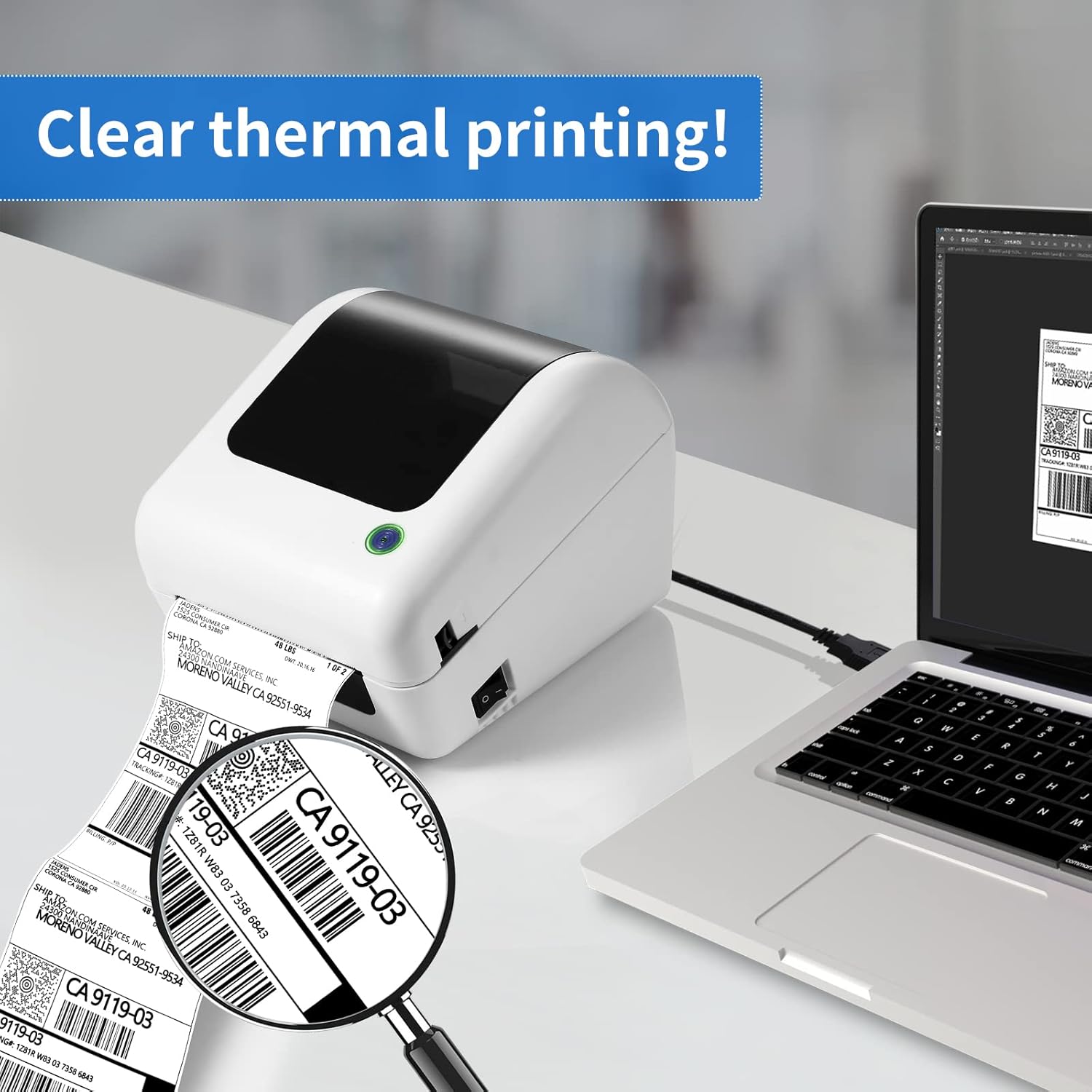
The Printer-JD-168BT delivers high-resolution prints at 203 DPI, ensuring that text, barcodes, and graphics remain legible even on small labels. This resolution is sufficient for most shipping and packaging applications, where clarity is essential for accurate scanning and identification. The direct thermal printing technology eliminates the need for ink or toner, resulting in clean, smudge-free labels that maintain their integrity over time. The absence of consumables like ink or toner also reduces long-term maintenance costs, making the printer an economical choice for businesses with high-volume printing needs. However, the resolution may not be suitable for applications requiring photographic quality, as thermal printing is inherently limited in its ability to reproduce fine details.
Text and Barcode Accuracy
The printer’s ability to produce precise barcodes is a critical factor for businesses relying on automated systems for tracking and inventory management. The 203 DPI resolution ensures that barcodes are printed with sufficient clarity for standard scanning equipment, reducing the risk of misreads. The printer’s compatibility with major shipping platforms like UPS, USPS, and FedEx further enhances its reliability for logistics operations. While the printer does not support color printing, its monochrome output is sufficient for most label applications, including address labels, product tags, and shipping manifests. The consistency of the print quality across different media sizes ensures that labels remain uniform, which is essential for maintaining brand standards and operational efficiency.
Media Compatibility and Label Support

Versatile Label Sizes for Diverse Applications
The Printer-JD-168BT supports a wide range of label sizes, from 1.57″ to 4.1″ in width, accommodating various labeling needs. This versatility makes the printer suitable for both small-scale operations and larger warehouses, where different label formats may be required. The supported media sizes include standard options like 4×6, 2×2, 3×2, 3×3, and 4×4, which are commonly used in shipping and packaging. The ability to handle labels of varying widths ensures that the printer can adapt to different packaging requirements without the need for additional hardware. However, the printer’s reliance on direct thermal printing means that it is not suitable for applications requiring color or high-contrast graphics, which may limit its use in certain industries.
No Consumables for Lower Maintenance
One of the key advantages of direct thermal printing is the elimination of ink or toner cartridges, which reduces maintenance costs and the frequency of consumable replacements. This is particularly beneficial for businesses that require continuous operation without the need for frequent supply orders. The printer’s design ensures that labels are printed without the risk of smudging or fading, as the thermal process creates a permanent image on the label material. However, the absence of ink or toner also means that the printer cannot produce color labels, which may be a limitation for users requiring more visually distinct markings. The lack of consumables also simplifies the cleaning process, as there is no need to manage ink reservoirs or replace toner cartridges, making it an ideal choice for environments with limited maintenance resources.
Compatibility with Shipping Platforms and E-commerce Integration
Seamless Integration with Major Shipping Services
The Printer-JD-168BT is designed to work with a broad range of shipping platforms, including UPS, USPS, FedEx, and major e-commerce marketplaces like eBay, Amazon, Shopify, and Etsy. This compatibility ensures that businesses can generate accurate shipping labels directly from their preferred platforms, reducing the time and effort required for manual input. The printer’s ability to integrate with these services is particularly valuable for small businesses and entrepreneurs who manage multiple online stores or shipping accounts. The support for Endicia, ShipStation, and Shippo further enhances its utility for businesses that use specialized shipping software, allowing for streamlined label creation and management.
E-commerce and Logistics Workflows
For businesses engaged in e-commerce or logistics, the Printer-JD-168BT offers a practical solution for managing shipping labels efficiently. The ability to generate labels directly from the printer’s app or compatible software minimizes the risk of errors associated with manual data entry. This is especially important for high-volume operations where accuracy is critical for timely delivery and customer satisfaction. The printer’s support for barcode scanning and generation also facilitates inventory management and tracking, which are essential for maintaining operational efficiency. However, the printer’s reliance on direct thermal printing may limit its use in environments where color-coded labels or complex graphics are required, which could be a consideration for certain industries.
Pros & Cons
Pros
- Wireless and USB Connectivity: The dual connectivity options provide flexibility for different device ecosystems, ensuring compatibility with both mobile and desktop platforms.
- High-Resolution Output: The 203 DPI resolution ensures clear and legible labels, suitable for most shipping and packaging applications.
- No Ink or Toner Required: The direct thermal printing technology eliminates the need for consumables, reducing maintenance costs and simplifying the printing process.
- Compatibility with Major Shipping Platforms: Integration with UPS, USPS, FedEx, and e-commerce platforms like Shopify and Etsy enhances efficiency for logistics operations.
- User-Friendly App Support: The accompanying app allows for customization of labels, including barcode generation and image printing, without the need for specialized software.
- Versatile Label Sizes: The support for a wide range of label sizes ensures adaptability to different packaging and labeling requirements.
- Built-in Label Holder: The integrated label holder saves space and ensures easy access to media, improving workflow efficiency.
Cons
- Limited Bluetooth Compatibility: Bluetooth connectivity is restricted to non-Mac devices, requiring a USB connection for Mac users, which may be inconvenient for some users.
- Monochrome Output Only: The printer does not support color printing, which may limit its use in applications requiring visual distinction or branding.
- No Color Options: The absence of color printing capabilities could be a drawback for businesses requiring more visually engaging labels.
- Dependence on Software: While the app provides customization options, the reliance on software for advanced design tasks may not suit users who prefer manual label creation.
- Limited Media Compatibility: The printer’s support for direct thermal labels may not be suitable for applications requiring different printing technologies or materials.
Final Verdict: Who This Printer Is Best For (and Who Should Skip It)
The Printer-JD-168BT is an excellent choice for small businesses, entrepreneurs, and warehouses that require efficient, cost-effective label printing for shipping and packaging. Its compatibility with major shipping platforms, high-resolution output, and wireless connectivity make it ideal for environments where speed and accuracy are critical. The built-in label holder and no-consumable design further enhance its appeal for users looking to minimize maintenance and operational costs. However, businesses requiring color printing, advanced design capabilities, or support for alternative printing technologies may find this printer less suitable. Additionally, users who rely heavily on Mac devices may face limitations due to the printer’s Bluetooth compatibility constraints. Overall, the Printer-JD-168BT is well-suited for operations prioritizing reliability, efficiency, and cost savings in label printing.
Frequently Asked Questions (FAQs)
Is the Printer-JD-168BT compatible with Mac devices?
The Printer-JD-168BT supports Bluetooth connectivity for non-Mac devices. For Mac users, a USB connection is required to ensure compatibility. This design choice allows seamless integration with iOS and Android devices while maintaining compatibility with Windows-based systems.
Can the Printer-JD-168BT print color labels?
The Printer-JD-168BT uses direct thermal printing technology, which produces monochrome output only. This eliminates the need for ink or toner, but it also means the printer cannot generate color labels. It is well-suited for applications requiring clear, high-contrast text and barcodes.
What media sizes does the Printer-JD-168BT support?
The Printer-JD-168BT supports a range of label sizes from 1.57 inches to 4.1 inches in width. It is compatible with standard sizes such as 4×6, 2×2, 3×2, 3×3, and 4×4, making it versatile for various labeling needs.
How does the Printer-JD-168BT integrate with shipping platforms?
The Printer-JD-168BT is compatible with major shipping platforms like UPS, USPS, FedEx, and e-commerce marketplaces such as Shopify, Etsy, and Amazon. This integration allows for seamless label creation and management directly from these platforms, reducing manual input and errors.
What is the maximum print speed of the Printer-JD-168BT?
The Printer-JD-168BT can print at a maximum speed of 150 ppm, which is suitable for high-volume operations. This speed ensures efficient label production without compromising print quality or accuracy.
Does the Printer-JD-168BT require ink or toner?
No, the Printer-JD-168BT uses direct thermal printing technology, which does not require ink or toner. This eliminates the need for consumables, reducing maintenance costs and simplifying the printing process.
Can the Printer-JD-168BT be used for both small and large businesses?
The Printer-JD-168BT is well-suited for small businesses and warehouses due to its versatility, cost-effectiveness, and compatibility with major shipping platforms. Its design and features make it ideal for operations requiring efficient, reliable label printing without high maintenance demands.
What is the warranty coverage for the Printer-JD-168BT?
The Printer-JD-168BT comes with a limited warranty, which provides basic coverage for manufacturing defects. For detailed warranty information, users should refer to the manufacturer’s documentation or contact JADENS technical support.