Liene M100 4×6” Photo Printer Review: Thermal Dye Sublimation for Home & Mobile Use
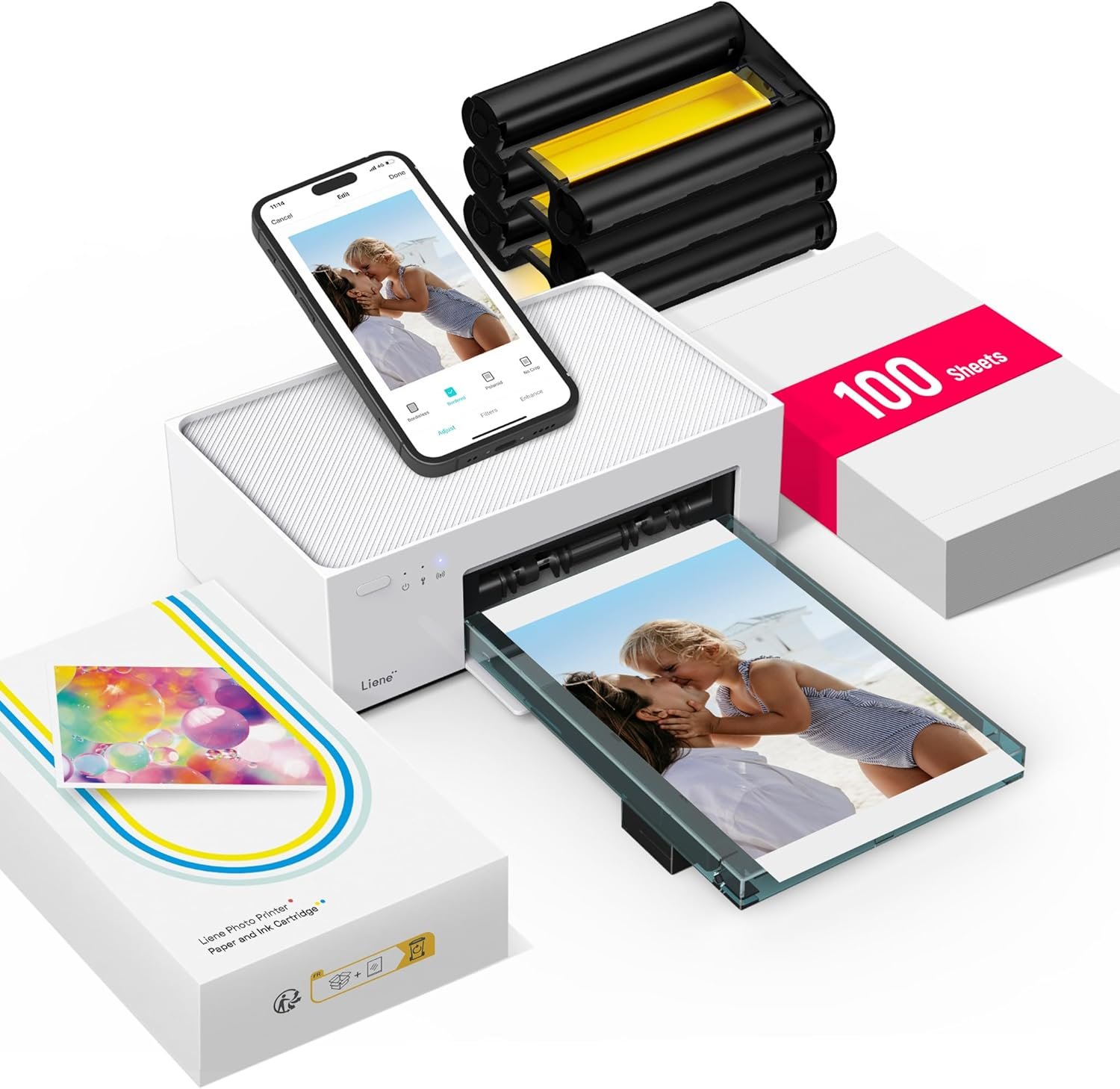
The Importance of Choosing the Right Photo Printer
Selecting an appropriate photo printer is critical for users who require high-quality, consistent output for personal or professional use. Whether capturing memories, creating marketing materials, or managing document workflows, the right printer can significantly impact productivity and satisfaction. Modern consumers often prioritize features such as print speed, media compatibility, and connectivity options to meet diverse needs. For instance, a home user may value portability and ease of use, while a small business owner might focus on reliability and volume capacity. Understanding the technical specifications and intended applications of a printer helps buyers align their purchase with specific requirements. Printers like the Liene M100 4×6” Photo Printer offer a balance between performance and accessibility, making them suitable for environments ranging from casual home use to light office tasks. Evaluating factors such as print resolution, media support, and connectivity ensures that the chosen device can handle workload demands without compromising quality. This review provides an objective analysis of the Liene M100, focusing on its capabilities and limitations to guide informed purchasing decisions.
Quick Overview
| Feature | Details |
|---|---|
| Printer Type | 4×6” Thermal Dye Sublimation Photo Printer |
| Print Technology | Thermal Dye Sublimation |
| Print Resolution | 300 x 300 DPI (Color/Black and White) |
| Media Size | 4 x 6 Inches |
| Connectivity | USB Type C, Wi-Fi |
| Maximum Print Speed | 1 ppm (Color) |
| Duty Cycle | 1,000 sheets/month (Recommended) |
| Ink System | Proprietary Cyan, Magenta, Yellow, Black Cartridges |
| Warranty | 12-Month Limited Warranty |
| Dimensions | 7.48″D x 9.84″W x 7.48″H |
| Weight | 6.32 Pounds |
The Liene M100 4×6” Photo Printer is designed for users seeking high-quality photo output with minimal setup. Its thermal dye sublimation technology ensures vibrant, fade-resistant prints, while Wi-Fi connectivity enables seamless smartphone integration. The compact design and included paper cassette make it ideal for home or small office environments where portability and ease of use are priorities. However, its slower print speed and limited media compatibility may affect performance in high-volume scenarios.

Print Quality and Color Accuracy
The Liene M100 4×6” Photo Printer employs thermal dye sublimation technology, which transfers ink dyes onto paper through heat, creating vibrant, long-lasting prints. This method is particularly effective for producing high-resolution photos with rich color depth and fine detail. The printer supports a color depth of 24 bits per pixel, allowing for smooth gradients and accurate color reproduction. While the maximum print resolution of 300 x 300 DPI is standard for photo printers, it may not match the output of higher-end models that offer 600 DPI or greater. The laminated surface of the photo paper enhances durability, making prints resistant to water, scratches, and fading. However, users should note that the printer’s output quality is heavily dependent on the quality of the photo paper used, as sublimation printing does not allow for direct ink application onto the paper surface. For casual home use or small-scale photo projects, the Liene M100 provides satisfactory results, but professional photographers or those requiring archival-grade prints may find its output limitations.

Color Accuracy and Resolution
The Liene M100’s thermal dye sublimation process ensures consistent color reproduction across multiple prints, though it may not match the color gamut of inkjet printers using pigment-based inks. The printer’s 24-bit color depth allows for a wide range of colors, but users should be aware that the final print quality is influenced by the photo paper’s surface and coating. While the 300 x 300 DPI resolution is adequate for standard photo prints, it may not suffice for high-resolution images or large-format prints. The printer’s ability to produce vibrant, fade-resistant prints makes it well-suited for casual use, but users requiring precise color matching for professional purposes may need to consider alternative technologies.
Paper Compatibility and Durability
The Liene M100 is designed to work with glossy photo paper, which enhances the vibrancy of printed images by providing a smooth, reflective surface. The laminated finish of the paper also contributes to its resistance to environmental factors such as water and fingerprints. However, the printer does not support plain paper or other media types, limiting its versatility. Users should ensure that the photo paper is compatible with thermal dye sublimation technology to avoid issues with print quality or paper jams. While the printer’s design minimizes the risk of smudging, periodic cleaning of the print head is recommended to maintain optimal performance, especially when using lower-quality paper.
Connectivity and Device Compatibility
The Liene M100 4×6” Photo Printer offers Wi-Fi and USB Type C connectivity options, making it compatible with a wide range of devices. The built-in hotspot feature allows users to print directly from smartphones and tablets without requiring an external network, which is particularly convenient for on-the-go printing. This eliminates the need for additional cables or Bluetooth pairing, simplifying the setup process. However, the printer’s reliance on Wi-Fi for mobile printing may introduce latency or connectivity issues in environments with unstable signals. The USB connection provides a direct, reliable method for printing from computers, though it does not support simultaneous printing from multiple devices. The printer’s ability to handle up to five simultaneous connections is a notable advantage for users who need to share printing capabilities with family or colleagues. Despite these features, the lack of support for cloud printing services like Google Photos or iCloud may be a drawback for users who prefer centralized photo management.

Wireless Printing and Network Stability
The Liene M100’s built-in hotspot ensures a stable connection for wireless printing, but users should be aware that the printer does not support Wi-Fi Protected Setup (WPS) or advanced security protocols. This may pose a challenge for users who prioritize network security or require integration with enterprise-grade Wi-Fi systems. While the printer’s independent hotspot minimizes interference from other networks, it does not support guest access or password-protected connections, which could be a limitation for shared environments. The absence of cloud printing capabilities means users must manually transfer photos to the printer’s network or use the Liene app for seamless integration. These limitations may affect the printer’s appeal for users who rely on automated or remote printing solutions.
Cross-Platform Compatibility
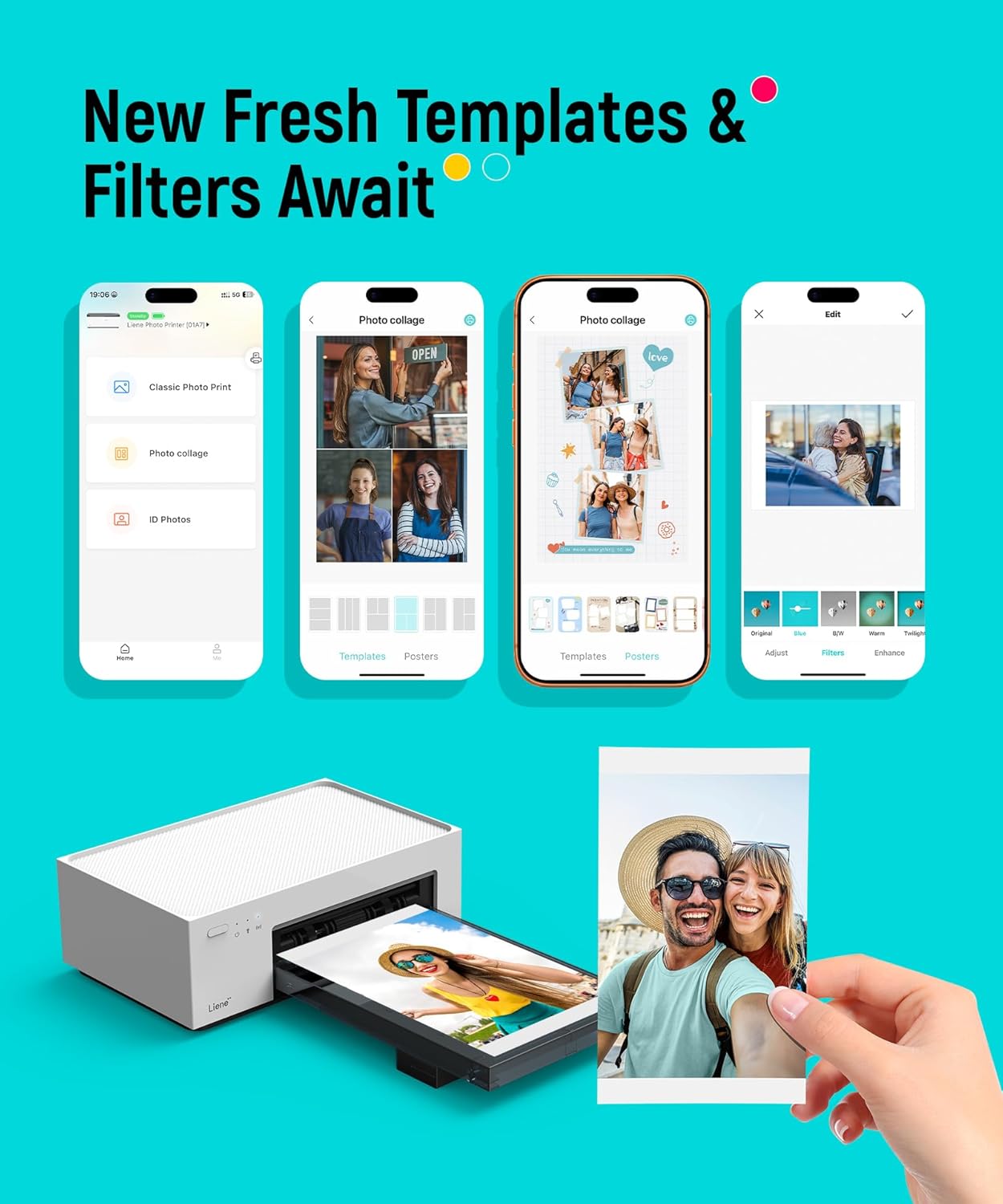
The Liene M100 is compatible with Windows, macOS, iOS, and Android devices, ensuring broad accessibility for users across different operating systems. The included Liene app provides additional customization options, such as border adjustments, filter enhancements, and printing status tracking, which streamline the printing process. However, the app’s functionality is limited to the printer’s native features, and users may not have access to advanced editing tools available in other photo printing apps. The lack of support for third-party software or cloud-based services could be a drawback for users who prefer integrated workflows. Despite these constraints, the printer’s cross-platform compatibility makes it a practical choice for individuals who need to print photos from multiple devices without switching between different applications.
Portability and Design Considerations
The Liene M100 4×6” Photo Printer is designed with portability in mind, featuring a compact, minimalist form factor that is easy to store and transport. Its magnetic design allows for secure placement on desks or countertops, while the included power adapter ensures that users can operate the printer without additional accessories. The printer’s weight of 6.32 pounds makes it suitable for home or small office environments where space is a concern. However, the lack of a built-in battery means users must keep the printer connected to a power source during operation, which may be a limitation for those requiring mobile printing capabilities. The printer’s design also includes a single paper cassette that holds up to 20 sheets, reducing the need for frequent refills. While this simplifies the user experience, it may not be sufficient for high-volume printing scenarios. Overall, the Liene M100’s portability and design make it an attractive option for users who prioritize convenience and ease of use.

Storage and Setup Convenience
The Liene M100’s minimalist design includes a magnetic base that facilitates secure storage, making it ideal for users who need to keep the printer in a compact space. The included power adapter and paper cassette eliminate the need for additional accessories, streamlining the setup process. However, the printer’s reliance on a single paper cassette may require users to frequently replace the paper supply, which could be inconvenient for frequent users. The lack of a built-in battery or storage compartment for extra paper may also be a drawback for users who need extended printing sessions without interruptions. While the printer’s design prioritizes simplicity, these limitations may affect its suitability for environments with high printing demands.
Durability and Longevity
The Liene M100 4×6” Photo Printer is built with a focus on durability, using materials that withstand regular use in home or office settings. The printer’s 12-month warranty reflects the manufacturer’s confidence in its build quality, though it does not cover extended longevity beyond this period. The thermal dye sublimation technology used in the printer is generally reliable, but users should be aware that the print head may require periodic cleaning to maintain optimal performance. The printer’s power consumption of 60 watts is relatively low, contributing to its energy efficiency. However, the lack of a built-in maintenance system means users must manually clean the print head if smudges appear on printed photos. While the printer’s design minimizes the risk of mechanical failure, its long-term durability may depend on proper maintenance and usage patterns.

Pros & Cons
Pros
- Thermal Dye Sublimation Technology: Produces vibrant, fade-resistant prints with smooth gradients and rich color depth, ideal for casual photo printing.
- Wi-Fi Connectivity: Allows seamless printing from smartphones and tablets without requiring an external network, enhancing convenience for mobile users.
- Cross-Platform Compatibility: Works with Windows, macOS, iOS, and Android devices, ensuring broad accessibility for users across different operating systems.
- User-Friendly Design: Compact, minimalist form factor with magnetic storage and included power adapter simplifies setup and storage for home or small office environments.
- App Integration: The Liene app offers customization options such as border adjustments, filter enhancements, and printing status tracking, streamlining the printing process.
- Durable Build: Constructed with materials suitable for regular use in home or office settings, with a 12-month warranty reflecting the manufacturer’s confidence in its build quality.
Cons
- Limited Print Speed: Maximum print speed of 1 ppm may be too slow for high-volume printing scenarios, affecting productivity in busy environments.
- No Cloud Printing Support: Lacks integration with cloud services like Google Photos or iCloud, requiring manual file transfers for wireless printing.
- Restricted Media Compatibility: Only works with glossy photo paper, limiting versatility compared to printers that support plain paper or other media types.
- Manual Maintenance Requirements: Users must periodically clean the print head to prevent smudges, as the printer does not include an automated maintenance system.
- Single Paper Cassette: Holds only 20 sheets, necessitating frequent refills for users with high printing demands.
- No Built-In Battery: Requires constant power supply during operation, limiting mobility for users who need to print on the go.
Final Verdict: Who This Printer Is Best For (and Who Should Skip It)
The Liene M10, 4×6” Photo Printer is best suited for casual home users, small business owners, and individuals who need to print photos from smartphones or tablets. Its thermal dye sublimation technology ensures vibrant, fade-resistant prints, while Wi-Fi connectivity and cross-platform compatibility make it easy to use in various environments. The compact design and included accessories simplify setup, making it an ideal choice for users who prioritize convenience and ease of use. However, the printer’s limited print speed, lack of cloud printing support, and restricted media compatibility may make it unsuitable for high-volume printing scenarios or users requiring advanced features. Those seeking faster output, greater media versatility, or integrated cloud services may find the Liene M100’s limitations restrictive. For users with moderate printing needs and a preference for simplicity, the Liene M100 offers a practical, user-friendly solution that balances performance and accessibility.
Frequently Asked Questions (FAQs)
What print technology does the Liene M100 4×6” Photo Printer use?
The Liene M100 utilizes thermal dye sublimation technology, which transfers ink dyes onto paper through heat to produce vibrant, fade-resistant prints. This method ensures smooth gradients and rich color depth, making it ideal for casual photo printing.
Can the Liene M100 print directly from a smartphone?
Yes, the Liene M100 includes a built-in Wi-Fi hotspot that allows users to print directly from smartphones and tablets without requiring an external network. This feature simplifies the printing process for mobile users.
What types of photo paper are compatible with the Liene M100?
The Liene M100 is designed to work exclusively with glossy photo paper. The laminated finish of the paper enhances print vibrancy and durability, making it resistant to water, scratches, and fading.
How does the Liene M100 handle print head maintenance?
The Liene M100 requires periodic cleaning of the print head to prevent smudges, as it does not include an automated maintenance system. Users should clean the print head promptly if smudges appear on printed photos.
Is the Liene M100 suitable for high-volume printing?
The Liene M100 is not ideal for high-volume printing due to its maximum print speed of 1 ppm and a single paper cassette that holds only 20 sheets. It is better suited for moderate use in home or small office environments.
Does the Liene M100 support cloud printing services?
No, the Liene M100 does not support cloud printing services like Google Photos or iCloud. Users must manually transfer photos to the printer’s network or use the Liene app for wireless printing.
What is the warranty coverage for the Liene M100?
The Liene M100 comes with a 12-month limited warranty, which covers manufacturing defects but does not include extended longevity or maintenance-related issues beyond the warranty period.
Can the Liene M100 print from multiple devices simultaneously?
The Liene M100 supports up to five simultaneous connections, allowing users to print from multiple devices. However, it does not support cloud-based printing or advanced network security protocols, which may limit its use in shared environments.