Portable Thermal Printer for Travel and Home Use – NUOTUN ABS684 Review
The Importance of Choosing the Right Printer
In today’s fast-paced world, the ability to produce high-quality printed documents efficiently is essential for both personal and professional use. Whether you’re a student preparing for exams, a business professional managing on-the-go tasks, or an adventurer documenting outdoor experiences, a reliable printer can significantly enhance productivity. The right printer must not only meet specific output requirements but also adapt to diverse environments, from home offices to travel scenarios. Factors such as print speed, media compatibility, connectivity options, and durability play critical roles in determining a printer’s suitability for different tasks. For instance, a thermal printer designed for thermal paper may not be ideal for printing photos, while a wireless, inkless model could offer unmatched portability for frequent travelers. Understanding these technical and functional distinctions helps users make informed decisions that align with their unique printing needs and operational contexts.
Quick Overview
| Feature | Details |
|---|---|
| Printer Type | Thermal, inkless, wireless |
| Supported Functions | Printing, scanning |
| Print Resolution | 300-600 dpi (black and white) |
| Media Sizes | US Letter (8.5″x11″), A4, 2″–4″ labels |
| Connectivity | Bluetooth, Type-C |
| Duty Cycle | Continuous 90-sheet A4 printing |
| Ink System | No ink or toner required |
| Warranty | Not specified |
| Battery Life | 30 days standby, 3.5-hour charge |
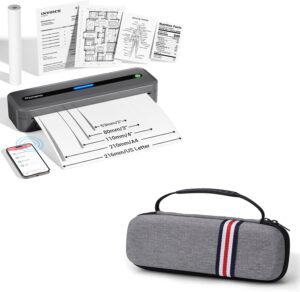
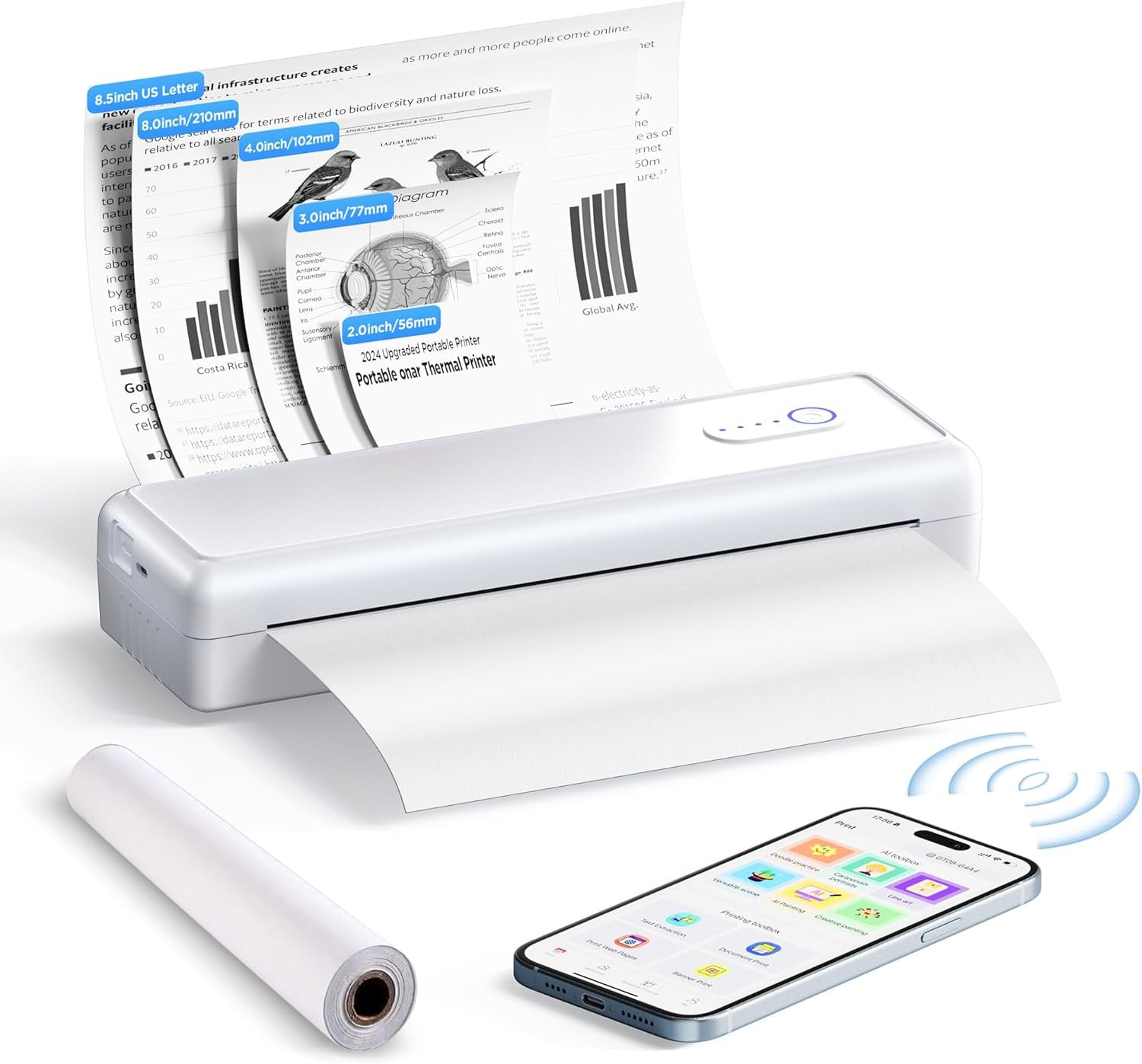
This compact, all-in-one printer combines scanning and printing capabilities with wireless connectivity, making it ideal for users who prioritize mobility and ease of use. Its thermal printing technology and support for multiple paper sizes ensure versatility in both home and travel scenarios. The absence of ink or toner requirements reduces maintenance needs, while the built-in battery ensures uninterrupted printing during extended trips or remote work sessions.

Print Technology Suitability for Diverse Use Cases
Thermal printing technology offers distinct advantages for specific applications, particularly when paired with the NUOTUN ABS684’s design. This printer leverages heat-sensitive thermal paper to produce monochrome outputs, making it well-suited for tasks such as printing receipts, labels, and simple text documents. The absence of ink or toner eliminates the need for regular consumable replacements, which is a significant benefit for users prioritizing low-maintenance printing. However, this technology inherently limits color output and may not be ideal for tasks requiring high-resolution graphics or photographs. The printer’s support for A4 and US Letter paper sizes, along with its ability to handle 2″–4″ labels, ensures compatibility with a wide range of document types, from business reports to personalized labels. For users who frequently need to print receipts or small-format data, the thermal printing method provides a cost-effective and efficient solution. The printer’s ability to print up to 90 sheets of A4 paper continuously further enhances its suitability for environments with high-volume, repetitive printing demands.

Thermal Printing Limitations
While thermal printing offers advantages in terms of simplicity and cost, it also has inherent limitations that users should consider. The primary constraint is the reliance on thermal paper, which is not compatible with standard copy paper. This requirement may necessitate users to purchase specialized media, potentially increasing long-term costs. Additionally, thermal paper is more susceptible to fading over time, particularly when exposed to heat or sunlight, which could affect the longevity of printed documents. For users who require archival-quality prints or frequent color output, this printer may not be the optimal choice. However, for applications where monochrome text and labels are sufficient, the thermal printing method provides a reliable and maintenance-free alternative.
Paper Size and Media Flexibility
The NUOTUN ABS684’s support for multiple paper sizes, including US Letter, A4, and various label dimensions, enhances its versatility across different use cases. This flexibility is particularly beneficial for users who need to print documents in different formats, such as receipts for retail environments or labels for inventory management. The ability to handle A4 roll paper and folded thermal paper further extends its applicability to scenarios requiring continuous printing, such as shipping labels or barcode tags. However, the printer’s reliance on thermal media means it cannot accommodate standard copy paper, which may limit its use in environments where thermal paper is not readily available. Users who frequently print large-format documents or require a broader range of media options may find this limitation restrictive.
Connectivity and Device Compatibility
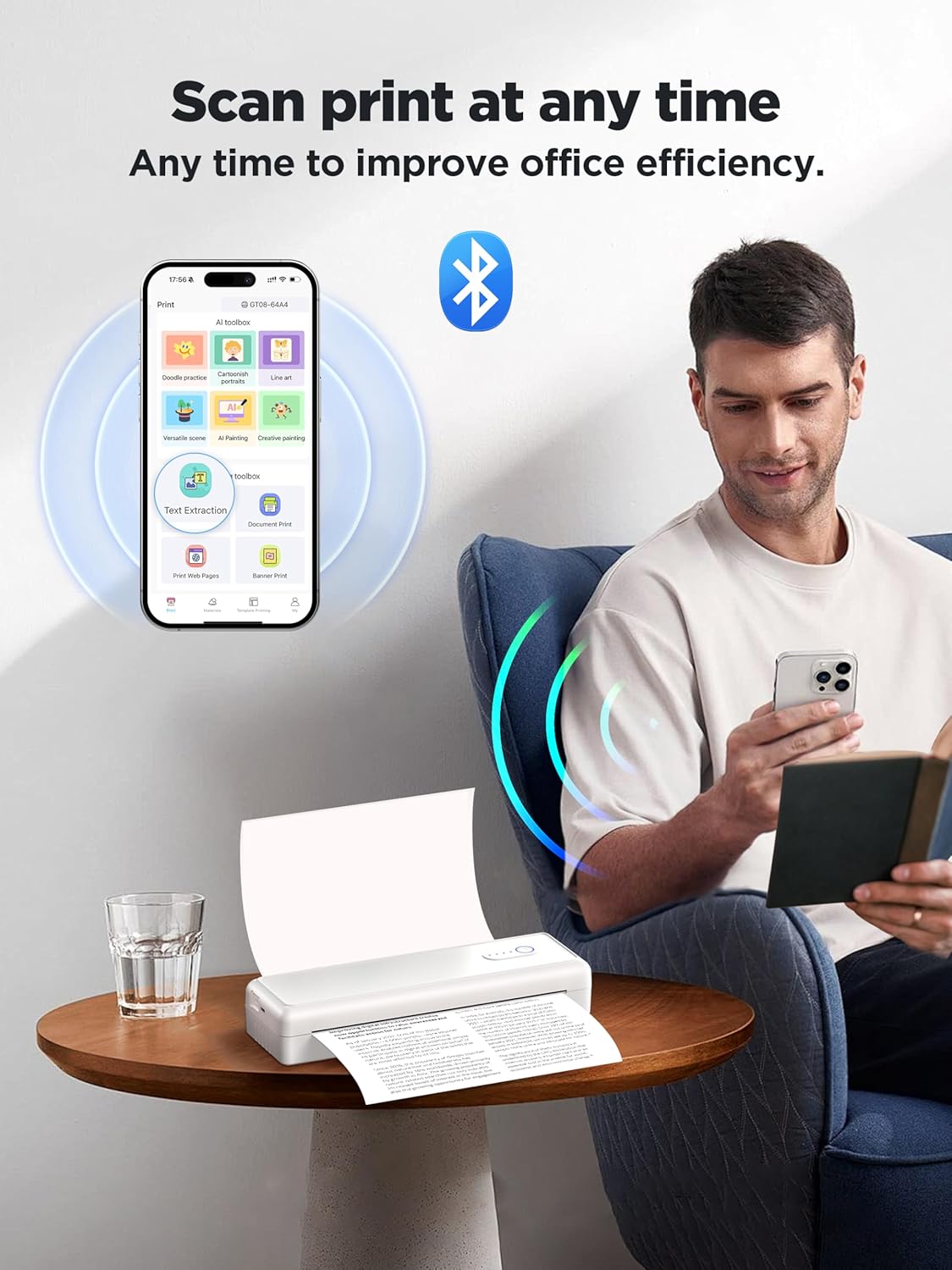
The NUOTUN ABS6804’s integration of Bluetooth and Type-C connectivity options ensures seamless compatibility with a wide range of devices, including iOS, Android smartphones, tablets, and laptops. This dual connectivity approach provides users with flexibility in how they interact with the printer, whether through a dedicated mobile app or direct computer connection. The inclusion of the iPrint app for smartphones and tablets simplifies the printing process, allowing users to print documents on-the-go without the need for additional hardware or software. For desktop users, the Type-C interface facilitates straightforward setup, eliminating the need for complex configuration steps. However, the reliance on specific apps for mobile devices may require users to install and maintain software, which could be a consideration for those who prefer direct hardware integration. The printer’s ability to connect to multiple devices ensures it remains a practical solution for both home and office environments where device diversity is common.

Wireless Printing Advantages
The wireless connectivity of the NUOTUN ABS684 offers significant benefits for users who prioritize mobility and convenience. By eliminating the need for physical cables, the printer enables printing from remote locations or during travel, making it ideal for professionals who work outside traditional office settings. The Bluetooth connectivity ensures a stable and reliable connection for short-range printing, while the Type-C interface provides a robust alternative for wired connections. This dual connectivity approach enhances the printer’s adaptability to different environments, whether users are at home, in a business meeting, or on a trip. However, the reliance on wireless technology may introduce potential connectivity issues, such as interference or range limitations, which could affect the printing experience in certain scenarios. Users who require consistent, high-speed printing in environments with limited wireless coverage may find the Type-C connection more reliable.
Maintenance and Consumable Considerations
One of the most significant advantages of the NUOTUN ABS684 is its inkless design, which eliminates the need for regular ink or toner replacements. This feature reduces ongoing maintenance costs and simplifies the printing process, particularly for users who prioritize low-maintenance solutions. The absence of consumables also means that the printer requires less frequent servicing, making it an attractive option for individuals or businesses looking to minimize operational overhead. However, the reliance on thermal paper introduces a different set of maintenance considerations. Users must ensure they have a steady supply of thermal media, which may not always be as readily available as standard copy paper. Additionally, the printer’s performance is contingent on the quality of the thermal paper used, as subpar media could lead to print quality issues or mechanical malfunctions. For users who frequently print in environments where thermal paper is not accessible, this limitation could impact the printer’s usability.

Longevity and Durability
The NUOTUN ABS684’s design and construction reflect a focus on durability, with a lightweight yet robust build that supports extended use in various environments. The printer’s built-in 2000mAh battery ensures up to 30 days of standby time, making it well-suited for users who require uninterrupted printing during travel or remote work. The ability to print up to 90 sheets of A4 paper continuously highlights its capacity for handling high-volume printing tasks without requiring frequent recharging or media replacement. However, the printer’s reliance on thermal paper may affect its longevity in certain conditions. Prolonged exposure to heat or moisture could degrade the thermal paper, potentially shortening the lifespan of both the media and the printer itself. Users who operate in environments with extreme temperatures or humidity should consider the potential impact on the printer’s performance and longevity.

Pros & Cons
Pros
- Inkless Design: Eliminates the need for ink or toner, reducing long-term maintenance and operational costs.
- Wireless Connectivity: Bluetooth and Type-C interfaces enable seamless printing from smartphones, tablets, and laptops without physical cables.
- Versatile Paper Support: Handles US Letter, A4, and various label sizes, offering flexibility for different printing tasks.
- Long Battery Life: Built-in 2000mAh battery provides up to 30 days of standby time, ideal for travel and remote use.
- Compact and Portable: Lightweight design makes it easy to carry for on-the-go printing, suitable for home, office, and travel environments.
- Ease of Use: Simplified setup and dedicated iPrint app streamline the printing process for mobile users.
Cons
- Thermal Paper Dependency: Requires specialized media, which may be less readily available than standard copy paper.
- Limited Color Output: Monochrome printing only, unsuitable for tasks requiring color or high-resolution graphics.
- No Duplex Printing: Single-sided printing may be inefficient for tasks requiring double-sided output.
- Potential Connectivity Issues: Wireless Bluetooth may experience interference or range limitations in certain environments.
- Print Quality Limitations: Thermal paper may fade over time, affecting the longevity of printed documents.
Final Verdict: Who This Printer Is Best For (and Who Should Skip It)
The NUOTUN ABS684 is an excellent choice for users who prioritize portability, low maintenance, and wireless printing capabilities. Its inkless design and support for multiple paper sizes make it ideal for students, professionals, and travelers who need to print receipts, labels, and simple documents on-the-go. The long battery life and compact form factor further enhance its suitability for environments where access to power or traditional printing resources is limited. However, this printer may not be the best fit for users who require color printing, high-resolution graphics, or frequent use of standard copy paper. Those who operate in environments with extreme temperatures or humidity should also consider the potential impact on thermal paper longevity. For individuals or businesses seeking a reliable, low-maintenance solution for specific printing tasks, the NUOTUN ABS684 offers a practical and efficient option.
Frequently Asked Questions (FAQs)
Can this printer print on standard copy paper?
No, the NUOTUN ABS684 is designed for thermal paper only. It cannot use standard copy paper, as thermal printing relies on heat-sensitive media for image formation.
What devices can I connect to this printer?
This printer supports Bluetooth and Type-C connectivity, allowing it to pair with iOS, Android smartphones, tablets, and computers. A dedicated iPrint app is required for mobile devices.
How long does the battery last?
The built-in 2000mAh battery provides up to 30 days of standby time. A full charge takes approximately 3.5 hours, ensuring readiness for extended use.
Is this printer suitable for printing photos?
The printer is designed for monochrome text and label printing. It does not support color output or high-resolution graphics, making it unsuitable for photo printing.
Can I print on multiple paper sizes?
Yes, the printer supports US Letter (8.5″x11″), A4, and various label sizes (2″–4″), offering flexibility for different document types.
What is the maximum print speed?
The printer achieves a maximum print speed of 10 pages per minute for monochrome printing, suitable for moderate-volume tasks.
Does this printer require regular maintenance?
The inkless design minimizes maintenance needs, but users must ensure a steady supply of thermal paper. No ink or toner replacements are required.
Is this printer durable for travel use?
The compact, lightweight build and long battery life make it well-suited for travel. However, thermal paper may degrade in extreme temperatures or humidity.