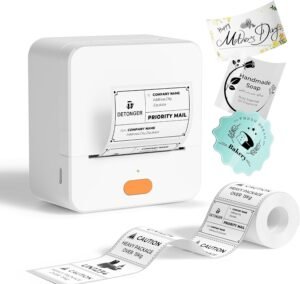
WiFi Shipping Label Printer 4×6 – Wireless Thermal Label Printer for Packages
The Importance of Choosing the Right Printer for Modern Workflows
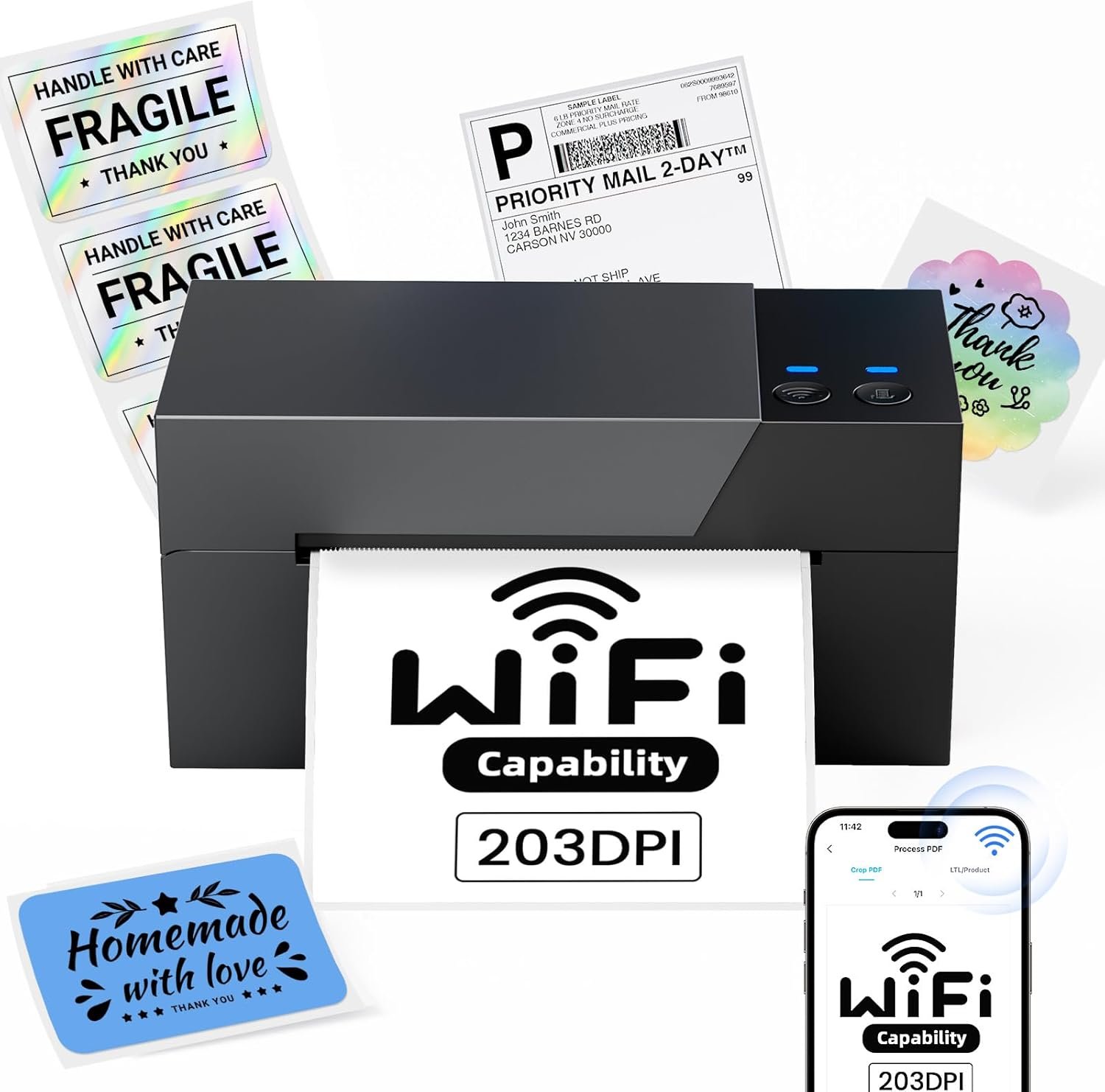
In today’s fast-paced digital landscape, the right printer can make or break operational efficiency. Whether managing a small business, running an e-commerce store, or handling daily office tasks, the ability to produce accurate, timely print outputs is critical. Printers have evolved beyond basic functionality, offering specialized capabilities to meet diverse needs. For instance, shipping label printers like the Omezizy PM-247-WF are designed to streamline logistics and order fulfillment processes. These devices cater to environments where speed, accuracy, and connectivity are paramount. From home offices to large-scale warehouses, the choice of printer technology—be it thermal, inkjet, or laser—directly impacts productivity and cost-effectiveness. Understanding the specifications, performance benchmarks, and compatibility of a printer is essential for aligning it with specific use cases. For example, thermal printers are ideal for label printing due to their ability to produce high-quality, durable outputs without the need for ink or toner. This review examines the Omezizy PM-247-WF WiFi Shipping Label Printer, focusing on its technical capabilities, usability, and suitability for various business models. By analyzing factors such as print speed, connectivity options, and media compatibility, this guide aims to help users make informed decisions based on their operational requirements.
Quick Overview
| Feature | Details |
|---|---|
| Printer Type | Thermal Label Printer |
| Printing Technology | Thermal |
| Supported Functions | Print Only |
| Print Resolution | 203 DPI |
| Print Speed | 72 labels per minute (monochrome) |
| Media Sizes | 1″–4.6″ (25.4–117mm) |
| Connectivity Options | Wi-Fi (5GHz), USB |
| Duty Cycle | Not specified |
| Ink/Toner System | No Ink, No Toner |
| Warranty | Limited Warranty |
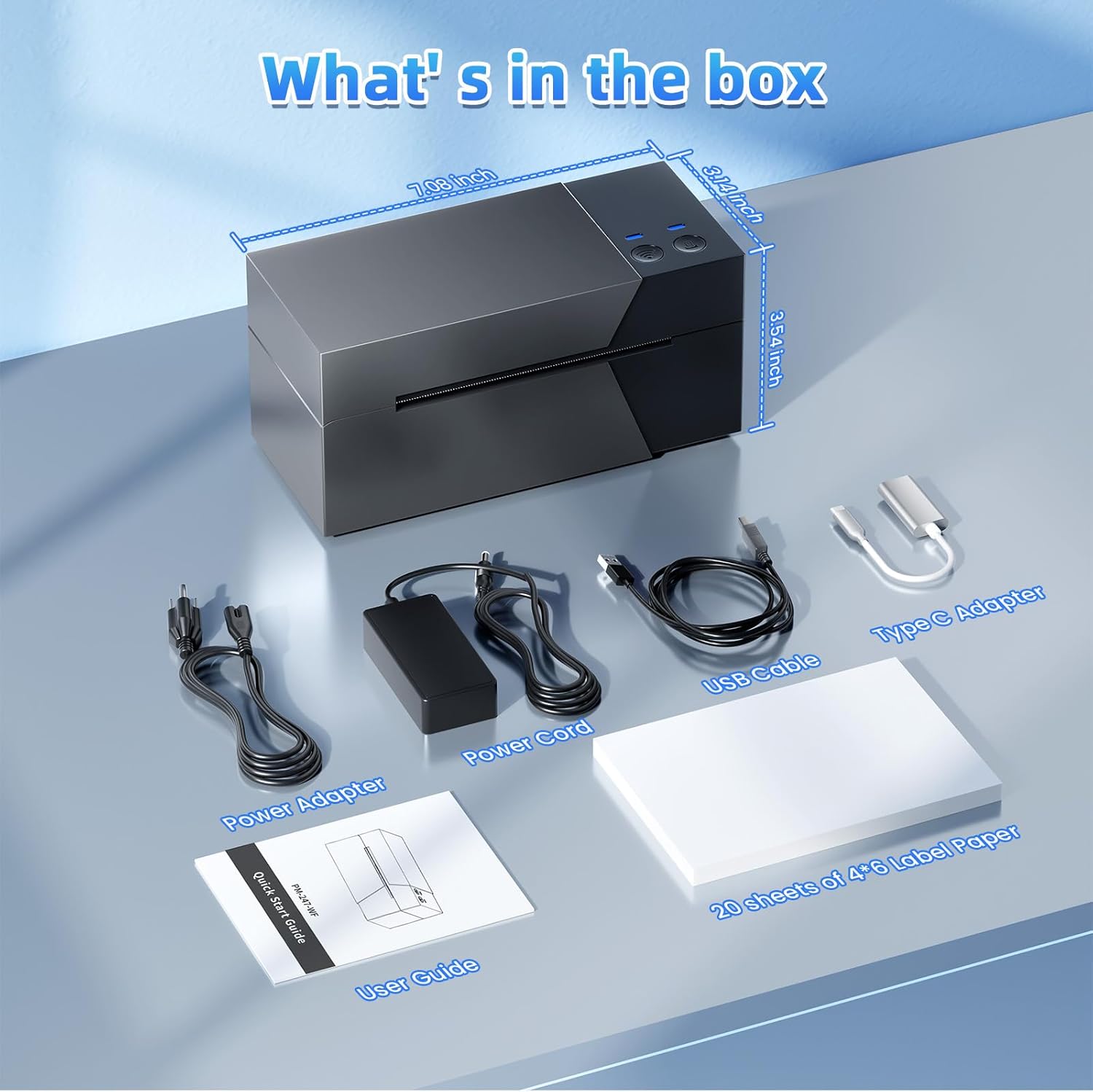
| Dimensions | 7.2″D x 3.48″W x 3.5″H |
| Weight | 3 pounds |
The Omezizy PM-247-WF combines wireless connectivity with thermal printing technology to deliver efficient label production. Its 5GHz Wi-Fi capability ensures stable, high-speed connections for multi-device use, while the thermal printing system eliminates the need for ink or toner. This design makes it ideal for environments requiring frequent label printing, such as e-commerce operations and shipping logistics. The printer’s compatibility with major platforms like USPS, UPS, and Shopify enhances its utility for small businesses and home users. However, its limited media size and lack of duplex printing may restrict its use in high-volume or complex printing scenarios.
Wireless Connectivity and Multi-Device Compatibility
The Omezizy PM-247-WF’s wireless connectivity is a standout feature, enabling seamless integration into modern workflows. The printer supports 5GHz Wi-Fi, which offers faster data transfer rates and reduced latency compared to older Wi-Fi standards. This ensures stable, reliable connections for printing tasks across multiple devices. The ability to support up to 10 simultaneous devices is particularly beneficial for small businesses and teams that require collaborative printing. Additionally, the printer’s compatibility with both Android and iOS devices, as well as desktop operating systems like Windows and macOS, ensures broad accessibility. This cross-platform support simplifies the printing process, allowing users to generate labels from mobile apps, web interfaces, or desktop software without the need for additional hardware. The printer’s USB connectivity provides a fallback option for users who prefer wired connections or need to print from older systems. Overall, the combination of Wi-Fi and USB ports enhances the printer’s versatility, making it suitable for both individual and small-scale business environments.

Cross-Platform Compatibility and User Experience
The PM-247-WF’s compatibility with a wide range of platforms, including Android, iOS, macOS, and Windows, ensures that users can integrate the printer into their existing workflows with minimal disruption. This is particularly advantageous for small businesses and e-commerce entrepreneurs who may use multiple devices and software applications. The printer’s support for major shipping platforms like USPS, UPS, FedEx, and Shopify further streamlines the shipping process, reducing the need for manual data entry. Additionally, the inclusion of video tutorials and user guides simplifies the setup process, allowing users to begin printing within minutes. The printer’s ability to auto-detect media and adjust settings automatically enhances user experience, especially for those who may not have extensive technical expertise. However, the lack of advanced customization options for print settings may limit its appeal to power users who require fine-tuned control over print outputs.
Multi-Device Support and Network Stability
The printer’s capacity to support up to 10 simultaneous devices is a significant advantage for environments where multiple users need access to the same printing resource. This feature is particularly useful in small offices or shared workspaces where teams collaborate on shipping and logistics tasks. The 5GHz Wi-Fi connectivity ensures that each device can maintain a stable connection without experiencing interference from other wireless devices. This is crucial for maintaining print throughput and minimizing delays, especially during peak usage times. However, the printer’s reliance on a stable Wi-Fi network means that any disruptions in the network can affect its performance. Users in areas with unreliable internet connectivity may need to rely on the USB port for a more consistent printing experience. Overall, the printer’s multi-device support and network stability make it a practical choice for small businesses and home offices.
Setup and Integration Ease
The PM-247-WF is designed with user-friendliness in mind, featuring a straightforward setup process that requires minimal technical knowledge. The included video tutorials and user guide provide clear instructions for connecting the printer to both Wi-Fi and USB networks, ensuring that users can start printing quickly. The printer’s auto-detection capabilities further simplify the setup by automatically adjusting settings based on the media type and print job requirements. This is particularly beneficial for users who may not have the time or expertise to manually configure complex printing parameters. However, the lack of a dedicated mobile app for advanced customization may limit its appeal to users who prefer more integrated mobile printing solutions. Despite these limitations, the printer’s ease of setup and integration makes it an attractive option for those seeking a simple, reliable printing solution.
Print Speed and Efficiency for High-Volume Tasks
The Omezizy PM-247-WF is engineered to deliver high-speed label printing, making it suitable for environments that require frequent, rapid output. With a maximum print speed of 72 labels per minute, the printer can handle the demands of small businesses and e-commerce operations efficiently. This speed is particularly advantageous for users who need to generate multiple shipping labels in a short amount of time, such as during peak order fulfillment periods. The thermal printing technology used in the PM-247-WF ensures that labels are produced quickly without the need for ink or toner, reducing maintenance and operational costs. However, the printer’s performance may be affected by the complexity of the print job. For instance, high-resolution graphics or complex formatting may require additional processing time, which could slightly reduce the overall print speed. Despite this, the printer’s ability to maintain a consistent print rate for standard shipping labels makes it a reliable choice for users who prioritize speed and efficiency.

Thermal Printing Technology and Output Quality
The PM-247-WF’s thermal printing technology is a key factor in its ability to produce high-quality, durable labels. Unlike inkjet or laser printers, thermal printers use heat to create images on specialized paper, resulting in crisp, clear outputs without the need for ink or toner. This technology is particularly well-suited for shipping labels, as it ensures that the printed information remains legible and resistant to smudging. The printer’s 203 DPI resolution provides sufficient detail for most label printing tasks, although it may not be ideal for high-resolution graphics or photographs. The thermal printing process also eliminates the need for regular maintenance related to ink cartridges or toner refills, which can reduce long-term costs and downtime. However, users should be aware that thermal paper can degrade over time when exposed to heat or light, which may affect the longevity of printed labels.
Media Compatibility and Label Versatility
The PM-247-WF supports a range of media sizes, from 1 inch to 4.6 inches, making it suitable for various label applications. This versatility allows users to print shipping labels, barcode labels, and mailing labels without the need for multiple printers. The printer’s compatibility with labels of different widths ensures that it can adapt to different shipping and packaging requirements. However, the limited media size options may restrict its use in environments that require larger labels or specialized media types. Additionally, the printer’s reliance on thermal paper means that users must ensure they have the appropriate label stock available for their specific tasks. While this is a standard requirement for thermal printers, it may be a consideration for users who prefer more flexible media options.
Duty Cycle and Workload Capacity
The PM-247-WF is designed to handle moderate to high workloads, making it suitable for small businesses and home offices that require frequent label printing. While the printer’s duty cycle is not explicitly specified, its thermal printing technology and high-speed output suggest that it can operate continuously for extended periods without significant degradation in performance. However, users should be mindful of the printer’s thermal paper limitations, as prolonged use may lead to wear on the print head and potential issues with label quality. The printer’s ability to maintain a consistent print speed for standard shipping labels makes it a practical choice for users who prioritize efficiency over high-volume, complex printing tasks. For businesses with extremely high printing demands, the PM-247-WF may not be the optimal choice, as it is better suited for environments with regular, manageable workloads.

Pros and Cons of the Omezizy PM-247-WF
Pros
- Wireless Connectivity: The 5GHz Wi-Fi capability ensures stable, high-speed connections for multi-device use, making it ideal for small businesses and teams that require collaborative printing.
- High Print Speed: With a maximum print speed of 72 labels per minute, the PM-247-WF is well-suited for environments that demand rapid label production, such as e-commerce operations and shipping logistics.
- Cross-Platform Compatibility: The printer supports Android, iOS, macOS, and Windows, allowing seamless integration into existing workflows without the need for additional hardware.
- No Ink or Toner Required: The thermal printing technology eliminates the need for ink or toner, reducing maintenance costs and operational expenses over time.
- User-Friendly Setup: The included video tutorials and user guide simplify the setup process, enabling users to begin printing within minutes without technical expertise.
- Compatibility with Major Shipping Platforms: The printer’s support for USPS, UPS, FedEx, Shopify, and other e-commerce platforms streamlines the shipping process and reduces manual data entry.
- Durable Thermal Paper Output: The printer produces crisp, clear labels that are resistant to smudging, ensuring legible shipping information for extended periods.
- Compact Design: The PM-247-WF’s compact size makes it suitable for home offices and small workspaces where space is a concern.
Cons
- Limited Media Size Options: The printer supports media sizes up to 4.6 inches, which may restrict its use in environments requiring larger labels or specialized media types.
- No Duplex Printing: The PM-247-WF is designed for simplex printing, meaning it cannot print on both sides of the label, which may be a limitation for users who require double-sided outputs.
- Dependence on Thermal Paper: The printer requires thermal paper, which can degrade over time when exposed to heat or light, potentially affecting the longevity of printed labels.
- No Dedicated Mobile App: While the printer is compatible with mobile devices, it lacks a dedicated mobile app for advanced customization, which may be a drawback for users who prefer integrated mobile printing solutions.
- Weight and Portability: Weighing 3 pounds, the PM-247-WF is relatively lightweight, but its size and design may make it less portable for users who need to move it frequently.
- Limited Warranty Coverage: The printer comes with a limited warranty, which may not provide the same level of support as extended warranty options available for other printers in its category.
Final Verdict: Who This Printer Is Best For (and Who Should Skip It)
The Omezizy PM-247-WF WiFi Shipping Label Printer is an excellent choice for small businesses, e-commerce entrepreneurs, and home users who require a reliable, efficient solution for shipping label printing. Its 5GHz Wi-Fi connectivity, high print speed, and compatibility with major shipping platforms make it ideal for environments where rapid, accurate label production is essential. The printer’s thermal printing technology eliminates the need for ink or toner, reducing maintenance costs and operational complexity. Additionally, the user-friendly setup and compact design make it a practical option for users with limited technical expertise or space constraints. However, the printer may not be suitable for high-volume or complex printing tasks due to its limited media size options and lack of duplex printing capabilities. Users who require larger labels, double-sided printing, or advanced customization features may find the PM-247-WF less than ideal. For businesses with extremely high printing demands or those needing more flexible media options, alternative printers with expanded capabilities may be a better fit. Overall, the PM-247-WF is a solid choice for users seeking a simple, reliable solution for shipping and labeling needs in 2026.

Frequently Asked Questions (FAQs)
Can the Omezizy PM-247-WF printer connect to multiple devices simultaneously?
Yes, the PM-247-WF supports up to 10 simultaneous devices via its 5GHz Wi-Fi connectivity, making it ideal for small businesses and teams that require collaborative printing. This feature allows multiple users to access the printer without interference, ensuring efficient workflow management.
What is the maximum print speed of the PM-247-WF label printer?
The PM-247-WF can print up to 72 labels per minute in monochrome mode, which is suitable for environments that require rapid label production. This speed helps streamline shipping and packaging processes, especially during high-volume order fulfillment periods.
Does the PM-247-WF require ink or toner for printing?
No, the PM-247-WF uses thermal printing technology, which eliminates the need for ink or toner. This reduces maintenance costs and operational complexity, as users only need to replace thermal paper rolls for continued use.
What media sizes are supported by the PM-247-WF printer?
The PM-247-WF supports label widths ranging from 1 inch to 4.6 inches (25.4–117mm), making it versatile for various shipping and packaging applications. This range allows users to print standard shipping labels, barcode labels, and mailing labels without the need for multiple printers.
Is the PM-247-WF compatible with major shipping platforms like Shopify and USPS?
Yes, the PM-247-WF is compatible with popular shipping platforms including USPS, UPS, FedEx, Shopify, and Etsy. This compatibility streamlines the shipping process by allowing users to generate labels directly from these platforms, reducing manual data entry and improving efficiency.
What is the warranty coverage for the PM-247-WF printer?
The PM-247-WF comes with a limited warranty, which provides basic support for manufacturing defects. While this warranty offers some protection, users should consider additional coverage options if they require extended support for high-volume or complex printing tasks.
How easy is it to set up the PM-247-WF printer?
The PM-247-WF is designed for easy setup, with included video tutorials and a user guide that simplify the connection process. Users can connect the printer to Wi-Fi or USB within minutes, making it accessible for both technical and non-technical users.
Can the PM-247-WF print on both sides of the label?
No, the PM-247-WF is designed for simplex printing, meaning it can only print on one side of the label. This limitation may affect users who require double-sided labels, but it is suitable for most standard shipping and packaging applications.