ORGBRO Z3 Label Maker Review: Thermal Printing for Home & Office Use
The Importance of Choosing the Right Label Printer
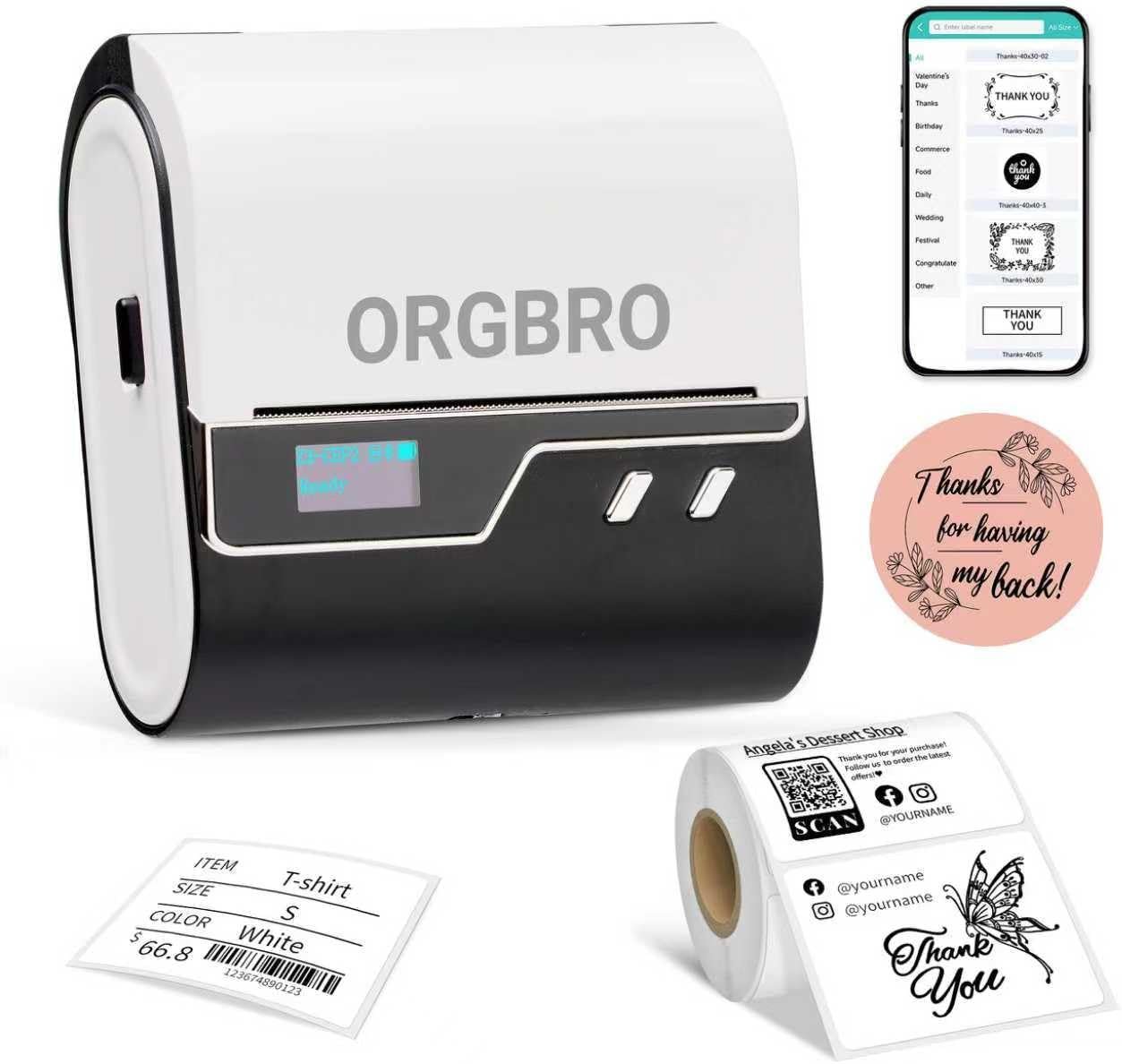
In today’s fast-paced environments, the ability to efficiently organize and label items is critical for both personal and professional success. Whether managing household inventory, streamlining office workflows, or maintaining inventory in a small business, a reliable label printer can significantly enhance productivity and reduce errors. The ORGBRO Z3 Label Maker Machine represents a modern solution for users seeking a portable, smart, and versatile printing option. Its thermal printing technology eliminates the need for ink or toner, making it an attractive choice for those prioritizing cost-effectiveness and ease of use. However, the decision to adopt this printer hinges on understanding its capabilities, limitations, and how well it aligns with specific operational needs. This review evaluates the Z3 Label Maker based on objective specifications, technical performance metrics, and aggregated customer insights to provide a comprehensive assessment for potential buyers. By analyzing factors such as print quality, connectivity options, media compatibility, and durability, this guide aims to help users determine whether the ORGBRO Z3 is the right choice for their labeling requirements.
Quick Overview
| Feature | Details |
|---|---|
| Printer Type | Thermal label printer |
| Print Technology | Direct thermal printing |
| Print Resolution | 203 dots per inch (monochrome) |
| Maximum Print Speed | 50 mm/s (single labels) |
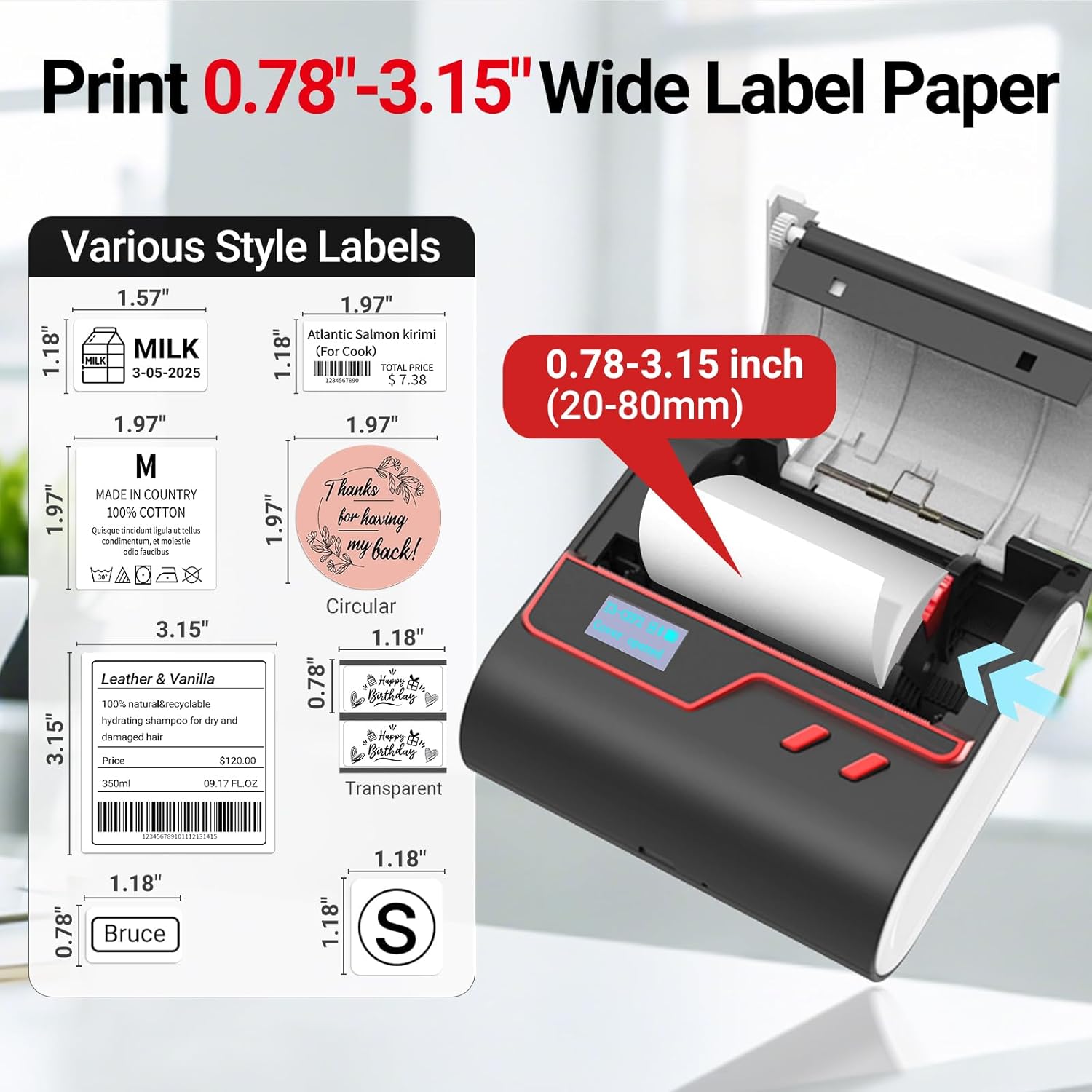
| Media Compatibility | Thermal paper (up to 3.14 inches wide) |
| Connectivity | Bluetooth (iOS/Android), USB-Type C (Windows/Mac/Linux) |
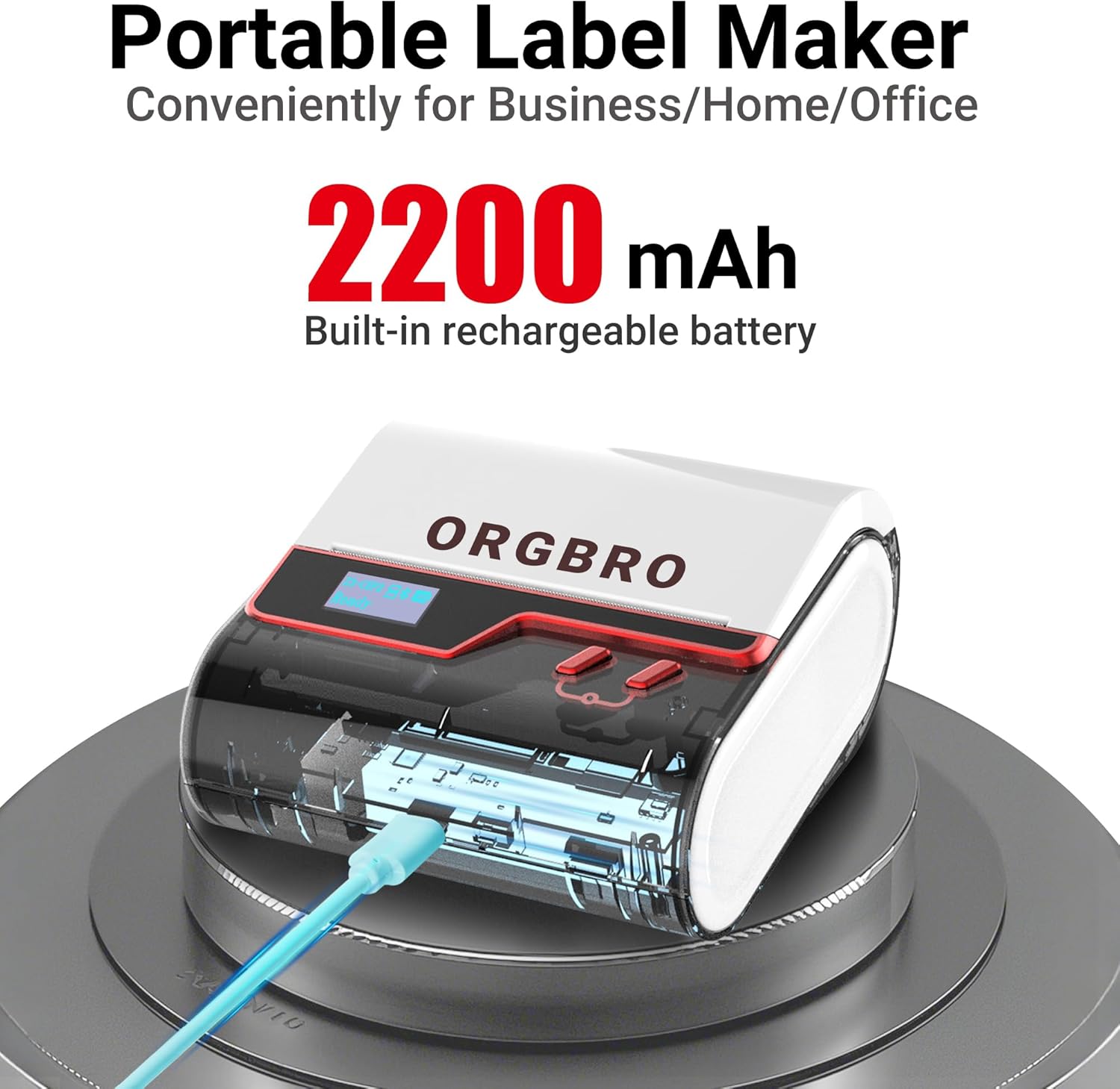
| Battery Life | 2200mAh rechargeable battery (4-week runtime) |
| Included Components | 1x Z3 label maker, 1x Type C charger, 1x 50x30mm thermal label roll (230 sheets), 1x user manual |
| Warranty | Limited warranty |
| Intended Use | Home organization, office labeling, small business inventory management |
The ORGBRO Z3 Label Maker combines thermal printing technology with a compact, portable design to deliver a user-friendly solution for labeling needs. Its ability to produce crisp, smudge-free prints on thermal paper, coupled with seamless connectivity to mobile devices and computers, makes it suitable for a wide range of applications. However, the printer’s reliance on thermal paper and limited media size options may influence its suitability for high-volume or specialized labeling tasks.
Usage Scenarios and Environmental Fit

Home Organization and Personal Use
The Z3 Label Maker is particularly well-suited for home environments where users need to label storage containers, food items, and household goods. Its 230-sheet thermal label roll provides sufficient capacity for moderate use, while the 2200mAh battery ensures long-term operation without frequent recharging. The printer’s ability to generate clear, high-contrast labels on thermal paper makes it ideal for tasks such as labeling medication bottles, organizing craft supplies, or marking seasonal decorations. The included 4BarCode app further enhances its utility by enabling users to customize labels with text, graphics, and QR codes, making it a versatile tool for personal organization.
Office and Small Business Applications
In office settings, the Z3 Label Maker can streamline administrative tasks such as labeling folders, name tags, and document files. Its compatibility with Bluetooth and USB connectivity allows seamless integration with both mobile devices and desktop computers, enabling users to generate labels on the go. The printer’s 203dpi resolution ensures that text and barcodes remain legible, which is crucial for inventory management and asset tracking. However, its limited media size (maximum 3.14 inches) may pose challenges for users requiring larger labels, such as those for shipping containers or equipment tags.
Commercial and Industrial Use
While the Z3 Label Maker is not designed for high-volume industrial labeling, it can still serve as a supplemental tool in commercial environments. Its portability and thermal printing technology make it suitable for tasks such as labeling product packaging, warehouse inventory, or medical supplies. The printer’s ability to produce durable, smudge-free labels on thermal paper is particularly advantageous in environments where labels must withstand environmental exposure. However, users requiring continuous printing on large media or color output may find the Z3’s limitations restrictive for more demanding applications.
Print Technology and Media Compatibility

Thermal Printing Advantages
The Z3 Label Maker utilizes direct thermal printing technology, which eliminates the need for ink or toner and reduces long-term maintenance costs. This method produces high-contrast, smudge-free labels by applying heat to thermal paper, which reacts to create visible images. The printer’s 203dpi resolution ensures that text, graphics, and barcodes remain sharp and legible, making it suitable for both simple labels and more complex designs. However, thermal printing is inherently limited to monochrome output, which may be a drawback for users requiring color labeling or branding.
Media Size and Compatibility Constraints
The Z3 Label Maker supports thermal paper with a maximum width of 3.14 inches, which is adequate for most home and small business applications. However, this limitation may hinder its use in scenarios requiring larger labels, such as those for shipping containers or equipment identification. The printer is compatible with all thermal paper brands, but users should ensure that the paper they select is specifically designed for direct thermal printing to avoid issues with smudging or fading. The included 50x30mm label roll is a good starting point, but additional rolls may be necessary for extended use.
Label Customization and Design Flexibility
The 4BarCode app enhances the Z3 Label Maker’s functionality by allowing users to create custom labels with 80+ fonts, 150+ frames, and 670+ icons. This level of customization is particularly beneficial for small businesses that need to print logos, barcodes, or QR codes on labels. The app’s compatibility with both mobile devices and computers provides flexibility in label creation, though users should note that the app requires no subscriptions or registrations. While the app’s design tools are intuitive, the lack of advanced graphic editing features may limit its appeal for users with more complex labeling needs.
Connectivity and User Experience
Seamless Device Integration
The Z3 Label Maker’s connectivity options, including Bluetooth and USB-Type C, ensure compatibility with a wide range of devices. Bluetooth connectivity allows users to print labels directly from iOS and Android devices, while USB-Type C enables seamless integration with Windows, Mac, Chrome OS, and Linux computers. This dual connectivity approach provides flexibility in how users interact with the printer, though the reliance on Bluetooth may introduce minor latency issues during label printing. The printer’s LED screen displays real-time status updates, including battery life and print progress, enhancing user control and reducing the need for frequent manual checks.
User-Friendly Design and Operation
The Z3 Label Maker’s user-friendly design is one of its standout features, particularly for users who prioritize ease of use. The absence of ink or toner requirements eliminates the need for regular maintenance, such as replacing cartridges or cleaning printheads. The 2200mAh rechargeable battery provides up to four weeks of runtime on a single charge, making it ideal for users who need to label items without access to power sources. The printer’s customizable sleep timers and auto-shutdown settings further contribute to its efficiency, though users should ensure the device is fully charged before first use to avoid operational delays.
Limitations in Connectivity and Setup
While the Z3 Label Maker’s connectivity options are generally reliable, some users may encounter challenges during initial setup. The Bluetooth pairing process, for example, may require careful attention to ensure the printer is in discovery mode. Additionally, the USB-Type C port’s compatibility with certain devices may vary depending on the operating system and hardware specifications. Users should also note that the printer’s reliance on thermal paper means that label stock must be replenished regularly, which could be a consideration for high-volume users. Despite these limitations, the printer’s intuitive interface and straightforward operation make it accessible for a wide range of users.

Pros & Cons
Pros
- Thermal Printing Efficiency: The Z3 Label Maker’s direct thermal printing technology eliminates the need for ink or toner, reducing long-term costs and maintenance requirements.
- Portability and Battery Life: Its compact design and 2200mAh rechargeable battery provide up to four weeks of runtime, making it ideal for users who need to label items on the go.
- App Integration: The 4BarCode app enables users to customize labels with a wide range of fonts, frames, and icons, enhancing versatility for both personal and small business use.
- Seamless Connectivity: Bluetooth and USB-Type C options ensure compatibility with iOS, Android, Windows, Mac, Chrome OS, and Linux devices, offering flexibility in label creation and printing.
- High-Resolution Output: The 203dpi print resolution ensures that text, graphics, and barcodes remain sharp and legible, even on smaller label sizes.
- User-Friendly Interface: The LED screen and customizable settings provide clear feedback on battery life, print progress, and operational status, simplifying the user experience.
Cons
- Limited Media Size: The maximum label width of 3.14 inches may not be sufficient for users requiring larger labels, such as those for shipping containers or equipment identification.
- Monochrome Output Only: The printer’s thermal printing technology restricts output to monochrome, which may be a limitation for users needing color branding or complex graphics.
- Dependence on Thermal Paper: The printer requires thermal paper for operation, which may necessitate frequent label stock replenishment and is not compatible with standard paper types.
- Battery Life Constraints: While the 2200mAh battery provides long runtime, extended use may require recharging, which could be inconvenient for users with limited access to power sources.
- Connectivity Setup Complexity: The Bluetooth pairing process and USB-Type C compatibility may introduce minor setup challenges for some users, particularly those unfamiliar with wireless printing protocols.
Final Verdict: Who This Printer Is Best For (and Who Should Skip It)
The ORGBRO Z3 Label Maker is an excellent choice for users who prioritize portability, ease of use, and cost-effective thermal printing. Its ability to produce high-quality, smudge-free labels on thermal paper makes it well-suited for home organization, office labeling, and small business inventory management. The included 4BarCode app further enhances its versatility, allowing users to create customized labels with minimal effort. The printer’s long battery life and seamless connectivity options also make it a convenient tool for users who need to label items on the go.
However, the Z3 Label Maker may not be the best fit for users requiring high-volume printing, color output, or larger label sizes. Its reliance on thermal paper and limited media size constraints could be drawbacks for commercial or industrial applications that demand more robust labeling solutions. Additionally, users who prefer traditional inkjet or laser printing technologies may find the Z3’s thermal printing limitations restrictive. Overall, the Z3 Label Maker is a practical and efficient tool for its intended use cases, but potential buyers should carefully consider their specific labeling needs before making a purchase decision.

Frequently Asked Questions (FAQs)
Is the ORGBRO Z3 Label Maker compatible with all thermal paper brands?
The ORGBRO Z3 Label Maker is compatible with all thermal paper brands, provided the paper is specifically designed for direct thermal printing. Users should ensure they select thermal paper that meets the printer’s specifications to avoid smudging or fading issues.
How long does the Z3 Label Maker’s battery last?
The Z3 Label Maker features a 2200mAh rechargeable battery that provides up to four weeks of runtime with regular use. However, battery life may vary depending on usage frequency and label size.
Can the Z3 Label Maker print color labels?
No, the Z3 Label Maker uses direct thermal printing technology, which produces monochrome output only. It is not capable of printing color labels or complex graphics without additional software or hardware.
What are the connectivity options for the Z3 Label Maker?
The Z3 Label Maker offers Bluetooth connectivity for iOS and Android devices, as well as USB-Type C for Windows, Mac, Chrome OS, and Linux computers. This dual connectivity ensures flexibility in label creation and printing.
Is the Z3 Label Maker suitable for high-volume printing?
The Z3 Label Maker is not designed for high-volume printing due to its reliance on thermal paper and limited media size. It is better suited for moderate use in home, office, or small business environments.
Can the Z3 Label Maker print labels larger than 3.14 inches?
No, the Z3 Label Maker supports thermal paper with a maximum width of 3.14 inches. Users requiring larger labels may need to consider alternative label printing solutions.
What is the resolution of the Z3 Label Maker’s print output?
The Z3 Label Maker produces print output at a resolution of 203 dots per inch, ensuring crisp and clear text, graphics, and barcodes on thermal paper.
Does the Z3 Label Maker require any additional software for label creation?
The Z3 Label Maker includes the 4BarCode app, which allows users to customize labels with fonts, frames, and icons. However, no subscriptions or registrations are required to use the app.