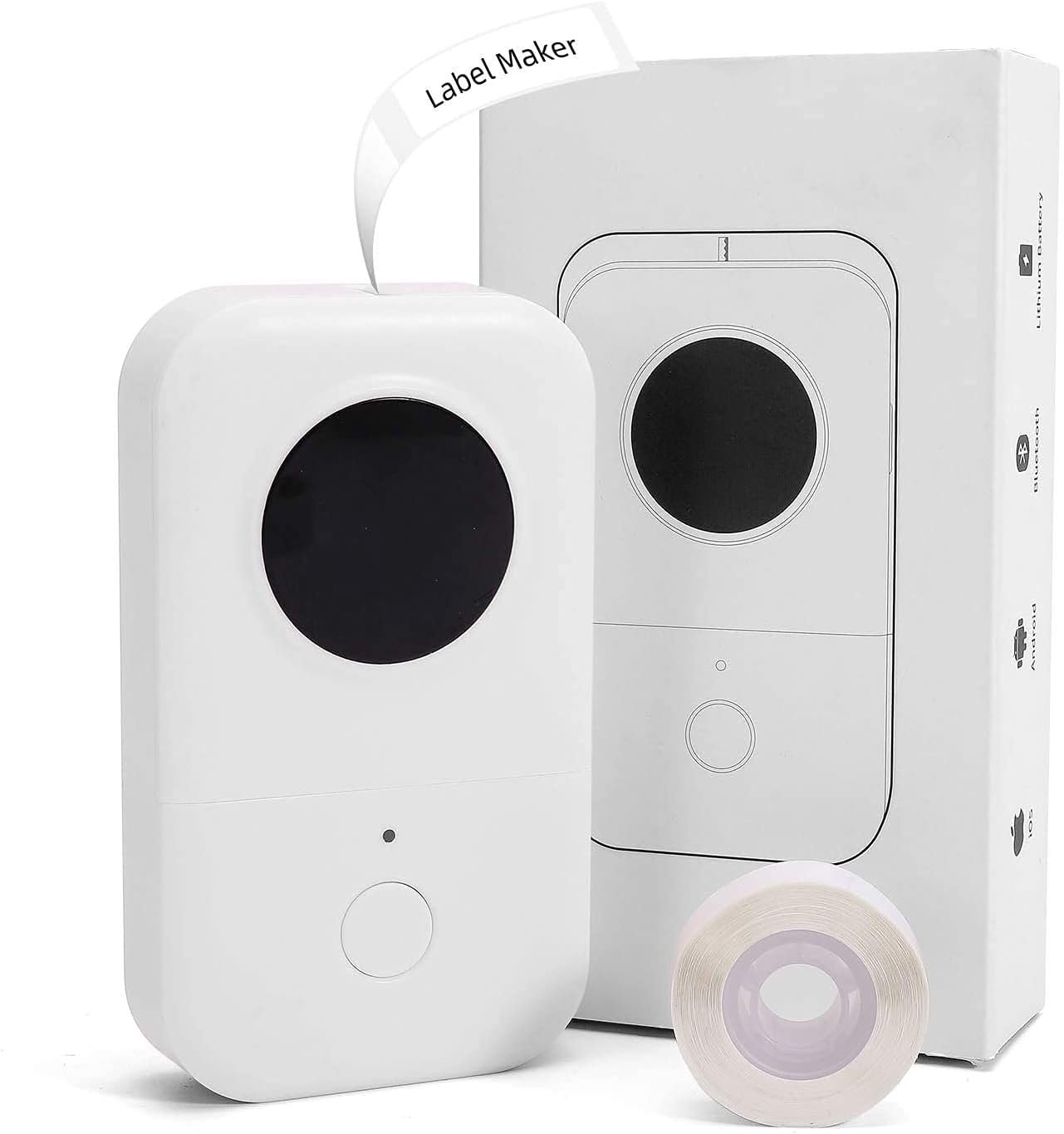
Phomemo D30 Label Maker: Bluetooth Thermal Printer for Home & Office Use
The Importance of Choosing the Right Label Printer
In today’s fast-paced environments, the ability to quickly and accurately label items is essential for both personal and professional organization. Whether managing household inventory, categorizing office supplies, or streamlining industrial workflows, the right label printer can significantly enhance efficiency. A reliable printer must balance speed, precision, and adaptability to meet diverse user needs. For example, a home user might prioritize portability and ease of use, while a small business owner may focus on durability and media versatility. Printers that excel in these areas often stand out by delivering consistent quality, seamless connectivity, and minimal maintenance. The Phomemo D30 Label Maker Machine represents a modern solution for users seeking a compact, wireless label printing option. Its thermal printing technology and Bluetooth connectivity cater to a range of applications, from personal organization to workplace labeling. However, understanding its technical capabilities, limitations, and real-world performance is crucial for making an informed decision. This review evaluates the Phomemo D30 based on its design, functionality, and suitability for various use cases, helping users determine whether it aligns with their specific requirements.
Quick Overview
| Feature | Details |
|---|---|
| Printer Type | Thermal label printer |
| Printing Technology | Thermal printing |
| Print Resolution | 203 dpi (black and white) |
| Media Compatibility | Labels (12*40mm max size) |
| Connectivity | Bluetooth (iOS/Android) |
| Print Speed | 1 page per second |
| Media Sizes | 12 millimeters width |
| Included Components | Label Printer, Roll Paper, User Manual, USB Cable |
| Power Source | 1200 mAh lithium polymer battery |
| Warranty | Limited warranty |
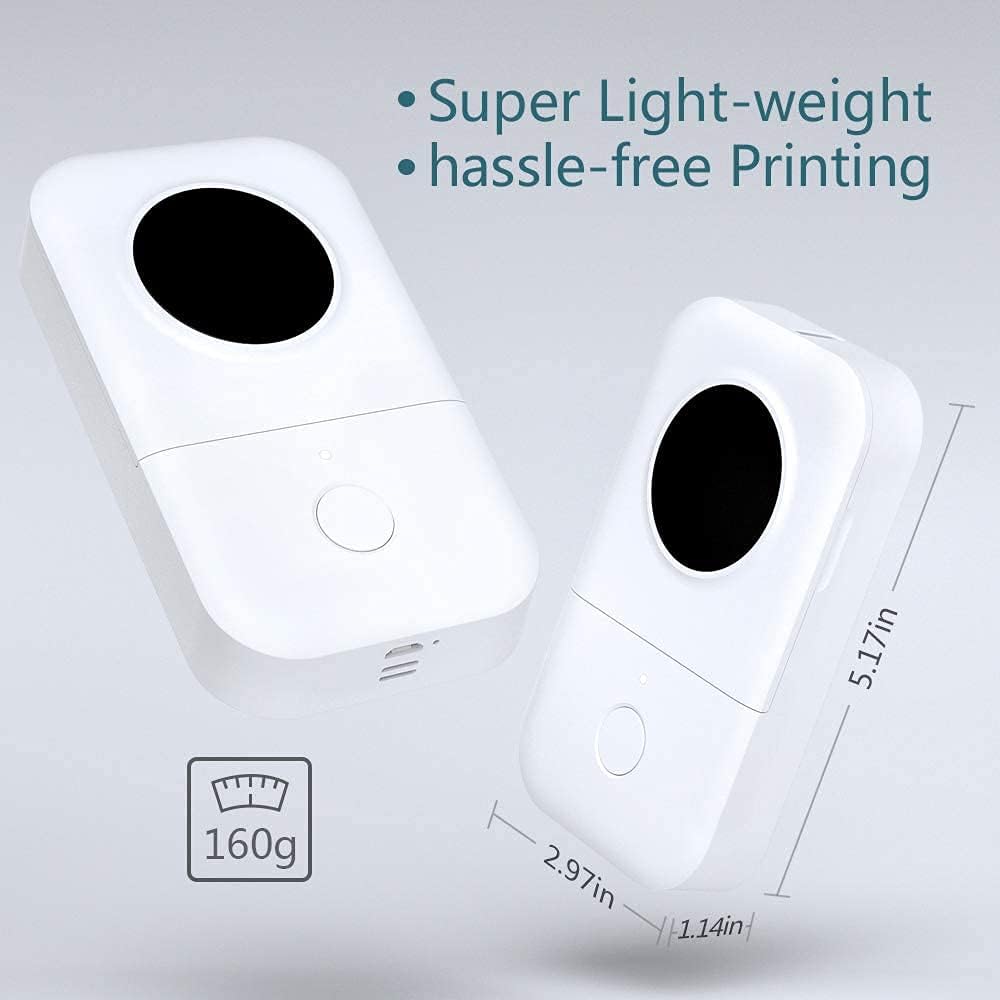
| Weight | 6.7 ounces |
| Dimensions | 3 x 5.2 x 1.2 inches |
| Special Features | Portable, wireless, Bluetooth connectivity |
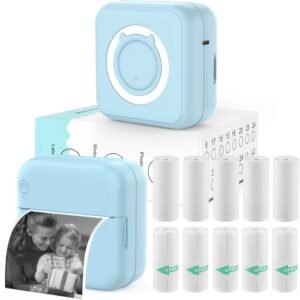
The Phomemo D30 Label Maker Machine is designed for users who need a compact, wireless solution for labeling tasks. Its thermal printing technology ensures quick, high-contrast output without ink or toner, making it ideal for environments where maintenance is a priority. The Bluetooth connectivity simplifies pairing with mobile devices, while the included USB cable provides an alternative for direct printing. With a weight of just 6.7 ounces, the printer is easy to carry, supporting both home and office use. However, its limited media size and single-sided printing capability may restrict its utility for more complex labeling needs.
Print Quality and Resolution
The Phomemo D30 Label Maker Machine delivers monochrome printing at a resolution of 203 dots per inch (dpi), which is standard for thermal label printers. This resolution ensures clear, legible text and basic graphics, making it suitable for applications like cable identification, inventory tracking, and small business pricing tags. While it does not support color printing, the high-contrast thermal output produces sharp, consistent results for black-and-white labeling tasks. The printer’s thermal technology eliminates the need for ink or toner, reducing long-term maintenance costs and environmental impact. However, the lack of advanced image processing capabilities means it is not ideal for high-resolution graphics or photographic-quality prints. Users should also note that the printer’s output quality depends on the quality of the label tape used, as thermal printing relies on heat to create images. For most basic labeling needs, the Phomemo D30’s resolution and print clarity are sufficient, though it may fall short for more demanding applications.

Thermal Printing Advantages
Thermal printing technology offers several benefits that make the Phomemo D30 a compelling choice for certain users. First, it eliminates the need for ink or toner, reducing the frequency of consumable replacements and lowering operational costs. This makes it particularly attractive for users who prioritize low-maintenance printing solutions. Additionally, thermal printers typically produce faster print speeds compared to inkjet or laser printers, which aligns with the Phomemo D30’s 1 page per second output. The absence of ink also means there is no risk of clogging or drying out, which is a common issue with traditional inkjet printers. However, thermal printing is not without its limitations. The print media must be heat-sensitive, which restricts the types of labels that can be used. Furthermore, thermal prints may fade over time when exposed to sunlight or extreme temperatures, which could be a concern for long-term archival needs.
Media Compatibility and Output Consistency
The Phomemo D30 is designed to work with labels of specific dimensions, including a maximum media size of 12*40mm. This limitation means the printer is not suitable for larger labels or specialized media types commonly used in industrial or commercial settings. The printer’s reliance on thermal technology also means that the output quality is highly dependent on the label tape’s specifications. For example, using low-quality or incompatible label stock could result in faded prints or uneven ink distribution. While the printer’s consistent print speed ensures that tasks like labeling cables or organizing files are completed efficiently, users should ensure they have the correct label media on hand. The lack of advanced media settings or customization options further simplifies the user experience but may limit flexibility for more complex labeling requirements.
Real-World Use Cases
The Phomemo D30’s print quality and resolution are well-suited for everyday labeling tasks that require clear, concise text. For instance, it is ideal for labeling small items like electronics, tools, or inventory items in a home or office setting. Its compact design and portability make it a convenient choice for users who need to label items on the go. However, the printer’s limitations in media size and color output may make it less suitable for applications that require more detailed or diverse labeling, such as large-scale inventory management or branding. Users who prioritize speed and simplicity over advanced printing capabilities will find the Phomemo D30 to be a reliable tool for basic labeling needs. Its thermal printing technology and Bluetooth connectivity further enhance its usability for both personal and small business environments.
Connectivity and Compatibility
The Phomemo D30 Label Maker Machine offers Bluetooth connectivity, allowing users to pair the device with iOS and Android smartphones or tablets. This wireless feature simplifies the printing process by eliminating the need for physical cables, making it particularly convenient for users who frequently move between locations. The Bluetooth pairing process is straightforward, with the printer guiding users through the setup via a dedicated mobile app. While the app provides a user-friendly interface for managing print jobs and adjusting settings, it does not offer advanced customization options for print quality or media types. The printer’s compatibility with both Android and iOS devices ensures broad accessibility, though users should verify that their specific device model supports Bluetooth printing. Additionally, the inclusion of a USB cable provides an alternative for direct printing, which can be useful in environments where wireless connectivity is not available or preferred. The printer’s reliance on Bluetooth and a mobile app for control makes it a versatile option for users who value convenience and mobility in their labeling workflows.

App Integration and Control
The Phomemo D30’s mobile app integration enhances its usability by allowing users to manage print jobs and customize settings through their smartphones or tablets. The app provides a simple interface for selecting labels, adjusting print parameters, and monitoring the printer’s status. While the app does not offer advanced features like print scheduling or batch processing, it ensures that users can quickly access the printing functionality they need. The app’s simplicity is a notable advantage for users who prioritize ease of use over complex customization. However, the lack of detailed settings for print quality or media types may limit the printer’s adaptability for more specialized labeling tasks. For most users, the app’s straightforward design and Bluetooth connectivity provide a seamless printing experience, especially for basic labeling needs.
Device Compatibility and Limitations
The Phomemo D30 is compatible with a wide range of devices, including laptops, PCs, and mobile phones running iOS or Android. This broad compatibility ensures that users can integrate the printer into their existing workflows without significant setup challenges. However, the printer’s reliance on Bluetooth connectivity means that it may not function optimally in environments with limited wireless access. Additionally, while the printer is designed for use with standard label media, it does not support advanced media types or specialized printing functions commonly found in industrial-grade label printers. Users who require more advanced connectivity options or media versatility may find the Phomemo D30 to be less suitable for their needs. Despite these limitations, the printer’s straightforward setup and compatibility with both mobile and desktop devices make it a practical choice for everyday labeling tasks.
Durability and Duty Cycle
The Phomemo D30 Label Maker Machine is designed for moderate usage, with a duty cycle that supports typical home and office labeling tasks. Its lightweight construction and compact size make it suitable for environments where portability is a priority, but it is not intended for heavy industrial use. The printer’s battery life, powered by a 1200 mAh lithium polymer battery, provides sufficient power for daily use without requiring frequent recharging. However, extended usage or continuous printing may drain the battery more quickly, necessitating regular charging. The printer’s durability is further enhanced by its thermal printing technology, which minimizes the risk of mechanical wear associated with inkjet or laser printers. While the Phomemo D30 is built to withstand normal use, users should avoid exposing it to extreme temperatures or physical damage, as this could affect its longevity. Overall, the printer is well-suited for users who require a reliable, low-maintenance labeling solution for personal or small business applications.

Battery Life and Power Management
The Phomemo D30’s battery life is a key consideration for users who rely on its portability. With a 1200 mAh lithium polymer battery, the printer can operate for several hours on a single charge, depending on usage patterns. The battery’s capacity is sufficient for typical labeling tasks, such as printing labels for home organization or small business inventory management. However, continuous use or frequent printing may require more frequent charging. The printer’s power management system is designed to optimize battery efficiency, but users should be mindful of conserving energy by turning off the device when not in use. The absence of a power-saving mode or battery level indicators may be a drawback for users who need to monitor usage more closely. Despite these limitations, the battery life is adequate for most casual or intermittent labeling needs.
Environmental and Physical Durability
The Phomemo D30 is built with a focus on durability, though its design is more suited for light to moderate use rather than heavy industrial applications. The printer’s thermal printing technology reduces the risk of mechanical wear, as it does not require ink cartridges or toner, which are common points of failure in traditional printers. However, the device’s lightweight construction and compact size may make it more susceptible to physical damage if mishandled. Users should avoid exposing the printer to extreme temperatures, moisture, or physical shocks, as these factors could affect its performance and longevity. While the printer is designed to withstand normal use, it is not intended for environments where continuous, high-volume printing is required. For users who need a more robust labeling solution, the Phomemo D30 may not be the best choice, but it remains a reliable option for everyday labeling tasks.

Pros & Cons
Pros
- Portability and Wireless Connectivity: The Phomemo D30’s compact design and Bluetooth connectivity make it easy to carry and use in various environments, from home to office. This portability is particularly beneficial for users who need to label items on the go.
- Thermal Printing Technology: By eliminating the need for ink or toner, the thermal printing method reduces maintenance requirements and operational costs, making it a low-maintenance solution for basic labeling tasks.
- User-Friendly App Integration: The dedicated mobile app simplifies the printing process, offering an intuitive interface for managing print jobs and adjusting settings without the need for complex configurations.
- Compatibility with iOS and Android: The printer’s support for both major mobile operating systems ensures broad accessibility, allowing users to integrate it seamlessly into their existing workflows.
- Lightweight and Durable Construction: The printer’s lightweight build and thermal printing technology contribute to its durability, making it suitable for environments where frequent movement or minor handling is expected.
Cons
- Limited Media Size and Compatibility: The Phomemo D30 is restricted to labels of a specific size (12*40mm), which limits its use for larger or more specialized media types. This may be a drawback for users requiring diverse labeling options.
- No Color Printing Capabilities: The printer’s monochrome output is well-suited for basic text and labels, but it cannot produce color prints, which may be a limitation for users needing more visually distinct labeling.
- Single-Sided Printing Only: The absence of duplex printing functionality means the printer cannot print on both sides of a label, which could be inefficient for certain labeling tasks.
- Battery Life Constraints: While the battery provides sufficient power for moderate use, extended or continuous printing may require frequent recharging, which could be inconvenient for some users.
- Limited Customization Options: The printer’s reliance on a mobile app for settings and media management offers minimal customization, which may not suit users requiring advanced control over print parameters.
Final Verdict: Who This Printer Is Best For (and Who Should Skip It)
The Phomemo D30 Label Maker Machine is best suited for users who need a portable, wireless solution for basic labeling tasks. Its thermal printing technology, Bluetooth connectivity, and lightweight design make it an ideal choice for home users, small business owners, and office professionals who prioritize simplicity and low maintenance. The printer’s ability to produce clear, high-contrast labels at a reasonable speed is particularly beneficial for applications like cable identification, inventory tracking, and personal item labeling. However, the Phomemo D30 may not be the best fit for users requiring advanced printing capabilities, such as color output, duplex printing, or compatibility with specialized media types. Additionally, those who need a more robust, high-volume labeling solution for industrial or commercial environments may find the printer’s limitations in media size and customization options to be restrictive. For users seeking a reliable, low-maintenance label printer for everyday use, the Phomemo D30 offers a practical and convenient option, though it is not designed for heavy-duty or complex labeling needs.

Frequently Asked Questions (FAQs)
Is the Phomemo D30 label printer compatible with both iOS and Android devices?
Yes, the Phomemo D30 Label Maker Machine is compatible with both iOS and Android devices. It uses Bluetooth connectivity to pair with smartphones and tablets, allowing users to print labels directly from their mobile devices without the need for a physical cable.
What is the maximum media size supported by the Phomemo D30 label printer?
The Phomemo D30 is designed to work with labels up to a maximum size of 12*40mm. This media size limitation ensures compatibility with standard label tapes, though it may restrict use for larger or specialized label formats.
Does the Phomemo D30 label printer support color printing?
No, the Phomemo D30 is a monochrome thermal label printer. It does not support color printing, making it ideal for applications that require clear, high-contrast black-and-white labels.
How long does the battery last on the Phomemo D30 label printer?
The Phomemo D30 is powered by a 1200 mAh lithium polymer battery, which provides sufficient power for moderate use. Battery life may vary depending on usage patterns, but it is generally sufficient for daily labeling tasks without frequent recharging.
Can the Phomemo D30 label printer print on both sides of the label?
No, the Phomemo D30 is a single-sided printer. It does not support duplex printing, which means each label is printed on one side only. This may affect efficiency for certain labeling applications requiring both sides.
What are the primary use cases for the Phomemo D30 label printer?
The Phomemo D30 is best suited for home and office labeling tasks such as cable identification, inventory tracking, small business pricing tags, and personal item labeling. Its portability and wireless connectivity make it ideal for users who need a convenient, low-maintenance labeling solution.
Is the Phomemo D30 label printer suitable for industrial or commercial use?
The Phomemo D30 is designed for moderate use and is well-suited for home and small business environments. However, it is not intended for heavy industrial applications due to its limited media size, lack of advanced printing features, and lower durability compared to industrial-grade label printers.
What is the warranty coverage for the Phomemo D30 label printer?
The Phomemo D30 comes with a limited warranty, which covers manufacturing defects and malfunctions. Users should refer to the manufacturer’s warranty terms for specific details on coverage and support.