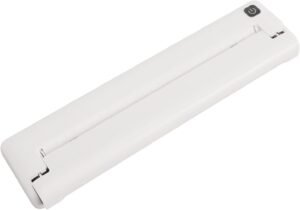
POLONO D810 Portable Thermal Printer Review: Inkless Printing for Mobile Workflows
The Importance of Choosing the Right Printer for Modern Workflows
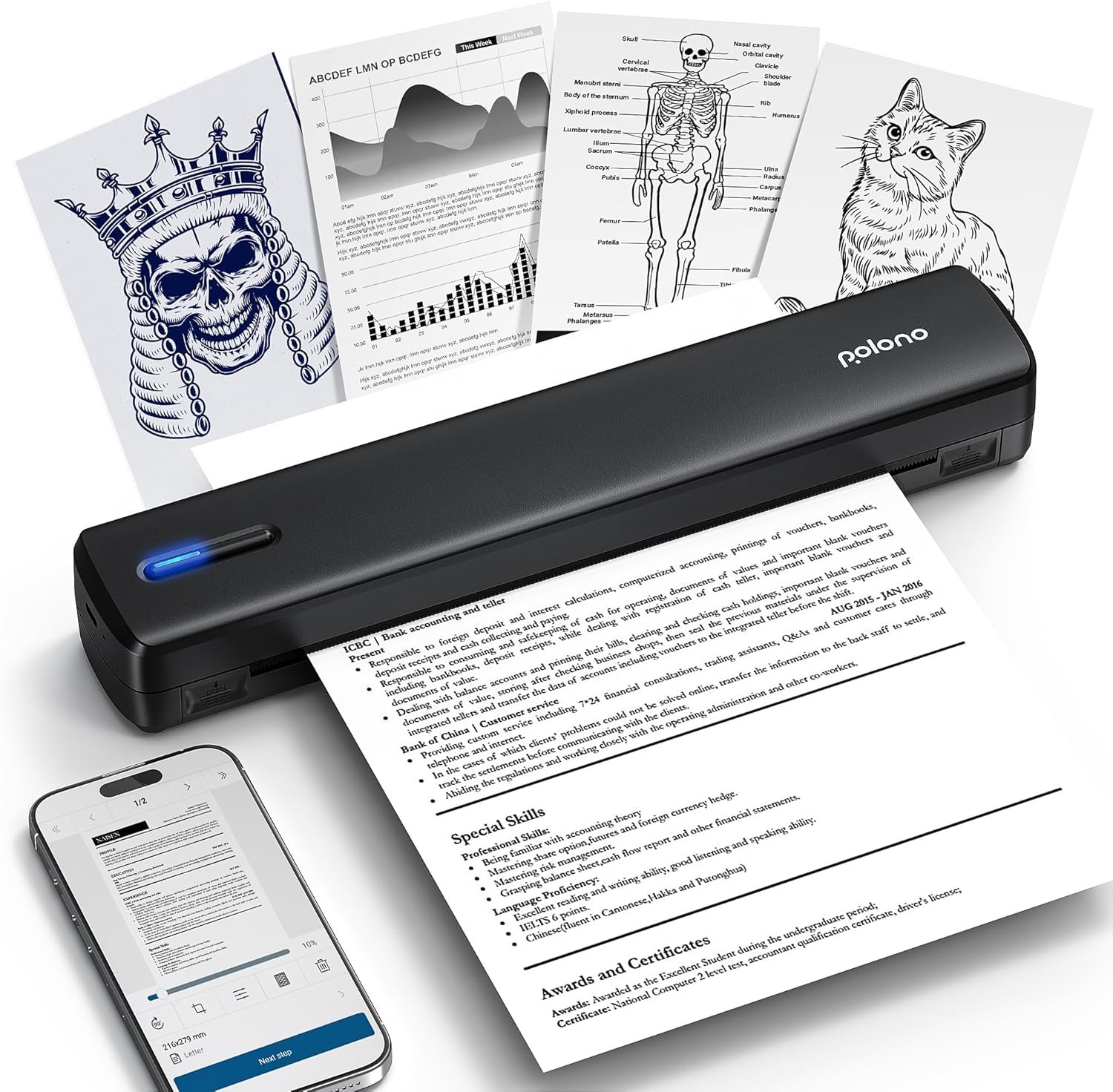
In today’s fast-paced environments, the ability to produce high-quality printed documents efficiently is critical. Whether managing inventory in a warehouse, handling receipts during travel, or creating quick reports in an office setting, the right printer can significantly impact productivity. The POLONO D810 Portable Thermal Printer represents a compelling solution for users seeking a compact, wireless printing option that eliminates the need for ink cartridges. Its design prioritizes portability and ease of use while maintaining print quality suitable for business and personal applications. However, selecting the ideal printer requires careful consideration of factors such as print technology, connectivity options, media compatibility, and durability. This review evaluates the POLONO D810 against these criteria, offering insights into its strengths and limitations for various use cases. By analyzing specifications and industry benchmarks, we provide a data-driven assessment to help users determine whether this printer aligns with their specific printing needs.
Quick Overview
| Feature | Details |
|---|---|
| Printer Type | Thermal Printer |
| Print Technology | Direct Thermal Printing |
| Supported Functions | Print Only |
| Print Resolution | 300 dpi (Black & White) |
| Print Speed | 4 ppm (Black & White) |
| Media Sizes | US Letter, A4 |
| Connectivity | Bluetooth, USB |
| Duty Cycle | Continuous Use with Thermal Paper |
| Ink/Toner System | Tonerless (Thermal Paper Only) |
| Warranty | No Specific Warranty Mentioned |
The POLONO D810’s design emphasizes portability and wireless convenience, making it ideal for users who require on-the-go printing. Its thermal printing technology eliminates the need for ink cartridges, reducing maintenance and operational complexity. However, the reliance on thermal paper introduces limitations in terms of print longevity and media compatibility. This section provides a foundational understanding of the printer’s capabilities, setting the stage for a deeper exploration of its performance and suitability for different environments.

Print Technology and Environmental Considerations
The POLONO D810’s use of direct thermal printing technology sets it apart from traditional inkjet or laser printers. This method produces prints without the need for ink cartridges, making it an environmentally friendly option that reduces waste and maintenance requirements. Thermal paper, which is sensitive to heat and light, is the only compatible media, ensuring that printed documents are both durable and cost-effective for short-term use. The printer’s ability to operate without consumables like ink or toner is particularly advantageous for users who prioritize low-maintenance printing solutions. However, this design choice also means that the D810 is not suitable for long-term archival or high-volume printing, as thermal paper can degrade over time when exposed to environmental factors such as sunlight or heat. For users who require permanent records, this limitation may necessitate additional steps to preserve printed documents.

Environmental Impact and Sustainability
The D810’s inkless design contributes to its environmental benefits, as it eliminates the need for disposable ink cartridges. This reduces electronic waste and the carbon footprint associated with traditional printing methods. Additionally, the printer’s compact size and lightweight construction make it an energy-efficient option for users who prioritize sustainability. However, the reliance on thermal paper introduces a trade-off, as this type of paper is not recyclable in the same way as standard paper. The printer’s design aligns with eco-conscious consumer trends, but users should be aware of the environmental implications of thermal paper usage. For those seeking a fully sustainable printing solution, the D810 may require complementary practices to offset its environmental impact.
Media Compatibility and Print Longevity
The D810’s support for US Letter and A4 thermal paper ensures compatibility with a wide range of document formats. However, the printer’s design restricts media options to thermal paper only, which is a significant limitation for users who require printing on standard paper. This restriction means that the D810 is best suited for applications where thermal paper is acceptable, such as receipts, labels, or temporary records. The printer’s print longevity is also influenced by the properties of thermal paper, which can fade or degrade when exposed to heat, light, or humidity. Users should consider these factors when determining the suitability of the D810 for their specific printing needs.
Connectivity and Wireless Capabilities
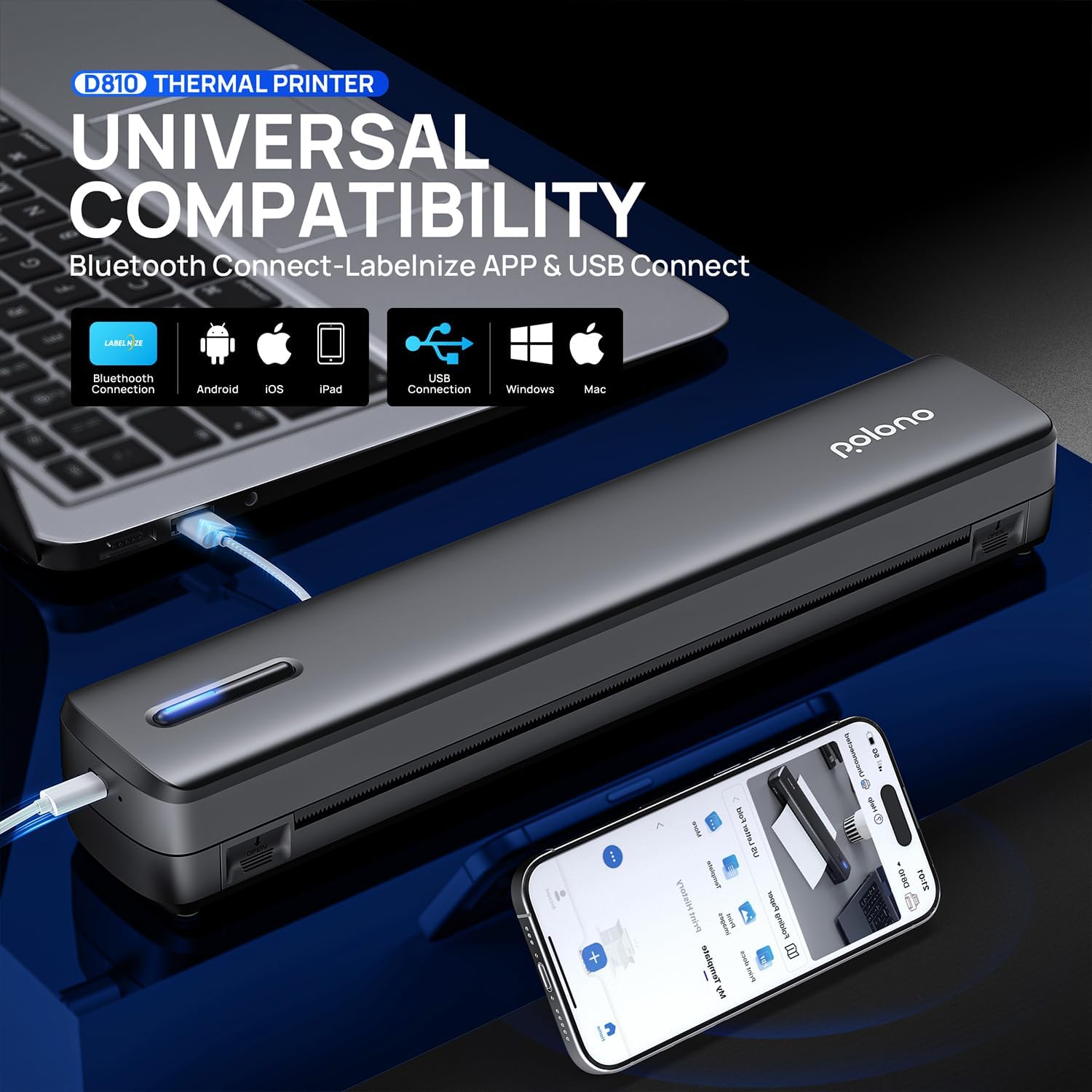
The POLONO D810’s wireless connectivity options enhance its flexibility for users who require on-the-go printing. The printer supports Bluetooth connectivity, allowing for seamless printing from iOS and Android devices without the need for physical cables. This feature is particularly beneficial for users who frequently print from mobile devices or need to create documents while traveling. Additionally, the printer includes a USB port for wired connections, providing an alternative for users who prefer direct data transfer. However, the lack of Wi-Fi connectivity may limit its usability in certain environments where wireless networks are not available. The printer’s ability to connect to both mobile devices and computers via Bluetooth and USB ensures a broad range of compatibility, but users should be aware of the limitations imposed by its connectivity options.

Bluetooth and USB Connectivity
The D810’s Bluetooth functionality simplifies the printing process for users who rely on mobile devices. By pairing the printer with an iOS or Android device, users can print documents wirelessly without the need for additional software. The included “Labelnize” app facilitates this process, ensuring a smooth user experience. For PC users, the printer requires the installation of drivers, which can be downloaded from the manufacturer’s website or via the included USB drive. While this setup is straightforward, the requirement to install drivers may be a minor inconvenience for users who prefer plug-and-play functionality. The USB port provides a reliable alternative for wired printing, particularly in environments where Bluetooth connectivity may be unreliable.
Compatibility with Mobile and Desktop Devices
The D810’s compatibility with iOS 13 and above, Android devices, and PCs ensures that it can integrate seamlessly into various workflows. However, the printer’s exclusion from Chromebook compatibility may be a drawback for users who rely on Chrome OS. This limitation highlights the importance of checking device compatibility before purchasing, as the D810’s connectivity options are tailored to specific operating systems. The printer’s ability to work with both mobile and desktop platforms makes it a versatile option for users who require printing across different devices. Nevertheless, the lack of support for Chromebooks may necessitate additional considerations for users who depend on this operating system.
Print Quality and Performance Expectations
The POLONO D810’s print quality is characterized by its high-resolution output, which is suitable for text-based documents and simple graphics. The printer’s 300 dpi resolution ensures that printed text is crisp and legible, making it appropriate for applications such as receipts, labels, and inventory lists. However, the absence of color printing capabilities means that the D810 is not ideal for users who require full-color output. The printer’s performance is further influenced by its reliance on thermal paper, which can affect the longevity and clarity of printed documents over time. For users who prioritize print quality and consistency, the D810’s specifications indicate that it is well-suited for straightforward, text-heavy tasks. The printer’s design ensures that it meets the basic requirements for print quality, but its limitations in terms of media compatibility and color output should be considered.

Text Clarity and Resolution
The D810’s 300 dpi resolution provides a level of text clarity that is adequate for most business and personal applications. This resolution ensures that printed text remains legible even when viewed from a distance, making it suitable for documents such as receipts, invoices, and inventory lists. However, the printer’s lack of color output means that users should not expect high-quality graphics or photographs. The resolution is sufficient for text-based printing, but it may not meet the demands of users who require more detailed or visually complex outputs. The printer’s performance in this regard aligns with its intended use cases, which emphasize clarity and efficiency rather than artistic or photographic quality.
Durability and Longevity of Printed Output
The D810’s use of thermal paper introduces considerations regarding the durability of printed output. Thermal paper is known to degrade when exposed to heat, light, or humidity, which can lead to fading or smudging of printed text. This characteristic means that the D810 is best suited for short-term use, as it is not designed for long-term archival or high-volume printing. Users should be aware that the longevity of printed documents may be compromised over time, particularly in environments with fluctuating temperatures or exposure to direct sunlight. The printer’s design prioritizes convenience and efficiency, but its reliance on thermal paper necessitates careful consideration of storage conditions to preserve printed output.

Pros and Cons
Pros
- Inkless Design: The D810’s direct thermal printing technology eliminates the need for ink cartridges, reducing maintenance and operational costs.
- Portability and Lightweight: Weighing only 1.17 pounds, the printer is easy to carry and suitable for travel or mobile use.
- Wireless Connectivity: Bluetooth functionality allows for seamless printing from iOS and Android devices without the need for cables.
- Compatibility with Multiple Devices: The printer supports both mobile and desktop printing, making it versatile for different workflows.
- High-Resolution Output: The 300 dpi resolution ensures crisp, legible text for most business and personal applications.
- Quick Setup: The included USB drive and “Labelnize” app streamline the installation and pairing process for users.
Cons
- Limited Media Compatibility: The printer only supports thermal paper, which restricts its use for long-term or archival printing.
- No Color Printing: The lack of color output limits the printer’s versatility for applications requiring visual elements or branding.
- Print Longevity Concerns: Thermal paper can degrade over time when exposed to environmental factors, affecting the durability of printed documents.
- No Wi-Fi Connectivity: The absence of Wi-Fi support may limit usability in environments where wireless networks are not available.
- Dependence on Thermal Paper: Users must manage the cost and availability of thermal paper, which may be less convenient than standard paper.
Final Verdict: Who This Printer Is Best For (and Who Should Skip It)
The POLONO D810 Portable Thermal Printer is best suited for users who require a lightweight, wireless printing solution for short-term, text-based tasks. Its inkless design and portability make it an excellent choice for travelers, business professionals, and individuals who need to create receipts, labels, or inventory lists on the go. The printer’s compatibility with both mobile and desktop devices enhances its flexibility, while the high-resolution output ensures legible text for most applications. However, the D810’s reliance on thermal paper and lack of color printing capabilities make it unsuitable for users who require long-term archival, high-volume printing, or visual elements in their documents. For those seeking a fully sustainable printing solution, the D810’s environmental benefits are notable, but users must be prepared to manage the limitations associated with thermal paper usage. Overall, the D810 is a practical option for specific use cases, but its drawbacks should be carefully considered before making a purchase decision.
Frequently Asked Questions (FAQs)
Is the POLONO D810 compatible with Chromebooks?
The POLONO D810 is not compatible with Chromebooks. It supports iOS 13 or later, Android devices, and PCs. Chromebook users may need to consider alternative printing solutions due to this limitation.
What types of paper can the D810 use?
The D810 only supports thermal paper for printing. It is not compatible with standard copy paper or other non-thermal media. Users must ensure they have access to thermal paper for optimal performance.
How long does the D810’s battery last on a single charge?
The D810 operates for up to 49 minutes on a single charge, producing approximately 200 sheets. This battery life is suitable for short-term printing tasks but may require frequent recharging for extended use.
Can the D810 print color documents?
No, the D810 is a monochrome thermal printer and does not support color printing. It is designed for black-and-white text-based documents such as receipts, labels, and inventory lists.
What is the maximum print speed of the D810?
The D810 prints at a maximum speed of 4 pages per minute (ppm) in black and white. This speed is adequate for low-volume printing but may be slower compared to traditional inkjet or laser printers for high-volume tasks.
Does the D810 require any special software for printing?
The D810 requires the “Labelnize” app for wireless printing on mobile devices. PC users must install drivers via the included USB drive or the manufacturer’s website. These software requirements ensure compatibility but may add a minor setup step.
How does the D810 handle thermal paper degradation?
Thermal paper used in the D810 can degrade over time when exposed to heat, light, or humidity. Users should store printed documents in cool, dark environments to preserve their quality and longevity.
Is the D810 suitable for long-term archival purposes?
The D810 is not recommended for long-term archival due to the susceptibility of thermal paper to fading and degradation. It is best suited for temporary or short-term printing needs where document longevity is not a primary concern.