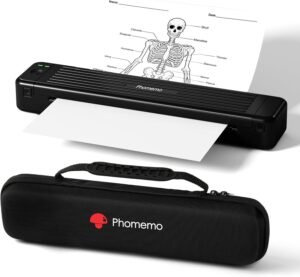
Rongta F81 Portable Thermal Printer 2026: Inkless Printing for Home, Office & Travel
The Importance of Choosing the Right Printer for Modern Workflows
In today’s fast-paced digital environment, the right printer can significantly impact productivity, whether for home use, office tasks, or on-the-go printing. From generating receipts and invoices to creating professional documents and labels, printers are essential tools that bridge the gap between digital and physical outputs. The choice of printer technology, connectivity options, and print quality directly influences user satisfaction and operational efficiency. For instance, thermal printers like the Rongta F81 offer unique advantages for specific tasks, such as inkless printing for receipts or labels, while laser and inkjet printers cater to different needs. Understanding these differences is crucial for users who must balance speed, cost, and output quality. Additionally, the growing demand for portable and wireless printing solutions highlights the need for devices that combine compact design with reliable performance. This review examines the Rongta F81 portable thermal printer, focusing on its technical specifications, usability, and suitability for various environments. By analyzing factors like print technology, connectivity, and durability, this guide helps users make informed decisions about whether this printer aligns with their specific requirements.
Quick Overview
| Feature | Details |
|---|---|
| Printer Type | Thermal Printer |
| Printing Technology | Inkless Thermal Printing |
| Supported Functions | Print Only |
| Print Resolution | 203 dpi (Black and White) |
| Media Sizes | A4, A5, Letter (8.5 x 11 inches) |
| Connectivity | Bluetooth, USB |
| Duty Cycle | Not Specified |
| Ink/Toner System | No Ink (Thermal Paper) |
| Warranty | Limited |
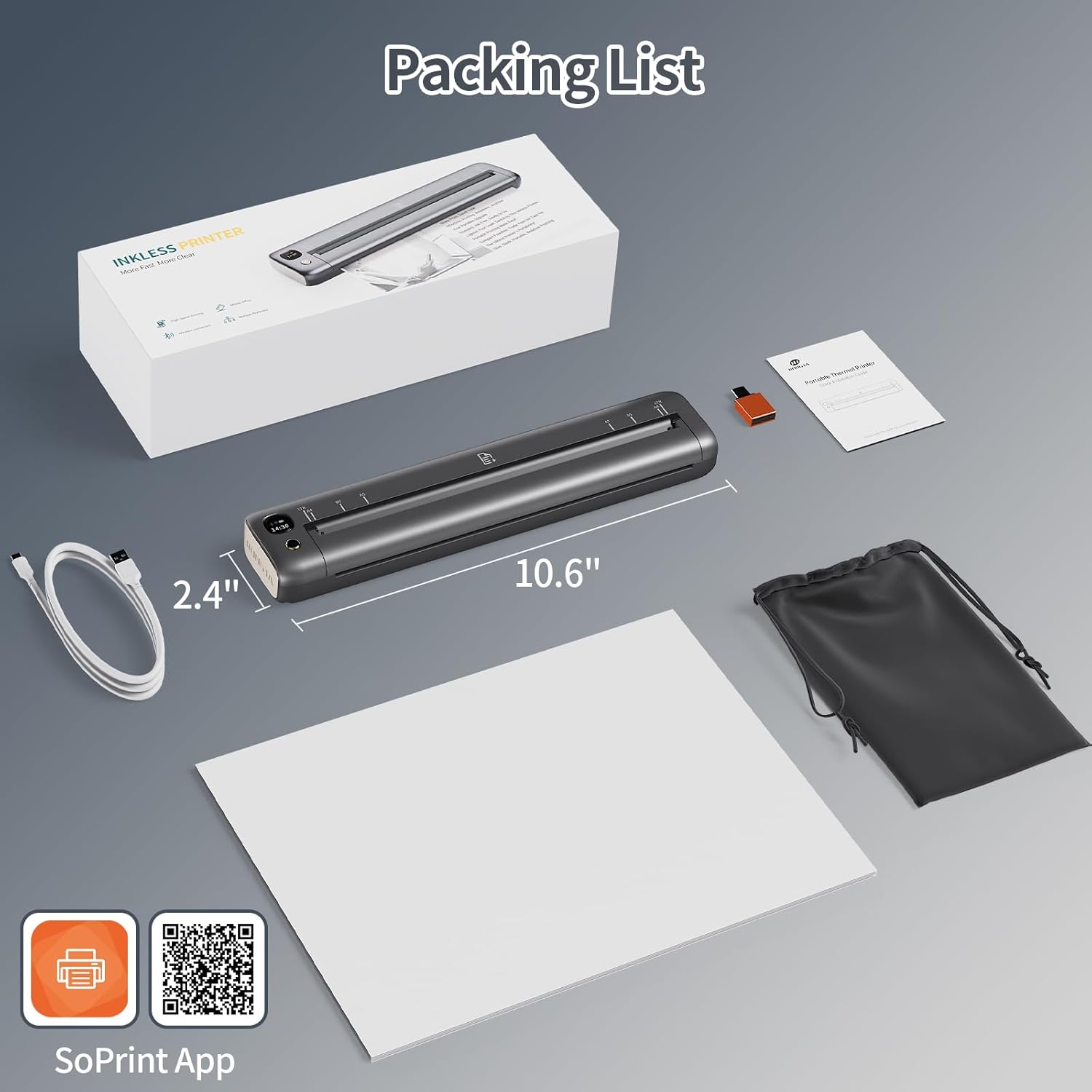
| Weight | 16 ounces (0.992 lbs) |
| Dimensions | 10.6″D x 1.2″W x 2.3″H |
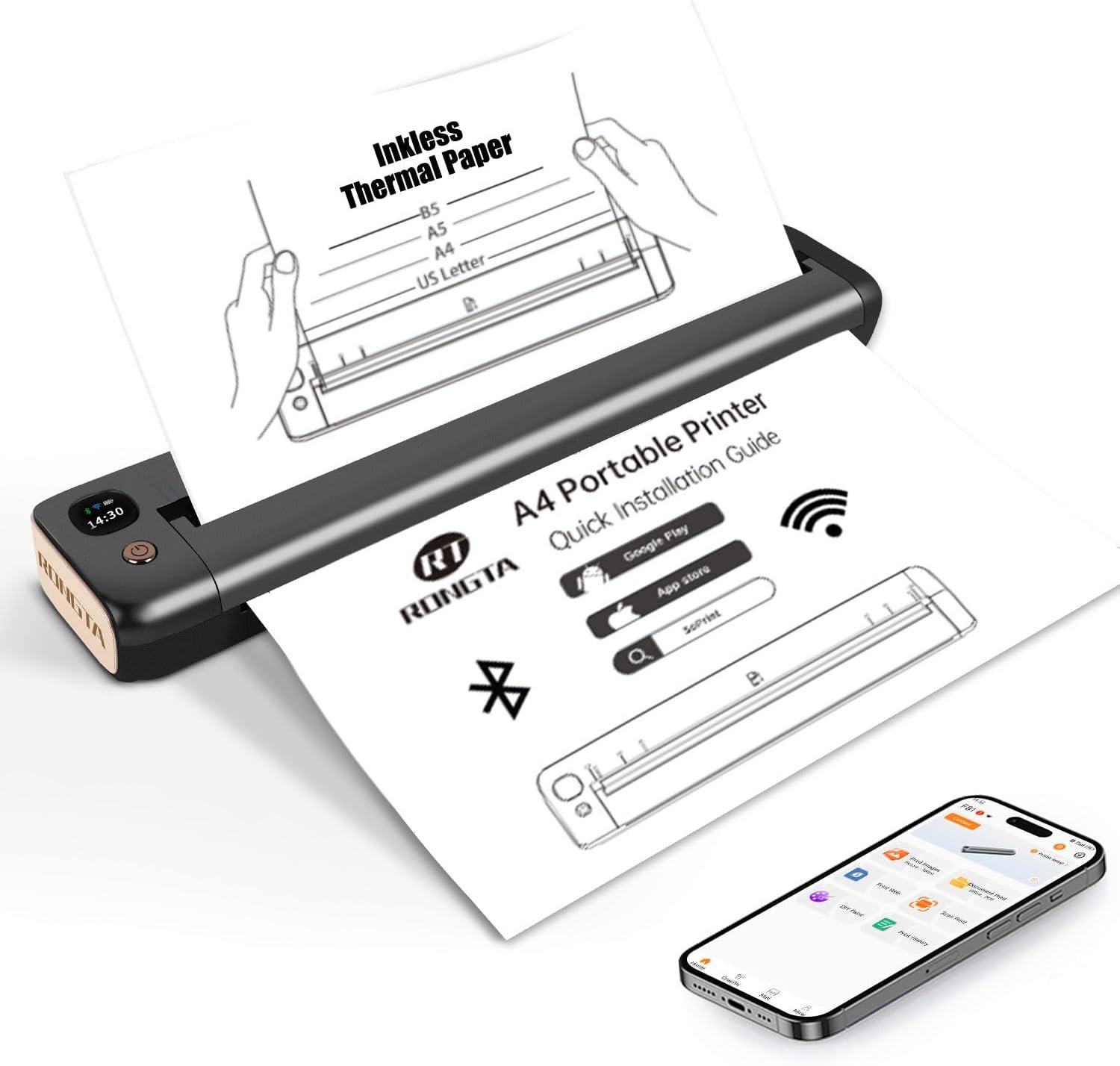
The Rongta F81 is designed for users who prioritize portability and simplicity. Its inkless thermal technology eliminates the need for ink cartridges, making it ideal for tasks like receipts, labels, and small document prints. The dual connectivity options—Bluetooth and USB—ensure compatibility with a wide range of devices, from smartphones to laptops. While the printer lacks advanced features like duplex printing or scanning, its lightweight design and quiet operation make it suitable for environments where discretion is important, such as offices or public spaces. These specifications position the F81 as a practical solution for users who need a reliable, compact printer without compromising on basic functionality.

Print Technology and Inkless Operation
The Rongta F81 utilizes thermal printing technology, which is particularly well-suited for applications that require minimal maintenance and no consumables. Unlike inkjet or laser printers, which rely on ink or toner cartridges, thermal printers use heat to produce images on thermal paper. This method eliminates the need for regular ink or toner refills, reducing long-term costs and maintenance requirements. The F81’s inkless design is especially advantageous for users who frequently print small documents, receipts, or labels, as it avoids the hassle of managing ink supplies. However, this technology also has limitations. Thermal paper is sensitive to light and heat, which can cause fading or discoloration over time. Additionally, the printer’s reliance on thermal paper means it cannot produce high-quality graphics or photographs, making it less suitable for creative or professional print jobs that require color or fine detail. For users prioritizing simplicity and cost-effectiveness, the F81’s inkless operation offers clear benefits, but those needing more versatile output options may find it restrictive.

Thermal Paper Compatibility and Output Limitations
Thermal printing relies on heat-sensitive paper, which is inherently different from the media used in inkjet or laser printers. The Rongta F81 is designed to work exclusively with thermal paper, which is available in standard sizes like A4, A5, and Letter (8.5 x 11 inches). This paper type is commonly used for receipts, labels, and small documents, making the F81 well-suited for environments where such outputs are typical. However, thermal paper has several limitations. It is prone to fading when exposed to light, heat, or humidity, which can reduce the longevity of printed materials. Additionally, thermal paper lacks the durability of traditional paper, making it unsuitable for long-term archiving or use in high-moisture environments. Users should also be aware that thermal paper cannot support color printing, limiting the printer’s versatility for tasks requiring vibrant images or text. These factors mean the F81 is best suited for short-term, low-maintenance printing needs rather than professional or archival applications.
Print Quality and Resolution Specifications
The Rongta F81 delivers monochrome prints with a resolution of 203 dpi, which is adequate for most text-based documents and labels. This resolution ensures that printed text remains legible and sharp, even when viewed at a distance. However, it is important to note that thermal printing technology inherently produces lower resolution compared to laser or inkjet printers. While 203 dpi is sufficient for basic printing tasks, it may not meet the demands of users requiring high-quality graphics or detailed images. The printer’s output is also affected by the quality of the thermal paper used, as poor-quality paper can lead to smudged or faded prints. For users who prioritize clarity and precision, the F81’s resolution is a reasonable trade-off for its simplicity and cost-effectiveness. Nonetheless, those needing higher resolution for professional or creative purposes may find the F81’s output limitations restrictive.
Connectivity and Compatibility for Multi-Device Use
The Rongta F81 offers dual connectivity options—Bluetooth and USB—which enhance its versatility for different user scenarios. Bluetooth connectivity allows seamless printing from smartphones, tablets, and laptops, making it ideal for users who need to print on the go. The built-in “SoPrint” app simplifies the process of connecting to the printer, enabling quick and easy file transfers from mobile devices. However, the printer’s Bluetooth capabilities are limited to basic file printing, without advanced features like cloud printing or multi-device pairing. For users who frequently print from multiple devices, this may require additional setup or manual intervention. The USB connection, on the other hand, provides a stable and reliable method for printing from desktop computers, ensuring compatibility with both Windows and Mac systems. While the USB port is a single interface, it is sufficient for users who primarily use desktop computers and do not require wireless connectivity for mobile printing. Overall, the F81’s connectivity options strike a balance between convenience and functionality, though they may not meet the demands of users requiring advanced wireless capabilities.

Cross-Platform Compatibility and Setup Requirements
The Rongta F81 is designed to work with a wide range of devices, including Android, iOS, Windows, and macOS systems. This cross-platform compatibility ensures that users can integrate the printer into their existing workflows without significant technical barriers. For mobile users, the “SoPrint” app facilitates easy pairing and printing, though the setup process requires careful attention to Bluetooth connection steps. Users must ensure that their devices are within range and that the printer is in pairing mode to avoid connectivity issues. For desktop users, the USB connection is straightforward, but the lack of built-in drivers means that users may need to download the F81 driver from the manufacturer’s website. This requirement could be a minor inconvenience for users who prefer plug-and-play functionality. Despite these setup considerations, the printer’s compatibility with multiple platforms makes it a practical choice for users who need a versatile printing solution across different devices.
Wireless vs. Wired Printing Scenarios
The Rongta F81’s dual connectivity options cater to different printing needs, depending on the user’s environment. Wireless printing via Bluetooth is particularly useful for users who prioritize mobility and convenience, such as travelers or remote workers. The ability to print from smartphones and tablets without the need for physical cables enhances the printer’s portability and usability in dynamic settings. However, Bluetooth connectivity may be less reliable in environments with high interference or multiple wireless devices. In contrast, the USB connection provides a stable and consistent printing experience, making it ideal for users who work primarily from desktop computers or require frequent, high-volume printing. The USB port also allows for direct file transfers, reducing the risk of connectivity issues that can arise with wireless connections. For users who value reliability and simplicity, the USB option offers a dependable alternative to Bluetooth. Overall, the F81’s connectivity options provide flexibility, though the choice between wireless and wired printing depends on the specific use case and user preferences.
Maintenance and Consumable Considerations
The Rongta F81’s inkless thermal printing technology significantly reduces the need for ongoing maintenance and consumables. Unlike inkjet or laser printers, which require regular ink or toner refills, the F81 operates without these consumables, eliminating the need for frequent replacements or reordering. This design is particularly beneficial for users who prioritize low maintenance and long-term cost savings. However, the reliance on thermal paper introduces a different set of maintenance considerations. Thermal paper is sensitive to environmental factors such as light, heat, and humidity, which can affect the longevity and quality of printed outputs. Users should store thermal paper in a cool, dry place to prevent premature fading or discoloration. Additionally, the printer’s single-purpose design means it cannot support color printing or advanced paper types, limiting its versatility for certain tasks. While the F81’s maintenance requirements are minimal, users must be aware of the limitations associated with thermal paper and its impact on print longevity and quality.
Thermal Paper Handling and Storage Requirements
The Rongta F81 is designed to work exclusively with thermal paper, which is a specialized medium that requires careful handling and storage to maintain print quality. Thermal paper is typically coated with a heat-sensitive layer that reacts to the printer’s thermal head, producing the printed image. However, this coating is also susceptible to fading when exposed to light, heat, or moisture. To preserve the integrity of printed documents, users should store thermal paper in a cool, dry environment, away from direct sunlight and high humidity levels. Additionally, the printer’s paper tray is designed to accommodate standard thermal paper sizes, but users must ensure that the paper is properly aligned to avoid jams or misfeeds. The lack of a dedicated paper storage compartment means users must manage paper supply separately, which could be a minor inconvenience for those who frequently print. Despite these considerations, the F81’s reliance on thermal paper offers a streamlined printing experience with minimal maintenance requirements.
Longevity and Environmental Impact
The Rongta F81’s inkless design contributes to its long-term cost-effectiveness, as it eliminates the need for frequent ink or toner replacements. This feature is particularly advantageous for users who print infrequently or require a printer with low maintenance demands. However, the printer’s environmental impact is influenced by its reliance on thermal paper, which is a single-use medium that may not be as sustainable as traditional paper. Thermal paper production often involves the use of chemicals that can have environmental implications, and the paper itself is not recyclable in the same way as standard paper. Users concerned about sustainability should consider the environmental trade-offs associated with thermal printing. Additionally, the printer’s battery-powered operation offers a degree of portability, but the use of lithium-ion batteries requires proper disposal and recycling to minimize environmental impact. While the F81’s design reduces ongoing maintenance costs, its environmental footprint is a factor that users should weigh against their printing needs.

Pros and Cons
Pros
- Inkless Thermal Printing: Eliminates the need for ink cartridges, reducing long-term costs and maintenance requirements.
- Dual Connectivity: Supports Bluetooth and USB connections, ensuring compatibility with a wide range of devices, including smartphones, tablets, and desktop computers.
- Portability: Weighs only 16 ounces and has compact dimensions, making it ideal for travel and on-the-go printing.
- Quiet Operation: Operates at noise levels under 60dB, suitable for use in quiet environments like offices or public spaces.
- User-Friendly App: The “SoPrint” app simplifies the printing process, allowing quick file transfers and easy setup for mobile users.
- Long Battery Life: A 2400mAh battery provides up to 210 pages of printing on a single charge, suitable for short trips or infrequent use.
Cons
- Limited Print Quality: Thermal paper and 203 dpi resolution may not meet the demands of users requiring high-quality graphics or detailed images.
- No Color Printing: The printer is restricted to monochrome output, limiting its versatility for creative or professional applications.
- Thermal Paper Sensitivity: Output is susceptible to fading or discoloration when exposed to light, heat, or humidity, affecting long-term document integrity.
- Single-Purpose Design: The printer is optimized for basic printing tasks and lacks advanced features like scanning, copying, or duplex printing.
- Environmental Considerations: Reliance on thermal paper and lithium-ion batteries introduces sustainability concerns that may outweigh cost savings for some users.
Final Verdict: Who This Printer Is Best For (and Who Should Skip It)
The Rongta F81 portable thermal printer is best suited for users who prioritize simplicity, portability, and low maintenance. Its inkless design, dual connectivity options, and compact form factor make it an excellent choice for individuals who need a reliable printer for occasional use, such as travelers, remote workers, or small business owners who print receipts, labels, or small documents. The quiet operation and long battery life further enhance its appeal for environments where discretion and mobility are important, such as offices or public spaces. However, the printer is not ideal for users who require high-quality color prints, advanced printing features, or long-term document preservation. Its reliance on thermal paper and limited resolution may also be a drawback for those needing more versatile printing capabilities. For users seeking a straightforward, cost-effective solution for basic printing needs, the F81 is a practical and convenient option. Conversely, those requiring higher print quality, color output, or advanced functionality may find the F81’s limitations restrictive and opt for alternative printing technologies.

Frequently Asked Questions (FAQs)
Can the Rongta F81 print color documents?
The Rongta F81 is a monochrome thermal printer and cannot produce color prints. It is designed for black-and-white text and label printing, making it ideal for receipts, invoices, and simple documents.
How long does the Rongta F81’s battery last?
The Rongta F81 features a 2400mAh battery that provides up to 210 pages of printing on a single charge. The standby protection mode ensures the printer remains ready for use even after extended periods of inactivity.
Is the Rongta F81 suitable for printing photos or graphics?
The Rongta F81’s thermal printing technology and 203 dpi resolution are not ideal for high-quality photo or graphic printing. It is best suited for text-based documents and labels rather than detailed visual content.
What types of paper can the Rongta F81 use?
The Rongta F81 is designed to work exclusively with thermal paper, which is available in standard sizes like A4, A5, and Letter (8.5 x 11 inches). It cannot support traditional paper or color printing.
Can the Rongta F81 print from a laptop or desktop computer?
Yes, the Rongta F81 supports USB connectivity, allowing it to print directly from Windows and Mac computers. Users can also connect via Bluetooth for wireless printing from mobile devices.
Does the Rongta F81 have a built-in battery?
The Rongta F81 is powered by a built-in 2400mAh lithium-ion battery, which provides up to 210 pages of printing on a single charge. This makes it suitable for travel and portable use without the need for a power outlet.
What is the noise level of the Rongta F81?
The Rongta F81 operates at noise levels under 60dB, making it quiet enough for use in offices, libraries, and other quiet environments without causing disruption.
Can the Rongta F81 print on both sides of the paper?
The Rongta F81 does not support duplex printing and is designed for single-sided (simplex) printing. It cannot print on both sides of the thermal paper.