
The Importance of Choosing the Right Printer for Business Needs
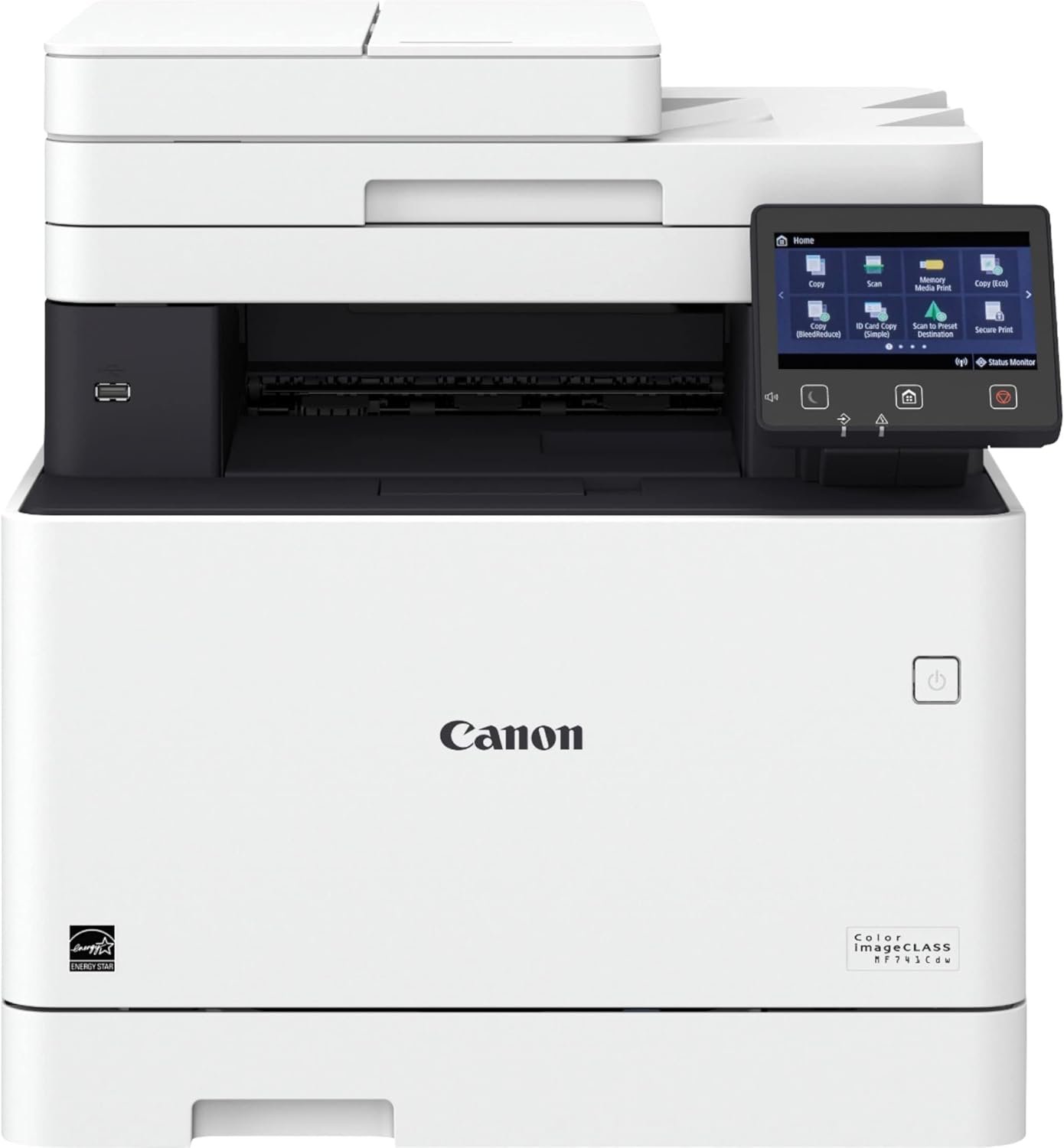
In today’s fast-paced business environment, the right printer can significantly impact productivity, workflow efficiency, and operational costs. Whether managing a small office or a medium-sized enterprise, selecting a printer that aligns with specific printing demands is critical. Modern businesses require printers that balance speed, reliability, and multifunctionality while supporting diverse media types and connectivity options. The Canon imageCLASS MF741Cdw Color Laser Printer is designed to meet these challenges, offering a robust solution for organizations that prioritize high-volume printing, seamless integration with digital workflows, and consistent output quality. This review evaluates the printer’s capabilities in terms of print resolution, connectivity, media handling, and operational efficiency, providing insights into its suitability for business environments. By analyzing technical specifications and industry benchmarks, this assessment helps users determine whether the MF741Cdw is the optimal choice for their printing needs.
Quick Overview
| Feature | Details |
|---|---|
| Printer Type | Color Laser Multifunction Printer |
| Supported Functions | Print, Scan, Copy |
| Print Resolution | 600 x 600 dpi |
| Print Speed | 28 ppm (8.5 x 11″), 22.9 ppm (8.5 x 14″) |
| Media Sizes | 8.5 x 11″, 8.5 x 14″ |
| Connectivity | Ethernet, USB 2.0, Wi-Fi 802.11b/g/n |
| Duty Cycle | 10,000 pages per month |
| Toner System | High-capacity toner cartridges |
| Warranty | 90 days limited warranty |
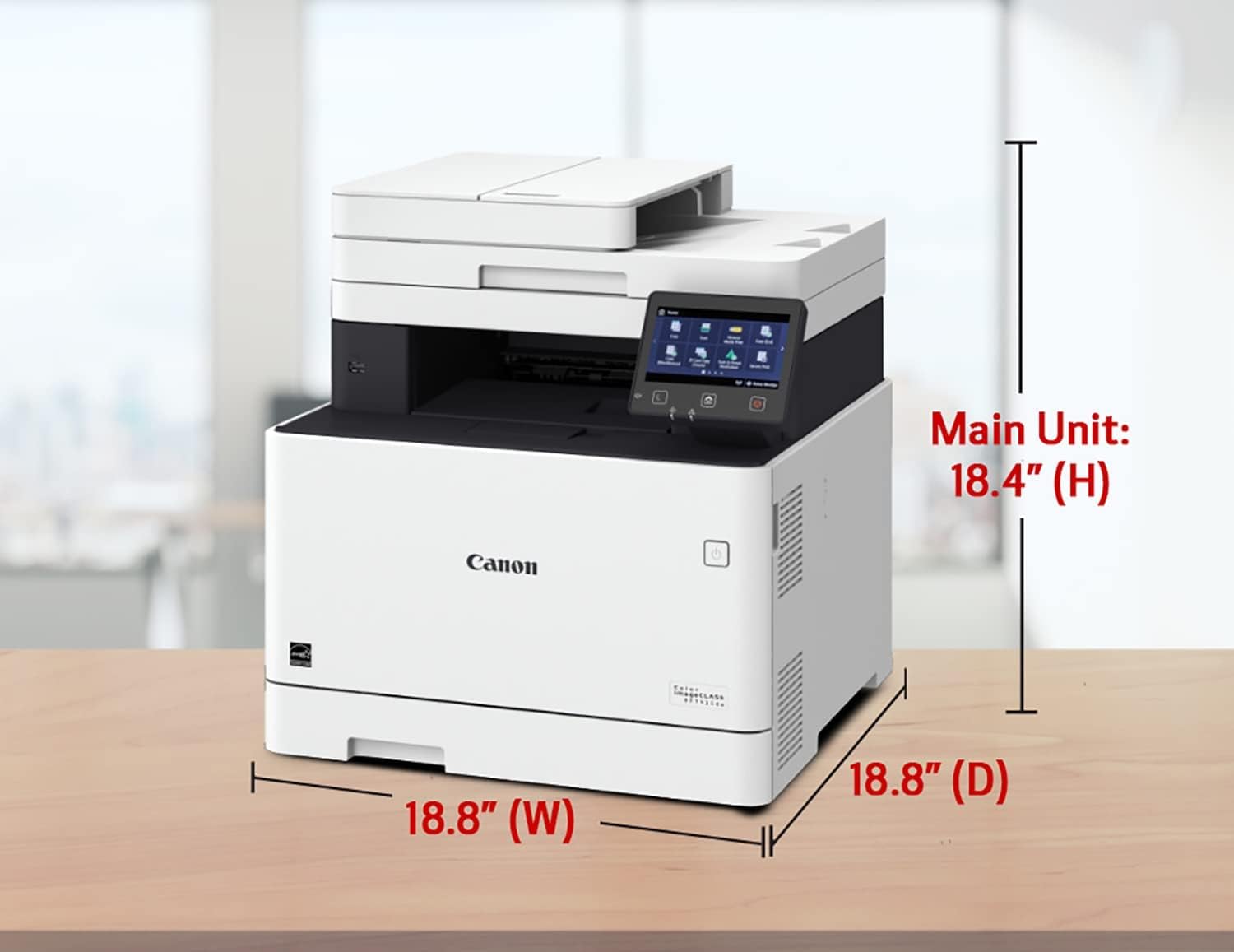
The Canon imageCLASS MF741Cdw is engineered for small to medium-sized businesses requiring reliable, high-speed color printing. Its combination of laser technology, touchscreen interface, and multifunctionality makes it a versatile option for environments demanding productivity and efficiency. The printer’s ability to handle both standard and oversized media, coupled with its network connectivity options, positions it as a practical solution for office workflows.
Print Quality and Resolution Performance

Color Laser Technology and Output Consistency
The Canon imageCLASS MF741Cdw utilizes color laser technology to deliver sharp, consistent output across text and graphics. With a print resolution of 600 x 600 dpi, the printer ensures fine detail reproduction, making it suitable for documents requiring high clarity. The laser imaging system produces toner particles that fuse to paper at high temperatures, resulting in durable prints with minimal smearing or fading. This makes the MF741Cdw ideal for business environments where professional-looking documents are essential, such as reports, presentations, and marketing materials.
Text and Graphics Clarity
The printer’s ability to maintain consistent toner density across pages ensures text remains crisp and legible, even after multiple copies. For graphics, the 600 x 600 dpi resolution provides sufficient detail for most business applications, though it may not match the nuanced color gradients of high-end inkjet printers. However, the laser technology’s precision in line work and solid fills makes it well-suited for charts, tables, and diagrams commonly used in professional settings. The printer’s output is also resistant to environmental factors like humidity, ensuring reliability in varied office conditions.
Connectivity and Compatibility for Modern Workflows

Network and Wireless Integration
The MF741Cdw supports Ethernet, Wi-Fi 802.11b/g/n, and Wi-Fi Direct connectivity, enabling seamless integration into existing network infrastructures. This allows users to print from multiple devices without the need for physical cables, reducing clutter and improving accessibility. The printer’s compatibility with Canon Print Business, Mopria Print Service, and AirPrint ensures broad device support, including iOS, Android, and Chrome-based systems. For businesses with mobile workforces, the wireless capabilities enhance flexibility, enabling remote printing from smartphones and tablets.
USB and Host Connectivity
The inclusion of USB 2.0 ports provides additional connectivity options for users who prefer direct device printing. The dual USB 2.0 host ports allow simultaneous connections to multiple devices, while the single USB 2.0 device port facilitates data transfer between the printer and a computer. This setup is particularly beneficial for users who need to transfer files or manage print queues without relying on network infrastructure, offering a reliable alternative for isolated workstations.
Print Speed and Throughput for High-Volume Environments

Dual-Sided Printing and Efficiency
The MF741Cdw’s auto 2-sided printing feature reduces paper consumption by up to 50%, which is advantageous for businesses aiming to minimize costs and environmental impact. This function is particularly useful for large document sets, such as reports or brochures, where double-sided printing is standard. The printer’s ability to handle both letter-sized (8.5 x 11″) and legal-sized (8.5 x 14″) documents ensures versatility in handling different document formats without requiring additional equipment.
Duty Cycle and Workload Capacity
With a recommended duty cycle of 10,000 pages per month, the MF741Cdw is designed for moderate to high-volume environments. This capacity ensures the printer can sustain continuous operation without overheating or experiencing mechanical wear, making it suitable for offices with daily print demands. The 1GB of internal memory further enhances performance by allowing the printer to manage print queues efficiently, reducing delays during peak usage periods.
Media Handling and Versatility for Diverse Printing Needs

Paper Cassette and Automatic Document Feeder
The MF741Cdw’s paper cassette holds 250 sheets of 20 lb bond paper, providing ample capacity for continuous printing without frequent refills. The built-in 50-sheet automatic document feeder (ADF) simplifies scanning and copying of multi-page documents, reducing manual handling and improving workflow efficiency. This feature is particularly beneficial for businesses that frequently process large volumes of documents, such as accounting firms or legal offices.
Supported Media Types and Paper Sizes
The printer supports a range of media types, including standard bond paper, glossy paper, and thick media, allowing for flexibility in print applications. While the ADF is limited to letter-sized documents, the printer’s ability to handle oversized paper sizes like 8.5 x 14″ expands its utility for specialized printing tasks. This versatility ensures the MF741Cdw can adapt to various printing requirements without the need for additional accessories.
Maintenance and Consumables for Long-Term Operation

Toner Cartridge System and Replacement
The MF741Cdw uses high-capacity toner cartridges, which are designed for extended use between replacements. The standard starter cartridges provide a cost-effective solution for initial setup, while the black standard cartridge ensures consistent print quality for text-heavy documents. The printer’s toner system is optimized for minimal waste, with precise fusing technology that reduces toner spillage and ensures efficient use of consumables.
Maintenance Requirements and Reliability
The printer’s design minimizes maintenance needs, with self-cleaning functions that help prevent toner buildup and ensure consistent output. The 1GB internal memory also contributes to reliability by allowing the printer to manage print jobs efficiently, reducing the likelihood of jams or errors. While the 90-day limited warranty may be a consideration for long-term users, the printer’s robust build and consistent performance make it a reliable choice for business environments.

Pros & Cons
Pros
- High Print Speed: The MF741Cdw delivers 28 ppm for letter-sized documents, making it suitable for fast-paced office environments.
- Touchscreen Interface: The 5″ color touchscreen offers intuitive navigation and customizable settings for streamlined operations.
- Versatile Connectivity: Support for Ethernet, Wi-Fi, and USB ensures compatibility with a wide range of devices and network setups.
- Auto Duplex Printing: Reduces paper usage by up to 50%, lowering costs and environmental impact.
- Robust Media Handling: The 50-sheet ADF and support for oversized paper sizes enhance versatility for different printing tasks.
- Durable Build: The printer’s duty cycle of 10,000 pages per month ensures reliability in high-volume environments.
Cons
- Limited Warranty: The 90-day limited warranty may not provide long-term support for businesses requiring extended coverage.
- Restricted Media Sizes: While the printer supports oversized paper, the ADF is limited to letter-sized documents, reducing flexibility for some users.
- No Built-In Duplex Printing for All Media: The auto 2-sided feature is limited to standard paper sizes, requiring manual intervention for thicker media.
- Toner Replacement Frequency: High-capacity cartridges may still require frequent replacements in high-volume settings, increasing ongoing costs.
- No Fax Functionality: The absence of a built-in fax feature may be a drawback for businesses relying on traditional fax communication.
Final Verdict: Who This Printer Is Best For (and Who Should Skip It)
The Canon imageCLASS MF741Cdw is an excellent choice for small to medium-sized businesses that require a reliable, high-speed color laser printer with multifunctional capabilities. Its combination of 28 ppm print speed, touchscreen interface, and 50-sheet ADF makes it ideal for environments where efficiency and versatility are priorities. The printer’s support for both standard and oversized paper sizes, along with its robust connectivity options, positions it well for modern office workflows. However, businesses with extremely high-volume printing needs or those requiring extended warranty coverage may find the 90-day limited warranty insufficient. Additionally, users who rely on fax functionality or need more frequent duplex printing for specialized media should consider alternative models. Overall, the MF741Cdw is a strong contender for organizations seeking a balance between performance, cost-effectiveness, and ease of use in a business setting.
Frequently Asked Questions (FAQs)
What print speeds does the Canon imageCLASS MF741Cdw offer?
The MF741Cdw delivers 28 pages per minute (ppm) for letter-sized documents and 22.9 ppm for legal-sized documents, making it suitable for high-volume office environments.
Does the printer support wireless connectivity?
Yes, the MF741Cdw includes Wi-Fi 802.11b/g/n and Wi-Fi Direct for seamless wireless printing from mobile devices and networks.
What media sizes can the printer handle?
The printer supports standard letter-sized (8.5 x 11″) and legal-sized (8.5 x 14″) documents, with a 50-sheet automatic document feeder for efficient scanning and copying.
How does the touchscreen interface function?
The 5″ color touchscreen provides an intuitive user experience, allowing for customizable settings and streamlined navigation for managing print jobs and device configurations.
What is the printer’s recommended duty cycle?
The MF741Cdw is rated for a duty cycle of 10,000 pages per month, ensuring reliable performance in moderate to high-volume office settings.
Is duplex printing available?
The printer features auto 2-sided printing, reducing paper usage by up to 50% for standard paper sizes, though thicker media may require manual intervention.
What connectivity options are available?
The MF741Cdw supports Ethernet, USB 2.0, and Wi-Fi, enabling compatibility with a variety of devices and network environments.
What is the warranty coverage for the printer?
The printer comes with a 90-day limited warranty, which may be a consideration for businesses requiring extended support.