
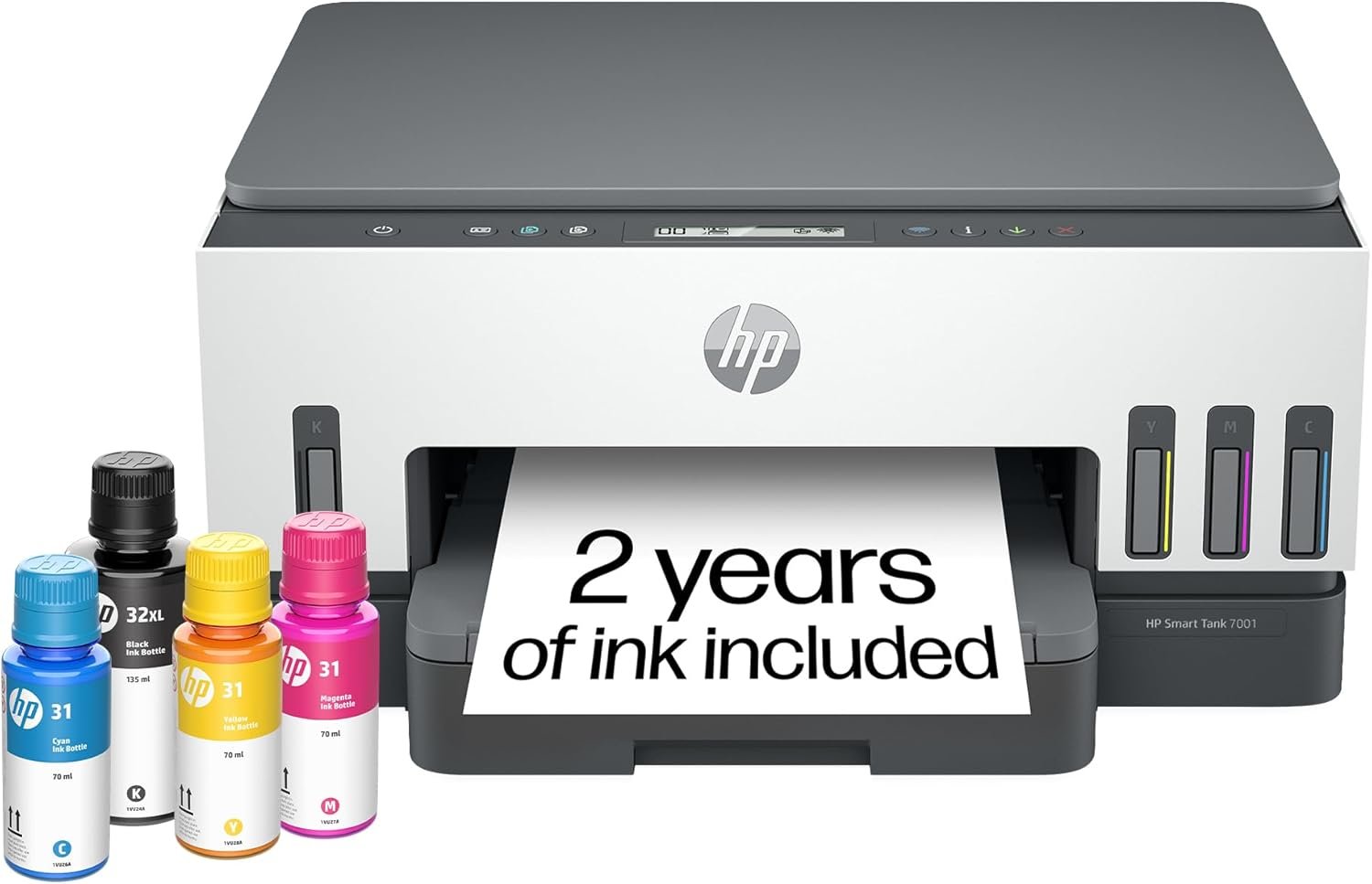
The Importance of Choosing the Right Printer
In 2026, the demand for reliable printing solutions has grown significantly across home and office environments. Whether managing personal documents, school projects, or small business tasks, selecting the right printer can streamline workflows and reduce operational friction. Printers must balance performance metrics like speed, resolution, and durability with user-friendly features such as connectivity and maintenance simplicity. For households and small offices, the need for high-volume printing without frequent consumable replacements is increasingly critical. Inkjet printers like the HP Smart Tank 7001 AIO address these needs by combining refillable ink tanks with multifunctional capabilities. This review evaluates the printer’s specifications, technical capabilities, and real-world suitability for various printing scenarios. By analyzing print quality, speed, connectivity, and maintenance requirements, this guide helps users determine if the HP Smart Tank 7001 aligns with their specific needs. The focus remains on objective data, ensuring the evaluation is grounded in technical benchmarks rather than subjective experience. Understanding these factors enables buyers to make informed decisions based on measurable performance and long-term cost efficiency.
Quick Overview
| Feature | Details |
|---|---|
| Printer Type | All-in-One Ink Tank Printer |
| Printing Technology | Inkjet |
| Supported Functions | Print, Scan, Copy |
| Print Resolution | 4800 x 1200 DPI (Color), 1200 x 1200 DPI (Black & White) |
| Print Speed | Up to 15 ppm Black, 9 ppm Color |
| Media Sizes | 3 x 5 to 8.5 x 14 Inches |
| Connectivity | USB 2.0, Wireless (Wi-Fi), Mobile Printing |
| Ink System | Refillable Ink Tanks (HP 32XL Black, HP 31 Color) |
| Duty Cycle | High-Volume Printing (Up to 8,000 Color Pages) |
| Warranty | Limited Warranty |
| Additional Features | Auto-Duplex, Touchscreen Interface, Mobile App Integration |
The HP Smart Tank 7001 AIO is designed for users requiring consistent, high-quality printing with minimal maintenance. Its refillable ink tank system and multifunctional capabilities make it suitable for home offices and households with frequent printing needs. The printer’s technical specifications and connectivity options ensure compatibility with a range of devices and media types, enhancing its versatility in various environments.

Print Quality and Resolution Performance
The HP Smart Tank 7001 AIO delivers high-resolution output suitable for both text and graphics. Its color print resolution of 4800 x 1200 DPI ensures sharp details in photos and vibrant color graphics, while the black-and-white resolution of 1200 x 1200 DPI produces crisp text and clear line art. These specifications align with industry standards for inkjet printers, making the device appropriate for tasks requiring visual clarity. The printer’s ability to handle borderless printing further expands its utility for creative and professional use cases. For users prioritizing print quality, the HP Smart Tank 7001 AIO offers a balance between resolution and cost-effectiveness, avoiding the need for frequent cartridge replacements.

Color Accuracy and Graphic Output
The printer’s color resolution of 4800 x 1200 DPI enables precise color reproduction, suitable for both professional and personal applications. Its ability to handle complex graphics and photographic prints is supported by the use of high-quality inkjet technology, which ensures consistent color saturation and minimal banding. The inclusion of borderless printing capabilities enhances its appeal for users creating posters, invitations, or artistic prints. However, the printer’s performance with high-contrast images or gradients may depend on the specific media used, as paper type and finish can influence final output.
Text Clarity and Monochrome Output
For text-based documents, the HP Smart Tank 7001 AIO produces sharp, legible results at 1200 x 1200 DPI. Its monochrome print speed of 15 ppm ensures efficient handling of large volumes of text, making it suitable for office environments or households with frequent document printing. The printer’s ability to maintain consistent text quality over time is supported by its refillable ink tank system, which reduces the risk of clogged nozzles compared to traditional ink cartridges. However, users should note that prolonged use without proper maintenance may affect print clarity, as inkjet printheads require periodic cleaning to maintain performance.
Media Compatibility and Output Consistency
The printer supports a variety of media types, including glossy photo paper, cardstock, envelopes, and labels, ensuring versatility for different printing tasks. Its ability to handle thicker paper stocks like cardstock is particularly advantageous for users requiring durable prints. However, the printer’s performance with specialty media such as metallic or textured paper may vary, as these materials can affect ink adhesion and drying times. The inclusion of a flatbed scanner and automatic duplex printing further enhances its utility for managing both print and digital workflows.
Connectivity and Device Compatibility
The HP Smart Tank 7001 AIO offers multiple connectivity options, including USB 2.0, wireless (Wi-Fi), and mobile printing capabilities. These features ensure compatibility with a wide range of devices, from desktop computers to smartphones and tablets. The inclusion of a touchscreen interface and mobile app integration simplifies navigation and management of print tasks, making the printer accessible for users of varying technical proficiency. However, the printer’s reliance on wireless connectivity may introduce latency or compatibility issues in environments with unstable network conditions. For users prioritizing seamless connectivity, the printer’s multifunctional design and compatibility with modern operating systems provide a reliable solution for diverse printing needs.

Wireless and Mobile Printing Capabilities
The printer’s wireless functionality allows for convenient printing from mobile devices, supporting both iOS and Android platforms. This feature is particularly beneficial for users who frequently print documents on the go or require remote access to printing tasks. The integration of Amazon Alexa and Google Assistant further enhances its usability by enabling voice-activated printing commands. However, users should be aware that wireless printing may require additional setup steps and periodic firmware updates to maintain optimal performance. The printer’s ability to handle mobile printing tasks without compromising print quality aligns with the growing demand for flexible, cloud-connected printing solutions.
USB and Network Connectivity
The USB 2.0 port provides a reliable wired connection for users who prefer direct printing without network dependencies. This is especially useful in environments where wireless connectivity is limited or unreliable. The printer’s network-ready design also allows for shared printing across multiple devices, making it suitable for small office settings. However, the absence of Ethernet connectivity may limit its use in larger networks that require more robust data transfer capabilities. The combination of USB and wireless options ensures the printer remains adaptable to different connectivity requirements.
Maintenance and Consumable Considerations
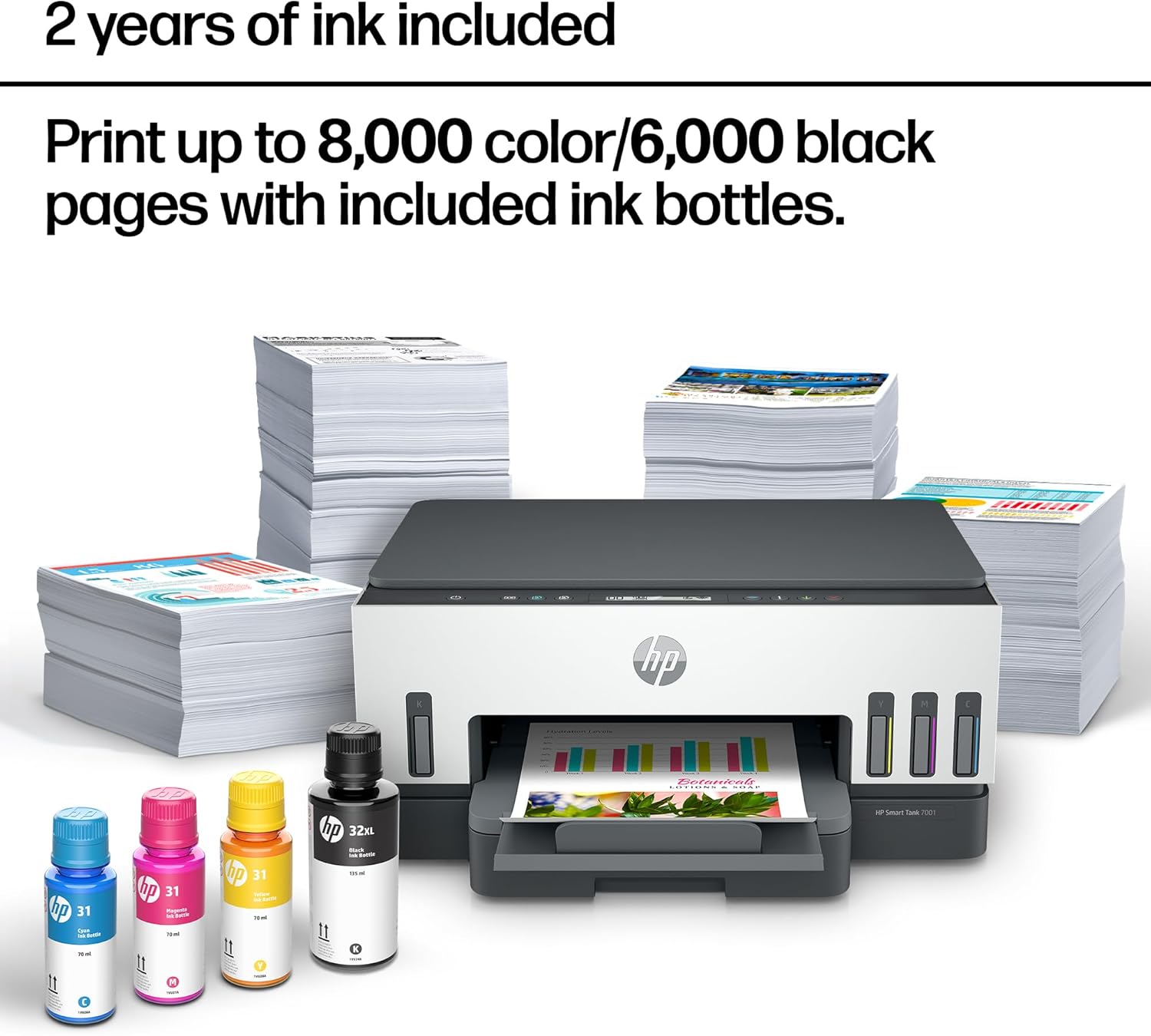
The HP Smart Tank 7001 AIO’s refillable ink tank system reduces the frequency of consumable replacements, making it a cost-effective choice for high-volume printing. The printer includes spill-free refill ports for HP 32XL Black and HP 31 Color bottles, simplifying the maintenance process. However, users should be aware that the printer’s performance may degrade over time if the ink tanks are not properly maintained. Regular cleaning of the printhead and monitoring of ink levels are essential to prevent clogging and ensure consistent print quality. The printer’s design also supports long-term use, with a duty cycle capable of handling up to 8,000 color pages or 6,000 black pages, which is suitable for moderate to high-volume printing environments.
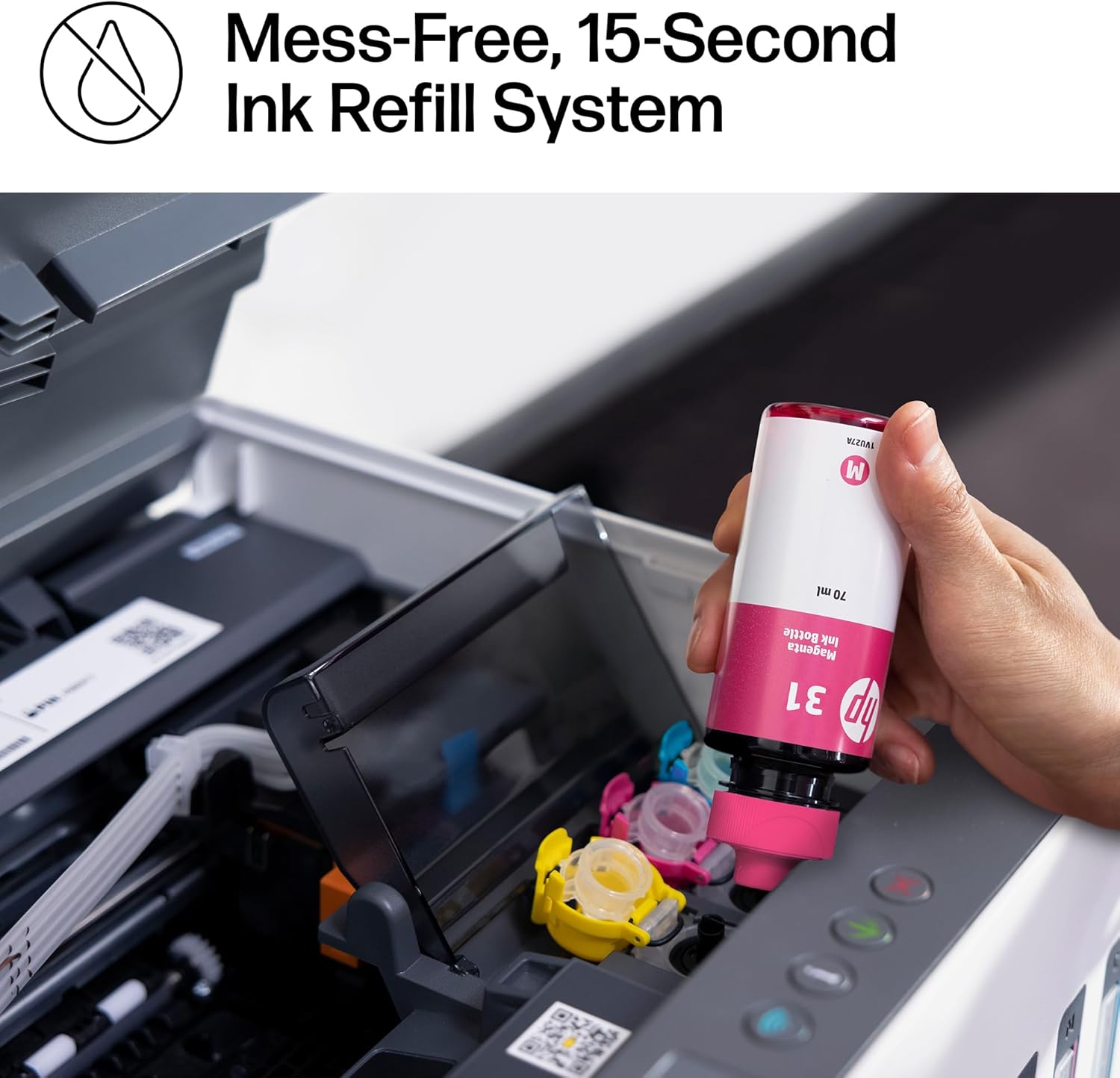
Ink Management and Refill Process
The printer’s refill system is designed to minimize mess and effort, allowing users to replenish ink without the need for squeezing or spilling. The inclusion of dedicated refill ports for each color ensures that the ink tanks can be refilled efficiently. However, users should be cautious about using non-HP ink bottles, as these may not be compatible with the printer’s internal mechanisms and could lead to performance issues. The printer’s ability to handle large print volumes without frequent refills makes it ideal for users who prioritize low maintenance and long-term cost savings.
Longevity and Duty Cycle
The HP Smart Tank 7001 AIO is built to handle high-volume printing, with a duty cycle capable of supporting up to 8,000 color pages or 6,000 black pages. This makes it suitable for small businesses or households with consistent printing needs. However, the printer’s longevity may depend on proper maintenance, such as regular printhead cleaning and timely ink refills. The inclusion of a limited warranty provides some assurance for users, though extended support may require additional service agreements. Overall, the printer’s design and specifications make it a durable option for environments requiring frequent printing.

Pros & Cons
Pros
- High-Volume Printing: The HP Smart Tank 7001 AIO is designed for users requiring consistent, high-volume printing with minimal maintenance. Its refillable ink tank system reduces the frequency of consumable replacements, making it a cost-effective solution for households and small offices.
- Versatile Print Output: The printer supports a wide range of media types, including glossy photo paper, cardstock, envelopes, and labels, ensuring compatibility with various printing tasks. Its ability to handle borderless printing expands its utility for creative and professional applications.
- Multifunctional Capabilities: With integrated printing, scanning, and copying functions, the HP Smart Tank 7001 AIO offers a comprehensive solution for users needing multiple features in a single device. The automatic duplex printing feature further enhances its efficiency for document management.
- User-Friendly Connectivity: The printer’s support for wireless (Wi-Fi) and mobile printing, along with integration with Amazon Alexa and Google Assistant, simplifies navigation and management of print tasks. Its touchscreen interface and mobile app compatibility make it accessible for users of varying technical proficiency.
- High Print Resolution: The printer delivers sharp, detailed output with a color resolution of 4800 x 1200 DPI and a monochrome resolution of 1200 x 1200 DPI, suitable for both text and graphics. This ensures consistent quality for a wide range of printing needs.
Cons
- Limited Media Compatibility: While the printer supports a variety of media types, its performance with specialty materials such as metallic or textured paper may vary. Users should be aware that certain media types may affect ink adhesion and drying times.
- Dependence on Wireless Connectivity: The printer’s reliance on wireless connectivity may introduce latency or compatibility issues in environments with unstable network conditions. Users requiring more robust connectivity may find the USB 2.0 port more reliable.
- Maintenance Requirements: Although the refillable ink tank system reduces the frequency of consumable replacements, the printer’s performance may degrade over time without proper maintenance. Regular printhead cleaning and monitoring of ink levels are essential to prevent clogging and ensure consistent print quality.
- Limited Warranty Coverage: The printer’s limited warranty provides basic support, though extended service agreements may be necessary for long-term reliability. Users should consider additional support options if they require extended warranty coverage.
- Potential for Printhead Clogging: Prolonged use without proper maintenance may lead to printhead clogging, affecting print quality. Users should be cautious about using non-HP ink bottles, as these may not be compatible with the printer’s internal mechanisms and could lead to performance issues.
Final Verdict: Who This Printer Is Best For (and Who Should Skip It)
The HP Smart Tank 7001 AIO is an excellent choice for households and small offices requiring high-volume printing with minimal maintenance. Its refillable ink tank system and multifunctional capabilities make it suitable for users who prioritize cost-effectiveness and ease of use. The printer’s high print resolution and support for various media types ensure versatility for both text and graphics. However, users with specialized printing needs, such as those requiring high-speed laser printing or compatibility with specialty media, may find the HP Smart Tank 7001 AIO less suitable. Additionally, users in environments with unstable wireless connectivity or those requiring extended warranty coverage should consider alternative options. Overall, the printer’s design and specifications make it a durable and efficient solution for moderate to high-volume printing tasks in home and office settings.
Frequently Asked Questions (FAQs)
What are the key features of the HP Smart Tank 7001 AIO?
The HP Smart Tank 7001 AIO is an all-in-one inkjet printer that offers printing, scanning, and copying capabilities. It features a refillable ink tank system, wireless connectivity, and a touchscreen interface. The printer supports high-resolution color and black-and-white printing, with a maximum color print speed of 9 ppm and a monochrome print speed of 15 ppm. It is designed for home and small office use, with support for various media types including glossy photo paper, cardstock, and envelopes.
How does the HP Smart Tank 7001 AIO handle high-volume printing?
The HP Smart Tank 7001 AIO is built for high-volume printing with its refillable ink tank system, which allows for up to 8,000 color pages or 6,000 black pages. This makes it suitable for households and small offices with frequent printing needs. The printer’s design minimizes the frequency of consumable replacements, reducing long-term costs and maintenance efforts.
What connectivity options does the HP Smart Tank 7001 AIO offer?
The HP Smart Tank 7001 AIO supports USB 2.0, wireless (Wi-Fi), and mobile printing. It is compatible with iOS, Android, and Windows devices, allowing for seamless printing from smartphones, tablets, and computers. The printer also integrates with Amazon Alexa and Google Assistant for voice-activated printing commands.
Is the HP Smart Tank 7001 AIO suitable for printing photos?
Yes, the HP Smart Tank 7001 AIO is suitable for printing photos due to its high color resolution of 4800 x 1200 DPI and support for glossy photo paper. The printer’s borderless printing capability further enhances its appeal for photo printing, allowing users to create high-quality, edge-to-edge prints.
What maintenance is required for the HP Smart Tank 7001 AIO?
Regular maintenance includes cleaning the printhead and monitoring ink levels to prevent clogging. The refillable ink tank system simplifies the process of replenishing ink, with spill-free refill ports for HP 32XL Black and HP 31 Color bottles. Users should avoid using non-HP ink bottles to ensure compatibility and maintain print quality.
What is the warranty coverage for the HP Smart Tank 7001 AIO?
The HP Smart Tank 7001 AIO comes with a limited warranty, providing basic support for the product. Extended warranty coverage may require additional service agreements. Users should consider these options if they require extended support for long-term reliability.
Can the HP Smart Tank 7001 AIO handle specialty media types?
The printer supports a variety of media types, including glossy photo paper, cardstock, envelopes, and labels. However, its performance with specialty media such as metallic or textured paper may vary. Users should be aware that certain media types may affect ink adhesion and drying times.
What are the print resolution capabilities of the HP Smart Tank 7001 AIO?
The HP Smart Tank 7001 AIO delivers high-resolution output with a color print resolution of 4800 x 1200 DPI and a monochrome print resolution of 1200 x 1200 DPI. These specifications ensure sharp details for photos and vibrant color graphics, as well as crisp text and clear line art for text-based documents.