
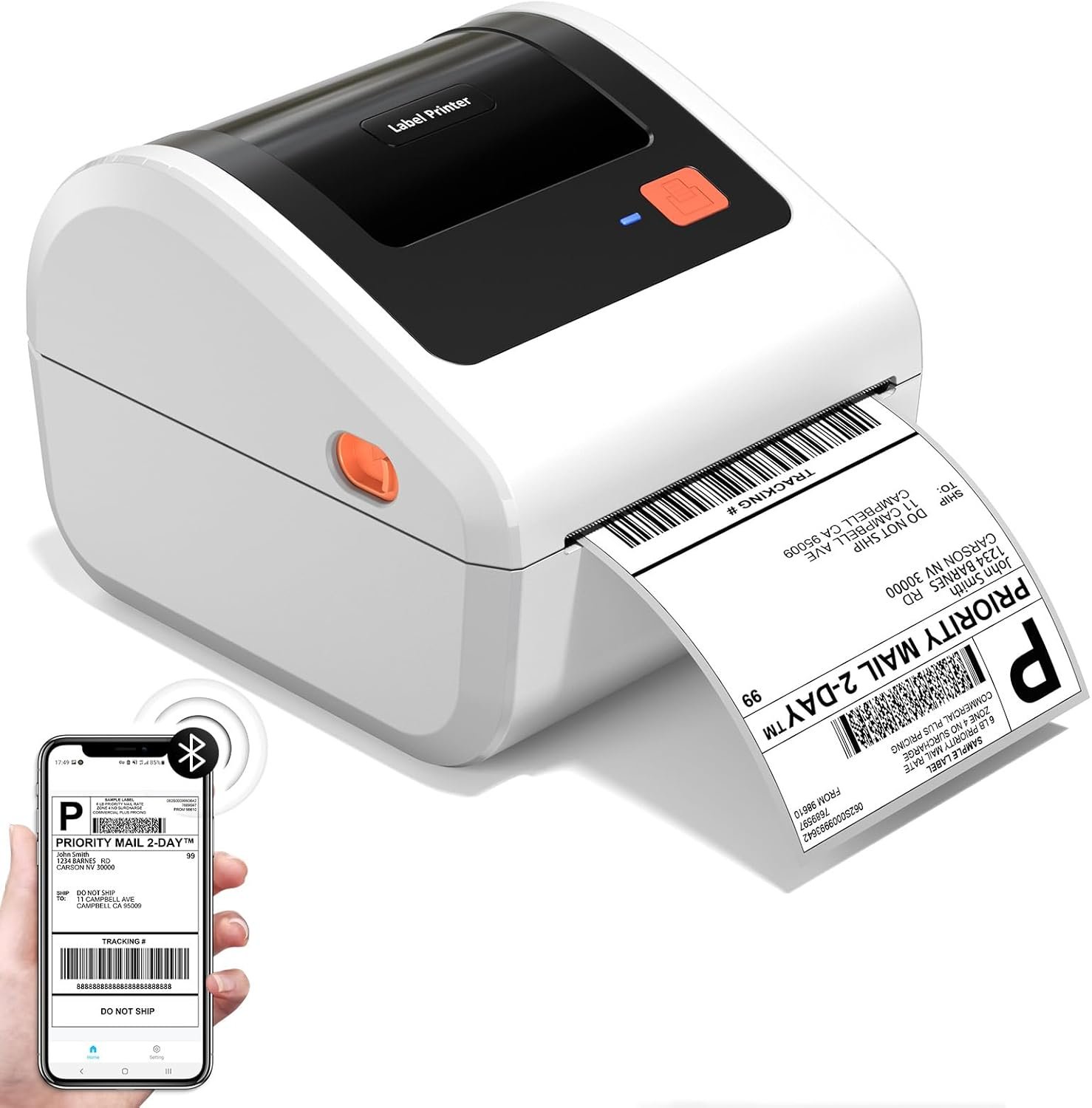
The Importance of Choosing the Right Printer for Modern Workflows
In today’s fast-paced business environment, the right printer can significantly impact operational efficiency. Whether managing shipping logistics, retail pricing, or inventory tracking, a printer must balance speed, reliability, and cost-effectiveness. For small businesses and home users, thermal label printers like the D450BT offer a compelling solution. These devices eliminate the need for ink or toner, reducing long-term costs while maintaining high print clarity. However, selecting the optimal printer requires careful consideration of factors such as connectivity options, media compatibility, and duty cycle capacity. A printer that excels in one area may fall short in another, making it crucial to align specifications with specific use cases. For instance, a compact design may be ideal for limited workspace, but it could compromise media size flexibility. Similarly, wireless connectivity offers convenience but may require careful management of signal interference. Understanding these trade-offs ensures that businesses invest in technology that supports their workflow without unnecessary limitations. This review evaluates the D450BT thermal label printer through the lens of its core functionalities, helping users determine whether it meets their specific printing needs.
Quick Overview
| Feature | Details |
|---|---|
| Printer Type | Thermal Label Printer |
| Printing Technology | Thermal |
| Supported Functions | Print Only |
| Print Resolution | 203 DPI |
| Print Speed | 72 labels per minute |
| Media Sizes | 1″–4.6″ (25.4–117mm) |
| Connectivity | Bluetooth, USB |
| Duty Cycle | Not specified |
| Ink/Toner System | No ink, no toner |
| Warranty | Not specified |
The D450BT thermal label printer combines compact design with versatile connectivity, making it suitable for small businesses and home users. Its thermal printing technology eliminates the need for ink or toner, reducing maintenance and operational costs. The built-in label bin and dual loading options enhance usability, while Bluetooth and USB connectivity ensure compatibility with a wide range of devices. These features collectively position the printer as a practical solution for tasks requiring frequent label printing, such as shipping, retail, and logistics.
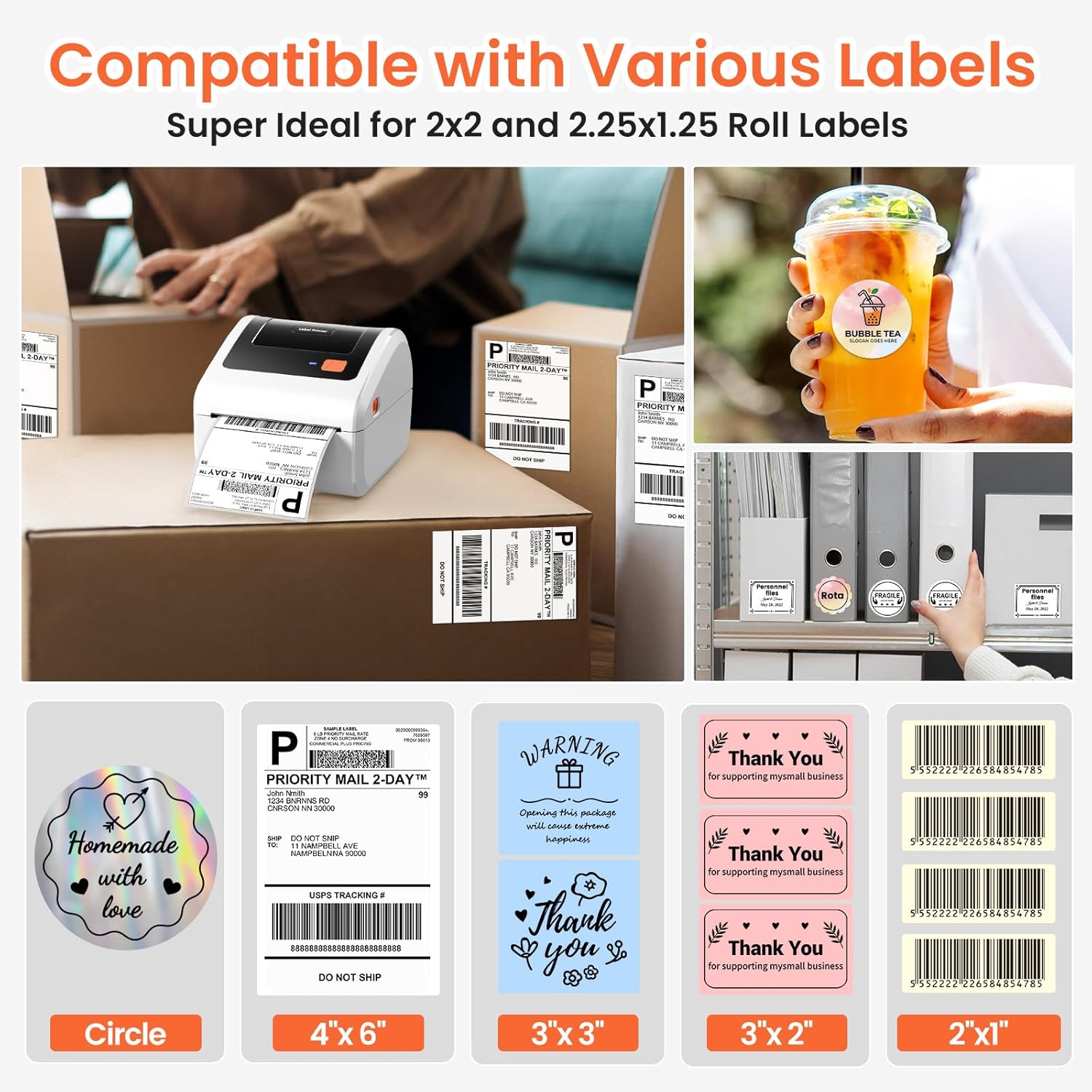
Compact Design and Space Efficiency
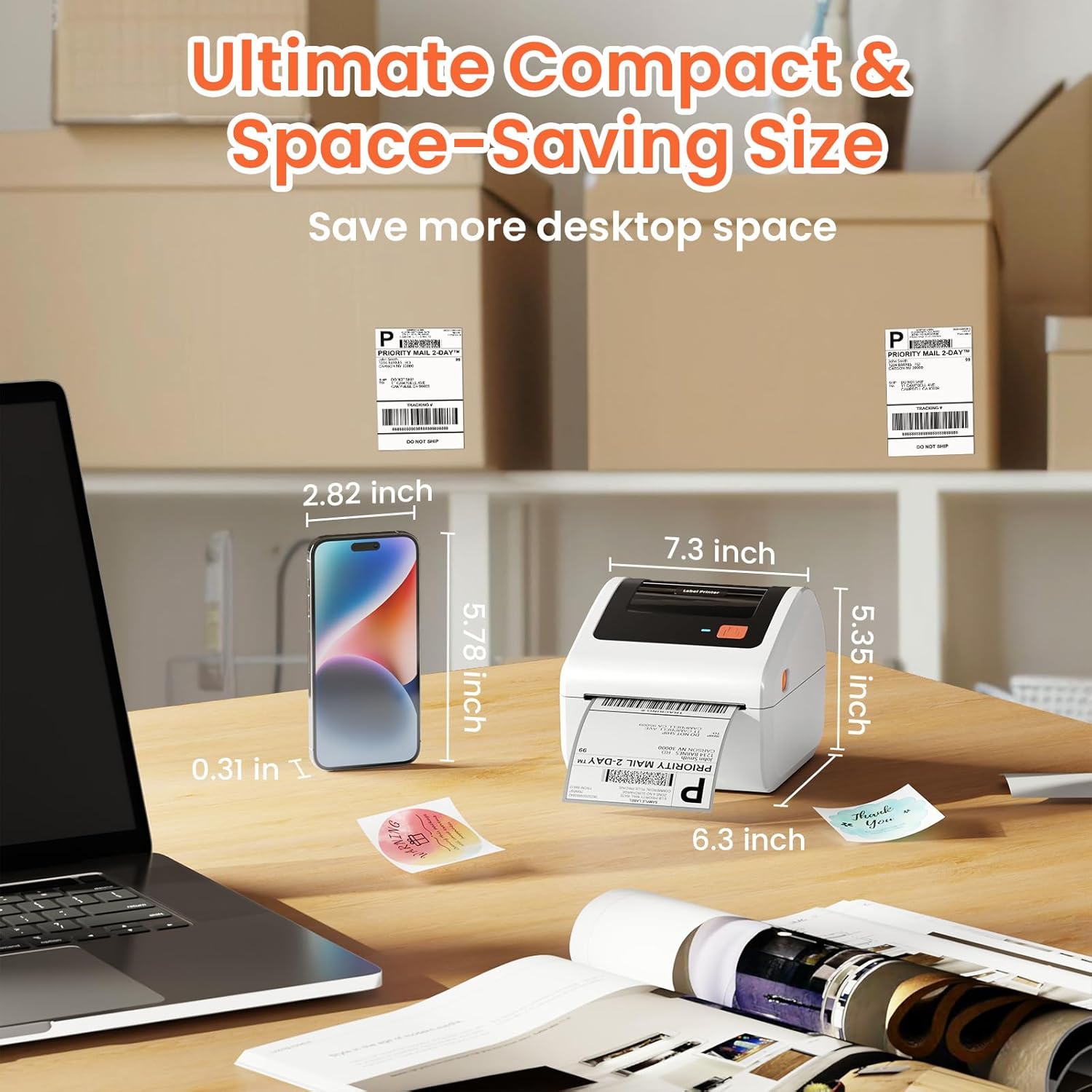
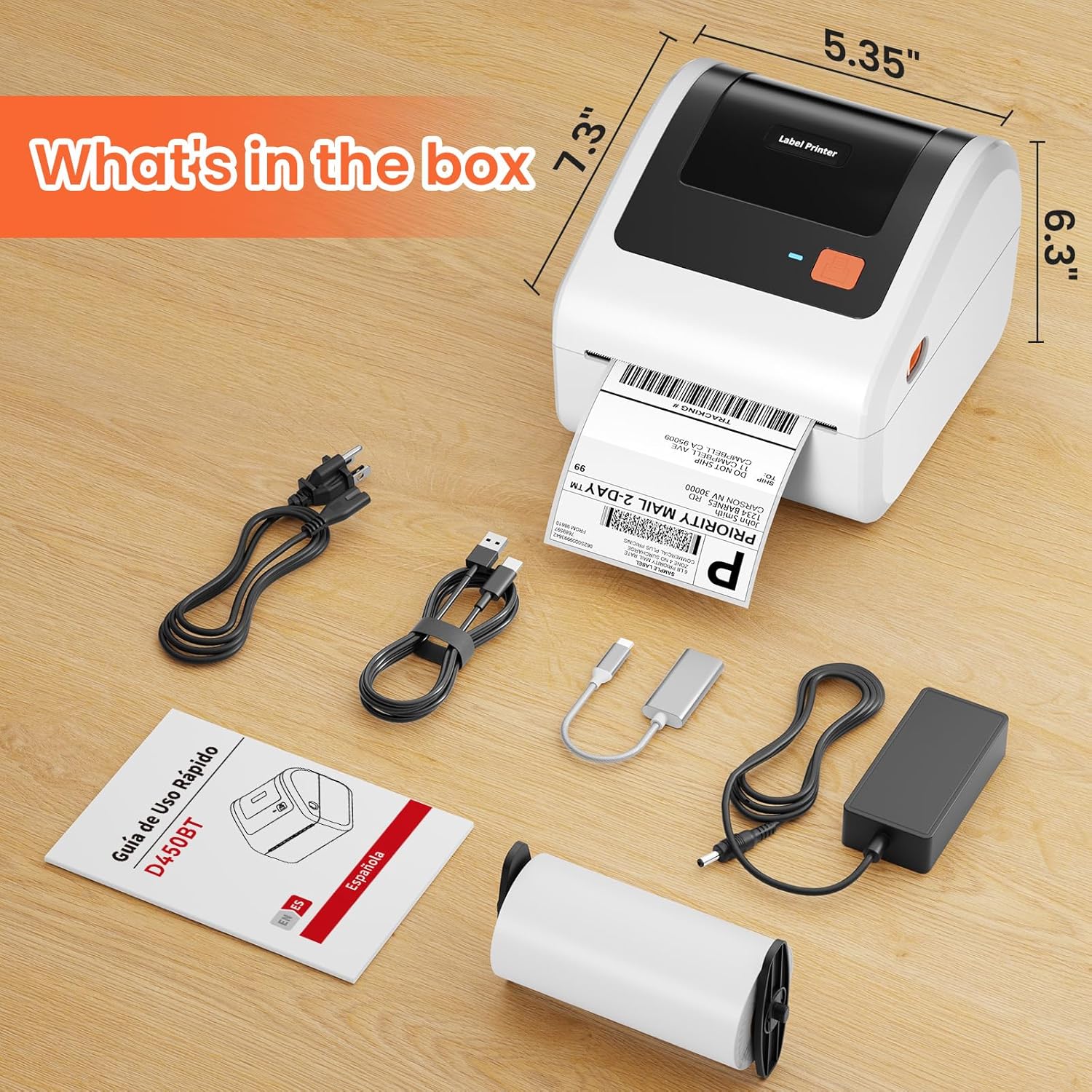
The D450BT’s compact size of 7.28 x 6.3 x 5.35 inches makes it an ideal choice for environments with limited workspace. Its streamlined design allows it to fit seamlessly on desks, counters, or shelves without obstructing movement or storage. This is particularly beneficial for small businesses operating in shared workspaces or home offices where every inch of space matters. The printer’s ability to accommodate both internal roll paper (up to 250 4×6 labels) and folded paper loading from the back further enhances its space efficiency. By eliminating the need for external label holders, it reduces clutter and simplifies setup. Additionally, the lightweight build (2.13 pounds) ensures it can be easily relocated or mounted without strain. These design elements collectively support a user-friendly experience, making the D450BT a practical option for environments prioritizing compactness and ease of integration.

Dual Loading Options for Versatile Paper Handling
The D450BT’s dual loading capability—supporting both internal roll paper and folded paper from the back—offers flexibility in managing label stock. This feature is especially advantageous for users who may need to switch between different label formats or have limited access to roll paper. The built-in label bin ensures that the printer can operate without frequent refills, maintaining workflow continuity. However, the reliance on a fixed paper width range (1″–4.6″) may limit its utility for users requiring wider labels. The design prioritizes simplicity, which reduces mechanical complexity but could restrict customization options. For users with specific labeling needs, this limitation may necessitate careful planning of label stock management.
Built-In Label Bin for Reduced Maintenance
The D450BT’s integrated label bin minimizes the need for external accessories, streamlining the printing process. By housing up to 250 4×6 labels internally, it reduces the frequency of refills and eliminates the risk of misplacing label holders. This is particularly beneficial for users who handle high volumes of labels, as it ensures consistent availability without interruption. However, the fixed capacity may require users to monitor stock levels closely, as the printer does not provide low-label alerts. While this design choice enhances reliability, it could necessitate manual tracking of label usage, which may be a consideration for users prioritizing automation.
Wireless Connectivity and Device Compatibility
The D450BT’s Bluetooth and USB connectivity options provide flexibility in integrating the printer with various devices. Bluetooth enables wireless printing from smartphones, tablets, and computers, eliminating the need for physical cables. This is particularly useful for users who require mobility or prefer a clutter-free workspace. The printer’s compatibility with iOS, Android, Windows, macOS, Linux, and ChromeOS ensures broad device support, making it suitable for diverse computing environments. However, Bluetooth connectivity may introduce latency or signal interference in environments with multiple wireless devices, requiring users to manage their network settings carefully. The USB port offers a reliable alternative for users who prefer direct, wired connections, ensuring stable data transfer rates. These connectivity options collectively enhance the printer’s usability, though users should consider their specific workflow requirements when selecting the preferred method.

Cross-Platform Compatibility for Seamless Integration
The D450BT’s compatibility with major operating systems and platforms ensures it can be integrated into a wide range of workflows. Its support for iOS, Android, Windows, macOS, Linux, and ChromeOS means users can print labels from virtually any device without additional software requirements. This cross-platform capability is especially beneficial for small businesses with mixed device ecosystems. However, the absence of native mobile printing apps may require users to rely on third-party applications or cloud-based services for optimal functionality. While the printer’s design simplifies setup, users should verify that their chosen platform supports the necessary protocols for seamless operation.
Bluetooth vs. USB: Trade-Offs in Connectivity
The D450BT’s dual connectivity options—Bluetooth and USB—offer users flexibility in how they interact with the printer. Bluetooth provides wireless convenience, allowing printing from mobile devices without physical connections, which is ideal for users who prioritize mobility. However, wireless printing may introduce potential connectivity issues, such as signal interference or battery drain on mobile devices. USB connectivity, on the other hand, ensures a stable and direct connection, which is preferable for users who require consistent performance without the risks of wireless variability. The choice between these options depends on the user’s specific needs, with Bluetooth offering convenience and USB ensuring reliability. Both methods are well-suited to different scenarios, making the D450BT adaptable to varying operational demands.
Cost-Effectiveness and Operational Efficiency
The D450BT’s thermal printing technology eliminates the need for ink or toner, significantly reducing long-term operational costs. This is a major advantage for users who frequently print labels, as it removes the recurring expense of consumables. The printer’s advanced Japanese thermal print head and AF chip ensure high print clarity of 203 DPI, delivering sharp and legible labels without the need for regular maintenance. Additionally, the printer’s ability to automatically adjust label position minimizes paper waste, further enhancing cost-efficiency. The combination of no-ink operation and precision printing makes the D450BT a practical choice for businesses seeking to optimize their printing budgets while maintaining high-quality output. However, the initial investment in thermal paper and the limited media size options may require careful planning to balance cost savings with functional requirements.
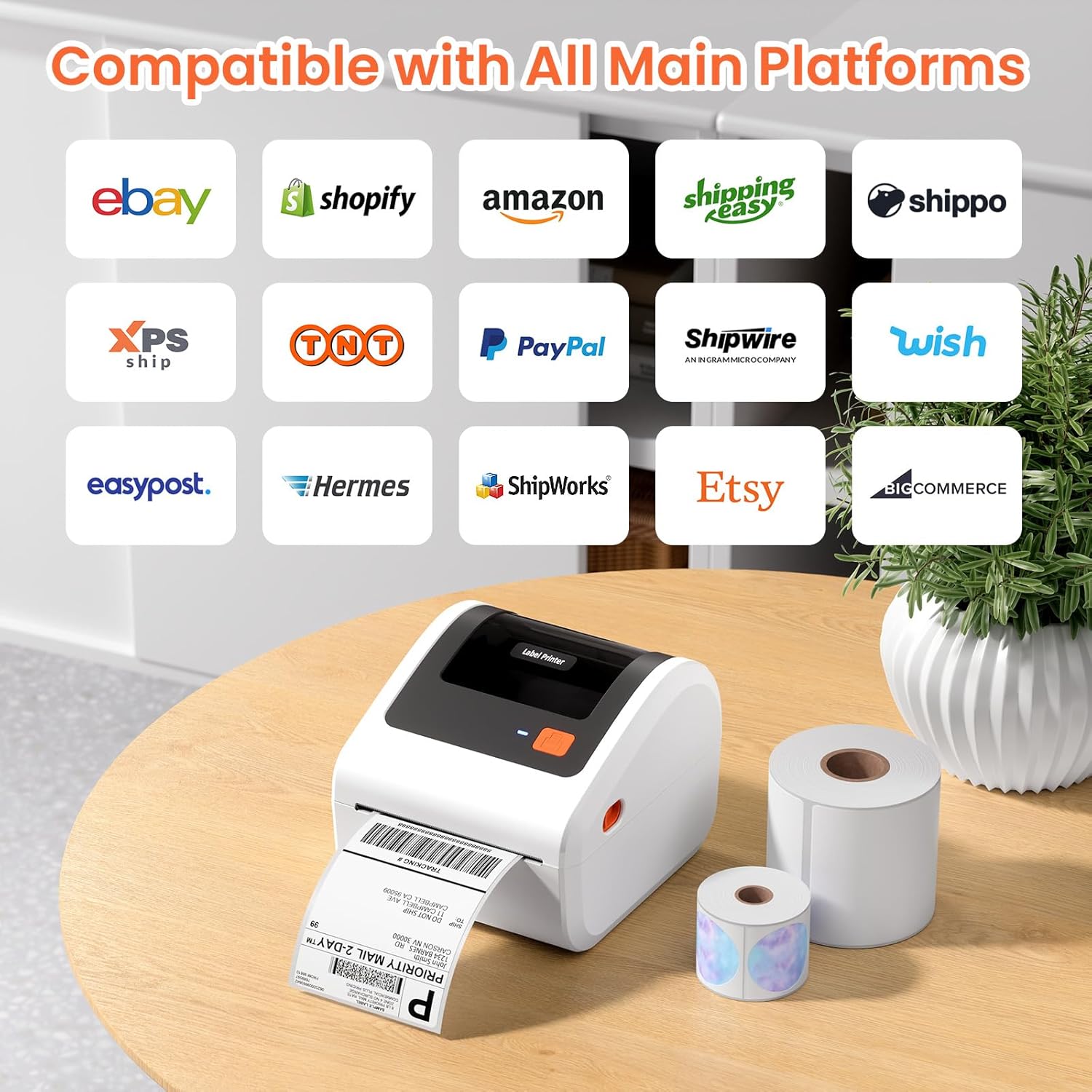
No Ink, No Toner: Lowering Maintenance Costs
One of the most significant advantages of the D450BT is its thermal printing technology, which eliminates the need for ink or toner. This reduces both the cost of consumables and the frequency of maintenance tasks, such to replace cartridges or clean printheads. The absence of ink-related components also minimizes the risk of clogs or print quality degradation over time. For users who frequently print labels, this translates to lower long-term expenses and a more reliable printing experience. However, the reliance on thermal paper—a specialized medium that may be less readily available than standard paper—could present a challenge for some users. The printer’s design prioritizes simplicity, which enhances reliability but may require users to stock thermal paper in advance to avoid interruptions.
Automatic Label Positioning and Waste Reduction
The D450BT’s automatic label positioning feature ensures consistent alignment, reducing the risk of misprints and minimizing paper waste. This is particularly beneficial for users who handle high volumes of labels, as it maintains print quality without requiring manual adjustments. The printer’s ability to detect and correct label placement automatically streamlines the printing process, saving time and resources. However, the reliance on a fixed paper width range (1″–4.6″) means users must ensure their labels are within this specification to avoid alignment issues. While this design choice enhances efficiency, it may require careful planning of label stock to ensure compatibility with the printer’s capabilities.
Versatile Use Cases for Commercial and Home Applications
The D450BT’s ability to support a wide range of label sizes (1″–4.6″) makes it suitable for various applications, from shipping labels to barcode labels and product tags. This versatility is particularly advantageous for small businesses that handle multiple labeling tasks, as it eliminates the need for multiple printers. The printer’s compatibility with major shipping platforms like USPS, UPS, FedEx, and Amazon further enhances its utility for e-commerce and logistics operations. Additionally, its use in retail settings for pricing tags or inventory management demonstrates its adaptability to different environments. However, the printer’s focus on monochrome output may limit its effectiveness for applications requiring color coding or detailed graphics. Users should consider their specific labeling needs to determine whether the D450BT’s capabilities align with their operational requirements.

Shipping and Logistics: A Printer for Efficiency
For businesses involved in shipping and logistics, the D450BT offers a streamlined solution for generating shipping labels. Its compatibility with major carriers like USPS, UPS, FedEx, and Amazon ensures that users can print labels tailored to specific carrier requirements. The printer’s fast print speed of 72 labels per minute supports high-volume operations, making it suitable for small businesses with frequent shipping needs. The ability to print barcode labels further enhances its utility in tracking and inventory management. However, the printer’s focus on monochrome output may require users to rely on external systems for color-coded information, which could add complexity to their workflow. Overall, the D450BT’s design aligns well with the demands of shipping and logistics, making it a practical choice for these applications.
Retail and Inventory Management: A Versatile Tool
In retail environments, the D450BT can be used for pricing tags, product labeling, and inventory tracking. Its ability to print barcode labels supports efficient stock management, while the compact design makes it suitable for use in small retail spaces. The printer’s compatibility with platforms like Shopify and Etsy also positions it as a valuable tool for online sellers who require frequent label printing for product listings. However, the printer’s lack of color printing capabilities may limit its use for visually distinct labeling or promotional materials. For users who require color-coded labels or detailed graphics, the D450BT may not be the optimal choice, highlighting the importance of aligning printer specifications with specific business needs.
Pros & Cons
Pros
- No Ink or Toner Required: Thermal printing eliminates the need for consumables, reducing long-term costs and maintenance.
- Fast Print Speed: At 72 labels per minute, the D450BT handles high-volume printing efficiently.
- Dual Loading Options: The built-in label bin and back-loading capability offer flexibility in managing label stock.
- Cross-Platform Compatibility: Bluetooth and USB connectivity support a wide range of devices, including iOS, Android, Windows, macOS, Linux, and ChromeOS.
- Automatic Label Positioning: Ensures consistent print alignment and minimizes paper waste.
- Compact Design: The streamlined size (7.28 x 6.3 x 5.35 inches) suits small workspaces and easy relocation.
- High Print Clarity: 203 DPI resolution ensures sharp, legible labels for most applications.
- Wide Media Support: The 1″–4.6″ paper width range accommodates various label formats.
Cons
- Limited Media Size Flexibility: The fixed 1″–4.6″ paper width range may restrict label options for some users.
- No Duplex Printing: The printer only supports single-sided printing, which may require additional steps for double-sided labels.
- Manual Stock Management: Users must monitor label levels manually, as the printer does not provide low-label alerts.
- Dependence on Thermal Paper: The need for specialized thermal paper may complicate supply chain logistics.
- No Color Printing: Monochrome output limits its use for applications requiring color coding or detailed graphics.
- No Built-In Warranty Information: The absence of specified warranty terms may raise concerns about long-term support.
Final Verdict: Who This Printer Is Best For (and Who Should Skip It)
The D450BT thermal label printer is best suited for small businesses and home users who require efficient, cost-effective label printing for shipping, retail, and logistics tasks. Its compact design, no-ink operation, and cross-platform connectivity make it an ideal choice for environments with limited space and a need for reliable, low-maintenance printing. The printer’s fast print speed and automatic label positioning further enhance its appeal for users handling high-volume label production. However, it is not the optimal choice for users requiring color printing, duplex functionality, or wider label sizes. Additionally, businesses with high-volume or complex printing needs may find the D450BT’s limitations in media flexibility and lack of advanced features to be restrictive. For those prioritizing simplicity, cost savings, and ease of use, the D450BT offers a practical solution that aligns well with its intended applications.
Frequently Asked Questions (FAQs)
Is the D450BT thermal label printer compatible with mobile devices?
The D450BT supports Bluetooth connectivity, enabling wireless printing from iOS and Android devices. It also includes a USB port for wired connections, ensuring compatibility with Windows, macOS, Linux, and ChromeOS systems.
What are the media size limitations for the D450BT printer?
The D450BT can handle thermal paper widths ranging from 1″ to 4.6″ (25.4–117mm). This range accommodates most standard shipping and barcode labels but may limit options for wider formats.
Does the D450BT require ink or toner?
No, the D450BT uses thermal printing technology, which eliminates the need for ink or toner. It relies on thermal paper, reducing long-term consumable costs and maintenance requirements.
How many labels can the D450BT print on a single roll?
The built-in label bin supports up to 250 4×6 labels, reducing the need for frequent refills. However, users must manually manage label stock as the printer does not provide low-level alerts.
Can the D450BT print on both sides of the label?
The D450BT is designed for single-sided printing only. Users requiring double-sided labels may need to print separately or use additional tools for the second side.
What is the print speed of the D450BT?
The D450BT prints at a speed of 72 labels per minute, making it suitable for high-volume label production while maintaining high print clarity at 203 DPI.
Is the D450BT suitable for small business environments?
Yes, the D450BT’s compact design, no-ink operation, and cross-platform compatibility make it ideal for small businesses and home offices requiring efficient label printing for shipping, retail, and logistics.
Does the D450BT support color printing?
No, the D450BT is a monochrome printer. It is designed for black-and-white label printing, which may limit its use for applications requiring color coding or detailed graphics.