Bluetooth Thermal Shipping Label Printer Review: E40-New-Pro for Small Business Efficiency
The Importance of Choosing the Right Printer for Modern Workflows
In today’s fast-paced business environment, selecting the right printer can significantly impact operational efficiency. Whether managing a small e-commerce store, handling logistics for a startup, or maintaining an office, the choice of printing technology directly affects productivity and cost-effectiveness. Printers must meet specific requirements based on usage scenarios, such as high-speed output for order fulfillment, reliable connectivity for multi-device compatibility, or durable construction for high-volume environments. For businesses relying on shipping label printing, factors like resolution clarity, media versatility, and ease of integration with digital platforms become critical decision points. Modern thermal printers, such as the FLYFAR E40-New-Pro, offer specialized solutions for these needs by combining compact design with advanced connectivity and print performance. Understanding the technical specifications, compatibility, and real-world applications of such devices enables businesses to align their printing needs with the most suitable technology. This review evaluates the E40-New-Pro’s capabilities in the context of small business operations, focusing on its ability to deliver consistent, high-quality outputs while integrating seamlessly with digital workflows and logistics platforms.
Quick Overview
| Feature | Details |
|---|---|
| Printer Type | Bluetooth Thermal Label Printer |
| Printing Technology | Thermal (No Ink/Toner) |
| Print Resolution | 203 DPI |
| Print Speed | Up to 150mm/s (72 labels/min) |
| Media Sizes | 1.54″ to 4.1″ (Thermal Paper) |
| Connectivity | Bluetooth, USB |
| Duty Cycle | Continuous Operation |
| Warranty | Manufacturer’s Standard Coverage |
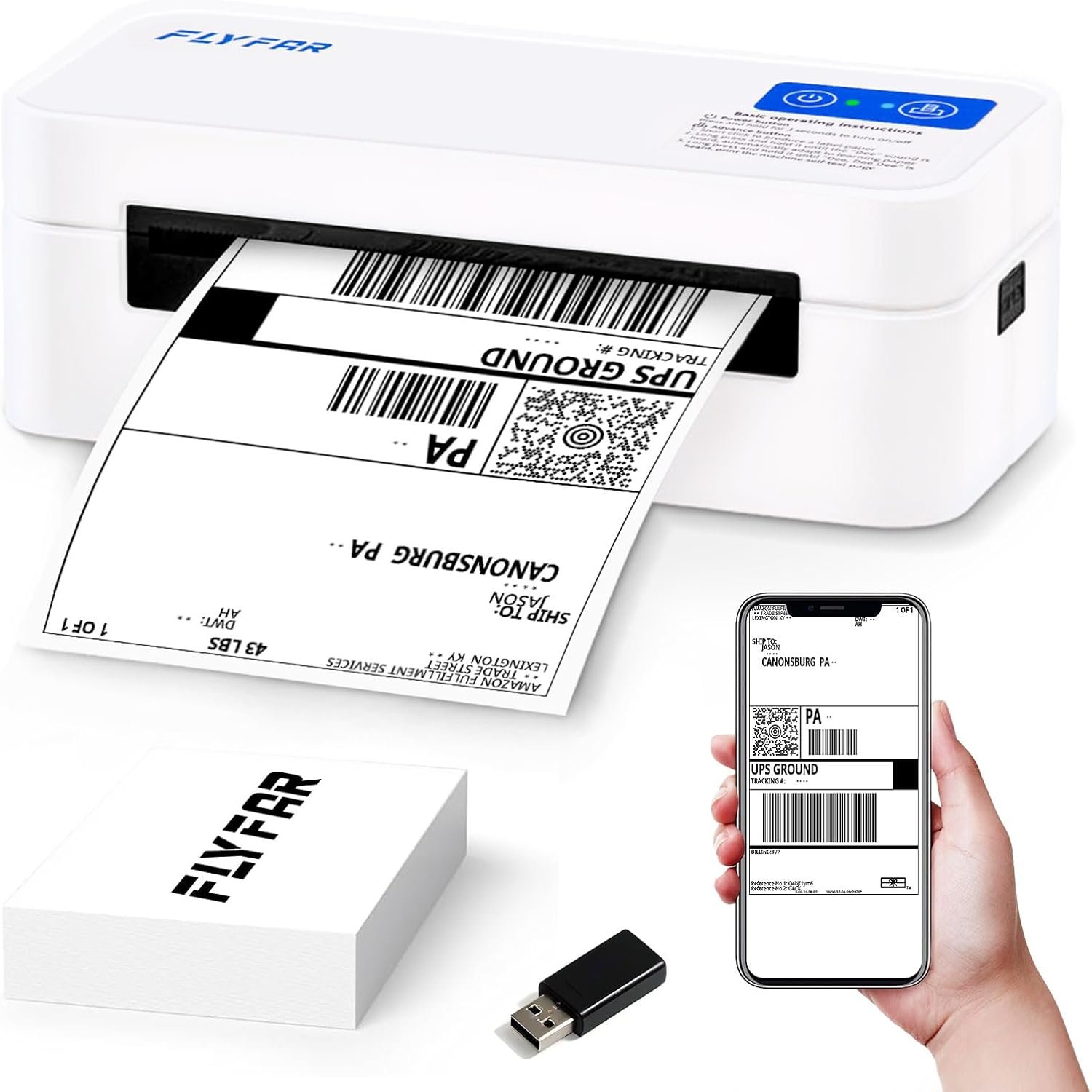
The FLYFAR E40-New-Pro is designed for small businesses requiring efficient shipping label printing. Its thermal printing technology eliminates the need for ink or toner, reducing maintenance and operational costs. The printer’s compatibility with major e-commerce platforms like Amazon and Shopify simplifies logistics workflows, while its compact size and wireless connectivity make it ideal for office or home environments. The 203 DPI resolution ensures clear, professional outputs, and the support for multiple label sizes accommodates diverse printing needs, from address labels to barcodes. This combination of features positions the E40-New-Pro as a practical solution for businesses prioritizing speed, reliability, and integration with digital tools.
Print Quality and Resolution: The Foundation of Professional Output
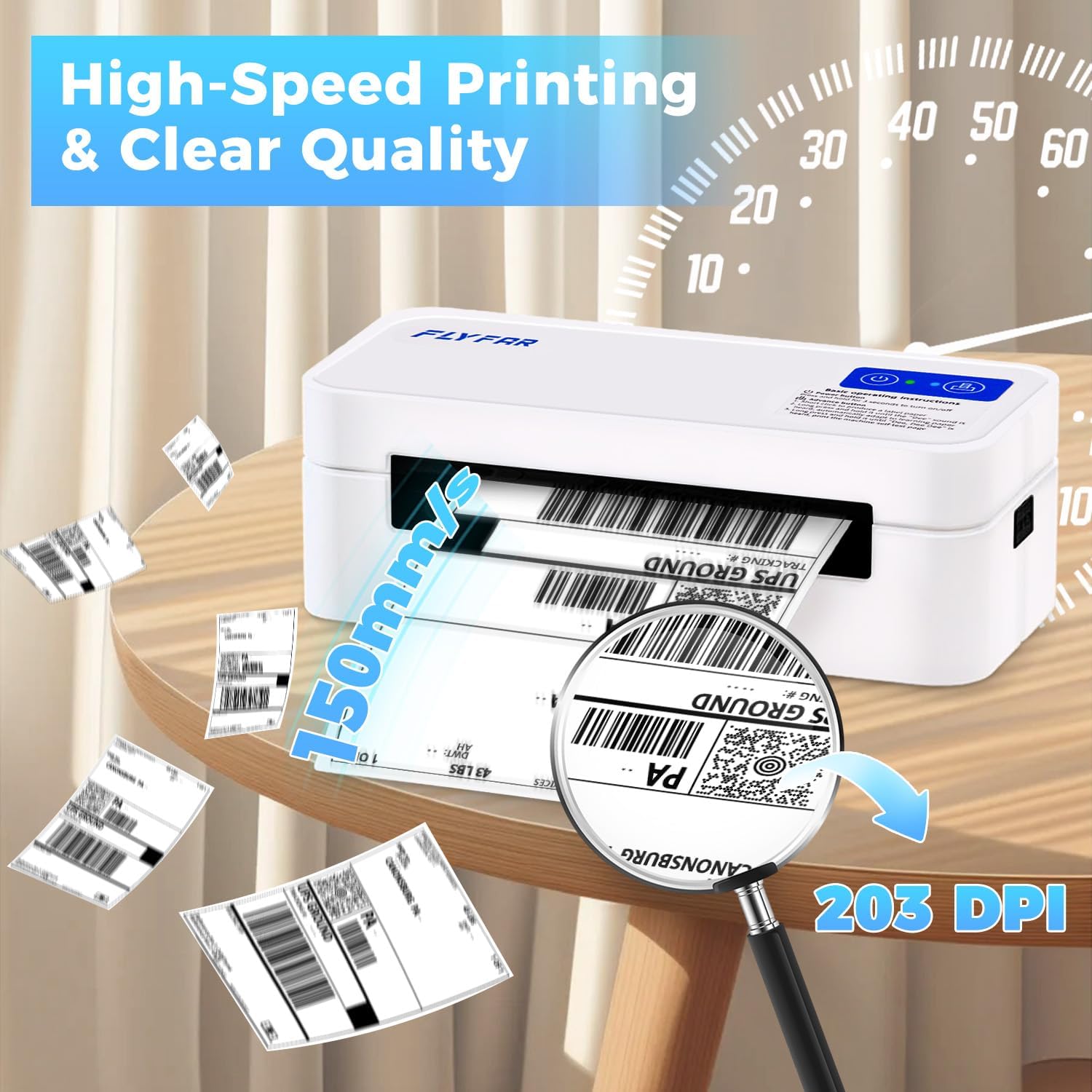
The E40-New-Pro’s thermal printing technology ensures high-quality outputs without the need for ink or toner, making it a cost-effective solution for businesses. The 203 DPI resolution provides clear, legible text and graphics, which is essential for shipping labels that require precise information such as barcodes, tracking numbers, and addresses. This level of resolution is particularly important for ensuring that labels remain scannable and readable, even when printed on thinner thermal paper. The printer’s ability to produce consistent, professional-grade outputs is a key advantage for small businesses that rely on accurate labeling for order fulfillment and customer communication.

Thermal Printing Technology and Media Compatibility
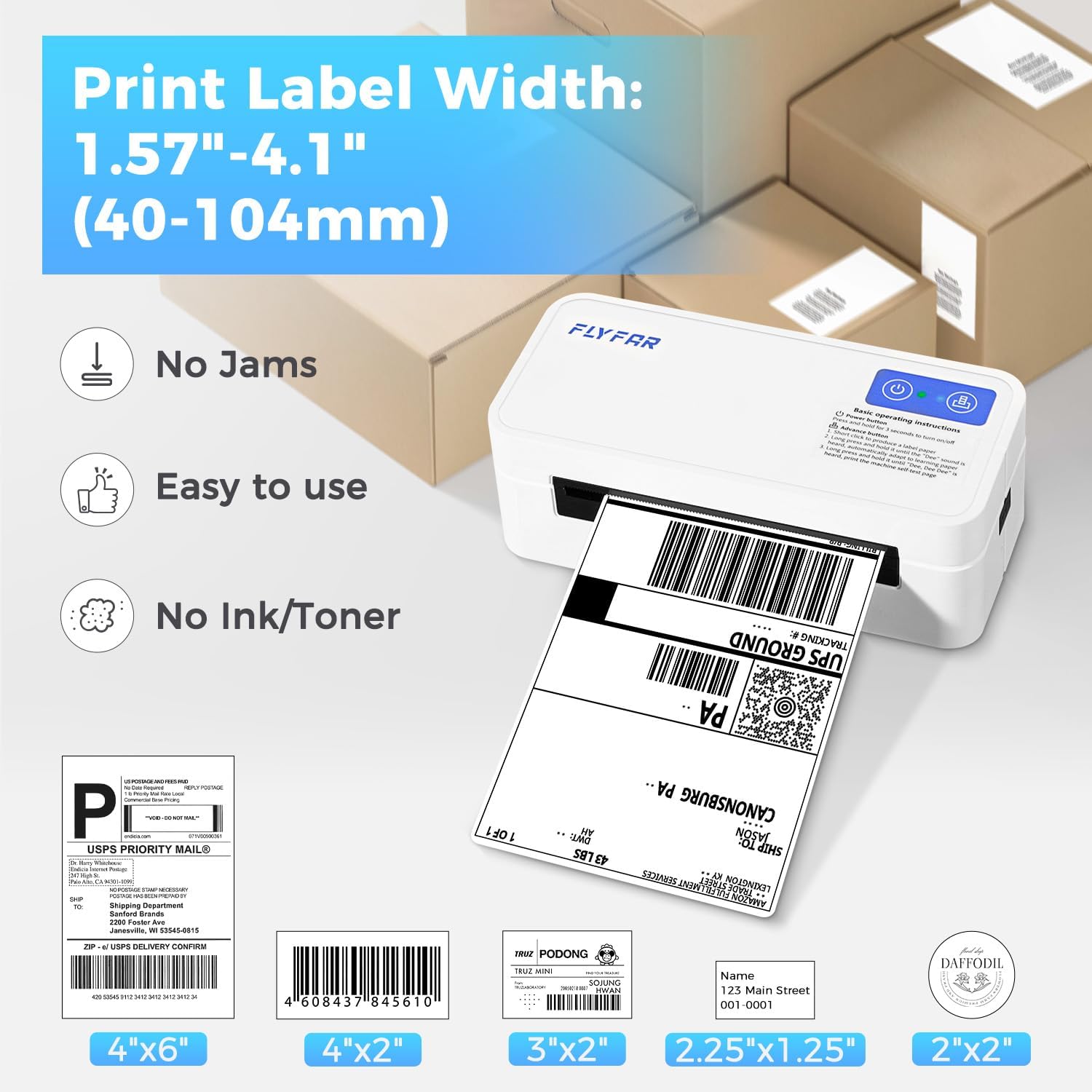
Thermal printing technology works by heating a special coating on thermal paper to create images and text. This method eliminates the need for ink or toner, reducing maintenance requirements and operational costs. The E40-New-Pro is designed to work exclusively with thermal paper, which is a common media type for label printing. The printer’s support for thermal paper with a width range of 1.54 inches to 4.1 inches allows for flexibility in label size selection, accommodating various use cases such as envelopes, address labels, and shipping labels. However, the reliance on thermal paper may limit its suitability for environments where non-thermal media is required, as the printer does not support inkjet or laser printing.
Output Consistency and Durability
The E40-New-Pro’s thermal printing process ensures consistent output quality, provided the thermal paper is of appropriate thickness and quality. The printer’s design minimizes the risk of smudging or fading, which is crucial for shipping labels that may be exposed to varying environmental conditions. However, thermal paper is inherently more sensitive to heat and light compared to traditional paper, which could affect long-term durability. For businesses requiring archival-quality labels, this limitation may necessitate additional protective measures, such as laminating or using specialized thermal paper with enhanced durability.
Resolution and Text Clarity
The 203 DPI resolution of the E40-New-Pro ensures that text and graphics are rendered clearly and precisely, which is essential for shipping labels that often include small fonts and detailed information. This level of resolution is particularly beneficial for barcodes, which require high precision to ensure accurate scanning by logistics systems. The printer’s ability to maintain consistent resolution across different label sizes further enhances its versatility for various printing needs. However, the resolution may not be sufficient for applications requiring high-quality graphics or photographs, which are typically better suited to inkjet or laser printers.
Connectivity and Compatibility: Seamless Integration with Digital Workflows
The E40-New-Pro’s dual connectivity options—Bluetooth and USB—make it a versatile choice for small businesses that need to integrate label printing into existing digital workflows. Bluetooth connectivity allows for wireless printing from mobile devices, such as smartphones and tablets, which is particularly useful for on-the-go label creation and management. The inclusion of a dedicated “Label Expert” app further enhances the user experience by providing a streamlined interface for label design, customization, and printing. This app-based approach simplifies the process of generating and printing labels, especially for businesses that rely on digital order management systems.
Bluetooth Integration for Mobile Printing
The Bluetooth connectivity of the E40-New-Pro enables seamless printing from mobile devices, which is a significant advantage for small businesses that manage shipping labels on-the-go. By pairing the printer with a smartphone or tablet via Bluetooth, users can generate and print labels without the need for a physical computer connection. This feature is particularly beneficial for businesses that use mobile apps for order tracking, inventory management, or customer communication. The ability to print labels directly from a mobile device reduces the time required for label creation and ensures that shipping information is promptly available for processing.
USB Compatibility for Desktop Integration
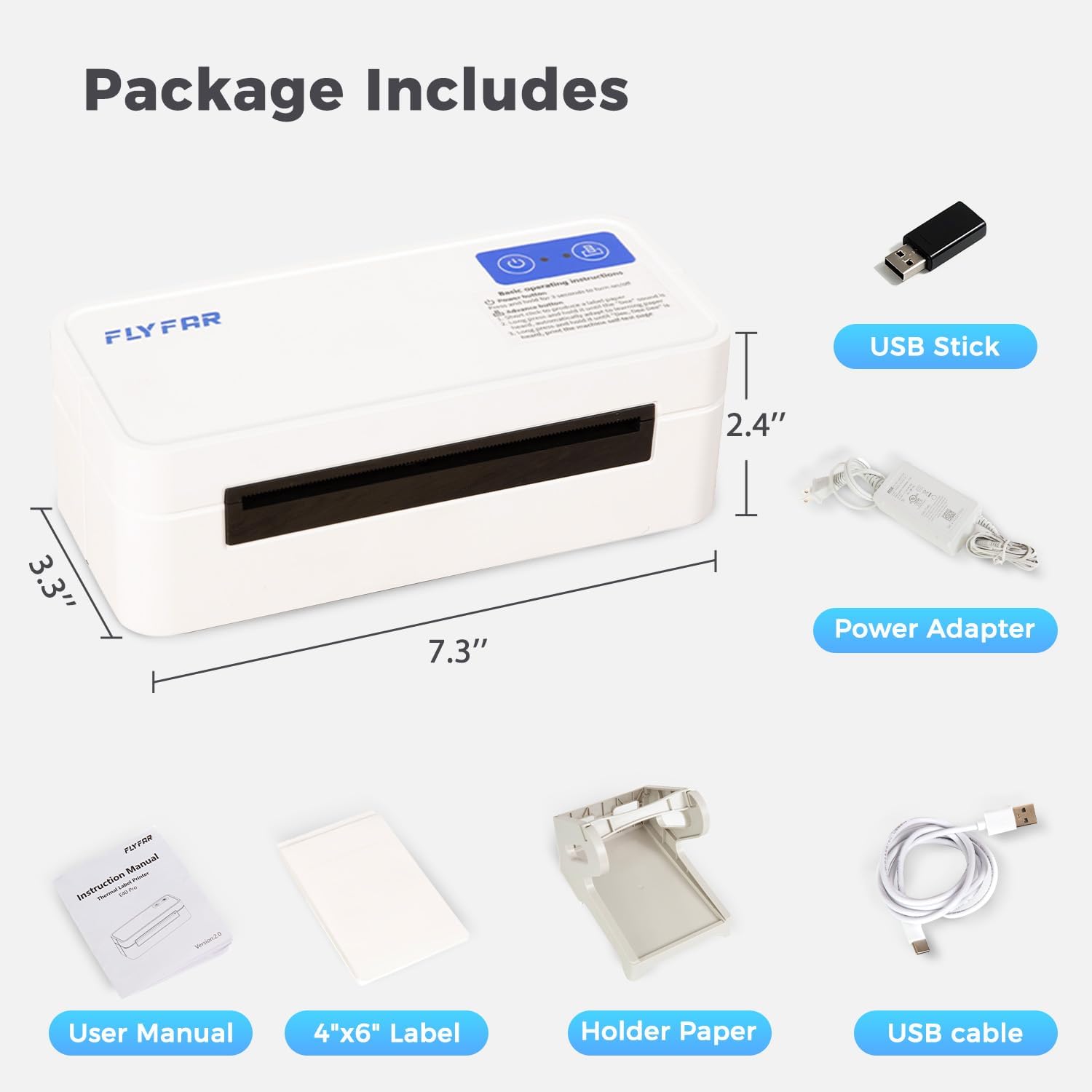
For businesses that prefer desktop integration, the E40-New-Pro’s USB connectivity option provides a reliable method for printing labels from computers. The printer’s compatibility with Windows and Mac operating systems ensures that it can be easily integrated into existing workflows without requiring additional software or drivers. The included USB-C cable allows for straightforward setup, and the official driver download simplifies the process of getting the printer up and running. This dual connectivity approach ensures that the E40-New-Pro can be used in a variety of environments, from home offices to small business setups.
E-Commerce Platform Compatibility
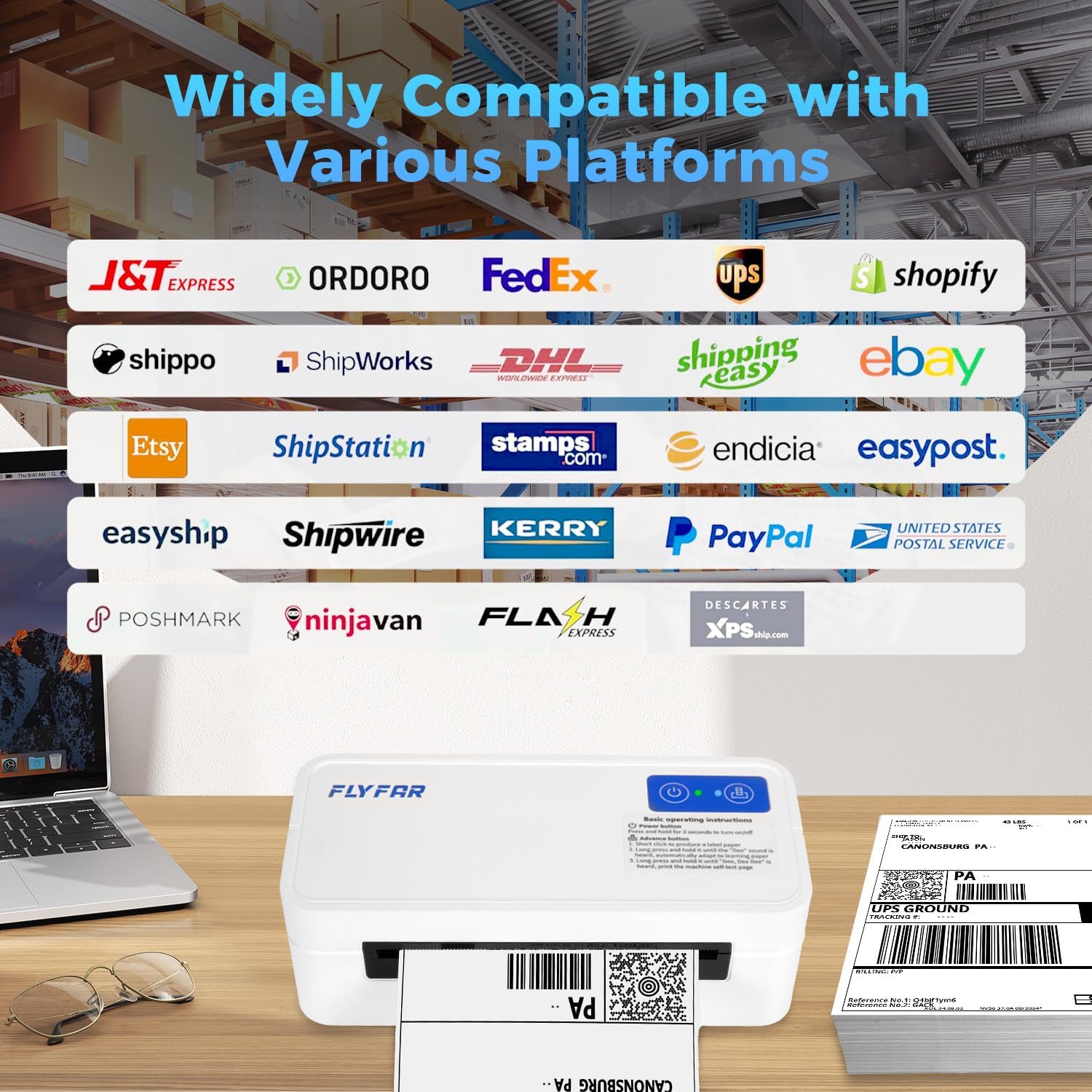
The E40-New-Pro’s compatibility with major e-commerce platforms such as Amazon, Shopify, eBay, Etsy, and USPS is a key factor in its suitability for small businesses involved in online sales. These platforms often require precise shipping labels with specific formatting and information, and the printer’s ability to generate and print such labels efficiently is a major advantage. The integration with the “Label Expert” app allows users to save shipping labels as PDFs and upload them directly for printing, streamlining the order fulfillment process. This level of compatibility ensures that businesses can maintain consistent labeling standards across their online operations.
Durability and Duty Cycle: Reliable Performance for High-Volume Use
The E40-New-Pro is designed to handle continuous operation, making it suitable for businesses with high-volume printing needs. Its thermal printing technology is inherently more durable than inkjet or laser printers, as it eliminates the need for moving parts such as printheads or toner cartridges. This design reduces the risk of mechanical failure and extends the printer’s lifespan, particularly in environments where frequent use is expected. The printer’s duty cycle, which refers to its ability to operate continuously without overheating or requiring maintenance, is an important consideration for businesses that rely on consistent label production.

Continuous Operation and Thermal Efficiency
The E40-New-Pro’s thermal printing technology ensures that it can operate continuously without the need for frequent maintenance or replacement of consumables. Unlike inkjet printers, which can experience printhead clogging or ink drying, the E40-New-Pro’s design minimizes the risk of mechanical issues. The printer’s thermal engine is engineered to maintain optimal performance over extended periods, making it suitable for businesses that require consistent label production. However, the reliance on thermal paper means that the printer may not be ideal for environments where non-thermal media is required, as the thermal coating can degrade over time with exposure to heat or light.
Environmental Factors and Longevity
The E40-New-Pro’s performance is influenced by environmental factors such as temperature and humidity, which can affect the quality of thermal paper and the printer’s operation. The printer is designed to function within standard office conditions, but extreme temperatures or high humidity levels may impact the longevity of the thermal paper and the printer’s reliability. For businesses operating in environments with fluctuating conditions, it may be necessary to implement additional measures to protect the printer and its media, such as using a controlled environment or selecting thermal paper with enhanced durability.
Maintenance and Operational Costs
The E40-New-Pro’s thermal printing technology reduces maintenance requirements compared to inkjet or laser printers, as it does not require regular ink or toner refills. The absence of moving parts such as printheads or rollers minimizes the risk of mechanical failure, making the printer more reliable for continuous use. However, the printer’s reliance on thermal paper means that users must regularly replace the paper and ensure that the media is of appropriate quality. The cost of thermal paper may be a consideration for businesses with high-volume printing needs, as it can add to operational expenses over time.
Maintenance and Consumables: Cost-Effective Operation for Small Businesses
The E40-New-Pro’s thermal printing technology reduces the need for regular maintenance and consumable replacements, making it a cost-effective solution for small businesses. Unlike inkjet or laser printers, which require frequent ink or toner refills, the E40-New-Pro operates using thermal paper, which is a single-use consumable. This eliminates the need for complex maintenance routines, such as printhead cleaning or toner cartridge replacement, which can be time-consuming and costly. The printer’s design also minimizes the risk of mechanical issues, further reducing the need for service calls or repairs.
Thermal Paper as the Sole Consumable
The E40-New-Pro relies entirely on thermal paper as its consumable, which is a significant advantage for businesses seeking to minimize maintenance costs. Thermal paper is a single-use medium that requires no refilling or replacement of ink or toner, simplifying the printing process. However, the cost of thermal paper can add up over time, particularly for businesses with high-volume printing needs. The printer’s compatibility with a wide range of thermal paper sizes ensures that users can select the most cost-effective option for their specific requirements, but the ongoing expense of media may be a consideration for budget-conscious operations.
Minimal Maintenance Requirements
The E40-New-Pro’s design minimizes the need for regular maintenance, as it does not have moving parts such as printheads or rollers that can wear out over time. This reduces the risk of mechanical failure and extends the printer’s lifespan, particularly in environments where frequent use is expected. The absence of ink or toner systems also eliminates the need for routine cleaning or calibration, making the printer more reliable for continuous operation. However, users should still ensure that the thermal paper is properly loaded and that the printer is maintained in a clean, dry environment to prevent issues such as paper jams or media degradation.
Long-Term Cost Considerations
While the E40-New-Pro’s thermal printing technology reduces immediate maintenance costs, the long-term cost of thermal paper may be a factor for businesses with high-volume printing needs. The cost of thermal paper can vary depending on the brand and quality, which may impact the overall cost-effectiveness of the printer. For businesses that require frequent label printing, the ongoing expense of media could outweigh the savings from reduced maintenance. However, the printer’s reliability and ease of use may make it a more cost-effective solution compared to inkjet or laser printers that require more frequent consumable replacements.
Pros & Cons
Pros
- High-Speed Printing: The E40-New-Pro can print up to 72 labels per minute, making it suitable for businesses with high-volume shipping needs. This speed ensures that orders can be processed efficiently without delays.
- Thermal Printing Technology: The printer uses no ink or toner, reducing maintenance costs and eliminating the need for frequent consumable replacements. This makes it a cost-effective solution for small businesses.
- Dual Connectivity: The printer supports both Bluetooth and USB connectivity, allowing for seamless integration with both mobile devices and desktop computers. This flexibility enhances its usability in various environments.
- Compatibility with E-Commerce Platforms: The E40-New-Pro is compatible with major platforms like Amazon, Shopify, and eBay, streamlining the label creation and printing process for online businesses.
- Compact and Portable Design: The printer’s lightweight and compact size make it ideal for small offices or home use, where space is limited. Its portability also allows for easy relocation between workspaces.
- Clear and Professional Output: The 203 DPI resolution ensures that labels are printed with clear, legible text and graphics, which is essential for accurate scanning and customer communication.
- User-Friendly Interface: The dedicated “Label Expert” app provides a straightforward interface for designing and printing labels, reducing the learning curve for new users.
- Low Maintenance Requirements: The absence of moving parts and ink/toner systems minimizes the risk of mechanical failure, making the printer more reliable for continuous use.
Cons
- Limited Media Compatibility: The E40-New-Pro only supports thermal paper, which may limit its use in environments requiring non-thermal media. This could be a drawback for businesses that need to print on diverse paper types.
- No Color Printing Option: The printer produces monochrome outputs, which may not be suitable for businesses requiring color labels or branding elements. This limitation could affect marketing efforts that rely on visual appeal.
- Potential for Thermal Paper Degradation: While thermal paper is cost-effective, it is more sensitive to heat and light compared to traditional paper. This could affect the longevity of printed labels, especially in environments with fluctuating conditions.
- Dependence on Third-Party Software: The printer requires the “Label Expert” app for optimal functionality, which may be a barrier for users who prefer native printing solutions or lack access to the app.
- Ongoing Media Costs: The cost of thermal paper can add up over time, particularly for businesses with high-volume printing needs. This ongoing expense may impact the overall cost-effectiveness of the printer.
Final Verdict: Who This Printer Is Best For (and Who Should Skip It)
The FLYFAR E40-New-Pro is an excellent choice for small businesses that prioritize speed, reliability, and integration with digital workflows. Its high-speed thermal printing, compatibility with major e-commerce platforms, and dual connectivity options make it ideal for environments where efficient label production is critical. The printer’s compact design and low maintenance requirements further enhance its suitability for home offices, small warehouses, or mobile operations. Businesses that frequently process orders, manage shipping labels, or require quick access to label printing from mobile devices will find the E40-New-Pro to be a practical and cost-effective solution.
However, the printer may not be the best fit for businesses that require color printing, diverse media compatibility, or long-term archival quality for printed labels. The reliance on thermal paper, while cost-effective, may limit its use in environments where non-thermal media is necessary. Additionally, the need for the “Label Expert” app for optimal functionality could be a drawback for users who prefer native printing solutions or lack access to the required software. For businesses with high-volume printing needs or those requiring advanced features such as color printing or multi-media support, alternative printers with more versatile capabilities may be a better investment.
Frequently Asked Questions (FAQs)
Does the E40-New-Pro support color printing?
No, the E40-New-Pro uses thermal printing technology, which produces monochrome outputs. It does not support color printing, making it suitable for businesses that require black-and-white labels for shipping and logistics purposes.
What media sizes does the E40-New-Pro support?
The E40-New-Pro supports thermal paper with widths ranging from 1.54 inches to 4.1 inches. This range accommodates various label sizes, including address labels, barcodes, and shipping labels for different packaging needs.
How does the Bluetooth connectivity work on the E40-New-Pro?
The E40-New-Pro connects to mobile devices via Bluetooth, allowing users to print labels directly from smartphones or tablets. The “Label Expert” app facilitates seamless label design and printing, enhancing mobile workflow efficiency.
Is the E40-New-Pro compatible with major e-commerce platforms?
Yes, the E40-New-Pro is compatible with platforms like Amazon, Shopify, eBay, Etsy, and USPS. Users can save shipping labels as PDFs and upload them to the “Label Expert” app for printing, streamlining order fulfillment processes.
What is the maximum print speed of the E40-New-Pro?
The E40-New-Pro can print up to 72 labels per minute, with a print speed of 150mm/s. This high-speed capability ensures efficient label production for businesses with high-volume shipping needs.
Does the E40-New-Pro require any special maintenance?
The E40-New-Pro requires minimal maintenance due to its thermal printing technology, which eliminates the need for ink or toner refills. However, users should ensure proper thermal paper loading and maintain the printer in a clean, dry environment to prevent issues.
Can the E40-New-Pro be used in different environments?
The E40-New-Pro is designed for standard office environments but may be affected by extreme temperatures or humidity. Users should ensure the printer operates in a controlled environment to maintain optimal performance and label quality.
What are the dimensions and weight of the E40-New-Pro?
The E40-New-Pro measures 7.3 x 2.4 x 3.3 inches and weighs 0.99 lbs. Its compact and lightweight design makes it ideal for small offices, home use, and mobile operations where space is limited.