HPKE200 Label Printer Review: Thermal Printing for E-Commerce and Small Business Workflows
The Importance of Choosing the Right Printer for Modern Workflows
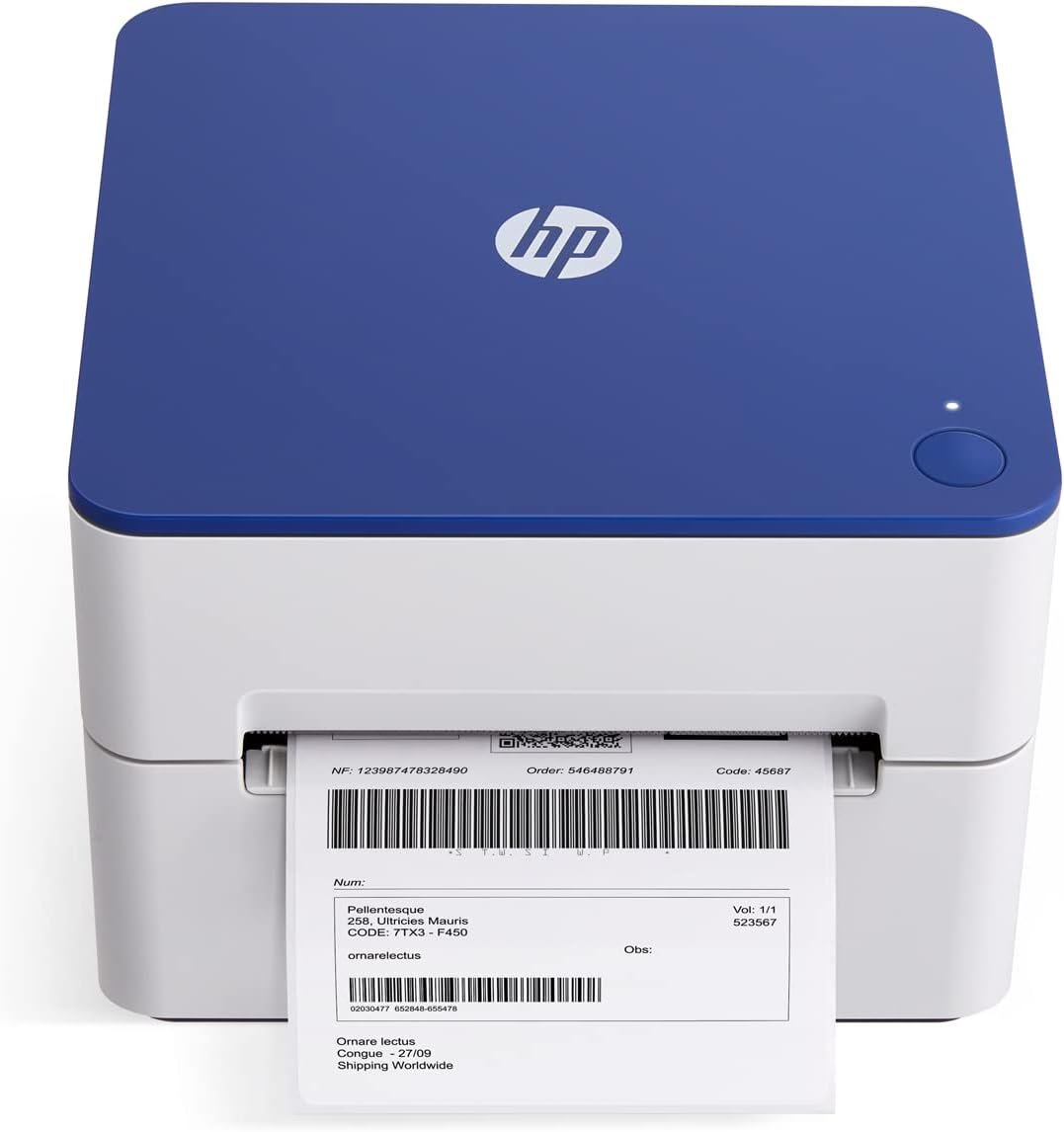
In today’s fast-paced business environment, the efficiency of printing operations can significantly impact productivity and customer satisfaction. Whether managing shipping labels for an e-commerce store, creating barcodes for inventory, or preparing address stickers for mail services, the right printer can streamline these tasks while maintaining high-quality output. The HPKE200 label printer represents a specialized solution designed to meet the demands of small to medium-sized operations requiring consistent, high-speed thermal printing. Its direct thermal technology eliminates the need for ink or toner, reducing maintenance and operational costs. This printer’s ability to produce clear, detailed labels at 7 inches per second makes it particularly suitable for environments where rapid label creation is essential. However, the decision to adopt this printer should consider factors such as media compatibility, connectivity options, and long-term durability. Understanding these specifications ensures that the HPKE200 aligns with specific workflow requirements and operational constraints, making it an ideal choice for users prioritizing speed and simplicity in their printing processes.
Quick Overview
| Feature | Details |
|---|---|
| Printer Type | Direct Thermal Label Printer |
| Printing Technology | Direct Thermal |
| Print Resolution | 203 DPI (Monochrome/Color) |
| Maximum Print Speed | 7 inches per second |
| Media Size | 4 x 6 inches |
| Connectivity | USB 2.0 |
| Supported Media | Thermal Labels |
| Duty Cycle | Continuous operation for high-volume tasks |
| Included Components | Label printer, power cord, AC adapter, USB cable, quick start guide |
| Warranty | Limited warranty |
| Power Consumption | 60 Watts |
| Dimensions | 8.2″D x 7.29″W x 6.63″H |
| Weight | 1340 Grams (2.95 pounds) |
The HPKE200’s design emphasizes simplicity and reliability, making it well-suited for environments where quick label creation is critical. Its USB connectivity and compact form factor allow seamless integration into both home and office workflows, while the direct thermal technology ensures minimal maintenance requirements. These features collectively position the printer as a practical solution for users focused on efficiency and ease of use in their printing tasks.

Print Speed and Throughput for High-Volume Label Creation
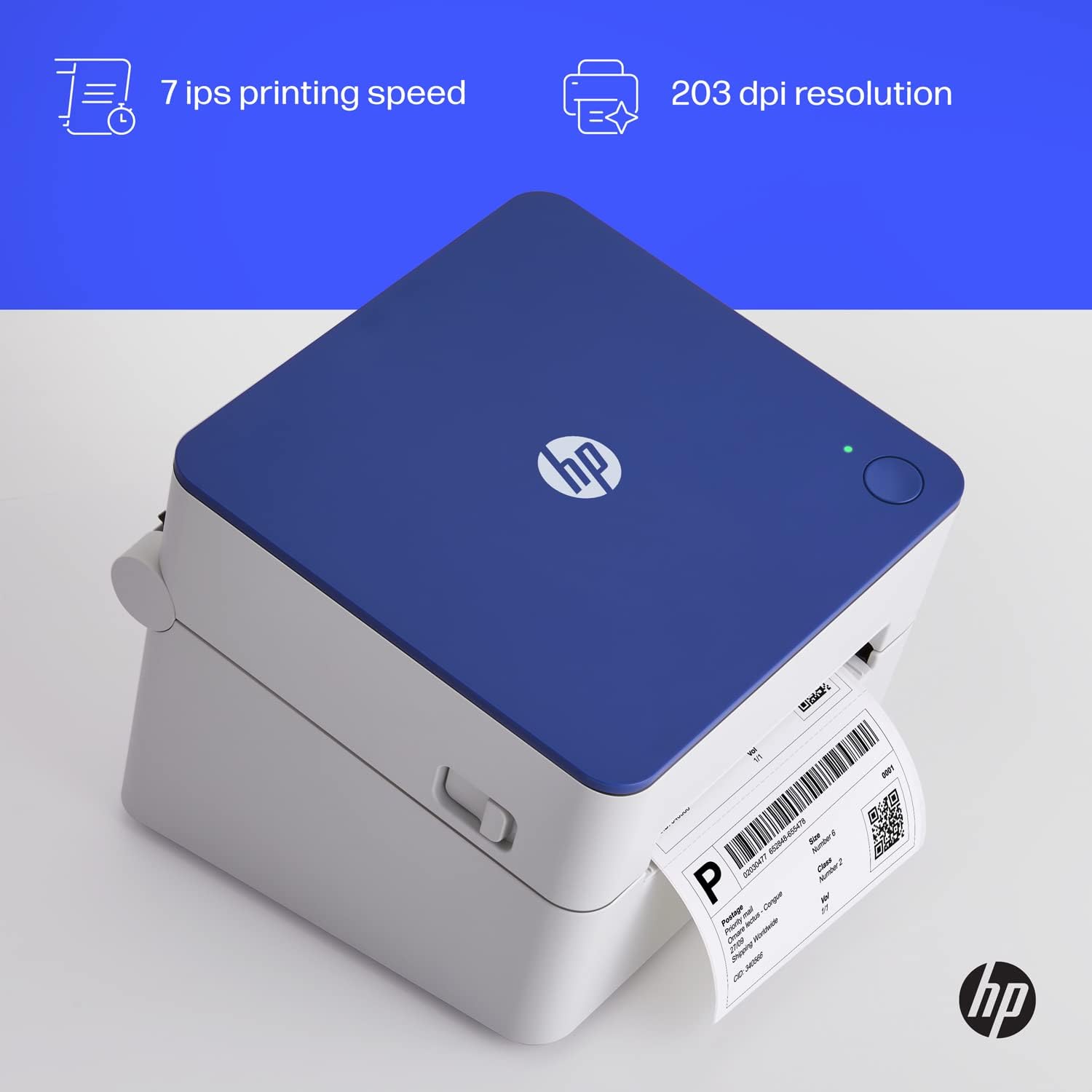
The HPKE200’s print speed of 7 inches per second is a key factor in its suitability for environments requiring rapid label production. This speed is particularly advantageous in e-commerce fulfillment centers, shipping departments, and small business operations where large volumes of labels need to be generated quickly. The printer’s ability to handle continuous operation supports high-throughput workflows without compromising output quality. However, the speed may not be sufficient for applications requiring even faster label creation, such as high-volume industrial settings. The printer’s thermal printing technology ensures that labels are produced without the need for ink or toner, reducing maintenance and operational costs over time. This makes it an ideal choice for users prioritizing efficiency and simplicity in their printing processes.

Thermal Printing Efficiency and Maintenance Requirements
Direct thermal printing technology eliminates the need for ink or toner cartridges, significantly reducing long-term maintenance costs. The HPKE200’s thermal print head is designed to produce clear, detailed labels without the risk of ink smudging or toner fading, making it suitable for environments where label durability is important. However, thermal labels are inherently more sensitive to heat and light exposure, which can affect their longevity. Users should consider the environmental conditions in which the printer is used to ensure label integrity. The printer’s design also minimizes the need for frequent consumable replacements, as the thermal print head is not subject to the same wear and tear as inkjet or laser printers. This makes the HPKE200 an attractive option for users seeking a low-maintenance printing solution.
Media Compatibility and Label Customization
The HPKE200 supports 4 x 6 inch thermal labels, which are commonly used for shipping, inventory, and address stickers. The adjustable media holder allows users to accommodate different label sizes, enhancing the printer’s versatility for various applications. This flexibility is particularly beneficial for small businesses that may need to print labels of different dimensions depending on their operational needs. However, the printer’s media compatibility is limited to thermal labels, which may restrict its use in environments requiring other media types such as paper or synthetic materials. The ability to use compatible thermal labels from major brands ensures that users have access to a wide range of label options, but the lack of support for alternative media types could be a limitation for certain use cases.
Duty Cycle and Operational Reliability
The HPKE200 is designed for continuous operation, making it suitable for environments with high-volume printing demands. Its thermal printing technology ensures consistent performance without the need for frequent maintenance, which is essential for maintaining operational efficiency. However, the printer’s duty cycle is optimized for moderate to high-volume tasks rather than extreme industrial applications. Users should consider the expected workload when selecting this printer, as its performance may degrade under prolonged, uninterrupted use. The printer’s reliability is further supported by its straightforward design, which minimizes the risk of mechanical failures. These factors make the HPKE200 a reliable choice for users who require consistent, high-speed label printing in a variety of settings.
Connectivity and Integration for Seamless Workflow
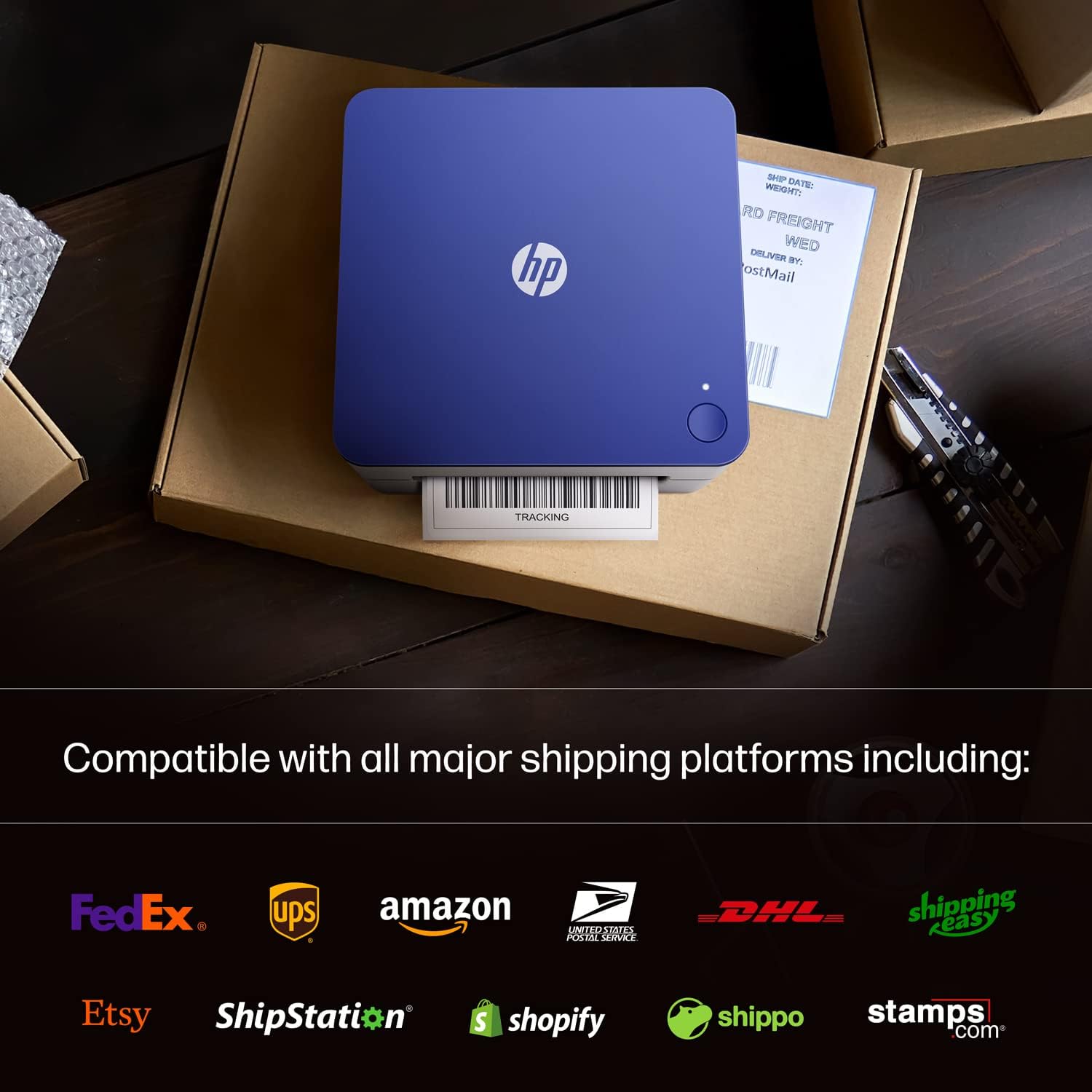
The HPKE200’s USB 2.0 connectivity simplifies integration into existing workflows, allowing users to connect the printer to both Mac and PC systems without the need for additional software or drivers. This plug-and-play functionality ensures that users can start printing labels immediately after setting up the device. The printer’s compatibility with popular e-commerce platforms such as Amazon, Shopify, and ShipStation further enhances its utility for small business owners who need to generate shipping labels efficiently. However, the lack of wireless connectivity or network printing capabilities may limit its use in environments requiring remote access or integration with cloud-based systems. The printer’s straightforward setup process and compatibility with standard thermal labels make it an accessible solution for users who prioritize ease of use over advanced connectivity options.
Software and Platform Compatibility
The HPKE200 is designed to work seamlessly with a variety of software applications, including e-commerce platforms and shipping management tools. Its compatibility with major label printing software ensures that users can generate custom labels tailored to their specific needs. However, the printer’s reliance on direct thermal technology means that it is not compatible with color printing or advanced formatting options typically found in more sophisticated label printers. This limitation may affect users who require labels with complex graphics or color-coded information. The printer’s focus on monochrome printing makes it well-suited for applications where text and barcode labels are the primary requirements, but it may not meet the needs of users requiring more advanced visual elements in their labels.
Environmental and Operational Considerations
The HPKE200’s thermal printing technology requires careful attention to environmental conditions to ensure optimal performance and label longevity. The printer should be used in environments with stable temperatures and minimal exposure to direct sunlight or high humidity, as these factors can affect the durability of thermal labels. The printer’s design does not include built-in temperature regulation, which means users must manage the operating environment to prevent label degradation. Additionally, the printer’s power consumption of 60 watts indicates that it is energy-efficient, making it a suitable choice for users concerned about operational costs. These considerations highlight the importance of selecting an appropriate environment for the HPKE200 to ensure consistent, high-quality label production.

Pros and Cons of the HPKE200 Label Printer
Pros
- High-Speed Printing: The HPKE200’s print speed of 7 inches per second is well-suited for environments requiring rapid label creation, such as e-commerce fulfillment and shipping operations.
- Low Maintenance: Direct thermal technology eliminates the need for ink or toner cartridges, reducing maintenance costs and operational complexity.
- Compatibility with E-Commerce Platforms: The printer’s support for Amazon, Shopify, and other shipping platforms makes it an ideal solution for small business owners managing online sales.
- User-Friendly Design: The printer’s straightforward setup and plug-and-play functionality allow users to start printing labels quickly without requiring advanced technical knowledge.
- Versatile Media Options: The adjustable media holder accommodates different label sizes, enhancing the printer’s adaptability for various labeling needs.
- Energy Efficiency: The HPKE200’s power consumption of 60 watts ensures that it operates efficiently, contributing to lower energy costs over time.
Cons
- Limited Media Compatibility: The printer is restricted to thermal labels, which may limit its use in environments requiring other media types such as paper or synthetic materials.
- No Color Printing: Direct thermal technology only supports monochrome printing, making it unsuitable for applications requiring color-coded labels or graphics.
- No Wireless Connectivity: The absence of wireless or network printing capabilities may hinder its use in environments requiring remote access or integration with cloud-based systems.
- Environmental Sensitivity: The printer’s performance is influenced by ambient temperature and humidity, which may affect label durability and print quality in certain conditions.
- Duty Cycle Limitations: While the printer is designed for continuous operation, its performance may degrade under prolonged, uninterrupted use, which could be a concern for high-volume industrial applications.
Final Verdict: Who This Printer Is Best For (and Who Should Skip It)
The HPKE200 label printer is an excellent choice for users who prioritize speed, simplicity, and reliability in their label printing tasks. Its high-speed thermal printing, low maintenance requirements, and compatibility with e-commerce platforms make it particularly well-suited for small businesses, shipping departments, and fulfillment centers. The printer’s ability to produce clear, detailed labels without the need for ink or toner reduces long-term operational costs, making it an attractive option for users focused on efficiency. However, the printer may not be the best fit for environments requiring color printing, advanced formatting options, or wireless connectivity. Users who need to print labels with complex graphics, color-coded information, or alternative media types such as paper may find the HPKE200 insufficient for their needs. Additionally, those operating in environments with extreme temperature or humidity variations should consider the printer’s environmental sensitivity before adoption. Overall, the HPKE200 is a practical solution for users seeking a reliable, low-maintenance label printer tailored to specific workflow requirements.
Frequently Asked Questions (FAQs)
What types of labels can the HPKE200 printer produce?
The HPKE200 is designed to print 4 x 6 inch thermal labels, which are commonly used for shipping, inventory, and address stickers. Its adjustable media holder allows compatibility with different label sizes, enhancing versatility for various labeling needs.
How does the HPKE200’s thermal printing technology work?
The HPKE200 uses direct thermal printing technology, which generates labels without ink or toner. Heat is applied to the thermal paper to create images and text, resulting in high-quality, durable labels that require minimal maintenance.
Is the HPKE200 compatible with e-commerce platforms like Shopify and Amazon?
Yes, the HPKE200 is compatible with popular e-commerce platforms including Shopify, Amazon, and ShipStation. This integration allows users to generate shipping labels efficiently for their online sales operations.
What connectivity options does the HPKE200 offer?
The HPKE200 features USB 2.0 connectivity, enabling seamless integration with both Mac and PC systems. Its plug-and-play design allows users to start printing labels immediately without additional software or drivers.
Does the HPKE200 require regular maintenance?
The HPKE200 requires minimal maintenance due to its direct thermal printing technology, which eliminates the need for ink or toner cartridges. However, users should ensure the printer is operated in stable environmental conditions to maintain label quality.
What is the print speed of the HPKE200?
The HPKE200 prints at a speed of 7 inches per second, making it well-suited for environments requiring rapid label creation. This speed supports high-volume printing tasks in e-commerce and shipping operations.
Can the HPKE200 print in color?
No, the HPKE200 is designed for monochrome printing only. Its direct thermal technology supports high-quality black-and-white labels but does not offer color printing capabilities.
What are the environmental considerations for using the HPKE200?
The HPKE200 should be used in environments with stable temperatures and minimal exposure to direct sunlight or high humidity. These conditions help preserve the durability and quality of thermal labels produced by the printer.