HPRT MT810 Portable Printer Review: Thermal Printing for Mobile Workflows
The Importance of Choosing the Right Printer
In today’s fast-paced work environments, selecting the right printer can significantly impact productivity and workflow efficiency. Whether for home office use, business travel, or on-the-go printing needs, the right printer must balance performance, portability, and reliability. Modern users often require devices that can adapt to multiple scenarios—from generating quick reports in a coffee shop to producing professional documents during travel. Printers like the HPRT MT810 represent a growing trend in portable printing solutions, offering compact designs and wireless connectivity to meet these demands. However, the decision-making process involves evaluating factors such as print quality, media compatibility, battery life, and device integration. This review provides an in-depth analysis of the HPRT MT810, focusing on its technical specifications, usage scenarios, and how it aligns with the needs of mobile professionals and remote workers. By examining its capabilities in terms of print resolution, connectivity options, and operational endurance, this assessment helps users determine whether this thermal printer is a suitable addition to their workflow.
Quick Overview
| Feature | Details |
|---|---|
| Printer Type | Thermal printer |
| Printing Technology | Thermal printing |
| Supported Functions | Print only |
| Print Resolution | 200-300 dpi |
| Media Sizes | 110mm x 7m (4.3 in x 22.9 ft) |
| Connectivity Options | Bluetooth, USB |
| Battery Capacity | 2500mAh rechargeable |
| Duty Cycle | 400 sheets per roll |
| Media Types | Banner paper, roll paper |
| Warranty | Limited warranty |
| Controller Type | Android, iOS |
| Maximum Media Size | A4 |
| Included Components | Paper roll |
The HPRT MT810’s thermal printing technology and compact design make it ideal for users who prioritize portability and wireless convenience. Its ability to handle roll paper and support multiple media sizes ensures versatility in various printing tasks, from generating receipts to producing long banners. The integration of Bluetooth and USB connectivity further enhances its usability across different devices, making it a practical choice for professionals who need to print on the go.

Portability and Design for Mobile Workflows
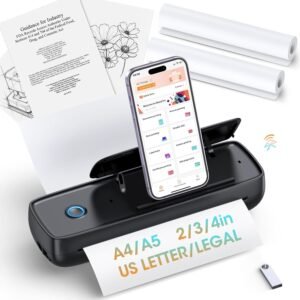
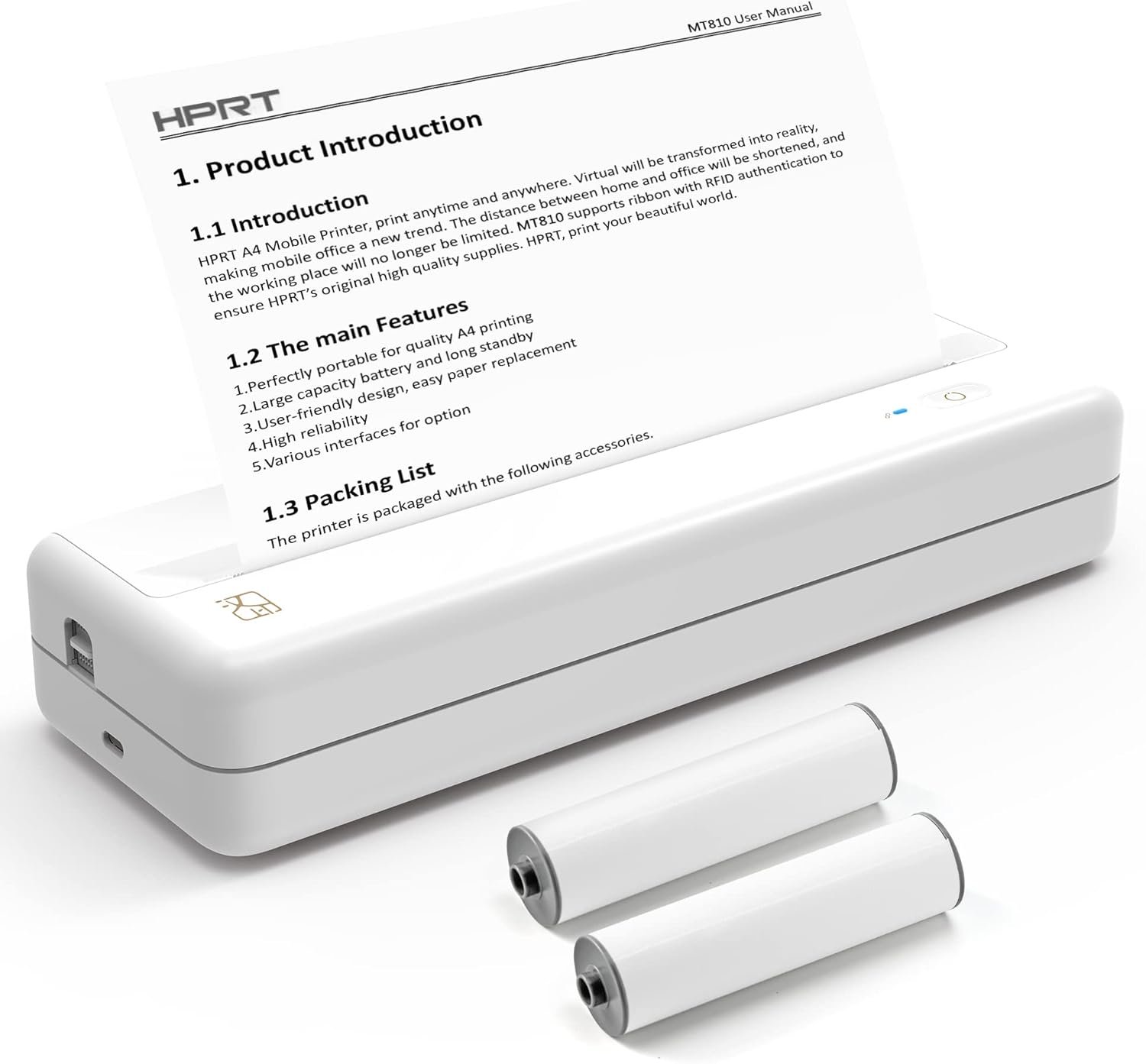
The HPRT MT810’s compact size and lightweight design are critical factors for users who require a printer that can be easily transported and stored. Its dimensions, roughly half the size of A4 paper, allow it to fit into backpacks or briefcases without occupying significant space. This makes it particularly suitable for travelers, remote workers, and individuals with limited workspace. The printer’s ergonomic design and intuitive interface further contribute to its usability in mobile environments, ensuring that users can operate it efficiently without requiring extensive setup. Additionally, the absence of traditional ink or toner systems reduces the need for frequent maintenance, aligning with the demands of users who prioritize low upkeep and reliability.

Compact Design for Travel and Remote Work
The MT810’s streamlined form factor is optimized for users who need to carry their printer in various settings. Its ability to slide into a backpack or briefcase ensures that it does not become a burden during travel or when working from different locations. This design is especially beneficial for professionals who frequently move between offices, co-working spaces, or client sites. The printer’s lightweight construction also minimizes physical strain during transport, making it a practical choice for users who prioritize mobility without compromising on functionality.
Battery Life and Operational Endurance
With a 2500mAh inbuilt battery, the MT810 offers up to 4 days of continuous use, allowing users to print up to 1600 inches of paperwork or 400+ individual sheets. This battery capacity is particularly advantageous for users who may not have access to power sources during extended trips or remote assignments. The printer’s energy-efficient thermal printing technology ensures that it maintains performance without excessive power consumption, making it a reliable option for long-duration tasks. However, the battery life may be a limiting factor for users who require more frequent recharging or operate in environments with limited access to charging ports.
Durable Build and Environmental Considerations
The MT810’s construction is designed to withstand the rigors of frequent use and transportation. Its materials and structural integrity are suited for environments where the printer may be exposed to varying conditions, such as temperature fluctuations or minor physical impacts. However, the printer’s thermal printing technology requires careful handling to avoid damage to the print head or paper rolls. Users should be mindful of avoiding scratches when changing paper rolls and ensuring the printer is stored in a safe location to maintain its longevity.
Connectivity and Device Compatibility
The MT810’s connectivity options play a crucial role in its usability across different devices and environments. By supporting both Bluetooth and USB connections, the printer ensures compatibility with a wide range of operating systems, including iOS, Android, macOS, and Windows. This versatility allows users to integrate the printer into their existing workflow without the need for additional hardware or software. The Bluetooth connectivity, in particular, is well-suited for users who prioritize wireless convenience, enabling them to print from smartphones or tablets without the need for physical cables. However, the reliance on Bluetooth may introduce potential limitations in environments with high interference or when connecting multiple devices simultaneously.

Bluetooth Integration for Wireless Printing
The MT810’s Bluetooth connectivity simplifies the printing process by eliminating the need for physical cables, making it ideal for users who prefer wireless operations. This feature is particularly beneficial for individuals who work in environments where mobility is essential, such as during meetings or fieldwork. The printer’s ability to connect seamlessly with iOS and Android devices ensures that users can print documents, receipts, or notes directly from their mobile devices. However, the range and stability of the Bluetooth connection may vary depending on the environment, which could affect the reliability of wireless printing in certain scenarios.
USB Compatibility for Desktop Integration
For users who prefer wired connections or require more stable data transfer, the MT810’s USB compatibility offers an alternative. This option is particularly useful for integrating the printer with desktop computers or laptops, ensuring reliable performance for tasks that require frequent or large-volume printing. The USB interface also allows for direct data transfer without the need for intermediary software, streamlining the printing process for users who prioritize speed and simplicity. However, the USB connection may not be as convenient for users who require constant mobility, as it necessitates a physical cable and a nearby power source.
Cross-Platform Support for Seamless Use
The MT810’s compatibility with multiple operating systems ensures that it can be seamlessly integrated into various work environments. Whether users are working on a Windows PC, macOS laptop, or mobile device, the printer’s connectivity options allow for consistent performance across platforms. This cross-platform support is particularly advantageous for users who manage multiple devices or work in collaborative settings where different operating systems are in use. However, the printer’s reliance on specific software or firmware updates may require users to periodically check for compatibility to ensure optimal functionality.
Print Quality and Media Compatibility
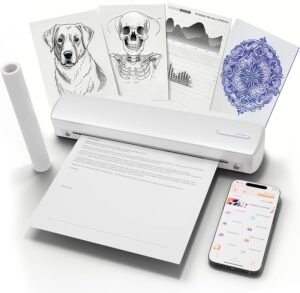
The MT810’s thermal printing technology is designed to deliver high-definition output suitable for a variety of printing tasks. Its ability to handle roll paper and support multiple media sizes ensures versatility in applications ranging from generating receipts to producing long banners. The printer’s resolution of 200-300 dpi provides sufficient clarity for text and basic graphics, making it suitable for users who prioritize speed and efficiency over high-resolution imaging. However, the thermal printing method may have limitations in terms of color accuracy and durability, which could affect its suitability for certain professional applications.

High-Definition Thermal Printing for Text and Graphics
The MT810’s thermal printing technology is optimized for producing high-definition output, particularly for text and basic graphics. Its 200-300 dpi resolution ensures that printed documents are legible and maintain clarity even when printed on roll paper. This makes it well-suited for users who require quick, reliable printing of receipts, labels, or small notes. The printer’s ability to handle long banners and small notes further enhances its versatility, allowing users to print a wide range of content without the need for additional paper types.
Media Compatibility and Paper Roll Specifications
The MT810’s support for roll paper and banner paper provides flexibility in media selection, catering to diverse printing needs. The printer’s ability to handle 110mm-wide paper rolls ensures that users can print both small notes and long banners without the need for separate paper types. However, the reliance on roll paper may limit its suitability for users who require frequent use of standard A4 or letter-sized paper. The printer’s design also requires careful handling of paper rolls to avoid damage to the print head or misalignment issues, which could affect print quality and reliability.
Limitations in Color Printing and Durability
While the MT810’s thermal printing technology excels in producing high-definition black-and-white output, it may have limitations in terms of color accuracy and durability. The absence of color printing capabilities restricts its use for applications that require vibrant or detailed color reproduction. Additionally, thermal prints may be susceptible to fading or degradation when exposed to environmental factors such as sunlight or moisture, which could affect the longevity of printed materials. Users who require long-term archival quality or color-critical applications may need to consider alternative printing technologies.

Pros & Cons
Pros
- Compact Design: The MT810’s lightweight and portable design makes it ideal for users who need a printer that can be easily transported and stored. Its size allows it to fit into backpacks or briefcases without taking up significant space, making it a practical choice for travelers and remote workers.
- Long Battery Life: With a 2500mAh inbuilt battery, the printer offers up to 4 days of continuous use, enabling users to print up to 1600 inches of paperwork or 400+ individual sheets. This battery capacity is particularly beneficial for users who may not have access to power sources during extended trips or remote assignments.
- Versatile Media Compatibility: The MT810 supports a range of media types, including roll paper and banner paper, allowing users to print both small notes and long banners without the need for separate paper types. This versatility enhances its usability across different printing tasks.
- Cross-Platform Connectivity: The printer’s compatibility with iOS, Android, macOS, and Windows ensures seamless integration into various work environments. Its Bluetooth and USB connectivity options provide flexibility for users who prefer wireless or wired printing solutions.
- Energy-Efficient Operation: The MT810’s thermal printing technology is designed to minimize power consumption, making it a reliable option for long-duration tasks without excessive energy use.
Cons
- Limited Color Printing: The MT810’s thermal printing technology is optimized for black-and-white output, which may limit its suitability for applications requiring vibrant or detailed color reproduction. Users who need color-critical printing may need to consider alternative technologies.
- Single-Sided Printing Only: The printer’s design supports only single-sided printing, which may be a limitation for users who require double-sided documents or labels. This could affect its efficiency for tasks that require printed materials on both sides.
- Dependence on Roll Paper: The MT810’s reliance on roll paper may restrict its use for users who require frequent printing on standard A4 or letter-sized paper. This could necessitate additional preparation or storage for paper rolls, affecting convenience.
- Environmental Sensitivity: Thermal prints may be susceptible to fading or degradation when exposed to environmental factors such as sunlight or moisture. This could affect the longevity of printed materials, particularly for applications requiring long-term archival quality.
- Battery Limitations: While the MT810’s battery life is sufficient for many use cases, users who require extended printing sessions or operate in environments with limited access to charging ports may find the battery capacity insufficient.
Final Verdict: Who This Printer Is Best For (and Who Should Skip It)
The HPRT MT810 is best suited for users who prioritize portability, wireless convenience, and energy efficiency. Its compact design and long battery life make it an ideal choice for travelers, remote workers, and individuals who need to print on the go without access to traditional printing infrastructure. The printer’s versatility in handling roll paper and banner paper also makes it suitable for tasks such as generating receipts, labels, or small notes. However, users who require color printing, double-sided documents, or frequent use of standard A4 paper may find the MT810 less suitable. Additionally, those who need long-term archival quality or operate in environments with significant exposure to environmental factors may need to consider alternative printing technologies. Overall, the MT810 is a practical solution for users who value mobility and simplicity in their printing workflows, but it may not meet the needs of those requiring more advanced printing capabilities or durability in challenging conditions.

Frequently Asked Questions (FAQs)
What paper sizes does the HPRT MT810 support?
The HPRT MT810 supports 110mm-wide roll paper and 4.3 in x 22.9 ft (110 mm x 7m) banner paper. This allows users to print small notes and long banners, accommodating a range of printing tasks.
How long does the battery last on the HPRT MT810?
The MT810’s 2500mAh battery provides up to 4 days of continuous use, enabling printing of 1600 inches of paperwork or 400+ individual sheets. This makes it suitable for extended use without frequent recharging.
Can the HPRT MT810 print on standard A4 paper?
The MT810 is designed for roll paper and banner paper, which may limit its use for standard A4 or letter-sized paper. Users requiring A4 printing may need to consider alternative printers.
What connectivity options are available for the HPRT MT810?
The MT810 supports Bluetooth and USB connectivity, allowing seamless integration with iOS, Android, macOS, and Windows devices. This provides flexibility for both wireless and wired printing solutions.
Is the HPRT MT810 suitable for color printing?
The MT810 uses thermal printing technology, which is optimized for black-and-white output. It does not support color printing, making it suitable for text and basic graphics rather than color-critical applications.
How does the HPRT MT810 handle environmental factors like sunlight?
Thermal prints from the MT810 may be susceptible to fading or degradation when exposed to sunlight or moisture. Users requiring long-term archival quality should consider alternative printing methods.
Can the HPRT MT810 print on both sides of the paper?
The MT810 supports only single-sided printing. Users requiring double-sided documents may need to use a different printer or manually refeed the paper for additional prints.
What is the maximum print resolution of the HPRT MT810?
The MT810 delivers print resolutions of 200-300 dpi, ensuring legible text and basic graphics. This makes it suitable for most text-based printing tasks but may not meet high-resolution imaging requirements.