
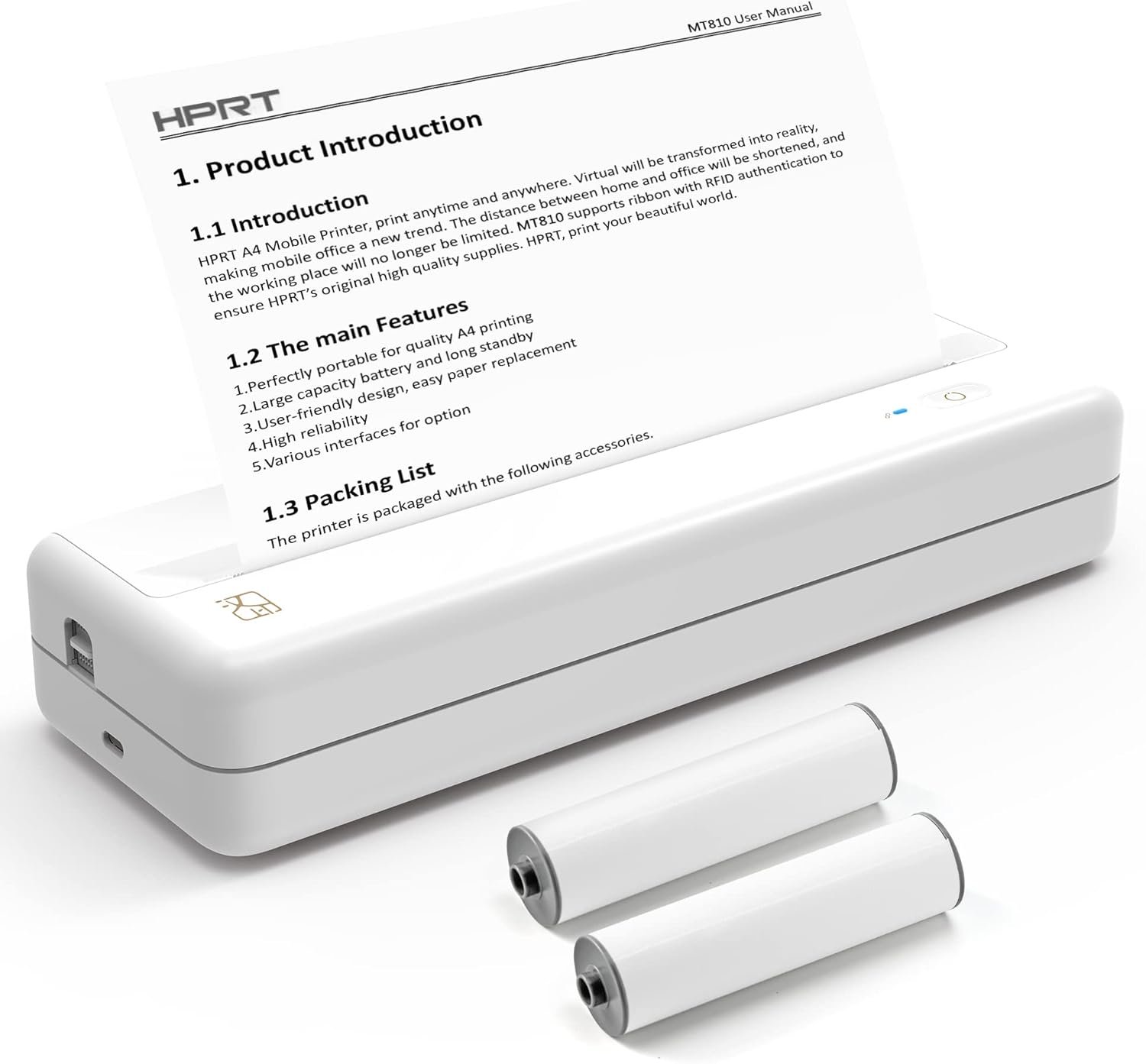
The HPRT MT810: A Thermal Printing Solution for Mobile Users
In the modern digital landscape, the ability to produce high-quality prints on the go has become essential for professionals, students, and remote workers. The HPRT MT810 portable printers with 110mm paper roll represent a significant advancement in mobile printing technology, combining thermal printing efficiency with a compact, wireless design. This printer is engineered to meet the demands of users who require reliable, high-definition output without the constraints of traditional desktop printers. Its thermal printing technology eliminates the need for ink or toner, reducing maintenance and operational complexity. The MT810’s wireless connectivity via Bluetooth ensures seamless integration with smartphones and laptops, making it an ideal choice for individuals who prioritize portability and convenience. With its 2500mAh battery offering up to 4 days of continuous use, the MT810 addresses the growing need for energy-efficient, long-lasting printing solutions. This review evaluates the MT810’s performance across key metrics such as print quality, connectivity, battery life, and usability, providing insights for buyers seeking a versatile, low-maintenance printing option.
Quick Overview
| Feature | Details |
|---|---|
| Printer Type | Thermal portable printer |
| Connectivity | Bluetooth (iOS/Android), USB (Windows/macOS) |
| Print Technology | Thermal printing |
| Print Resolution | 200-300 dpi (black and white) |
| Media Sizes | A4, A5, 110mm paper roll (up to 7m length) |
| Battery Life | 2500mAh (4 days, 1600 inches of print) |
| Compatibility | Android, iOS, Windows, macOS |
| Warranty | Limited warranty |
| Special Features | Wireless printing, roll paper support, 4×6 size printing |
The HPRT MT810’s thermal printing technology and roll paper design make it well-suited for users who need to print labels, receipts, and small documents without carrying separate paper stock. Its Bluetooth connectivity simplifies setup, while the compact form factor ensures it can be easily transported. These features collectively position the MT810 as a practical solution for individuals with mobile printing needs.

Thermal Printing Technology and Output Quality

Thermal Printing Efficiency
Thermal printing technology, as used in the HPRT MT810, operates by heating a thermal-sensitive paper layer to produce images. This method is particularly effective for monochrome outputs, offering high-definition results without the need for ink or toner. The MT810’s thermal print head ensures consistent line quality and minimal smudging, making it suitable for applications such as receipts, labels, and short documents. The absence of traditional ink systems reduces maintenance requirements and eliminates the risk of clogging, a common issue with inkjet printers.
Thermal printing works by applying heat to a thermally sensitive paper layer, which reacts to form images. The MT810’s print head consists of a series of heating elements that activate specific areas of the paper to create text and graphics. This process is inherently faster than inkjet or laser printing because it does not require the movement of ink or toner. Instead, the paper itself contains a chemical coating that changes color when exposed to heat. The MT810’s thermal print head is designed to deliver precise heat distribution, ensuring uniformity in print quality. This makes it ideal for applications where consistent, high-definition output is critical, such as receipts or shipping labels.
Print Resolution and Detail
The MT810 delivers print resolutions ranging from 200 to 300 dpi, which is adequate for most text-based documents and basic graphics. While it may not match the detail of laser printers for complex images, its thermal technology ensures sharp, legible text. The printer’s ability to handle 110mm paper rolls allows for longer print runs, making it ideal for applications such as banners or extended labels. However, users requiring high-resolution color output should consider alternative printing solutions.
The 200-300 dpi resolution range is sufficient for most text-based printing tasks, such as invoices, business cards, and short reports. However, for graphics or photographs, the MT810’s thermal technology may not produce the same level of detail as laser or inkjet printers. This is because thermal printing is optimized for monochrome outputs, where the contrast between the printed image and the paper background is most effective. For applications requiring color or high-resolution images, users should consider other printing technologies. The MT810’s thermal printing process is also limited to single-sided output, which may affect paper efficiency for users who require duplex printing.
Paper Roll Compatibility
The MT810’s support for 110mm paper rolls is a key advantage, as it eliminates the need for separate paper stock. The roll paper design also reduces the risk of paper jams and misfeeds, which are common in traditional printers. However, the paper roll’s limited width may restrict the printer’s versatility for larger documents. Users should also note that the thermal printing process requires specific paper types, which may limit compatibility with non-standard media.
The 110mm paper roll used in the MT810 is designed to provide flexibility in printing small notes, long banners, and receipts. The roll paper’s width allows for continuous printing without the need to load individual sheets, reducing the risk of paper jams and misfeeds. The paper roll’s length of up to 7 meters (22.9 feet) ensures that users can print extended documents without frequent reloading. However, the 110mm width is relatively narrow compared to standard A4 or letter-sized paper, which may limit the printer’s versatility for larger documents. The MT810’s thermal printing process requires specific thermal paper, which is designed to react to heat and produce high-definition images. This may restrict compatibility with non-standard media, as regular paper may not produce the same results.
Battery Life and Portability

Extended Battery Capacity
The HPRT MT810’s 2500mAh battery provides up to 4 days of continuous use, which is a significant advantage for users who frequently travel or work in locations without easy access to power sources. This battery capacity allows the printer to handle up to 1600 inches of print length, making it suitable for extended print sessions. The battery’s longevity is further enhanced by the printer’s low power consumption, which is typical of thermal printing technology.
The 2500mAh battery in the MT810 is designed to provide up to 4 days of continuous use, depending on the print volume and settings. This capacity allows the printer to handle up to 1600 inches of print length, which is equivalent to approximately 266 feet (81 meters) of continuous printing. This is particularly useful for users who need to print long banners, receipts, or labels without frequent recharging. The battery’s low power consumption is a result of the thermal printing process, which requires less energy than traditional inkjet or laser printers. This makes the MT810 an energy-efficient solution for mobile printing needs.
Compact Design and Transportability
Weighing less than 1 pound and featuring a compact form factor, the MT810 is designed for easy transport. Its size is comparable to a standard credit card, allowing it to be stored in backpacks, briefcases, or even pocket-sized containers. The printer’s wireless connectivity minimizes the need for additional cables, further enhancing its portability. However, the lack of a built-in power bank may be a drawback for users who require extended operation without access to charging ports.
The MT810’s compact design is one of its standout features, as it is significantly smaller than traditional printers. Weighing less than 1 pound, the printer is easy to carry and store, making it ideal for travelers and remote workers. Its size is comparable to a standard credit card, allowing it to fit into backpacks, briefcases, or even pocket-sized containers. The wireless connectivity minimizes the need for additional cables, further enhancing its portability. However, the lack of a built-in power bank means that users must rely on external power sources for extended operation. This could be a limitation for users who need to print large volumes without access to charging ports.
Power Management and Efficiency
The MT810’s energy efficiency is a critical factor in its portability. The printer’s thermal engine consumes less power than inkjet or laser printers, which helps prolong battery life. However, the 2500mAh battery capacity may be insufficient for users with extremely high print volumes, as it is designed for moderate usage rather than continuous, high-duty cycle operations.
The MT810’s thermal engine is designed to be energy-efficient, consuming less power than traditional inkjet or laser printers. This is due to the nature of thermal printing, which requires less energy to heat the paper than to move ink or toner. The 2500mAh battery capacity is sufficient for moderate usage, such as printing receipts, labels, and small documents. However, for users with extremely high print volumes, the battery may not last long enough. The printer is designed for occasional use rather than continuous, high-duty cycle operations, which may limit its suitability for heavy-duty printing tasks.
Connectivity and Device Compatibility

Bluetooth Integration
The MT810’s Bluetooth connectivity simplifies pairing with iOS and Android devices, eliminating the need for physical cables. This wireless feature is particularly beneficial for users who prioritize convenience and mobility. The printer’s Bluetooth 4.0 technology ensures stable connections, though users may experience occasional latency in high-traffic environments. Pairing is straightforward through the HerePrint app, which also provides additional customization options for print settings.
The MT810’s Bluetooth 4.0 technology ensures stable connections with iOS and Android devices, allowing users to print wirelessly without the need for physical cables. This is particularly beneficial for users who prioritize convenience and mobility. The Bluetooth 4.0 standard provides a range of up to 10 meters (33 feet), which is sufficient for most mobile printing scenarios. However, users may experience occasional latency in high-traffic environments where multiple devices are connected to the same Bluetooth network. Pairing with the MT810 is straightforward through the HerePrint app, which guides users through the setup process and provides additional customization options for print settings.
Cross-Platform Compatibility
The MT810’s compatibility with Windows, macOS, iOS, and Android devices makes it a versatile option for users across different operating systems. However, its reliance on the HerePrint app for configuration means that users may need to download and set up the application before using the printer. This setup process is generally quick but may be a barrier for users unfamiliar with mobile printing solutions.
The MT810’s cross-platform compatibility is a key advantage, as it works with Windows, macOS, iOS, and Android devices. This makes it a versatile option for users across different operating systems. However, the reliance on the HerePrint app for configuration means that users must download and set up the application before using the printer. This setup process is generally quick and user-friendly, but it may be a barrier for users who are unfamiliar with mobile printing solutions. The HerePrint app also serves as a central hub for managing print jobs, adjusting settings, and troubleshooting issues.
USB and Auxiliary Connectivity
For users who prefer wired connections, the MT810 includes USB ports for compatibility with Windows and macOS systems. This option is useful for users who require a more stable connection or prefer to avoid the potential interference of wireless networks. The USB interface also allows for direct printing without the need for a smartphone or computer, though this may limit the printer’s flexibility for mobile use.
The MT810’s USB ports provide an alternative connectivity option for users who prefer wired connections. This is particularly useful for users who require a more stable connection or prefer to avoid the potential interference of wireless networks. The USB interface allows for direct printing without the need for a smartphone or computer, which can be beneficial for users who need to print documents on the go. However, the reliance on USB connectivity may limit the printer’s flexibility for mobile use, as it requires a physical connection to a computer or laptop.

Pros & Cons
Pros
- Thermal Printing Efficiency: Eliminates the need for ink or toner, reducing maintenance and operational costs.
- Long Battery Life: 2500mAh battery provides up to 4 days of use, ideal for on-the-go printing.
- Wireless Connectivity: Bluetooth integration simplifies pairing with iOS and Android devices.
- Roll Paper Design: Supports 110mm paper rolls, reducing the need for separate paper stock.
- Cross-Platform Compatibility: Works with Windows, macOS, iOS, and Android through the HerePrint app.
- Compact and Portable: Lightweight design makes it easy to transport and store.
- High-Definition Output: 200-300 dpi resolution ensures sharp, legible text.
- User-Friendly Setup: Simple pairing process through the HerePrint app minimizes configuration complexity.
Cons
- Limited Media Compatibility: Requires specific thermal paper, which may restrict media options.
- Single-Sided Printing: Does not support duplex printing, limiting paper efficiency.
- No Built-In Power Bank: Battery life may be insufficient for users with high print volumes.
- Print Quality Limitations: Thermal printing may lack the detail of laser or inkjet printers for complex graphics.
- Dependence on App: Requires the HerePrint app for full functionality, which may be a barrier for some users.
- No Scanning or Copying Features: Limited to print-only operations, reducing versatility.
Final Verdict: Who This Printer Is Best For (and Who Should Skip It)
The HPRT MT810 portable printers with 110mm paper roll are best suited for users who prioritize portability, simplicity, and low-maintenance printing. They are particularly ideal for travelers, remote workers, and professionals who need to produce receipts, labels, and short documents without the bulk of traditional printers. The printer’s thermal technology and wireless connectivity make it a practical solution for scenarios where space and convenience are paramount. However, users requiring high-resolution color output, duplex printing, or extensive scanning capabilities should consider alternative printing solutions. The MT810’s limited media compatibility and reliance on the HerePrint app also make it less suitable for users with complex printing needs or those who prefer standalone devices without additional software requirements. Overall, the MT810 is a reliable choice for mobile printing tasks but may fall short for users with higher-volume or more specialized printing requirements.

Frequently Asked Questions (FAQs)
What printing technology does the HPRT MT810 use, and how does it affect print quality?
The HPRT MT810 uses thermal printing technology, which heats a thermal-sensitive paper layer to produce images. This method ensures high-definition monochrome output without ink or toner, making it suitable for text and basic graphics. While it provides sharp, legible text, it may lack the detail of laser or inkjet printers for complex images.
How long does the HPRT MT810’s battery last, and what does it power?
The MT810’s 2500mAh battery provides up to 4 days of continuous use, allowing for 1600 inches of print length. This battery life is ideal for mobile users but may be insufficient for high-volume printing without access to charging ports.
What are the connectivity options for the HPRT MT810, and how do they work?
The MT810 supports Bluetooth connectivity for iOS and Android devices, enabling wireless printing. It also includes USB ports for wired connections to Windows and macOS systems. The HerePrint app facilitates setup and customization of print settings across all compatible devices.
Can the HPRT MT810 print on standard paper, or is it limited to roll paper?
The MT810 is designed for use with 110mm paper rolls and requires thermal paper for optimal performance. It does not support standard sheet paper, which limits media options but reduces the need for separate paper stock.
What are the limitations of the HPRT MT810’s print resolution and media compatibility?
The MT810 offers 200-300 dpi resolution, suitable for text and basic graphics but not complex images. Its thermal printing technology requires specific paper types, limiting compatibility with non-standard media. Users needing higher detail or color output should consider alternative printers.
Is the HPRT MT810 suitable for business travel or home office use?
The MT810 is well-suited for business travel and home office environments due to its portability, wireless connectivity, and low-maintenance design. It is ideal for producing receipts, labels, and short documents without the bulk of traditional printers.
What are the key differences between the HPRT MT810 and traditional desktop printers?
The MT810’s thermal printing technology eliminates the need for ink or toner, reducing maintenance. Its compact, wireless design and roll paper support make it more portable and convenient for mobile users, though it lacks the versatility of desktop printers for complex printing tasks.
Can the HPRT MT810 be used with a laptop or desktop computer?
Yes, the MT810 is compatible with Windows and macOS computers via USB ports. For wireless use, it connects to iOS and Android devices through Bluetooth, offering flexibility for users with different computing needs.