
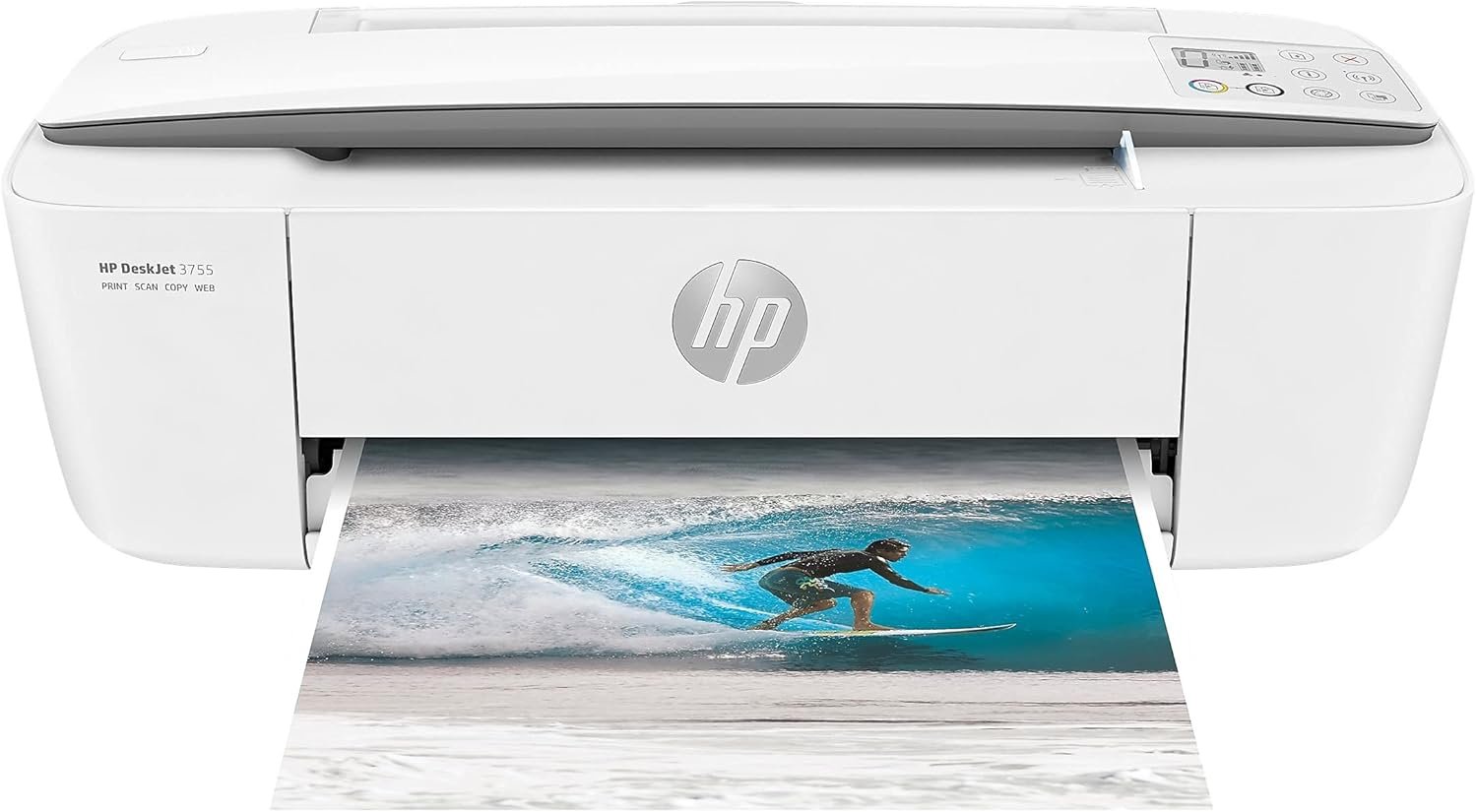
HP DeskJet 3755 Compact All-in-One Wireless Printer Review
The HP DeskJet 3755 compact all-in-one wireless printer offers a versatile solution for home and small office environments. Designed to deliver high-quality prints, scans, and copies in a compact footprint, this printer caters to users who prioritize space efficiency without compromising on essential functionality. With features like HP Instant Ink, cloud printing support, and compatibility with Alexa, the DeskJet 3755 integrates seamlessly into modern workflows. However, its suitability depends on specific printing needs, such as volume requirements and media versatility. This review evaluates the printer’s performance across key metrics, including print quality, connectivity options, and operational costs, to determine its ideal use cases.
Quick Overview
| Feature | Details |
|---|---|
| Printer Type | Inkjet All-in-One |
| Printer Technology | Inkjet (HP Instant Ink) |
| Functions | Print, Scan, Copy |
| Print Resolution | 4800 x 1200 optimized dpi (color), 4800 x 1200 optimized dpi (black and white) |
| Print Speed | Up to 15 ppm color, 19 ppm monochrome |
| Media Sizes | 3 x 5 to 8.5 x 14 inches, envelopes |
| Connectivity | USB, Wi-Fi |
| Compatibility | iOS, Android, Windows, macOS |
| Duty Cycle | Designed for home use (light to moderate volume) |
| Ink System | HP Instant Ink subscription model |
| Warranty | One-year limited hardware warranty |
The HP DeskJet 3755’s compact design and multifunctionality make it ideal for users with limited space who need a printer that can handle basic home printing tasks. Its ink system and wireless connectivity simplify routine operations, though its performance in high-volume environments may fall short. The following sections explore critical factors to consider before purchasing.

Print Quality and Output Performance
The HP DeskJet 3755’s output quality is influenced by its inkjet technology, resolution capabilities, and supported media types. The printer’s maximum print resolution of 4800 x 1200 optimized dpi ensures sharp text and detailed graphics, making it suitable for everyday documents, photos, and light artistic work. However, its performance on glossy or textured media may vary due to the lack of advanced inkjet heads designed for such surfaces. The printer’s ability to handle mixed-media printing, including envelopes and banners, is limited compared to higher-end models, which could be a drawback for users with specific media needs.

Color Accuracy and Text Clarity
The DeskJet 3755’s color output is consistent with standard inkjet printers, producing vibrant colors for photos and graphics. However, the use of HP Instant Ink cartridges means users may experience slight tonal shifts over time due to the ink’s composition. While this is typical for subscription-based systems, it may affect professional-grade printing where color consistency is critical. Text documents benefit from the printer’s high-resolution output, though fine details like small fonts may appear slightly less crisp than those produced by laser printers.
Photo and Graphic Output
For casual photo printing, the DeskJet 3755 delivers acceptable results. The printer’s resolution ensures that images are free of visible banding, and its color accuracy is comparable to other compact inkjets. However, heavy photo printing or prolonged use on glossy paper may lead to ink drying issues, which could affect print longevity. Users with high-volume photo needs should consider a dedicated photo printer or alternative solutions.
Connectivity and Device Compatibility
The HP DeskJet 3755’s connectivity options are designed to support modern, mobile-centric workflows. Its Wi-Fi and USB ports ensure compatibility with a wide range of devices, including smartphones, tablets, and computers. The integration of Amazon Alexa further enhances its usability for voice-activated printing, making it an attractive choice for users who prioritize hands-free operation. However, its reliance on wireless connectivity may introduce latency during large print jobs or in environments with limited Wi-Fi coverage.

Network and Cloud Printing Features
The printer’s support for cloud printing services, such as HP’s ePrint and Google Cloud Print (where available), simplifies remote access to printing functions. This is particularly beneficial for users who need to print documents from multiple devices without direct physical connections. However, the lack of native support for third-party cloud platforms may limit its appeal to users with specific cloud preferences.
Mobile App Integration
The HP DeskJet 3755’s mobile app offers a streamlined interface for managing print queues, monitoring ink levels, and troubleshooting common issues. The app’s design prioritizes simplicity, though advanced users may find its customization options limited compared to more sophisticated all-in-one printers. The app’s reliability is consistent with HP’s general track record for mobile software, though occasional glitches in connectivity may occur.
Cost Efficiency and Ink Management
The HP DeskJet 3755’s cost efficiency is a significant advantage, particularly for users who prioritize low upfront expenses. The printer ships with HP Instant Ink-ready cartridges, which eliminate the need for manual ink refills and reduce the risk of clogs. However, this model’s subscription-based ink system may not be cost-effective for infrequent users who print only occasionally. The initial low price point, combined with the convenience of automatic ink replenishment, makes it an attractive option for households or small offices with predictable printing volumes.

Ink Consumption and Page Yield
The DeskJet 3755’s ink cartridges are designed for moderate use, with a page yield of approximately 120 pages for black and 100 pages for color prints. While this is standard for compact inkjets, users with high-volume needs may find the cost of continuous ink replenishment prohibitive. The printer’s energy-efficient design also contributes to long-term savings, with a wattage of 2.2 watts during operation.
Maintenance and Consumable Costs
Regular maintenance, such as cleaning the print head and replacing cartridges, is necessary to ensure consistent performance. The printer’s design simplifies these tasks, though the lack of a built-in ink level sensor may require users to monitor ink levels manually. The use of HP Instant Ink ensures that users are less likely to run out of ink, but the subscription model may not be ideal for those who prefer one-time purchases.

Pros & Cons
Pros
- Compact footprint ideal for small spaces, with dimensions 6.97″D x 15.86″W x 5.55″H.
- HP Instant Ink subscription model reduces the risk of running out of ink for frequent users.
- Multi-functionality (print, scan, copy) consolidates device needs into a single unit.
- Cloud printing support and Amazon Alexa integration simplify remote access and hands-free operation.
Cons
- Lower page yield compared to laser printers, making it less cost-effective for high-volume use.
- Limited media compatibility, with reduced performance on glossy or textured paper.
- Subscription-based ink model may be unsuitable for users with sporadic printing needs.
- No automatic duplexing, requiring manual double-sided printing for efficiency.
Final Verdict: Who This Printer Is Best For (and Who Should Skip It)
The HP DeskJet 3755 compact all-in-one wireless printer is best suited for home users and small offices with low to moderate printing volumes. Its compact size, multifunctionality, and integration with voice assistants make it an ideal choice for households or individuals who prioritize space efficiency and convenience. The printer’s high-resolution output is adequate for everyday documents, photos, and mixed-media projects, though it may fall short in professional or high-volume environments.
Users who require a dedicated laser printer for faster monochrome printing, extensive media compatibility, or lower long-term costs should consider alternative models. Additionally, those with sporadic printing needs may find the subscription-based ink model less cost-effective than one-time purchases. Overall, the DeskJet 3755 is a practical solution for casual users who value versatility and ease of use over advanced features.

Frequently Asked Questions (FAQs)
Is the HP DeskJet 3755 suitable for photo printing?
The HP DeskJet 3755 produces acceptable photo quality with its 4800 x 1200 optimized dpi resolution. While it can handle casual photo printing, its performance on glossy or textured media may vary compared to dedicated photo printers. Users with high-volume photo needs should consider a specialized printer for better results.
How does the HP DeskJet 3755 compare to a laser printer in terms of speed?
The DeskJet 3755 prints at 15 ppm color and 19 ppm black-and-white, which is slower than most laser printers. For users prioritizing speed, especially for large-volume monochrome printing, a laser printer may be more efficient. However, the DeskJet 3755’s versatility in handling color and mixed-media tasks makes it suitable for non-intensive use.
Can the HP DeskJet 3755 handle large-format printing?
The printer supports media sizes up to 8.5 x 14 inches, but it is not designed for large-format printing. Its maximum sheet capacity of 10 sheets limits its suitability for heavy-duty or oversized print jobs, making it ideal for standard-sized documents and photos.
What are the limitations of the HP Instant Ink system?
The HP Instant Ink subscription model reduces the risk of running out of ink but requires a monthly fee. It may not be cost-effective for users with sporadic printing needs, as the subscription continues even during periods of low usage. Additionally, it lacks the flexibility of one-time ink purchases for infrequent users.
Is the HP DeskJet 3755 compatible with mobile devices?
Yes, the HP DeskJet 3755 supports wireless printing from iOS and Android devices. Its integration with Amazon Alexa allows voice-activated printing, making it convenient for users who prioritize mobile and hands-free operation. However, direct USB connections are still available for added versatility.
What is the warranty period for the HP DeskJet 3755?
The HP DeskJet 3755 comes with a one-year limited hardware warranty. This covers defects in materials and workmanship but does not include consumables like ink cartridges or the included HP Instant Ink subscriptions. Users should register their printer for warranty coverage.
Can the HP DeskJet 3755 handle duplex printing?
No, the HP DeskJet 3755 does not support automatic duplex printing. Users must manually flip documents to print on both sides, which may be less efficient for high-volume or frequent double-sided printing tasks.
What are the connectivity options for the HP DeskJet 3755?
The printer offers both USB and Wi-Fi connectivity options. The Wi-Fi feature allows wireless printing from multiple devices, while the USB port provides a direct connection for added reliability. This flexibility ensures compatibility with various computing environments.