

Printer finder: four questions, matched against the spec sheet
What kind of printer, how fast, how it connects and what else it has to do. Every result is a printer reviewed on this site, and the review is one click away.
The finder searches every product reviewed on this site. It does not rank them by anything we were paid to prefer, and it does not hide one because its listing is incomplete — a listing that never states a figure still appears, labelled not stated, because an incomplete listing is not a worse product.
597 printers match
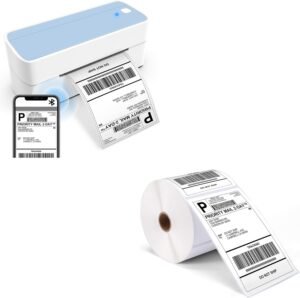
ASprink 24BT Thermal Label Printer Review: 4×6 Label Printing for Small Business Efficiency
- Print resolution
- 203 dpi
- Duty cycle
- not stated
- Connectivity
- Bluetooth, Ethernet, USB, Wi-Fi
Speed
Not stated
This listing does not publish a figure, so it cannot be placed against the baseline.
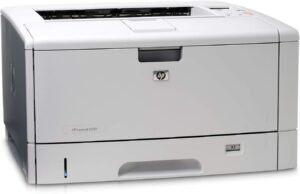
HP LaserJet 5200N 5200 Q7544A Refurbished Printer Review: 90-Day Warranty & Wide Format Capabilities
- Print resolution
- not stated
- Duty cycle
- not stated
- Connectivity
- Ethernet
Speed
35ppm
Laser · an office workload · 56 printers
Speed is -3% against the class median of 36.

Zebra GK420d Direct Thermal Printer Review: 4-Inch Monochrome Label Printing for 2026
- Print resolution
- 203 dpi (black and white)
- Duty cycle
- Designed for frequent use in medium-volume environments
- Connectivity
- USB, serial, parallel ports
Speed
5ppm
Label/thermal · occasional pages · 36 printers
Speed is +26% against the class median of 4.
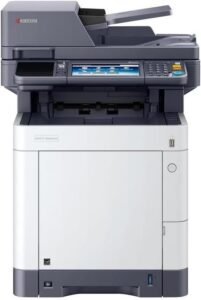
Kyocera ECOSYS M6630cidn Multifunctional Printer Review: 32 PPM Color Output, 1200 DPI, and Business-Ready Features
- Print resolution
- 1200 x 1200 DPI
- Duty cycle
- Up to 100,000 pages per month
- Connectivity
- Ethernet, USB 2.0, Wi-Fi (via optional add-ons)
Speed
32ppm
All-in-one · an office workload · 29 printers
Speed is -3% against the class median of 33.
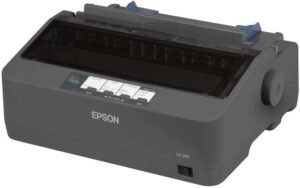
Epson LX-350 9 Pin Dot Matrix Printer: A Reliable Choice for Office Print Needs
- Print resolution
- 300 dpi (Black and White)
- Duty cycle
- 10,000 operating hours (MTBF)
- Connectivity
- USB 2.0
Speed
Not stated
This listing does not publish a figure, so it cannot be placed against the baseline.
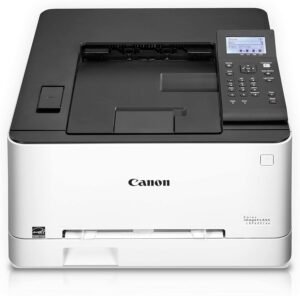
Canon Color imageCLASS LBP622Cdw Wireless Laser Printer Review: Performance, Features, and Use Cases
- Print resolution
- 600 x 600 dpi
- Duty cycle
- not stated
- Connectivity
- Ethernet, USB, Wi-Fi
Speed
22ppm
Laser · a busy desk · 25 printers
Speed is -15% against the class median of 26.
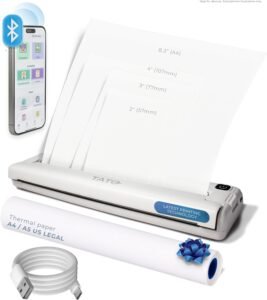
TATO Portable Printer Review: Wireless Bluetooth Thermal Printing for Travel and Mobility
- Print resolution
- 200 dpi
- Duty cycle
- not stated
- Connectivity
- Bluetooth
Speed
12ppm
Too few printers in this class to publish a baseline.
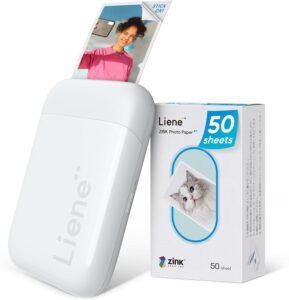
Liene 2×3” Mini Instant Photo Printer — Pocket Zink Printer
- Print resolution
- 300 dpi
- Duty cycle
- not stated
- Connectivity
- Bluetooth 5.0, USB Type-C (for charging)
Speed
1ppm
Photo · occasional pages · 23 printers
Speed is 0% against the class median of 1.
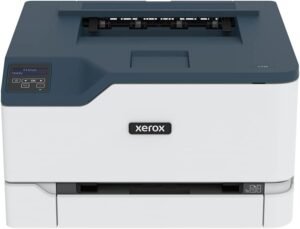
Xerox C230dni Wireless Printer Review: Color Laser Printing for Home and Small Business
- Print resolution
- 600 x 600 dpi (Color), 600 dpi (Black & White)
- Duty cycle
- Up to 1,500 pages per month
- Connectivity
- Ethernet, USB, Wi-Fi (Wi-Fi Direct)
Speed
24ppm
Laser · a busy desk · 25 printers
Speed is -8% against the class median of 26.
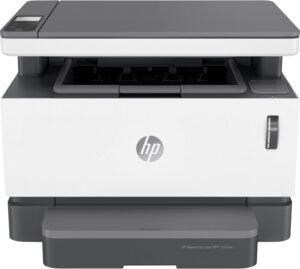
HP Neverstop 1202nw Laser Multifunction Printer Review: Monochrome Printing Performance and Office Suitability
- Print resolution
- 600 x 600 dpi
- Duty cycle
- Up to 20,000 pages
- Connectivity
- Networkable, USB, Wireless
Speed
21ppm
All-in-one · a busy desk · 16 printers
Speed is -2% against the class median of 22.
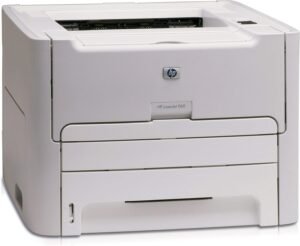
HP LaserJet 1160 Q5933A Refurbished Laser Printer Review: Office Printing Performance 2026
- Print resolution
- not stated
- Duty cycle
- not stated
- Connectivity
- Wired
Speed
20ppm
Label/thermal · a busy desk · 9 printers
Speed is 0% against the class median of 20.
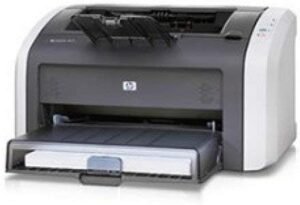
HP LaserJet 1012 Laser Printer (Renewed) Review: 2026 Performance & Features
- Print resolution
- 1200 x 1200 dpi
- Duty cycle
- not stated
- Connectivity
- Ethernet, USB 2.0
Speed
15ppm
Laser · a home desk · 8 printers
Speed is -21% against the class median of 19.
How to read the results
The figure on the right of each result is its speed in pages per minute, and beneath it how far that sits from the median for its own type and speed class. The published figure is measured on plain text at default quality, so treat it as a ceiling: photos and heavy graphics are slower, often by a lot. The bar shows where the printer sits across its class, with the median marked.
Where a class holds fewer than eight products, no comparison is shown. That is a deliberate limit, not a missing feature. Read the review under each result opens this site’s review of that product; Check price on Amazon opens the listing.
Why incomplete listings still appear
Every figure here is the manufacturer’s, as quoted in the review. A filter that dropped everything it could not confirm would discard much of the catalogue the moment you answered, and what it discarded would not be worse products, only less completely described ones. So a filter excludes a product only when its listing positively contradicts what you asked for.
The catalogue is 597 printers at the time of writing, and coverage of the questions varies: speed by 72%, connectivity by 98%, functions by 88%, Automatic two-sided printing by 18%. Those are the manufacturers’ own publishing habits, not gaps we chose to leave.
What the finder cannot tell you
It cannot tell you what a page costs to print, because that depends on cartridge yield and street prices that move weekly and this site does not track them. It cannot tell you how good a photo looks, because that is a judgement from holding the print. And it cannot tell you whether the driver will behave on your operating system, which is the complaint printers actually generate.
Prefer to compare two models?
Printer comparisons puts specific models next to each other, and next to their whole class, using only the figures two sources agree on.
Prefer to browse?
How the reviews are written · Affiliate disclosure · About this site.