
Brother HL-L2460DW vs Canon imageCLASS LBP122dw: Which Resolution Is Higher Depends on the Field
Two mono laser printers in one price band. The Canon states the bigger maximum resolution and the Brother the bigger speed, tray and weight, and which has the higher resolution depends on which field you read.
The two listings at a glance
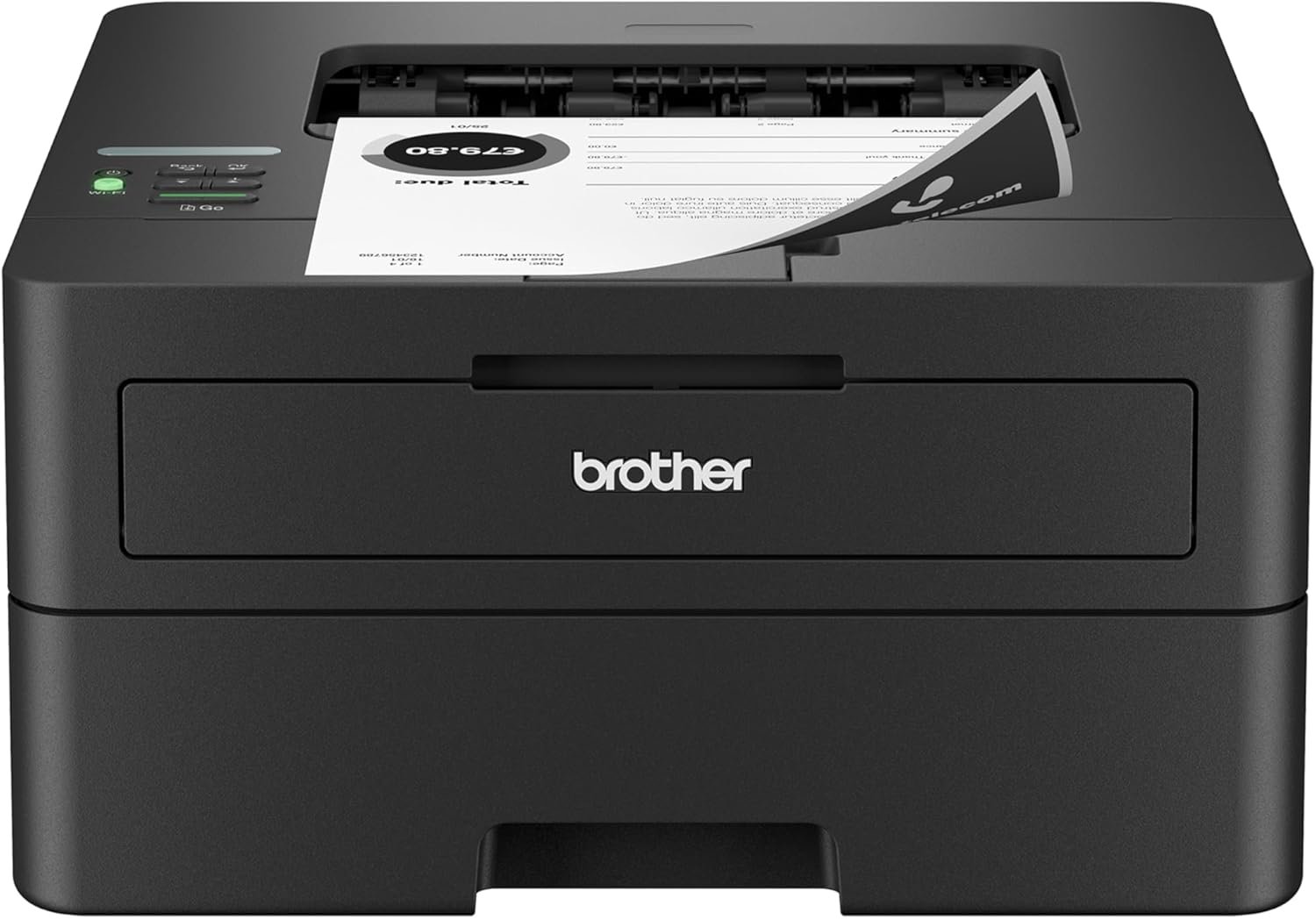
Wi-Fi, Ethernet, USB, automatic duplex
Read our review · Check price on Amazon
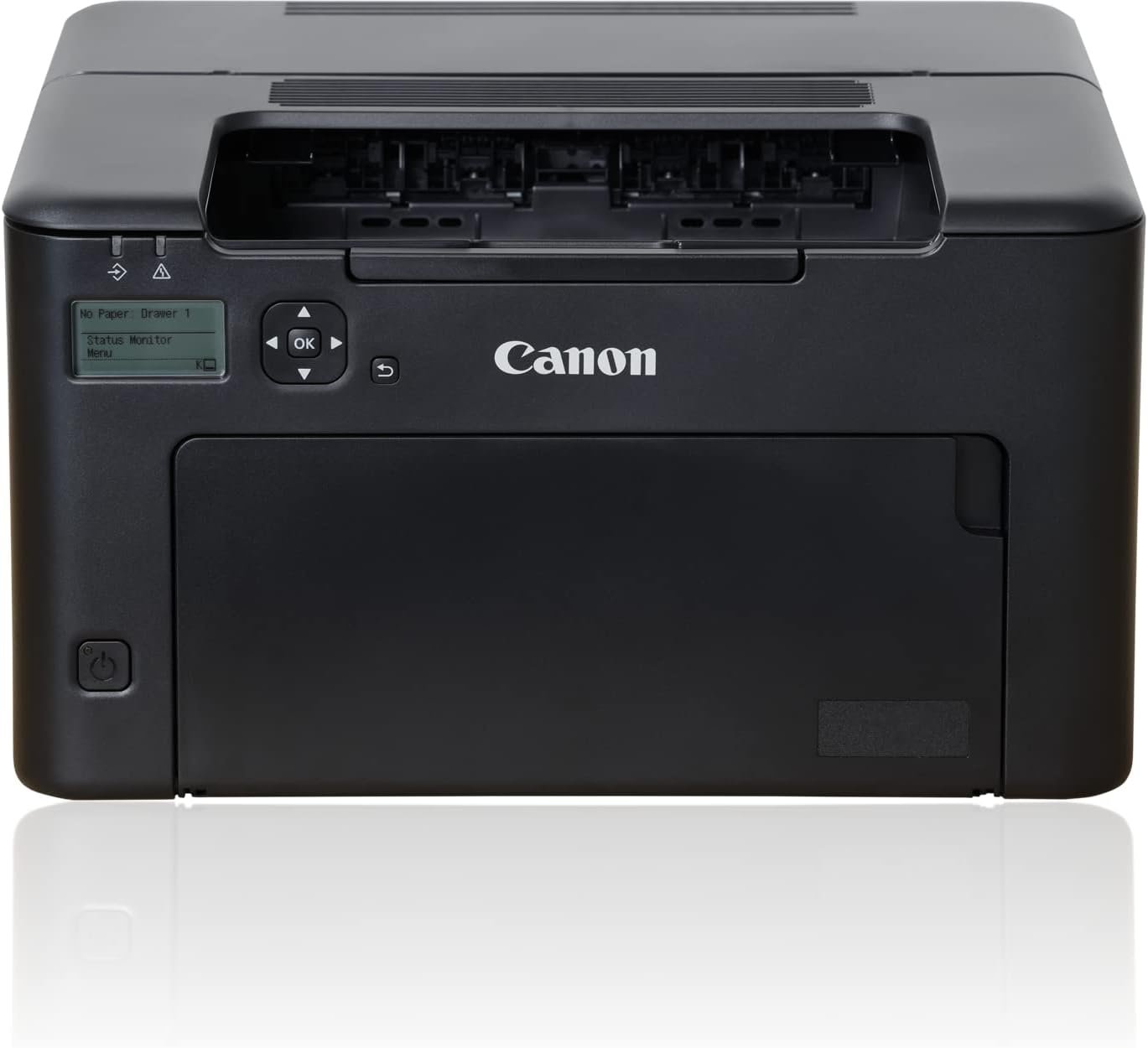
Wi-Fi, USB, automatic duplex
Read our review · Check price on Amazon
Two compact monochrome laser printers, both with automatic two-sided printing and wireless, both in the $75-200 band. They are the sort of pair a shopper puts side by side, and they look like a clear choice on the headline figures: the Canon states a resolution of 2,400 and the Brother states a speed of 36. Each of those numbers hides a second figure on its own listing, and read properly they point the other way.
| Figure | Brother HL-L2460DW | Canon LBP122dw | Laser class median |
|---|---|---|---|
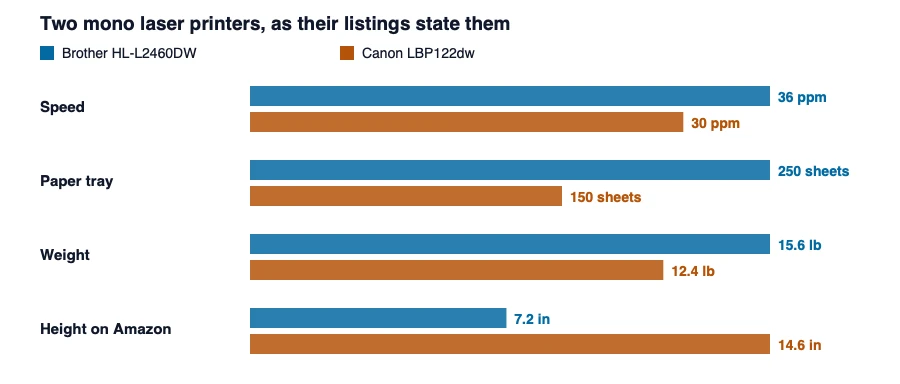
| Speed (black and white) | 36 ppm (both sources) | 30 ppm (both sources) | 31 ppm |
| Resolution field | 1200 x 1200 dpi | 600 x 600 dpi | — |
| Maximum print resolution field | 1200 x 1200 dpi | 2400 x 600 dpi | — |
| First page out | 8.5 seconds | 5.3 seconds | — |
| Paper tray | 250 sheets | 150 sheets | 250 sheets |
| Weight | 7.1 kg, 15.6 lb (listing only) | 5.6 kg, 12.4 lb (listing only) | 11.8 kg |
| Dimensions on Amazon | 14.2″ D x 14″ W x 7.2″ H | 15.4″ D x 14.4″ W x 14.6″ H | — |
| Connectivity | Wi-Fi (dual band), Ethernet, USB | Wi-Fi, USB | — |
| Duplex | automatic | automatic | — |
| Price band | $75-200 | $75-200 | — |
Speed: 20 percent more on the Brother, and a first page that comes later
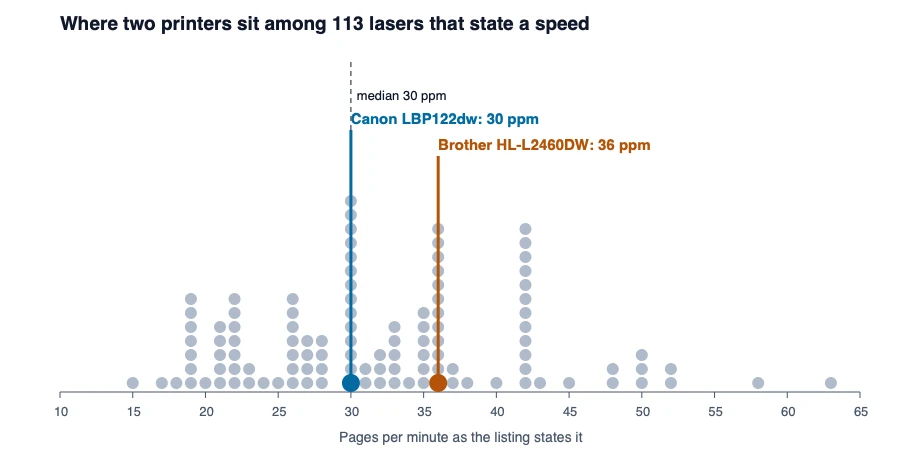
The Brother states 36 pages per minute and the Canon 30, so the Brother is 20 percent faster on the number both listings and both of our review tables give. The same pages carry a second speed figure, the time to the first page: 8.5 seconds on the Brother and 5.3 on the Canon. For a single page the Canon is the quicker printer by about three seconds, and for a long job the Brother’s rate wins. Which matters depends on what you print, and the listing’s headline number answers only one of the questions. Neither listing says how the rate was measured, and the class has stacks of printers at 30 and 36, so both numbers are family figures. The Canon’s 30 is the most common speed in the catalogue, and the Brother’s 36 is tied for second.
Resolution: a 2,400 that is not the 2,400 it looks like
Amazon’s Canon page lists two resolutions. Its “Resolution” field says 600 x 600, and its “Maximum Print Resolution Black and White” says 2400 x 600. Our review gives the second, 2,400 by 600, and describes it as the resolution. The Brother’s page and review both say 1,200 by 1,200. A catalogue reading only the maximum field would give the Canon twice the Brother’s resolution, and the same catalogue reading the plain resolution field would give the Brother twice the Canon’s. The listing labels the 2,400 by 600 a maximum, and makers commonly use a maximum figure for an image-enhancement mode that sits on top of a lower base resolution, but the Canon’s listing does not say so. A plain 1,200 by 1,200 is not the same kind of figure as a 2,400 by 600 maximum, and neither listing says by how much either changes a printed page. The laser printer class report shows that speeds do not follow resolution across the class either.
What each one asks of the desk
The Brother is listed at 15.6 pounds, 7.1 kilograms, and the Canon at 12.4, 5.6: the Brother is 1.5 kilograms heavier. It is also the shorter. Amazon gives the Brother a height of 7.2 inches and the Canon 14.6, 7.4 inches taller, with a depth of 14.2 against 15.4. The Brother holds 250 sheets and the Canon 150, so the heavier, lower printer carries two thirds more paper. Where the printer goes under a shelf, the height is the figure to read; where it goes on a desk beside a laptop, the tray is. The Canon’s listing gives 1,230 watts of power consumption without saying whether that is peak, printing or standby, and the Brother’s gives none.
Two things to know about the Brother’s listing and our review
The Amazon listing for the Brother carries “Renewed Premium – Refurbished” in its offering condition, so this ASIN is a restored unit sold under the same model name. The figures describe the model; the warranty and the condition belong to the offer. And our own review of the Brother has two errors. It lists the printer’s supported functions as print, scan and copy, where Amazon says print only, which is right for an HL-L2460DW. And its “duty cycle” row holds the 250-sheet tray capacity, which is not a duty cycle. Neither error changes the comparison above, but both are in a table that a shopper would trust, and we have noted them for correction. The Canon’s review gives a duty cycle of 15,000 pages per month, which the listing does not state.
Which suits which
The Brother HL-L2460DW suits you if
- you print long documents: 36 pages per minute against 30, and a 250-sheet tray against 150;
- you want Ethernet as well as Wi-Fi, and dual-band wireless;
- the lower profile matters: it is 7.4 inches shorter on Amazon’s page;
- you have confirmed which offer you are buying, new or renewed.
The Canon imageCLASS LBP122dw suits you if
- you print a page or two at a time and care about the 5.3-second first page;
- you want the lighter printer, by 1.5 kilograms;
- you read its 2,400 as a maximum over a plain 600 dpi figure and that is enough;
- a stated duty cycle of 15,000 pages a month in our review is something you want to plan around.
What each takes to keep running
Our reviews name the supplies. The Brother takes a TN830 standard-yield toner or a TN830XL high-yield one, and its listing says the printer ships with toner cartridges and a drum unit. The Canon takes Canon’s 071 toner or the 071 high-capacity version, and its listing says it ships with a starter cartridge of 700 pages. Each printer therefore has two toner sizes to choose between and one starter figure the other lacks: a 700-page start on the Canon, no page count on the Brother’s listing. Neither listing states a cost per page, and a toner price is not something these pages publish.
What this comparison cannot tell you
Nothing here was tested. We did not print a page on either machine, so we cannot say which makes the crisper text, which is quieter or which costs less in toner. The speeds, resolutions and weights are the makers’ numbers. For each in full, read our review of the Brother HL-L2460DW and our review of the Canon LBP122dw, and see the laser printer reviews for the rest of the type.
Figures are the manufacturers’, as published on each listing and quoted in our reviews; none was measured by us. How we work · Affiliate disclosure